steering Lexus IS300h 2017 Service Manual
[x] Cancel search | Manufacturer: LEXUS, Model Year: 2017, Model line: IS300h, Model: Lexus IS300h 2017Pages: 692, PDF Size: 163.7 MB
Page 209 of 692
2094-1. Before driving
4
Driving
IS300h_EE(OM53D89E)
Cargo and luggage
Take notice of the following information about storage precautions, cargo
capacity and load:
WARNING
■Things that must not be carried in the trunk
The following things may cause a fire if loaded in the trunk:
●Receptacles containing gasoline
●Aerosol cans
■Storage precautions
Observe the following precautions.
Failure to do so may prevent the pedals from being depressed properly, may block the driver’s vision, or may result in items hittin g the driver or passengers, possibly causing
an accident.
●Stow cargo and lugg age in the trunk whenever possible.
●To prevent cargo and luggage from sliding forward during braking, do not stack any-
thing in the enlarged trunk. Keep cargo and luggage low, as close to the floor as pos-
sible.
●When you fold down the rear seats, long items should not be placed directly behind
the front seats.
●Never allow anyone to ride in the enlarged trunk. It is not designed for passengers. They should ride in their seats with their seat belts properly fastened.
●Do not place cargo or luggage in or on the following locations.
• At the feet of the driver • On the front passenger or rear seats (when stacking items)
• On the package tray
• On the instrument panel •On the dashboard
• In front of the Lexus Display Audio screen (if equipped) or 10.3-inch display (if
equipped)
●Secure all items in the occupant compartment.
■Load and distribution
●Do not overload your vehicle.
●Do not apply loads unevenly.
Improper loading may cause deterioration of steering or braking control which may cause death or serious injury.
Page 216 of 692
2164-1. Before driving
IS300h_EE(OM53D89E)
Your vehicle will handle differently when towing a trailer. In order to avoid acci-
dent, death or serious injury, keep the following in mind when towing:
■Checking connections between trailer and lights
Stop the vehicle and check the operation of the connection between the
trailer and lights after driving for a brief period as well as before starting off.
■Practicing driving with a coupled trailer
●Get the feel for turning, stopping and reversing with the trailer coupled by
practicing in an area with no or light traffic.
●When reversing with a coupled traile r, hold the section of the steering
wheel nearest to you and rotate clockwis e to turn the trailer left or counter-
clockwise to turn it right. Always rotate a little at a time to prevent steering
error. Have someone guide you when reversing to lessen the risk of an
accident.
■Increasing vehicle-to-vehicle distance
At a speed of 10 km/h (6 mph), the di stance to the vehicle running ahead of
you should be equivalent to or greater than the combined length of your vehi-
cle and trailer. Avoid sudden braking th at may cause skidding. Otherwise, the
vehicle may spin out of control. This is especially true when driving on wet or
slippery road surfaces.
■Sudden acceleration/steering input/cornering
Executing sharp turns when towing may re sult in the trailer colliding with your
vehicle. Decelerate well in advance when approaching turns and take them
slowly and carefully to avoid sudden braking.
■Important points regarding turning
The wheels of the trailer will travel closer to the inside of the curve than the
wheels of the vehicle. To make allowance for this, take the turns wider than you
would normally do.
Guidance
Page 222 of 692
2224-2. Driving procedures
IS300h_EE(OM53D89E)
■Steering lock
After turning the power switch off and openin g and closing the doors, the steering wheel will be locked due to the steering lock func tion. Operating the power switch again auto-
matically cancels the steering lock.
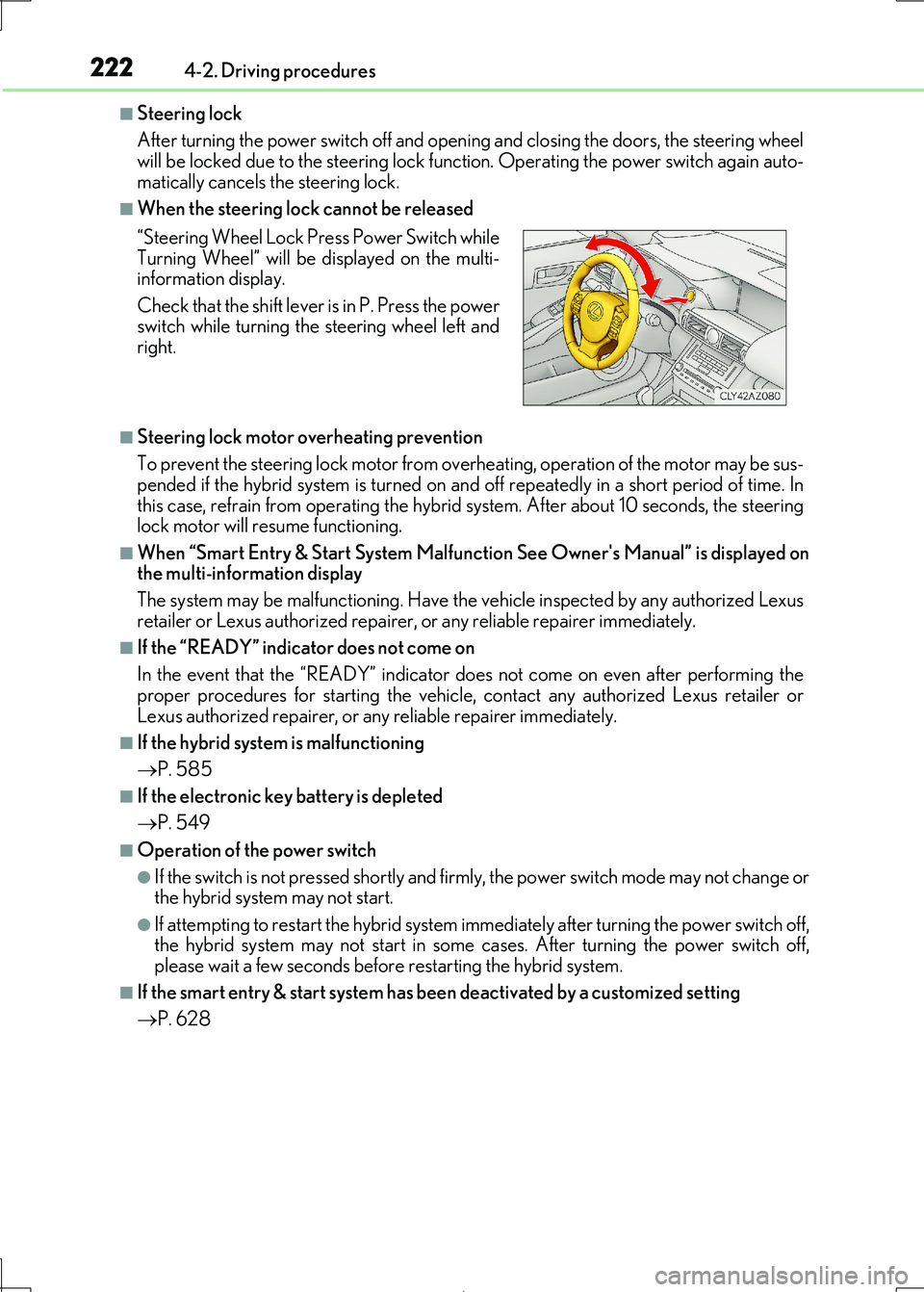
■When the steering lock cannot be released
■Steering lock motor overheating prevention
To prevent the steering lock motor from overheating, operation of the motor may be sus-
pended if the hybrid system is turned on an d off repeatedly in a short period of time. In this case, refrain from operating the hybrid system. After about 10 seconds, the steering
lock motor will resume functioning.
■When “Smart Entry & Start System Malfunction See Owner's Manual” is displayed on the multi-information display
The system may be malfunctioning. Have the vehicle inspected by any authorized Lexus
retailer or Lexus authoriz ed repairer, or any reliable repairer immediately.
■If the “READY” indicator does not come on
In the event that the “READY” indicator does not come on even after performing the
proper procedures for starting the vehicle, contact any authorized Lexus retailer or
Lexus authorized repairer, or any reliable repairer immediately.
■If the hybrid system is malfunctioning
P. 585
■If the electronic key battery is depleted
P. 549
■Operation of the power switch
●If the switch is not pressed shortly and firmly, the power switch mode may not change or the hybrid system may not start.
●If attempting to restart the hybrid system immediately after turning the power switch off,
the hybrid system may not start in some cases. After turning the power switch off, please wait a few seconds before restarting the hybrid system.
■If the smart entry & start system has been deactivated by a customized setting
P. 628
“Steering Wheel Lock Pr ess Power Switch while
Turning Wheel” will be displayed on the multi- information display.
Check that the shift lever is in P. Press the power
switch while turning the steering wheel left and right.
Page 223 of 692

2234-2. Driving procedures
4
Driving
IS300h_EE(OM53D89E)
WARNING
■When starting the hybrid system
Always start the hybrid system while sittin g in the driver’s seat. Do not depress the
accelerator pedal while starting the hy brid system under any circumstances.
Doing so may cause an accident resu lting in death or serious injury.
■Caution while driving
If hybrid system failure occu rs while the vehicle is moving, do not lock or open the
doors until the vehicle reaches a safe and complete stop. Activation of the steering lock in this circumstance may lead to an accident, resulting in death or serious injury.
■Stopping the hybrid system in an emergency
If you want to stop the hybrid system in an emergency while driving the vehicle, press and hold the power switch for more than 2 se conds, or press it briefly 3 times or more
in succession. ( P. 567)
However, do not touch the power switch while driving except in an emergency. Turning the hybrid system off while driving will not cause loss of steering or braking control,
however, power assist to the stee ring will be lost. This will make it more difficult to steer
smoothly, so you should pull over and stop the vehicle as soon as it is safe to do so.
NOTICE
■To prevent 12-volt battery discharge
●Do not leave the power switch in ACCESSORY or ON mode for long periods of time without the hybrid system on.
●If “ACCESSORY” or “IGNITION ON” is di splayed on the meters while the hybrid
system is not operating, the power switch is not off. Exit the vehicle after turning the power switch off.
●Do not stop the hybrid system when the shift lever is in a position other than P. If the
hybrid system is stopped in another shift lever position, the power switch will not be turned off but instead be turned to ACCESSORY mode. If the vehicle is left in
ACCESSORY mode, 12-volt ba ttery discharge may occur.
■When starting the hybrid system
If the hybrid system becomes difficult to st art, have your vehicle checked by any autho-
rized Lexus retailer or Lexus authorized repa irer, or any reliable repairer immediately.
■Symptoms indicating a malfunction with the power switch
If the power switch seems to be operating somewhat differently than usual, such as the
switch sticking slightly, th ere may be a malfunction. Contact any authorized Lexus
retailer or Lexus authorized repairer, or any reliable repairer immediately.
Page 257 of 692
257
4
Driving
IS300h_EE(OM53D89E)
4-5. Using the driving support systems
◆PCS (Pre-Collision System)
P. 265
◆LDA (Lane Departure Alert with steering control)
P. 279
◆Automatic High Beam
P. 240
◆RSA (Road Sign Assist)
P. 288
◆Dynamic radar cruise control
P. 293
Lexus Safety System+
: If equipped
The Lexus Safety System+ consists of the following drive assist systems and
contributes to a safe and co mfortable driving experience:
WARNING
■Lexus Safety System+
The Lexus Safety System+ is designed to operate under the assumption that the driver
will drive safely, and is designed to help reduce the impact to the occupants and the vehicle in the case of a collision or assist the driver in normal driving conditions.
As there is a limit to the degree of reco gnition accuracy and control performance that
this system can provide, do not overly rely on this system. The driver is always responsi- ble for paying attention to the vehicl e's surroundings and driving safely.
Page 267 of 692
2674-5. Using the driving support systems
4
Driving
IS300h_EE(OM53D89E)
WARNING
■Limitations of the pre-collision system
●The driver is solely responsible for safe driving. Always drive safely, taking care to
observe your surroundings.
Do not use the pre-collision sy stem instead of normal braking operations under any circumstances. This system will not preven t collisions or lessen collision damage or
injury in every situation. Do not overly rely on this system. Failure to do so may lead to
an accident, resulting in death or serious injury.
●Although this system is designed to help avoid a collision or help reduce the impact of
the collision, its effectiveness may change according to various conditions, therefore
the system may not always be able to achieve the same level of performance. Read the following cond itions carefully. Do not overly rely on this system and always
drive carefully.
• Conditions under which the system may oper ate even if there is no possibility of a collision: P. 274
• Conditions under which the syst em may not operate properly: P. 276
●Do not attempt to test the operation of the pre-collision system yourself, as the system
may not operate properly, possib ly leading to an accident.
■Pre-collision braking*3
●When the pre-collision braking function is operating, a large amount of braking force
will be applied.
●If the vehicle is stopped by the operation of the pre-collision braking function, the pre- collision braking function operation will be canceled after approximately 2 seconds.
Depress the brake pedal as necessary.
●The pre-collision braking function may no t operate if certain operations are per- formed by the driver. If the accelerator pedal is being depressed strongly or the steer-
ing wheel is being turned, the system may determine that the driver is taking evasive
action and possibly prevent the pre-coll ision braking function from operating.
●In some situations, while the pre-collision braking function is operating, operation of
the function may be canceled if the accelerator pedal is depressed strongly or the
steering wheel is turned and the system dete rmines that the driver is taking evasive action.
●If the brake pedal is being depressed, the system may determine that the driver is tak-
ing evasive action and possibly delay the op eration timing of the pre-collision braking function.
*3: Depending on the region in which the vehicle was sold, the pre-collision braking
function may not be available.
Page 273 of 692
2734-5. Using the driving support systems
4
Driving
IS300h_EE(OM53D89E)
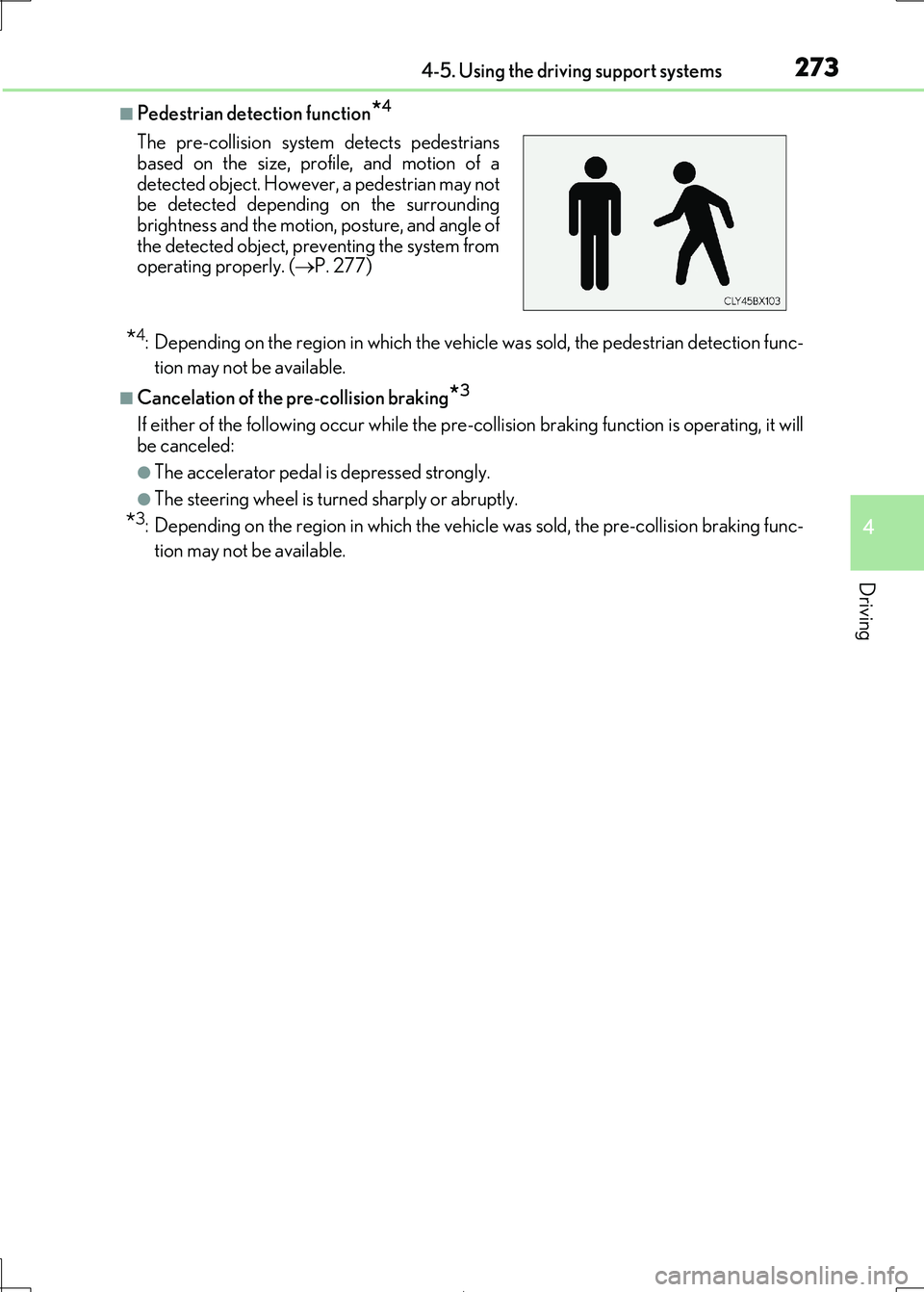
■Pedestrian detection function*4
*4: Depending on the region in which the vehicle was sold, the pedestrian detection func-
tion may not be available.
■Cancelation of the pre-collision braking*3
If either of the following occur while the pre-co llision braking function is operating, it will
be canceled:
●The accelerator pedal is depressed strongly.
●The steering wheel is turned sharply or abruptly.
*3: Depending on the region in which the vehi cle was sold, the pre-collision braking func-
tion may not be available.
The pre-collision system detects pedestrians
based on the size, profile, and motion of a
detected object. However, a pedestrian may not be detected depending on the surrounding
brightness and the motion, posture, and angle of
the detected object, preventing the system from operating properly. ( P. 277)
Page 279 of 692
2794-5. Using the driving support systems
4
Driving
IS300h_EE(OM53D89E)
When driving on highways and freeways with white (yellow) lines, this function
alerts the driver when the vehicle might depart from its lane and provides assis-
tance by operating the steering wheel to keep the vehicle in its lane.
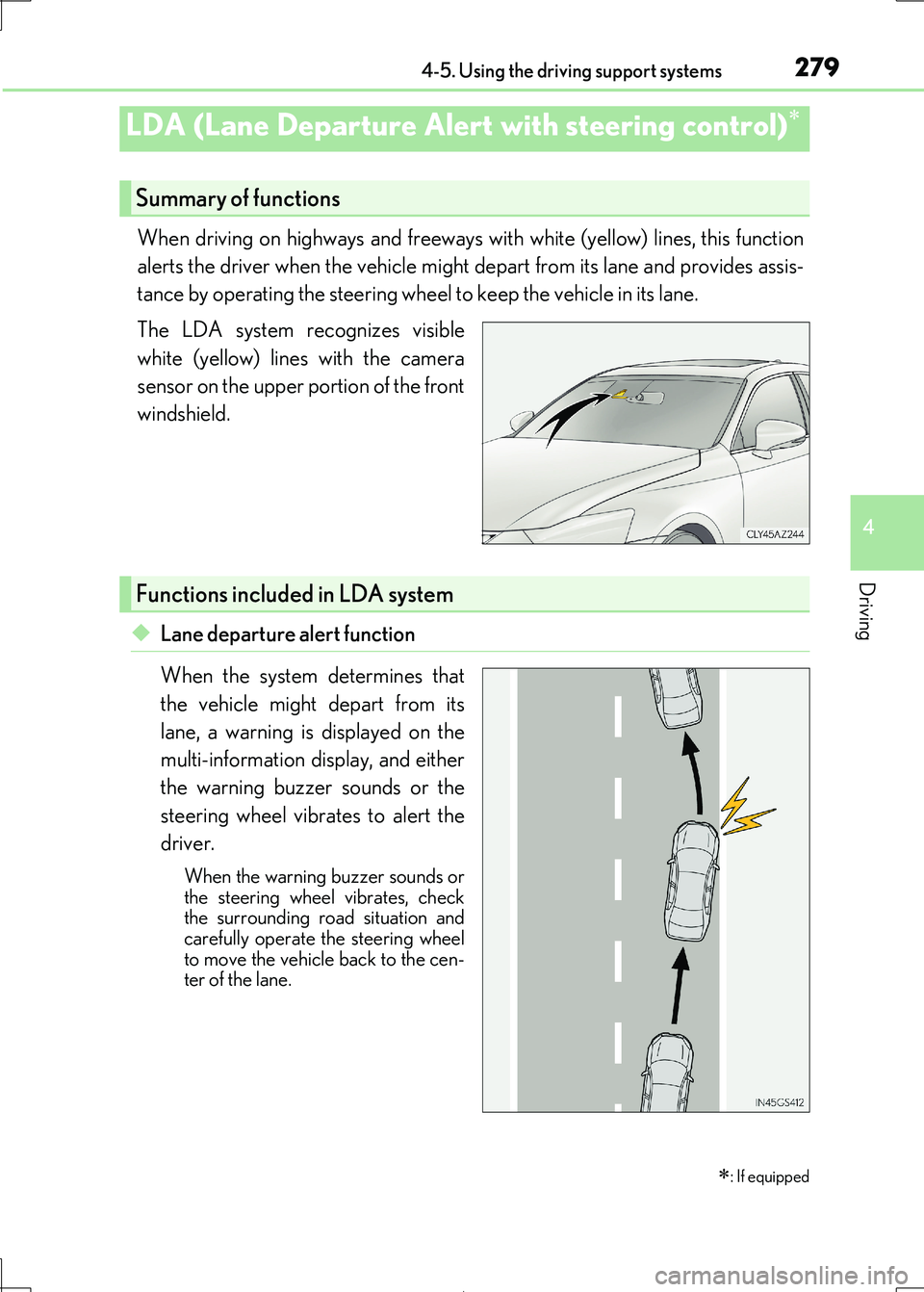
The LDA system recognizes visible
white (yellow) lines with the camera
sensor on the upper portion of the front
windshield.
◆Lane departure alert function
When the system determines that
the vehicle might depart from its
lane, a warning is displayed on the
multi-information display, and either
the warning buzzer sounds or the
steering wheel vibrates to alert the
driver.
When the warning buzzer sounds or
the steering wheel vibrates, check
the surrounding road situation and carefully operate the steering wheel
to move the vehicle back to the cen-
ter of the lane.
LDA (Lane Departure Alert with steering control)
: If equipped
Summary of functions
Functions included in LDA system
Page 280 of 692
2804-5. Using the driving support systems
IS300h_EE(OM53D89E)
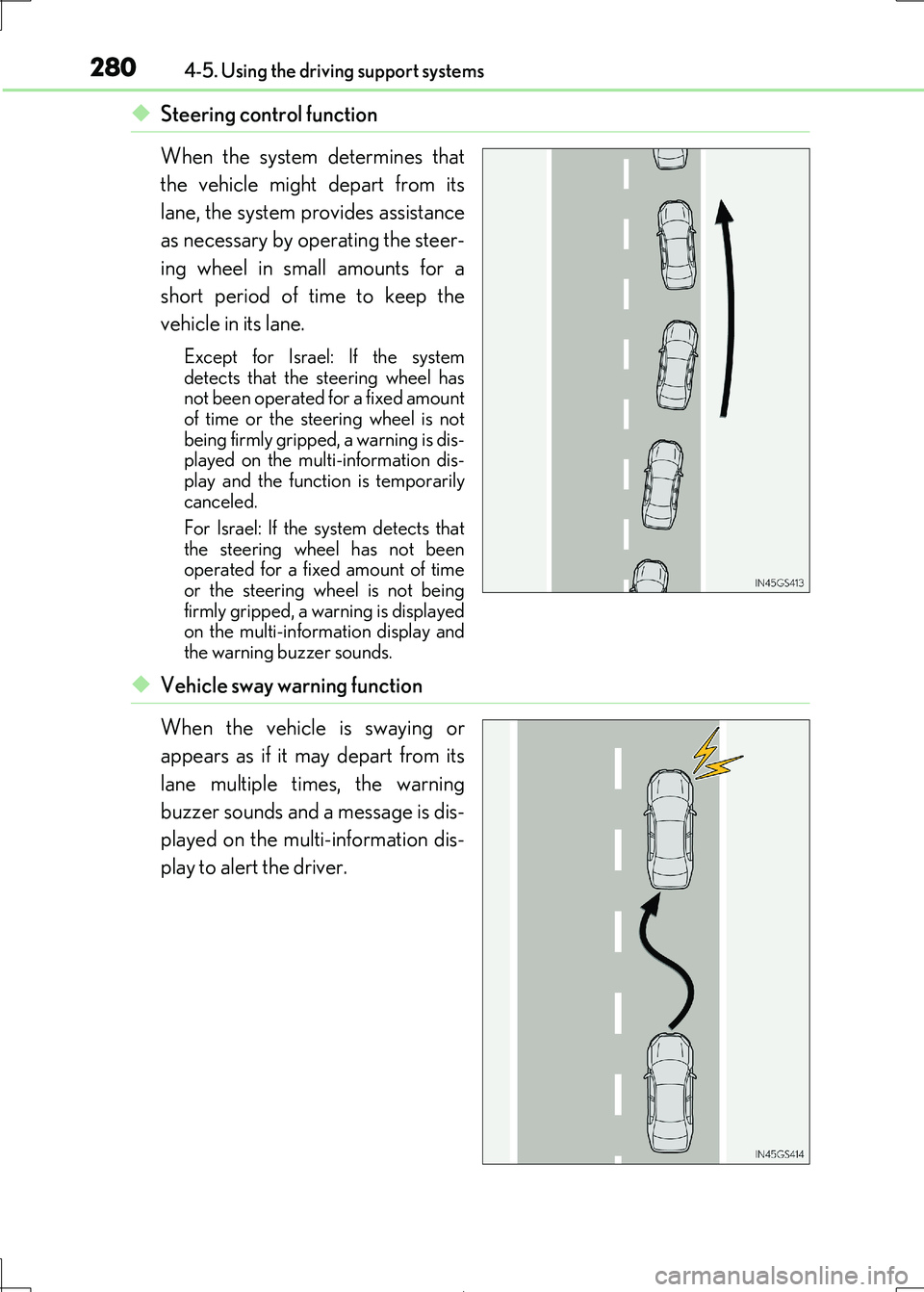
◆Steering control function
When the system determines that
the vehicle might depart from its
lane, the system provides assistance
as necessary by operating the steer-
ing wheel in small amounts for a
short period of time to keep the
vehicle in its lane.
Except for Israel: If the system
detects that the steering wheel has not been operated for a fixed amount
of time or the steering wheel is not
being firmly gripped, a warning is dis- played on the multi-information dis-
play and the function is temporarily
canceled.
For Israel: If the system detects that
the steering wheel has not been
operated for a fixed amount of time or the steering wheel is not being
firmly gripped, a wa rning is displayed
on the multi-information display and the warning buzzer sounds.
◆Vehicle sway warning function
When the vehicle is swaying or
appears as if it may depart from its
lane multiple times, the warning
buzzer sounds and a message is dis-
played on the multi-information dis-
play to alert the driver.
Page 281 of 692
2814-5. Using the driving support systems
4
Driving
IS300h_EE(OM53D89E)
WARNING
■Before using LDA system
Do not rely solely upon the LDA system. The LDA system does not automatically drive
the vehicle or reduce the amount of attention that must be paid to the area in front of
the vehicle. The driver must always assume full responsibility for driving safely by pay- ing careful attention to the surrounding cond itions and operating the steering wheel to
correct the path of the vehicle. Also, th e driver must take adequate breaks when
fatigued, such as from driving for a long period of time. Failure to perform appropriate driving operat ions and pay careful attention may lead to
an accident, resulting in death or serious injury.
■To avoid operating LDA system by mistake
When not using the LDA system, use the LDA switch to turn the system off.
■Situations unsuitable for LDA system
Do not use the LDA system in the following situations. The system may not operate properly and le ad to an accident, resulting in death or
serious injury.
●A spare tire, tire chains, etc. are equipped.
●When the tires have been excessively worn, or when the tire inflation pressure is low.
●Tires which differ by structure, manufacturer, brand or tread pattern are used.
●Objects or patterns that could be mistaken for white (yellow) lines are present on the side of the road (guardrails, cu rbs, reflective poles, etc.).
●Vehicle is driven on a snow-covered road.
●White (yellow) lines are difficult to see due to rain, snow, fog, dust, etc.
●Asphalt repair marks, white (yellow) line marks, etc. are present due to road repair.
●Vehicle is driven in a temporary lane or restricted lane due to construction work.
●Vehicle is driven on a road surface which is slippery due to rainy weather, fallen snow, freezing, etc.
●Vehicle is driven in traffic lanes ot her than on highways and freeways.
●Vehicle is driven in a construction zone.
●When your vehicle is towing a trailer or during emergency towing
■Preventing LDA system malfunctions and operations performed by mistake
●Do not modify the headlights or place stickers, etc. on the surface of the lights.
●Do not modify the suspension etc. If the suspension etc. needs to be replaced, con-
tact your authorized Lexus retailer or Lexus authorized repairer, or any reliable
repairer.
●Do not install or place anything on the hood or grille. Also, do not install a grille guard
(bull bars, kangaroo bar, etc.).
●If your windshield needs repairs, contact your authorized Lexus retailer or Lexus
authorized repairer, or any reliable repairer.