display Lexus IS300h 2017 Repair Manual
[x] Cancel search | Manufacturer: LEXUS, Model Year: 2017, Model line: IS300h, Model: Lexus IS300h 2017Pages: 692, PDF Size: 163.7 MB
Page 265 of 692
2654-5. Using the driving support systems
4
Driving
IS300h_EE(OM53D89E)
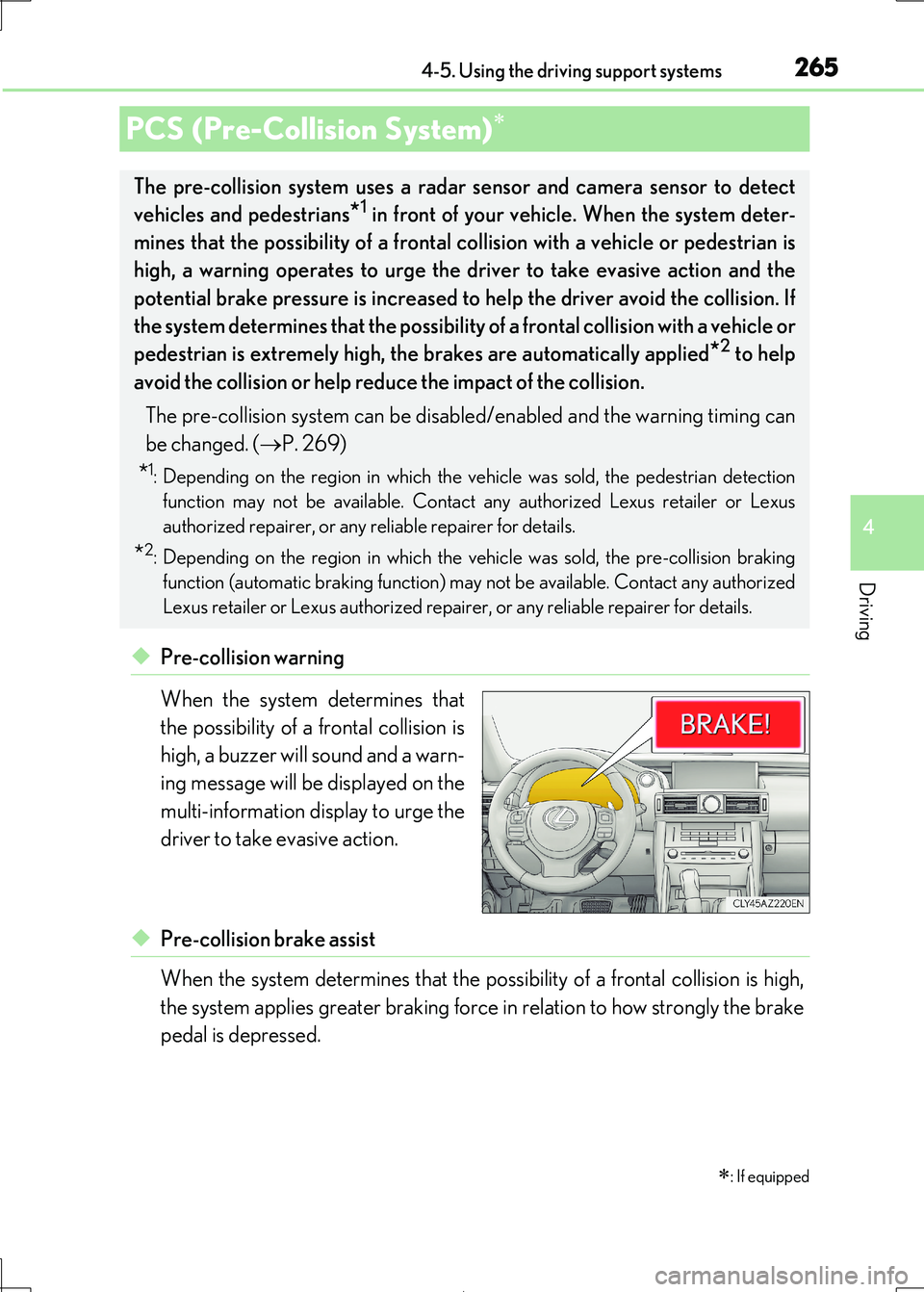
◆Pre-collision warning
When the system determines that
the possibility of a frontal collision is
high, a buzzer will sound and a warn-
ing message will be displayed on the
multi-information display to urge the
driver to take evasive action.
◆Pre-collision brake assist
When the system determines that the po ssibility of a frontal collision is high,
the system applies greater braking force in relation to how strongly the brake
pedal is depressed.
PCS (Pre-Collision System)
: If equipped
The pre-collision system uses a rada r sensor and camera sensor to detect
vehicles and pedestrians*1 in front of your vehicle. When the system deter-
mines that the possibility of a frontal collision with a vehicle or pedestrian is
high, a warning operates to urge the driver to take evasive action and the
potential brake pressure is increased to help the driver avoid the collision. If
the system determines that the possibility of a frontal collision with a vehicle or
pedestrian is extremely high, the brakes are automatically applied*2 to help
avoid the collision or help reduce the impact of the collision.
The pre-collision system can be disabl ed/enabled and the warning timing can
be changed. ( P. 269)
*1: Depending on the region in which the vehicle was sold, the pedestrian detection
function may not be available. Contact any authorized Lexus retailer or Lexus
authorized repairer, or any reliable repairer for details.
*2: Depending on the region in which the ve hicle was sold, the pre-collision braking
function (automatic braking function) may not be available. Contact any authorized
Lexus retailer or Lexus authorized repair er, or any reliable repairer for details.
Page 269 of 692
2694-5. Using the driving support systems
4
Driving
IS300h_EE(OM53D89E)
■Enabling/disabling the pre-collision system
The pre-collision system can be enabled/disabled on ( P. 119) of the
multi-information display.
The system is automatically enabled each time the power switch is turned to ON
mode.
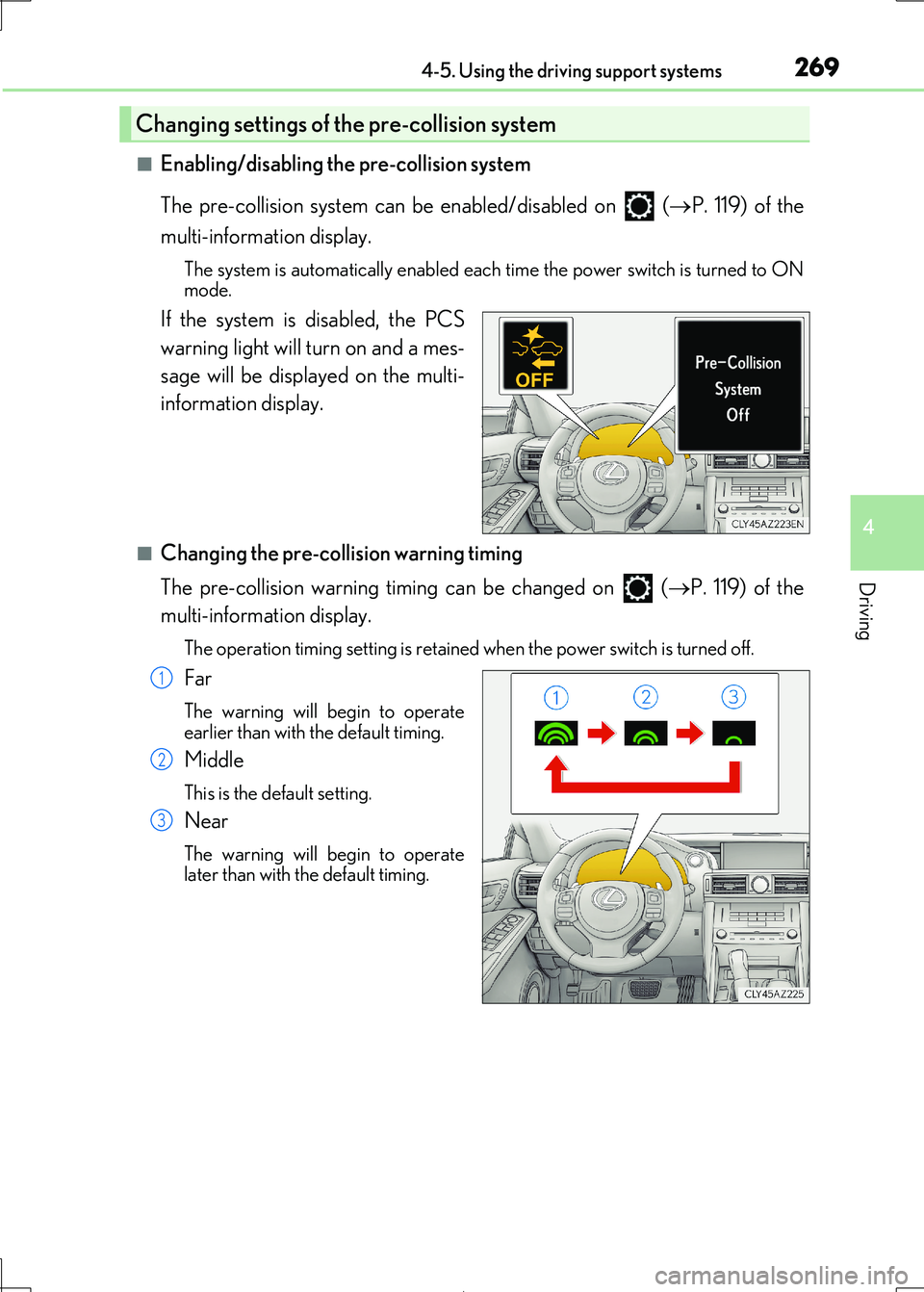
If the system is disabled, the PCS
warning light will turn on and a mes-
sage will be displayed on the multi-
information display.
■Changing the pre-collision warning timing
The pre-collision warning timing can be changed on ( P. 119) of the
multi-information display.
The operation timing setting is retained when the power switch is turned off.
Far
The warning will begin to operate earlier than with the default timing.
Middle
This is the default setting.
Near
The warning will begin to operatelater than with the default timing.
Changing settings of the pre-collision system
1
2
3
Page 278 of 692
2784-5. Using the driving support systems
IS300h_EE(OM53D89E)
■If the PCS warning light flashes and a warning message is displayed on the multi-infor-
mation display
The pre-collision system may be temporarily unavailable or there may be a malfunction
in the system.
●In the following situations, the warning light will turn off, the message will disappear and the system will become operational when normal operating conditions return:
• When the radar sensor or camera sensor or the area around either sensor is hot,
such as in the sun • When the radar sensor or came ra sensor or the area around either sensor is cold,
such as in an extremely cold environment
• When the radar sensor or front grille embl em is dirty or covered with snow, etc. • When the part of the windshield in front of the camera sensor is fogged up or cov-
ered with condensation or ic e (Defogging the windshield: P. 474)
• If the camera sensor is obstructed, such as when the hood is open or a sticker is attached to the windshield near the camera sensor
●If the PCS warning light continues to flash or the warning message does not disappear, the system may be malfunctioning. Have the vehicle inspected by any authorized Lexus
retailer or Lexus authoriz ed repairer, or any reliable repairer immediately.
■If VSC is disabled
●If VSC is disabled (P. 354), the pre-collision brake assist and pre-collision braking
functions are also disabled.
●The PCS warning light will turn on and “VSC Turned Off Pre-Collision Brake System Unavailable” will be displayed on the multi-information display.
Page 279 of 692
2794-5. Using the driving support systems
4
Driving
IS300h_EE(OM53D89E)
When driving on highways and freeways with white (yellow) lines, this function
alerts the driver when the vehicle might depart from its lane and provides assis-
tance by operating the steering wheel to keep the vehicle in its lane.
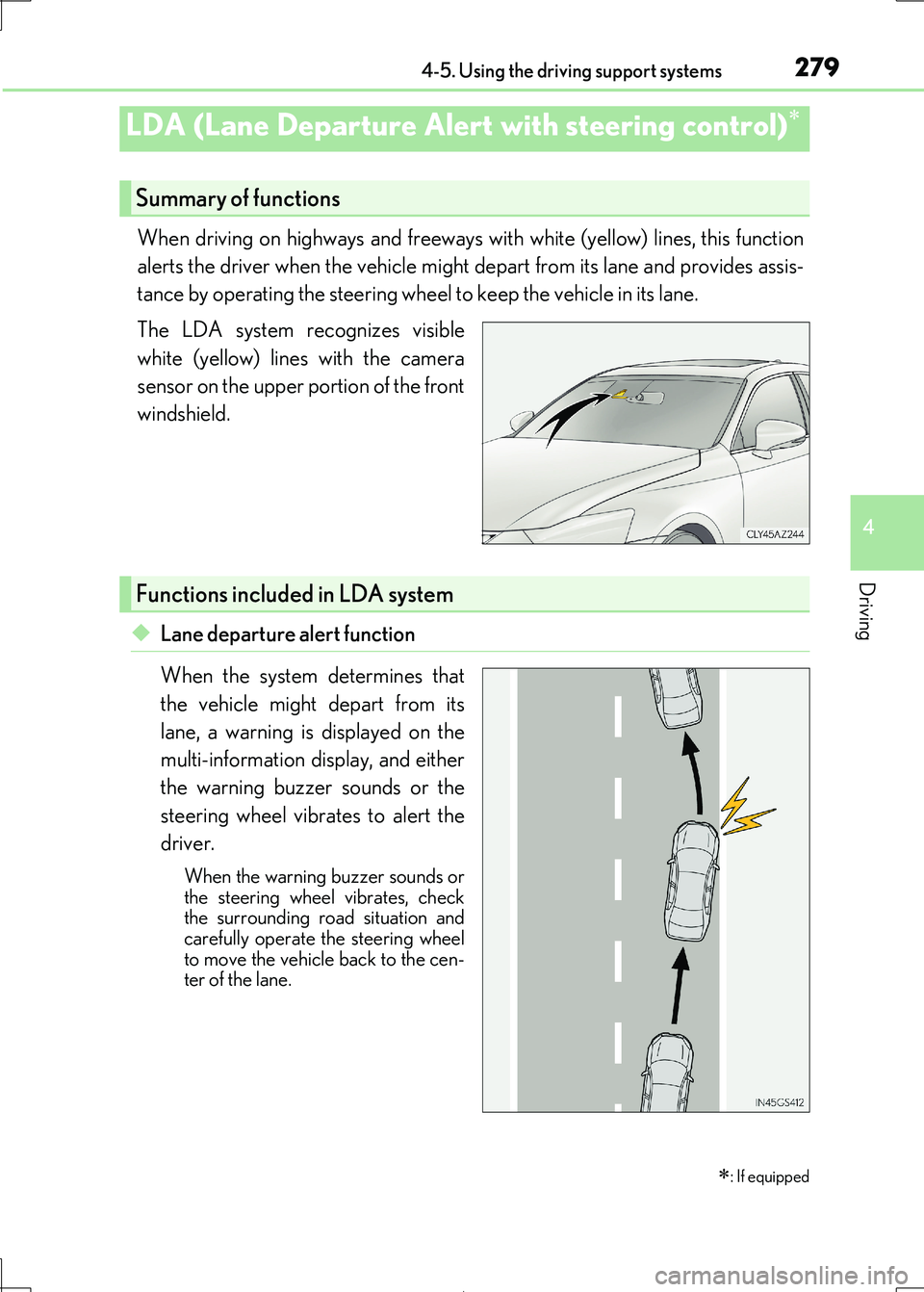
The LDA system recognizes visible
white (yellow) lines with the camera
sensor on the upper portion of the front
windshield.
◆Lane departure alert function
When the system determines that
the vehicle might depart from its
lane, a warning is displayed on the
multi-information display, and either
the warning buzzer sounds or the
steering wheel vibrates to alert the
driver.
When the warning buzzer sounds or
the steering wheel vibrates, check
the surrounding road situation and carefully operate the steering wheel
to move the vehicle back to the cen-
ter of the lane.
LDA (Lane Departure Alert with steering control)
: If equipped
Summary of functions
Functions included in LDA system
Page 280 of 692
2804-5. Using the driving support systems
IS300h_EE(OM53D89E)
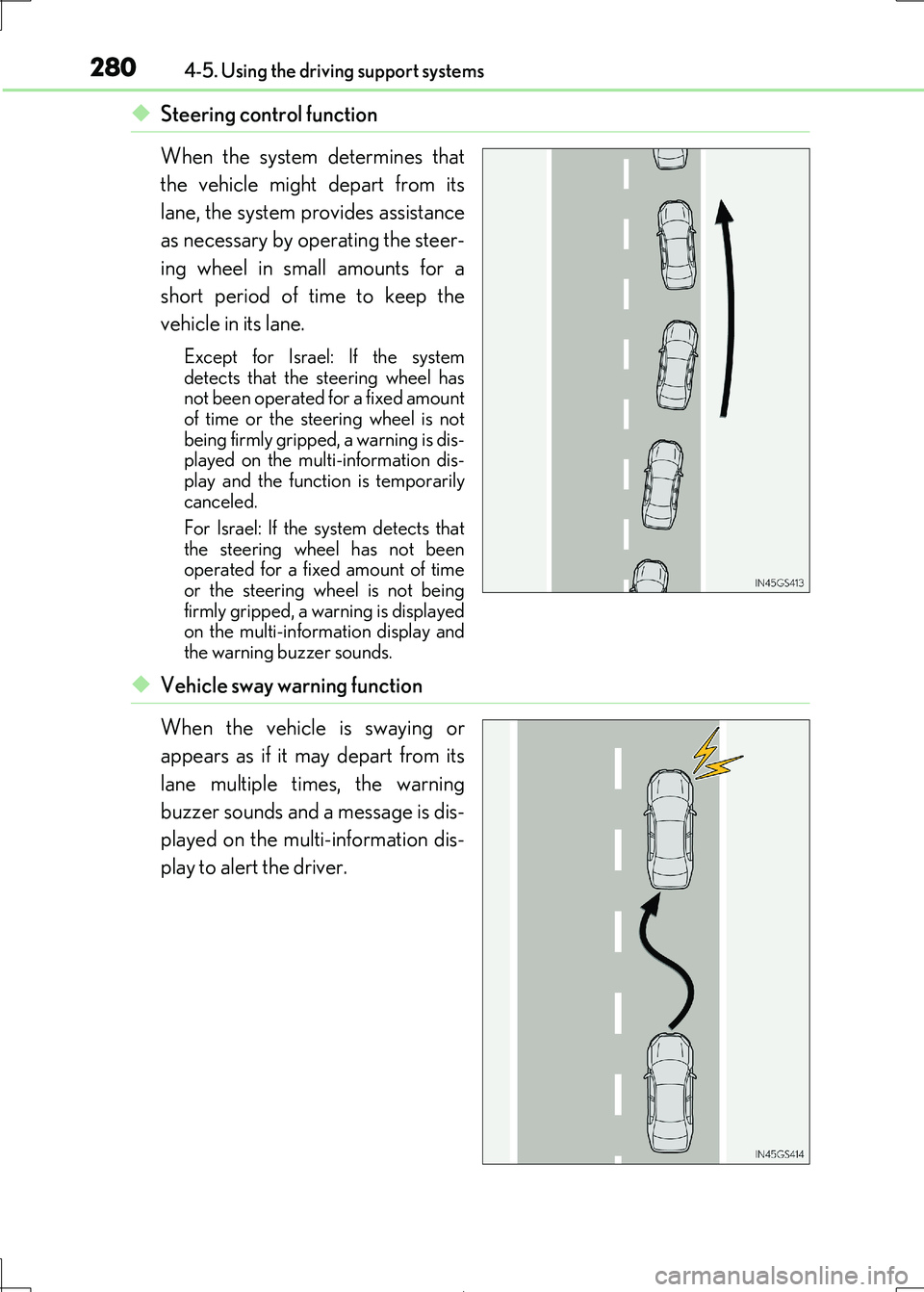
◆Steering control function
When the system determines that
the vehicle might depart from its
lane, the system provides assistance
as necessary by operating the steer-
ing wheel in small amounts for a
short period of time to keep the
vehicle in its lane.
Except for Israel: If the system
detects that the steering wheel has not been operated for a fixed amount
of time or the steering wheel is not
being firmly gripped, a warning is dis- played on the multi-information dis-
play and the function is temporarily
canceled.
For Israel: If the system detects that
the steering wheel has not been
operated for a fixed amount of time or the steering wheel is not being
firmly gripped, a wa rning is displayed
on the multi-information display and the warning buzzer sounds.
◆Vehicle sway warning function
When the vehicle is swaying or
appears as if it may depart from its
lane multiple times, the warning
buzzer sounds and a message is dis-
played on the multi-information dis-
play to alert the driver.
Page 282 of 692
2824-5. Using the driving support systems
IS300h_EE(OM53D89E)
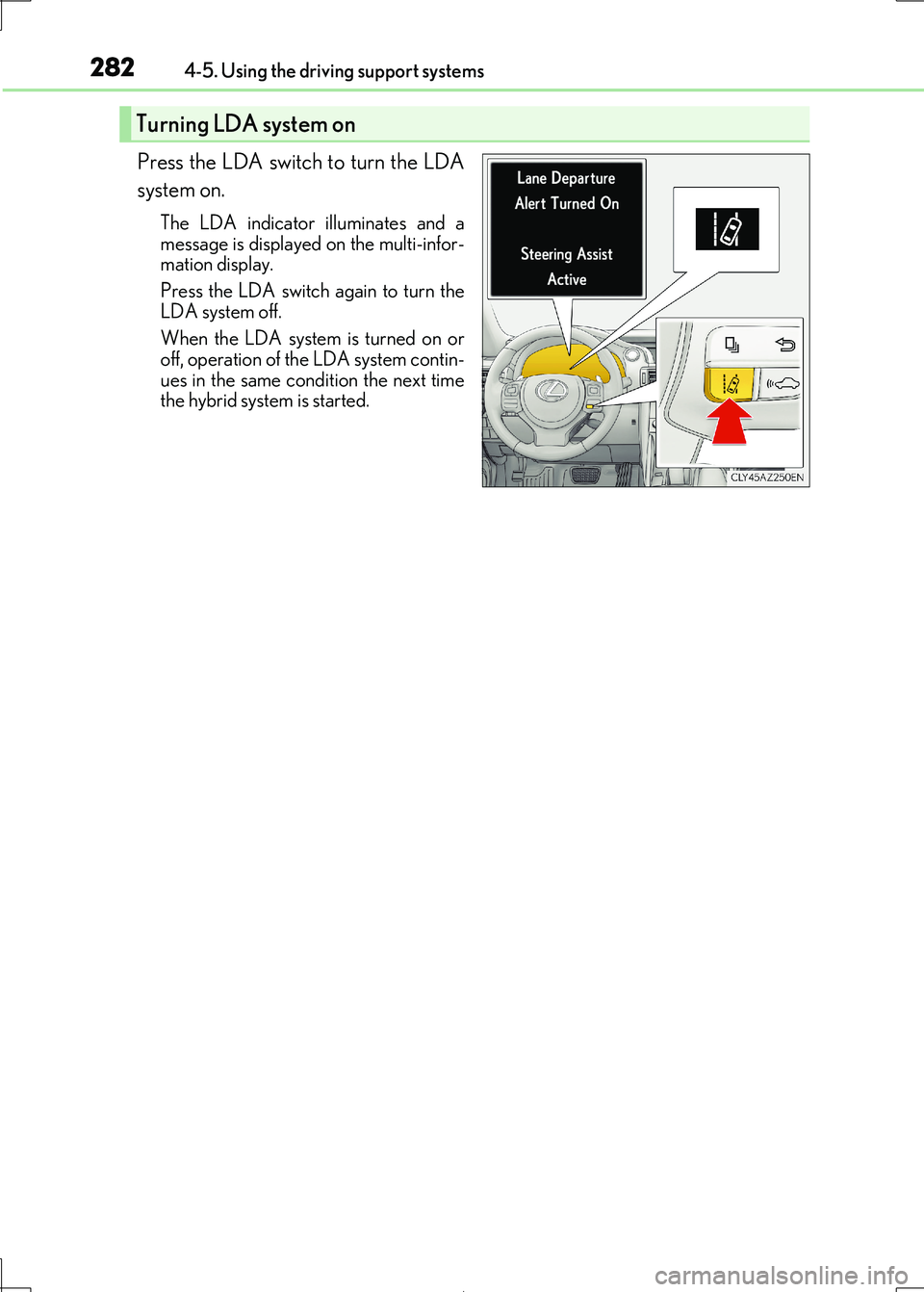
Press the LDA switch to turn the LDA
system on.
The LDA indicator illuminates and a
message is displayed on the multi-infor-
mation display.
Press the LDA switch again to turn the
LDA system off.
When the LDA system is turned on or off, operation of th e LDA system contin-
ues in the same cond ition the next time
the hybrid system is started.
Turning LDA system on
Page 283 of 692
2834-5. Using the driving support systems
4
Driving
IS300h_EE(OM53D89E)
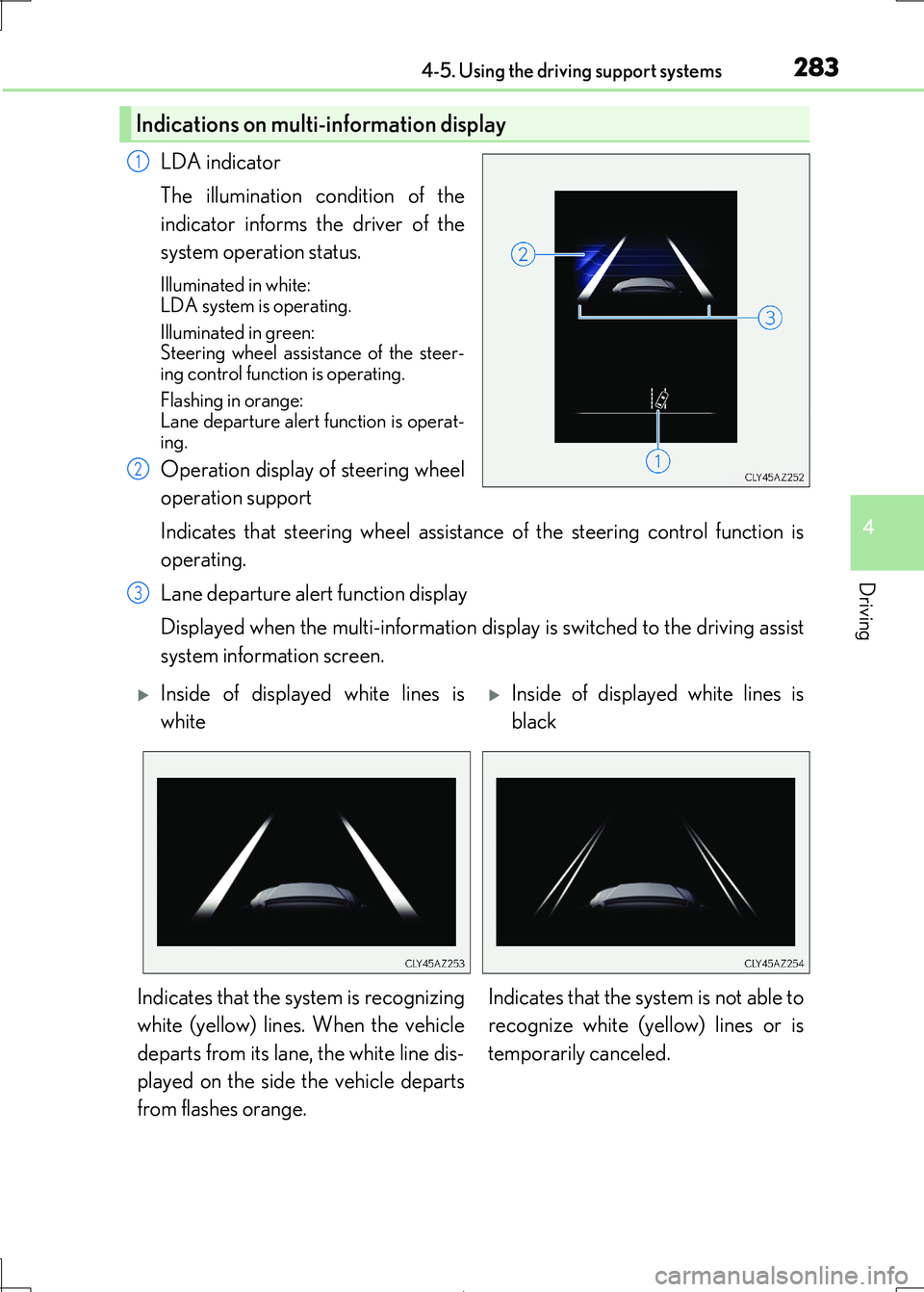
LDA indicator
The illumination condition of the
indicator informs the driver of the
system operation status.
Illuminated in white:
LDA system is operating.
Illuminated in green: Steering wheel assist ance of the steer-
ing control function is operating.
Flashing in orange: Lane departure alert function is operat-
ing.
Operation display of steering wheel
operation support
Indicates that steering wheel assistance of the steering control function is
operating.
Lane departure alert function display
Displayed when the multi-information disp lay is switched to the driving assist
system information screen.
Indications on multi-information display
1
2
3
Inside of displayed white lines is
white
Inside of displayed white lines is
black
Indicates that the system is recognizing
white (yellow) lines. When the vehicle
departs from its lane, the white line dis-
played on the side the vehicle departs
from flashes orange.
Indicates that the system is not able to
recognize white (ye llow) lines or is
temporarily canceled.
Page 284 of 692
2844-5. Using the driving support systems
IS300h_EE(OM53D89E)
■Operation conditions of each function
●Lane departure alert function
This function operates when all of the following conditions are met.
• LDA is turned on.
• Vehicle speed is approximately 50 km/h (32 mph) or more.
• System recognizes white (yellow) lines. • Width of traffic lane is approx imately 3 m (9.8 ft.) or more.
• Turn signal lever is not operated.
• Vehicle is driven on a stra ight road or around a gentle curve with a radius of more than approximately 150 m (492 ft.).
• No system malfunctions are detected. ( P. 575)
●Steering control function
This function operates when all of the follo wing conditions are met in addition to the
operation conditions for the lane departure alert function.
• Setting for Steering Assist in of the multi-information display is set to On.
( P. 119)
• Vehicle is not accelera ted or decelerated by a fixed amount or more. • Steering wheel is not operat ed with a steering force level suitable for changing
lanes.
• ABS, VSC, TRC and PCS are not operating. • TRC or VSC is not turned off.
• Except for Israel: Hands off steering wheel alert is not displayed. ( P. 285)
●Vehicle sway warning
This function operates when all of the following conditions are met.
• Setting for Sway Warning in of the multi-information display is set to On. ( P. 119)
• Vehicle speed is approximately 50 km/h (32 mph) or more.
• Width of traffic lane is approx imately 3 m (9.8 ft.) or more. • No system malfunctions are detected. ( P. 575)
Page 285 of 692
2854-5. Using the driving support systems
4
Driving
IS300h_EE(OM53D89E)
■Temporary cancellation of functions
When operation conditions are no longer met, a function may be temporarily canceled. However, when the operation co nditions are met again, operation of the function is auto-
matically restored. ( P. 284)
■Steering control function
Depending on the vehicle speed, lane depart ure situation, road conditions, etc., the
driver may not feel the function is operat ing or the function may not operate at all.
■Lane departure alert function
The warning buzzer may be difficult to hear due to external noise, audio playback, etc.
Also, it may be difficult to feel steering wheel vibrations due to the road conditions, etc.
■Hands off steering wheel alert
Except for Israel: When the system determines that the driver has removed the hands
from the steering wheel while the steering co ntrol function is operating, a warning mes-
sage is displayed on the multi-information display.
If the driver continues to keep the hands off of the steering wheel, the buzzer sounds, a
warning message is displayed and the function is temporarily canceled. This alert also
operates in the same way when the vehicle is driven with the steering wheel lightly gripped. However, depending on the road co nditions, etc., the function may not cancel.
For Israel: When the system determines that the driver has removed the hands from the
steering wheel while the steering control func tion is operating, a warning message is dis- played on the multi-informatio n display and the buzzer sounds.
■White (yellow) lines are only on one side of road
The LDA system will not operate for the side on which white (yellow) lines could not be recognized.
Page 288 of 692
2884-5. Using the driving support systems
IS300h_EE(OM53D89E)
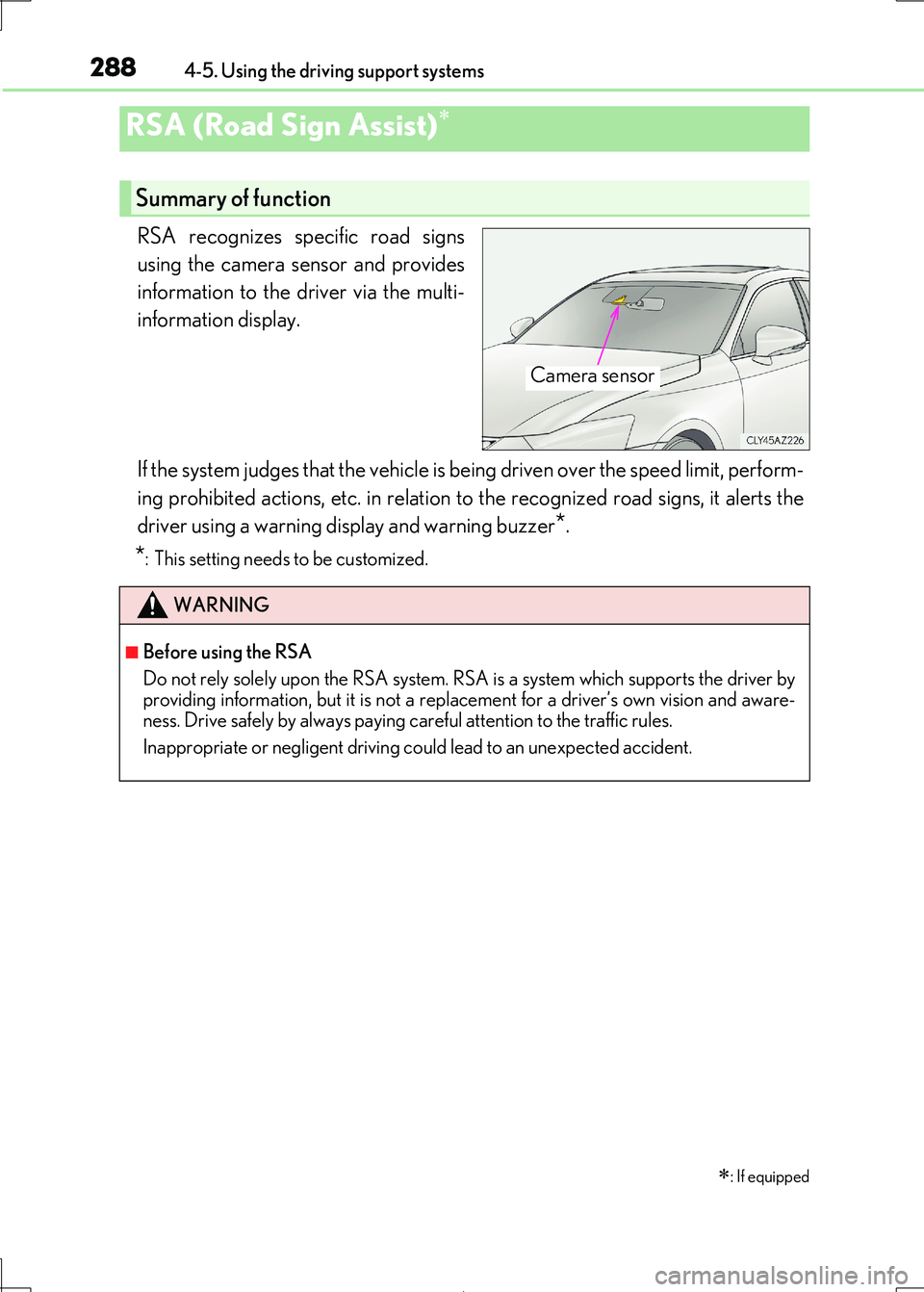
RSA recognizes specific road signs
using the camera sensor and provides
information to the driver via the multi-
information display.
If the system judges that the vehicle is being driven over the speed limit, perform-
ing prohibited actions, etc. in relation to the recognized road signs, it alerts the
driver using a warning di splay and warning buzzer*.
*: This setting needs to be customized.
RSA (Road Sign Assist)
: If equipped
Summary of function
Camera sensor
WARNING
■Before using the RSA
Do not rely solely upon the RSA system. RS A is a system which supports the driver by
providing information, but it is not a repl acement for a driver’s own vision and aware- ness. Drive safely by always paying careful attention to the traffic rules.
Inappropriate or negligent driving co uld lead to an unexpected accident.