radio lexus LC500h 2018 Owner's Manual / LEXUS 2018 LC500, LC500H OWNER'S MANUAL QUICK GUIDE (OM11444U)
[x] Cancel search | Manufacturer: LEXUS, Model Year: 2018, Model line: LC500h, Model: Lexus LC500h 2018Pages: 110, PDF Size: 2.04 MB
Page 1 of 110
1
LC500_LC500h_QG_OM11444U_(U)
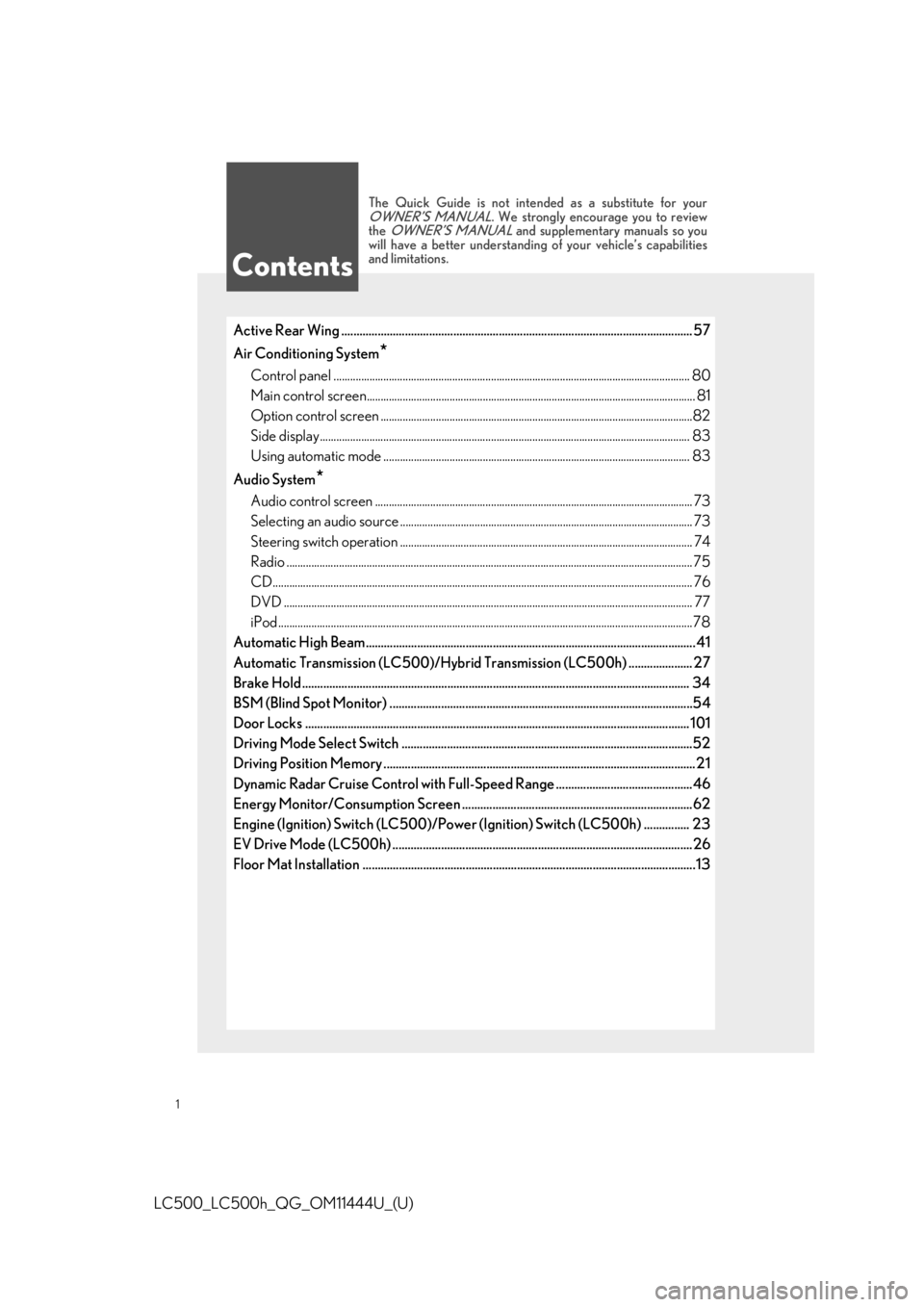
Active Rear Wing .................................................................................................................... 57
Air Conditioning System
*
Control panel .................................................................................................................. ............... 80
Main control screen............................................................................................................ ........... 81
Option control screen .......................................................................................................... .......82
Side display................................................................................................................... ................... 83
Using automatic mode ........................................................................................................... .... 83
Audio System
*
Audio control screen ........................................................................................................... ........ 73
Selecting an audio source ...................................................................................................... .... 73
Steering switch operation ...................................................................................................... .... 74
Radio ................................................................................................................................................... 75
CD........................................................................................................................................................ 76
DVD .................................................................................................................................................... 77
iPod ......................................................................................................................................................78
Automatic High Beam............................................................................................................ .41
Automatic Transmission (LC500)/Hybrid Transmission (LC500h) ..................... 27
Brake Hold ..................................................................................................................... ........... 34
BSM (Blind Spot Monitor) ....................................................................................................54
Door Locks ..................................................................................................................... .......... 101
Driving Mode Select Switch ................................................................................................52
Driving Position Memory .......................................................................................................2 1
Dynamic Radar Cruise Control with Full-Speed Range .............................................46
Energy Monitor/Consumption Screen ............................................................................62
Engine (Ignition) Switch (LC500)/Power (Ignition) Switch (LC500h) ............... 23
EV Drive Mode (LC500h) ...................................................................................................26
Floor Mat Installation ......................................................................................................... .....13
Contents
The Quick Guide is not intended as a substitute for yourOWNER’S MANUAL. We strongly encourage you to review
the OWNER’S MANUAL and supplementary manuals so you
will have a better understandin g of your vehicle’s capabilities
and limitations.
Page 3 of 110
3
LC500_LC500h_QG_OM11444U_(U)
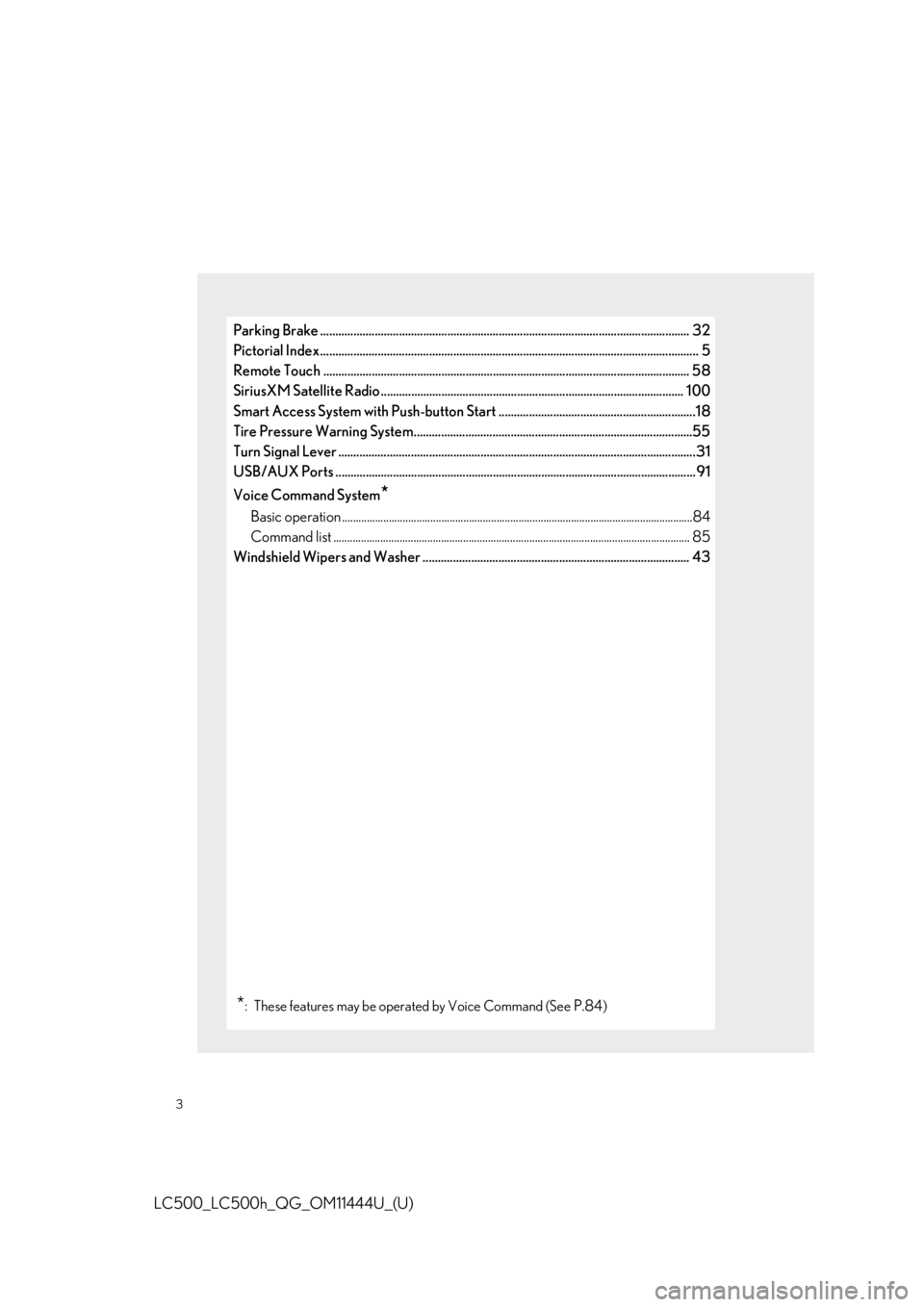
Parking Brake .......................................................................................................................... 32
Pictorial Index ................................................................................................................ ............. 5
Remote Touch ................................................................................................................... ...... 58
SiriusXM Satellite Radio ... .................................. ........................ ................................ ....... 100
Smart Access System with Push-button Start .................................................................18
Tire Pressure Warning System............................................................................................55
Turn Signal Lever .............................................................................................................. ........31
USB/AUX Ports .................................................................................................................. ..... 91
Voice Command System
*
Basic operation ................................................................................................................ ...............84
Command list ................................................................................................................... .............. 85
Windshield Wipers and Washer ........................................................................................ 43
*: These features may be oper ated by Voice Command (See P.84)
Page 59 of 110
59
LC500_LC500h_QG_OM11444U_(U)
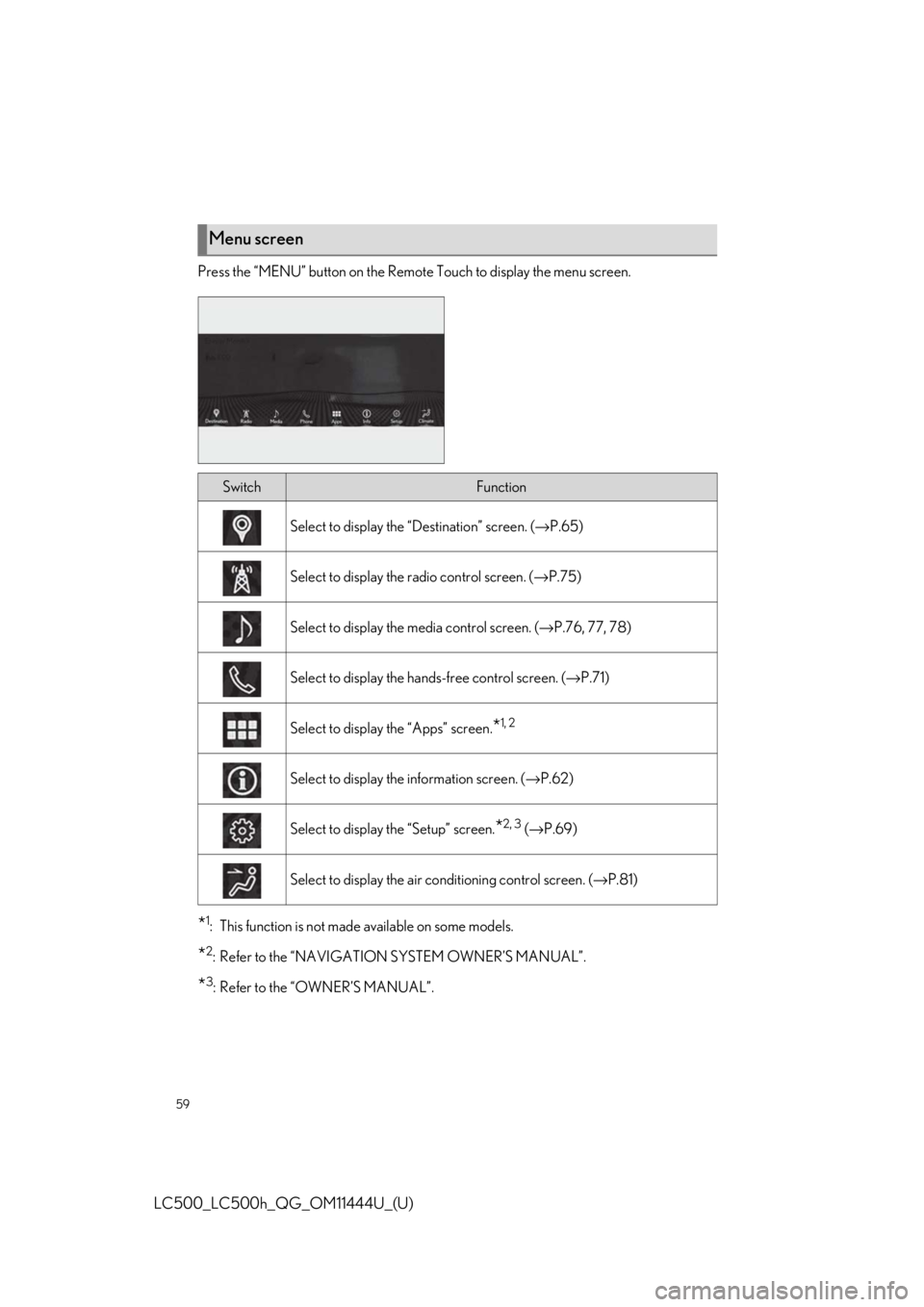
Press the “MENU” button on the Remote Touch to display the menu screen.
*1: This function is not made available on some models.
*2: Refer to the “NAVIGATION SYSTEM OWNER’S MANUAL”.
*3: Refer to the “OWNER’S MANUAL”.
Menu screen
SwitchFunction
Select to display the “Destination” screen. (→P.65)
Select to display the radio control screen. ( →P.75)
Select to display the media control screen. ( →P.76, 77, 78)
Select to display the hand s-free control screen. (→P.71)
Select to display the “Apps” screen.*1, 2
Select to display the information screen. ( →P.62)
Select to display the “Setup” screen.*2, 3 (→ P.69)
Select to display the air co nditioning control screen. ( →P.81)
Page 73 of 110
73
LC500_LC500h_QG_OM11444U_(U)
Follow the procedure below to display the audio control screen.
Using the audio control switch
Press the “RADIO” or “MEDIA” button.
Using the Remote Touch
Press the “MENU” button on the Remote Touch, then select “Radio” or “Media”.
Please refer to P.58 for the Remote Touch operation.
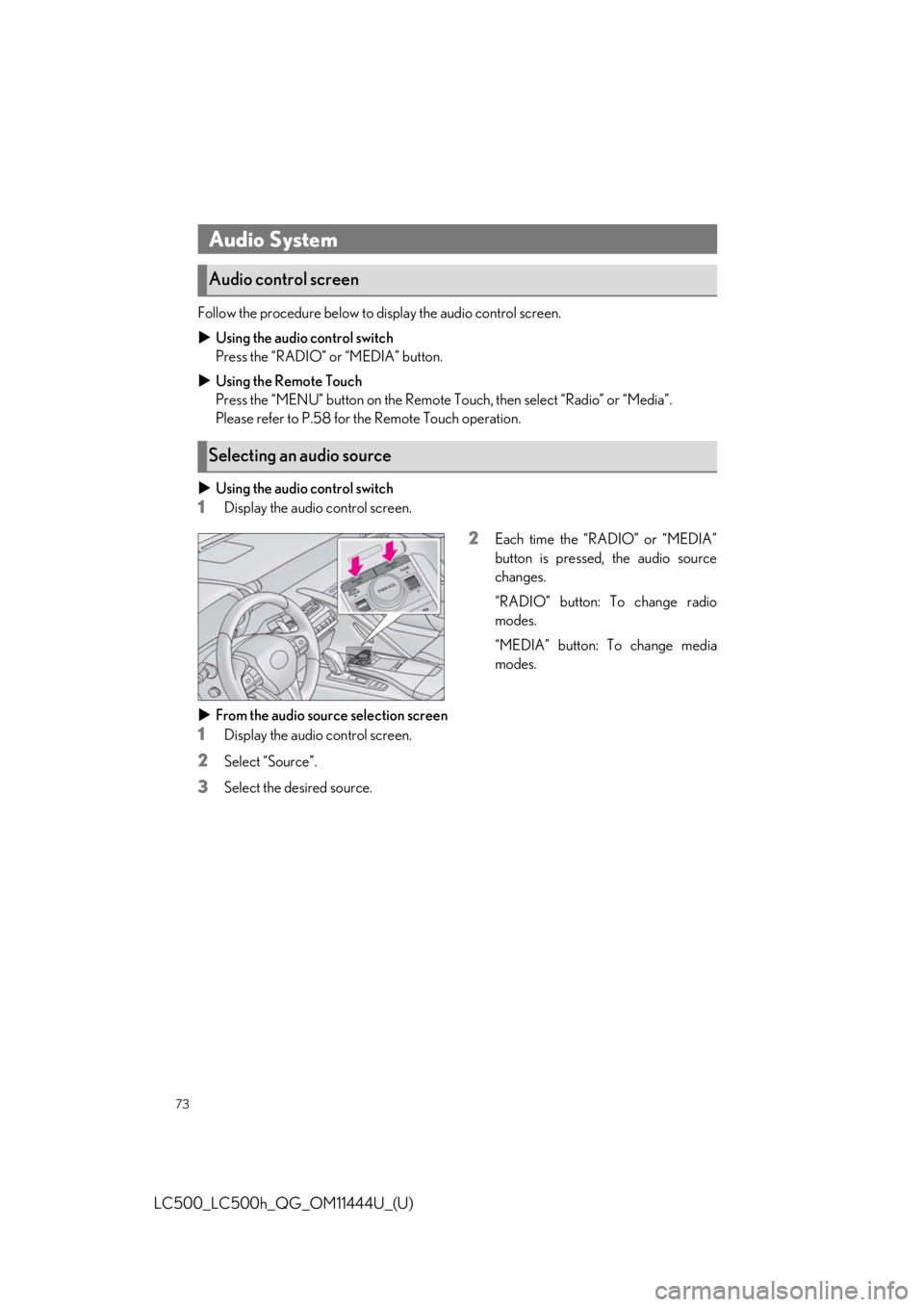
Using the audio control switch
1Display the audio control screen.
2Each time the “RADIO” or “MEDIA”
button is pressed, the audio source
changes.
“RADIO” button: To change radio
modes.
“MEDIA” button: To change media
modes.
From the audio source selection screen
1Display the audio control screen.
2Select “Source”.
3Select the desired source.
Audio System
Audio control screen
Selecting an audio source
Page 74 of 110
74
LC500_LC500h_QG_OM11444U_(U)
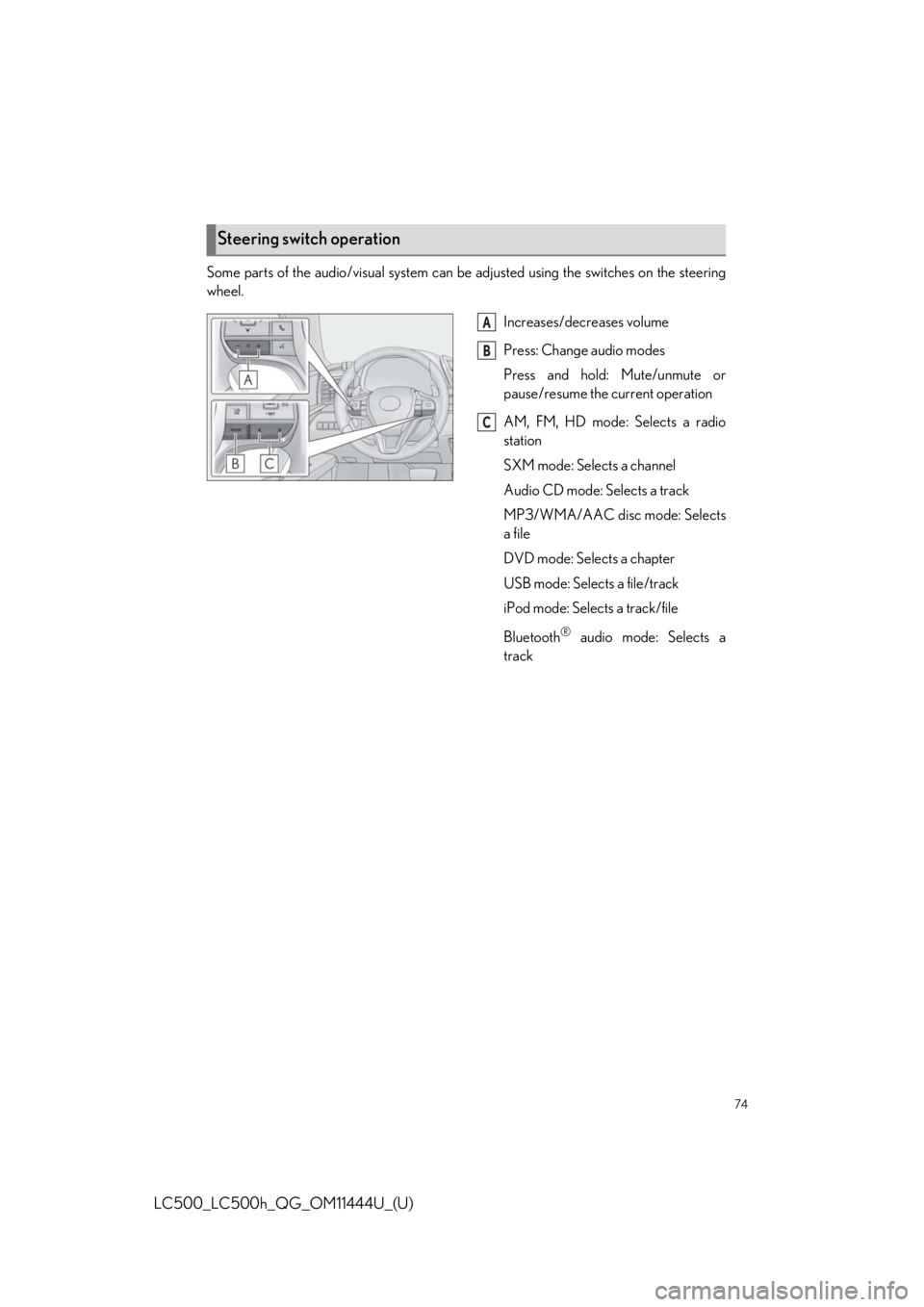
Some parts of the audio/visual system can be adjusted using the switches on the steering
wheel.
Increases/decreases volume
Press: Change audio modes
Press and hold: Mute/unmute or
pause/resume the current operation
AM, FM, HD mode: Selects a radio
station
SXM mode: Selects a channel
Audio CD mode: Selects a track
MP3/WMA/AAC disc mode: Selects
a file
DVD mode: Selects a chapter
USB mode: Selects a file/track
iPod mode: Selects a track/file
Bluetooth
® audio mode: Selects a
track
Steering switch operation
A
B
C
Page 75 of 110
75
LC500_LC500h_QG_OM11444U_(U)
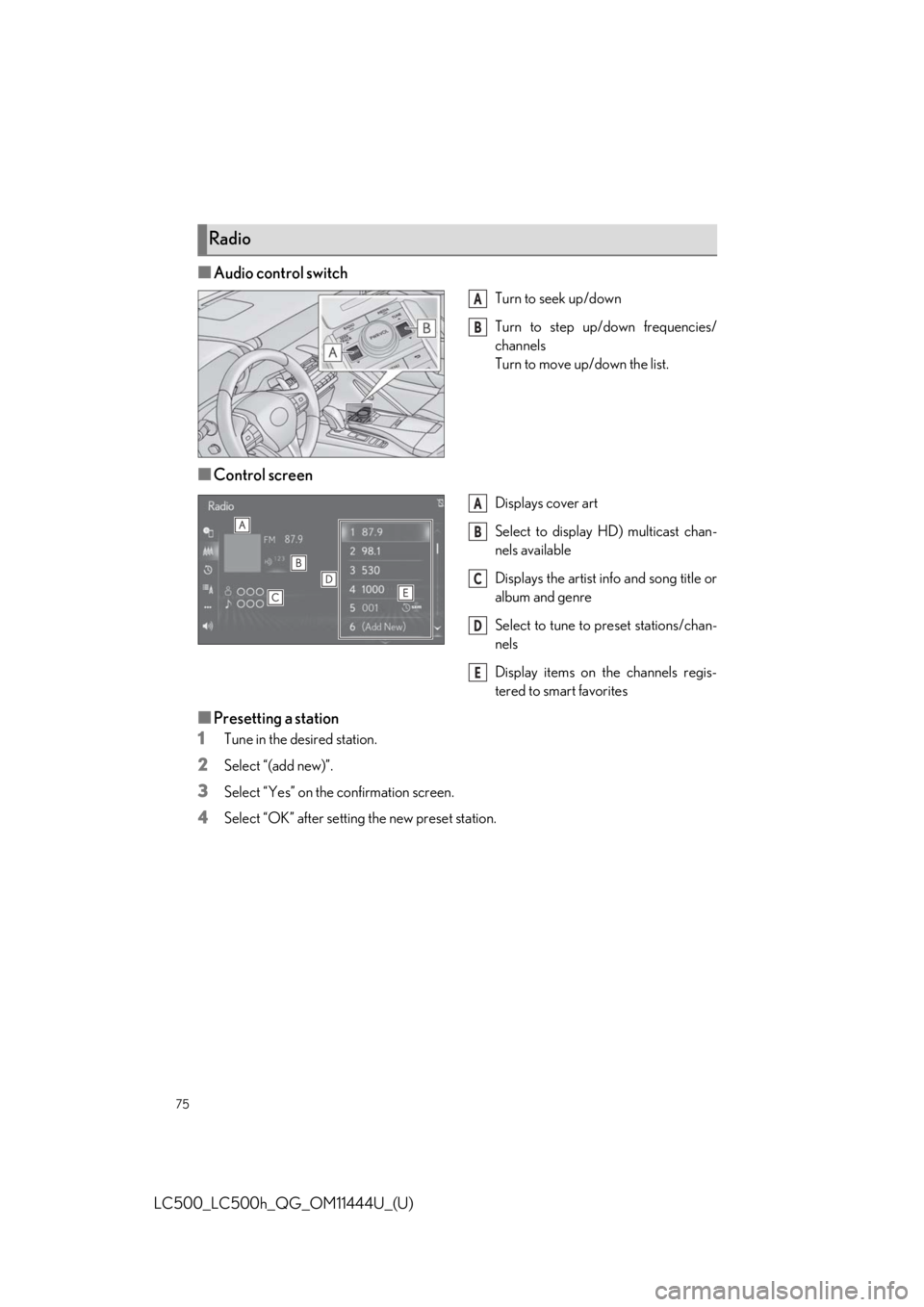
■Audio control switch
Turn to seek up/down
Turn to step up/down frequencies/
channels
Turn to move up/down the list.
■Control screen
Displays cover art
Select to display HD) multicast chan-
nels available
Displays the artist info and song title or
album and genre
Select to tune to preset stations/chan-
nels
Display items on the channels regis-
tered to smart favorites
■Presetting a station
1
Tune in the desired station.
2Select “(add new)”.
3Select “Yes” on the confirmation screen.
4Select “OK” after setting the new preset station.
Radio
A
B
A
B
C
D
E
Page 84 of 110
84
LC500_LC500h_QG_OM11444U_(U)
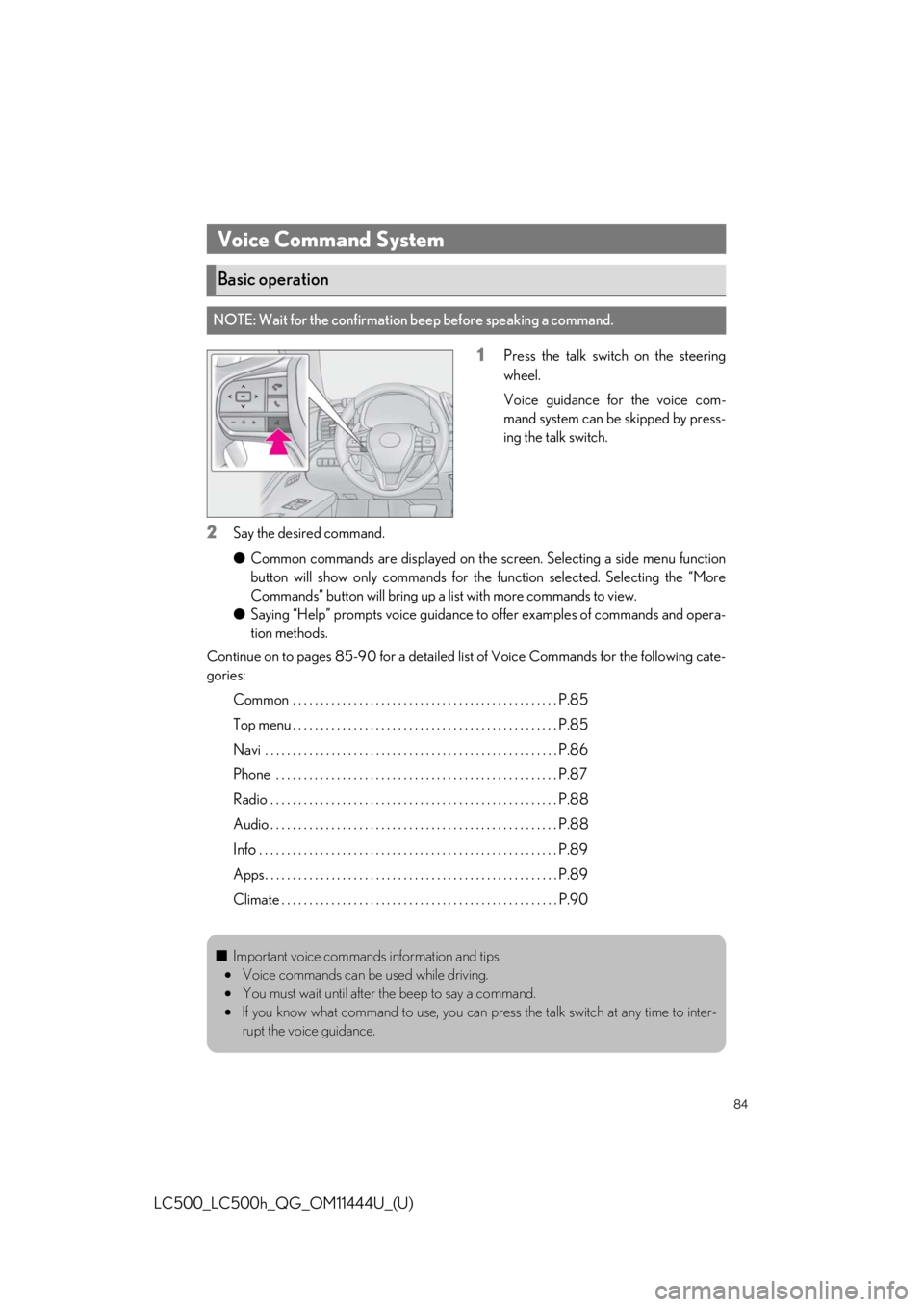
1Press the talk switch on the steering
wheel.
Voice guidance for the voice com-
mand system can be skipped by press-
ing the talk switch.
2Say the desired command.
●Common commands are displayed on the sc reen. Selecting a side menu function
button will show only commands for the function selected. Selecting the “More
Commands” button will bring up a list with more commands to view.
● Saying “Help” prompts voice guidance to offer examples of commands and opera-
tion methods.
Continue on to pages 85-90 for a detailed list of Voice Commands for the following cate-
gories:
Common . . . . . . . . . . . . . . . . . . . . . . . . . . . . . . . . . . . . . . . . . . . . . . . . P.85
Top menu . . . . . . . . . . . . . . . . . . . . . . . . . . . . . . . . . . . . . . . . . . . . . . . . P.85
Navi . . . . . . . . . . . . . . . . . . . . . . . . . . . . . . . . . . . . . . . . . . . . . . . . . . . . . P.86
Phone . . . . . . . . . . . . . . . . . . . . . . . . . . . . . . . . . . . . . . . . . . . . . . . . . . . P.87
Radio . . . . . . . . . . . . . . . . . . . . . . . . . . . . . . . . . . . . . . . . . . . . . . . . . . . . P.88
Audio . . . . . . . . . . . . . . . . . . . . . . . . . . . . . . . . . . . . . . . . . . . . . . . . . . . . P.88
Info . . . . . . . . . . . . . . . . . . . . . . . . . . . . . . . . . . . . . . . . . . . . . . . . . . . . . . P.89
Apps . . . . . . . . . . . . . . . . . . . . . . . . . . . . . . . . . . . . . . . . . . . . . . . . . . . . . P.89
Climate . . . . . . . . . . . . . . . . . . . . . . . . . . . . . . . . . . . . . . . . . . . . . . . . . . P.90
Voice Command System
Basic operation
NOTE: Wait for the confirmation beep before speaking a command.
■Important voice commands information and tips
• Voice commands can be used while driving.
• You must wait until after the beep to say a command.
• If you know what command to use, you can press the talk switch at any time to inter-
rupt the voice guidance.
Page 88 of 110
88
LC500_LC500h_QG_OM11444U_(U)
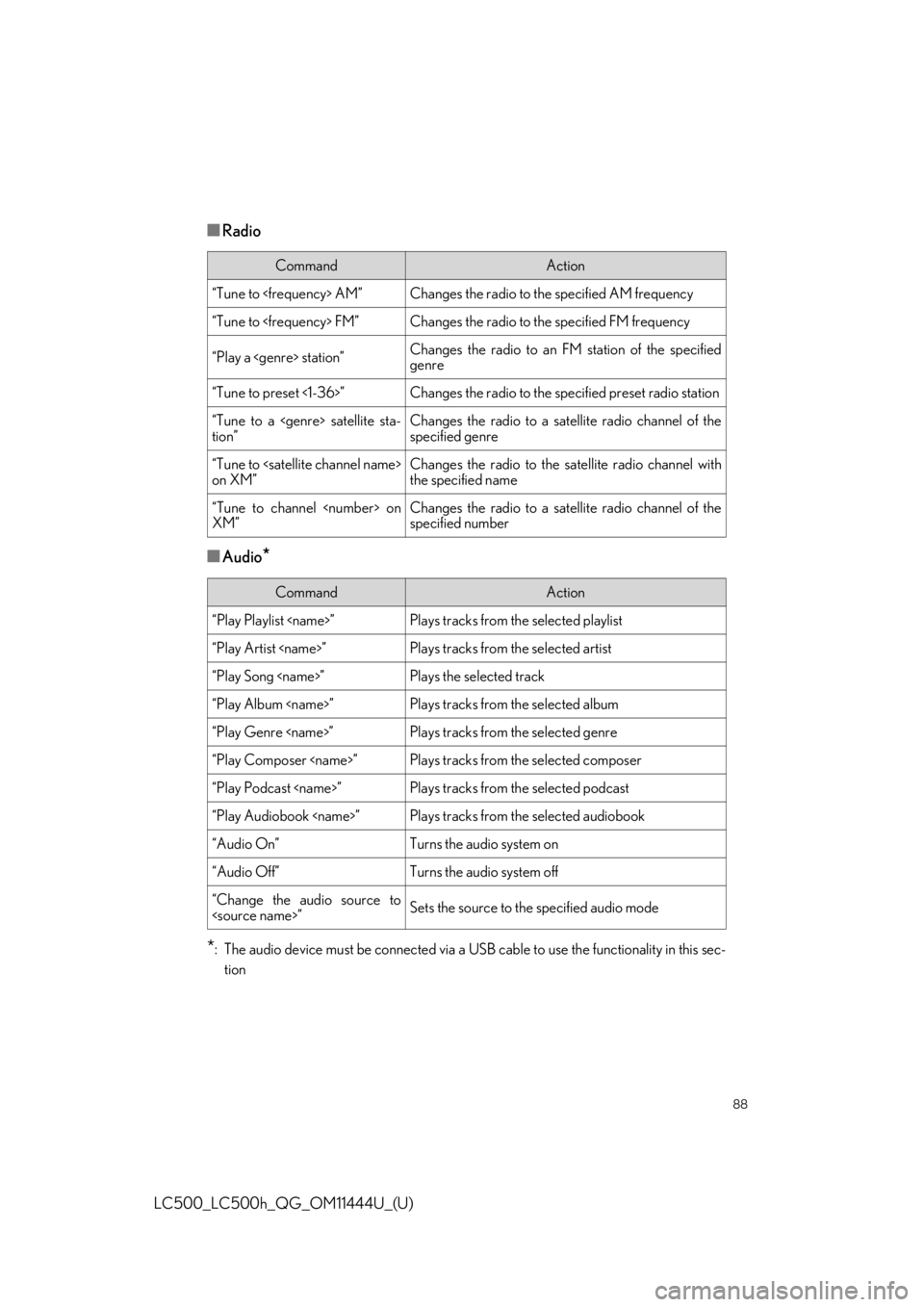
■Radio
■Audio*
*
: The audio device must be connected via a US B cable to use the functionality in this sec-
tion
CommandAction
“Tune to
“Tune to
“Play a
genre
“Tune to preset <1-36>”Changes the radio to the specified preset radio station
“Tune to a
tion”Changes the radio to a satellite radio channel of the
specified genre
“Tune to
on XM”Changes the radio to the satellite radio channel with
the specified name
“Tune to channel
XM”Changes the radio to a satellite radio channel of the
specified number
CommandAction
“Play Playlist
“Play Artist
“Play Song
“Play Album
“Play Genre
“Play Composer
“Play Podcast
“Play Audiobook
“Audio On”Turns the audio system on
“Audio Off”Turns the audio system off
“Change the audio source to
Page 100 of 110
100
LC500_LC500h_QG_OM11444U_(U)
For SiriusXM Services requiring a subscription (such as SiriusXM Satellite Radio), the fol-
lowing paragraph shall be included.
Required SiriusXM Radio monthly subscriptions sold separately after trial period. Subscrip-
tion fee is consumer only. All fees and programming subject to change. Subscriptions are sub-
ject to the Customer Agreemen t available at www.siriusxm.com
(U.S.A.) or www.siriusxm.ca
(Canada) XM service only available in the 48 contiguous United States and 10 Canadian
provinces. © 2011 Sirius XM Radio Inc. Sirius , XM and all related marks and logos are trade-
marks of Sirius XM Radio Inc. All other mark s, channel names and logos are the property of
their respective owners.
For more information, program schedules, and to subscribe or extend subscription after
complimentary trial period; more information is available at:
U.S.A. Customers:
Visit www.siriusxm.com
or call 1-877-447-0011
Canadian Customers:
Visit www.siriusxm.ca
or call 1-877-438-9677
SiriusXM Satellite Radio
A SiriusXM Satellite Radio is a tuner designed exclusively to receive broadcasts provided
under a separate subscription.
For details, refer to the “NAVIGATION SYSTEM OWNER’S MANUAL”.
Subscription