light lexus LFA 2012 Technical Information / LEXUS 2012 LFA (OM77006U) Workshop Manual
[x] Cancel search | Manufacturer: LEXUS, Model Year: 2012, Model line: LFA, Model: Lexus LFA 2012Pages: 420, PDF Size: 5.02 MB
Page 164 of 420
162
2-3. Operating the lights and windshield wipers
■If there is a system malfunction
“Check wiper system” will be shown on the meter. (P. 325)
NOTICE
■When the windshield is dry
Do not use the wipers, as they may damage the windshield.
■When there is no washer fluid spray from the nozzle
Damage to the washer fluid pump may be caused if the lever is pulled toward you
and held continually.
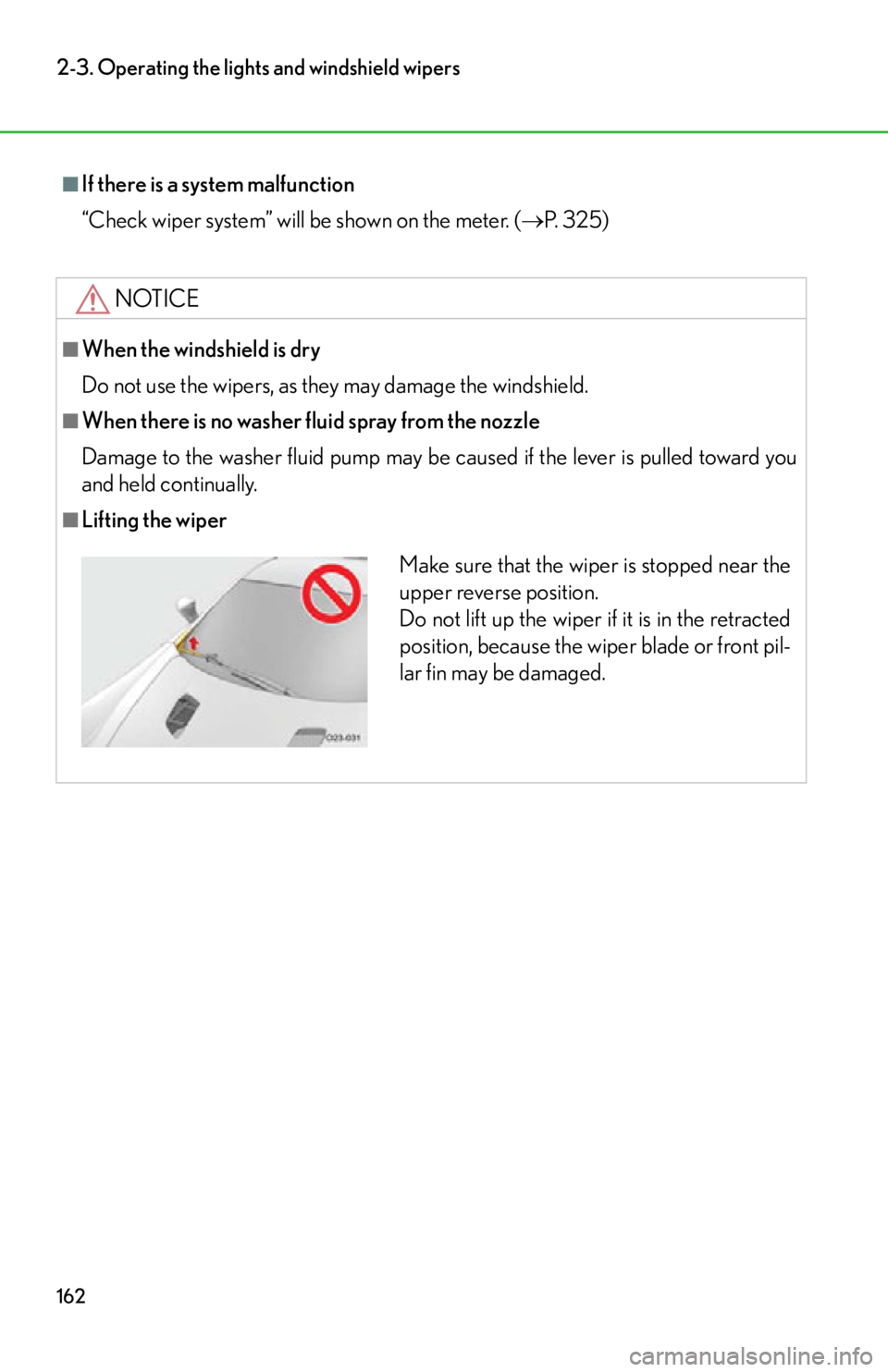
■Lifting the wiper
Make sure that the wiper is stopped near the
upper reverse position.
Do not lift up the wiper if it is in the retracted
position, because the wiper blade or front pil-
lar fin may be damaged.
Page 166 of 420
164
2-4. Using other driving systems
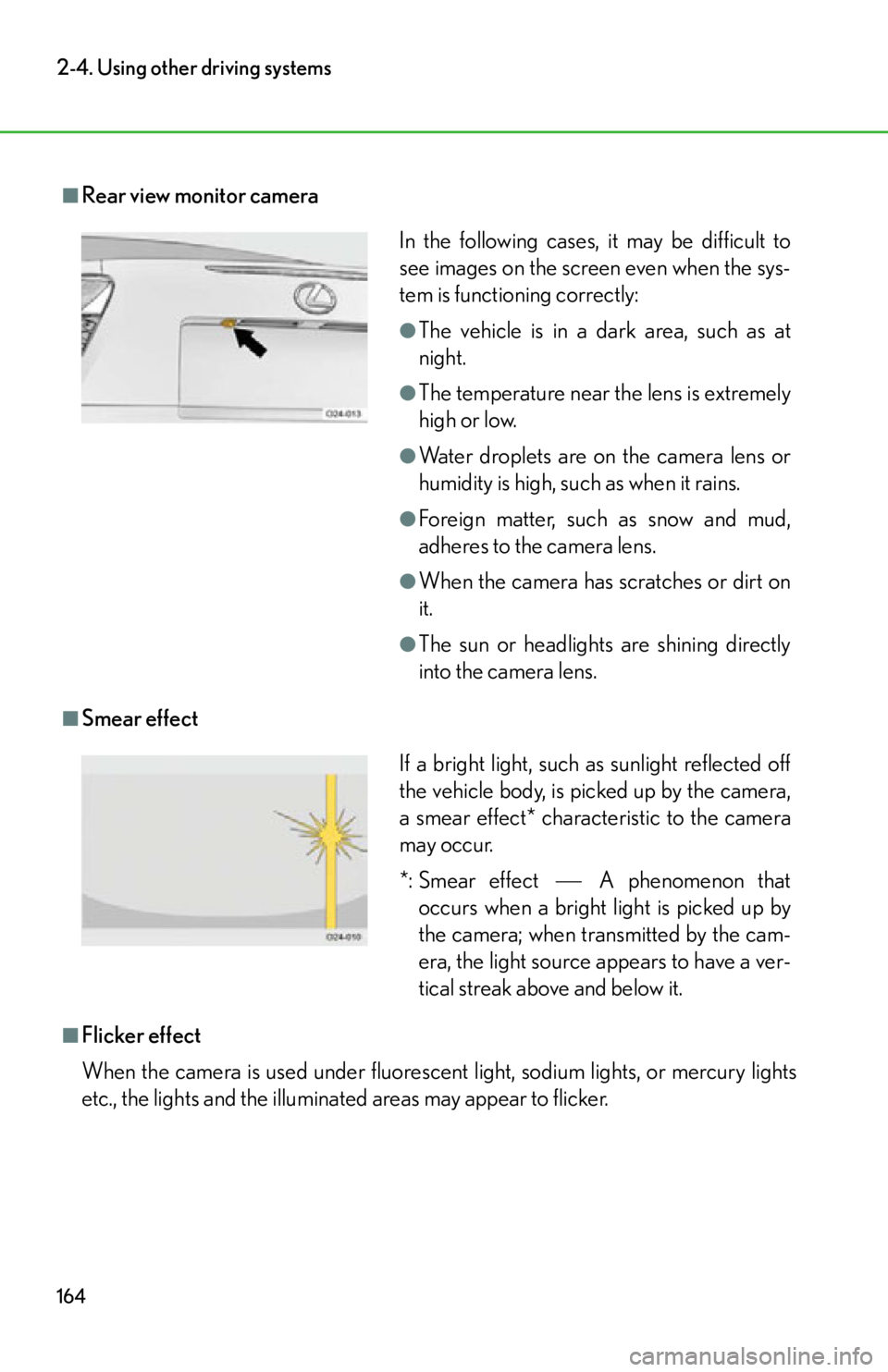
■Rear view monitor camera
■Smear effect
■Flicker effect
When the camera is used under fluorescent light, sodium lights, or mercury lights
etc., the lights and the illuminated areas may appear to flicker.
In the following cases, it may be difficult to
see images on the screen even when the sys-
tem is functioning correctly:
●The vehicle is in a dark area, such as at
night.
●The temperature near the lens is extremely
high or low.
●Water droplets are on the camera lens or
humidity is high, such as when it rains.
●Foreign matter, such as snow and mud,
adheres to the camera lens.
●When the camera has scratches or dirt on
it.
●The sun or headlights are shining directly
into the camera lens.
If a bright light, such as sunlight reflected off
the vehicle body, is picked up by the camera,
a smear effect* characteristic to the camera
may occur.
*: Smear effectA phenomenon that
occurs when a bright light is picked up by
the camera; when transmitted by the cam-
era, the light source appears to have a ver-
tical streak above and below it.
Page 167 of 420

165
2-4. Using other driving systems
2
When driving
CAUTION
■When using the rear view monitor system
Observe the following precautions to avoid an accident that could result in death or
serious injuries:
●Never depend solely on the monitor system when reversing.
●Always check visually and with the mirrors to confirm your intended path is clear.
●Depicted distances between objects and flat surfaces differ from actual dis-
tances.
■Conditions which may affect the rear view monitor system
●If the back of the vehicle has been hit, the camera’s position and mounting angle
may have changed. Have the vehicle inspected by your Lexus dealer.
●Rapid temperature changes, such as when hot water is poured on the vehicle in
cold weather, may cause the system to function abnormally.
●If the camera lens is dirty, it cannot transmit a clear image. Rinse with water and
wipe with a soft cloth. If the camera lens is extremely dirty, wash with a mild
cleanser and rinse.
●The displayed image may be darker and mo ving images may be slightly distorted
when the system is cold.
NOTICE
■Camera precautions
●As the camera has a water proof constr uction, do not detach, disassemble or
modify it. This may cause incorrect operation.
●Do not allow organic solvent, car wax, window cleaner or glass coat to adhere to
the camera. If this happens, wipe it off as soon as possible.
●If a power washer is used for washing the vehicle, do not point it at or near the
camera as doing so may damage the camera.
●Do not use too much force when cleaning the camera lens.
Page 169 of 420
167
2-4. Using other driving systems
2
When driving
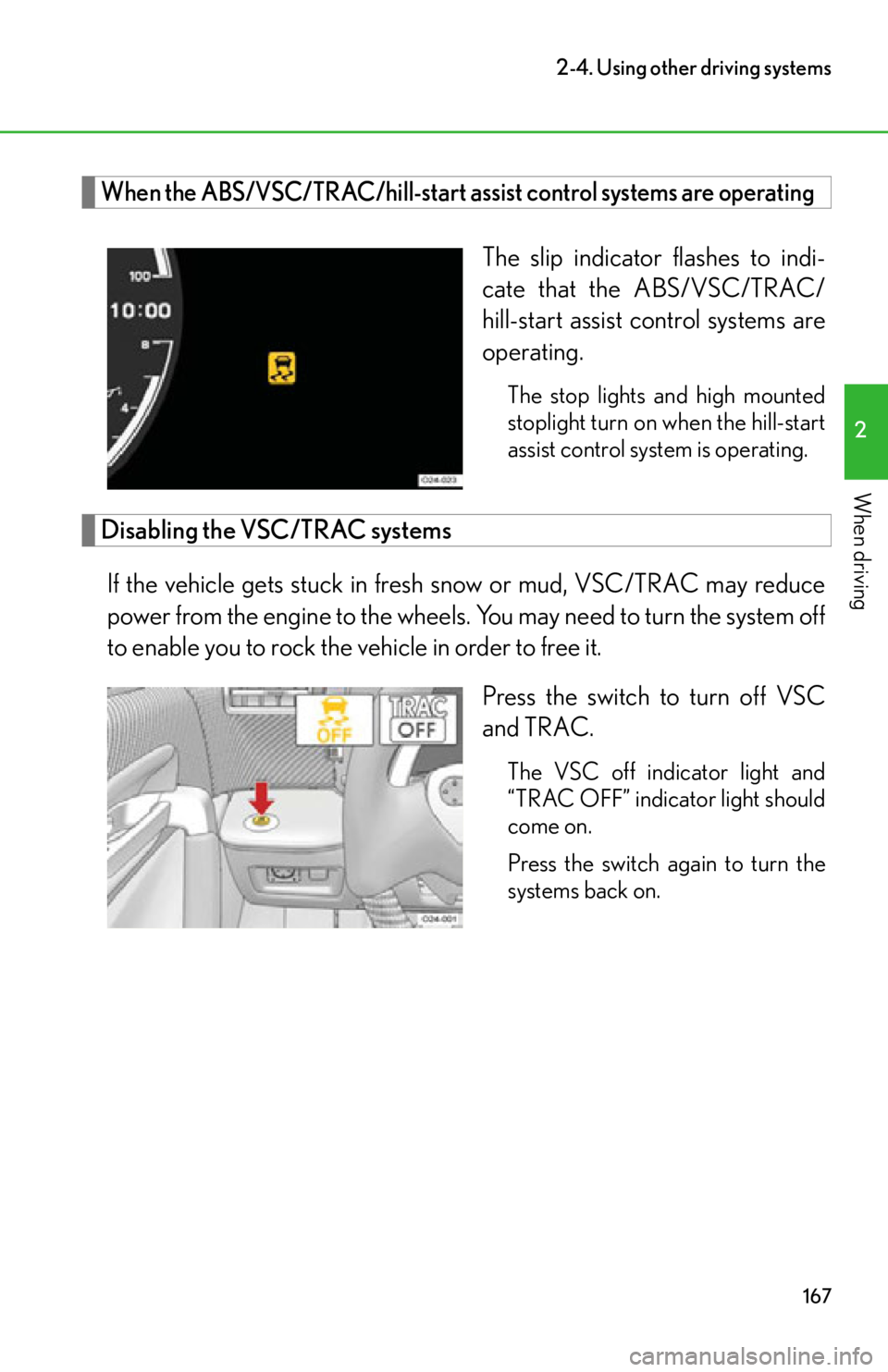
When the ABS/VSC/TRAC/hill-start assist control systems are operating
The slip indicator flashes to indi-
cate that the ABS/VSC/TRAC/
hill-start assist control systems are
operating.
The stop lights and high mounted
stoplight turn on when the hill-start
assist control system is operating.
Disabling the VSC/TRAC systemsIf the vehicle gets stuck in fresh snow or mud, VSC/TRAC may reduce
power from the engine to the wheels. You may need to turn the system off
to enable you to rock the vehicle in order to free it.
Press the switch to turn off VSC
and TRAC.
The VSC off indicator light and
“TRAC OFF” indicator light should
come on.
Press the switch again to turn the
systems back on.
Page 171 of 420

169
2-4. Using other driving systems
2
When driving
CAUTION
■The ABS does not operate effectively when
●Tires with inadequate gripping ability are used.
●The vehicle hydroplanes while driving at high speed on wet or slick roads.
■Stopping distance when the ABS is operating will exceed that of normal condi-
tions
The ABS is not designed to shorten the vehicle’s stopping distance. Always main-
tain a safe distance from the vehicle in front of you in the following situations:
●When driving on dirt, gravel or snow-covered roads
●When driving over bumps in the road
●When driving over roads with potholes or roads with uneven surfaces
■TRAC may not operate effectively in some conditions
Directional control and power may not be ac hievable while driving on slippery road
surfaces, even if the TRAC system is operating.
Do not drive the vehicle in conditions where stability and power may be lost.
■Hill-start assist control does not operate effectively in some conditions
Do not overly rely on the hill-start assist co ntrol. The hill-start assist control may not
operate effectively depending on the grad e of incline and on roads covered with
ice.
■If the slip indicator flashes while driving
The slip indicator flashes to indicate that ABS, VSC, TRAC or hill-start assist con-
trol is operating. Always drive carefully. Reckless driving may cause an accident.
Exercise particular care when the indicator light flashes.
■When the VSC/TRAC systems are turned off
Be especially careful and drive at a speed appropriate to the road conditions. As
these are the systems to help ensure vehicl e stability and driving force by automati-
cally controlling the brakes and engine ou tput, do not turn the VSC/TRAC systems
off unless necessary.
Page 187 of 420

Interior features3
185
3-1. Using the air conditioning system and defogger
Automatic air conditioning system (with
navigation system) ............... 186
Automatic air conditioning system (without
navigation system) ............... 194
Rear window and outside rear view mirror
defoggers ............................... 201
3-2. Using the audio system Audio/video system some basics .......................... 202
3-3. Using the interior lights Interior lights list ..................... 207
3-4. Using the storage features List of storage features ........ 209
• Glove box ............................... 210
• Door pockets ......................... 212 3-5. Other interior features
Sun visors .................................. 213
Power outlet ............................. 214
Floor mats ................................. 215
Luggage compartment features ................................... 218
Safety Connect ....................... 219
Page 209 of 420
207
3
Interior features
3-3.Using the interior lights
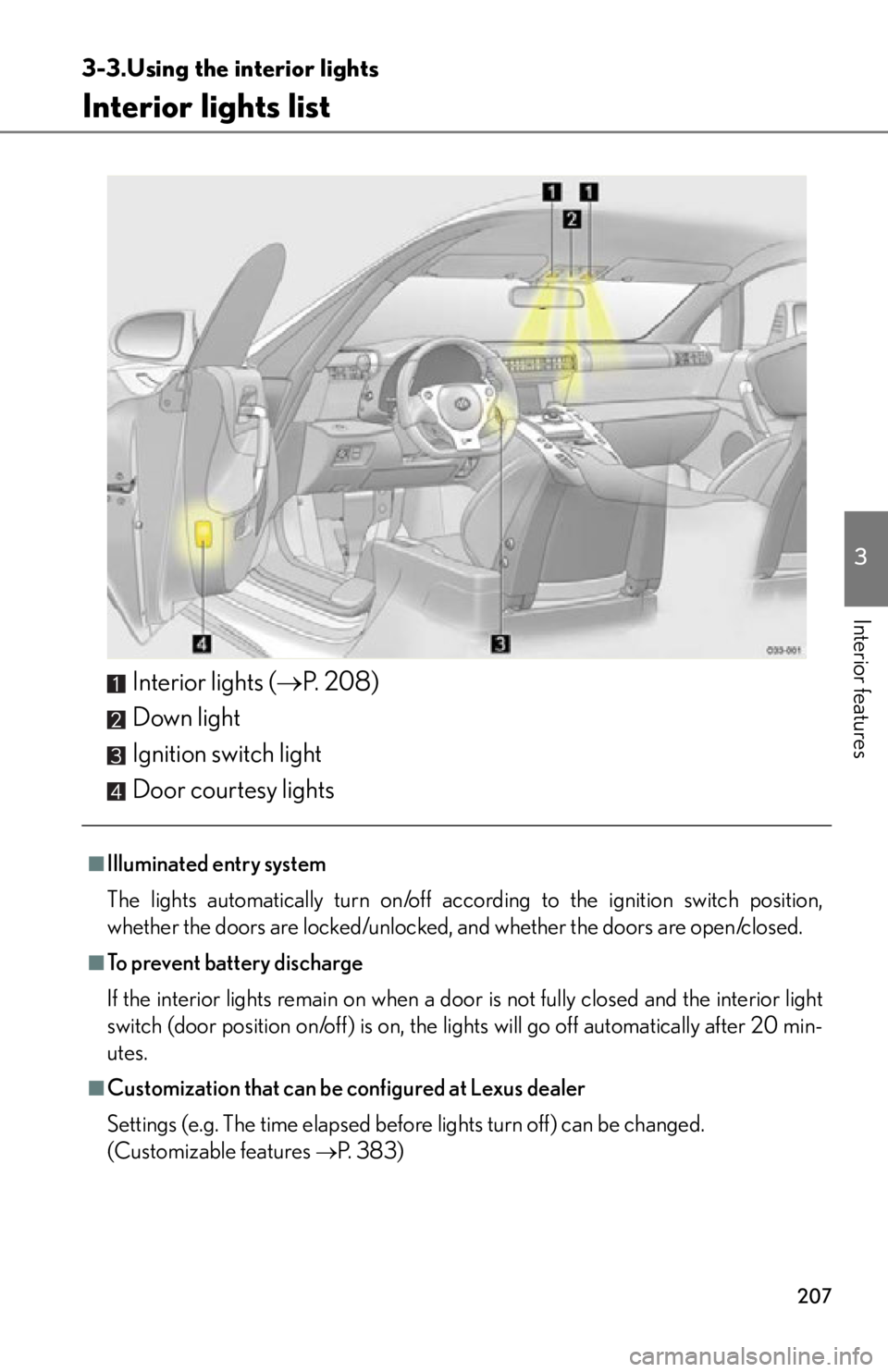
Interior lights list
Interior lights (P. 2 0 8 )
Down light
Ignition switch light
Door courtesy lights
■Illuminated entry system
The lights automatically turn on/off acco rding to the ignition switch position,
whether the doors are locked/unlocked, and whether the doors are open/closed.
■To prevent battery discharge
If the interior lights remain on when a door is not fully closed and the interior light
switch (door position on/off) is on, the lights will go off automatically after 20 min-
utes.
■Customization that can be configured at Lexus dealer
Settings (e.g. The time elapsed before lights turn off) can be changed.
(Customizable features
P. 383)
Page 210 of 420

208
3-3. Using the interior lights
Interior lightsDoor position on/off
On/off
Page 211 of 420
209
3
Interior features
3-4.Using the storage features
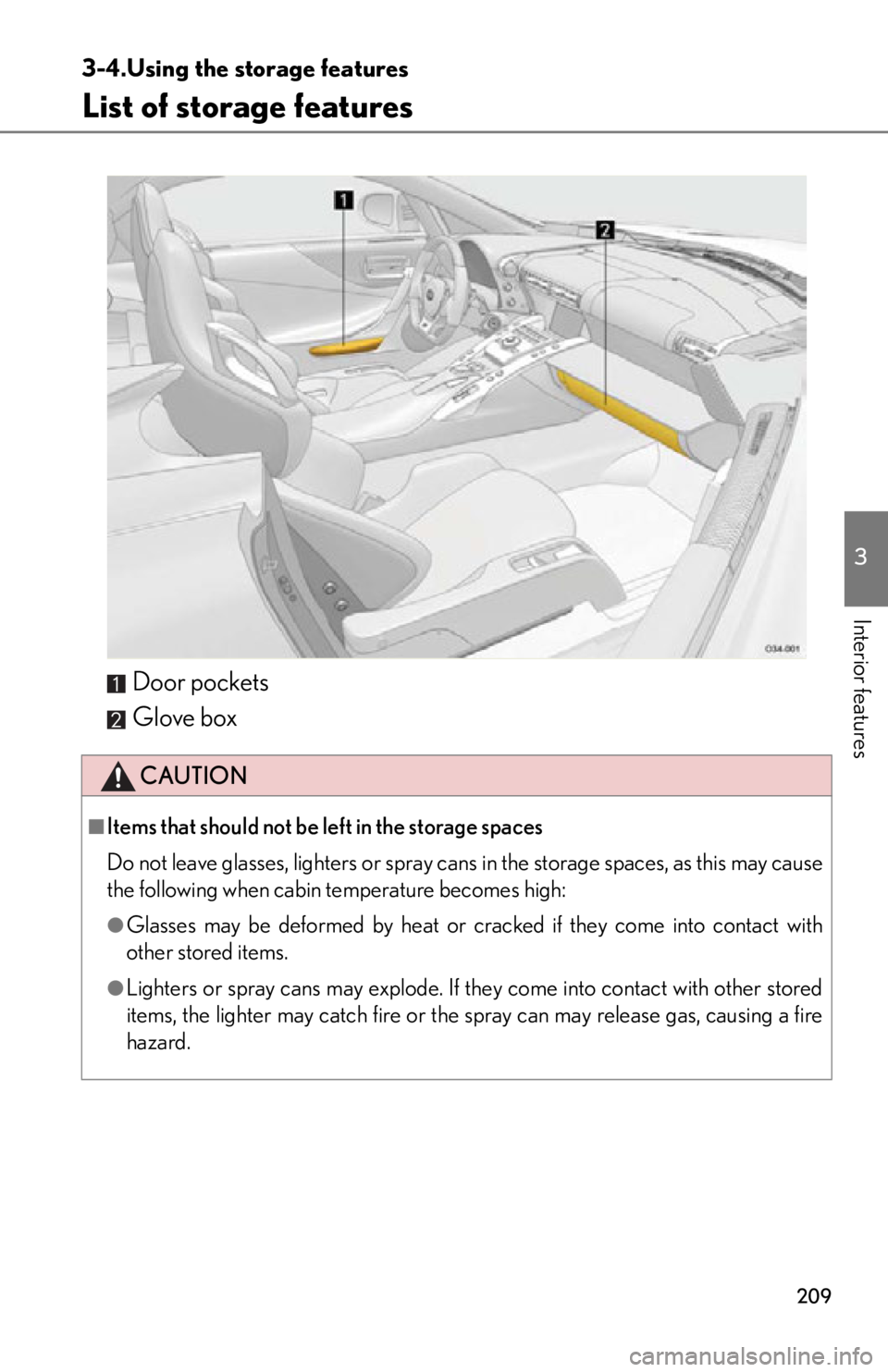
List of storage features
Door pockets
Glove box
CAUTION
■Items that should not be left in the storage spaces
Do not leave glasses, lighters or spray cans in the storage spaces, as this may cause
the following when cabin temperature becomes high:
●Glasses may be deformed by heat or cracked if they come into contact with
other stored items.
●Lighters or spray cans may explode. If they come into contact with other stored
items, the lighter may catch fire or the spray can may release gas, causing a fire
hazard.
Page 212 of 420
210
3-4. Using the storage features
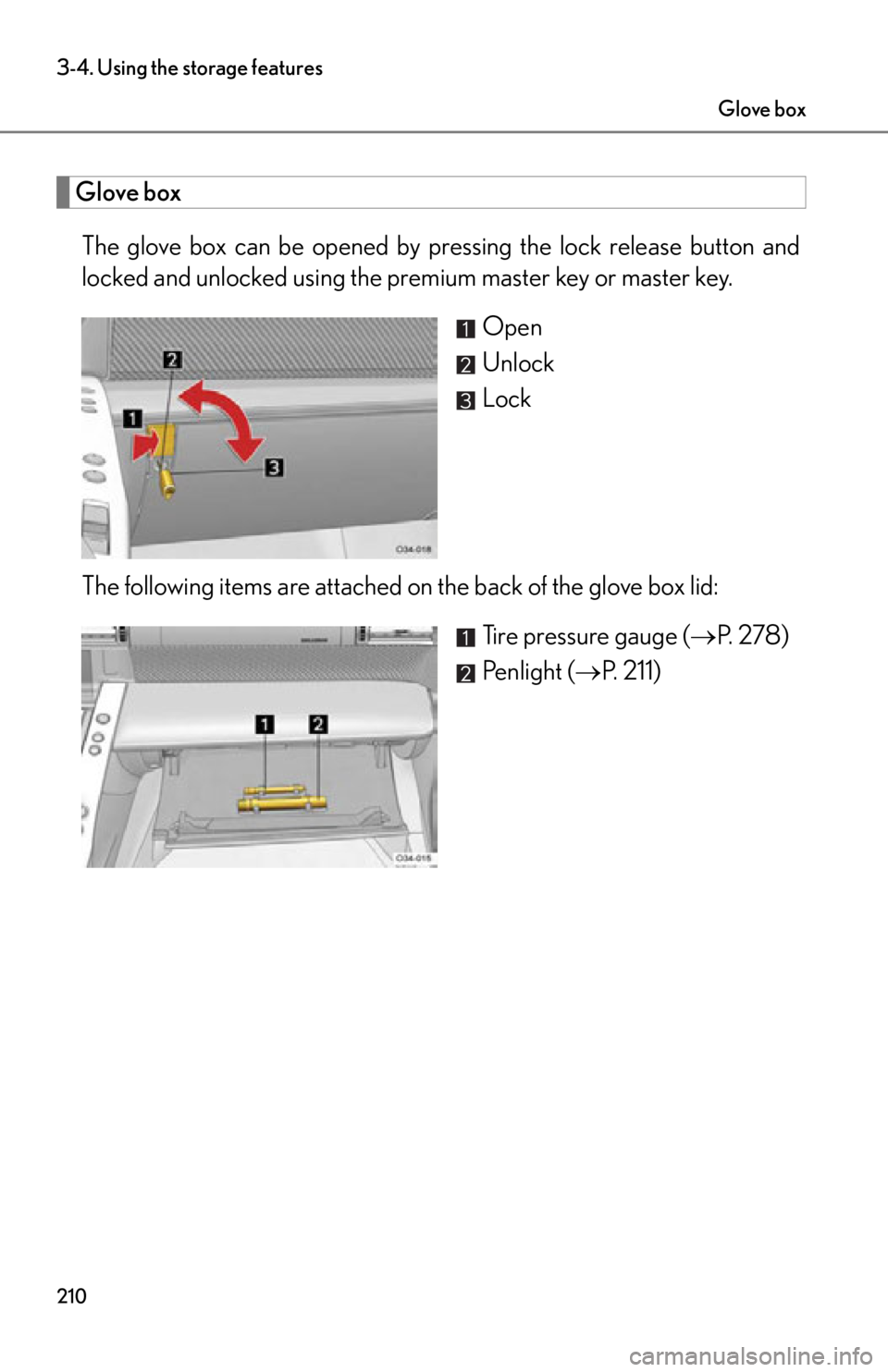
Glove boxThe glove box can be opened by pr essing the lock release button and
locked and unlocked using the premium master key or master key.
Open
Unlock
Lock
The following items are attached on the back of the glove box lid: Tire pressure gauge (P. 2 7 8 )
Penlight ( P. 211)
Glove box