dlc3 LEXUS LS430 2003 Factory Repair Manual
[x] Cancel search | Manufacturer: LEXUS, Model Year: 2003, Model line: LS430, Model: LEXUS LS430 2003Pages: 4500, PDF Size: 87.45 MB
Page 17 of 4500
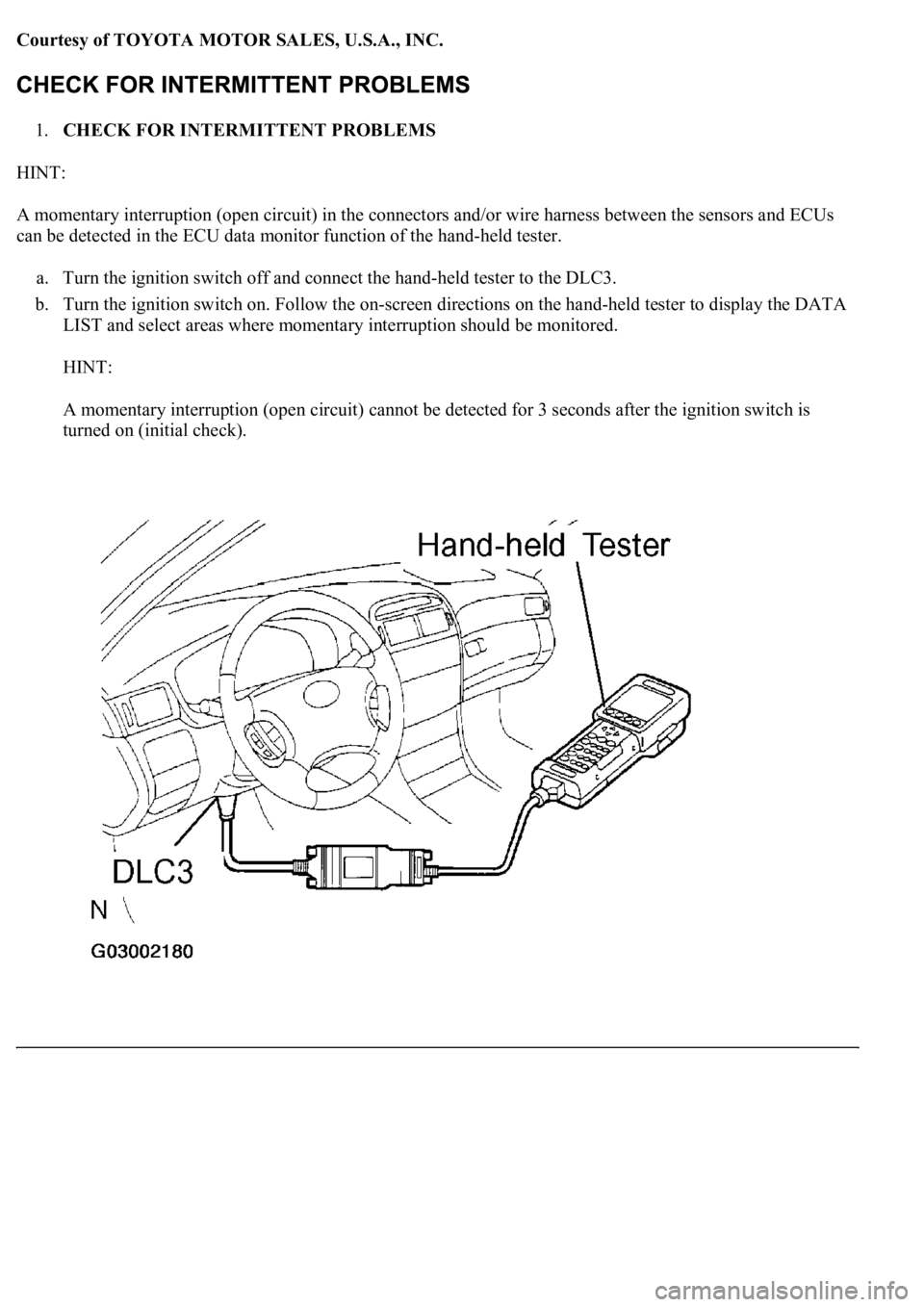
Courtesy of TOYOTA MOTOR SALES, U.S.A., INC.
1.CHECK FOR INTERMITTENT PROBLEMS
HINT:
A momentary interruption (open circuit) in the connectors and/or wire harness between the sensors and ECUs
can be detected in the ECU data monitor function of the hand-held tester.
a. Turn the ignition switch off and connect the hand-held tester to the DLC3.
b. Turn the ignition switch on. Follow the on-screen directions on the hand-held tester to display the DATA
LIST and select areas where momentary interruption should be monitored.
HINT:
A momentary interruption (open circuit) cannot be detected for 3 seconds after the ignition switch is
turned on (initial check).
Page 18 of 4500
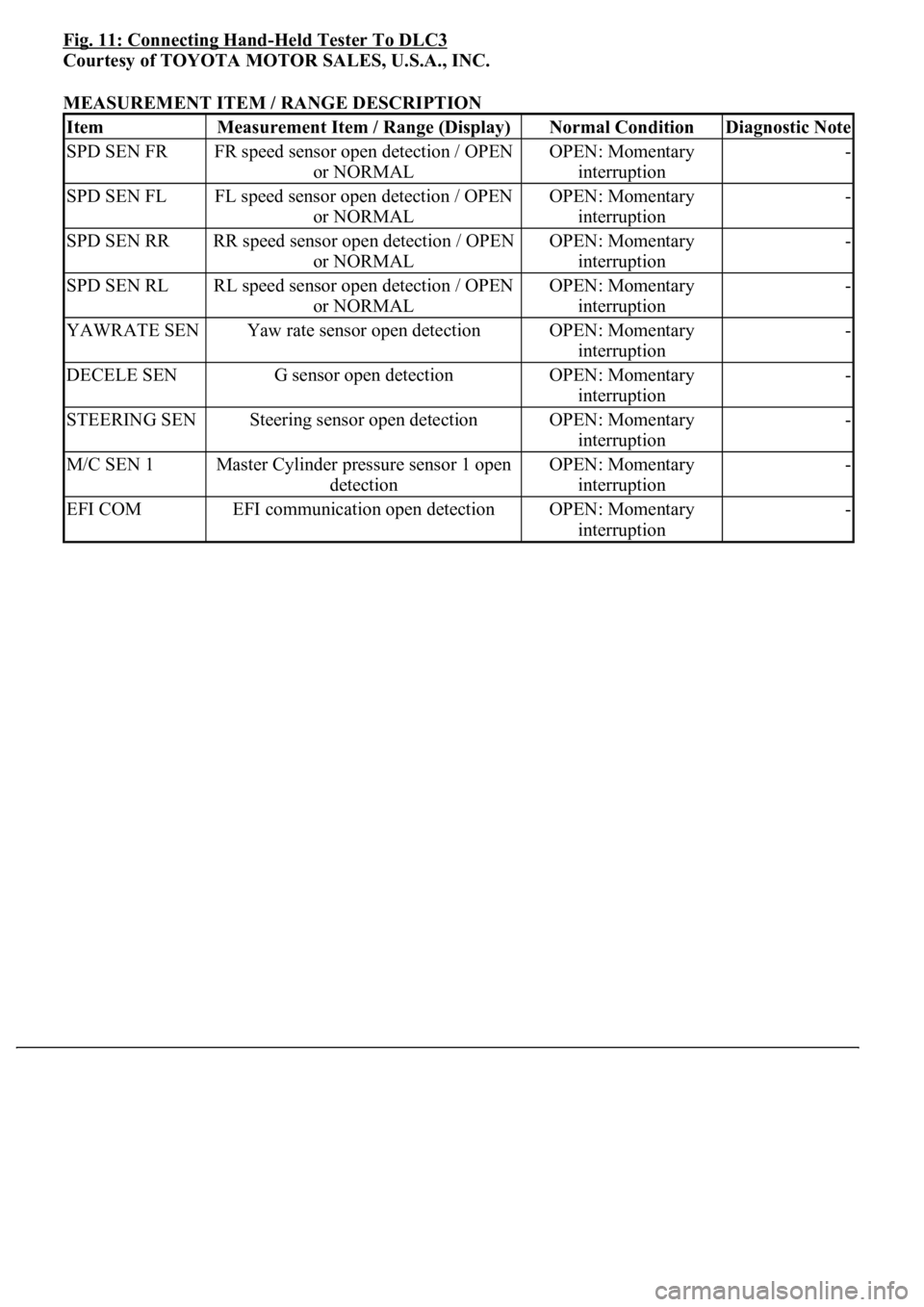
Fig. 11: Connecting Hand-Held Tester To DLC3
Courtesy of TOYOTA MOTOR SALES, U.S.A., INC.
MEASUREMENT ITEM / RANGE DESCRIPTION
ItemMeasurement Item / Range (Display)Normal ConditionDiagnostic Note
SPD SEN FRFR speed sensor open detection / OPEN
or NORMALOPEN: Momentary
interruption-
SPD SEN FLFL speed sensor open detection / OPEN
or NORMALOPEN: Momentary
interruption-
SPD SEN RRRR speed sensor open detection / OPEN
or NORMALOPEN: Momentary
interruption-
SPD SEN RLRL speed sensor open detection / OPEN
or NORMALOPEN: Momentary
interruption-
YAWRATE SENYaw rate sensor open detectionOPEN: Momentary
interruption-
DECELE SENG sensor open detectionOPEN: Momentary
interruption-
STEERING SENSteering sensor open detectionOPEN: Momentary
interruption-
M/C SEN 1Master Cylinder pressure sensor 1 open
detectionOPEN: Momentary
interruption-
EFI COMEFI communication open detectionOPEN: Momentary
interruption-
Page 21 of 4500
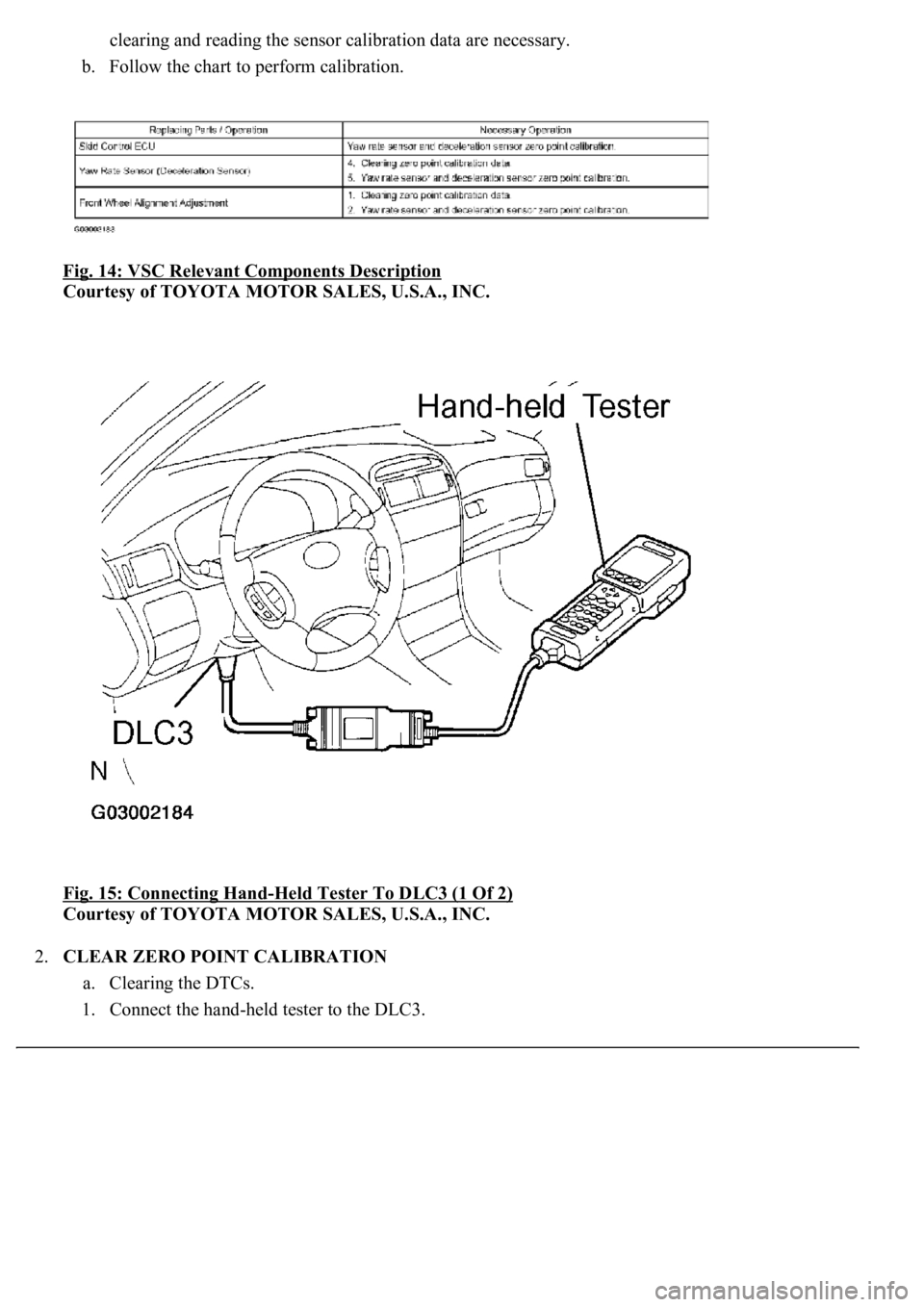
clearing and reading the sensor calibration data are necessary.
b. Follow the chart to perform calibration.
Fig. 14: VSC Relevant Components Description
Courtesy of TOYOTA MOTOR SALES, U.S.A., INC.
Fig. 15: Connecting Hand
-Held Tester To DLC3 (1 Of 2)
Courtesy of TOYOTA MOTOR SALES, U.S.A., INC.
2.CLEAR ZERO POINT CALIBRATION
a. Clearing the DTCs.
1. Connect the han
d-held tester to the DLC3.
Page 22 of 4500
2. Turn the ignition switch to the ON position.
3. Operate the hand-held tester to erase the codes.
HINT:
Refer to the hand-held tester operator's manual for further details.
Check if "VSC" is displayed on the multi-information display.
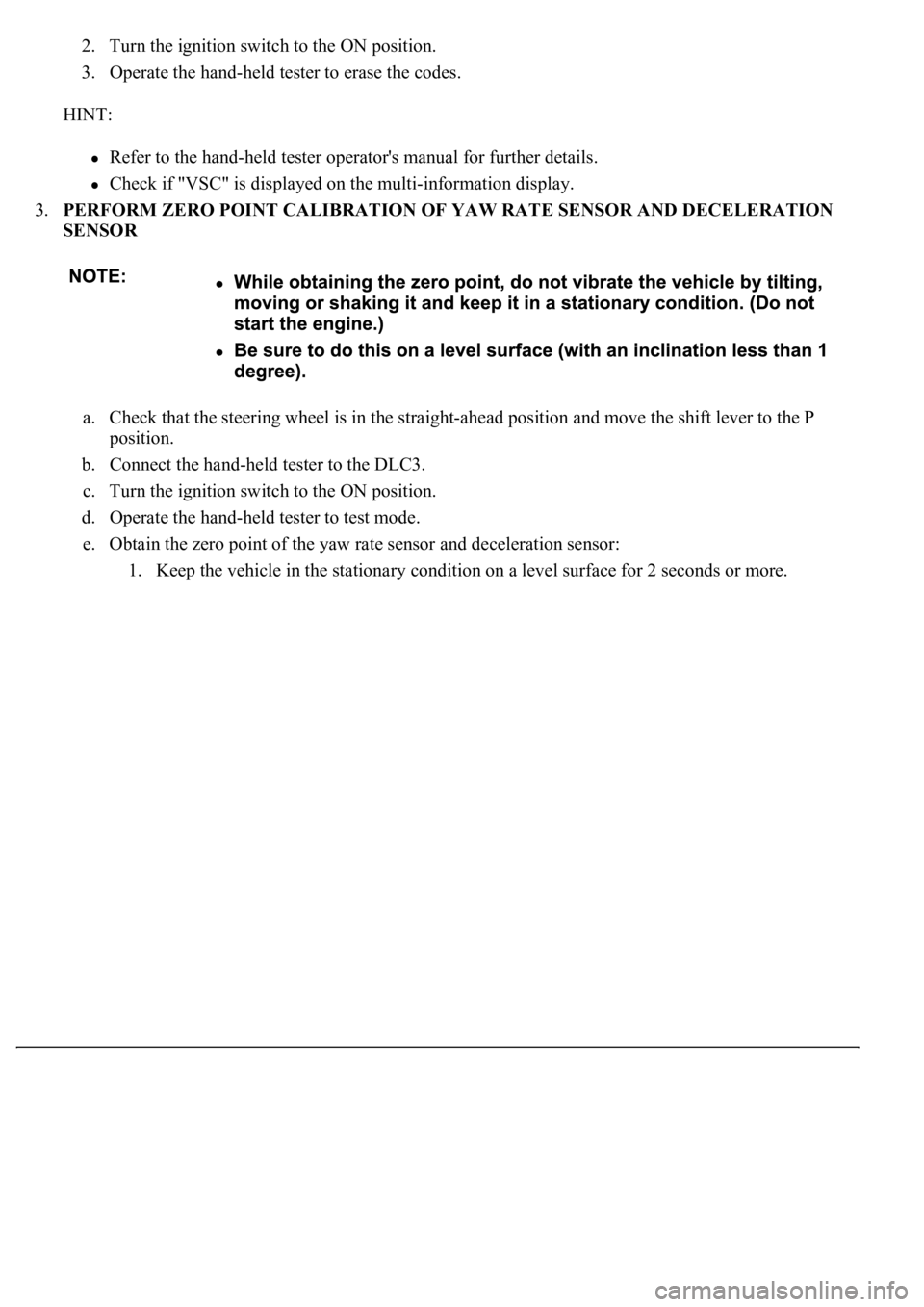
3.PERFORM ZERO POINT CALIBRATION OF YAW RATE SENSOR AND DECELERATION
SENSOR
a. Check that the steering wheel is in the straight-ahead position and move the shift lever to the P
position.
b. Connect the hand-held tester to the DLC3.
c. Turn the ignition switch to the ON position.
d. Operate the hand-held tester to test mode.
e. Obtain the zero point of the yaw rate sensor and deceleration sensor:
1. Keep the vehicle in the stationar
y condition on a level surface for 2 seconds or more.
Page 23 of 4500
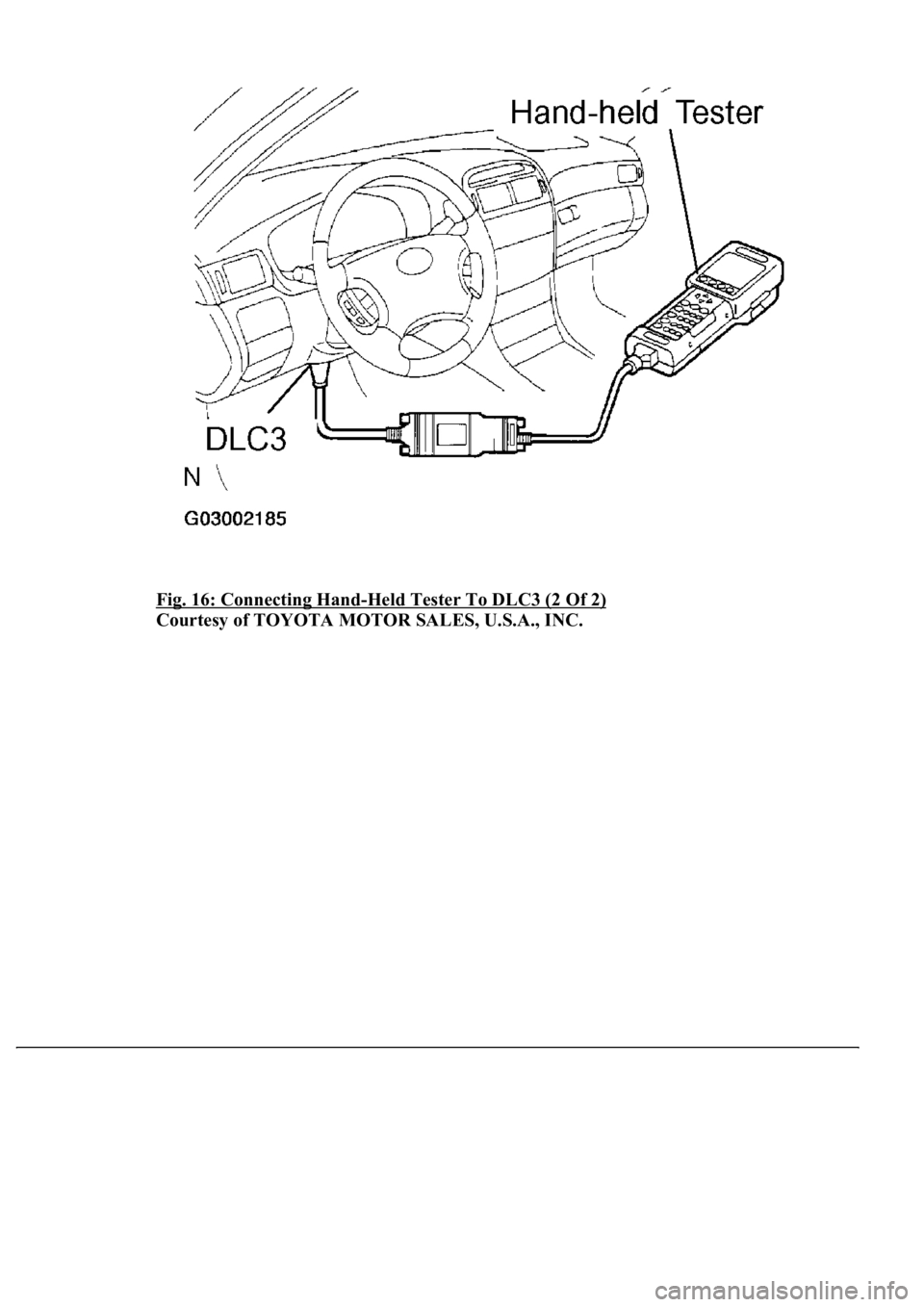
Fig. 16: Connecting Hand-Held Tester To DLC3 (2 Of 2)
Courtesy of TOYOTA MOTOR SALES, U.S.A., INC.
Page 28 of 4500
sensor check function will be erased.
<002700580055004c0051004a0003005700480056005700030050005200470048000f00030028002600380003005500480046005200550047005600030044004f004f0003002700370026000300520049000300560048005100560052005500030046004b00
480046004e000300490058005100460057004c005200510011[ By preforming sensor signal
check, the codes are erased if normality is confirmed. The codes left over are the codes where
abnormality was found.
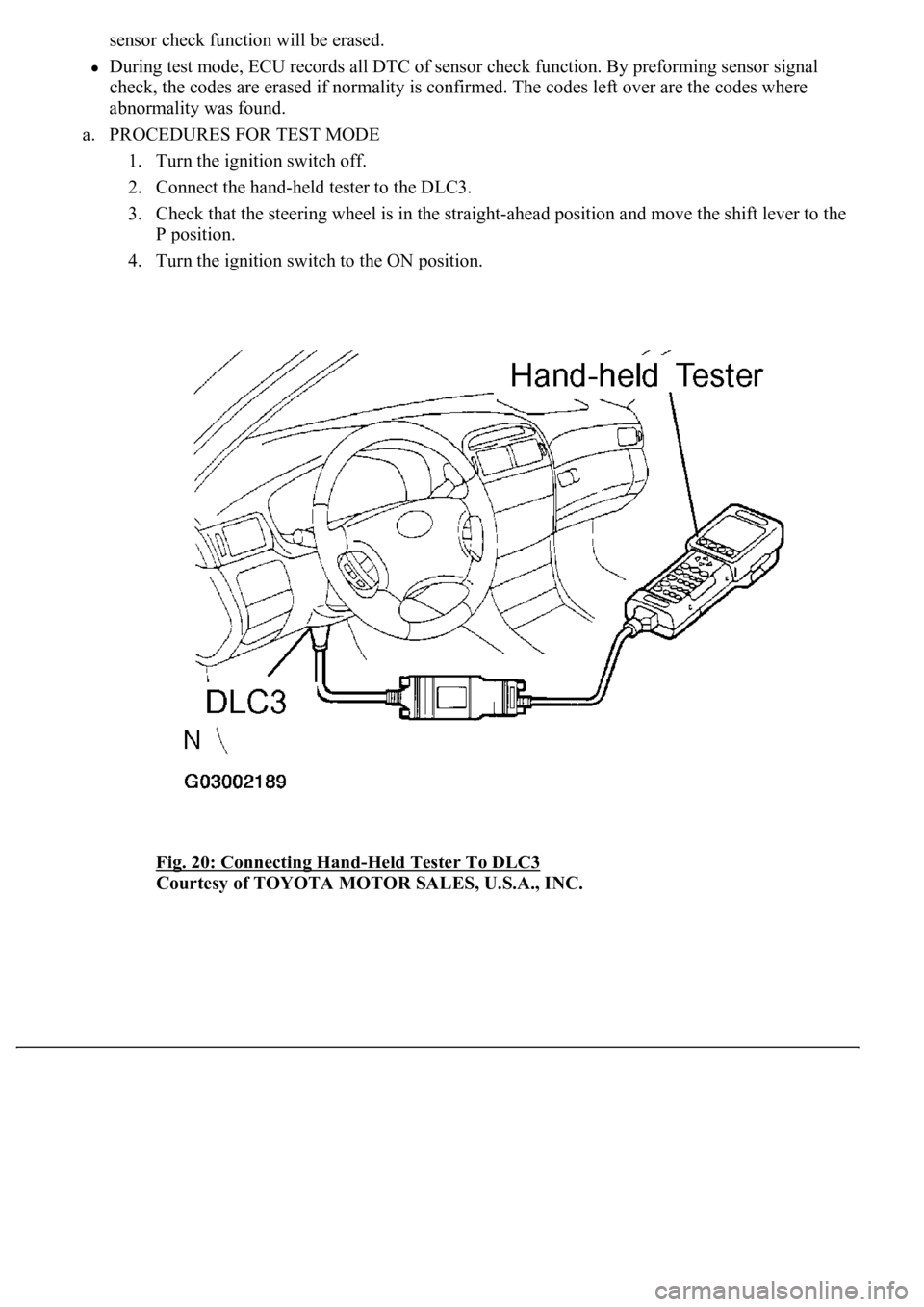
a. PROCEDURES FOR TEST MODE
1. Turn the ignition switch off.
2. Connect the hand-held tester to the DLC3.
3. Check that the steering wheel is in the straight-ahead position and move the shift lever to the
P position.
4. Turn the ignition switch to the ON position.
Fig. 20: Connecting Hand
-Held Tester To DLC3
Courtesy of TOYOTA MOTOR SALES, U.S.A., INC.
Page 42 of 4500
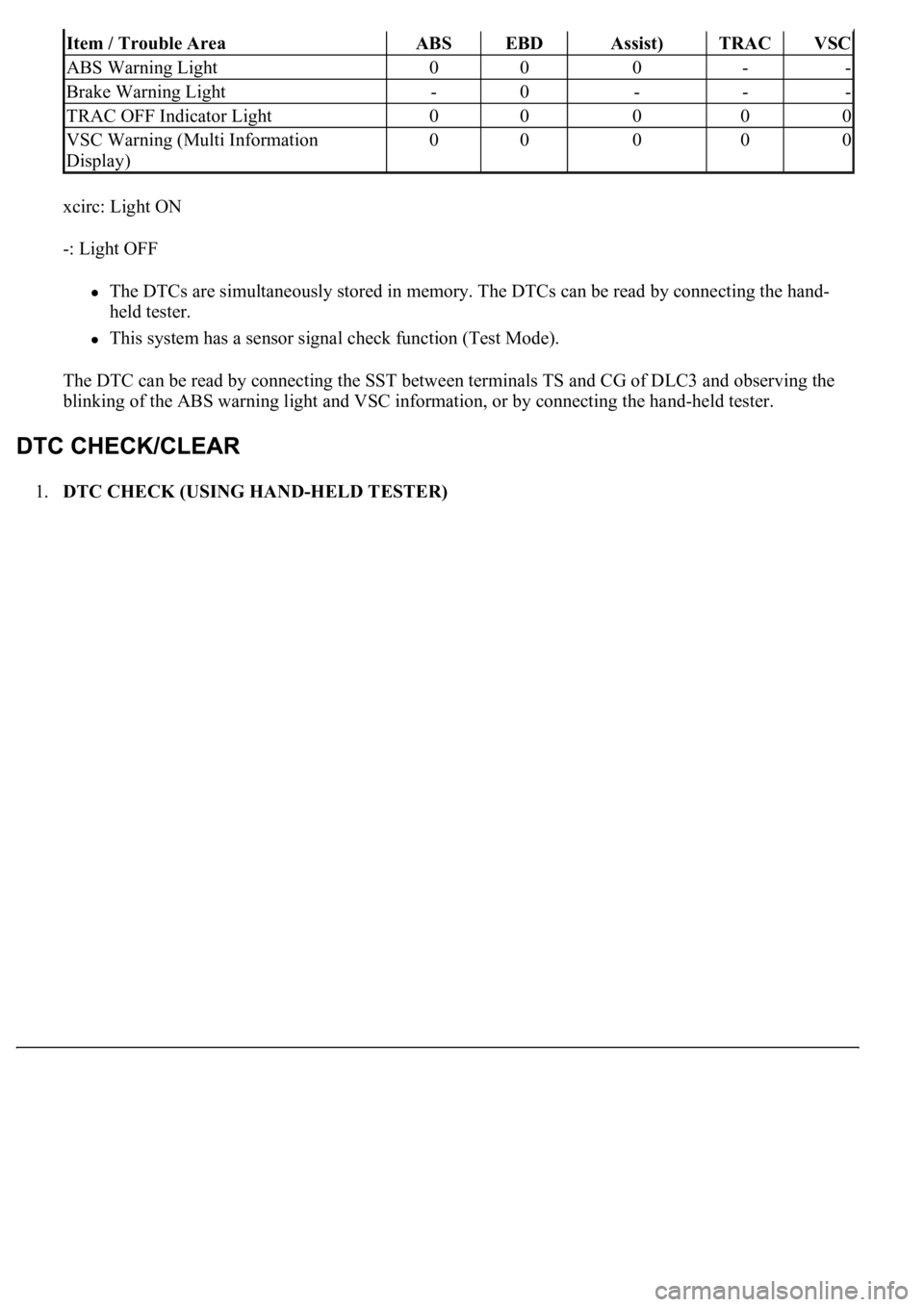
xcirc: Light ON
-: Light OFF
The DTCs are simultaneously stored in memory. The DTCs can be read by connecting the hand-
held tester.
This system has a sensor signal check function (Test Mode).
The DTC can be read by connecting the SST between terminals TS and CG of DLC3 and observing the
blinking of the ABS warning light and VSC information, or by connecting the hand-held tester.
1.DTC CHECK (USING HAND-HELD TESTER)
Item / Trouble AreaABSEBDAssist)TRACVSC
ABS Warning Light000--
Brake Warning Light-0---
TRAC OFF Indicator Light00000
VSC Warning (Multi Information
Display)00000
Page 43 of 4500
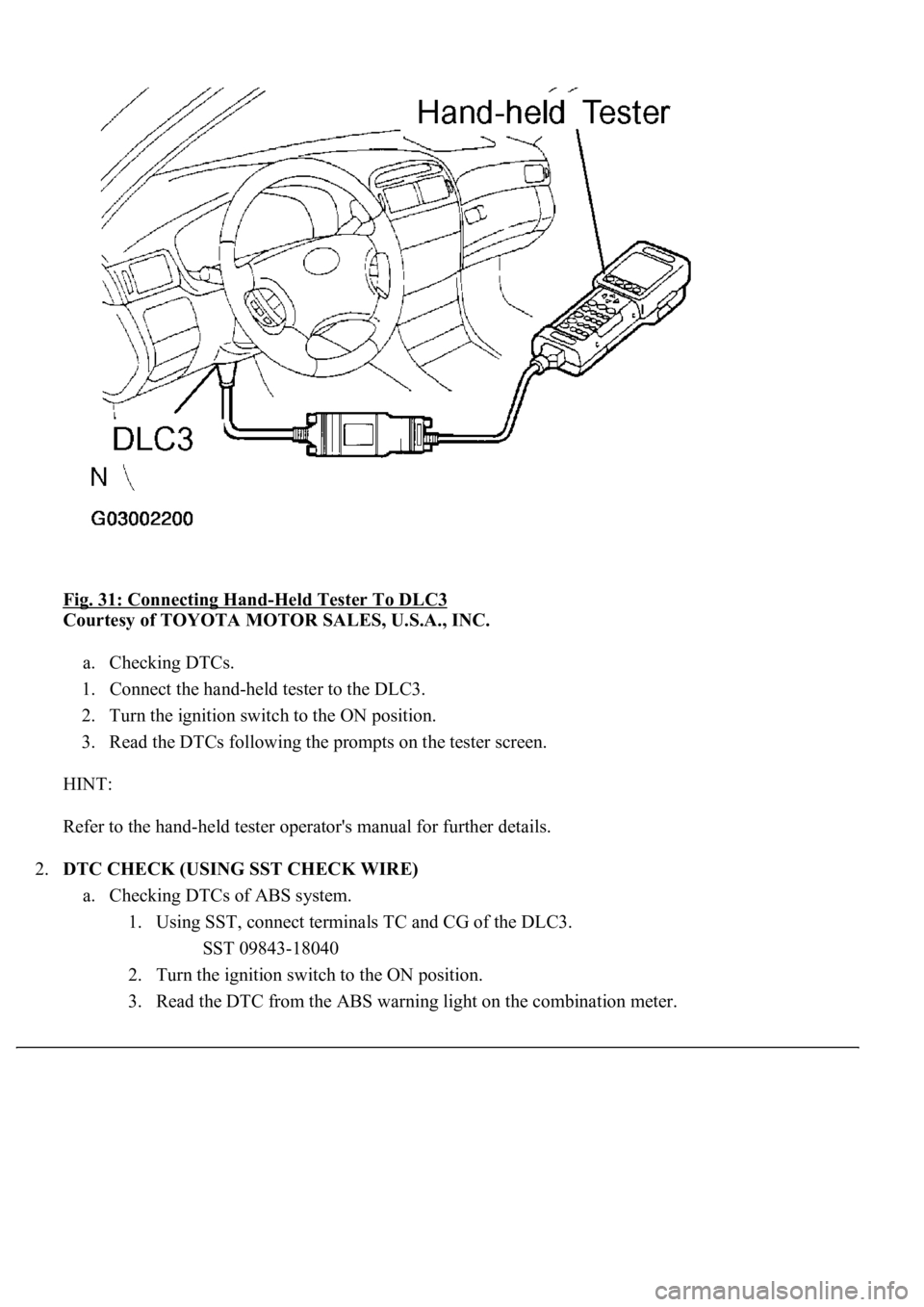
Fig. 31: Connecting Hand-Held Tester To DLC3
Courtesy of TOYOTA MOTOR SALES, U.S.A., INC.
a. Checking DTCs.
1. Connect the hand-held tester to the DLC3.
2. Turn the ignition switch to the ON position.
3. Read the DTCs following the prompts on the tester screen.
HINT:
Refer to the hand-held tester operator's manual for further details.
2.DTC CHECK (USING SST CHECK WIRE)
a. Checking DTCs of ABS system.
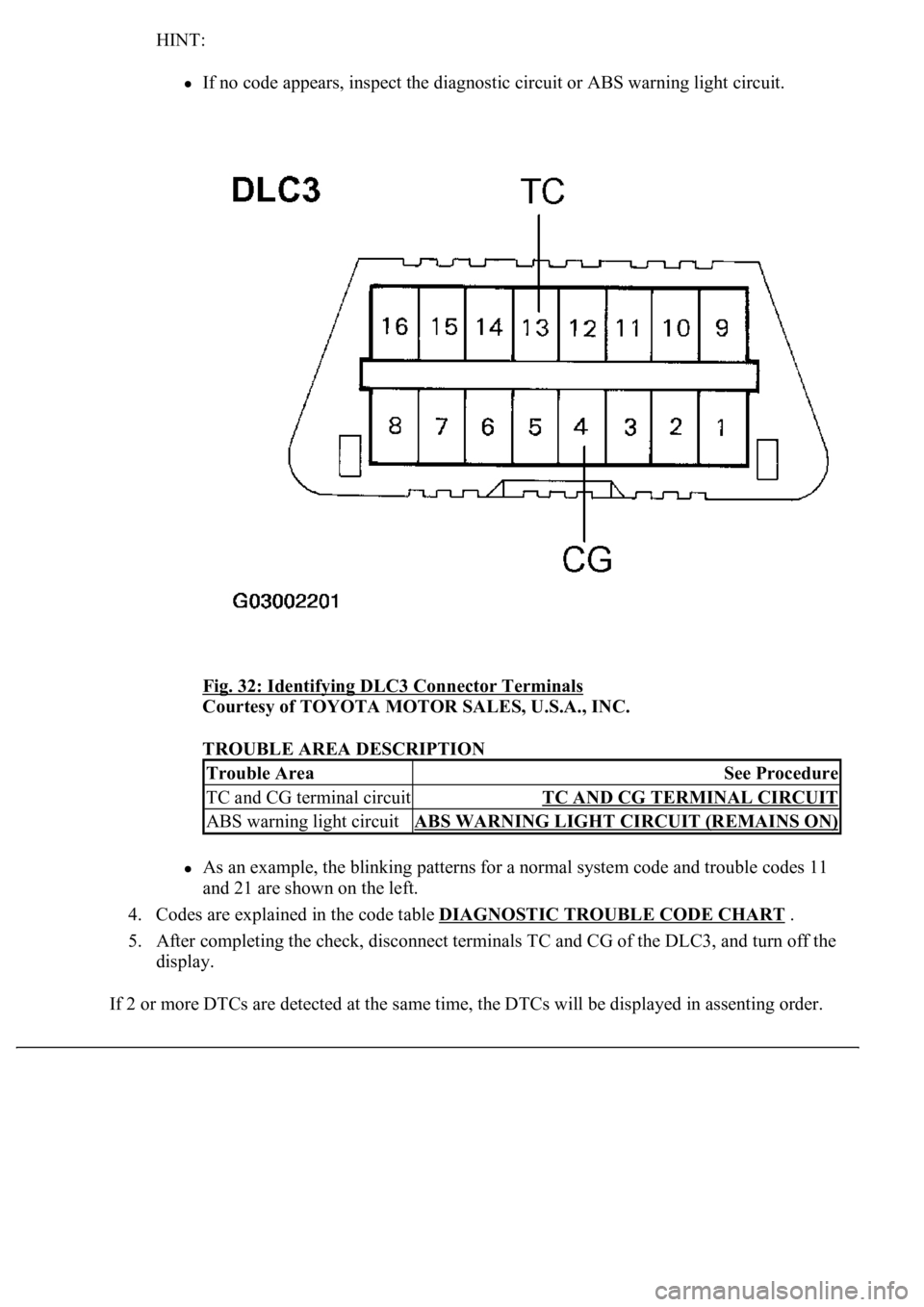
1. Using SST, connect terminals TC and CG of the DLC3.
SST 09843-18040
2. Turn the ignition switch to the ON position.
3. Read the DTC from the ABS warnin
g light on the combination meter.
Page 44 of 4500
HINT:
If no code appears, inspect the diagnostic circuit or ABS warning light circuit.
Fig. 32: Identifying DLC3 Connector Terminals
Courtesy of TOYOTA MOTOR SALES, U.S.A., INC.
TROUBLE AREA DESCRIPTION
As an example, the blinking patterns for a normal system code and trouble codes 11
and 21 are shown on the left.
4. Codes are explained in the code table DIAGNOSTIC TROUBLE CODE CHART
.
5. After completing the check, disconnect terminals TC and CG of the DLC3, and turn off the
display.
If 2 or more DTCs are detected at the same time, the DTCs will be displayed in assenting order.
Trouble AreaSee Procedure
TC and CG terminal circuitTC AND CG TERMINAL CIRCUIT
ABS warning light circuitABS WARNING LIGHT CIRCUIT (REMAINS ON)
Page 45 of 4500
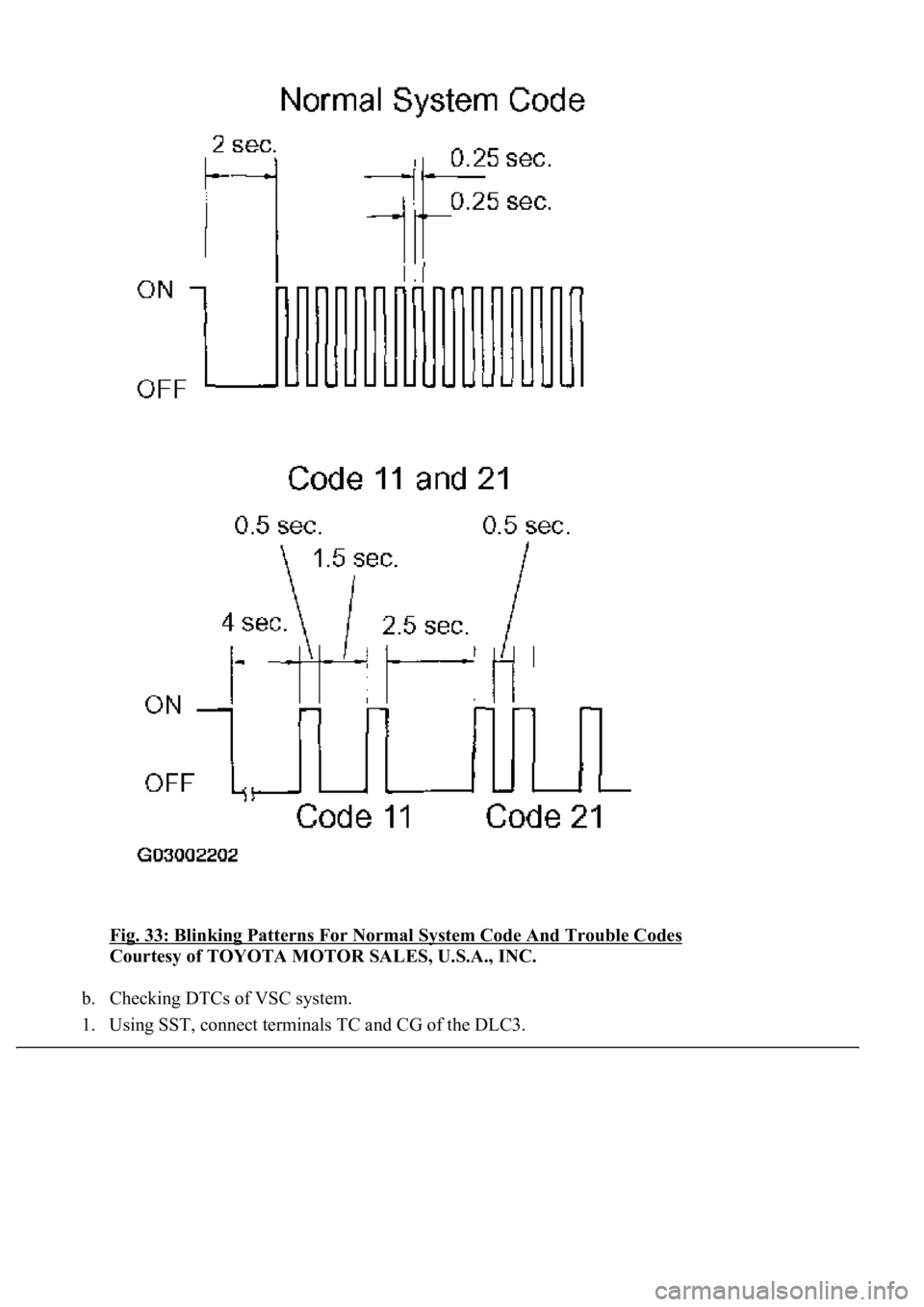
Fig. 33: Blinking Patterns For Normal System Code And Trouble Codes
Courtesy of TOYOTA MOTOR SALES, U.S.A., INC.
b. Checking DTCs of VSC system.
1. Using SST, connect terminals TC and CG of the DLC3.