LEXUS LS430 2003 Factory Repair Manual
LS430 2003
LEXUS
LEXUS
https://www.carmanualsonline.info/img/36/57050/w960_57050-0.png
LEXUS LS430 2003 Factory Repair Manual
Page 400 of 4500
Courtesy of TOYOTA MOTOR SALES, U.S.A., INC.
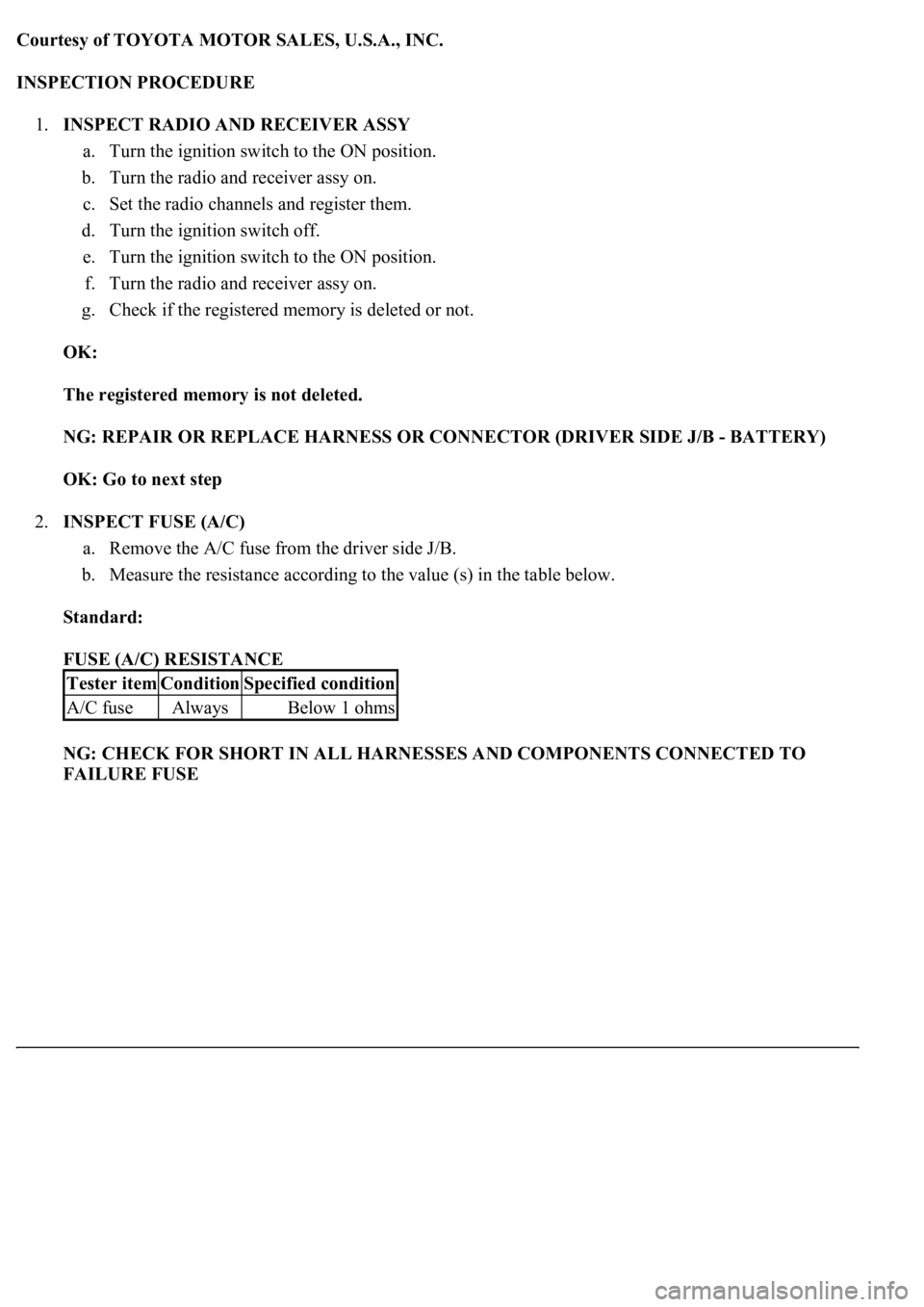
INSPECTION PROCEDURE
1.INSPECT RADIO AND RECEIVER ASSY
a. Turn the ignition switch to the ON position.
b. Turn the radio and receiver assy on.
c. Set the radio channels and register them.
d. Turn the ignition switch off.
e. Turn the ignition switch to the ON position.
f. Turn the radio and receiver assy on.
g. Check if the registered memory is deleted or not.
OK:
The registered memory is not deleted.
NG: REPAIR OR REPLACE HARNESS OR CONNECTOR (DRIVER SIDE J/B - BATTERY)
OK: Go to next step
2.INSPECT FUSE (A/C)
a. Remove the A/C fuse from the driver side J/B.
b. Measure the resistance according to the value (s) in the table below.
Standard:
FUSE (A/C) RESISTANCE
NG: CHECK FOR SHORT IN ALL HARNESSES AND COMPONENTS CONNECTED TO
FAILURE FUSE
Tester itemConditionSpecified condition
A/C fuseAlwaysBelow 1 ohms
Page 413 of 4500
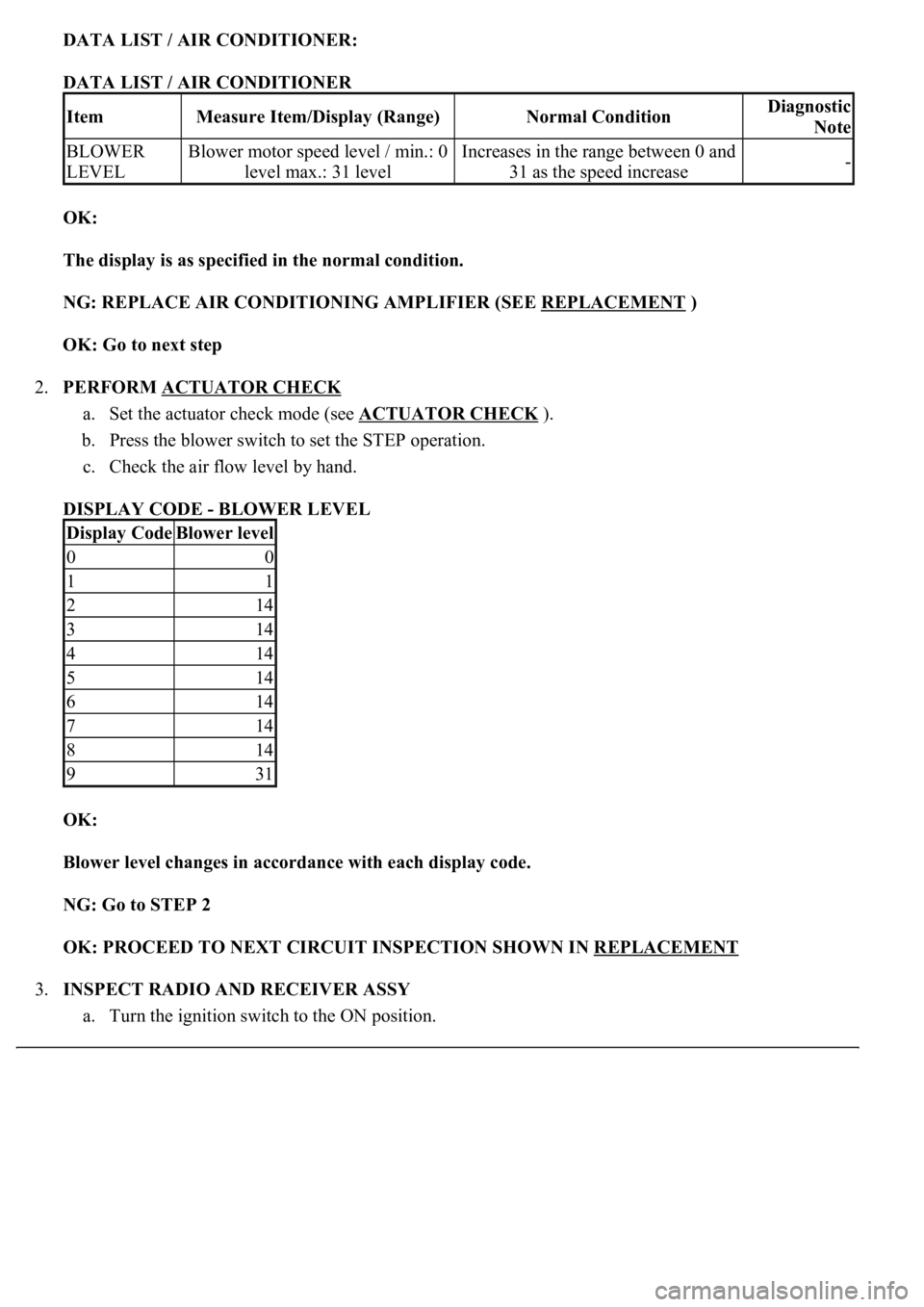
DATA LIST / AIR CONDITIONER:
DATA LIST / AIR CONDITIONER
OK:
The display is as specified in the normal condition.
NG: REPLACE AIR CONDITIONING AMPLIFIER (SEE REPLACEMENT
)
OK: Go to next step
2.PERFORM ACTUATOR CHECK
a. Set the actuator check mode (see ACTUATOR CHECK
).
b. Press the blower switch to set the STEP operation.
c. Check the air flow level by hand.
DISPLAY CODE - BLOWER LEVEL
OK:
<0025004f0052005a004800550003004f004800590048004f00030046004b00440051004a004800560003004c0051000300440046004600520055004700440051004600480003005a004c0057004b0003004800440046004b00030047004c00560053004f00
44005c000300460052004700480011[
NG: Go to STEP 2
OK: PROCEED TO NEXT CIRCUIT INSPECTION SHOWN IN REPLACEMENT
3.INSPECT RADIO AND RECEIVER ASSY
a. Turn the ignition switch to the ON position.
ItemMeasure Item/Display (Range)Normal ConditionDiagnostic
Note
BLOWER
LEVELBlower motor speed level / min.: 0
level max.: 31 levelIncreases in the range between 0 and
31 as the speed increase-
Display CodeBlower level
00
11
214
314
414
514
614
714
814
931
Page 414 of 4500
b. Turn the radio and receiver assy on.
c. Set the radio channels and register them.
d. Turn the ignition switch off.
e. Turn the ignition switch to the ON position.
f. Turn the radio and receiver assy on.
g. Check if the registered memory is deleted or not.
OK:
The registered memory is not deleted.
NG: REPAIR OR REPLACE HARNESS OR CONNECTOR (DRIVER SIDE J/B - BATTERY)
OK: Go to next step
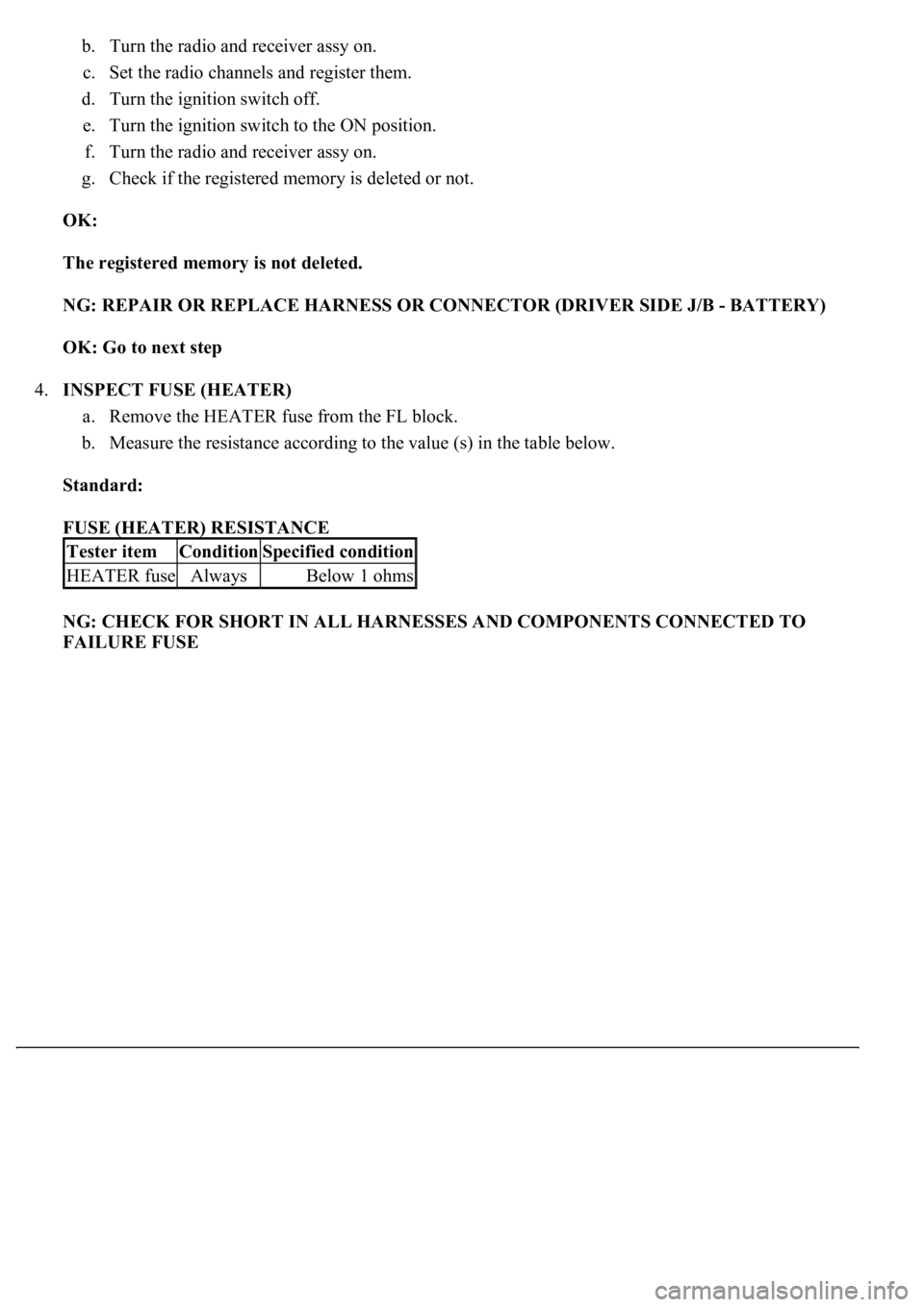
4.INSPECT FUSE (HEATER)
a. Remove the HEATER fuse from the FL block.
b. Measure the resistance according to the value (s) in the table below.
Standard:
FUSE (HEATER) RESISTANCE
NG: CHECK FOR SHORT IN ALL HARNESSES AND COMPONENTS CONNECTED TO
FAILURE FUSE
Tester itemConditionSpecified condition
HEATER fuseAlwaysBelow 1 ohms
Page 637 of 4500
Fig. 3: Identifying Component Locations (3 Of 3)
Courtesy of TOYOTA MOTOR SALES, U.S.A., INC.
REPLACEMENT
HINT:
See COMPONENTS
See LOCATION
Installation is in the reverse order of removal.
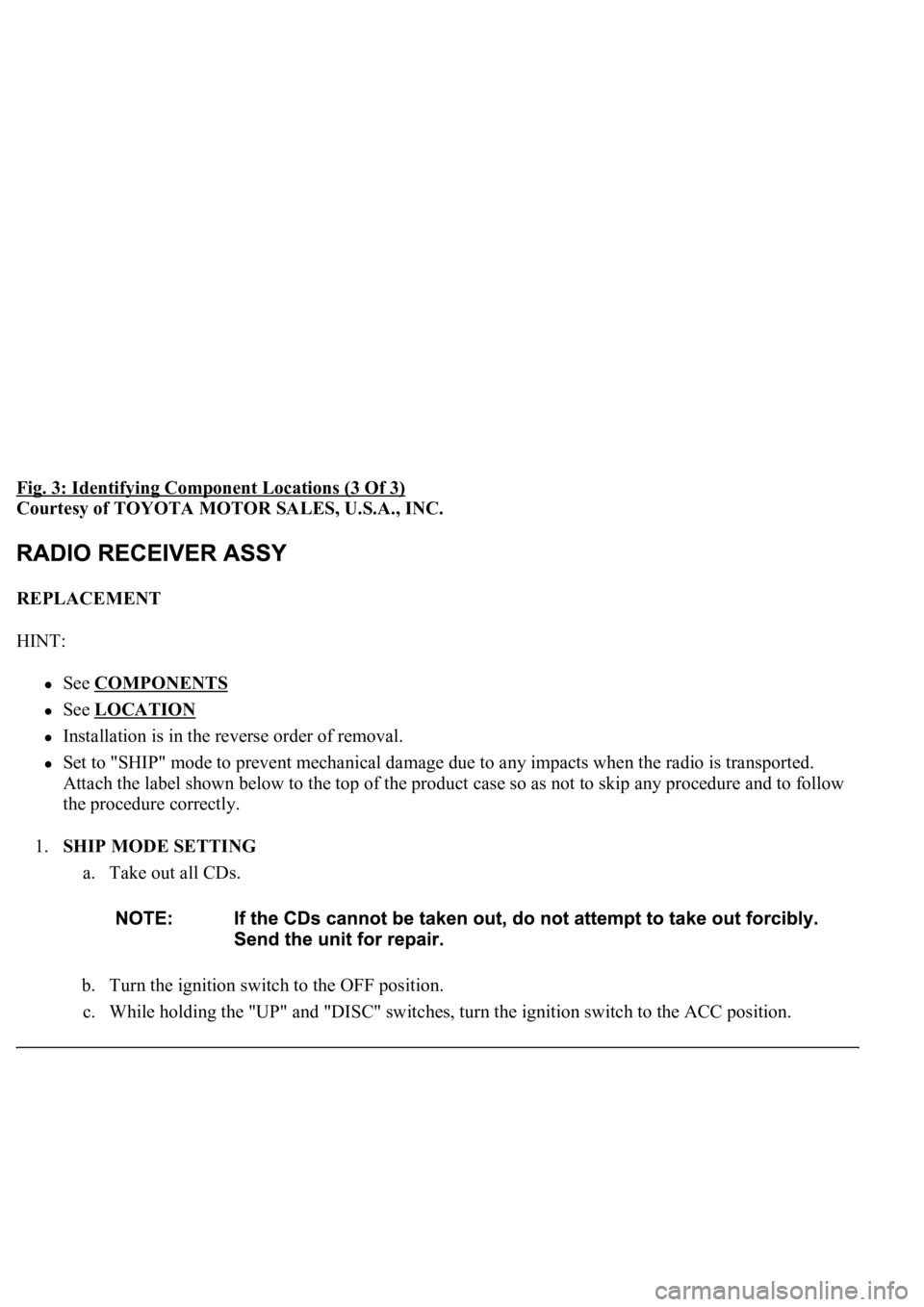
Set to "SHIP" mode to prevent mechanical damage due to any impacts when the radio is transported.
Attach the label shown below to the top of the product case so as not to skip any procedure and to follow
the procedure correctly.
1.SHIP MODE SETTING
a. Take out all CDs.
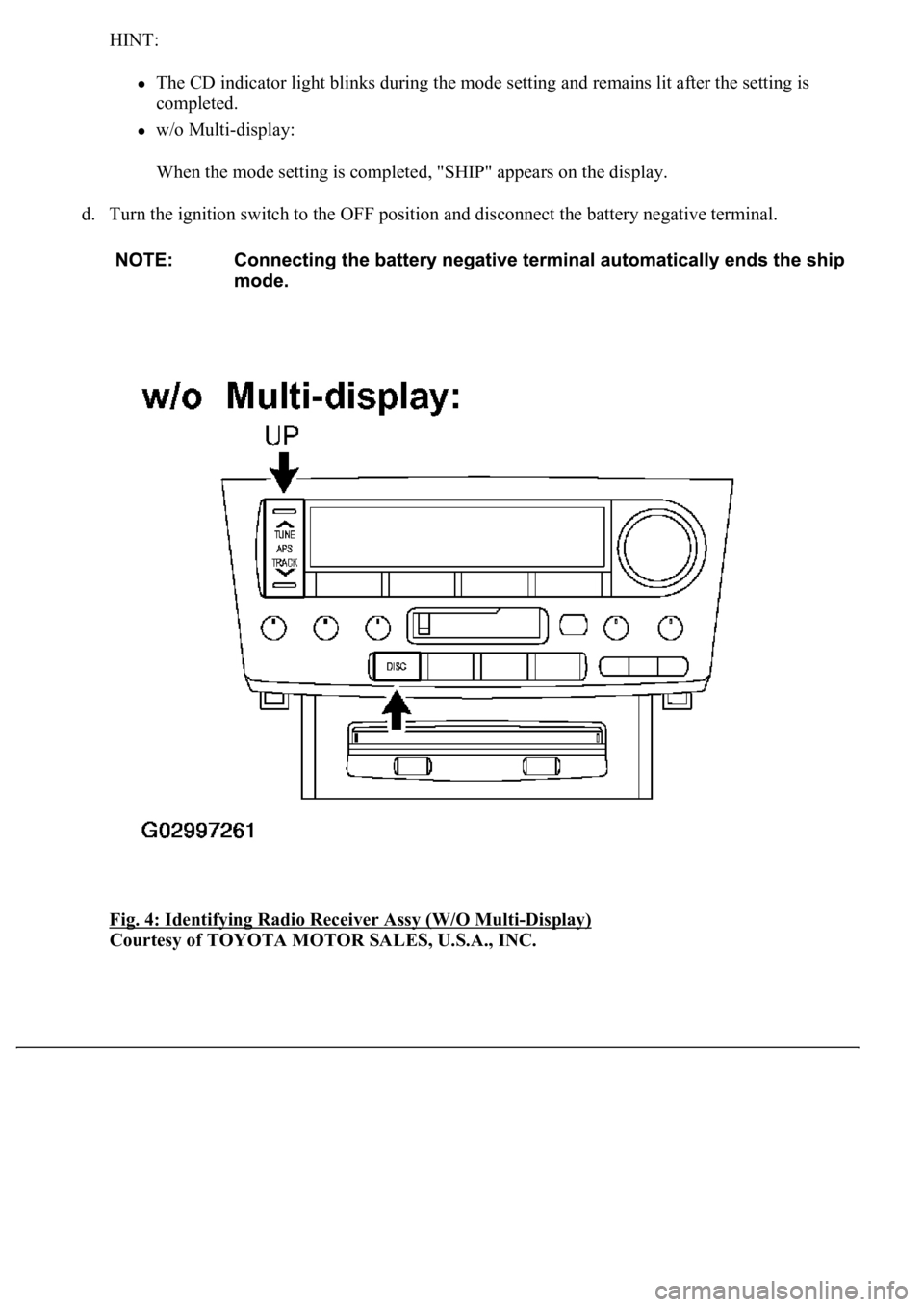
b. Turn the ignition switch to the OFF position.
c. While holdin
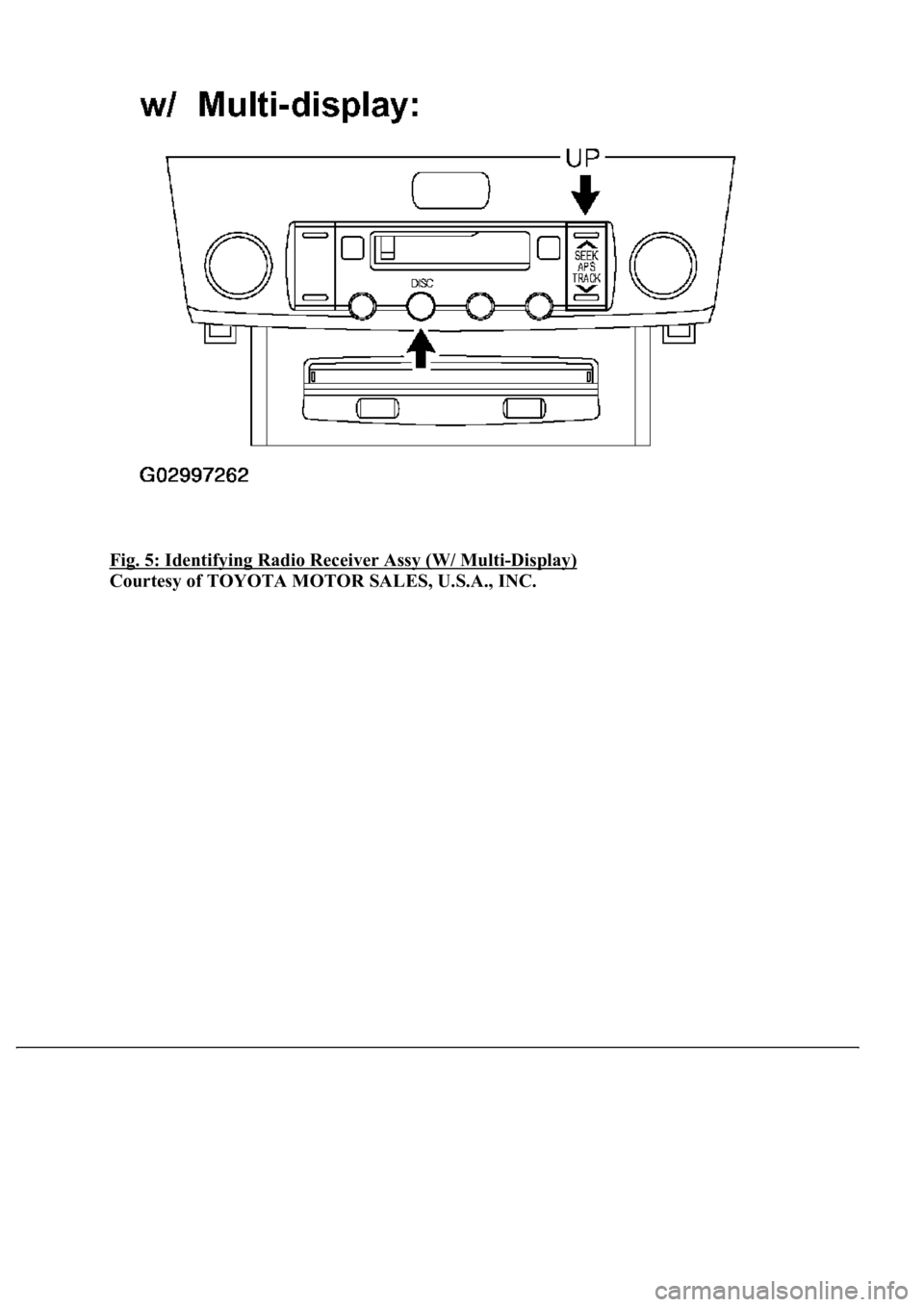
g the "UP" and "DISC" switches, turn the ignition switch to the ACC position.
Page 638 of 4500
HINT:
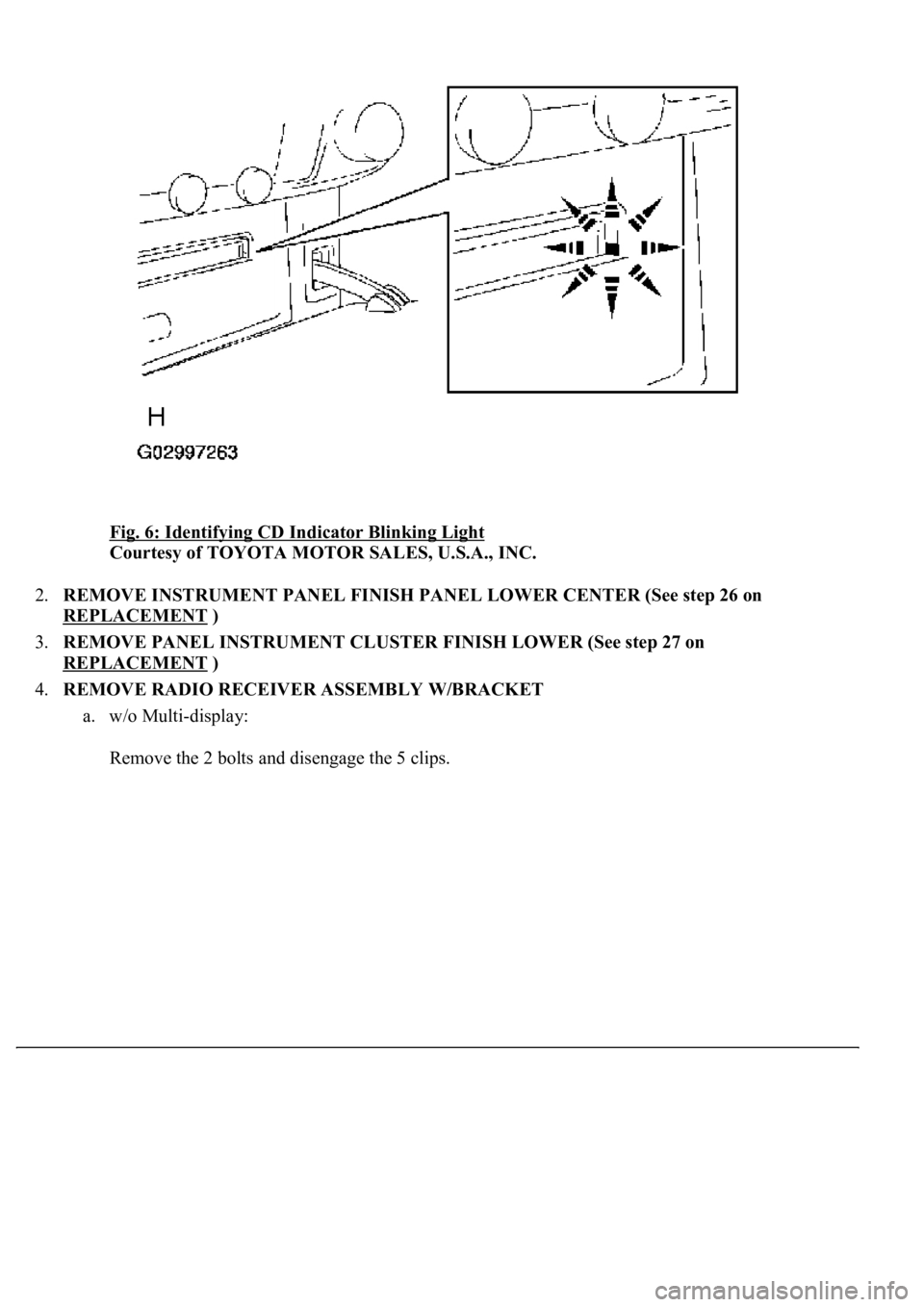
The CD indicator light blinks during the mode setting and remains lit after the setting is
completed.
w/o Multi-display:
When the mode setting is completed, "SHIP" appears on the display.
d. Turn the ignition switch to the OFF position and disconnect the battery negative terminal.
Fig. 4: Identifying Radio Receiver Assy (W/O Multi
-Display)
Courtesy of TOYOTA MOTOR SALES, U.S.A., INC.
Page 639 of 4500
Fig. 5: Identifying Radio Receiver Assy (W/ Multi-Display)
Courtesy of TOYOTA MOTOR SALES, U.S.A., INC.
Page 640 of 4500
Fig. 6: Identifying CD Indicator Blinking Light
Courtesy of TOYOTA MOTOR SALES, U.S.A., INC.
2.REMOVE INSTRUMENT PANEL FINISH PANEL LOWER CENTER (See step 26 on
REPLACEMENT
)
3.REMOVE PANEL INSTRUMENT CLUSTER FINISH LOWER (See step 27 on
REPLACEMENT
)
4.REMOVE RADIO RECEIVER ASSEMBLY W/BRACKET
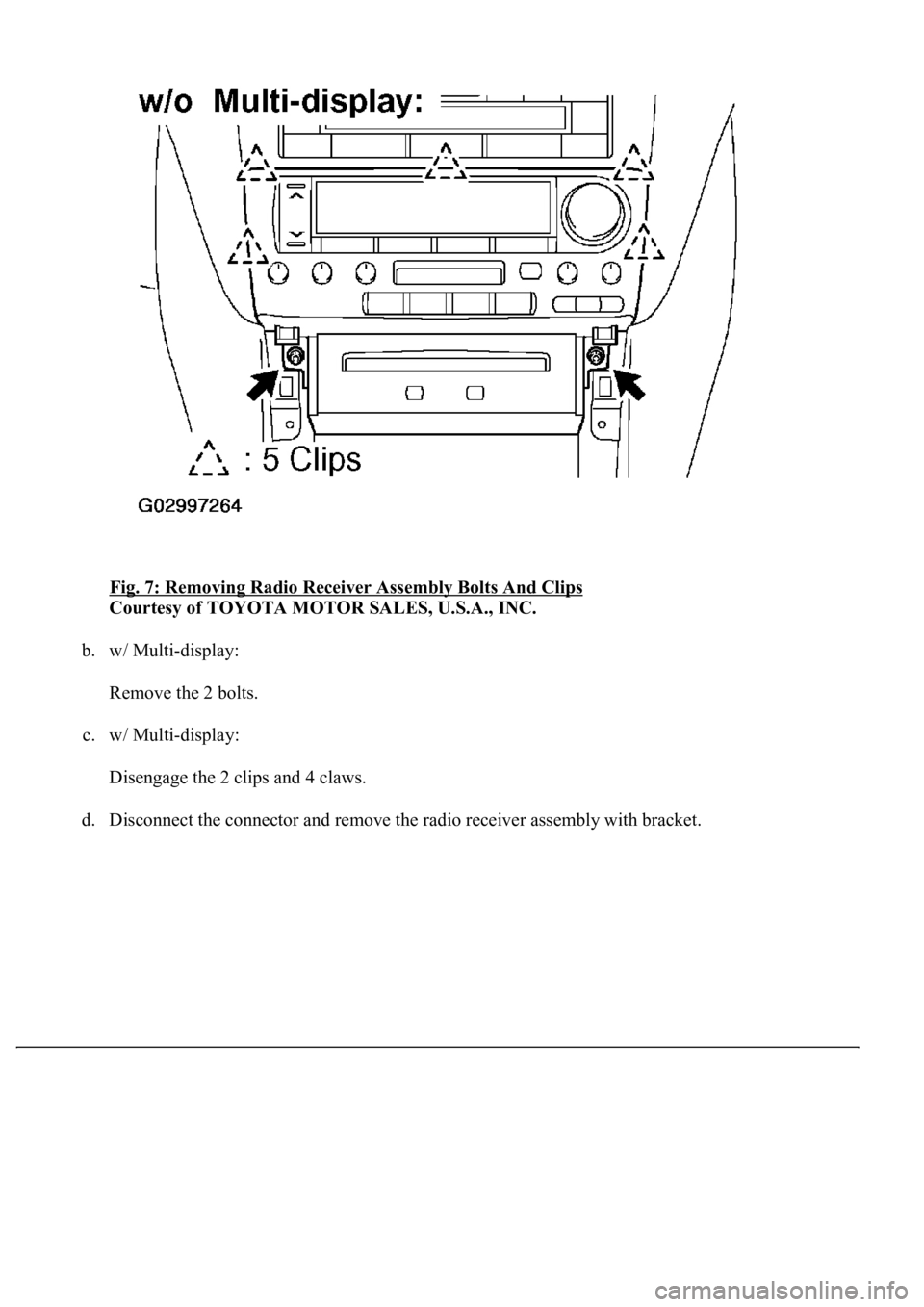
a. w/o Multi-display:
Remove the 2 bolts and disengage the 5 clips.
Page 641 of 4500
Fig. 7: Removing Radio Receiver Assembly Bolts And Clips
Courtesy of TOYOTA MOTOR SALES, U.S.A., INC.
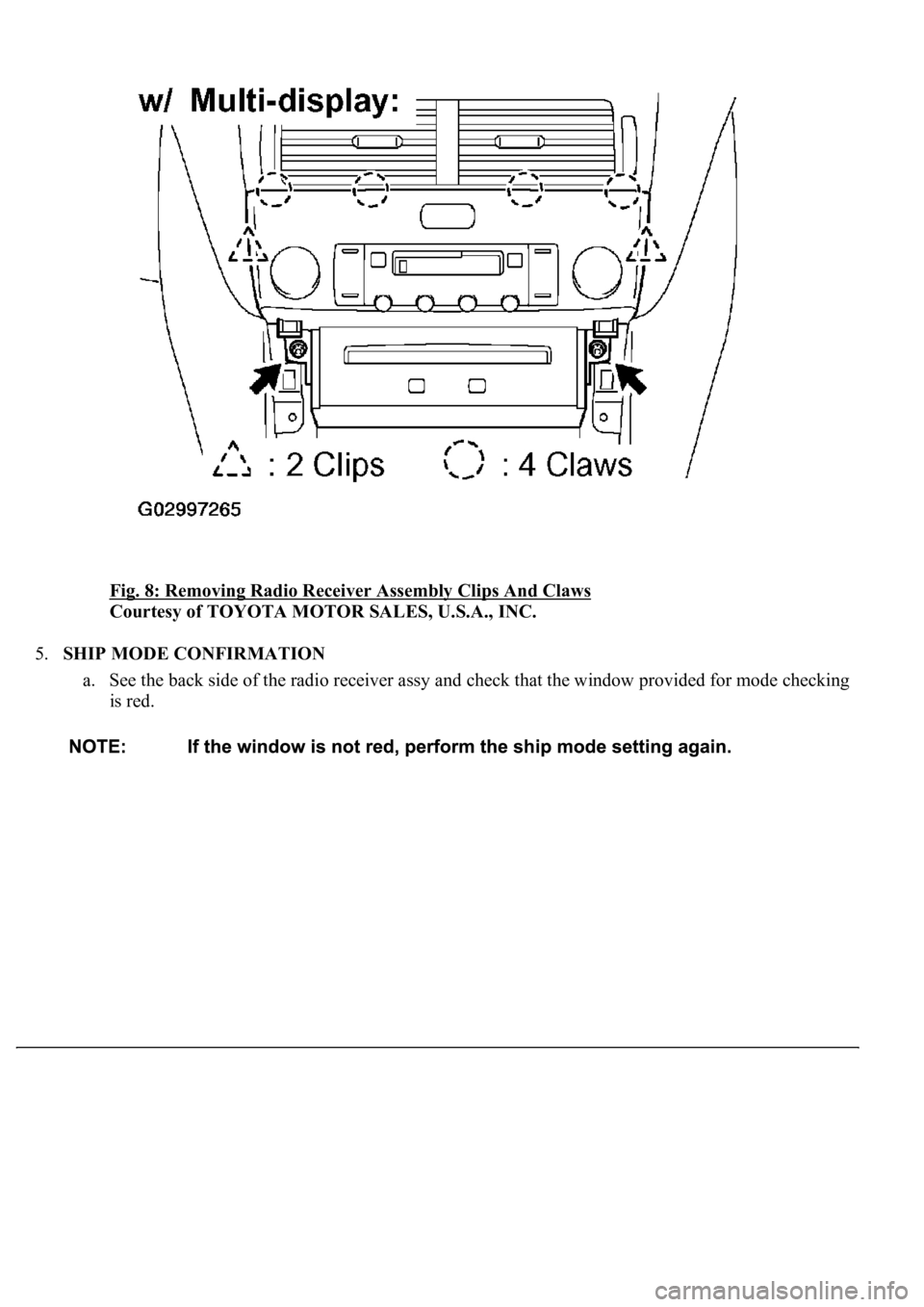
b. w/ Multi-display:
Remove the 2 bolts.
c. w/ Multi-display:
Disengage the 2 clips and 4 claws.
d. Disconnect the connector and remove the radio receiver assembl
y with bracket.
Page 642 of 4500
Fig. 8: Removing Radio Receiver Assembly Clips And Claws
Courtesy of TOYOTA MOTOR SALES, U.S.A., INC.
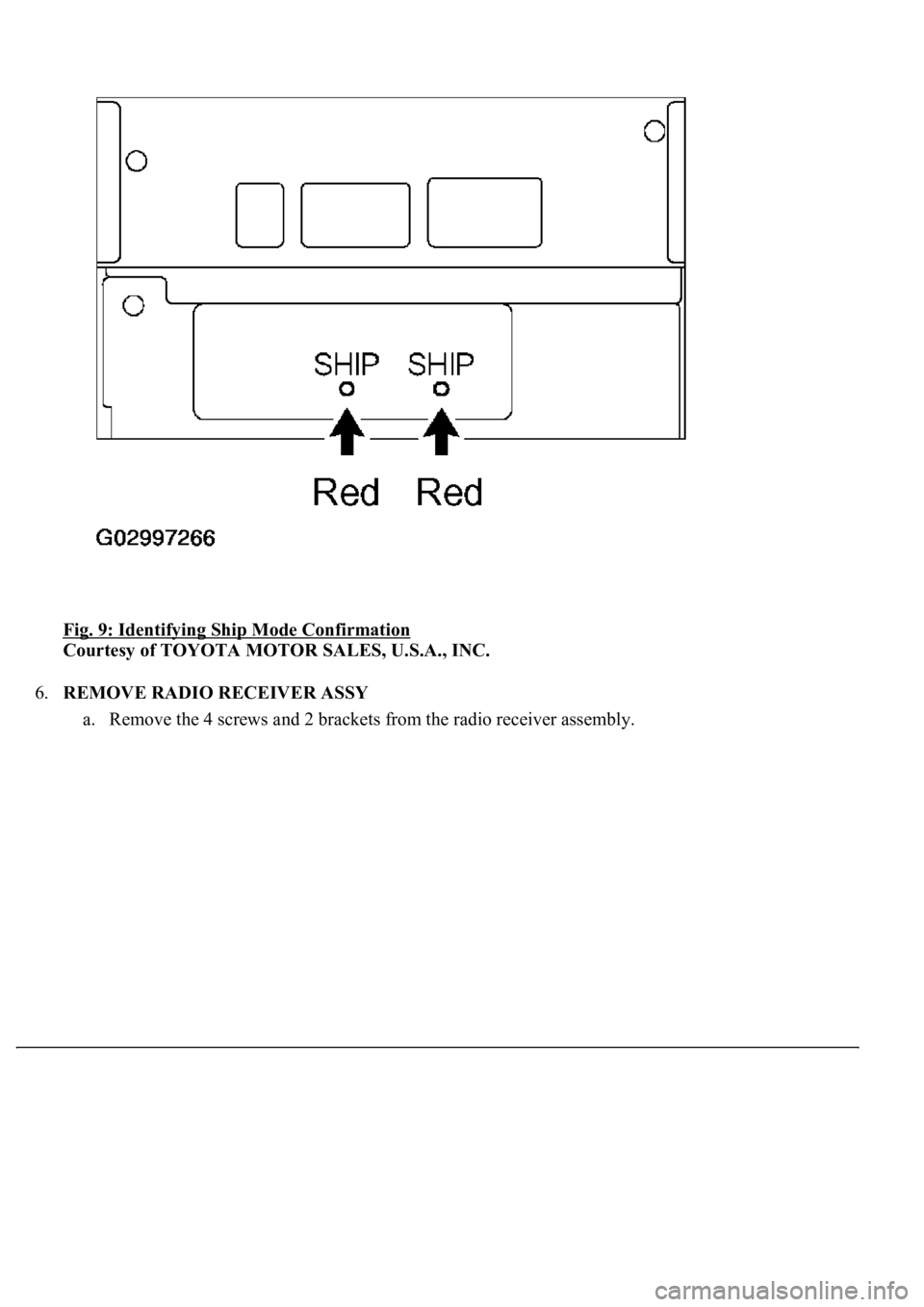
5.SHIP MODE CONFIRMATION
a. See the back side of the radio receiver assy and check that the window provided for mode checking
is red.
Page 643 of 4500
Fig. 9: Identifying Ship Mode Confirmation
Courtesy of TOYOTA MOTOR SALES, U.S.A., INC.
6.REMOVE RADIO RECEIVER ASSY
a. Remove the 4 screws and 2 brackets from the radio receiver assembly.