remote control LEXUS LS430 2006 User Guide
[x] Cancel search | Manufacturer: LEXUS, Model Year: 2006, Model line: LS430, Model: LEXUS LS430 2006Pages: 419, PDF Size: 11.19 MB
Page 35 of 419
19
1
1-2. Opening, closing and locking the doors and trunk
Before driving
Tr u n k
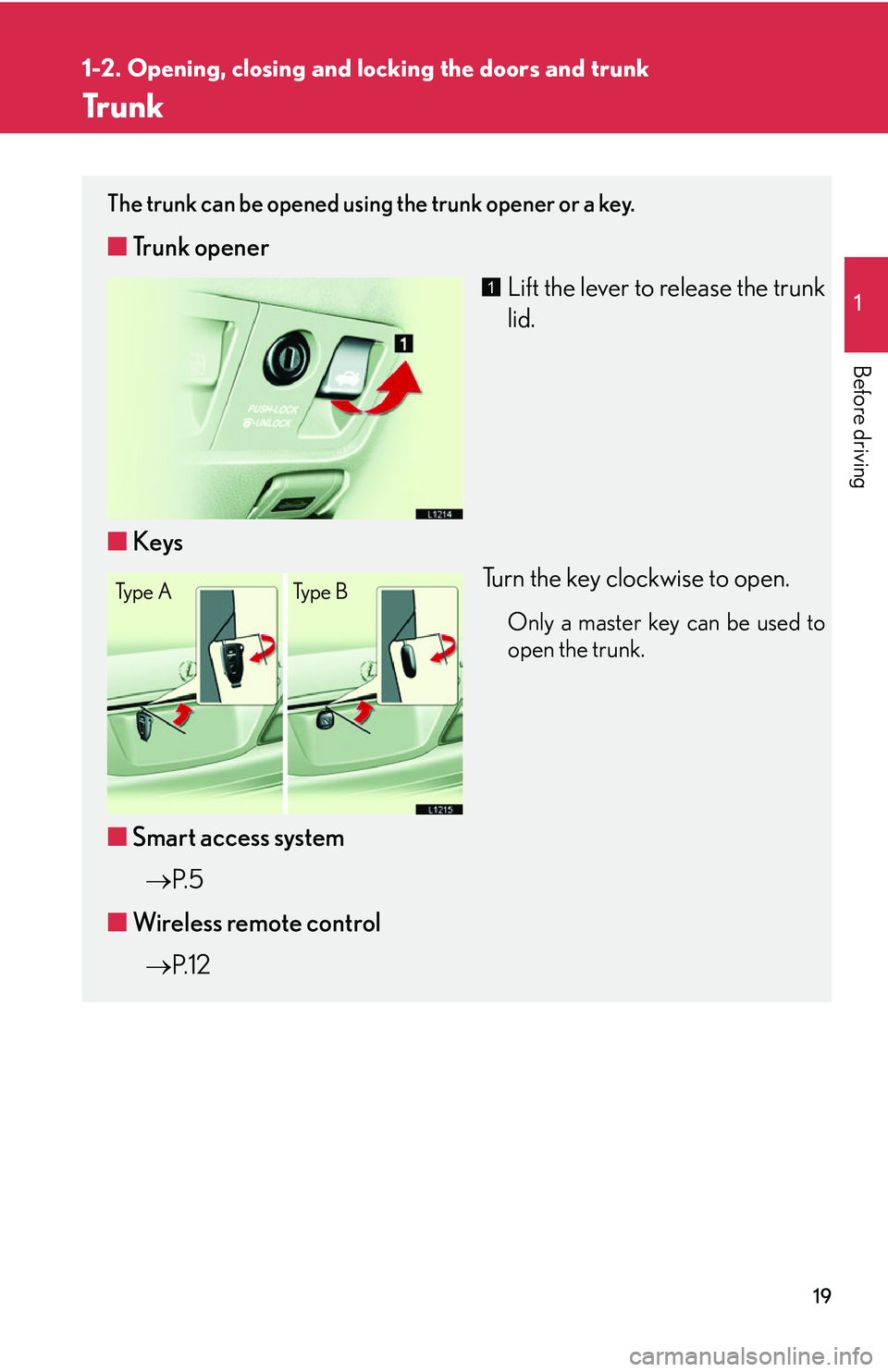
The trunk can be opened using the trunk opener or a key.
■Trunk opener
Lift the lever to release the trunk
lid.
■ Ke
ys
Turn the key clockwise to open.
Only a master key can be used to
open the trunk.
■Smart access system
P.
5
■ W
ireless remote control
P.
1 2
1
Ty p e A Ty p e B
Page 42 of 419
26
1-3. Adjustable components
Selecting a memory setting using a smart access key or wireless remote
control key
Memorized driving positions ( P.25) can be recalled when you unlock
the driver’s door.
■ R
egistering the key
Set the driving positions into the memor
y system using the “1”, “2”
or “3” buttons ( P.25 ).
Close the driver’s door, turn the ig nition switch to the in OFF posi-
tion and remove the key.
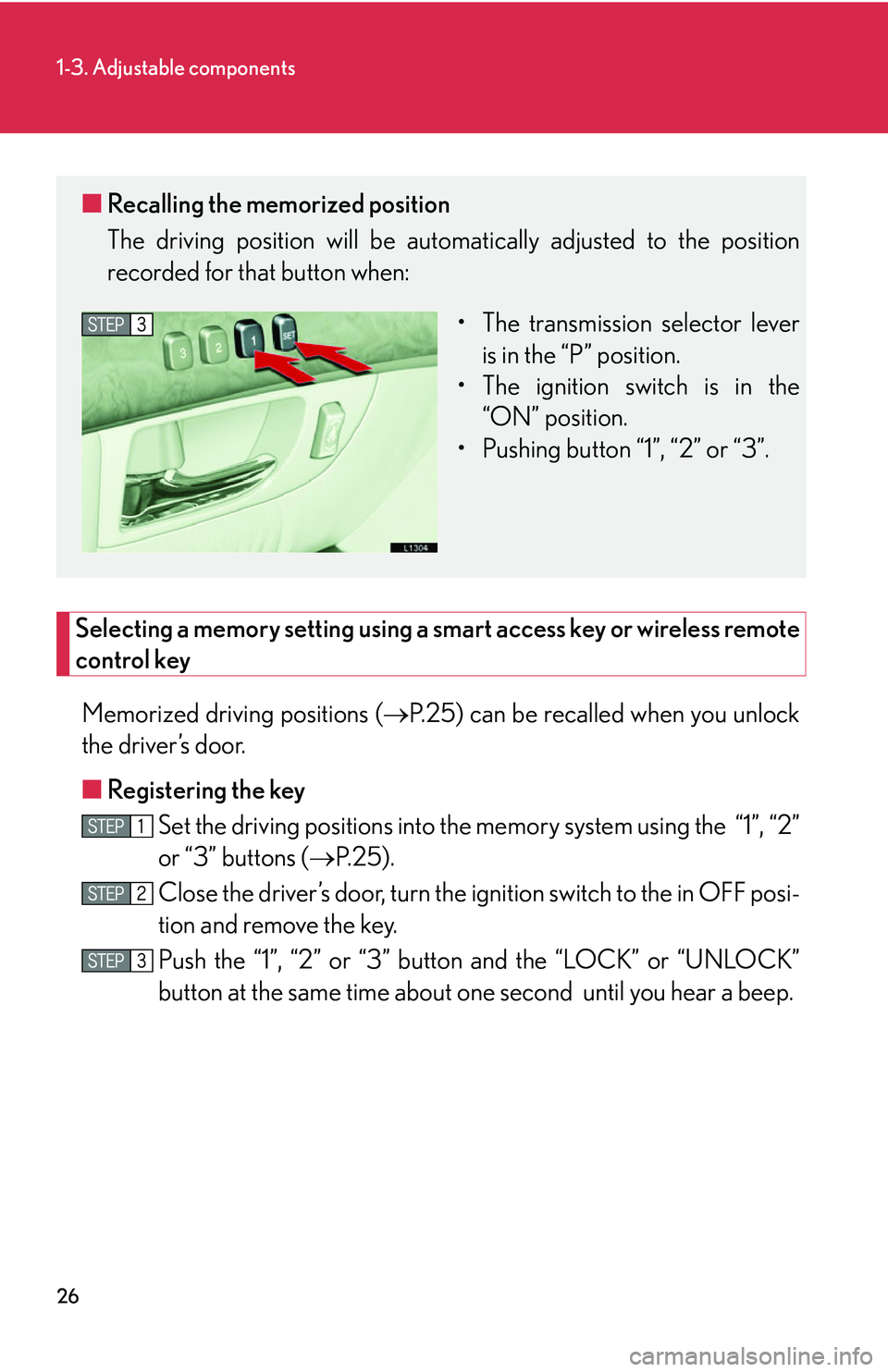
Push the “1”, “2” or “3” button and the “LOCK” or “UNLOCK”
button at the same time about one second until you hear a beep.
■ Recalling the memorized position
The driving position will be automati cally adjusted to the position
recorded for that button when:
• The transmission selector lever is in the “P
” position.
• The ignition switch is in the “
ON” position.
• Pushing button “1”, “2” or “3”.
Page 65 of 419
49
1-4. Opening and closing the windows and moon roof
1
Before driving
■Moon roof operating conditions
The ignition switch must b
e turned to ON.
■Integrated door lock moon roof operation
The moon roof can be opened and closed, using the key or wireless remote control.
( P.
12 , P. 15)
■Retained accessory power operation
The moon roof can be operated for approximately 45 seconds after the engine has
b
een turned off. It cannot, however, be operated if the driver’s door is opened.
■Jam protection function
If an object is detected between the m oon
roof and the frame during automatic
close or automatic tilt down, travel is stopped and the moon roof opens slightly.
■Initializing the moon roof
After the battery is reconnected, replaced or recharged, you will need to initialize
the moon r
oof, otherwise the jam protecti on function will not operate correctly.
To initialize the moon roof, push and hold the “TILT” switch until the moon roof tilts
al
l the way up and then automatically returns slightly.
Make sure the moon roof opens and closes correctly. If not, see your Lexus dealer.
■Opening and closing the sunshade
The sunshade can be opened and closed manually; however, it will be opened if the
m
oon roof is opened.
■Sunshade
The sunshade can be manually opened and closed.
Page 72 of 419
56
1-6. Theft deterrent system
■Items to check before locking the vehicle
To prevent unintended triggering of the alarm
, check that there is no one in the vehi-
cle and that all windows are clos ed bef
ore locking the vehicle.
■Alarm operation
The alarm will sound if any of the following conditions occur.
• When a locked door or trunk is opened in any way other than using a key or
wir
eless remote control, such as someone exiting the vehicle after the alarm is
activated.
• When the hood is lifted open while the vehicle is locked.
• When the battery is reconnected.
■Sounding an alarm
Manually triggering the alarm will help de ter an
yone from breaking into or damag-
ing your vehicle. (
P. 12 )
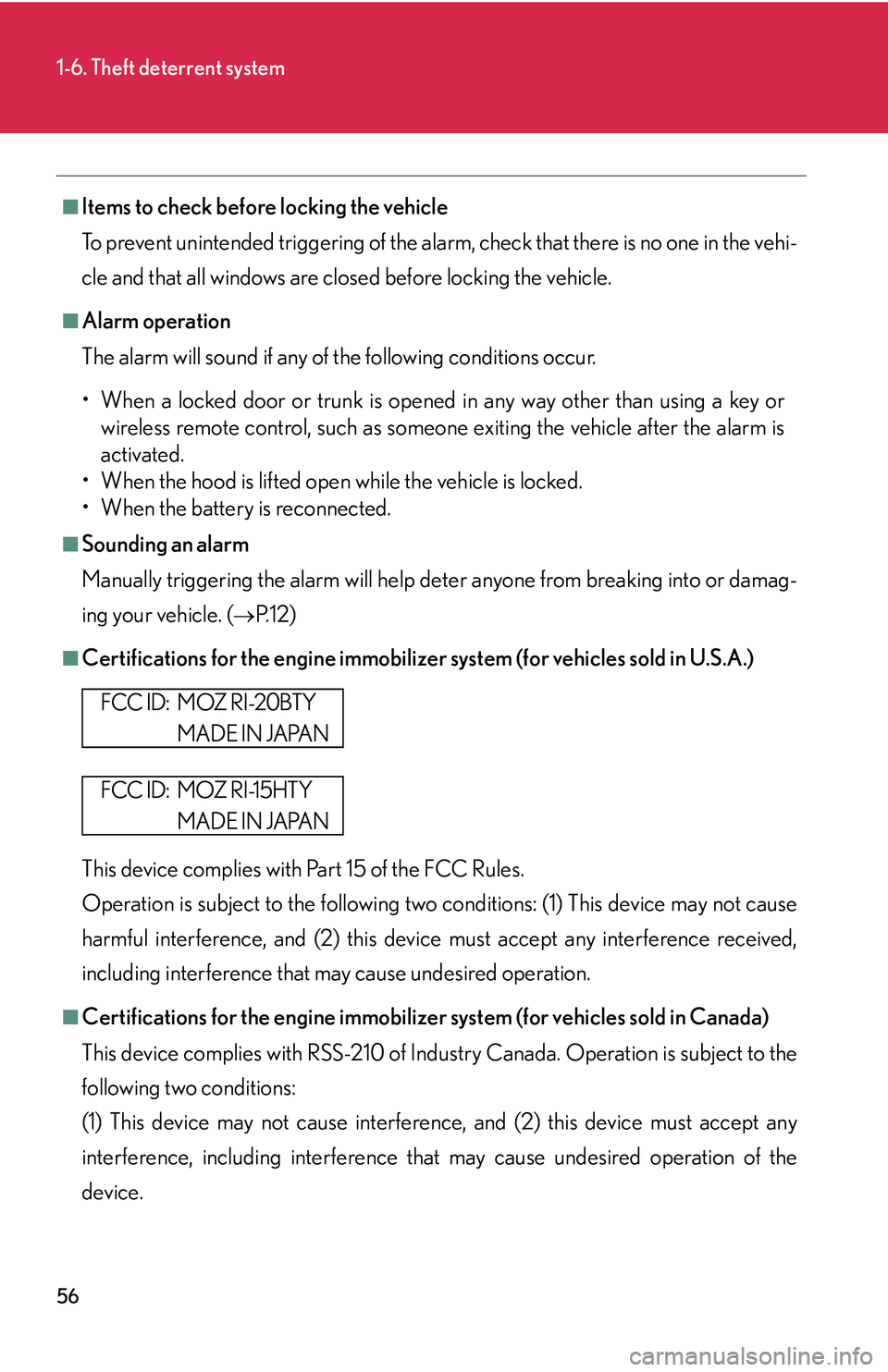
■Certifications for the engine immobilizer system (for vehicles sold in U.S.A.)
This device complies with Part 15 of the FCC Rules.
Operation is subject to the following two co
nditions: (1) This device may not cause
harmful interference, and (2) this device must accept any interference received,
including interference that may cause undesired operation.
■Certifications for the engine immobilizer system (for vehicles sold in Canada)
This device complies with RSS-210 of Indu str
y Canada. Operation is subject to the
following two conditions:
(1) This device may not cause interference, and (2) this device must accept any
inter
ference, including interference that may cause undesired operation of the
device.
FCC ID: MOZ RI-20BTY
MADE IN JAPAN
FCC ID: MOZ RI-15HTY
MADE IN JAPAN
Page 248 of 419
232
3-5. Other interior features
Garage door opener
The garage door opener (HomeLink Universal Transceiver) is manufactured
under license from HomeLink.
Programming the HomeLink (for U.S.A. owners)
The HomeLink
compatible transceiver in your vehicle has 3 buttons
which can be programmed to operate 3 different devices. Refer to the
programming method below appropriate for the device.
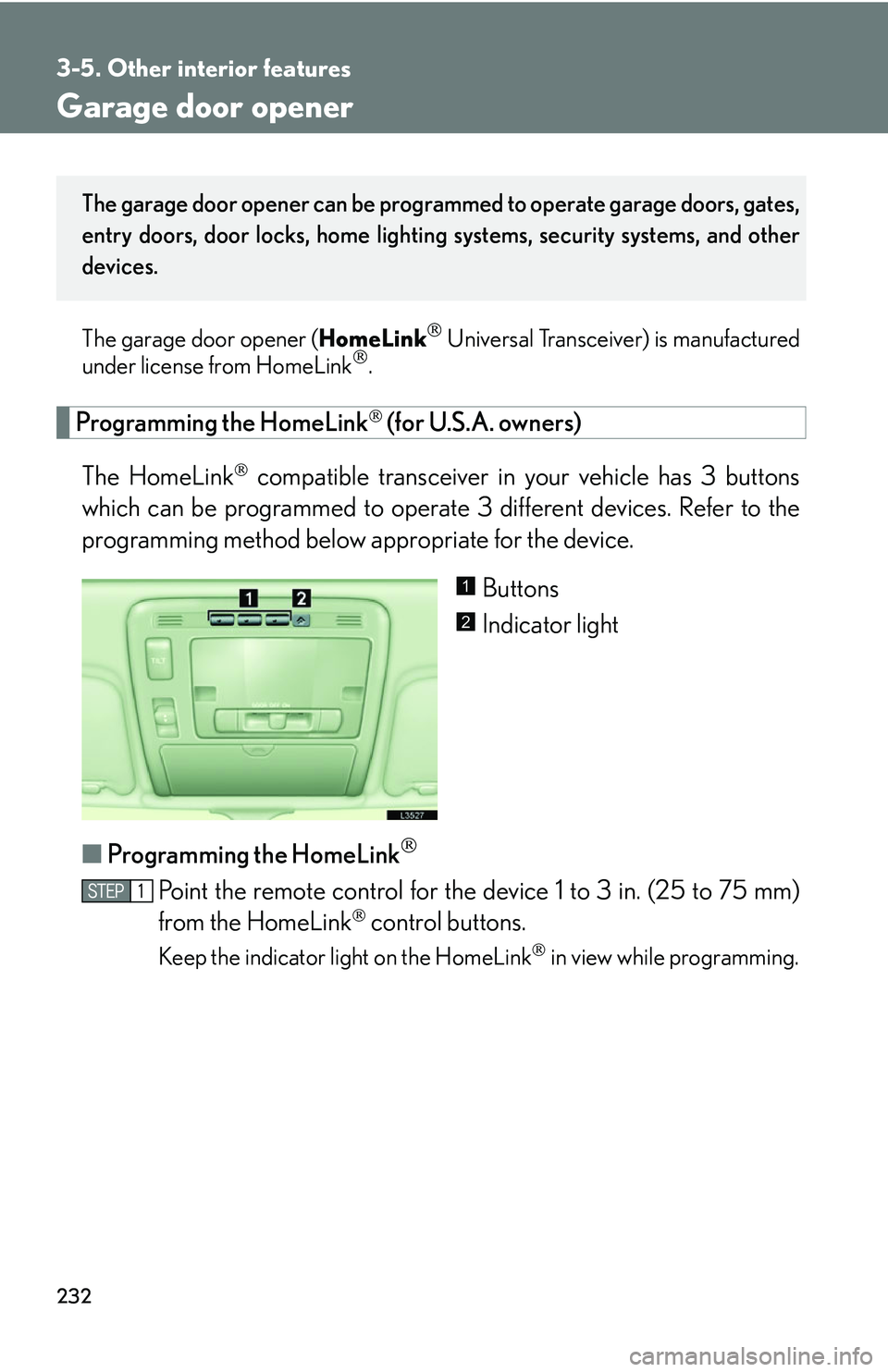
Buttons
Indicator light
■ P
rogramming the HomeLink
Point the remote control for the device 1 to 3 in. (25 to 75 mm)
from the HomeLink
control buttons.
Keep the indicator light on the HomeLink in view while programming.
The garage door opener can be programmed to operate garage doors, gates,
entry doors, door locks, home lighting systems, security systems, and other
devices.
1
2
Page 251 of 419
235
3-5. Other interior features
3
Interior features
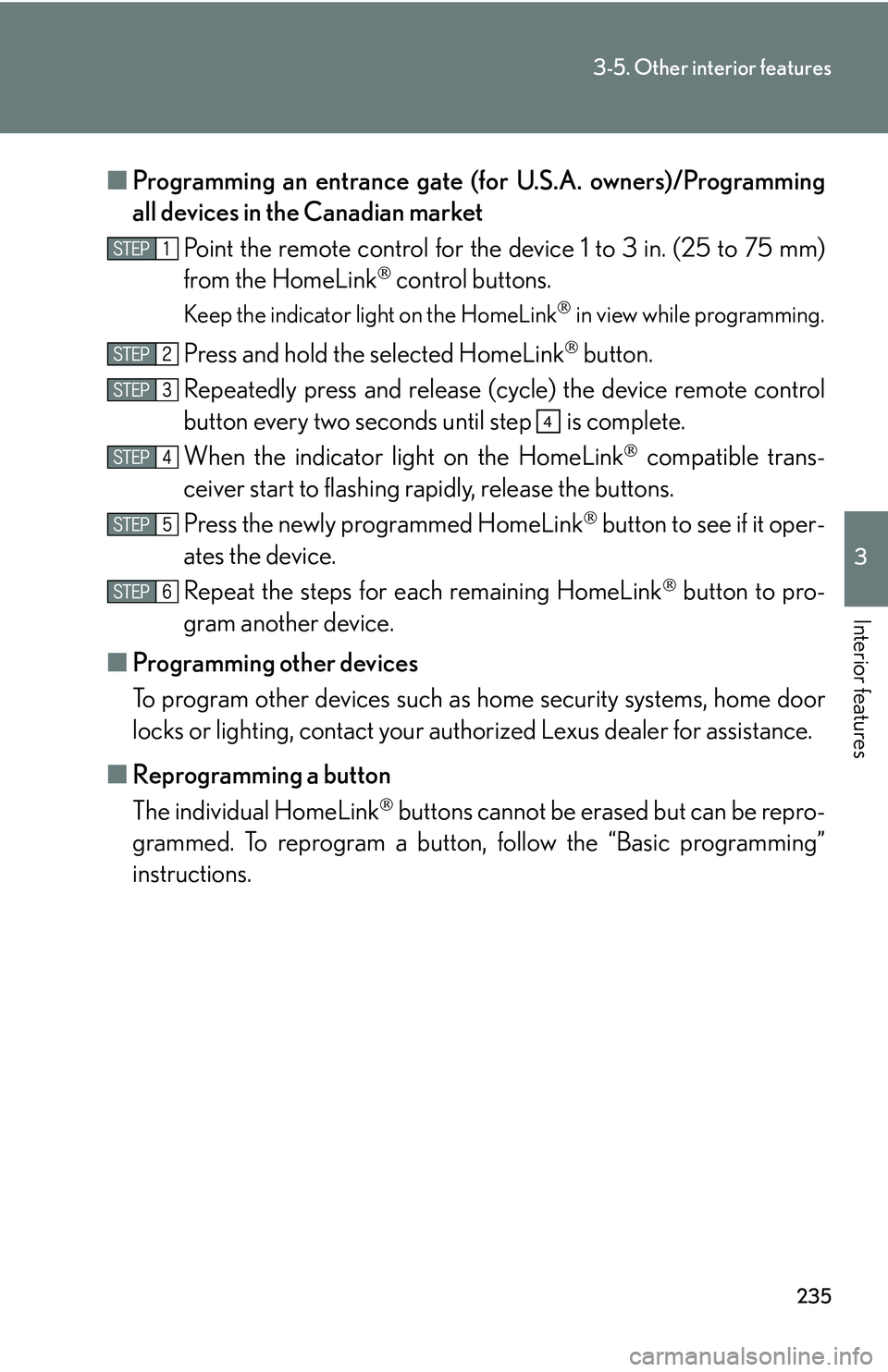
■Programming an entrance gate (for U.S.A. owners)/Programming
all devices in the Canadian market
Point the remote control for the device 1 to 3 in. (25 to 75 mm)
from the HomeLink
control buttons.
Keep the indicator light on the HomeLink in view while programming.
Press and hold the selected HomeLink button.
Repeatedly press and release (c y
cle) the device remote control
button every two seconds until step is complete.
When the indicator light on the HomeLink
compatible trans -
ceiver start to flashing rapidly, release the buttons.
Press the newly programmed HomeLink
button to see if it oper -
ates the device.
Repeat the steps for each remaining HomeLink
button to pro -
gram another device.
■ P
rogramming other devices
To program other devices such as home security s
ystems, home door
locks or lighting, contact your auth orized Lexus dealer for assistance.
■ R
eprogramming a button
The individual HomeLink
buttons cannot be erased but can be repro -
grammed. To reprogram a button, follo
w the “Basic programming”
instructions.
4
Page 253 of 419
237
3-5. Other interior features
3
Interior features
CAUTION
■When programming a garage door or other remote control device
The garage door may operate, so ensure pe
ople and objects are out of danger to
prevent potential harm.
■Conforming to federal safety standards
Do not use the HomeLink
compatible transceiver with any garage door opener or
device that lacks the safety stop and reverse features as required by federal safety
standards.
This includes any garage door that cannot de
tect an obstructing object. A door or
device without these featur es increases the risk of death or serious injury.
Page 259 of 419
4Maintenance and care
243
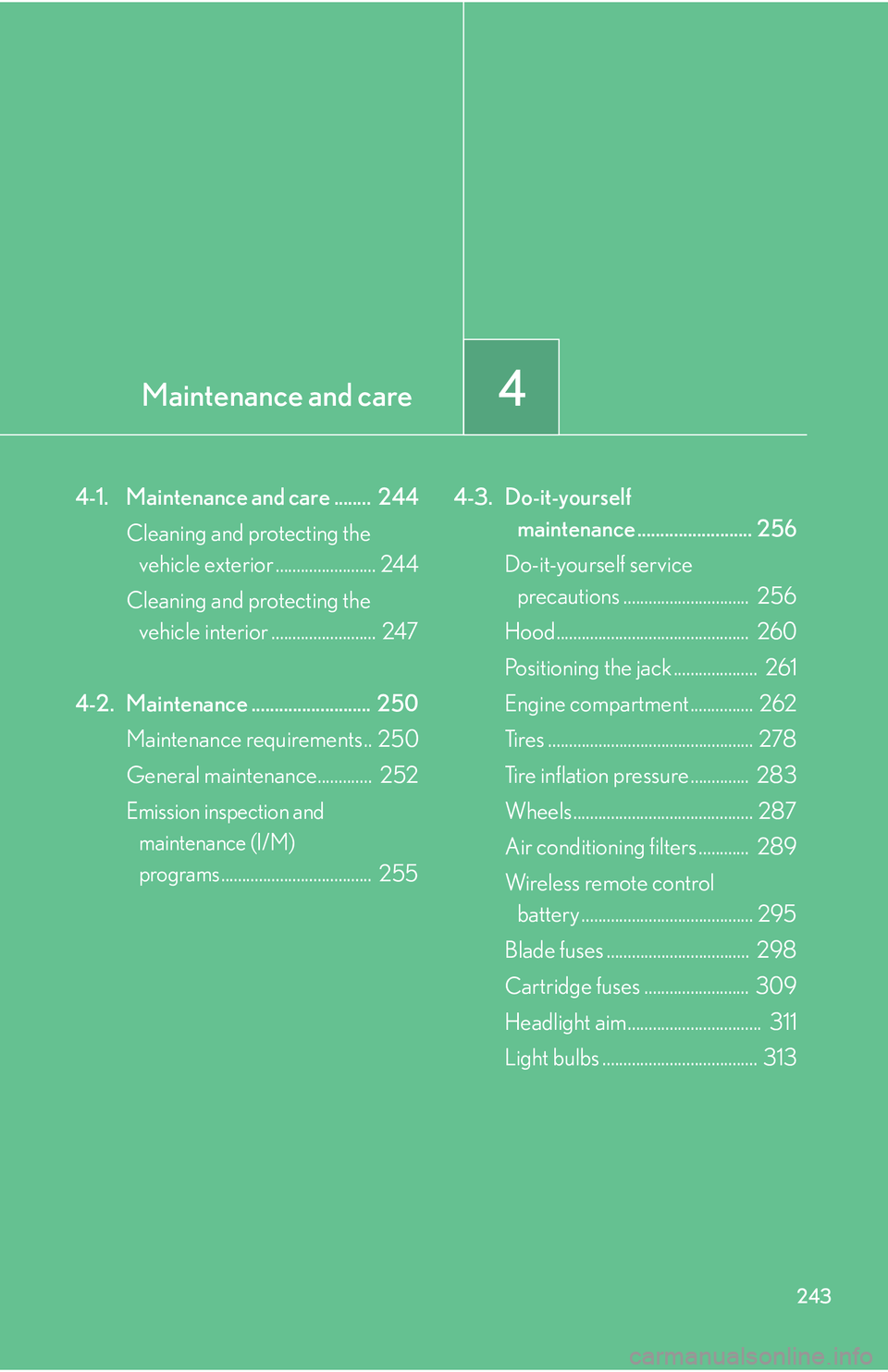
4-1. Maintenance and care ........ 244
Cleaning and protecting the vehicle exterior ........................ 244
Cleaning and protecting the vehicle interior ......................... 247
4-2. Maintenance .......................... 250 Maintenance requirements.. 250
General maintenance............. 252
Emission inspection and
maintenance (I/M)
programs.................................... 255 4-3. Do-it-yourself
maintenance ......................... 256
Do-it-yourself service
precautions .............................. 256
Hood.............................................. 260
Positioning the jack .................... 261
Engine compartment ............... 262
Tires ................................................. 278
Tire inflation pressure .............. 283
Wheels ........................................... 287
Air conditioning filters
............ 289
Wireless remote control battery ......................................... 295
Blade fuses .................................. 298
Cartridge fuses ......................... 309
Headlight aim................................ 311
Light bulbs ..................................... 313
Page 311 of 419
295
4-3. Do-it-yourself maintenance
4
Maintenance and care
Wireless remote control battery
Replace the battery with a new one if it discharges.
■You will need the following items:
• Small phillips-head sc rewd
river
• (TYPE A: CR2032, TYPE B: CR1616)
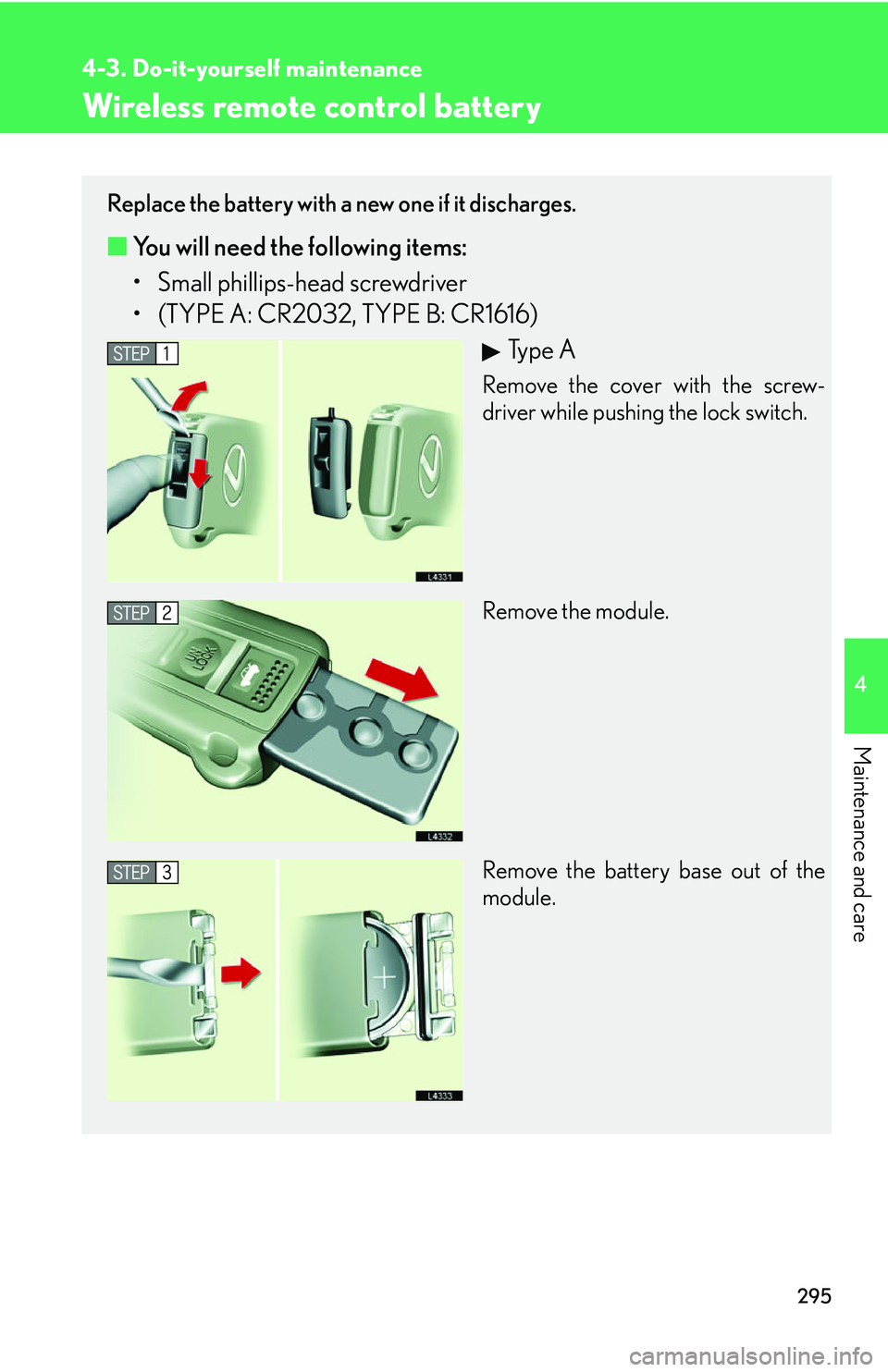
Ty p e A
Remove the cover with the screw-
driver while pushing the lock switch.
Remove the module.
Remove the battery base out of the
module.
Page 313 of 419
297
4-3. Do-it-yourself maintenance
4
Maintenance and care
■If the wireless remote control key battery is discharged
The following symptoms may occur.
• The wireless remote control does not function properly.
• The operation distance becomes shorter.
• The brightness of the LED on the remote c
ontrol decreases or does not light up.
■Use specified lithium battery
Batteries can be purchased at your Lexus dealer, jeweler, or camera store.
■Checking remote control operation after replacing the battery
Push any of the buttons on the remote control and check that the LED lights up.
CAUTION
■Removed battery and other parts
Keep away from children.
These parts are small and if swallowed by a child they can cause choking.
NOTICE
■For normal operation after replacing the battery
Observe the following precautions when replacing the wireless remote control’s
ba
ttery.
• Always replace the battery with clean hands.
Moisture may cause the battery to rust.
• Do not touch or move any other comp o
nents inside the remote control.
• Do not bend either of the battery terminals.
• Do not let foreign objects, oils, etc. enter the module.
• Do not to lose the screws or O-ring.
• Do not to bend or damage the O-ring when replacing the module cover.