Buzzer LEXUS LS500 2018 Repair Manual
[x] Cancel search | Manufacturer: LEXUS, Model Year: 2018, Model line: LS500, Model: LEXUS LS500 2018Pages: 514, PDF Size: 10.62 MB
Page 423 of 514
4237-2. Steps to take in an emergency
LS500_OM_OM50F54U_(U) 7
When trouble arises ■
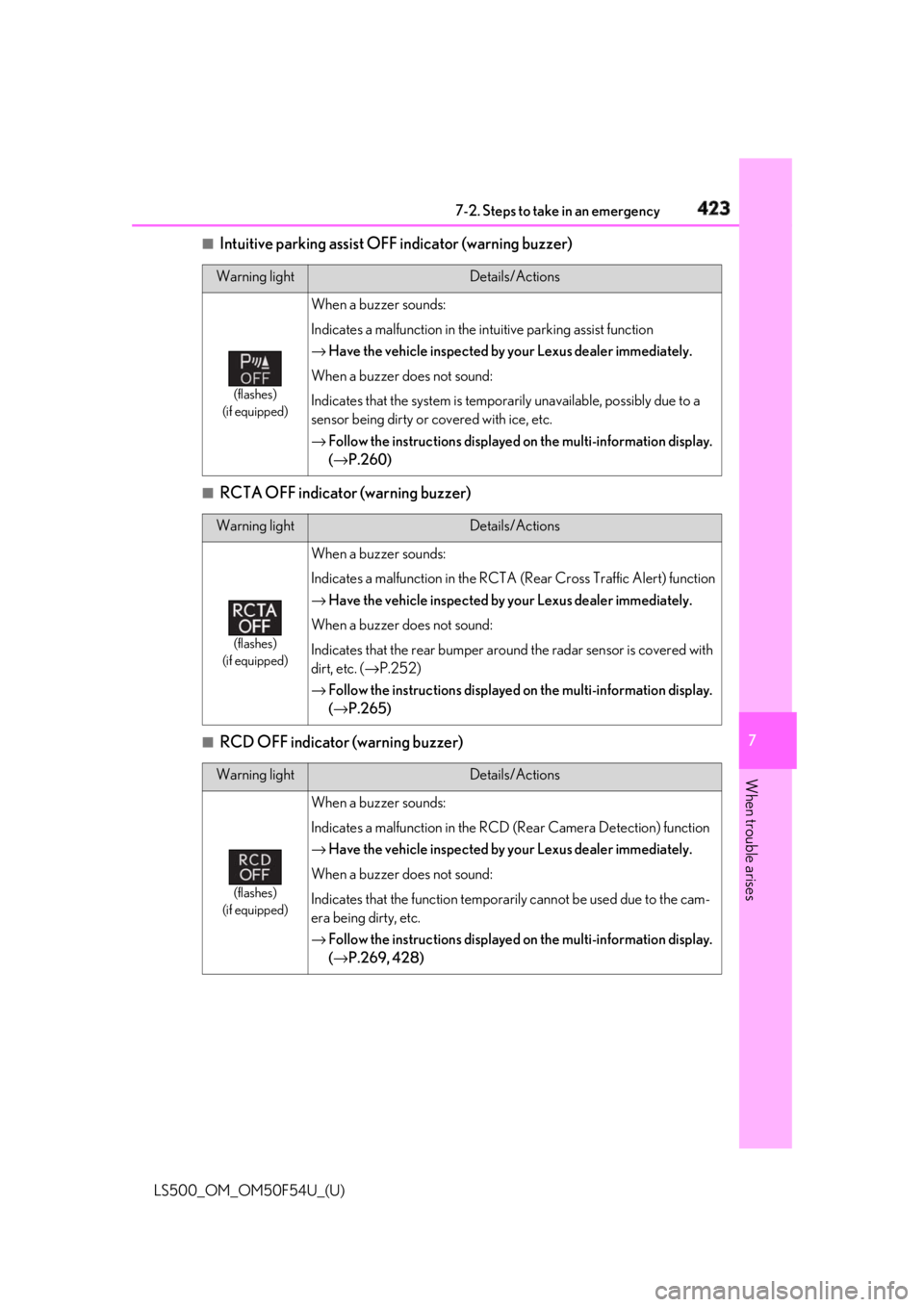
Intuitive parking assist OFF indicator (warning buzzer)
■
RCTA OFF indicator (warning buzzer)
■
RCD OFF indicator (warning buzzer) Warning light Details/Actions
(flashes)
(if equipped) When a buzzer sounds:
Indicates a malfunction in the in tuitive parking assist function
→ Have the vehicle inspected by your Lexus dealer immediately.
When a buzzer does not sound:
Indicates that the system is temporarily unavailable, possibly due to a
sensor being dirty or covered with ice, etc.
→ Follow the instructions displayed on the multi-information display.
( → P.260)
Warning light Details/Actions
(flashes)
(if equipped) When a buzzer sounds:
Indicates a malfunction in the RCTA (Rear Cross Traffic Alert) function
→ Have the vehicle inspected by your Lexus dealer immediately.
When a buzzer does not sound:
Indicates that the rear bumper around the radar sensor is covered with
dirt, etc. ( → P.252)
→ Follow the instructions displayed on the multi-information display.
( → P.265)
Warning light Details/Actions
(flashes)
(if equipped) When a buzzer sounds:
Indicates a malfunction in the RCD (Rear Camera Detection) function
→ Have the vehicle inspected by your Lexus dealer immediately.
When a buzzer does not sound:
Indicates that the function temporarily cannot be used due to the cam-
era being dirty, etc.
→ Follow the instructions displayed on the multi-information display.
( → P.269, 428)
Page 424 of 514
424 7-2. Steps to take in an emergency
LS500_OM_OM50F54U_(U) ■
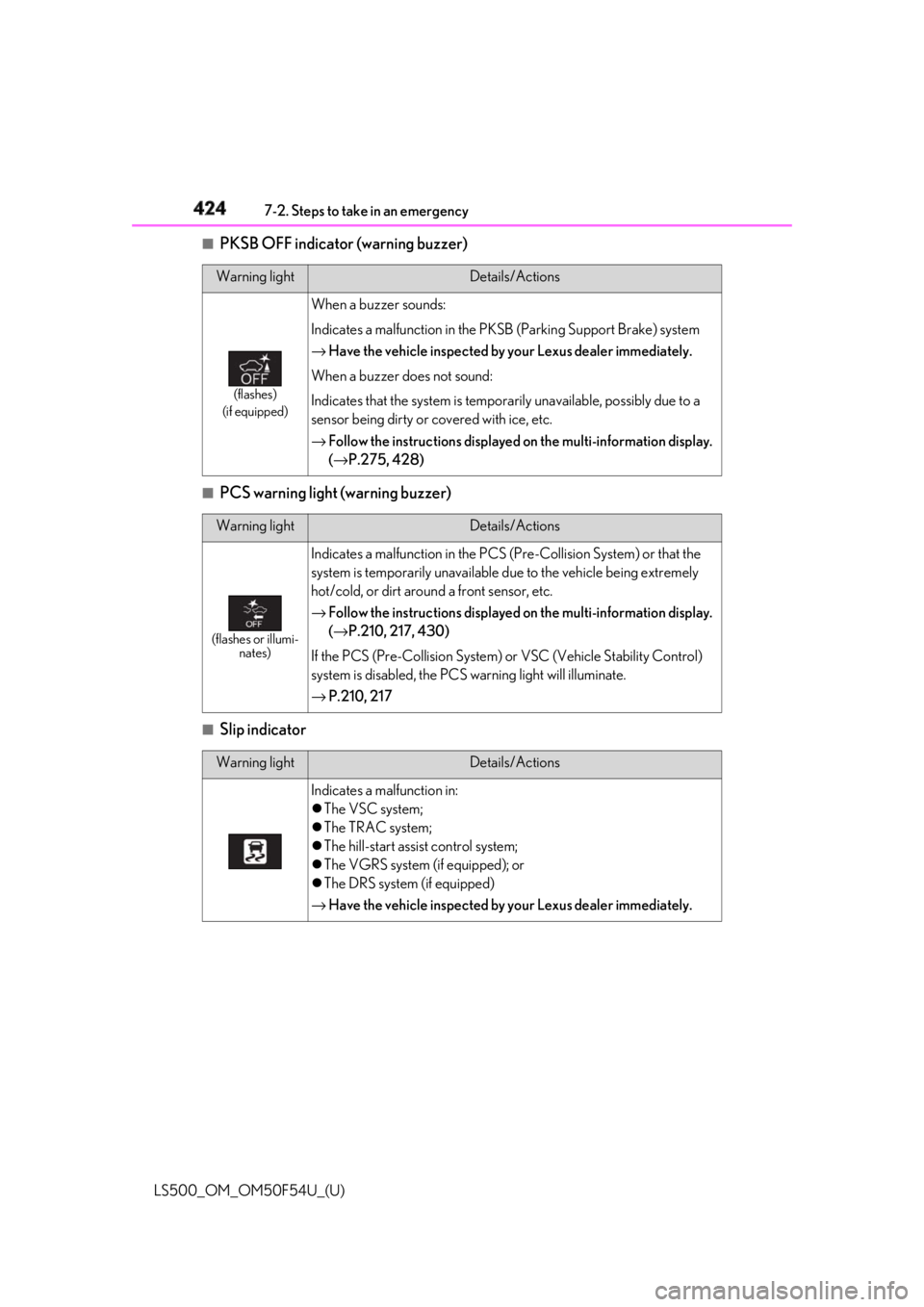
PKSB OFF indicator (warning buzzer)
■
PCS warning light (warning buzzer)
■
Slip indicator Warning light Details/Actions
(flashes)
(if equipped) When a buzzer sounds:
Indicates a malfunction in the PK SB (Parking Support Brake) system
→ Have the vehicle inspected by your Lexus dealer immediately.
When a buzzer does not sound:
Indicates that the system is temporarily unavailable, possibly due to a
sensor being dirty or covered with ice, etc.
→ Follow the instructions displayed on the multi-information display.
( → P.275, 428)
Warning light Details/Actions
(flashes or illumi-
nates) Indicates a malfunction in the PCS (Pre-Collision System) or that the
system is temporarily unavailable due to the vehicle being extremely
hot/cold, or dirt around a front sensor, etc.
→ Follow the instructions displayed on the multi-information display.
( → P.210, 217, 430)
If the PCS (Pre-Collision System) or VSC (Vehicle Stability Control)
system is disabled, the PCS warning light will illuminate.
→ P.210, 217
Warning light Details/Actions
Indicates a malfunction in:
The VSC system;
The TRAC system;
The hill-start assist control system;
The VGRS system (if equipped); or
The DRS system (if equipped)
→ Have the vehicle inspected by your Lexus dealer immediately.
Page 425 of 514
4257-2. Steps to take in an emergency
LS500_OM_OM50F54U_(U) 7
When trouble arises ■
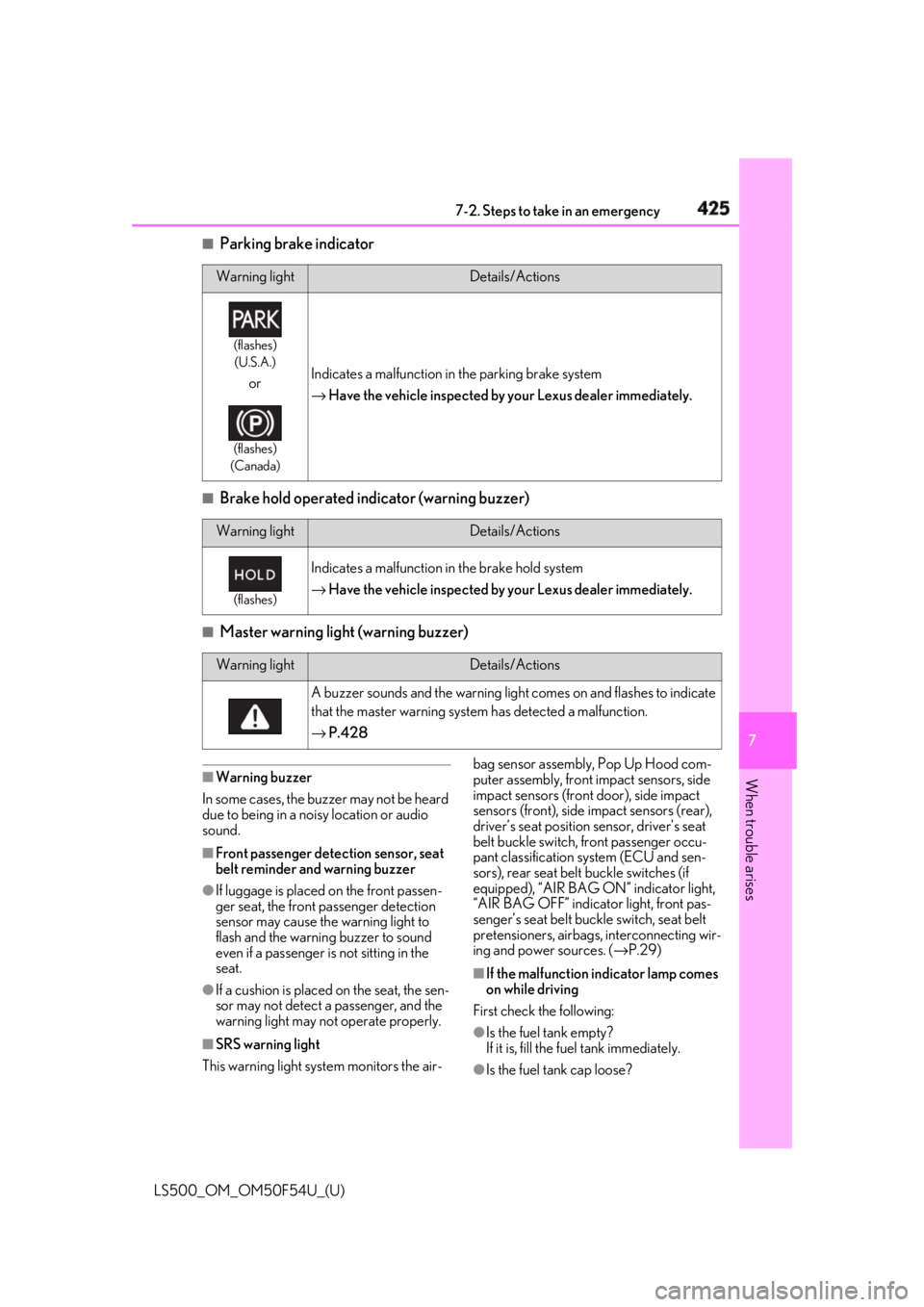
Parking brake indicator
■
Brake hold operated indicator (warning buzzer)
■
Master warning light (warning buzzer)
■
Warning buzzer
In some cases, the bu zzer may not be heard
due to being in a noisy location or audio
sound.
■
Front passenger detection sensor, seat
belt reminder and warning buzzer
●
If luggage is placed on the front passen-
ger seat, the front passenger detection
sensor may cause th e warning light to
flash and the warning buzzer to sound
even if a passenger is not sitting in the
seat.
●
If a cushion is placed on the seat, the sen-
sor may not detect a passenger, and the
warning light may not operate properly.
■
SRS warning light
This warning light system monitors the air- bag sensor assembly, Pop Up Hood com-
puter assembly, front impact sensors, side
impact sensors (front door), side impact
sensors (front), side impact sensors (rear),
driver’s seat position sensor, driver’s seat
belt buckle switch, front passenger occu-
pant classification system (ECU and sen-
sors), rear seat belt buckle switches (if
equipped), “AIR BAG ON” indicator light,
“AIR BAG OFF” indicator light, front pas-
senger’s seat belt buckle switch, seat belt
pretensioners, airbags, interconnecting wir-
ing and power sources. ( → P.29)
■
If the malfunction indicator lamp comes
on while driving
First check the following:
●
Is the fuel tank empty?
If it is, fill the fuel tank immediately.
●
Is the fuel tank cap loose?Warning light Details/Actions(flashes)
(U.S.A.)
or (flashes)
(Canada) Indicates a malfunction in the parking brake system
→ Have the vehicle inspected by your Lexus dealer immediately.
Warning light Details/Actions(flashes)
Indicates a malfunction in the brake hold system
→ Have the vehicle inspected by your Lexus dealer immediately.
Warning light Details/Actions
A buzzer sounds and the warning light comes on and flashes to indicate
that the master warning system has detected a malfunction.
→ P.428
Page 426 of 514
426 7-2. Steps to take in an emergency
LS500_OM_OM50F54U_(U) If it is, tighten it securely.
The light will go off after several driving
trips.
If the light does not go off even after several
trips, contact your Lexus dealer as soon as
possible. ■
Electric power steering system warning
light (warning buzzer)
When the battery charge becomes insuffi-
cient or the voltage temporarily drops, the
electric power steeri ng system warning
light may come on and the warning buzzer
may sound. ■
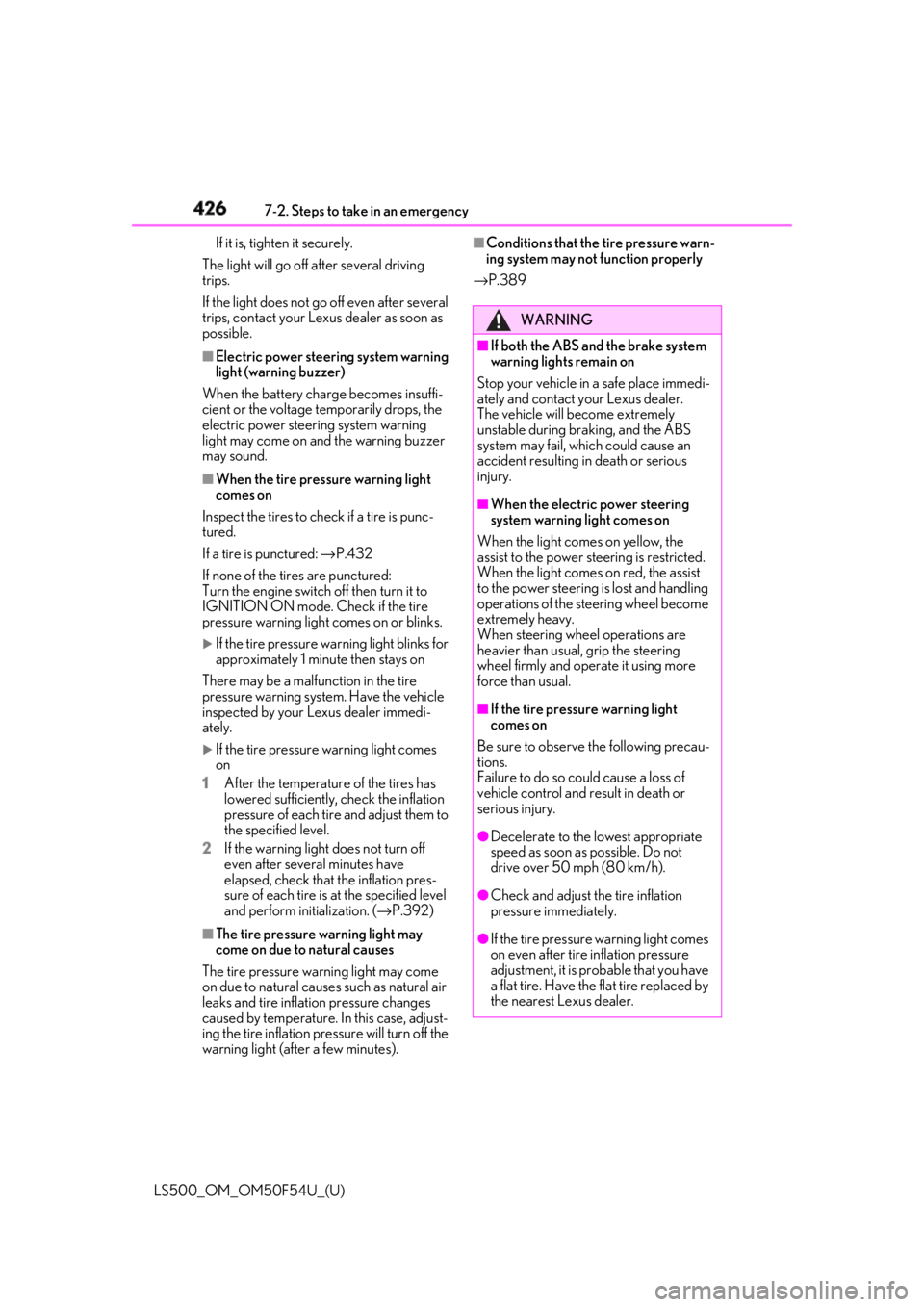
When the tire pressure warning light
comes on
Inspect the tires to check if a tire is punc-
tured.
If a tire is punctured: → P.432
If none of the tires are punctured:
Turn the engine switch off then turn it to
IGNITION ON mode. Check if the tire
pressure warning light comes on or blinks.
If the tire pressure wa rning light blinks for
approximately 1 minute then stays on
There may be a malfunction in the tire
pressure warning syst em. Have the vehicle
inspected by your Lexus dealer immedi-
ately.
If the tire pressure warning light comes
on
1 After the temperature of the tires has
lowered sufficiently, check the inflation
pressure of each tire and adjust them to
the specified level.
2 If the warning light does not turn off
even after several minutes have
elapsed, check that the inflation pres-
sure of each tire is at the specified level
and perform initialization. ( → P.392)
■
The tire pressure warning light may
come on due to natural causes
The tire pressure wa rning light may come
on due to natural causes such as natural air
leaks and tire inflation pressure changes
caused by temperature. In this case, adjust-
ing the tire inflation pressure will turn off the
warning light (after a few minutes). ■
Conditions that the tire pressure warn-
ing system may not function properly
→ P.389
WARNING■
If both the ABS and the brake system
warning lights remain on
Stop your vehicle in a safe place immedi-
ately and contact your Lexus dealer.
The vehicle will become extremely
unstable during br aking, and the ABS
system may fail, which could cause an
accident resulting in death or serious
injury. ■
When the electric power steering
system warning light comes on
When the light comes on yellow, the
assist to the power st eering is restricted.
When the light comes on red, the assist
to the power steering is lost and handling
operations of the steering wheel become
extremely heavy.
When steering wheel operations are
heavier than usual, grip the steering
wheel firmly and operate it using more
force than usual. ■
If the tire pressure warning light
comes on
Be sure to observe the following precau-
tions.
Failure to do so could cause a loss of
vehicle control and result in death or
serious injury.
●
Decelerate to the lowest appropriate
speed as soon as possible. Do not
drive over 50 mph (80 km/h).
●
Check and adjust the tire inflation
pressure immediately.
●
If the tire pressure warning light comes
on even after tire inflation pressure
adjustment, it is prob able that you have
a flat tire. Have the flat tire replaced by
the nearest Lexus dealer.
Page 429 of 514
4297-2. Steps to take in an emergency
LS500_OM_OM50F54U_(U) 7
When trouble arises
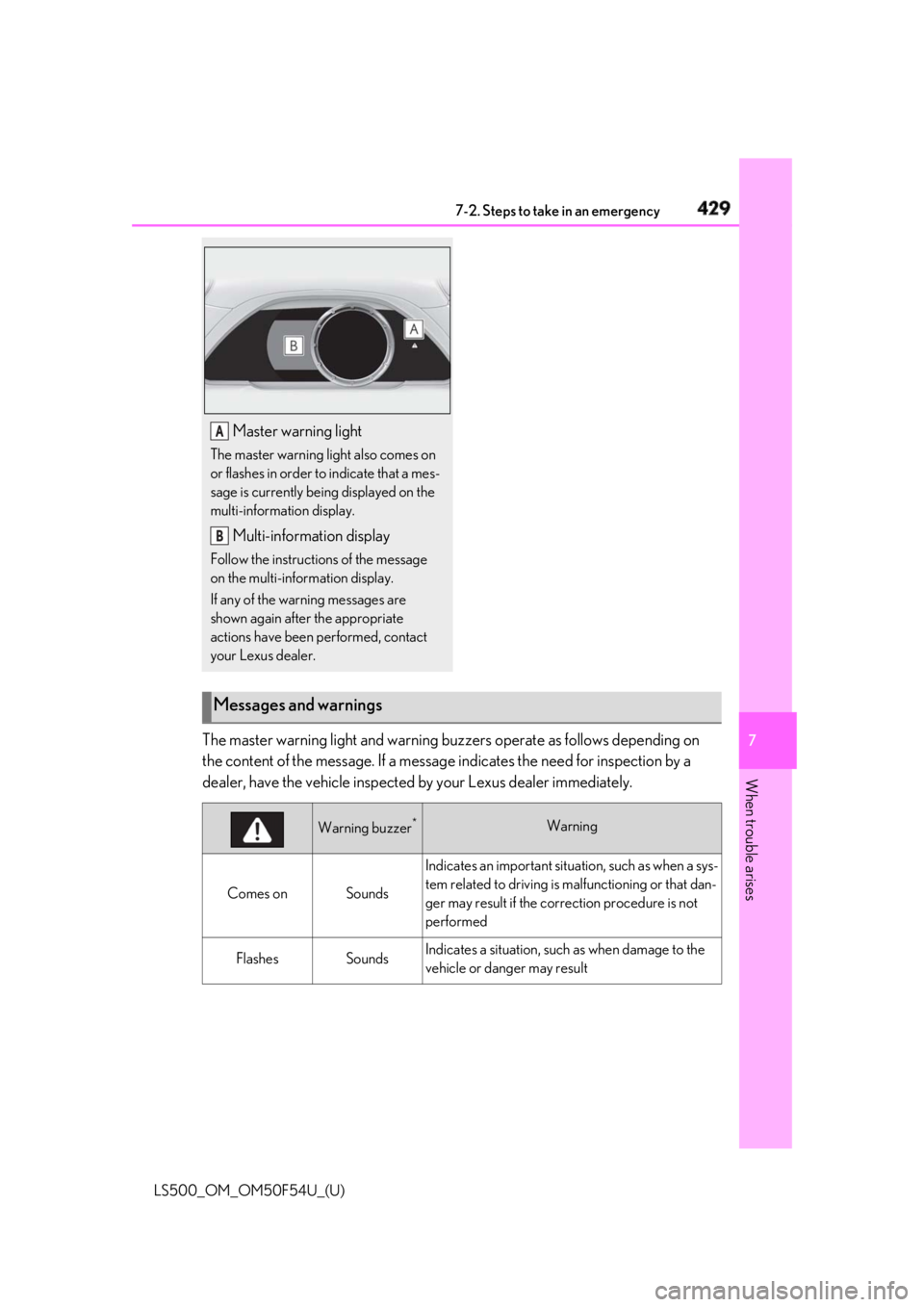
The master warning light and warning bu zzers operate as follows depending on
the content of the message. If a message indicates the need for inspection by a
dealer, have the vehicle inspected by your Lexus dealer immediately. Master warning lightThe master warning light also comes on
or flashes in order to indicate that a mes-
sage is currently being displayed on the
multi-information display.
Multi-information displayFollow the instructions of the message
on the multi-information display.
If any of the warning messages are
shown again after the appropriate
actions have been performed, contact
your Lexus dealer. A
B
Messages and warnings
Warning buzzer *
Warning
Comes on Sounds Indicates an important situat ion, such as when a sys-
tem related to driving is ma lfunctioning or that dan-
ger may result if the co rrection procedure is not
performed
Flashes Sounds Indicates a situation, such as when damage to the
vehicle or danger may result
Page 430 of 514
430 7-2. Steps to take in an emergency
LS500_OM_OM50F54U_(U) In some situations, the master warning light and warning buzzer may not oper-
ate as specified. In this case, follow the instructions displayed in the warning
message.
If a warning light comes on or flashes at the same time that a warning message is
displayed, take corrective actio n according to the warning light. ( → P.418)*
: A buzzer sounds the first time a message is shown on the multi-information display.
■
Warning messages
The warning messages explained below
may differ from the actual messages
according to operation conditions and vehi-
cle specifications. ■
Warning buzzer
In some cases, the bu zzer may not be heard
due to being in a noisy location or audio
sound. ■
If “Engine Oil Level Low Add or
Replace” is displayed
The engine oil level is low. Check the level
of the engine oil, and add if necessary.
This message may appear if the vehicle is
stopped on a slope. Move the vehicle to a
level surface and check to see if the mes-
sage disappears.
■
If “Engine Stoppe d Steering Power
Low” is displayed
This message is displa yed if the engine is
stopped while driving.
When steering wheel operations are
heavier than usual, grip the steering wheel
firmly and operate it using more force than
usual. ■
If “Auto Power Off to Conserve Battery”
is displayed
Power was turned off due to the automatic
power off function. Next time when starting
the engine, increase the engine speed
slightly and maintain that level for approxi-
mately 5 minutes to recharge the battery. ■
If “Headlight System Malfunction Visit
Your Dealer” is displayed
The following systems may be malfunction-
ing. Have the vehicle inspected by your
Lexus dealer immediately. ●
The LED headlight system ●
AFS (Adaptive Front-lighting System) ●
The automatic headlight leveling system ●
AHB (Automatic High Beam)
■
If “Front Camera Unav ailable” or “Front
Camera Unavailable Remove Debris
On Windshield” is displayed
The following systems may be suspended
until the problem shown in the message is
resolved. ( → P.210, 217, 424)
●
PCS (Pre-Collision system)
●
LTA (Lane Tracing Assist) (if equipped)
●
LKA (Lane Keeping Assist) (if equipped)
●
Dynamic radar cruise control with
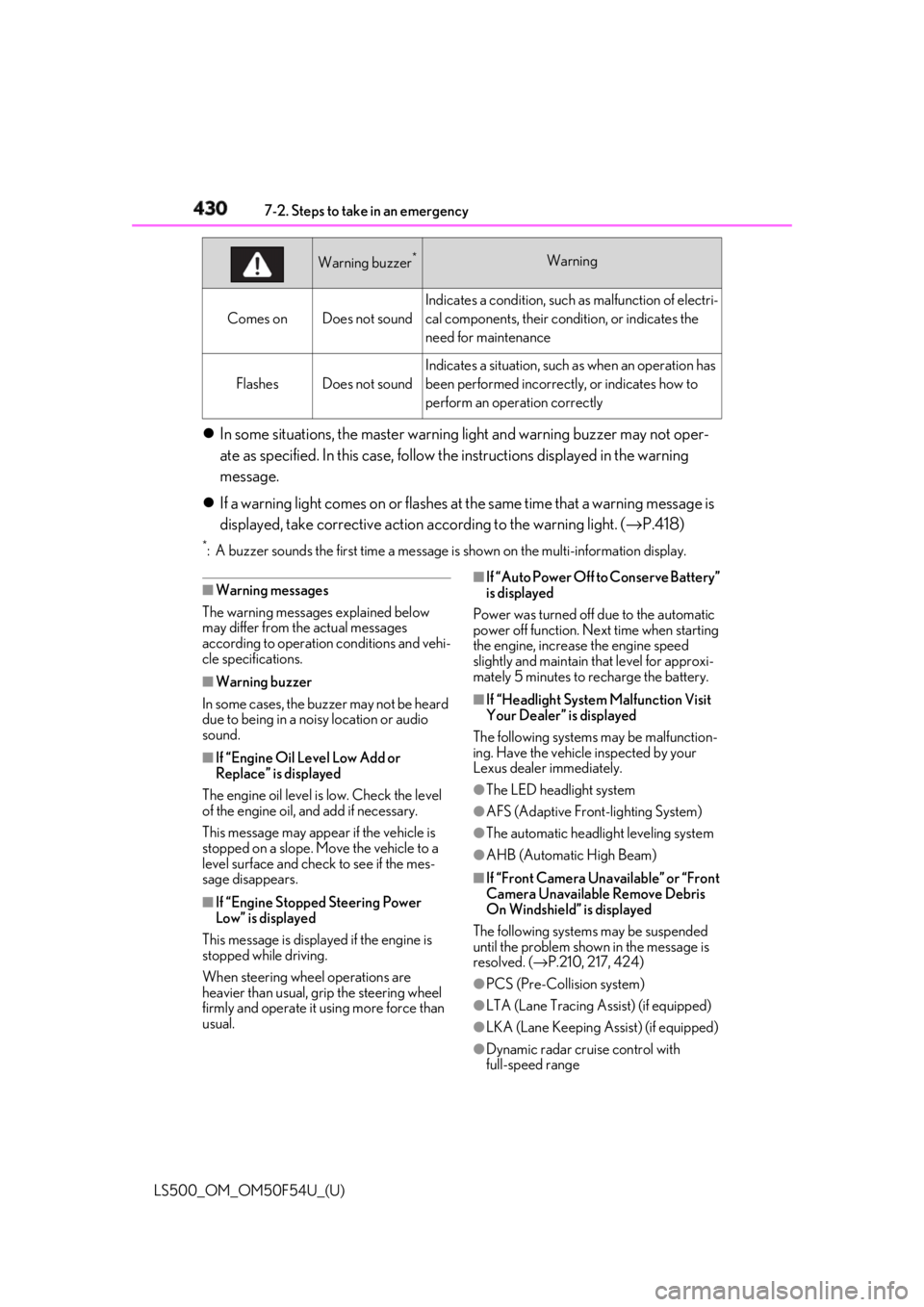
full-speed rangeComes on Does not sound Indicates a condition, such as malfunction of electri-
cal components, their cond ition, or indicates the
need for maintenance
Flashes Does not sound Indicates a situation, such as when an operation has
been performed incorrectly, or indicates how to
perform an operation correctlyWarning buzzer *
Warning
Page 437 of 514
4377-2. Steps to take in an emergency
LS500_OM_OM50F54U_(U) 7
When trouble arises ■
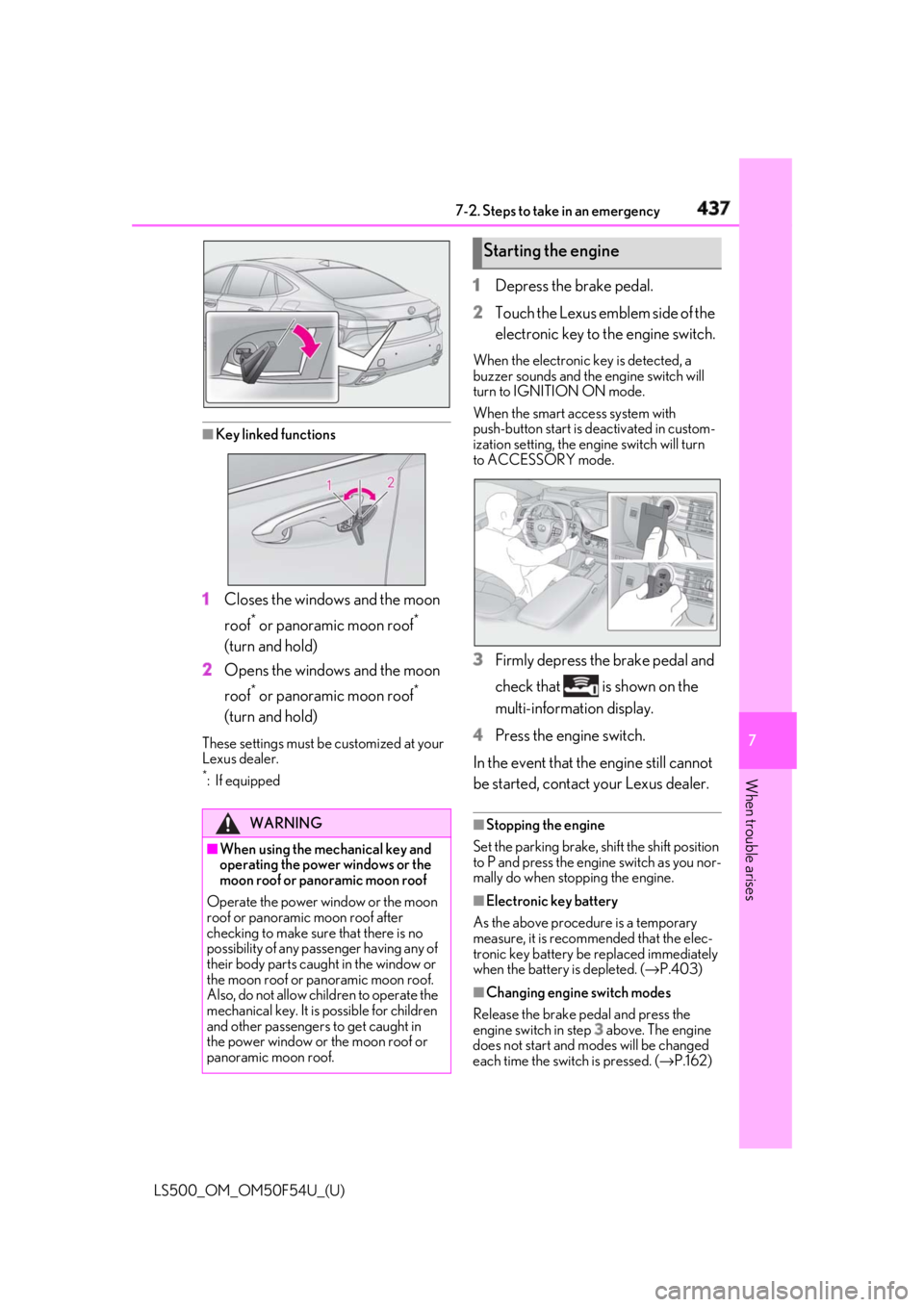
Key linked functions
1 Closes the windows and the moon
roof *
or panoramic moon roof *
(turn and hold)
2 Opens the windows and the moon
roof *
or panoramic moon roof *
(turn and hold)These settings must be customized at your
Lexus dealer. *
:If equipped 1 Depress the brake pedal.
2 Touch the Lexus emblem side of the
electronic key to the engine switch. When the electronic key is detected, a
buzzer sounds and the engine switch will
turn to IGNITION ON mode.
When the smart access system with
push-button start is deactivated in custom-
ization setting, the engine switch will turn
to ACCESSORY mode.
3 Firmly depress the brake pedal and
check that is shown on the
multi-information display.
4 Press the engine switch.
In the event that the engine still cannot
be started, contact your Lexus dealer. ■
Stopping the engine
Set the parking brake, shift the shift position
to P and press the engine switch as you nor-
mally do when stop ping the engine.
■
Electronic key battery
As the above procedure is a temporary
measure, it is recommended that the elec-
tronic key battery be replaced immediately
when the battery is depleted. ( → P.403)
■
Changing engine switch modes
Release the brake pe dal and press the
engine switch in step 3 above. The engine
does not start and modes will be changed
each time the switch is pressed. ( → P.162)WARNING
■
When using the mechanical key and
operating the power windows or the
moon roof or panoramic moon roof
Operate the power window or the moon
roof or panoramic moon roof after
checking to make sure that there is no
possibility of any passe nger having any of
their body parts caught in the window or
the moon roof or panoramic moon roof.
Also, do not allow ch ildren to operate the
mechanical key. It is possible for children
and other passengers to get caught in
the power window or the moon roof or
panoramic moon roof. Starting the engine
Page 474 of 514
472 8-2. Customization
LS500_OM_OM50F54U_(U) ■
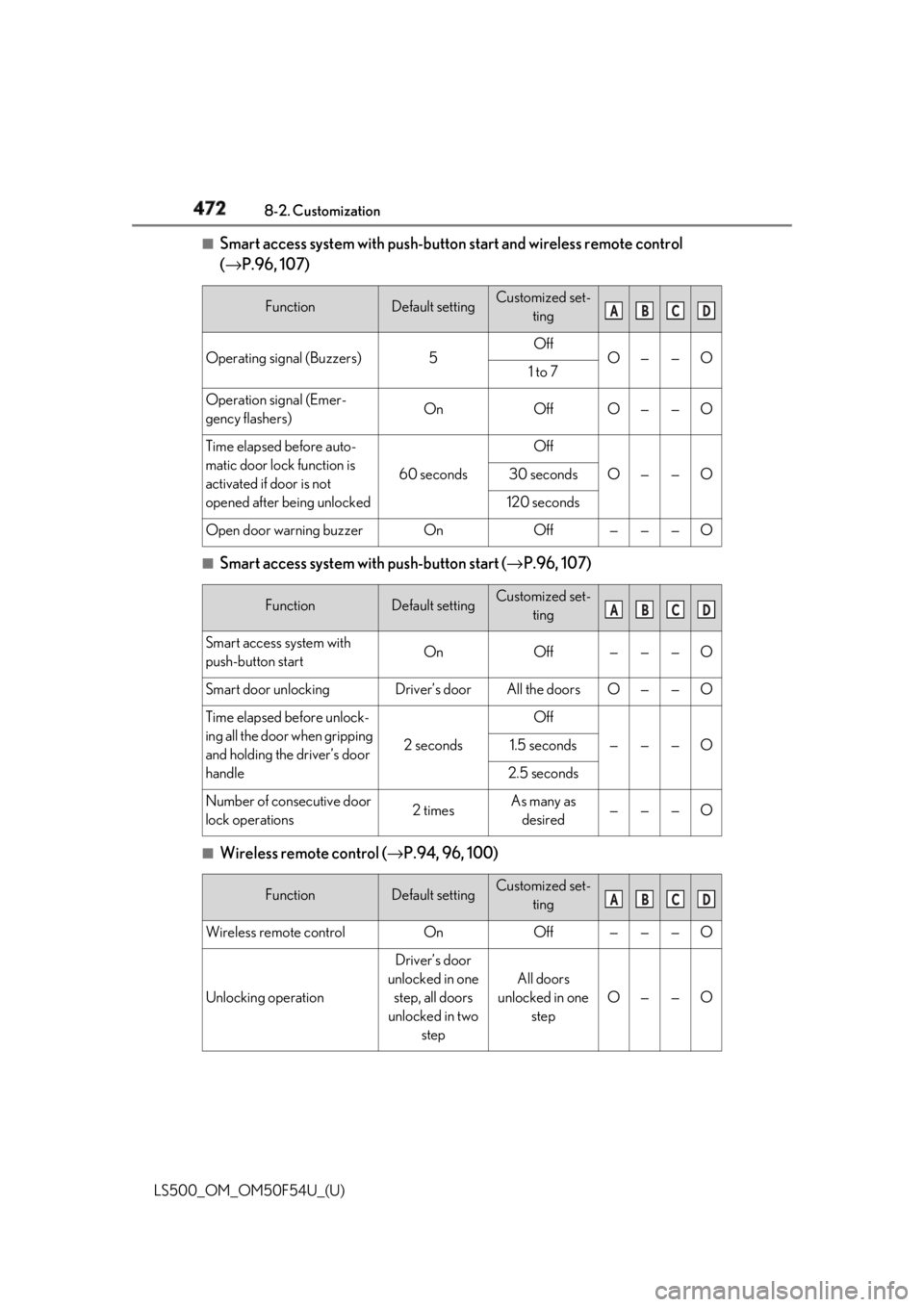
Smart access system with push-butto n start and wireless remote control
( → P.96, 107)
■
Smart access system with push-button start ( → P.96, 107)
■
Wireless remote control ( → P.94, 96, 100)Function Default setting Customized set-
ting
Operating signal (Buzzers) 5 Off
O — — O
1 to 7
Operation signal (Emer-
gency flashers) On Off O — — O
Time elapsed before auto-
matic door lock function is
activated if door is not
opened after being unlocked 60 seconds Off
O — — O30 seconds
120 seconds
Open door warning buzzer On Off — — — O
Function Default setting Customized set-
ting
Smart access system with
push-button start On Off — — — O
Smart door unlocking Driver’s door All the doors O — — O
Time elapsed before unlock-
ing all the door when gripping
and holding the driver’s door
handle 2 seconds Off
— — — O1.5 seconds
2.5 seconds
Number of consecutive door
lock operations 2 times As many as
desired — — — O
Function Default setting Customized set-
ting
Wireless remote control On Off — — — O
Unlocking operation Driver’s door
unlocked in one
step, all doors
unlocked in two
step All doors
unlocked in one
step O — — O A B C D
A B C D
A B C D
Page 477 of 514
4758-2. Customization
LS500_OM_OM50F54U_(U) 8
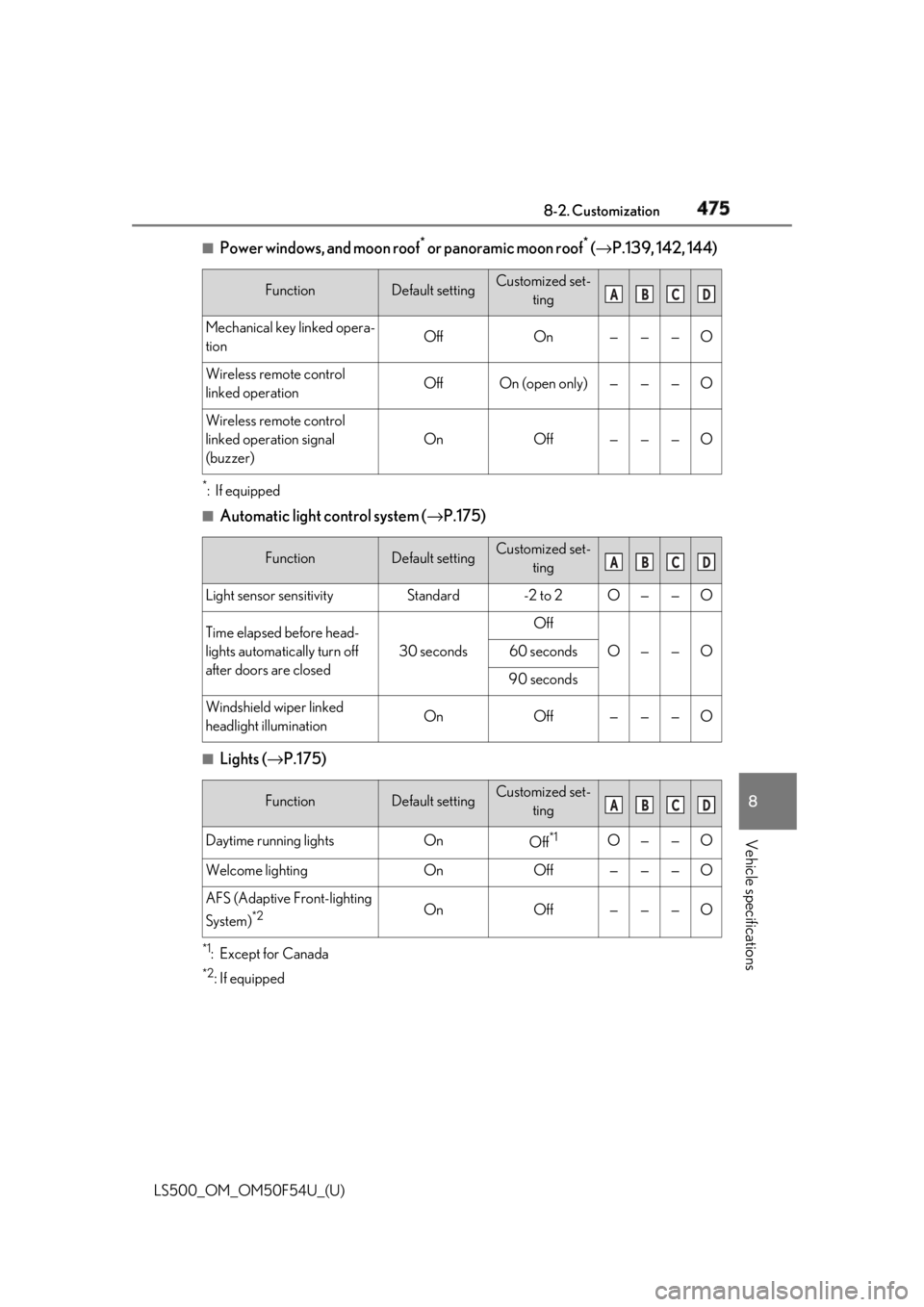
Vehicle specifications ■
Power windows, and moon roof *
or panoramic moon roof *
( → P.139, 142, 144)*
:If equipped ■
Automatic light control system ( → P.175)
■
Lights ( → P.175)
*1
:Except for Canada *2
: If equipped Function Default setting Customized set-
ting
Mechanical key linked opera-
tion Off On — — — O
Wireless remote control
linked operation Off On (open only) — — — O
Wireless remote control
linked operation signal
(buzzer) On Off — — — O
Function Default setting Customized set-
ting
Light sensor sensitivity Standard -2 to 2 O — — O
Time elapsed before head-
lights automatically turn off
after doors are closed 30 seconds Off
O — — O60 seconds
90 seconds
Windshield wiper linked
headlight illumination On Off — — — O
Function Default setting Customized set-
ting
Daytime running lights On
Off *1
O — — O
Welcome lighting On Off — — — O
AFS (Adaptive Front-lighting
System) *2
On Off — — — O A B C D
A B C D
A B C D
Page 478 of 514
476 8-2. Customization
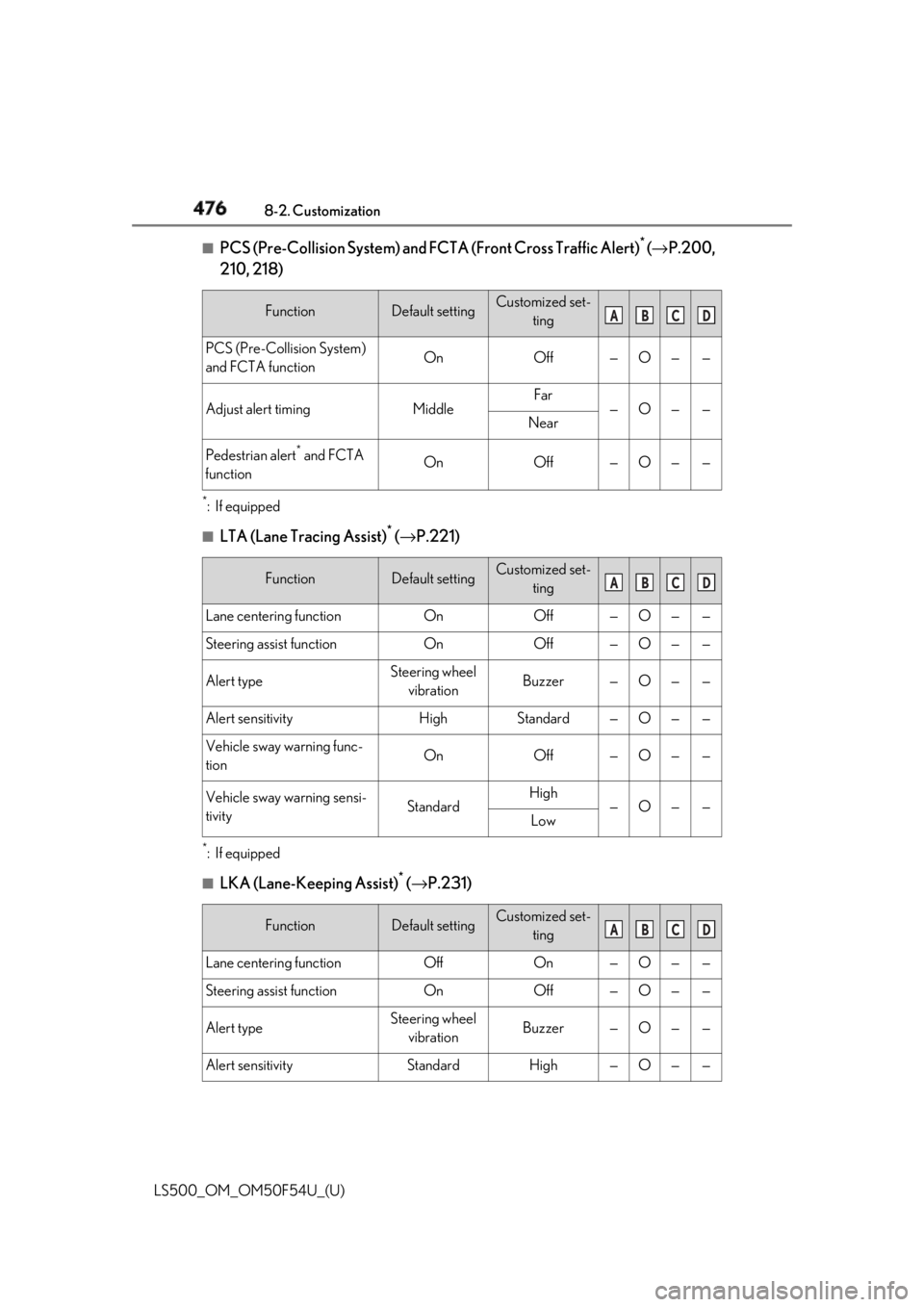
LS500_OM_OM50F54U_(U) ■
PCS (Pre-Collision System) and FCTA (Front Cross Traffic Alert) *
( → P.200,
210, 218) *
:If equipped ■
LTA (Lane Tracing Assist) *
( → P.221)
*
:If equipped
■
LKA (Lane-Keeping Assist) *
( → P.231)Function Default setting Customized set-
ting
PCS (Pre-Collision System)
and FCTA function On Off — O — —
Adjust alert timing Middle Far
— O — —
Near
Pedestrian alert *
and FCTA
function On Off — O — —
Function Default setting Customized set-
ting
Lane centering function On Off — O — —
Steering assist function On Off — O — —
Alert type Steering wheel
vibration Buzzer — O — —
Alert sensitivity High Standard — O — —
Vehicle sway warning func-
tion On Off — O — —
Vehicle sway warning sensi-
tivity Standard High
— O — —
Low
Function Default setting Customized set-
ting
Lane centering function Off On — O — —
Steering assist function On Off — O — —
Alert type Steering wheel
vibration Buzzer — O — —
Alert sensitivity Standard High — O — — A B C D
A B C D
A B C D