Buzzer LEXUS LS500 2018 Owner's Manual
[x] Cancel search | Manufacturer: LEXUS, Model Year: 2018, Model line: LS500, Model: LEXUS LS500 2018Pages: 514, PDF Size: 10.62 MB
Page 174 of 514
174 4-2. Driving procedures
LS500_OM_OM50F54U_(U) ■
If “Brake Hold Fault Depress Brake to
Deactivate Visit Your Dealer” or “Brake
Hold Malfunction Visit Your Dealer” is
displayed on the multiinformation dis-
play
The system may be ma lfunctioning. Have
the vehicle inspected by your Lexus dealer. ■
Warning messages and buzzers
Warning messages and buzzers are used to
indicate a system malfunction or to inform
the driver of the need for caution. If a warn-
ing message is shown on the multi-informa-
tion display, read the message and follow
the instructions. ■
If the brake hold operated indicator
flashes
→ P.425
WARNING■
When the vehicle is on a steep incline
When using the brake hold system on a
steep incline exercise caution. The brake
hold function may not hold the vehicle in
such a situation. ■
When stopped on a slippery road
The system cannot stop the vehicle when
the gripping ability of the tires has been
exceeded. Do not use the system when
stopped on a slippery road.
NOTICE
■
When parking the vehicle
The brake hold system is not designed
for use when parking the vehicle for a
long period of time. Turning the engine
switch off while the system is holding the
brake may release the brake, which
would cause the vehicle to move. When
operating the engine switch, depress the
brake pedal, shift the shift position to P
and set the parking brake.
Page 176 of 514
176 4-3. Operating the lights and wipers
LS500_OM_OM50F54U_(U) The sensor may not function properly if an
object is placed on th e sensor, or anything
that blocks the sensor is affixed to the wind-
shield.
Doing so interferes with the sensor detect-
ing the level of ambient light and may cause
the automatic headlight system to malfunc-
tion. ■
Automatic light off system●
When the headlights are on: The head-
lights and tail lights tu rn off 30 seconds
after the driver’s door is opened and
closed if the engine switch is turned to
ACCESSORY mode or turned off. (The
lights turn off immediately if on the
key is pressed after all the doors are
closed.)●
When only the tail lights are on: The tail
lights turn off automatically if the engine
switch is turned to ACCESSORY mode
or turned off and the driver’s door is
opened.
To turn the lights on again, turn the engine
switch to IGNITION ON mode, or turn the
light switch off once and then back to
or . ■
Light reminder buzzer
A buzzer sounds when the engine switch is
turned off or turned to ACCESSORY
mode and the driver’s door is opened while
the lights are turned on. ■
Automatic headlight leveling system
The level of the headlights is automatically
adjusted according to the number of pas-
sengers and the loading condition of the
vehicle to ensure that the headlights do not
interfere with other road users.
■
Windshield wiper linked headlight illu-
mination
When driving during daytime with the
headlight switch turned to , if the wind-
shield wipers are used, the headlights will
turn on automatically after several seconds
to help enhance the visibility of your vehicle.
■
Battery-saving function
In order to prevent the battery of the vehicle from discharging, if the headlights and/or
tail lights are on when the engine switch is
turned off the battery saving function will
operate and automatically turn off all the
lights after approximately 20 minutes.
When the engine switch is turned to IGNI-
TION ON mode, the battery-saving func-
tion will be disabled.
When any of the following are performed,
the battery-saving function is canceled
once and then reactivated. All the lights will
turn off automatically 20 minutes after the
Battery- saving function has been reacti-
vated: ●
When the headlight switch is operated●
When a door is opened or closed ■
Welcome light illumination control
The front position and tail lights automati-
cally turn on at night when the doors are
unlocked using the entr y function or wire-
less remote control if the light switch is in
the position. ■
Customization
Some functions can be customized.
( → P.468)
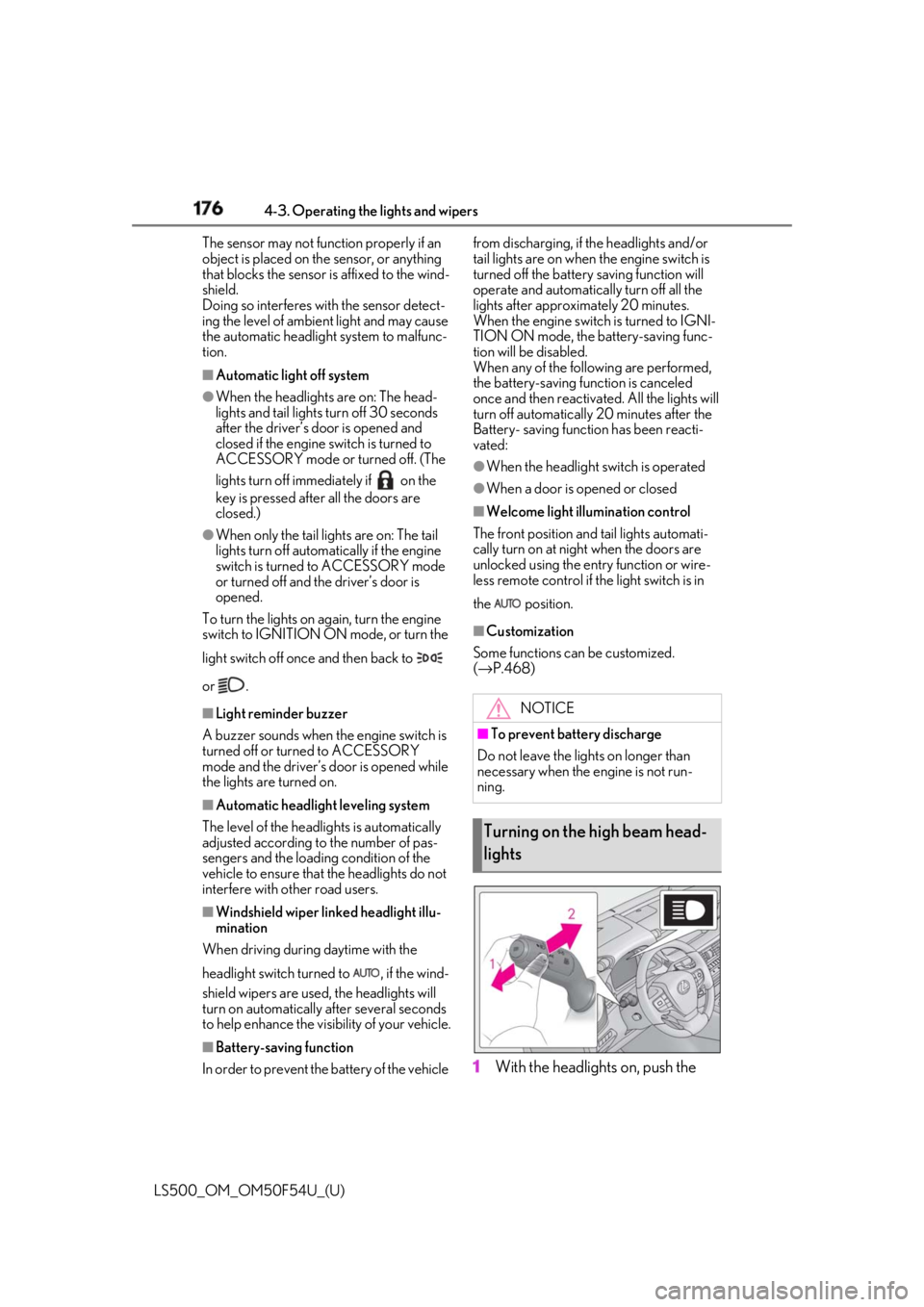
1 With the headlights on, push the NOTICE■
To prevent battery discharge
Do not leave the lights on longer than
necessary when the engine is not run-
ning.
Turning on the high beam head-
lights
Page 200 of 514
200 4-5. Using the driving support systems
LS500_OM_OM50F54U_(U) ■
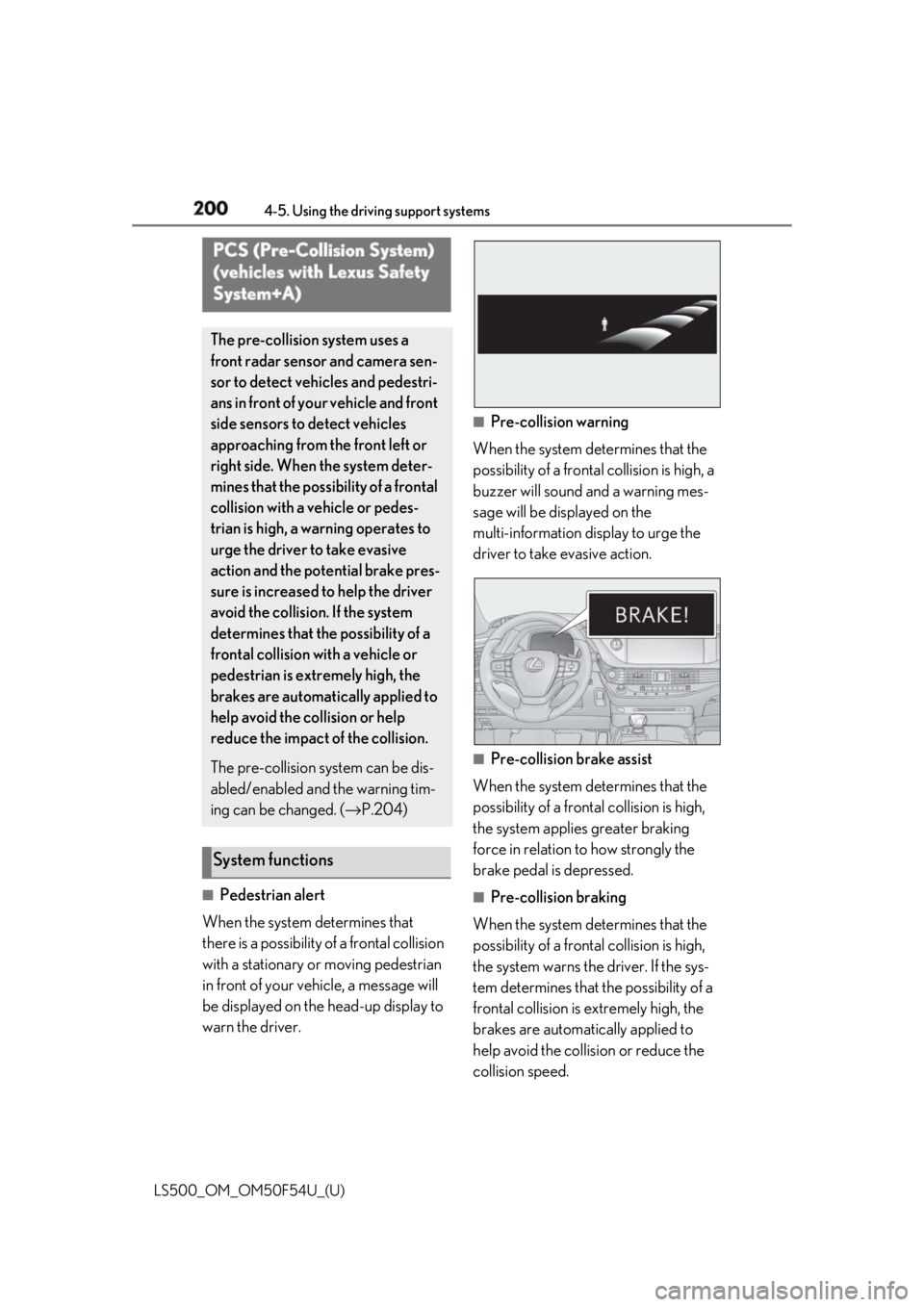
Pedestrian alert
When the system determines that
there is a possibility of a frontal collision
with a stationary or moving pedestrian
in front of your vehicle, a message will
be displayed on the head-up display to
warn the driver. ■
Pre-collision warning
When the system determines that the
possibility of a frontal collision is high, a
buzzer will sound and a warning mes-
sage will be displayed on the
multi-information display to urge the
driver to take evasive action.
■
Pre-collision brake assist
When the system determines that the
possibility of a frontal collision is high,
the system applies greater braking
force in relation to how strongly the
brake pedal is depressed. ■
Pre-collision braking
When the system determines that the
possibility of a frontal collision is high,
the system warns the driver. If the sys-
tem determines that the possibility of a
frontal collision is extremely high, the
brakes are automatically applied to
help avoid the collision or reduce the
collision speed.PCS (Pre-Collision System)
(vehicles with Lexus Safety
System+A) The pre-collision system uses a
front radar sensor and camera sen-
sor to detect vehicles and pedestri-
ans in front of your vehicle and front
side sensors to detect vehicles
approaching from the front left or
right side. When the system deter-
mines that the possibility of a frontal
collision with a vehicle or pedes-
trian is high, a warning operates to
urge the driver to take evasive
action and the potential brake pres-
sure is increased to help the driver
avoid the collision. If the system
determines that the possibility of a
frontal collision with a vehicle or
pedestrian is extremely high, the
brakes are automatically applied to
help avoid the collision or help
reduce the impact of the collision.
The pre-collision system can be dis-
abled/enabled and the warning tim-
ing can be changed. ( → P.204)
System functions
Page 211 of 514
2114-5. Using the driving support systems
LS500_OM_OM50F54U_(U) 4
Driving ■
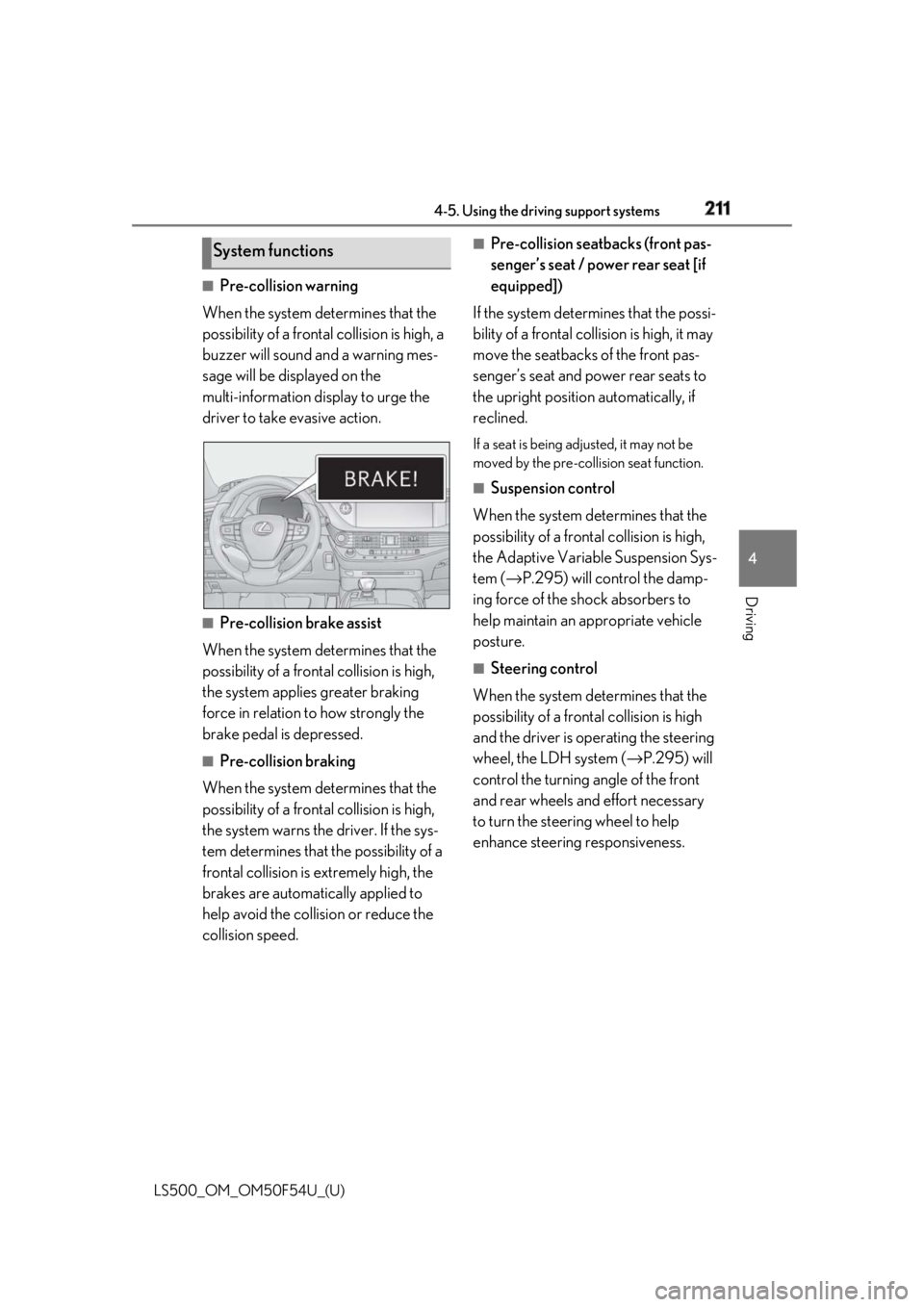
Pre-collision warning
When the system determines that the
possibility of a frontal collision is high, a
buzzer will sound and a warning mes-
sage will be displayed on the
multi-information display to urge the
driver to take evasive action.
■
Pre-collision brake assist
When the system determines that the
possibility of a frontal collision is high,
the system applies greater braking
force in relation to how strongly the
brake pedal is depressed. ■
Pre-collision braking
When the system determines that the
possibility of a frontal collision is high,
the system warns the driver. If the sys-
tem determines that the possibility of a
frontal collision is extremely high, the
brakes are automatically applied to
help avoid the collision or reduce the
collision speed. ■
Pre-collision seatbacks (front pas-
senger’s seat / power rear seat [if
equipped])
If the system determines that the possi-
bility of a frontal collision is high, it may
move the seatbacks of the front pas-
senger’s seat and power rear seats to
the upright position automatically, if
reclined. If a seat is being adjusted, it may not be
moved by the pre-collis ion seat function.■
Suspension control
When the system determines that the
possibility of a frontal collision is high,
the Adaptive Variable Suspension Sys-
tem ( → P.295) will control the damp-
ing force of the shock absorbers to
help maintain an appropriate vehicle
posture. ■
Steering control
When the system determines that the
possibility of a frontal collision is high
and the driver is op erating the steering
wheel, the LDH system ( → P.295) will
control the turning angle of the front
and rear wheels and effort necessary
to turn the steering wheel to help
enhance steering responsiveness.System functions
Page 218 of 514
218 4-5. Using the driving support systems
LS500_OM_OM50F54U_(U) *
:If equipped
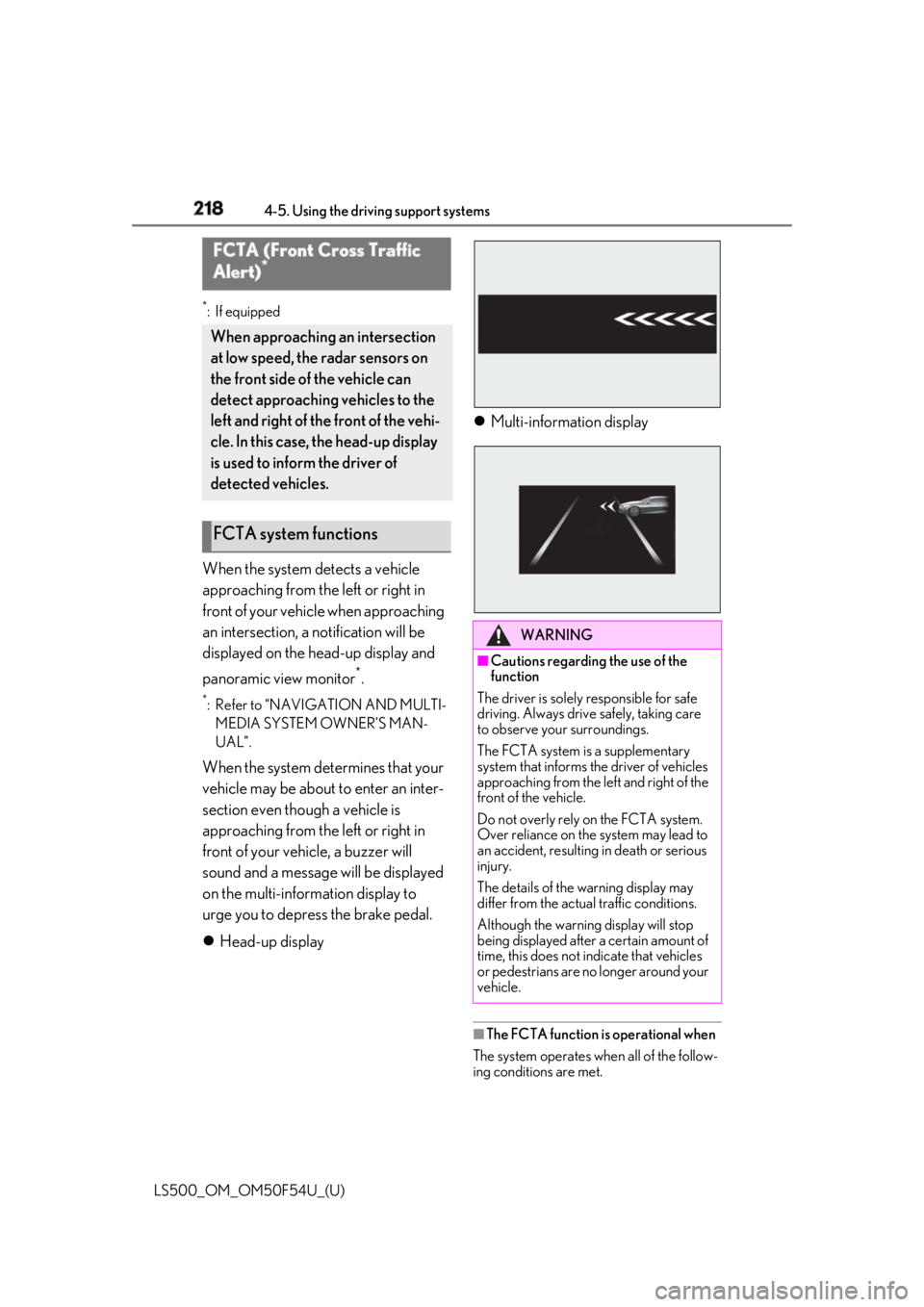
When the system detects a vehicle
approaching from the left or right in
front of your vehicl e when approaching
an intersection, a notification will be
displayed on the head-up display and
panoramic view monitor *
.*
: Refer to “NAVIGATION AND MULTI-
MEDIA SYSTEM OWNER’S MAN-
UAL”.
When the system determines that your
vehicle may be about to enter an inter-
section even though a vehicle is
approaching from the left or right in
front of your vehicle, a buzzer will
sound and a message will be displayed
on the multi-information display to
urge you to depress the brake pedal.
Head-up display Multi-information display
■
The FCTA function is operational when
The system operates when all of the follow-
ing conditions are met.FCTA (Front Cross Traffic
Alert) *
When approaching an intersection
at low speed, the radar sensors on
the front side of the vehicle can
detect approaching vehicles to the
left and right of the front of the vehi-
cle. In this case, the head-up display
is used to inform the driver of
detected vehicles.
FCTA system functions WARNING■
Cautions regarding the use of the
function
The driver is solely responsible for safe
driving. Always drive safely, taking care
to observe your surroundings.
The FCTA system is a supplementary
system that informs the driver of vehicles
approaching from the left and right of the
front of the vehicle.
Do not overly rely on the FCTA system.
Over reliance on the system may lead to
an accident, resulting in death or serious
injury.
The details of the warning display may
differ from the actual traffic conditions.
Although the warning display will stop
being displayed after a certain amount of
time, this does not indicate that vehicles
or pedestrians are no longer around your
vehicle.
Page 221 of 514
2214-5. Using the driving support systems
LS500_OM_OM50F54U_(U) 4
Driving *
:If equipped
■
Lane departure alert function
When the system determines that the
vehicle might depart from its lane or
course *
, a warning is displayed on the
multi-information display, and either a
warning buzzer will sound or the steer-
ing wheel will vibrate to alert the driver. *
: Boundary between asphalt and the side
of the road, such as grass, soil, or a curb
When the warning buzzer sounds or
the steering wheel vibrates, check the
area around your vehicle and carefully
operate the steering wheel to move the
vehicle back to the center of the lane.
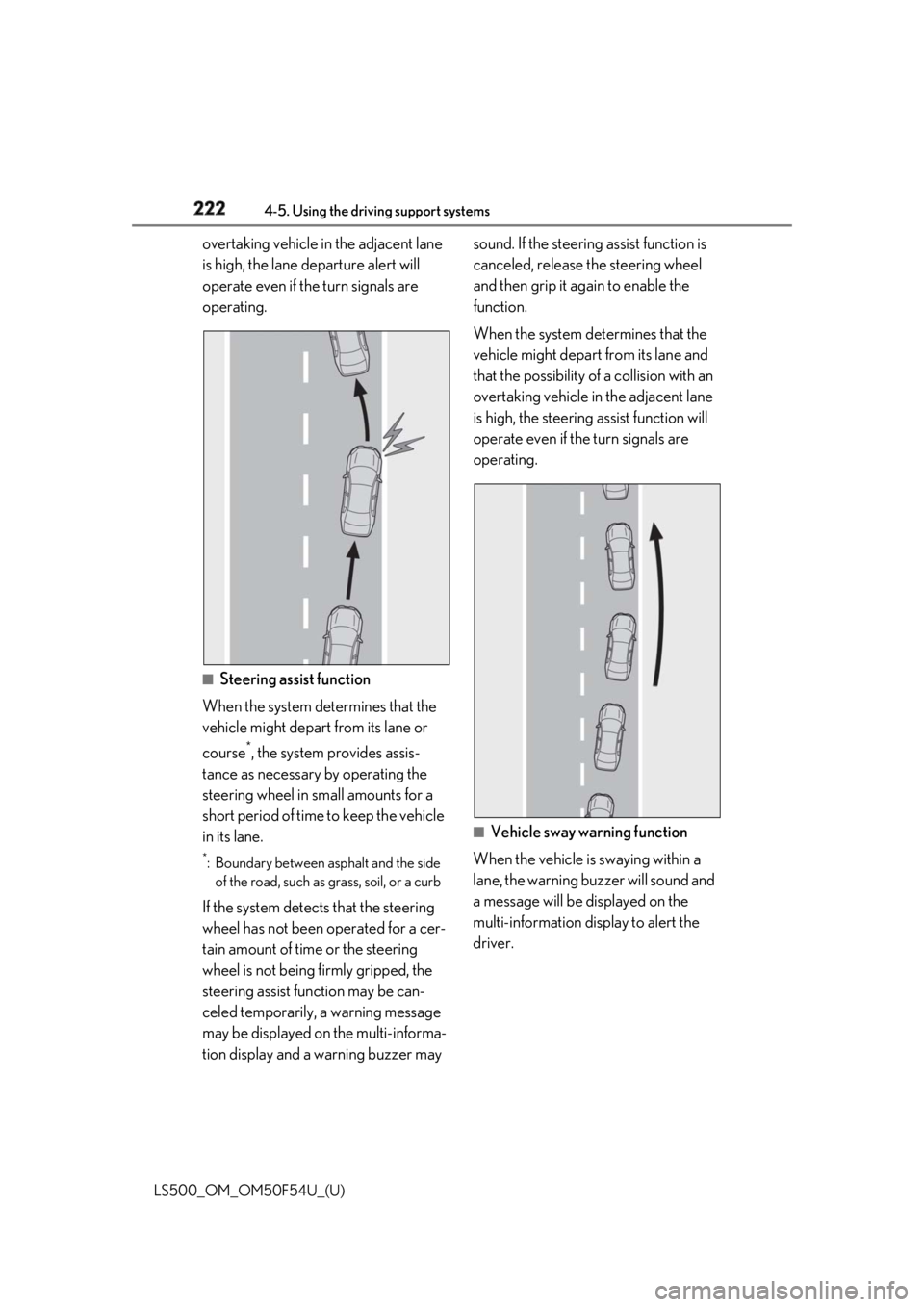
When the system determines that the
vehicle might depart from its lane and
that the possibility of a collision with an LTA (Lane Tracing Assist) *
When driving on highways and
freeways with white or yellow lines,
this function alerts the driver when
the vehicle might depart from its
lane and provides assistance by
operating the steering wheel to
keep the vehicle in its lane. Further-
more, the system also provides
steering assistance when dynamic
radar cruise control with full-speed
range is operating to keep the vehi-
cle in its lane.
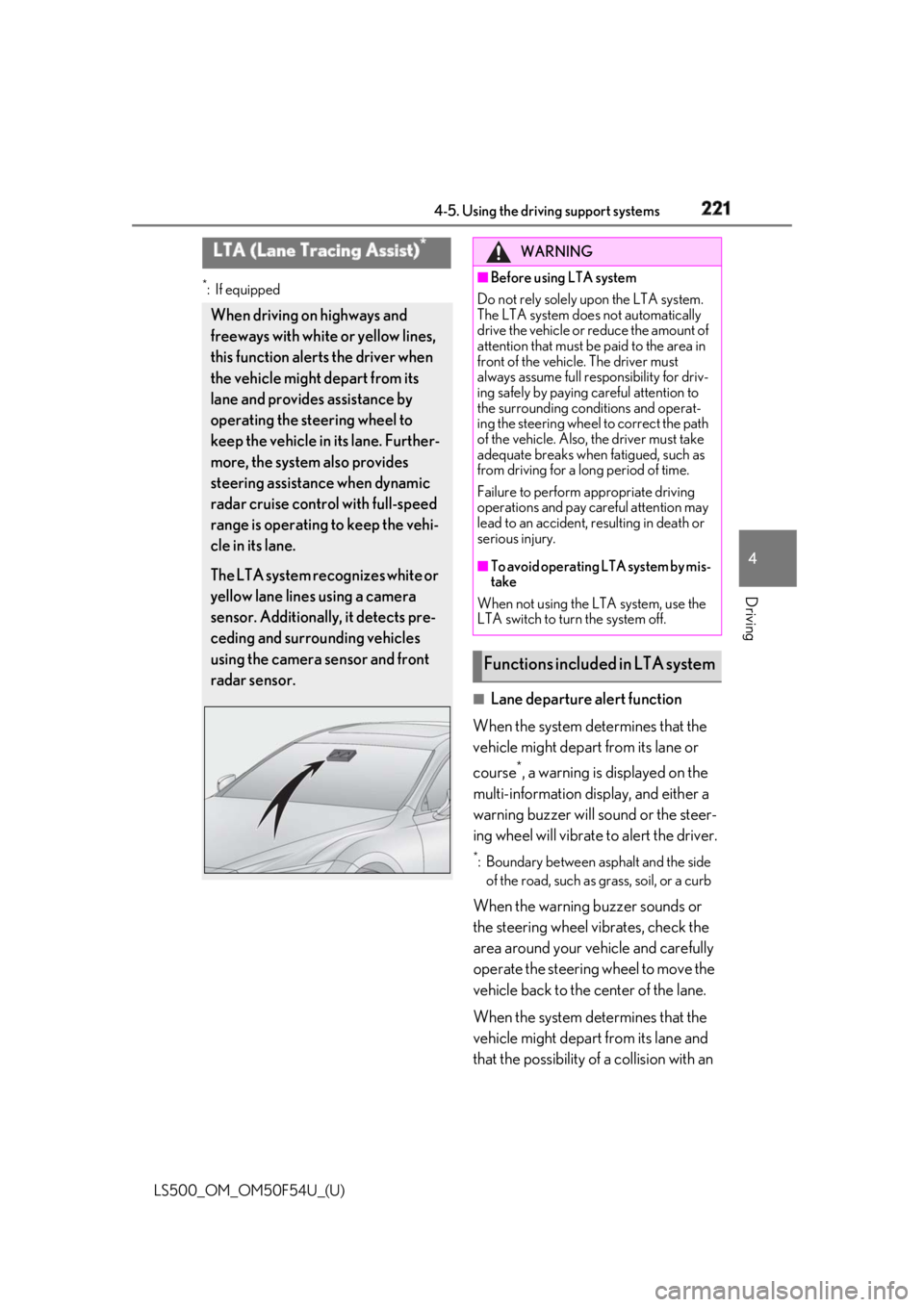
The LTA system recognizes white or
yellow lane lines using a camera
sensor. Additionally, it detects pre-
ceding and surrounding vehicles
using the camera sensor and front
radar sensor. WARNING■
Before using LTA system
Do not rely solely upon the LTA system.
The LTA system does not automatically
drive the vehicle or reduce the amount of
attention that must be paid to the area in
front of the vehicle. The driver must
always assume full responsibility for driv-
ing safely by paying careful attention to
the surrounding conditions and operat-
ing the steering wheel to correct the path
of the vehicle. Also, the driver must take
adequate breaks when fatigued, such as
from driving for a long period of time.
Failure to perform appropriate driving
operations and pay careful attention may
lead to an accident, resulting in death or
serious injury. ■
To avoid operating LTA system by mis-
take
When not using the LTA system, use the
LTA switch to turn the system off.
Functions included in LTA system
Page 222 of 514
222 4-5. Using the driving support systems
LS500_OM_OM50F54U_(U) overtaking vehicle in the adjacent lane
is high, the lane departure alert will
operate even if the turn signals are
operating.
■
Steering assist function
When the system determines that the
vehicle might depart from its lane or
course *
, the system provides assis-
tance as necessary by operating the
steering wheel in small amounts for a
short period of time to keep the vehicle
in its lane. *
: Boundary between asphalt and the side
of the road, such as grass, soil, or a curb
If the system detects that the steering
wheel has not been operated for a cer-
tain amount of time or the steering
wheel is not being firmly gripped, the
steering assist function may be can-
celed temporarily, a warning message
may be displayed on the multi-informa-
tion display and a warning buzzer may sound. If the steering assist function is
canceled, release the steering wheel
and then grip it again to enable the
function.
When the system determines that the
vehicle might depart from its lane and
that the possibility of a collision with an
overtaking vehicle in the adjacent lane
is high, the steering assist function will
operate even if the turn signals are
operating.
■
Vehicle sway warning function
When the vehicle is swaying within a
lane, the warning buzzer will sound and
a message will be displayed on the
multi-information display to alert the
driver.
Page 223 of 514
2234-5. Using the driving support systems
LS500_OM_OM50F54U_(U) 4
Driving ■
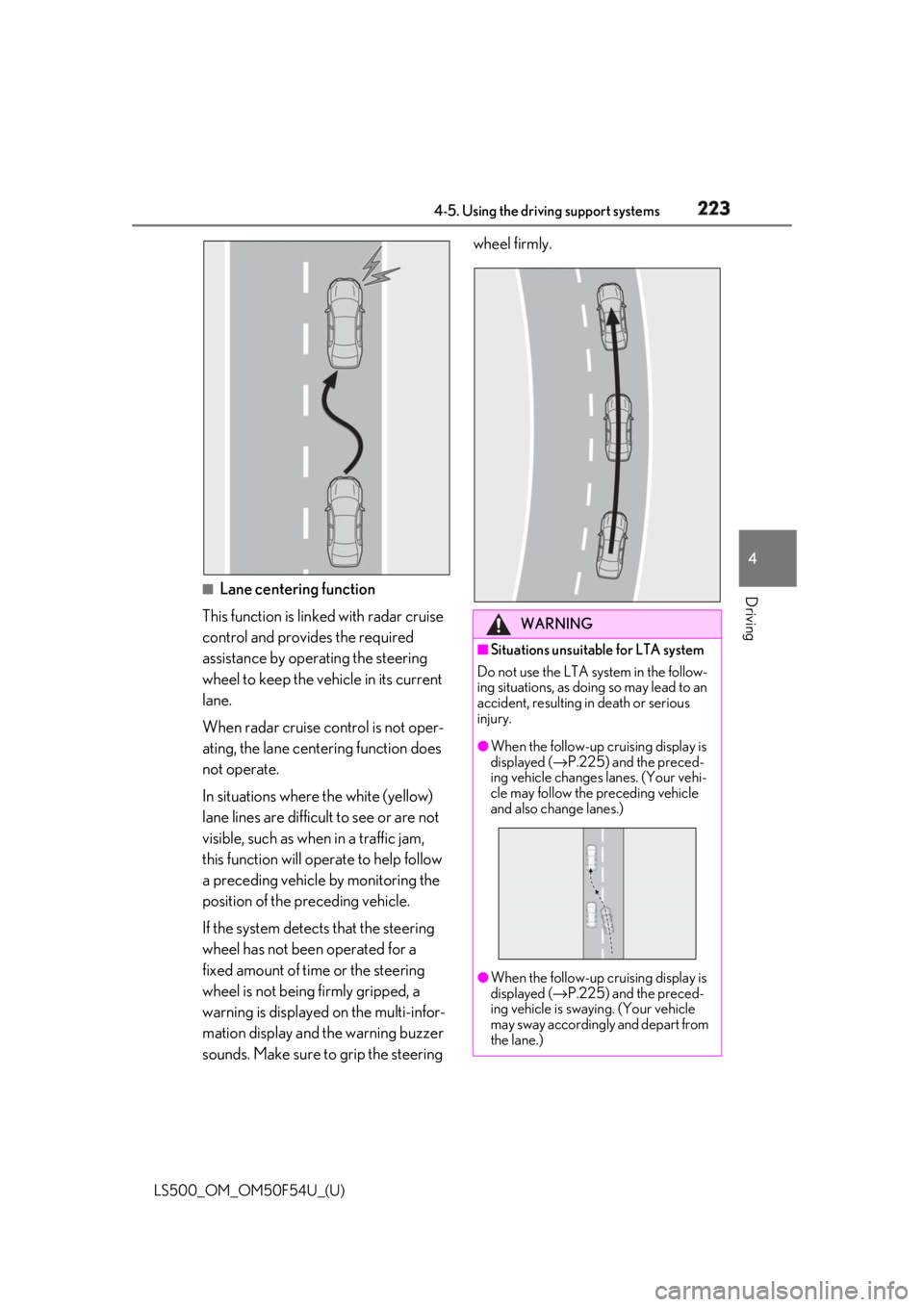
Lane centering function
This function is linked with radar cruise
control and provides the required
assistance by operating the steering
wheel to keep the vehicle in its current
lane.
When radar cruise control is not oper-
ating, the lane centering function does
not operate.
In situations where the white (yellow)
lane lines are difficult to see or are not
visible, such as when in a traffic jam,
this function will op erate to help follow
a preceding vehicle by monitoring the
position of the preceding vehicle.
If the system detects that the steering
wheel has not been operated for a
fixed amount of time or the steering
wheel is not being firmly gripped, a
warning is displayed on the multi-infor-
mation display and the warning buzzer
sounds. Make sure to grip the steering wheel firmly.
WARNING■
Situations unsuitable for LTA system
Do not use the LTA system in the follow-
ing situations, as doing so may lead to an
accident, resulting in death or serious
injury. ●
When the follow-up cruising display is
displayed ( → P.225) and the preced-
ing vehicle changes lanes. (Your vehi-
cle may follow the preceding vehicle
and also change lanes.)
●
When the follow-up cruising display is
displayed ( → P.225) and the preced-
ing vehicle is swaying. (Your vehicle
may sway accordingly and depart from
the lane.)
Page 228 of 514
228 4-5. Using the driving support systems
LS500_OM_OM50F54U_(U) operating, a buzzer may sound to indicate
that the function has been temporarily can-
celed. If the alert type customization setting
is set to vibrate the steering wheel, the
buzzer will not sound. (The steering wheel
will vibrate.)
If a message urging operation of the steer-
ing wheel is displayed, operate the steering
wheel. ■
Steering assist function/lane centering
function
Depending on the vehicle speed, lane
departure situation, ro ad conditions, etc.,
the driver may not feel the function is oper-
ating or the function may not operate at all.
The steering control of the function is over-
rided by the driver’s steering wheel opera-
tion.
When the vehicle speed is approximately
31 mph (50 km/h) or less, the warning dis-
play of the lane centering function will not
operate.
Do not attempt to activate the steering
assist function. ■
Lane departure alert function
The warning buzzer may be difficult to hear
due to external noise, audio playback, etc.
Also, it may be difficult to feel steering
wheel vibrations due to the road conditions,
etc.
If the edge of the road is not clear or
straight, the lane departure alert function or
steering assist function may not operate.
In situations such as the following, it may not
be possible for the system to determine if
there is danger of a collision with an over-
taking vehicle in an adjacent lane:
●
When the relative speed between your
vehicle and surrounding vehicles is large
●
When driving around a curve
Do not attempt to activate the lane depar-
ture alert function.
■
Hands off steering wheel alert
When the system determines that the driver
has removed the hands from the steering
wheel while the steering assist function or
lane centering function is operating, a warn-
ing message is displaye d on the multi-infor- mation display. If th e driver continues to
keep the hands off of the steering wheel for
6 seconds, a buzzer sounds, a warning
message is displayed and the function is
temporarily canceled. This alert also oper-
ates in the same way when the driver con-
tinuously operates the steering wheel only a
small amount. If the stee ring assist function
is canceled, release the steering wheel and
then grip it again to enable the function.
In situations such as the following, the sys-
tem may not be able to detect when the
driver’s hands are on the steering wheel: ●
If a steering wheel cover is installed. ●
If the driver is wearing gloves. ●
If something is attached to the steering
wheel. ●
If the driver is gripping the wood trim,
stitched area, spokes, or other part of the
steering wheel that does not have sen-
sors.
In situations such as the following, the hands
off steering wheel alert may not operate
and the steering assist function and lane
centering function may operate even if the
driver’s hands are off the steering wheel: ●
If an object contacts the steering wheel. ●
If a wide object or ar ms are held in front
of the steering wheel. ■
Conditions in whic h functions may not
operate properly
In the following situations, the functions may
not operate properly: ●
There are shadows on the road that run
parallel with, or cover, the white (yellow)
lines.
●
The vehicle is driven in an area without
white (yellow) lines, su ch as in front of a
tollgate or checkpoint, or at an intersec-
tion, etc.
●
The white (yellow) lines are cracked,
“Botts’ dots”, “Raised pavement marker”
or stones are present.
●
The white (yellow) lines cannot be seen
or are difficult to see due to sand, etc.
●
The vehicle is driven on a road surface
that is wet due to rain, puddles, etc.
Page 231 of 514
2314-5. Using the driving support systems
LS500_OM_OM50F54U_(U) 4
Driving *
:If equipped
■
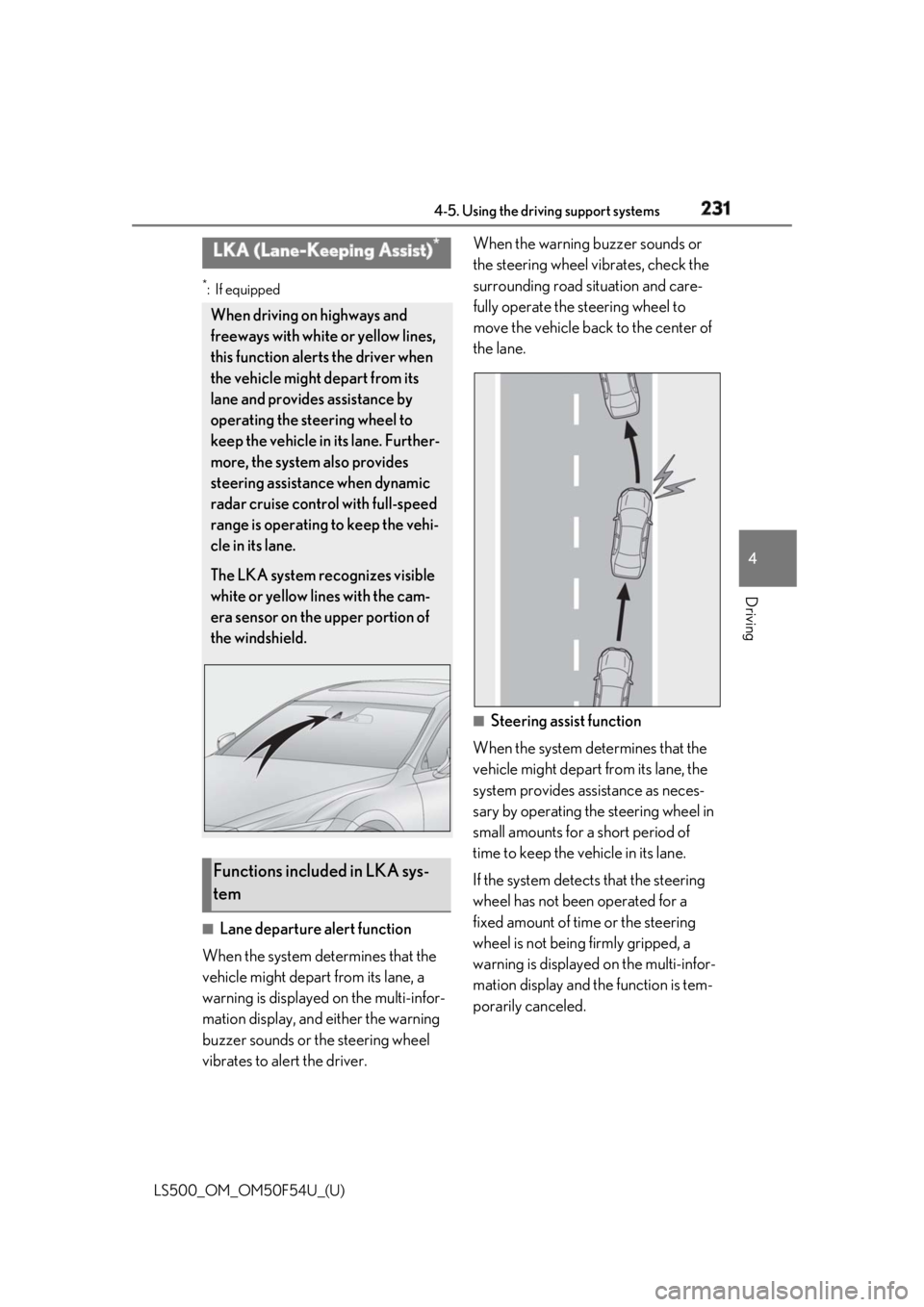
Lane departure alert function
When the system determines that the
vehicle might depart from its lane, a
warning is displayed on the multi-infor-
mation display, and either the warning
buzzer sounds or the steering wheel
vibrates to alert the driver. When the warning buzzer sounds or
the steering wheel vibrates, check the
surrounding road situation and care-
fully operate the steering wheel to
move the vehicle back to the center of
the lane.
■
Steering assist function
When the system determines that the
vehicle might depart from its lane, the
system provides assistance as neces-
sary by operating the steering wheel in
small amounts for a short period of
time to keep the vehicle in its lane.
If the system detects that the steering
wheel has not been operated for a
fixed amount of time or the steering
wheel is not being firmly gripped, a
warning is displayed on the multi-infor-
mation display and the function is tem-
porarily canceled.LKA (Lane-Keeping Assist) *
When driving on highways and
freeways with white or yellow lines,
this function alerts the driver when
the vehicle might depart from its
lane and provides assistance by
operating the steering wheel to
keep the vehicle in its lane. Further-
more, the system also provides
steering assistance when dynamic
radar cruise control with full-speed
range is operating to keep the vehi-
cle in its lane.
The LKA system recognizes visible
white or yellow lines with the cam-
era sensor on the upper portion of
the windshield.
Functions included in LKA sys-
tem