park LEXUS LS500 2021 Service Manual
[x] Cancel search | Manufacturer: LEXUS, Model Year: 2021, Model line: LS500, Model: LEXUS LS500 2021Pages: 520, PDF Size: 9.81 MB
Page 200 of 520
2004-4. Refueling
4-4.Refueling
Close all the doors and windows,
and turn the engine switch off.
Confirm the type of fuel.
■Fuel types
P.465
■Fuel tank opening for unleaded gasoline
To help prevent incorrect fueling, your vehi-
cle has a fuel tank opening that only accom-
modates the special nozzle on unleaded
fuel pumps.
■If the malfunction indicator lamp illumi-
nates
The malfunction indicator lamp may illumi-
nate erroneously if refueling is performed
repeatedly when the fuel tank is nearly full.
Opening the fuel tank cap
Perform the following steps to open
the fuel tank cap:
Before refueling the vehicle
WARNING
■When refueling the vehicle
Observe the following precautions while
refueling the vehicle. Failure to do so may
result in death or serious injury.
●After exiting the vehicle and before
opening the fuel door, touch an
unpainted metal surface to discharge
any static electricity. It is important to
discharge static electricity before refu-
eling because sparks resulting from
static electricity can cause fuel vapors
to ignite while refueling.
●Always hold the grips on the fuel tank
cap and turn it slowly to remove it.
A whooshing sound may be heard
when the fuel tank cap is loosened.
Wait until the sound cannot be heard
before fully removing the cap. In hot
weather, pressurized fuel may spray
out the filler neck and cause injury.
●Do not allow anyone that has not dis-
charged static electricity from their
body to come close to an open fuel
tank.
●Do not inhale vaporized fuel.
Fuel contains substances that are
harmful if inhaled.
●Do not smoke while refueling the vehi-
cle.
Doing so may cause the fuel to ignite
and cause a fire.
●Do not return to the vehicle or touch
any person or object that is statically
charged.
This may cause static electricity to
build up, resulting in a possible ignition
hazard.
■When refueling
Observe the following precautions to
prevent fuel overflowing from the fuel
tank:
●Securely insert the fuel nozzle into the
fuel filler neck.
●Stop filling the tank after the fuel noz-
zle automatically clicks off.
●Do not top off the fuel tank.
NOTICE
■Refueling
Do not spill fuel during refueling.
Doing so may damage the vehicle, such
as causing the emission control system to
operate abnormally or damaging fuel
system components or the vehicle’s
painted surface.
Page 208 of 520
2084-5. Using the driving support systems
●In the following situations, if the situation has changed (or the vehicle has been driven for
some time) and the normal operating conditions are detected, the message will disappear
and the system will become operational.
If the message does not disappear, contact your Lexus dealer.
• When the temperature around the radar sensor is outside of the operational range, such
as when the vehicle is in the sun or in an extremely cold environment
• When the front camera cannot detect objects in front of the vehicle, such as when driving
in the dark, snow, or fog, or when brig ht lights are shining into the front camera
When the temperature around the front
camera is outside of the operational range,
such as when the vehicle is in the sun or in an
extremely cold environment
If the front camera is hot, such as after the
vehicle had been parked in the sun, use the
air conditioning system to decrease the tem-
perature around the front camera.
If a sunshade was used when the vehicle
was parked, depending on its type, the sun-
light reflected from the surface of the sun-
shade may cause the temperature of the
front camera to become excessively high.
If the front camera is cold, such after the
vehicle is parked in an extremely cold envi-
ronment, use the air conditioning system to
increase the temperature around the front
camera.
The area in front of the front camera is
obstructed, such as when the hood is open
or a sticker is attached to the part of the
windshield in front of the front camera.
Close the hood, remove the sticker, etc. to
clear the obstruction.
SituationActions
Page 214 of 520
2144-5. Using the driving support systems
●In the following situations, if the situation has changed (or the vehicle has been driven for
some time) and the normal operating conditions are detected, the message will disappear
and the system will become operational.
If the message does not disappear, contact your Lexus dealer.
• When the temperature around the radar sensor is outside of the operational range, such
as when the vehicle is in the sun or in an extremely cold environment
• When the front camera cannot detect objects in front of the vehicle, such as when driving
in the dark, snow, or fog, or when brig ht lights are shining into the front camera
When the temperature around the front
camera is outside of the operational range,
such as when the vehicle is in the sun or in an
extremely cold environment
If the front camera is hot, such as after the
vehicle had been parked in the sun, use the
air conditioning system to decrease the tem-
perature around the front camera.
If a sunshade was used when the vehicle
was parked, depending on its type, the sun-
light reflected from the surface of the sun-
shade may cause the temperature of the
front camera to become excessively high.
If the front camera is cold, such after the
vehicle is parked in an extremely cold envi-
ronment, use the air conditioning system to
increase the temperature around the front
camera.
The area in front of the front camera is
obstructed, such as when the hood is open
or a sticker is attached to the part of the
windshield in front of the front camera.
Close the hood, remove the sticker, etc. to
clear the obstruction.
SituationActions
Page 223 of 520
2234-5. Using the driving support systems
4
Driving
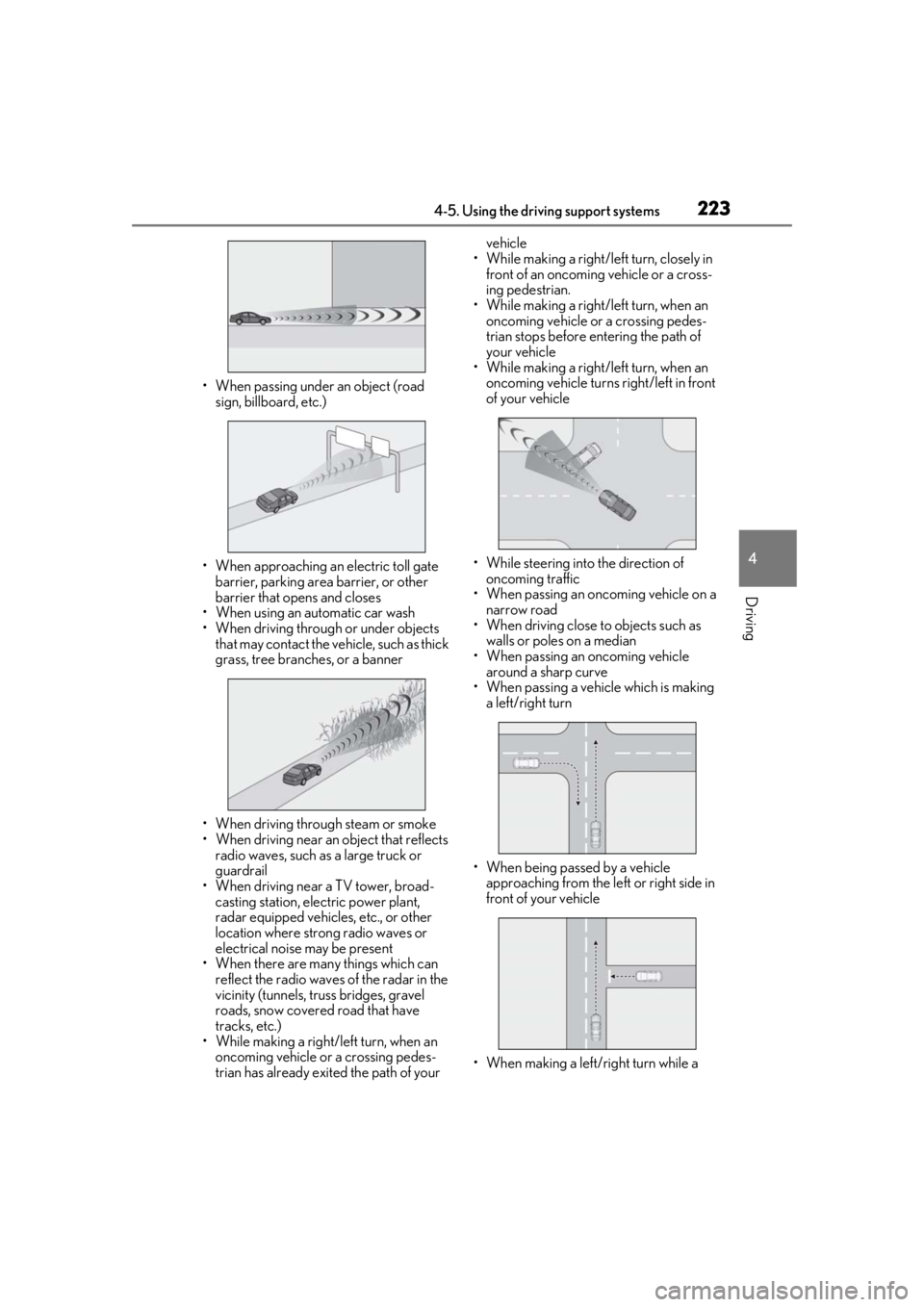
• When passing under an object (road sign, billboard, etc.)
• When approaching an electric toll gate barrier, parking area barrier, or other
barrier that opens and closes
• When using an automatic car wash
• When driving through or under objects that may contact the vehicle, such as thick
grass, tree branches, or a banner
• When driving through steam or smoke
• When driving near an object that reflects
radio waves, such as a large truck or
guardrail
• When driving near a TV tower, broad- casting station, electric power plant,
radar equipped vehicles, etc., or other
location where strong radio waves or
electrical noise may be present
• When there are many things which can
reflect the radio waves of the radar in the
vicinity (tunnels, truss bridges, gravel
roads, snow covered road that have
tracks, etc.)
• While making a right/left turn, when an oncoming vehicle or a crossing pedes-
trian has already exited the path of your vehicle
• While making a right/left turn, closely in front of an oncoming vehicle or a cross-
ing pedestrian.
• While making a right/left turn, when an oncoming vehicle or a crossing pedes-
trian stops before en tering the path of
your vehicle
• While making a right/left turn, when an
oncoming vehicle turns right/left in front
of your vehicle
• While steering into the direction of oncoming traffic
• When passing an oncoming vehicle on a
narrow road
• When driving close to objects such as walls or poles on a median
• When passing an oncoming vehicle around a sharp curve
• When passing a vehicle which is making
a left/right turn
• When being passed by a vehicle approaching from the le ft or right side in
front of your vehicle
• When making a left/right turn while a
Page 224 of 520
2244-5. Using the driving support systems
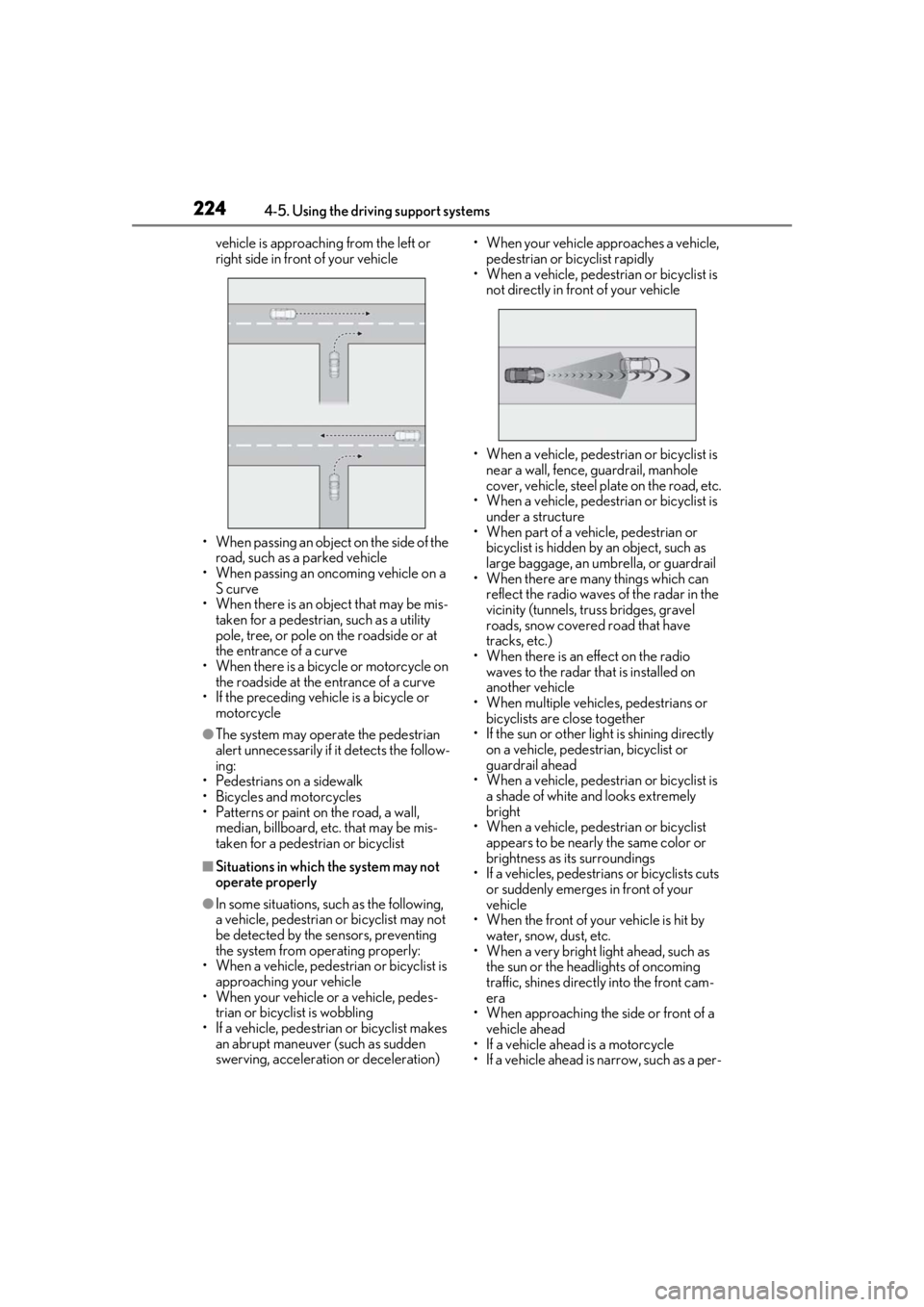
vehicle is approaching from the left or
right side in front of your vehicle
• When passing an object on the side of the
road, such as a parked vehicle
• When passing an oncoming vehicle on a S curve
• When there is an object that may be mis-
taken for a pedestrian, such as a utility
pole, tree, or pole on the roadside or at
the entrance of a curve
• When there is a bicycle or motorcycle on the roadside at the entrance of a curve
• If the preceding vehicle is a bicycle or
motorcycle
●The system may operate the pedestrian
alert unnecessarily if it detects the follow-
ing:
• Pedestrians on a sidewalk
• Bicycles and motorcycles
• Patterns or paint on the road, a wall, median, billboard, etc. that may be mis-
taken for a pedestrian or bicyclist
■Situations in which the system may not
operate properly
●In some situations, such as the following,
a vehicle, pedestrian or bicyclist may not
be detected by the sensors, preventing
the system from operating properly:
• When a vehicle, pedestrian or bicyclist is approaching your vehicle
• When your vehicle or a vehicle, pedes- trian or bicyclist is wobbling
• If a vehicle, pedestrian or bicyclist makes
an abrupt maneuver (such as sudden
swerving, acceleration or deceleration) • When your vehicle approaches a vehicle,
pedestrian or bicyclist rapidly
• When a vehicle, pedestrian or bicyclist is
not directly in front of your vehicle
• When a vehicle, pedestrian or bicyclist is near a wall, fence, guardrail, manhole
cover, vehicle, steel plate on the road, etc.
• When a vehicle, pedestrian or bicyclist is
under a structure
• When part of a vehicle, pedestrian or bicyclist is hidden by an object, such as
large baggage, an umbrella, or guardrail
• When there are many things which can reflect the radio waves of the radar in the
vicinity (tunnels, truss bridges, gravel
roads, snow covered road that have
tracks, etc.)
• When there is an effect on the radio waves to the radar th at is installed on
another vehicle
• When multiple vehicl es, pedestrians or
bicyclists are close together
• If the sun or other light is shining directly
on a vehicle, pedestrian, bicyclist or
guardrail ahead
• When a vehicle, pedestrian or bicyclist is
a shade of white and looks extremely
bright
• When a vehicle, pedestrian or bicyclist
appears to be nearly the same color or
brightness as its surroundings
• If a vehicles, pedestrians or bicyclists cuts
or suddenly emerges in front of your
vehicle
• When the front of your vehicle is hit by
water, snow, dust, etc.
• When a very bright light ahead, such as the sun or the head lights of oncoming
traffic, shines direct ly into the front cam-
era
• When approaching the side or front of a vehicle ahead
• If a vehicle ahead is a motorcycle
• If a vehicle ahead is narrow, such as a per-
Page 225 of 520
2254-5. Using the driving support systems
4
Driving
sonal mobility vehicle
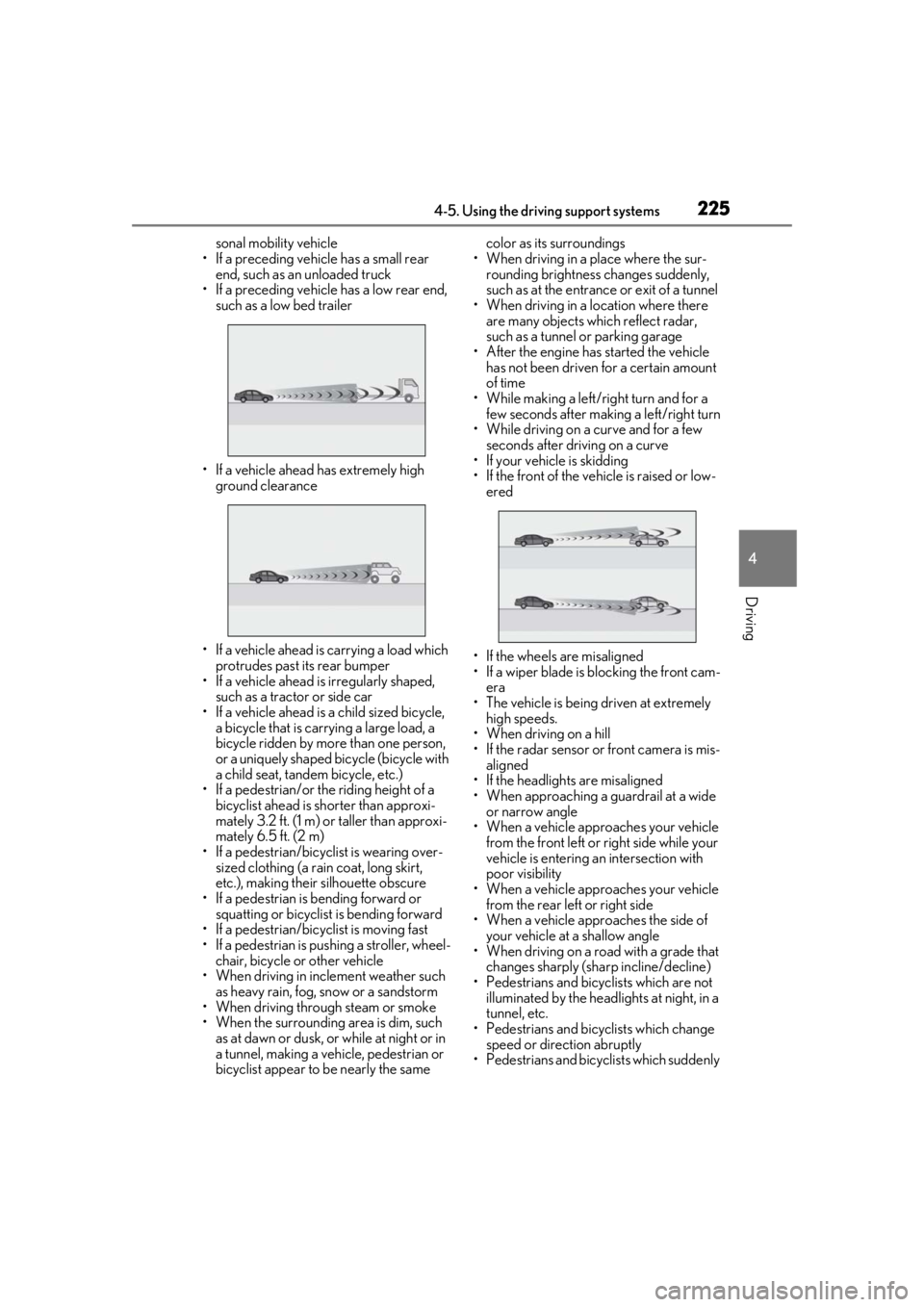
• If a preceding vehicle has a small rear end, such as an unloaded truck
• If a preceding vehicle has a low rear end, such as a low bed trailer
• If a vehicle ahead has extremely high ground clearance
• If a vehicle ahead is carrying a load which protrudes past its rear bumper
• If a vehicle ahead is irregularly shaped,
such as a tractor or side car
• If a vehicle ahead is a child sized bicycle, a bicycle that is carrying a large load, a
bicycle ridden by more than one person,
or a uniquely shaped bicycle (bicycle with
a child seat, tandem bicycle, etc.)
• If a pedestrian/or the riding height of a bicyclist ahead is shorter than approxi-
mately 3.2 ft. (1 m) or taller than approxi-
mately 6.5 ft. (2 m)
• If a pedestrian/bicyclist is wearing over- sized clothing (a rain coat, long skirt,
etc.), making their silhouette obscure
• If a pedestrian is bending forward or squatting or bicyclist is bending forward
• If a pedestrian/bicyclist is moving fast
• If a pedestrian is pushing a stroller, wheel- chair, bicycle or other vehicle
• When driving in incl ement weather such
as heavy rain, fog, snow or a sandstorm
• When driving through steam or smoke
• When the surrounding area is dim, such as at dawn or dusk, or while at night or in
a tunnel, making a vehicle, pedestrian or
bicyclist appear to be nearly the same color as its surroundings
• When driving in a place where the sur- rounding brightness changes suddenly,
such as at the entrance or exit of a tunnel
• When driving in a location where there are many objects which reflect radar,
such as a tunnel or parking garage
• After the engine has started the vehicle has not been driven for a certain amount
of time
• While making a left/right turn and for a few seconds after making a left/right turn
• While driving on a curve and for a few seconds after driving on a curve
• If your vehicle is skidding
• If the front of the vehicle is raised or low-
ered
• If the wheels are misaligned
• If a wiper blade is blocking the front cam- era
• The vehicle is being driven at extremely high speeds.
• When driving on a hill
• If the radar sensor or front camera is mis-
aligned
• If the headlights are misaligned
• When approaching a guardrail at a wide
or narrow angle
• When a vehicle approaches your vehicle
from the front left or right side while your
vehicle is entering an intersection with
poor visibility
• When a vehicle approaches your vehicle from the rear left or right side
• When a vehicle approaches the side of
your vehicle at a shallow angle
• When driving on a road with a grade that changes sharply (sha rp incline/decline)
• Pedestrians and bicyclists which are not
illuminated by the head lights at night, in a
tunnel, etc.
• Pedestrians and bicyclists which change
speed or direction abruptly
• Pedestrians and bicyclists which suddenly
Page 232 of 520
2324-5. Using the driving support systems
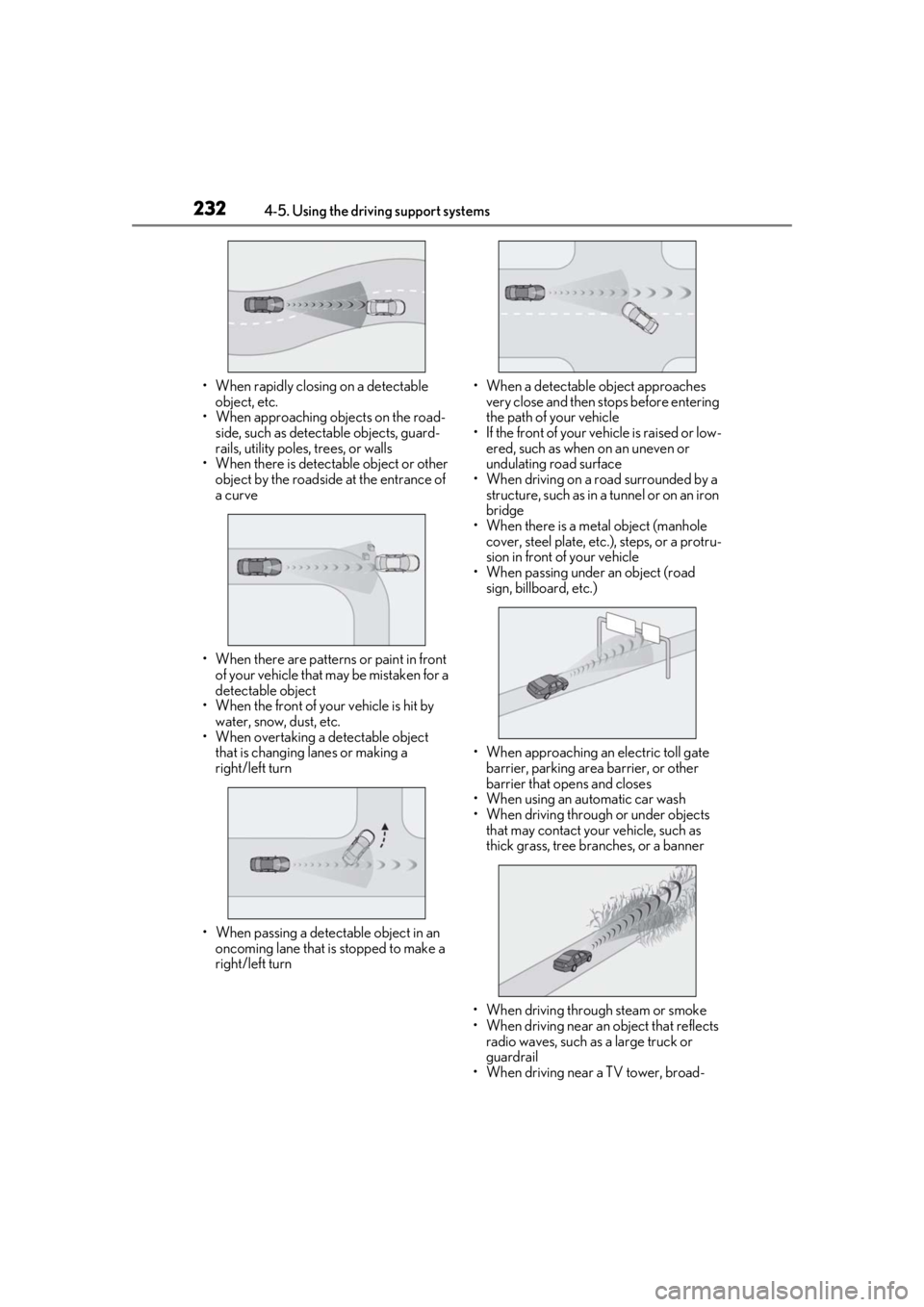
• When rapidly closing on a detectable object, etc.
• When approaching objects on the road-
side, such as detectable objects, guard-
rails, utility poles, trees, or walls
• When there is detectable object or other
object by the roadside at the entrance of
a curve
• When there are patterns or paint in front of your vehicle that may be mistaken for a
detectable object
• When the front of your vehicle is hit by water, snow, dust, etc.
• When overtaking a detectable object
that is changing lanes or making a
right/left turn
• When passing a detectable object in an oncoming lane that is stopped to make a
right/left turn • When a detectable object approaches
very close and then stops before entering
the path of your vehicle
• If the front of your vehicle is raised or low- ered, such as when on an uneven or
undulating road surface
• When driving on a road surrounded by a structure, such as in a tunnel or on an iron
bridge
• When there is a metal object (manhole cover, steel plate, etc.), steps, or a protru-
sion in front of your vehicle
• When passing under an object (road sign, billboard, etc.)
• When approaching an electric toll gate barrier, parking area barrier, or other
barrier that opens and closes
• When using an automatic car wash
• When driving through or under objects that may contact your vehicle, such as
thick grass, tree br anches, or a banner
• When driving through steam or smoke
• When driving near an object that reflects radio waves, such as a large truck or
guardrail
• When driving near a TV tower, broad-
Page 236 of 520
2364-5. Using the driving support systems
■Enabling/disabling the FCTA sys-
tem
The FCTA system can be enabled/dis-
abled on ( P.82) of the
multi-information display.
The system is automatically enabled each
time the engine switch is turned to IGNI-
TION ON mode.
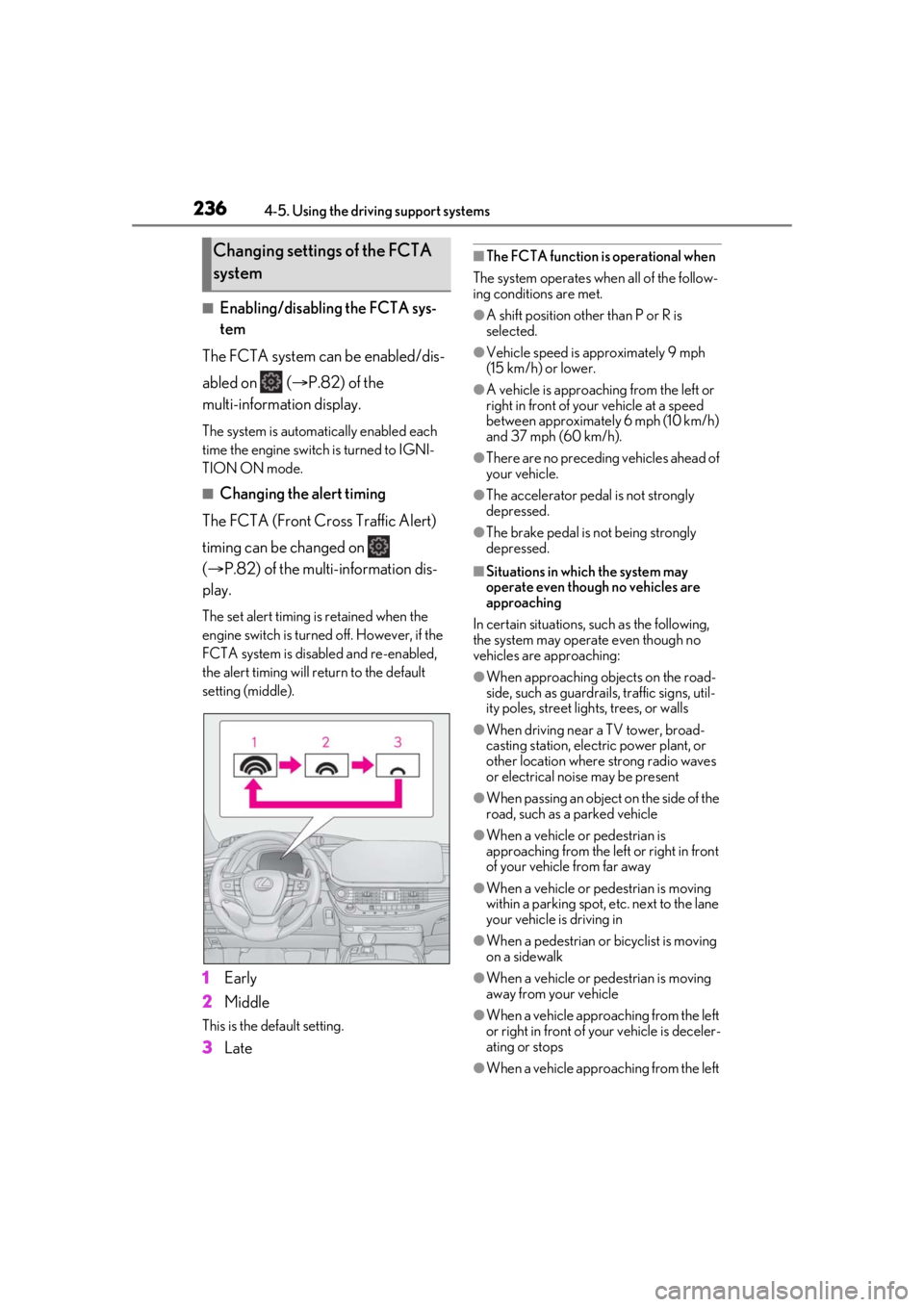
■Changing the alert timing
The FCTA (Front Cross Traffic Alert)
timing can be changed on
( P.82) of the multi-information dis-
play.
The set alert timing is retained when the
engine switch is turned off. However, if the
FCTA system is disabled and re-enabled,
the alert timing will return to the default
setting (middle).
1 Early
2 Middle
This is the default setting.
3Late
■The FCTA function is operational when
The system operates when all of the follow-
ing conditions are met.
●A shift position other than P or R is
selected.
●Vehicle speed is approximately 9 mph
(15 km/h) or lower.
●A vehicle is approaching from the left or
right in front of your vehicle at a speed
between approximately 6 mph (10 km/h)
and 37 mph (60 km/h).
●There are no preceding vehicles ahead of
your vehicle.
●The accelerator peda l is not strongly
depressed.
●The brake pedal is not being strongly
depressed.
■Situations in which the system may
operate even though no vehicles are
approaching
In certain situations, such as the following,
the system may operate even though no
vehicles are approaching:
●When approaching objects on the road-
side, such as guardrails , traffic signs, util-
ity poles, street lig hts, trees, or walls
●When driving near a TV tower, broad-
casting station, electr ic power plant, or
other location where strong radio waves
or electrical noise may be present
●When passing an object on the side of the
road, such as a parked vehicle
●When a vehicle or pedestrian is
approaching from the left or right in front
of your vehicle from far away
●When a vehicle or pedestrian is moving
within a parking spot, etc. next to the lane
your vehicle is driving in
●When a pedestrian or bicyclist is moving
on a sidewalk
●When a vehicle or pedestrian is moving
away from your vehicle
●When a vehicle approaching from the left
or right in front of your vehicle is deceler-
ating or stops
●When a vehicle approaching from the left
Changing settings of the FCTA
system
Page 237 of 520
2374-5. Using the driving support systems
4
Driving
or right in front of your vehicle makes a
left/right turn immediately in front of your
vehicle
●When a pedestrian is approaching your
vehicle
●When an oncoming vehicle makes a
left/right turn
●When your vehicle enters an intersection
before a vehicle approaching from the
left or right in front of your vehicle
●When stopped at traffic light and a vehi-
cle approaches from the left or right in
front of your vehicle
●When driving in a lo cation where there
are objects which reflect radar, such as
vehicles, guardrails, walls, traffic signs,
etc.
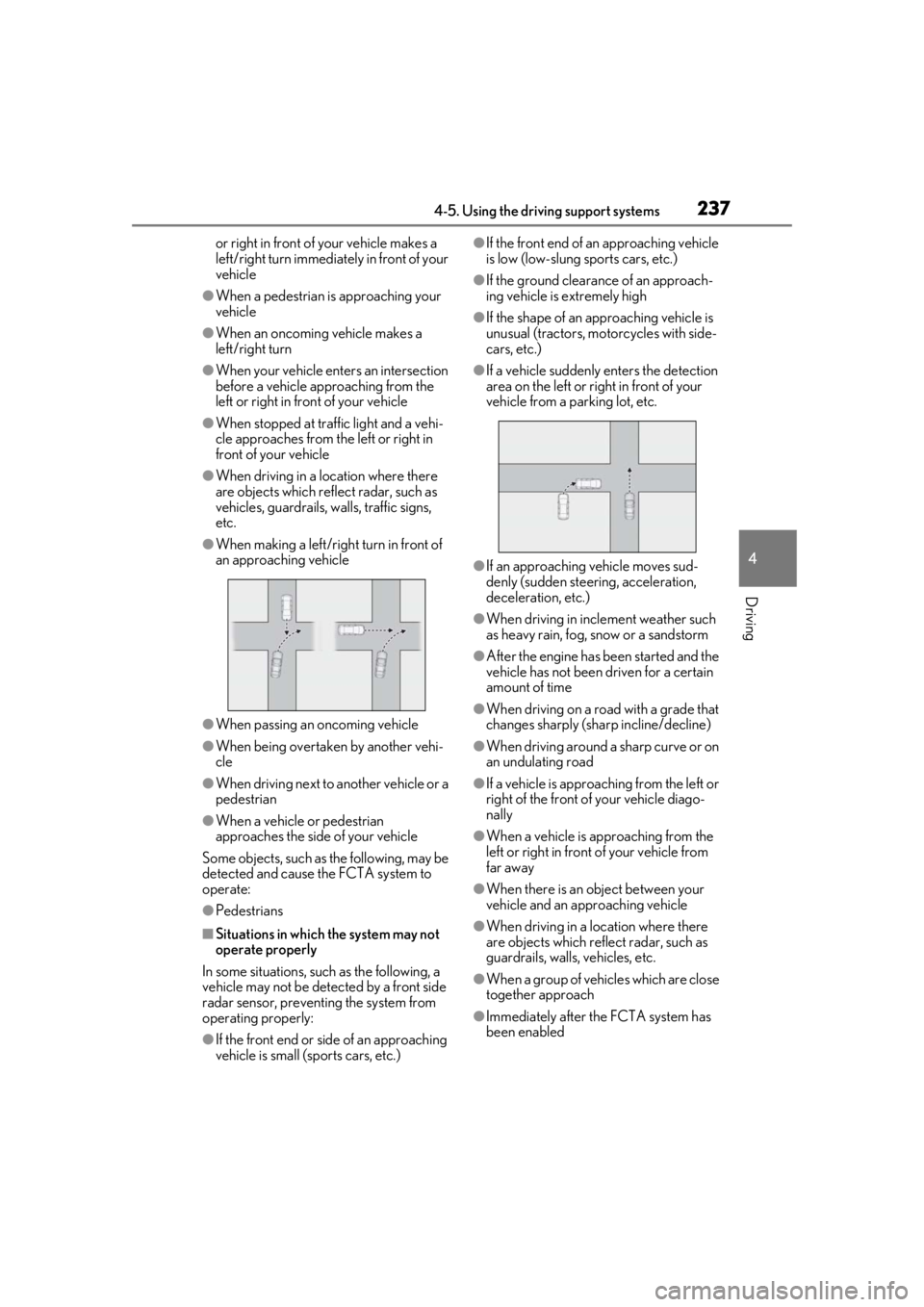
●When making a left/rig ht turn in front of
an approaching vehicle
●When passing an oncoming vehicle
●When being overtaken by another vehi-
cle
●When driving next to another vehicle or a
pedestrian
●When a vehicle or pedestrian
approaches the side of your vehicle
Some objects, such as the following, may be
detected and cause the FCTA system to
operate:
●Pedestrians
■Situations in which the system may not
operate properly
In some situations, such as the following, a
vehicle may not be detected by a front side
radar sensor, preventing the system from
operating properly:
●If the front end or si de of an approaching
vehicle is small (sports cars, etc.)
●If the front end of an approaching vehicle
is low (low-slung sports cars, etc.)
●If the ground clearance of an approach-
ing vehicle is extremely high
●If the shape of an approaching vehicle is
unusual (tractors, motorcycles with side-
cars, etc.)
●If a vehicle suddenly enters the detection
area on the left or right in front of your
vehicle from a parking lot, etc.
●If an approaching vehicle moves sud-
denly (sudden steering, acceleration,
deceleration, etc.)
●When driving in inclement weather such
as heavy rain, fog, snow or a sandstorm
●After the engine has been started and the
vehicle has not been driven for a certain
amount of time
●When driving on a road with a grade that
changes sharply (sha rp incline/decline)
●When driving around a sharp curve or on
an undulating road
●If a vehicle is approach ing from the left or
right of the front of your vehicle diago-
nally
●When a vehicle is approaching from the
left or right in front of your vehicle from
far away
●When there is an object between your
vehicle and an approaching vehicle
●When driving in a location where there
are objects which reflect radar, such as
guardrails, walls, vehicles, etc.
●When a group of vehicles which are close
together approach
●Immediately after the FCTA system has
been enabled
Page 262 of 520
2624-5. Using the driving support systems
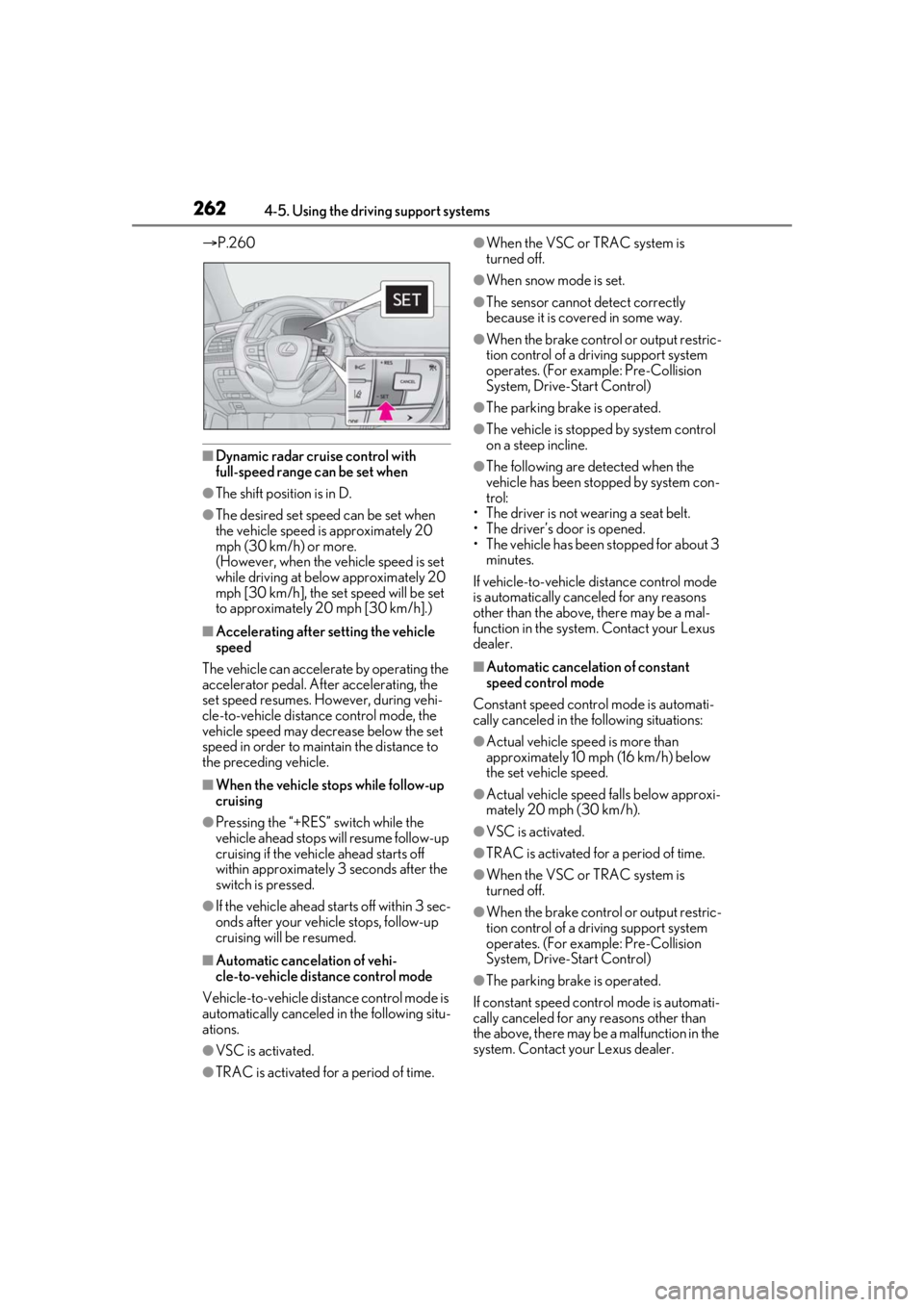
P.260
■Dynamic radar cruise control with
full-speed range can be set when
●The shift position is in D.
●The desired set spee d can be set when
the vehicle speed is approximately 20
mph (30 km/h) or more.
(However, when the vehicle speed is set
while driving at below approximately 20
mph [30 km/h], the set speed will be set
to approximately 20 mph [30 km/h].)
■Accelerating after setting the vehicle
speed
The vehicle can accelerate by operating the
accelerator pedal. After accelerating, the
set speed resumes. However, during vehi-
cle-to-vehicle distance control mode, the
vehicle speed may decrease below the set
speed in order to maintain the distance to
the preceding vehicle.
■When the vehicle stops while follow-up
cruising
●Pressing the “+RES” switch while the
vehicle ahead stops w ill resume follow-up
cruising if the vehicle ahead starts off
within approximately 3 seconds after the
switch is pressed.
●If the vehicle ahead starts off within 3 sec-
onds after your vehicle stops, follow-up
cruising will be resumed.
■Automatic cancelation of vehi-
cle-to-vehicle distance control mode
Vehicle-to-vehicle dist ance control mode is
automatically canceled in the following situ-
ations.
●VSC is activated.
●TRAC is activated for a period of time.
●When the VSC or TRAC system is
turned off.
●When snow mode is set.
●The sensor cannot detect correctly
because it is covered in some way.
●When the brake control or output restric-
tion control of a driving support system
operates. (For example: Pre-Collision
System, Drive-Start Control)
●The parking brake is operated.
●The vehicle is stopped by system control
on a steep incline.
●The following are detected when the
vehicle has been stopped by system con-
trol:
• The driver is not wearing a seat belt.
• The driver’s door is opened.
• The vehicle has been stopped for about 3 minutes.
If vehicle-to-vehicle distance control mode
is automatically canceled for any reasons
other than the above, there may be a mal-
function in the system. Contact your Lexus
dealer.
■Automatic cancelation of constant
speed control mode
Constant speed control mode is automati-
cally canceled in the following situations:
●Actual vehicle speed is more than
approximately 10 mph (16 km/h) below
the set vehicle speed.
●Actual vehicle speed falls below approxi-
mately 20 mph (30 km/h).
●VSC is activated.
●TRAC is activated for a period of time.
●When the VSC or TRAC system is
turned off.
●When the brake control or output restric-
tion control of a driving support system
operates. (For example: Pre-Collision
System, Drive-Start Control)
●The parking brake is operated.
If constant speed control mode is automati-
cally canceled for any reasons other than
the above, there may be a malfunction in the
system. Contact your Lexus dealer.