lights LEXUS LS600H 2017 Workshop Manual
[x] Cancel search | Manufacturer: LEXUS, Model Year: 2017, Model line: LS600H, Model: LEXUS LS600H 2017Pages: 676, PDF Size: 35.25 MB
Page 357 of 676
3574-5. Using the driving support systems
4
Driving
LS600h/LS600hL_EE(OM50G20E)
CAUTION
■Handling the camera sensors (if equipped)
Observe the following to ensure that the PCS functions effectively:
●Keep the windshield clean at all times.
PCS effectiveness may be reduced due to the presence of raindrops, condensa-
tion, ice or snow on the windshield.
●Do not subject the camera sensor to a st rong impact or force, and do not disas-
semble the camera sensor.
●Do not change the installation position of the camera sensor, or remove and rein-
stall it. The direction of the camera sensor is precisely adjusted.
●When the windshield fogs up, use the wi ndshield defogger to dry the windshield.
During cold weather, using the heater with air blowing to the feet may allow the
upper part of the windshield to fog up, having a negative effect on the images.
●Do not place anything on the dashboard.
Images reflected on the windshield may reduce the effectiveness of the camera
sensor.
●Do not scratch the camera lens, or let it get dirty.
●Do not attach a sticker or other items to the windshield near the camera sensor.
■Headlights (vehicles with camera sensors)
●Observe the following to ensure proper near-infrared ray projection:
• Keep the headlights clean at all times.
• The detection performance may deteriorate if the high beams are misaligned
or inoperative.
●The near-infrared ray transmitters project strong energy that is not visible.
Although the transmitters normally turn off when the vehicle is stopped, never
look into the headlights for your safety.
Page 361 of 676
3614-5. Using the driving support systems
4
Driving
LS600h/LS600hL_EE(OM50G20E)
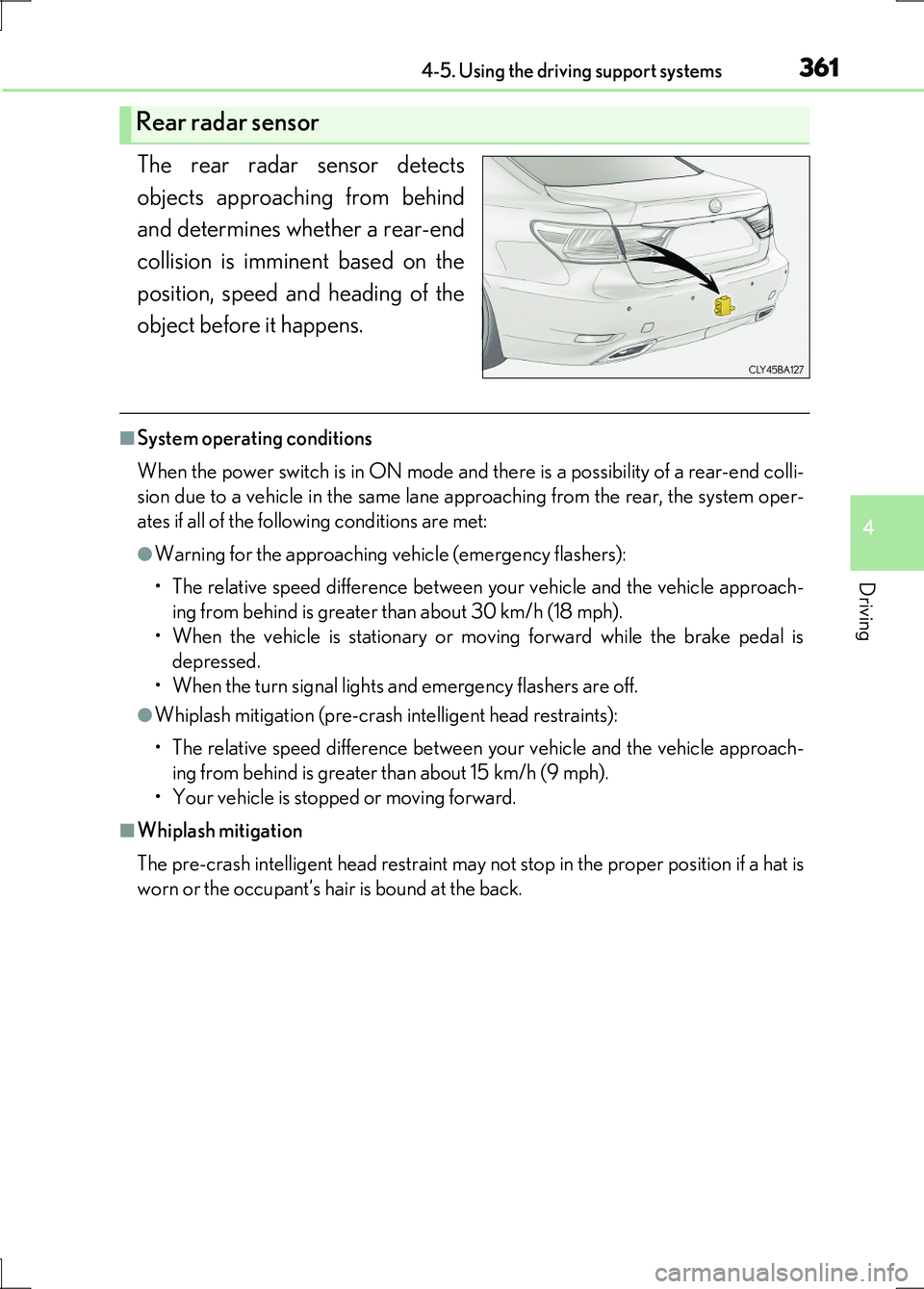
The rear radar sensor detects
objects approaching from behind
and determines whether a rear-end
collision is imminent based on the
position, speed and heading of the
object before it happens.
■System operating conditions
When the power switch is in ON mode and there is a possibility of a rear-end colli-
sion due to a vehicle in the same lane approaching from the rear, the system oper-
ates if all of the following conditions are met:
●Warning for the approaching vehicle (emergency flashers):
• The relative speed difference between your vehicle and the vehicle approach-
ing from behind is greater than about 30 km/h (18 mph).
• When the vehicle is stationary or moving forward while the brake pedal is
depressed.
• When the turn signal lights and emergency flashers are off.
●Whiplash mitigation (pre-crash intelligent head restraints):
• The relative speed difference between your vehicle and the vehicle approach-
ing from behind is greater than about 15 km/h (9 mph).
• Your vehicle is stopped or moving forward.
■Whiplash mitigation
The pre-crash intelligent head restraint may not stop in the proper position if a hat is
worn or the occupant’s hair is bound at the back.
Rear radar sensor
Page 362 of 676
3624-5. Using the driving support systems
LS600h/LS600hL_EE(OM50G20E)
■Conditions in which it is hard for the sensor to detect objects
The rear pre-crash safety system is not a system that can detect all possible rear-end
collisions. The system may not operate in th e following situations. Always be aware of
the surrounding conditions.
●The vehicle posture is abnormal.
●The sensor may not detect objects such as bicycles and motorcycles.
●Raindrops, ice or snow are attached to the rear bumper.
●The road has curves or is bumpy.
●A rear-end collision occurs from an angle or with a large offset.
■Conditions that may trigger the system even if there is no danger of a rear-end col-
lision
●Another vehicle drives past just behind your vehicle when your vehicle is stopped
to turn right or left.
●Another vehicle drives past just beside your vehicle when your vehicle is stopped
on the side of the road.
●The vehicle behind you passes your vehicle from a short distance while your vehicle
is moving.
●The vehicle behind you approaches your vehicle rapidly to a close distance while
your vehicle is moving or stopped.
■When there is a malfunction in the system
Warning lights and/or warning messages will turn on or flash. ( P. 557, 563)
Page 377 of 676
3774-5. Using the driving support systems
4
Driving
LS600h/LS600hL_EE(OM50G20E)
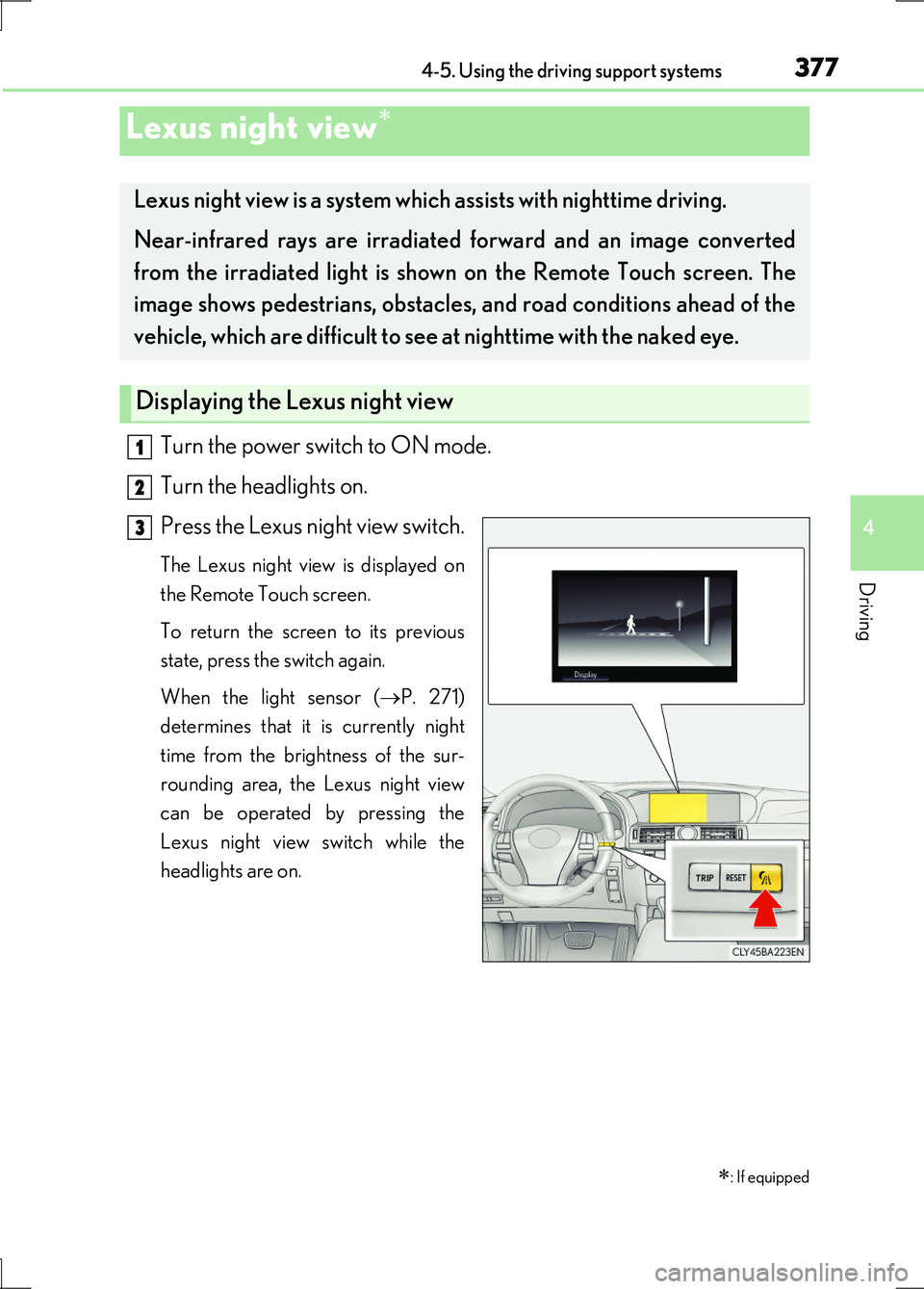
Turn the power switch to ON mode.
Turn the headlights on.
Press the Lexus night view switch.
The Lexus night view is displayed on
the Remote Touch screen.
To return the screen to its previous
state, press the switch again.
When the light sensor ( P. 271)
determines that it is currently night
time from the brightness of the sur-
rounding area, the Lexus night view
can be operated by pressing the
Lexus night view switch while the
headlights are on.
Lexus night view
: If equipped
Lexus night view is a system which assists with nighttime driving.
Near-infrared rays are irradiated forward and an image converted
from the irradiated light is show n on the Remote Touch screen. The
image shows pedestrians, obstacles, and road conditions ahead of the
vehicle, which are difficult to see at nighttime with the naked eye.
Displaying the Lexus night view
1
2
3
Page 380 of 676
3804-5. Using the driving support systems
LS600h/LS600hL_EE(OM50G20E)
CAUTION
■Before using the Lexus night view
Never depend on this system only.
Lexus night view is intended as a supplemental aid to help you see pedestrians and
road conditions ahead of the vehicle. As there are limits to the system, do not rely
solely on the system while in use, and drive safely while observing the following
precautions.
■When using the Lexus night view
Observe the following precautions.
Failure to do so may cause an accident resulting in death or serious injury.
●Never drive while looking at the Lexus night view screen only.
●Do not look continuously at the Lexus ni ght view screen while driving. Pedestri-
ans, objects etc. ahead of the vehicle may be overlooked by the system. The sys-
tem should always be used as a supplemental aid only.
●Lexus night view is designed to help you see objects better when driving in dark-
ness on a road with few curves. Do not use the Lexus night view in well-lit areas or
on roads with many curves or slopes. There may be areas that cannot be dis-
played by the system due to the road conditions (curve size, gradient, etc.)
●Lexus night view may be unable to project some features at an appropriate level
of brightness. Some or all parts of certain features may be dark or difficult to see.
Do not rely solely on the Lexus night view, and drive carefully while checking the
surroundings for safety, as you would with a normal vehicle. Also, the following
features and conditions may not be displayed clearly.
Features that are difficult to display:
• Clothing of a pedestrian made of a certain kind of material (ex. leather jackets)
• The characters on signs and billboards
• The information on road signs
Conditions in which display is difficult:
• Unfavorable weather conditions such as rain, fog, snowfall, snow storms etc.
• There are large puddles of water on the road surface following rainfall
• The area of the windshield in front of the camera is fogged up, dirty or icy
• The areas around the headlights are covered with ice, snow, mud etc.
• The 12-volt battery voltage is remarkably low
• There are bright lights ahead of the vehicle
Page 381 of 676
3814-5. Using the driving support systems
4
Driving
LS600h/LS600hL_EE(OM50G20E)
CAUTION
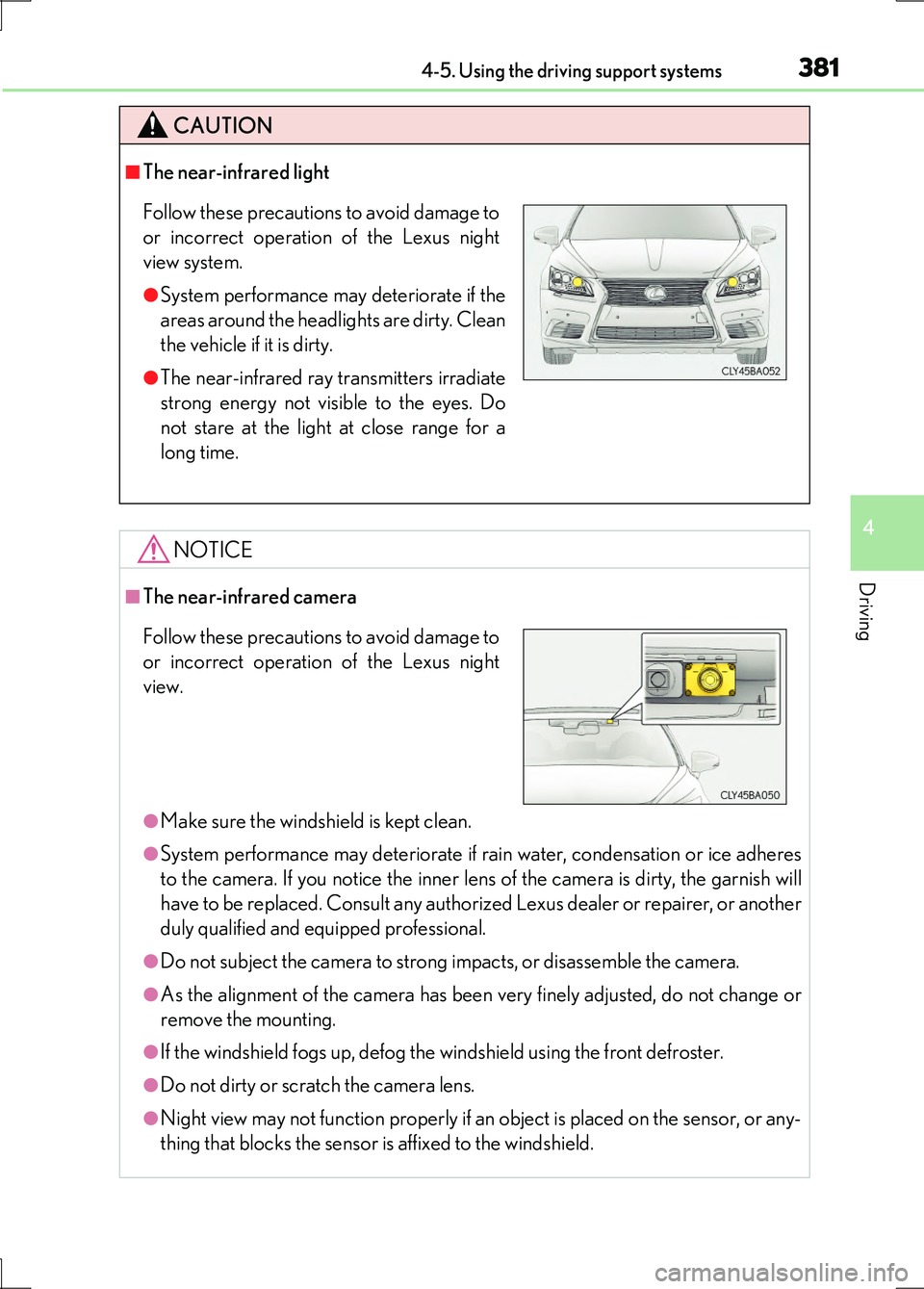
■The near-infrared light
NOTICE
■The near-infrared camera
●Make sure the windshield is kept clean.
●System performance may deteriorate if rain water, condensation or ice adheres
to the camera. If you notice the inner lens of the camera is dirty, the garnish will
have to be replaced. Consult any authorized Lexus dealer or repairer, or another
duly qualified and equipped professional.
●Do not subject the camera to strong impacts, or disassemble the camera.
●As the alignment of the camera has been very finely adjusted, do not change or
remove the mounting.
●If the windshield fogs up, defog the windshield using the front defroster.
●Do not dirty or scratch the camera lens.
●Night view may not function properly if an object is placed on the sensor, or any-
thing that blocks the sensor is affixed to the windshield.
Follow these precautions to avoid damage to
or incorrect operation of the Lexus night
view system.
●System performance may deteriorate if the
areas around the headlights are dirty. Clean
the vehicle if it is dirty.
●The near-infrared ray transmitters irradiate
strong energy not visible to the eyes. Do
not stare at the light at close range for a
long time.
Follow these precautions to avoid damage to
or incorrect operation of the Lexus night
view.
Page 382 of 676
382
LS600h/LS600hL_EE(OM50G20E)
4-6. Driving tips
■Using Eco drive mode
When using Eco drive mode, the torque corresponding to the acceler-
ator pedal depression amount can be generated more smoothly than it
is in normal conditions. In addition, the operation of the air conditioning
system (heating/cooling) will be minimized, improving the fuel econ-
omy. ( P. 334)
■Use of Hybrid System Indicator
The Eco-friendly driving is possible by keeping the indicate of Hybrid
System Indicator within Eco area. ( P. 119)
■When braking the vehicle
Make sure to operate the brakes gently and in good time. A greater
amount of electrical energy can be retained when slowing down.
■Delays
Repeated acceleration and deceleration, as well as long waits at traffic
lights, will lead to bad fuel consumption. Check traffic reports before
leaving and avoid delays as much as possible. When encountering a
delay, gently release the brake peda l to allow the vehicle to move for-
ward slightly while avoiding overuse of the accelerator pedal. Doing so
can help control excessive gasoline consumption.
■Highway driving
Control your speed and keep at a constant speed. Also, before stop-
ping at a toll booth or similar, allow plenty of time to release the acceler-
ator and gently apply the brakes. A greater amount of electrical energy
can be retained when slowing down.
Hybrid vehicle driving tips
For economical and ecological driving, pay attention to the following
points:
Page 385 of 676
3854-6. Driving tips
4
Driving
LS600h/LS600hL_EE(OM50G20E)
Perform the following according to the driving conditions:
●Do not try to forcibly open a window or move a wiper that is frozen.
Pour warm water over the frozen area to melt the ice. Wipe away the
water immediately to prevent it from freezing.
●To ensure proper operation of the climate control system fan, remove
any snow that has accumulated on the air inlet vents in front of the wind-
shield.
●Check for and remove any excess ice or snow that may have accumu-
lated on the exterior lights, vehicle’s roof, chassis, around the tires or on
the brakes.
●Remove any snow or mud from the bottom of your shoes before getting
in the vehicle.
Accelerate the vehicle slowly, keep a safe distance between you and the
vehicle ahead, and drive at a reduced speed suitable to road conditions.
●Park the vehicle and move the shift lever to P without setting the park-
ing brake. The parking brake may free ze up, preventing it from being
released. If the vehicle is parked without setting the parking brake,
make sure to block the wheels.
Failure to do so may be dangerous because it may cause the vehicle to
move unexpectedly, possibly leading to an accident.
●If the vehicle is parked without setting the parking brake, confirm that
the shift lever cannot be moved out of P*.
*: The shift lever will be locked if it is attempted to be shifted from P to any other
position without depressing the brake pedal. If the shift lever can be shifted
from P, there may be a problem with the shift lock system. Have the vehicle
inspected by any authorized Lexus dealer or repairer, or another duly qualified
and equipped professional.
Before driving the vehicle
When driving the vehicle
When parking the vehicle
Page 389 of 676
389
5Interior features
LS600h/LS600hL_EE(OM50G20E)
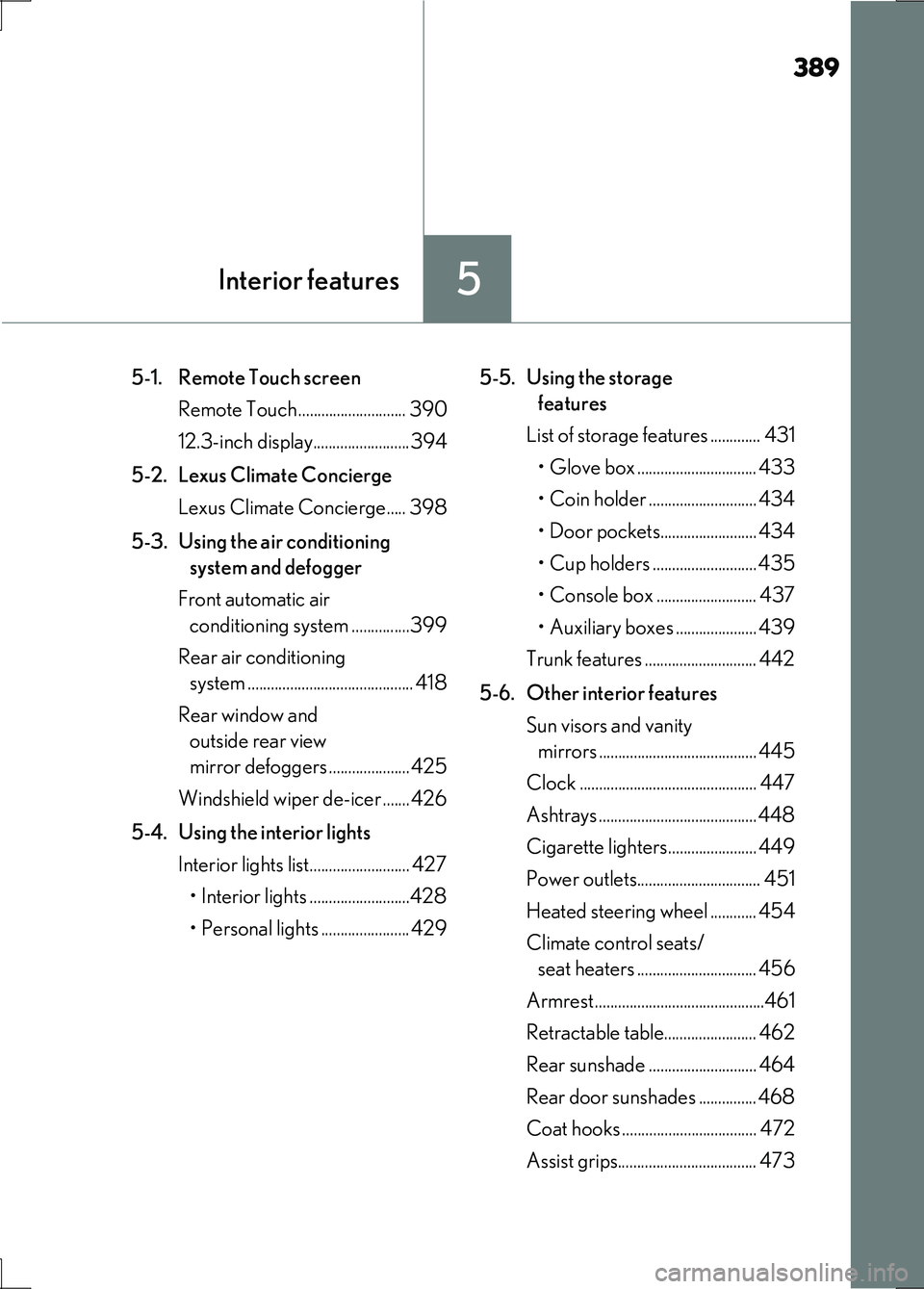
5-1. Remote Touch screen
Remote Touch ............................ 390
12.3-inch display.........................394
5-2. Lexus Climate Concierge
Lexus Climate Concierge..... 398
5-3. Using the air conditioning
system and defogger
Front automatic air
conditioning system ...............399
Rear air conditioning
system ........................................... 418
Rear window and
outside rear view
mirror defoggers .....................425
Windshield wiper de-icer ....... 426
5-4. Using the interior lights
Interior lights list.......................... 427
• Interior lights ..........................428
• Personal lights ....................... 429
5-5. Using the storage
features
List of storage features ............. 431
• Glove box ............................... 433
• Coin holder ............................ 434
• Door pockets......................... 434
• Cup holders ........................... 435
• Console box .......................... 437
• Auxiliary boxes ..................... 439
Trunk features ............................. 442
5-6. Other interior features
Sun visors and vanity
mirrors ......................................... 445
Clock .............................................. 447
Ashtrays .........................................448
Cigarette lighters....................... 449
Power outlets................................ 451
Heated steering wheel ............ 454
Climate control seats/
seat heaters ............................... 456
Armrest............................................461
Retractable table........................ 462
Rear sunshade ............................ 464
Rear door sunshades ............... 468
Coat hooks ................................... 472
Assist grips.................................... 473
Page 427 of 676
427
5
Interior features
LS600h/LS600hL_EE(OM50G20E)
5-4. Using the interior lights
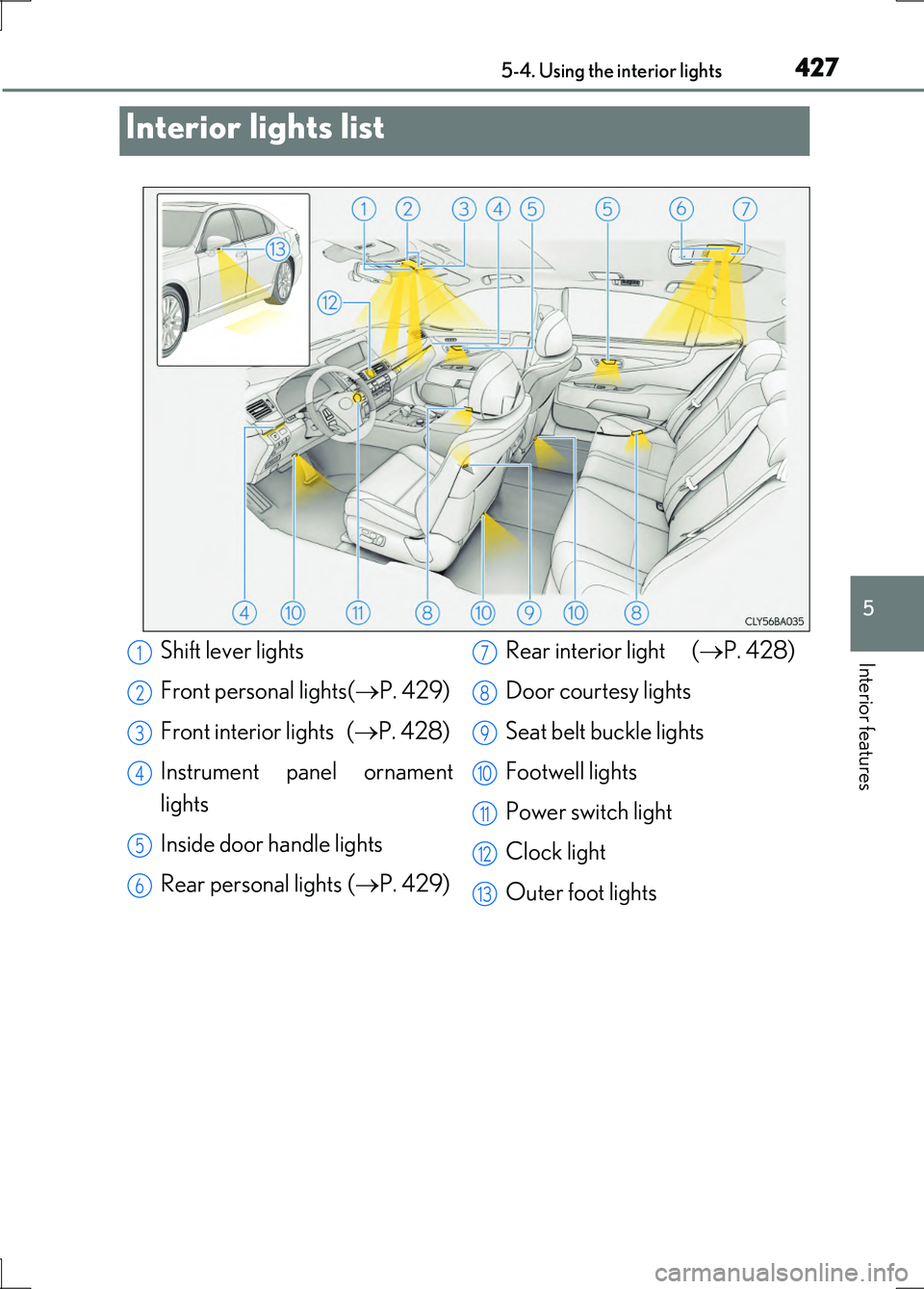
Interior lights list
Shift lever lights
Front personal lights( P. 429)
Front interior lights ( P. 428)
Instrument panel ornament
lights
Inside door handle lights
Rear personal lights ( P. 429)
Rear interior light ( P. 428)
Door courtesy lights
Seat belt buckle lights
Footwell lights
Power switch light
Clock light
Outer foot lights
1
2
3
4
5
6
7
8
9
10
11
12
13