lock LEXUS LX470 2007 Workshop Manual
[x] Cancel search | Manufacturer: LEXUS, Model Year: 2007, Model line: LX470, Model: LEXUS LX470 2007Pages: 426, PDF Size: 10.95 MB
Page 131 of 426
113
2-3. Operating the lights and windshield wipers
2
When driving
■Daytime running light system
To make your vehicle more visible to other drivers, the headlights turn on automati-
cally (at a reduced intensity) whenever the engine is started and the parking brake
is released. Daytime running lights are not designed for use at night.
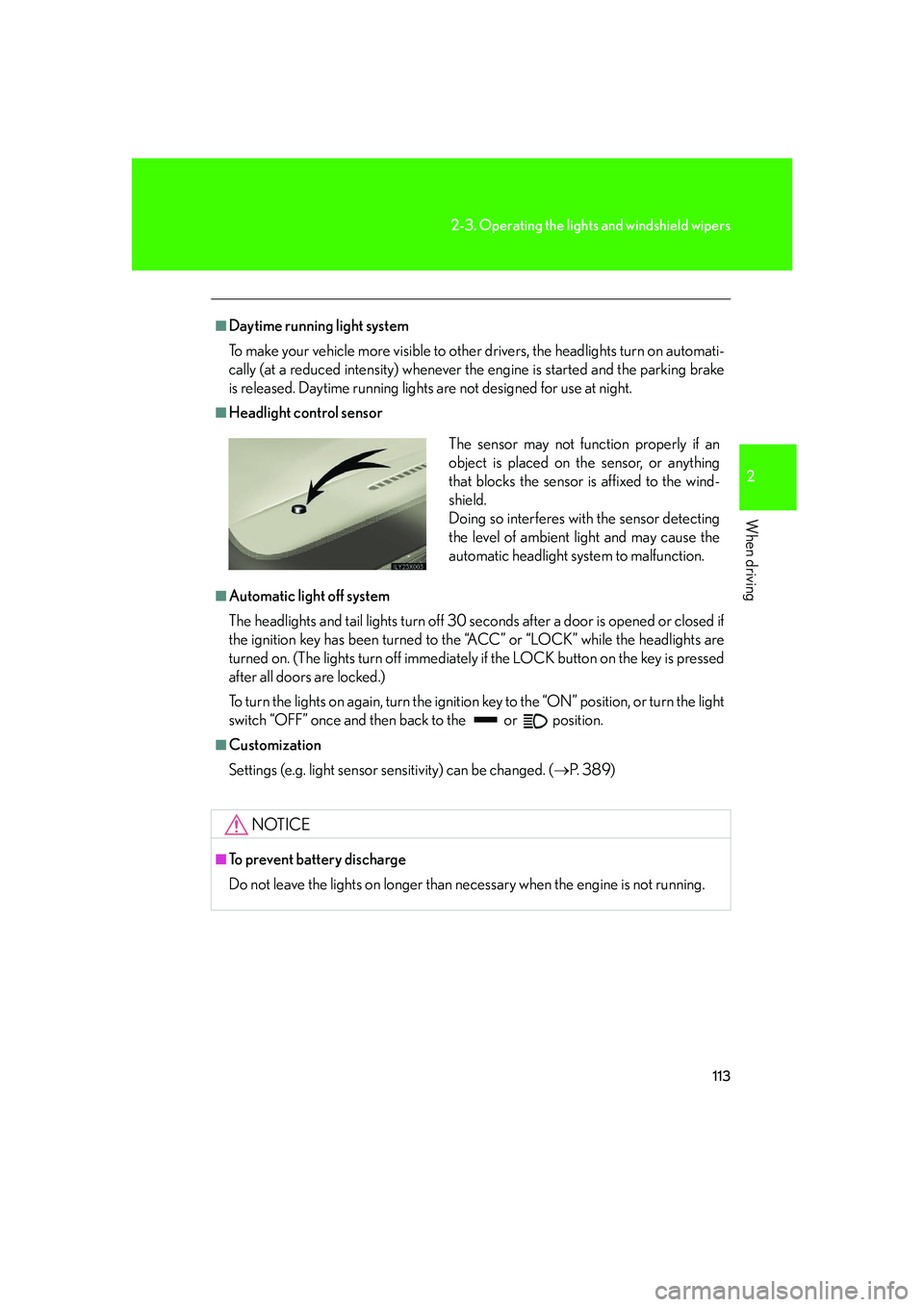
■Headlight control sensor
■Automatic light off system
The headlights and tail lights turn off 30 seconds after a door is opened or closed if
the ignition key has been turned to the “ACC” or “LOCK” while the headlights are
turned on. (The lights turn off immediately if the LOCK button on the key is pressed
after all doors are locked.)
To turn the lights on again, turn the ignition key to the “ON” position, or turn the light
switch “OFF” once and then back to the or position.
■Customization
Settings (e.g. light sensor sensitivity) can be changed. ( P. 3 8 9 )
NOTICE
■To prevent battery discharge
Do not leave the lights on longer than necessary when the engine is not running.
The sensor may not function properly if an
object is placed on the sensor, or anything
that blocks the sensor is affixed to the wind-
shield.
Doing so interferes with the sensor detecting
the level of ambient light and may cause the
automatic headlight system to malfunction.
Page 134 of 426
116
2-3. Operating the lights and windshield wipers
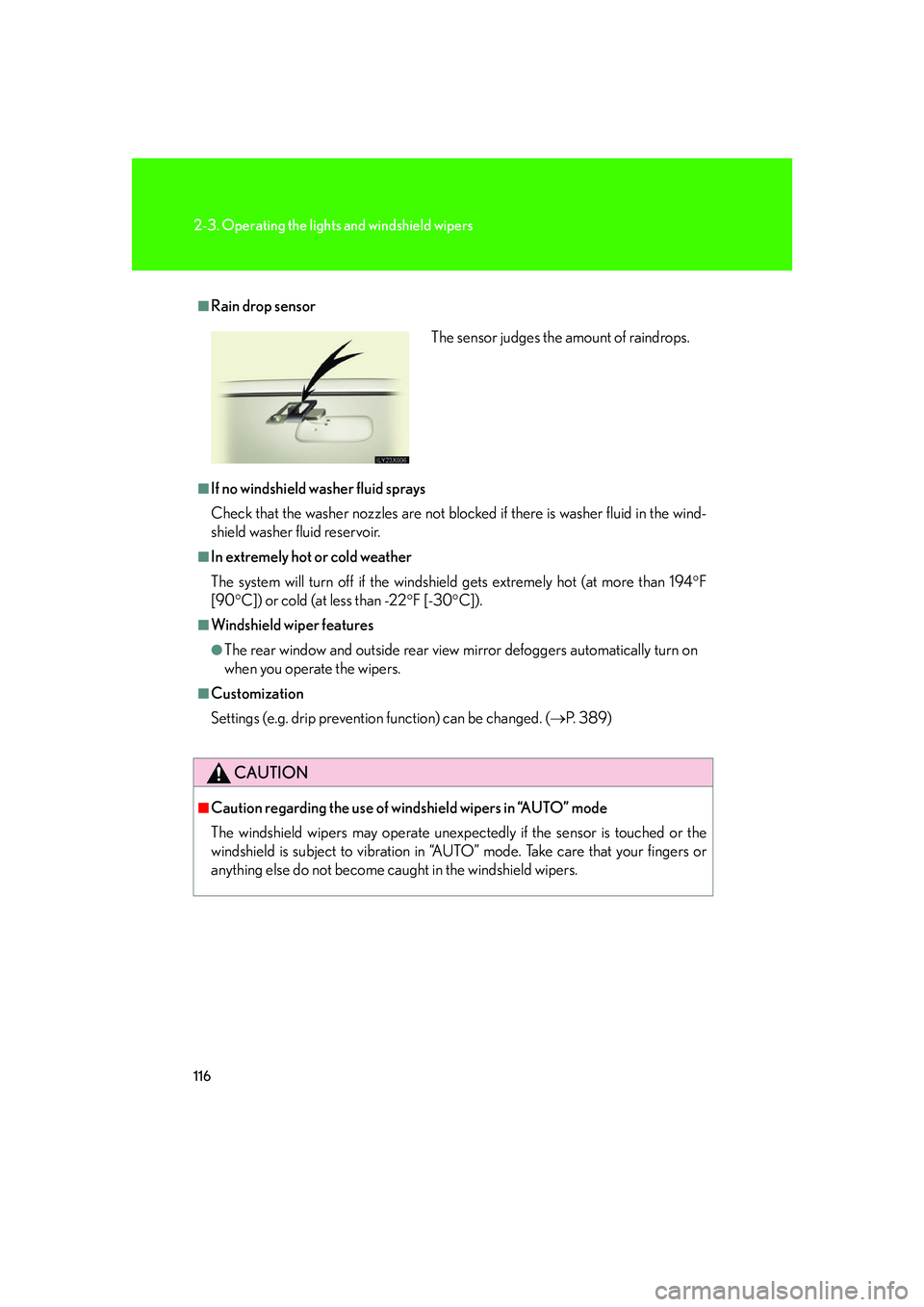
■Rain drop sensor
■If no windshield washer fluid sprays
Check that the washer nozzles are not blocked if there is washer fluid in the wind-
shield washer fluid reservoir.
■In extremely hot or cold weather
The system will turn off if the windshield gets extremely hot (at more than 194F
[90 C]) or cold (at less than -22 F [-30C]).
■Windshield wiper features
●The rear window and outside rear view mirror defoggers automatically turn on
when you operate the wipers.
■Customization
Settings (e.g. drip prevention function) can be changed. (P. 3 8 9 )
CAUTION
■Caution regarding the use of windshield wipers in “AUTO” mode
The windshield wipers may operate unexpect edly if the sensor is touched or the
windshield is subject to vibration in “AUTO” mode. Take care that your fingers or
anything else do not become caught in the windshield wipers.
The sensor judges the amount of raindrops.
Page 146 of 426

128
2-4. Using other driving systems
CAUTION
■While driving
●This system should be used as a supplemental aid to help you see objects. Never
depend on this system only. Be sure to view objects with your own eyes.
●This system is designed to help you see objects better when driving in a flat area
with few curves in darkness. Use of this function in an area with many curves or
slopes or in a well-lit area could cause an accident.
■Conditions which may affect the Lexus night view system
●If the front bumper is deformed in a collision, etc., the performance of the near-
infrared floodlight will be affected. Have it repaired or replaced by your Lexus
dealer.
●If you notice the inner lens of the near-infrared camera is dirty, have it inspected
by your Lexus dealer.
●If the top of the windshield fogs up, the lens of the near-infrared camera will also
fog up, resulting in deterioration of the system performance. Defog the wind-
shield by pushing the windshield air flow button on the air conditioning.
●If the outside temperature is low, the head-up display may darken or it may take
time to display the image with the system on.
●The automatic light control sensor may not function properly if an object is placed
on the sensor, or anything that blocks the sensor is affixed to the windshield.
■To a v o i d i n j u r y
The near-infrared floodlight irradiates stro ng energy nut visible to the eyes. Do not
stare at the floodlight at close range for a long time.
Page 152 of 426

134
2-4. Using other driving systems
■If the vehicle height does not change
If the vehicle is loaded too heavily, or the undercarriage has come into contact with
the road surface, the vehicle height cannot be raised/lowered. In this case, the indi-
cator lights will change as follows:
●The current mode indicator light will turn off, and the target mode indicator light
will begin flashing.
●The target mode indicator light will turn off, and the original mode indicator light
will be lit once more. (The vehicle height does not change.)
■In the following cases AHC will not operate
●The brake pedal has been depressed for longer than 5 seconds while the vehi-
cle is stopped.
●The suspension fluid temperature is lower than -22°F (-30°C).
●Driving on bumpy roads which may cause the suspension to fully elongate.
●If the steering wheel is abruptly turned more than 3/4 of a revolution with the
center differential lock system activated.
■Cold weather operation
It may take longer for the vehicle height to change if the suspension fluid tempera-
ture drops below -5°F (-15°C).
AHC does not operate when the suspension fluid temperature drops below -22°F
(-30°C).
●In this case, the selected height mode indicator light will flash when the height
mode select switch is pressed, however the vehicle height will not change.
Once the engine has warmed the suspension fluid to within normal operating
limits, AHC will begin operating and the vehicle height will automatically
change to the selected mode.
●When the suspension fluid is around -22°F (-30°C), the vehicle height may not
be able to be raised, even if AHC is operating. In this case, push “ ▼” then “▲ ”
on the height mode select switch after further warming the engine to select the
desired vehicle height.
Page 157 of 426

139
2-4. Using other driving systems
2
When driving
Four-wheel drive system
■The four-wheel drive control lever can be operated when
●The shift lever is in the “N” position, and
●The vehicle is stopped completely.
Use the four-wheel drive control lever and center differential lock/unlock
switch to select following transfer and center differential modes.
Four-wheel drive control lever“H” (high speed position)
Normal driving on all types of
roads.
“N” (neutral position)
No power is delivered to the
wheels.
“L” (low speed position)
Driving requiring maximum
power and traction such as
climbing or descending steep
hills off-road driving and hard
pulling in sand or mud, etc.
Center differential lock/unlock switchLock the center differential
when your vehicle’s wheels get
stuck in a ditch or when you are
driving on a slippy or bumpy
surface.
After the wheels are out of the
ditch or off the slippy or bumpy
surface, unlock the center dif-
ferential.
Page 158 of 426
140
2-4. Using other driving systems
■Advice for driving on slippery roads in “L” (low speed position)
●If you shift the four-wheel drive control lever to “L” and the shift lever to “2” while
driving in steep off-road areas, the output of the brake can be controlled effec-
tively by the active traction control system, which assists the driver to control the
driving power of 4 wheels.
●Use the “L” position of the shift lever for maximum power and traction when
your wheels get stuck or when you drive down a steep incline. In the following
cases, the output of the brake can be co ntrolled by the active traction control
system if the engine speed is un der 3,000 rpm (normally under 3,000 rpm
when the wheels get unstuck).
• The four-wheel drive control lever in the “L” position and the shift lever in the
“L” position or the shift lever in the “D”, “4”, “3” or “2” with the transmission
downshifting to first gear.
• The four-wheel drive control lever in the “L” position and the shift lever in the
“R” position.
■The center differential lock/unlock button can be operated when
●The ignition key is in the “ON” position, and
●The four-wheel drive control lever is in the “H” or “L” position.
■Locking /unlocking the center differential
●When the center differential is locked, VSC (vehicle stability control) is auto-
matically turned off. (Center differenti al lock and “VSC OFF” indicator light
come on.)
●When the operation is not completed, th e center differential lock indicator
blinks. If the indicator light does not go off when unlocking the center differen-
tial, drive straight ahead while accelerating or decelerating, or drive in reverse.
●The center differential lock system operation is not completed within 5 seconds
while the cruise control system is set, cancel the cruise control system.
Page 159 of 426

141
2-4. Using other driving systems
2
When driving
CAUTION
■While driving
Never move the four-wheel drive control lever if the wheels are slipping. Doing so
may cause an accident resulting in death or serious injury.
NOTICE
■To prevent damage to the center differential
●For normal driving on dry and hard surface roads, unlock the center differential.
●Unlock the center differential after the wheels are out of the ditch or off the slip-
pery or bumpy surface.
●Do not push the center differential lock/unlock button when the vehicle is corner-
ing or when its wheels are spin ning freely off the ground.
Page 160 of 426

142
2-4. Using other driving systems
Driving assist systems
When the VSC system is operatingIf the vehicle is in danger of slip-
ping, the slip indicator light flashes
and buzzer sounds to indicate that
the VSC systems have been
engaged.
To help enhance driving safety and performance, the following systems
operate automatically in response to various driving situations. Be aware,
however, that these systems are supplementary and should not be relied
upon too heavily when operating the vehicle.
■ABS (Anti-lock Brake System)
Restrains the vehicle from slipping when driving on slick road surfaces or
in the event of sudden braking.
■BA (Brake Assist)
Generates an increased level of braking force after the brake pedal is
depressed, when the system detects a panic stop situation.
■VSC (Vehicle Stability Control)
Helps the driver to control skidding when swerving suddenly or turning on
slippery road surfaces.
■ TRAC (Active Traction Control)
Maintains drive power and prevents the 4 wheels from spinning when
starting the vehicle or accelerating on slippery roads.
■VGRS (Variable Gear Ratio Steering)
Adjusts the wheel turning angle in accordance with the vehicle speed and
steering wheel movement.
Page 161 of 426

143
2-4. Using other driving systems
2
When driving
When the TRAC system is operatingIf the 4 wheels spin, the active trac-
tion control system indicator light
flashes to indicate that the TRAC
system have been engaged.
To disable VSC system
If the vehicle gets stuck in fresh snow or mud, VSC system may reduce
power from the engine to the wheels. You may need to turn the system off
to enable you to rock the vehicle in order to free it. Push the center differential lock/
unlock switch to turn off VSC sys-
tem.
The center differential lock and
“VSC OFF” indicator lights should
come on.
Push the switch again to turn the
system back on.
U.S.A
Canada
Page 167 of 426
149
2-5. Driving information
2
When driving
CAUTION
■Off-road driving precautions
Always observe the following precautions to help minimize the risk of serious per-
sonal injury or damage to your vehicle:
●Drive carefully when off the road. Do not take unnecessary risks by driving in
dangerous places.
●Do not grip the steering wheel spokes wh en driving off-road. A bad bump could
jerk the wheel and injure your hands. Keep both hands and especially your
thumbs on the outside of the rim.
●Always check your brakes for effectiveness immediately after driving in sand,
mud, water or snow.
●After driving through tall grass, mud, rock, sand, rivers, etc., check that there is no
grass, bush, paper, rags, stone, sand, etc. adhering or trapped on the underbody.
Clear off any such matter from the underbody. If the vehicle is used with these
materials trapped or adhering to the underbody, a breakdown or fire could occur.
●When driving off-road or in rugged te rrain, do not drive at excessive speeds,
jump, make sharp turns, strike objects, etc. This may cause loss of control or vehi-
cle rollover causing death or serious injury. You are also risking expensive dam-
age to your vehicle’s suspension and chassis.
NOTICE
■To prevent the water damage
Take all necessary safety measures to ensure that water dama ge to the engine or
other components does not occur.
●Water entering the engine air intake will cause severe engine damage.
●Water entering the automatic transmission will cause deterioration in shift quality,
locking up of your transmission accompanied by vibration, and ultimately dam-
age.
●Water can wash the grease from wheel bearings, causing rusting and premature
failure, and may also enter the differentials, transmission and transfer case, reduc-
ing the gear oil’s lubricating qualities.