LEXUS LX570 2015 Owners Manual
LX570 2015
LEXUS
LEXUS
https://www.carmanualsonline.info/img/36/58938/w960_58938-0.png
LEXUS LX570 2015 Owners Manual
Page 463 of 960
4633-3. Using the audio system
3
Interior features
LX570_OM_OM60L96U_(U) Title Page
Using the radio P. 487
Using the CD/DVD player P. 507
Playing an audio CD and MP3/WMA discs P. 509
Playing DVD video P. 515
CD/DVD player and DVD video disc information P. 529
Listening to Bluetooth ®
audio P. 541
Listening to a USB memory P. 552
Listening to an iPod P. 562
Optimal use of the audio/video system P. 572
Using the AUX port P. 574
Using the steering wheel audio switches P. 576
Page 576 of 960
5763-3. Using the audio system
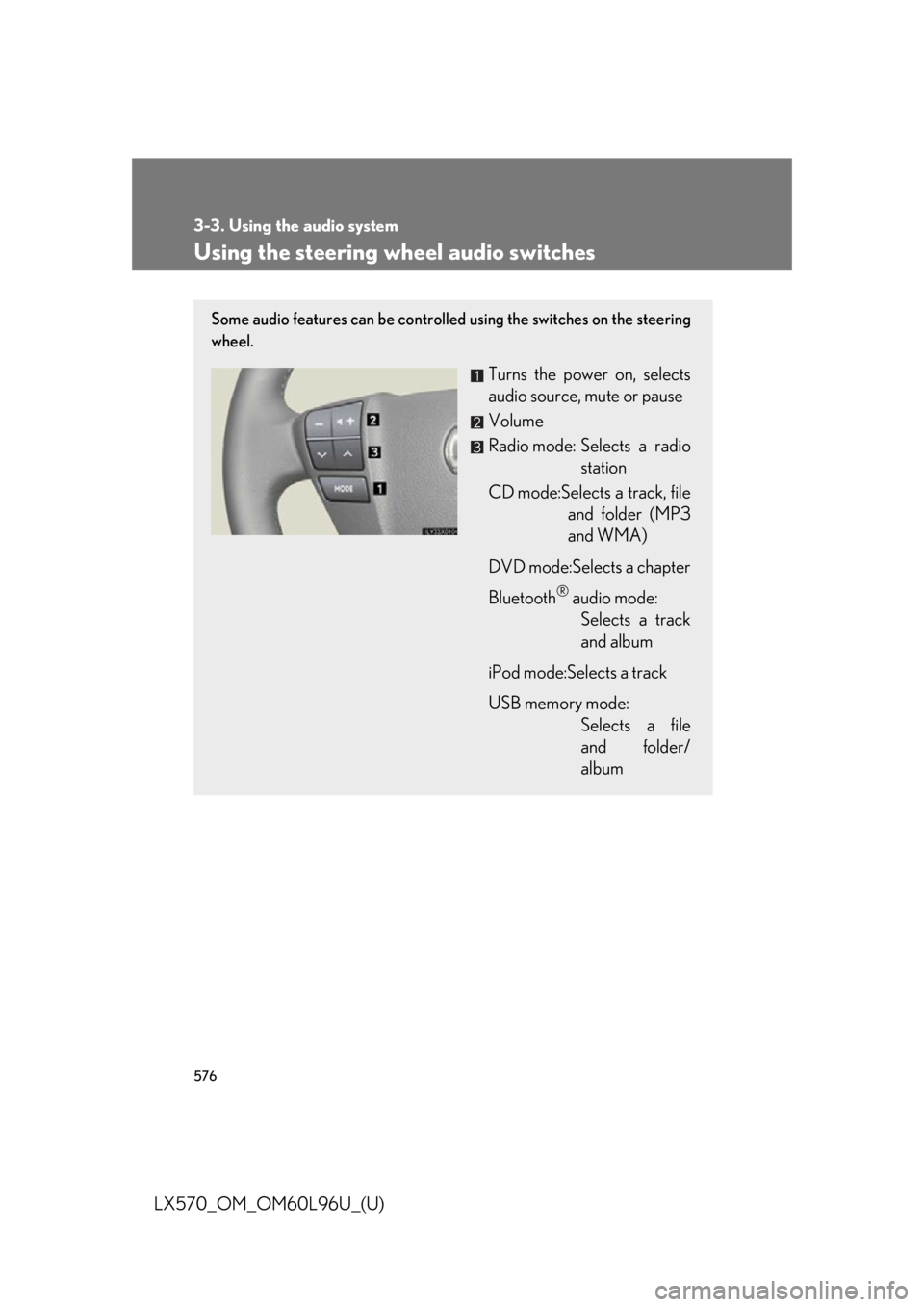
LX570_OM_OM60L96U_(U) Using the steering wheel audio switches Some audio features can be controlled using the switches on the steering
wheel.
Turns the power on, selects
audio source, mute or pause
Volume
Radio mode: Selects a radio
station
CD mode:Selects a track, file
and folder (MP3
and WMA)
DVD mode:Selects a chapter
Bluetooth ®
audio mode:
Selects a track
and album
iPod mode:Selects a track
USB memory mode:
Selects a file
and folder/
album
Page 578 of 960
5783-3. Using the audio system
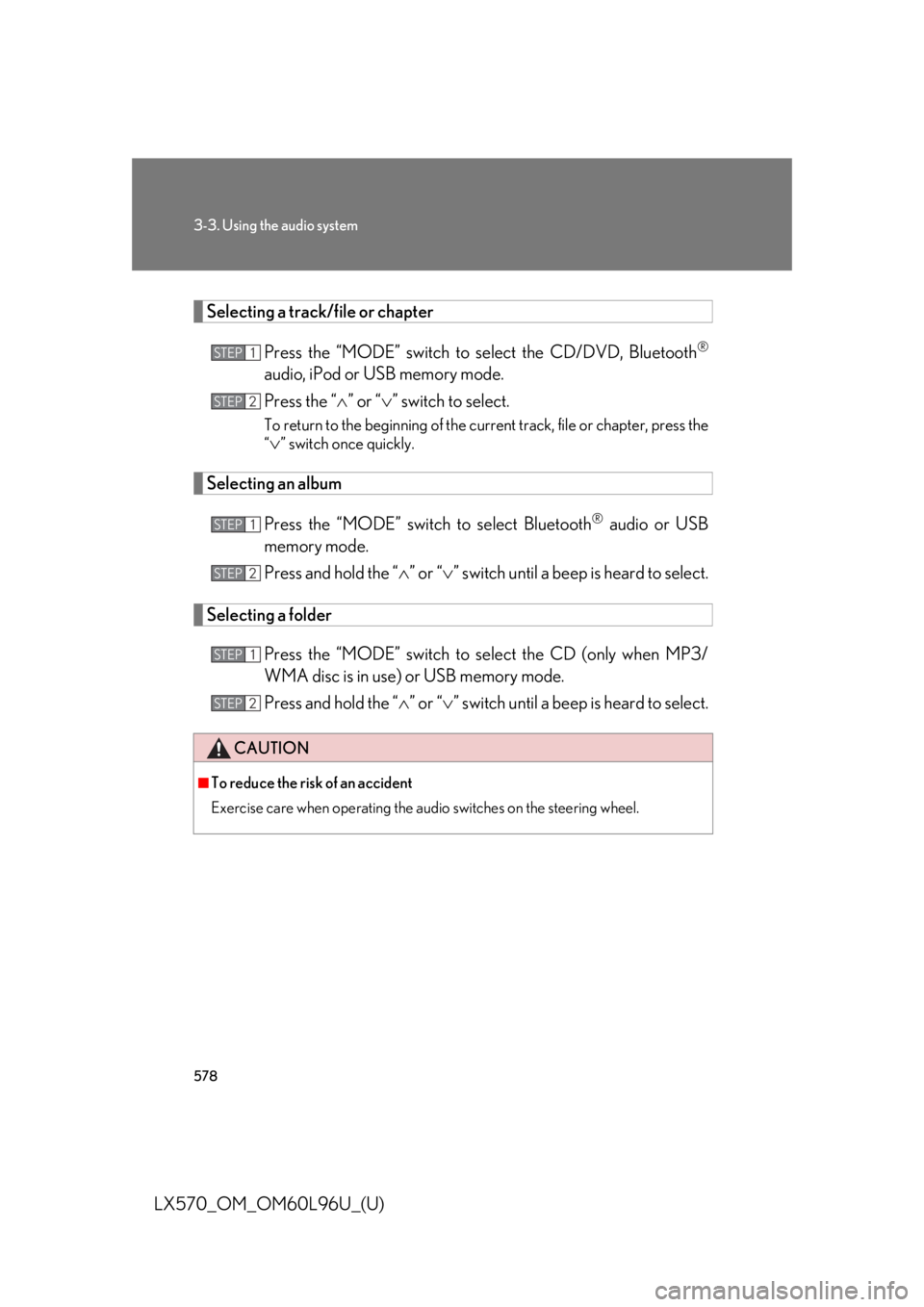
LX570_OM_OM60L96U_(U) Selecting a track/file or chapter
Press the “MODE” switch to se lect the CD/DVD, Bluetooth ®
audio, iPod or USB memory mode.
Press the “ ” or “ ” switch to select.To return to the beginning of the curr ent track, file or chapter, press the
“
” switch once quickly.
Selecting an album
Press the “MODE” switch to select Bluetooth ®
audio or USB
memory mode.
Press and hold the “ ” or “ ” switch until a beep is heard to select.
Selecting a folder
Press the “MODE” switch to se lect the CD (only when MP3/
WMA disc is in use) or USB memory mode.
Press and hold the “ ” or “ ” switch until a beep is heard to select.CAUTION■
To reduce the risk of an accident
Exercise care when operating the audio switches on the steering wheel. STEP 1
STEP 2
STEP 1
STEP 2
STEP 1
STEP 2
Page 625 of 960
6253-5. Using the hands-free system (for cellular phone)
3
Interior features
LX570_OM_OM60L96U_(U) Using a Bluetooth ®
phone
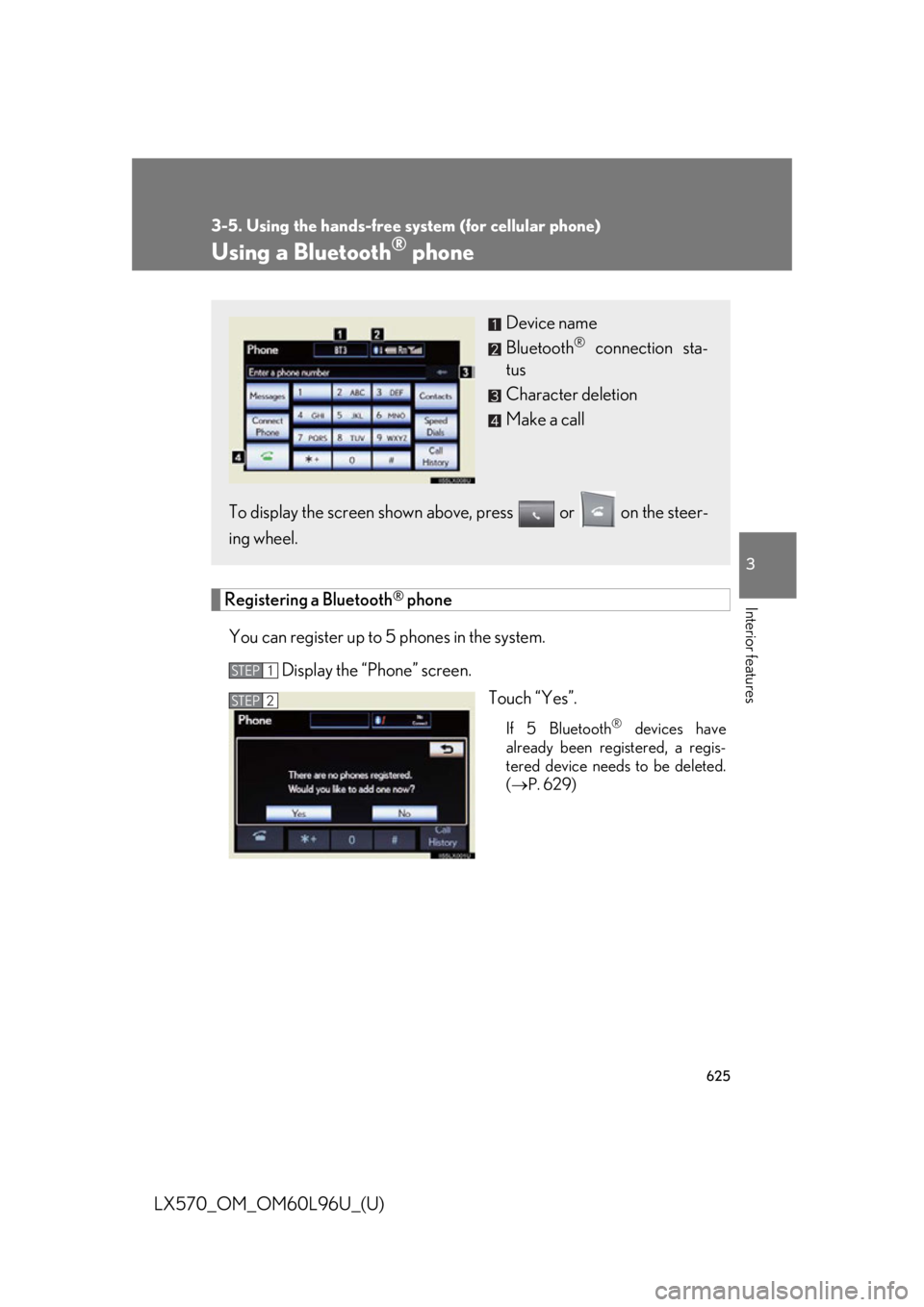
Registering a Bluetooth ®
phone
You can register up to 5 phones in the system.
Display the “Phone” screen.
Touch “Yes”. If 5 Bluetooth ®
devices have
already been registered, a regis-
tered device needs to be deleted.
( P. 629)Device name
Bluetooth ®
connection sta-
tus
Character deletion
Make a call
To display the screen shown abov e, press or on the steer-
ing wheel. STEP 1
STEP 2
Page 630 of 960
6303-5. Using the hands-free sy stem (for cellular phone)
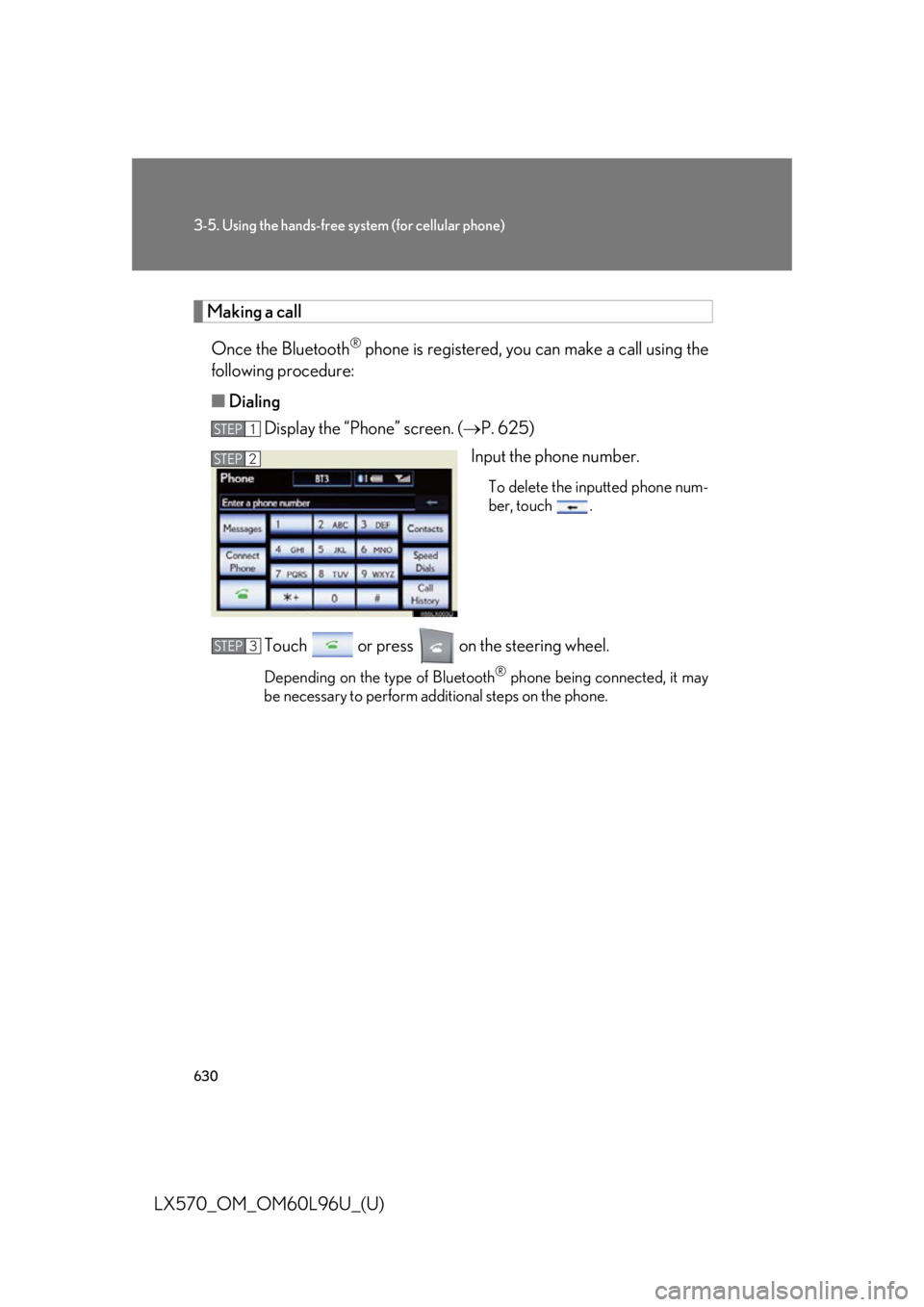
LX570_OM_OM60L96U_(U) Making a call
Once the Bluetooth ®
phone is registered, you can make a call using the
following procedure:
■ Dialing
Display the “Phone” screen. ( P. 625)
Input the phone number. To delete the inputted phone num-
ber, touch .
Touch or press on the steering wheel. Depending on the type of Bluetooth ®
phone being connected, it may
be necessary to perform additional steps on the phone.STEP 1
STEP 2
STEP 3
Page 631 of 960
6313-5. Using the hands-free system (for cellular phone)
3
Interior features
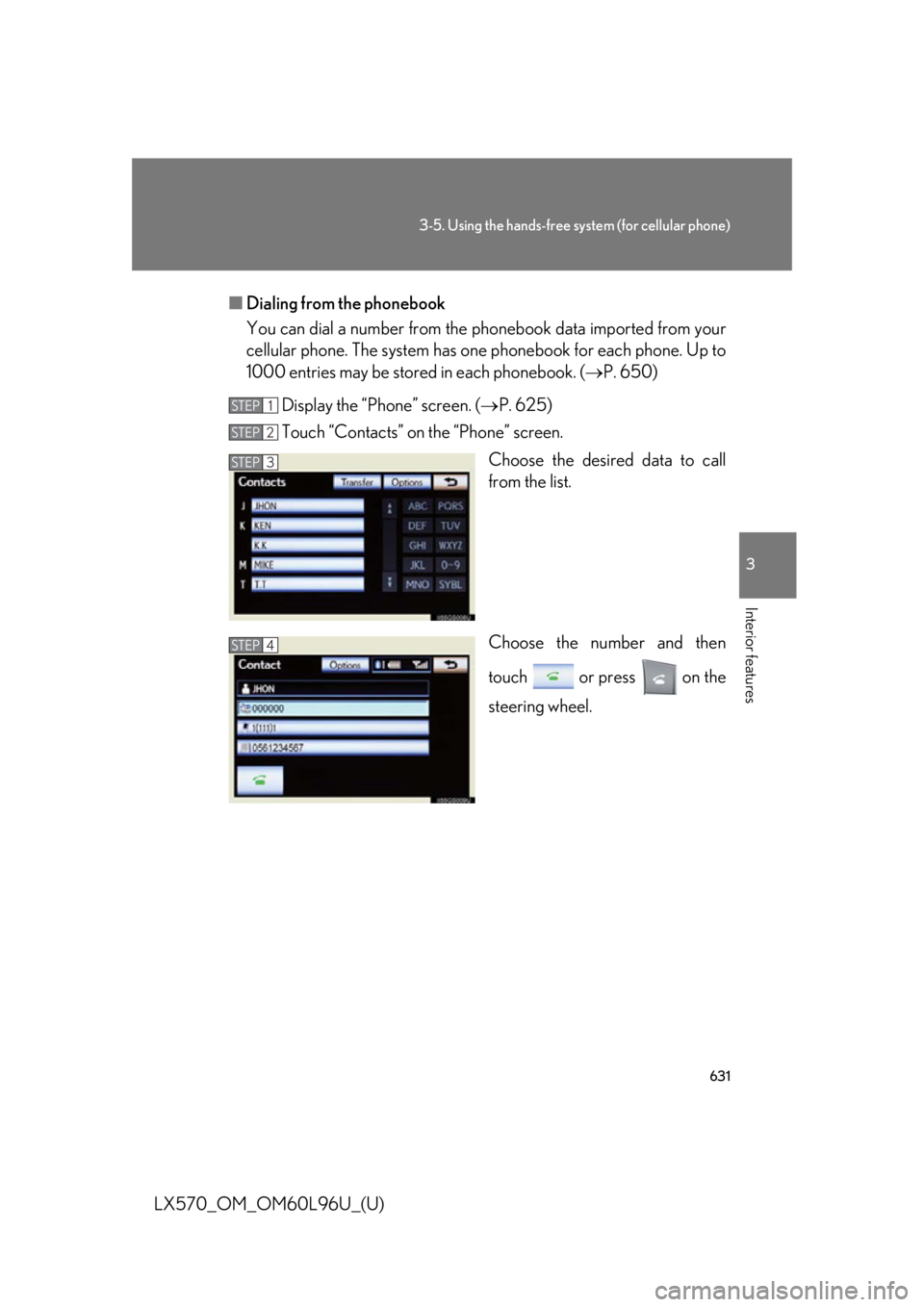
LX570_OM_OM60L96U_(U) ■ Dialing from the phonebook
You can dial a number from the pho nebook data im ported from your
cellular phone. The system has on e phonebook for each phone. Up to
1000 entries may be stored in each phonebook. ( P. 650)
Display the “Phone” screen. ( P. 625)
Touch “Contacts” on the “Phone” screen.
Choose the desired data to call
from the list.
Choose the number and then
touch or press on the
steering wheel.STEP 1
STEP 2
STEP 3
STEP 4
Page 635 of 960
6353-5. Using the hands-free system (for cellular phone)
3
Interior features
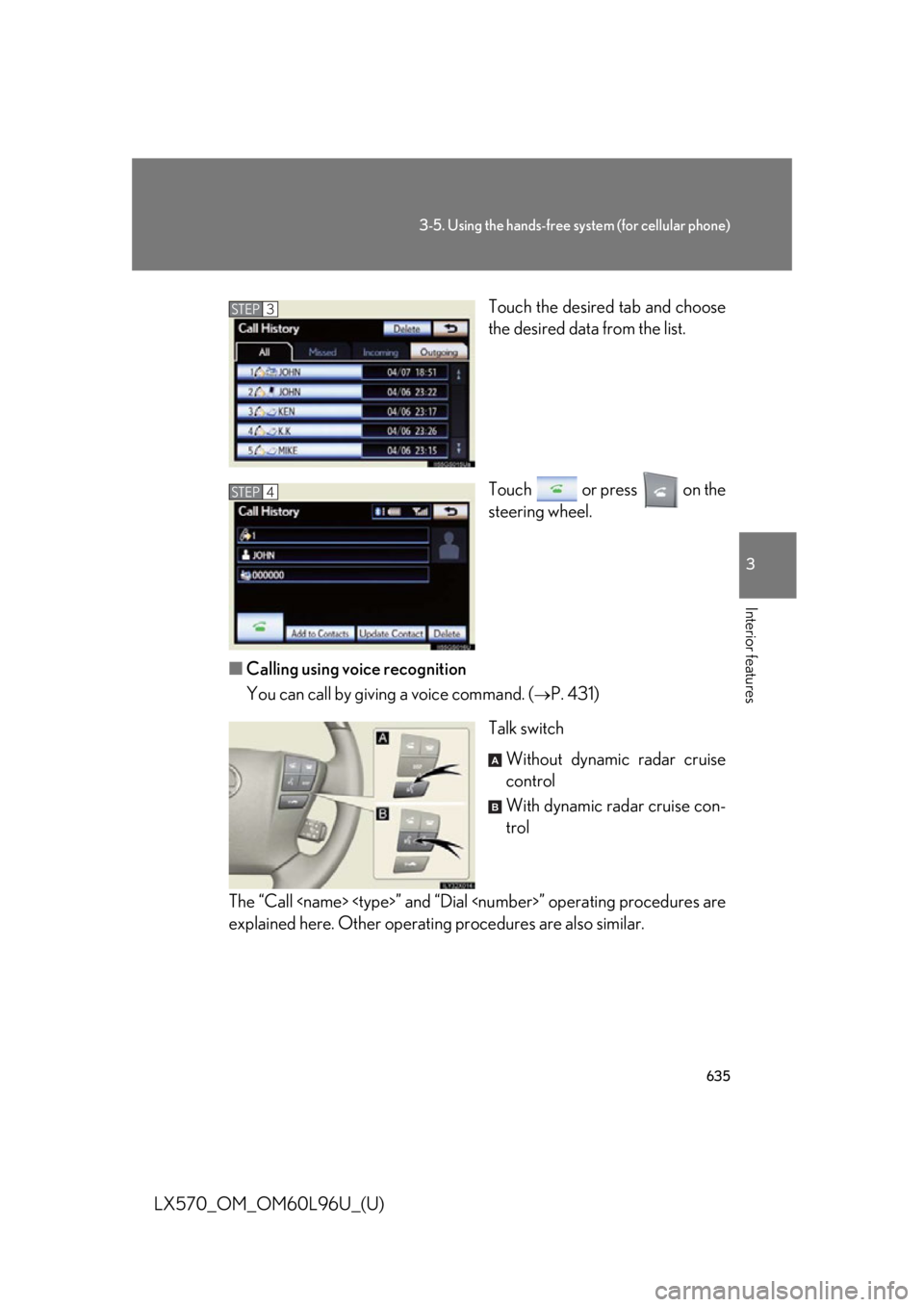
LX570_OM_OM60L96U_(U) Touch the desired tab and choose
the desired data from the list.
Touch or press on the
steering wheel.
■ Calling using voice recognition
You can call by giving a voice command. (
P. 431)
Talk switch
Without dynamic radar cruise
control
With dynamic radar cruise con-
trol
The “Call ” and “Dial ” operating procedures are
explained here. Other operating procedures are also similar. STEP 3
STEP 4
A
B
Page 636 of 960
6363-5. Using the hands-free sy stem (for cellular phone)
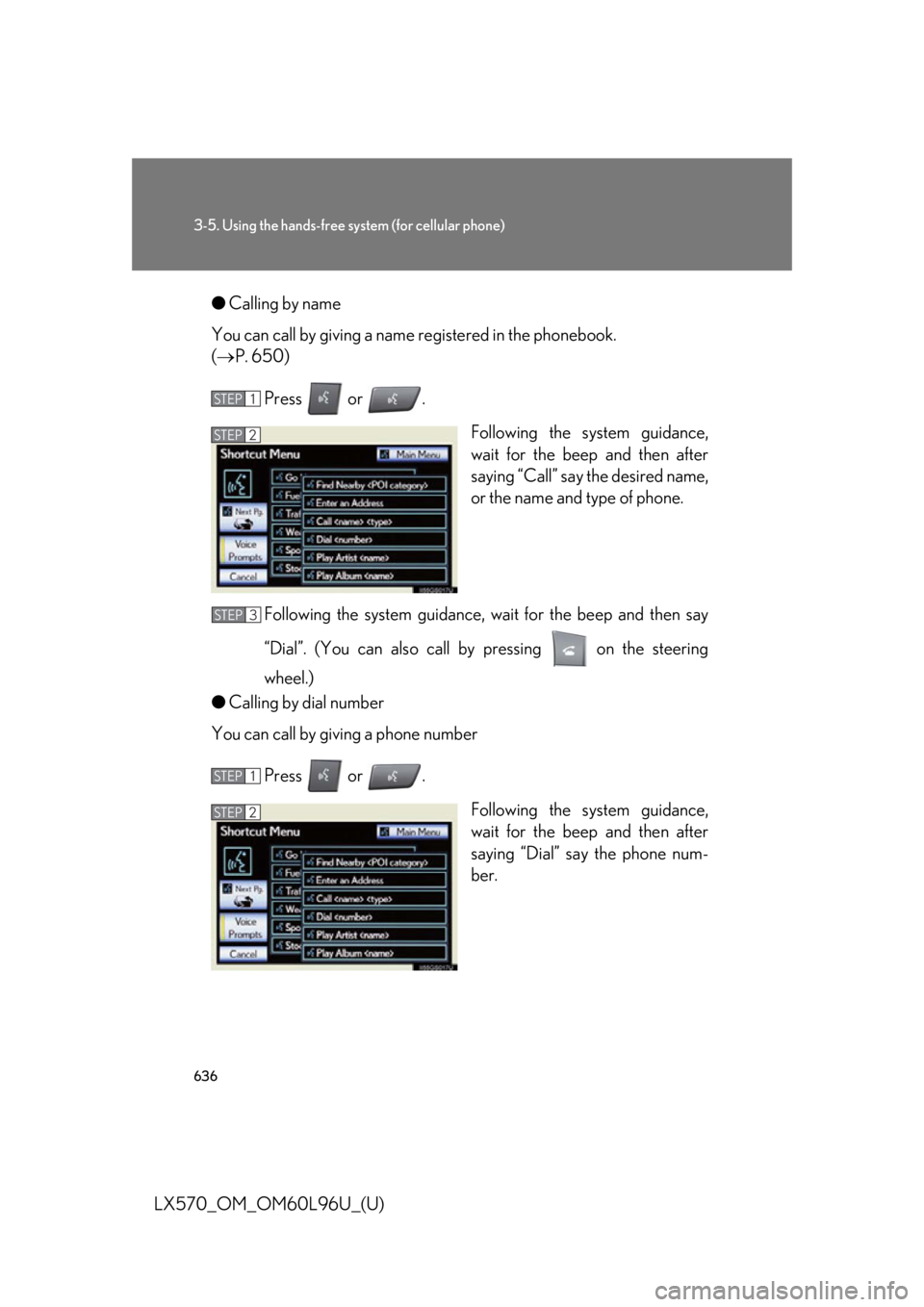
LX570_OM_OM60L96U_(U) ● Calling by name
You can call by giving a name registered in the phonebook.
( P. 650)
Press or .
Following the system guidance,
wait for the beep and then after
saying “Call” say the desired name,
or the name and type of phone.
Following the system guidance, wa it for the beep and then say
“Dial”. (You can also call by pressing on the steering
wheel.)
● Calling by dial number
You can call by giving a phone number
Press or .
Following the system guidance,
wait for the beep and then after
saying “Dial” sa y the phone num-
ber.STEP 1
STEP 2
STEP 3
STEP 1
STEP 2
Page 637 of 960
6373-5. Using the hands-free system (for cellular phone)
3
Interior features
LX570_OM_OM60L96U_(U) Following the system guidance, wa it for the beep and then say
“Dial”. (You can also call by pressing on the steering
wheel.) STEP 3
Page 638 of 960
6383-5. Using the hands-free sy stem (for cellular phone)
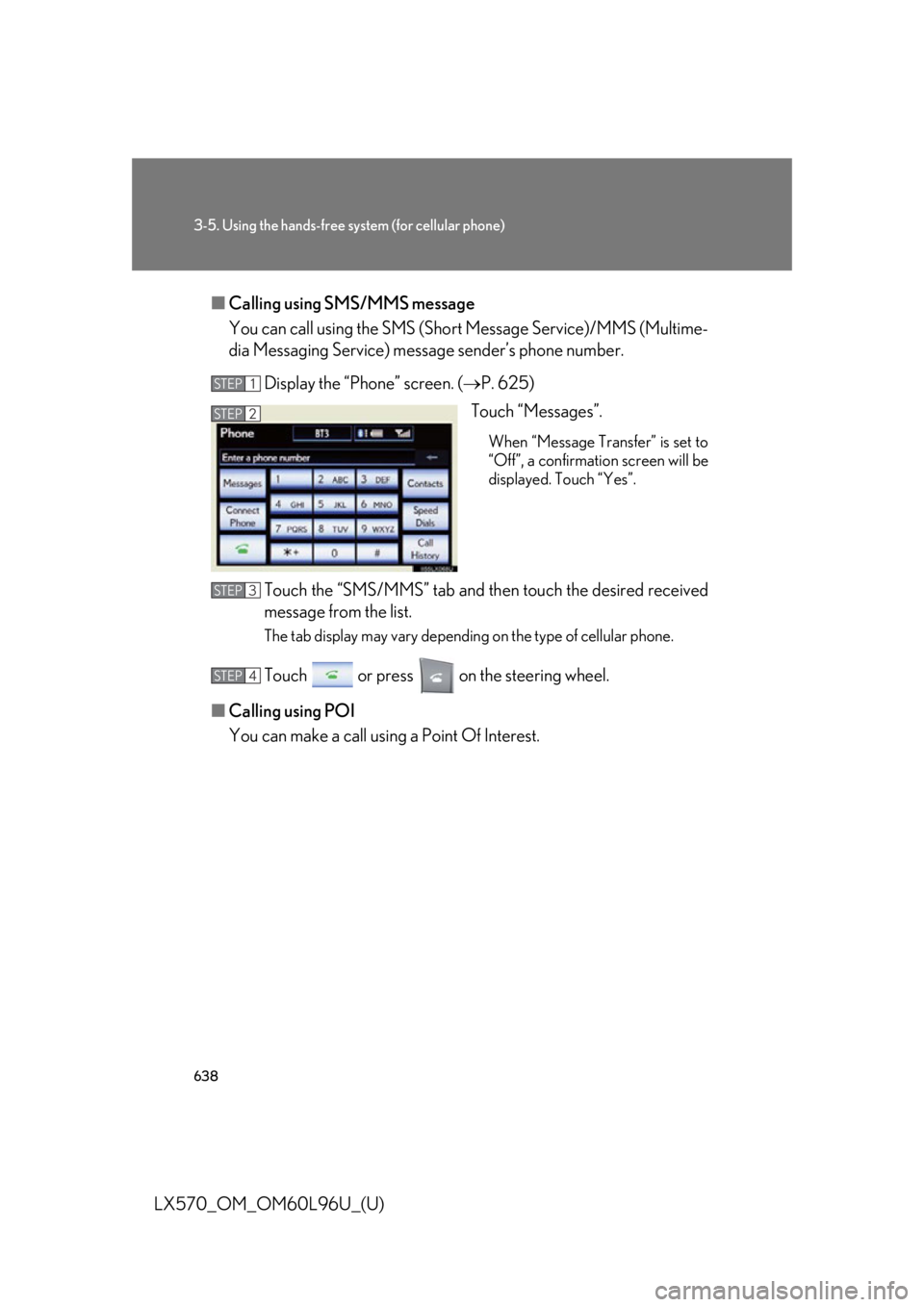
LX570_OM_OM60L96U_(U) ■ Calling using SMS/MMS message
You can call using the SMS (Sho rt Message Service)/MMS (Multime-
dia Messaging Service) message sender’s phone number.
Display the “Phone” screen. ( P. 625)
Touch “Messages”. When “Message Transfer” is set to
“Off”, a confirmation screen will be
displayed. Touch “Yes”.
Touch the “SMS/MMS” tab and th en touch the desired received
message from the list. The tab display may vary depending on the type of cellular phone.
Touch or press on the steering wheel.
■ Calling using POI
You can make a call using a Point Of Interest. STEP 1
STEP 2
STEP 3
STEP 4