wheel LEXUS LX570 2015 Owners Manual
[x] Cancel search | Manufacturer: LEXUS, Model Year: 2015, Model line: LX570, Model: LEXUS LX570 2015Pages: 960, PDF Size: 11.33 MB
Page 336 of 960

3362-4. Using other driving systems
LX570_OM_OM60L96U_(U) CAUTION■
While driving
Never move the four-wheel drive control switch if the wheels have lost traction.
Doing so may cause an accident resulting in death or serious injury. ■
When the vehicle is parked
If the shift lever is moved before the low speed four-wheel drive indicator turns on/
off, the transfer mode may not be shifted completely. The transfer mode disengages
both the front and rear driveshafts from the powertrain and al lows the vehicle to
move regardless of the shift position. (At this time, the indicator blinks and the
buzzer sounds.)
Therefore, the vehicle is free to roll even if the automatic transmission is in “P”. You
or someone else could be se riously injured. You must complete the shifting of the
transfer mode. ( P. 332)
NOTICE■
To prevent damage to the center differential ●
For normal driving on dry an d hard surface roads, unlock the center differential.●
Unlock the center differential after the wh eels are out of the ditch or off the slip-
pery or bumpy surface. ●
Do not push the center differential lock/u nlock switch when the vehicle is turning
or when its wheels are spinning freely off the ground.
Page 339 of 960
3392-4. Using other driving systems
2
When driving
LX570_OM_OM60L96U_(U) ■ Turn Assist function
This function assists cornering performance in accordance with
steering operation when driving th rough a tight corner. It maintains
vehicle speed while driving an d reduces the number of turns
needed to navigate a corner that re quires turning the wheel in the
opposite direction.
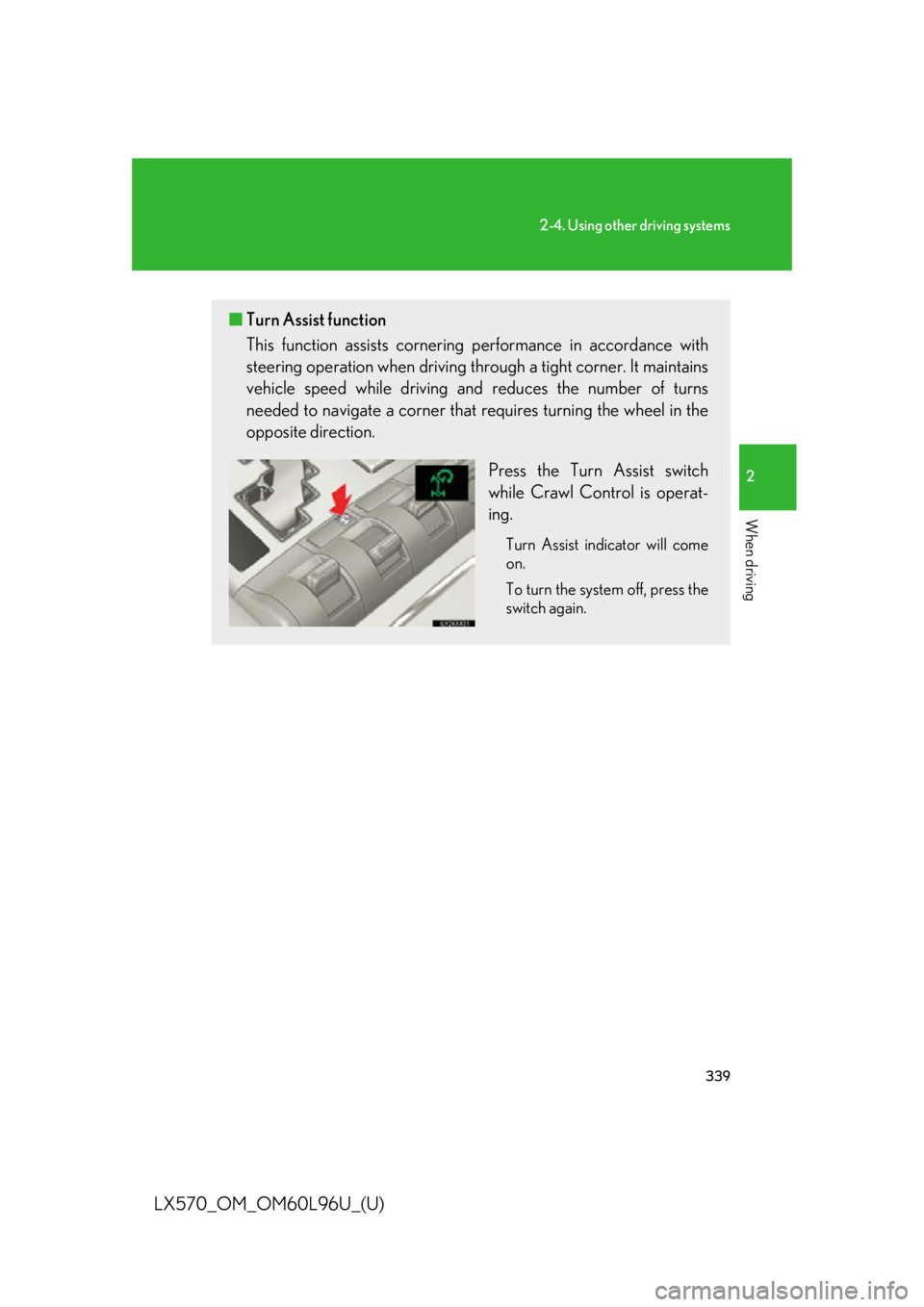
Press the Turn Assist switch
while Crawl Control is operat-
ing. Turn Assist indicator will come
on.
To turn the system off, press the
switch again.
Page 341 of 960

3412-4. Using other driving systems
2
When driving
LX570_OM_OM60L96U_(U) ■
The Crawl Control and Turn Assist function can be operated when
Crawl Control ●
The engine is running. ●
The shift lever is in any gear other than “P” or “N”. ●
The four-wheel drive control switch is in “L4”. ●
The driver’s door is closed.
Turn Assist function ●
Crawl Control is operating. ●
The center differential is not locked. ●
The accelerator and brake are not being operated. ●
The shift lever is in any gear other than “P”, “R” or “N”. ●
The steering wheel is turned very far.■
Automatic system cancelation
Crawl Control
In the following situations, the buzzer will sound intermittently and Crawl Control
will be canceled automatically. In this ev ent, the Crawl Control indicator will flash
and then go off, the Turn Assist indicator will go off (if the Turn Assist function is in
use), and a message stating that Crawl Control has been turned off will be dis-
played on the multi-information display for several seconds. ●
When the shift lever is moved to “P” or “N”. ●
When the four-wheel drive control switch is in “H4”. ●
When the driver’s door is opened.
Turn Assist function
When the center differential is locked, the buzzer will sound intermittently and the
Turn Assist function will be canceled au tomatically. In this event, the Turn Assist
indicator will go off, and a message statin g that the Turn Assi st function has been
turned off will be displayed on the multi-information display for several seconds.
Page 346 of 960
3462-4. Using other driving systems
LX570_OM_OM60L96U_(U) ■ Multi-terrain Select control starting conditions
When all of the following condit ions are satisfied, the Multi-terrain
Select indicator will come on, th e mode select screen will be dis-
played on the multi-information display, and Multi-terrain Select
control will begin.
● The four-wheel drive control switch is in “L4”.
● Both Active TRAC and VSC are not off.
● Crawl Control is off.
■ Switching modes
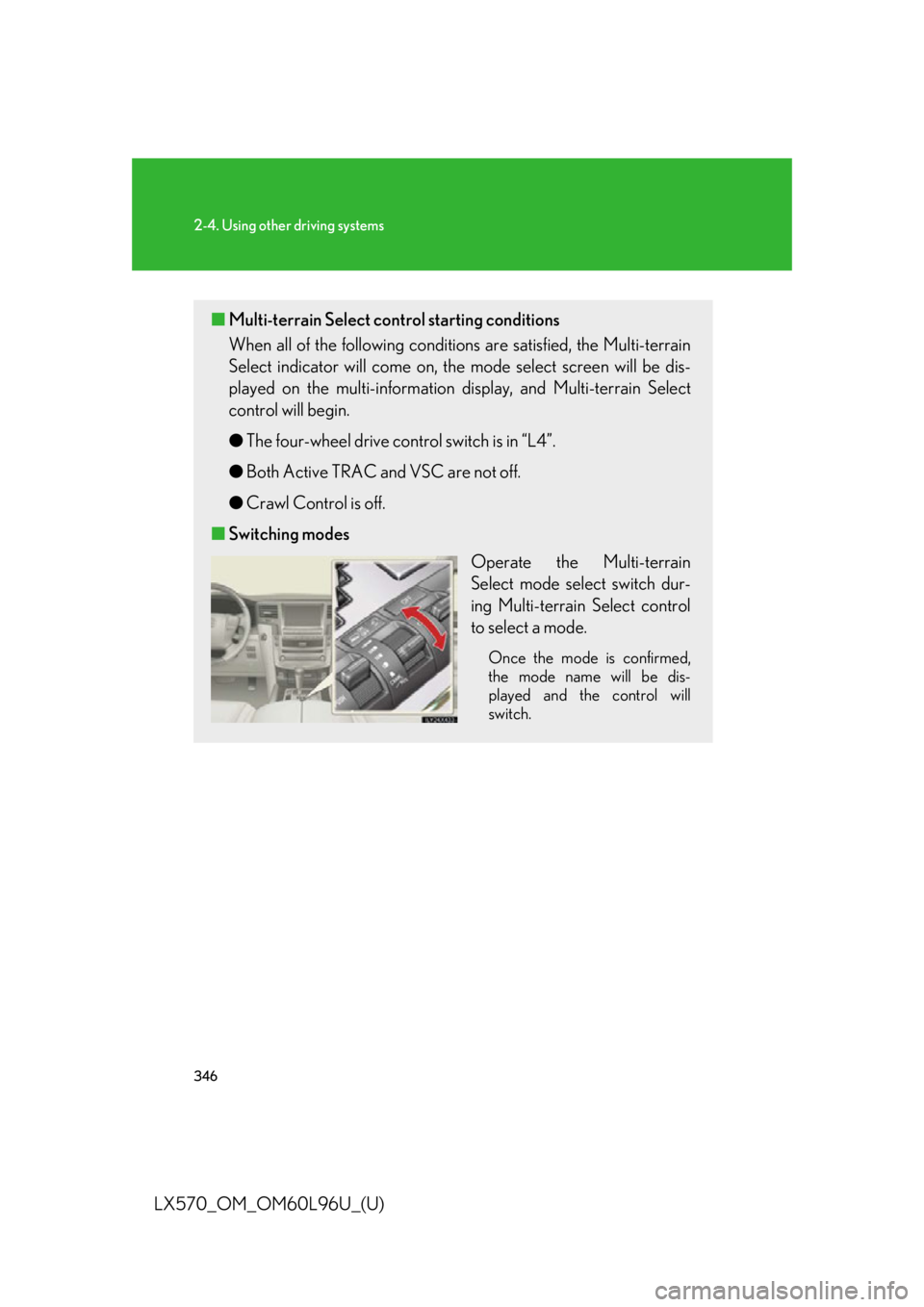
Operate the Multi-terrain
Select mode select switch dur-
ing Multi-terrain Select control
to select a mode. Once the mode is confirmed,
the mode name will be dis-
played and the control will
switch.
Page 347 of 960
3472-4. Using other driving systems
2
When driving
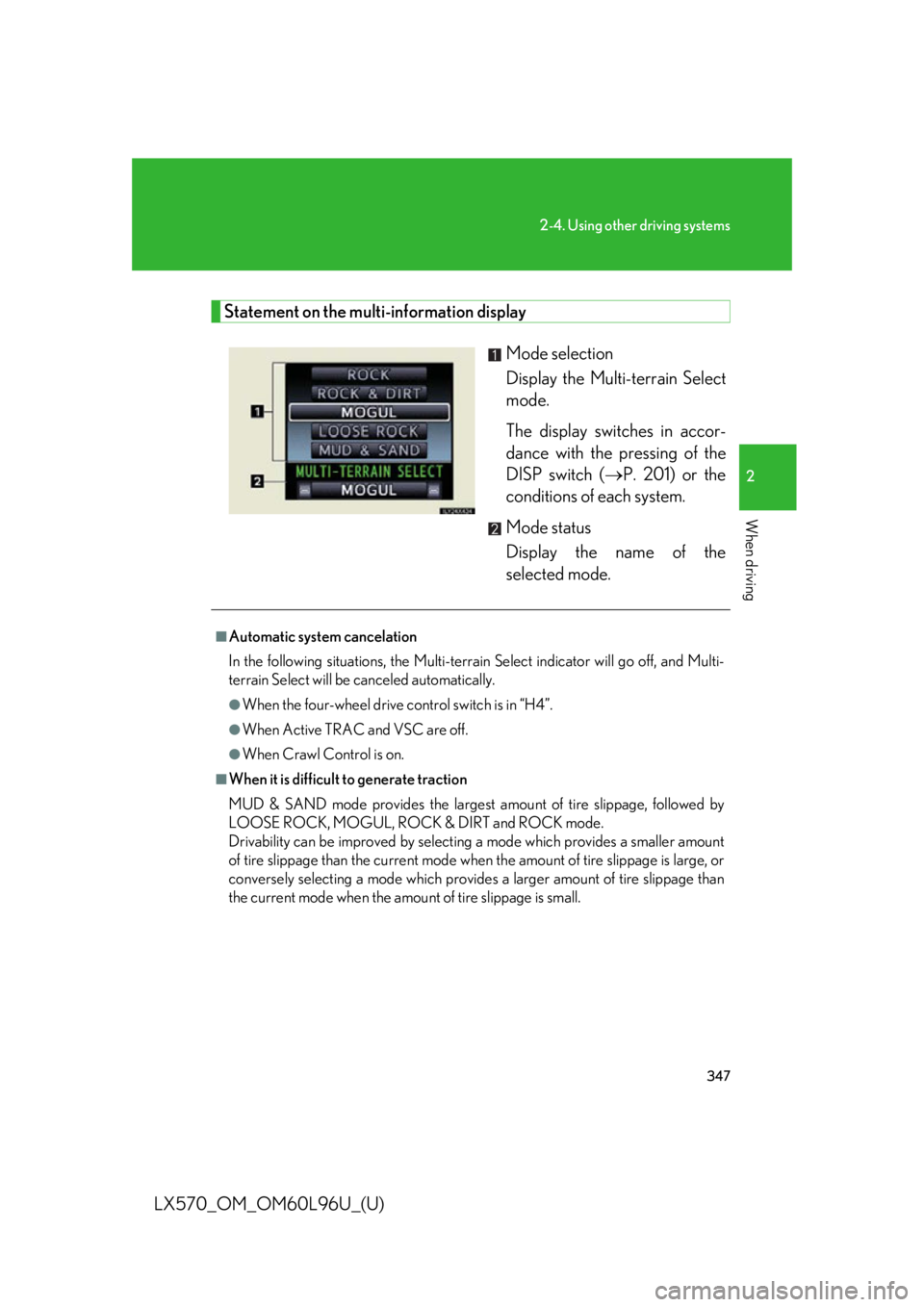
LX570_OM_OM60L96U_(U) Statement on the multi-information display
Mode selection
Display the Multi-terrain Select
mode.
The display switches in accor-
dance with the pressing of the
DISP switch ( P. 201) or the
conditions of each system.
Mode status
Display the name of the
selected mode.■
Automatic system cancelation
In the following situations, the Multi-terrain Select indicator will go off, and Multi-
terrain Select will be canceled automatically. ●
When the four-wheel drive control switch is in “H4”. ●
When Active TRAC and VSC are off. ●
When Crawl Control is on.■
When it is difficult to generate traction
MUD & SAND mode provides the largest amount of tire slippage, followed by
LOOSE ROCK, MOGUL, ROCK & DIRT and ROCK mode.
Drivability can be improved by selecting a mode which provides a smaller amount
of tire slippage than the current mode when the amount of tire slippage is large, or
conversely selecting a mode which provides a larger amount of tire slippage than
the current mode when the amount of tire slippage is small.
Page 348 of 960

3482-4. Using other driving systems
LX570_OM_OM60L96U_(U) ■
When the vehicle is stuck
Switching the transfer and differential
For the operation of the following func tions, refer to the following pages.●
Four-wheel drive system ( P. 332)●
Center differential lock ( P. 332)■
When the brake system operates continuously
The brake system may overheat. In this case, a buzzer will sound, the “TRAC OFF”
will be displayed on the multi-information display, and Multi-terrain Select will be
temporarily inoperable. In this event, stop the vehicle immediately in a safe place,
and allow the brake system to cool down sufficiently. (There is no problem with
continuing normal driving.)
After a short time, the message on the multi-information display will go off, and you
will be able to use Multi-terrain Select. ■
When there is a malfunction in the system
The slip indicator light will come on. Have the vehicle inspected by your Lexus
dealer immediately.
CAUTION■
When using the Multi-terrain Select
Observe the following precautions to avoid an accident that could result in death or
serious injuries: ●
There is a chance that the selected mode may not be the most appropriate in
terms of road conditions such as pi tch, slipperiness, undulation, etc. ( P. 345)●
Multi-terrain Select is not intended to expand the limits of the vehicle. Check the
road conditions thoroughly beforeha nd, and drive safely and carefully.
NOTICE■
Precaution for use
The Multi-terrain Select is intended for use during off-road driving. Do not use the
system at any other time.
Page 349 of 960

3492-4. Using other driving systems
2
When driving
LX570_OM_OM60L96U_(U) Driving assist systems To help enhance driving safety and performance, the following systems
operate automatically in response to various driving situations. Be aware,
however, that these systems are supplementary and should not be relied
upon too heavily when operating the vehicle.
■ Multi Terrain ABS (Anti-lock Brake System) Helps to prevent wheel lock when the brakes are applied suddenly, or if
the brakes are applied while driving on a slippery road surface, or in off-
road conditions (such as rough roads, sand and mud).
■ Brake assist Generates an increased level of br aking force after the brake pedal is
depressed, when the system detects a panic stop situation.
■ VSC (Vehicle Stability Control) Helps the driver to control skidding when swerving suddenly or turning on
slippery road surfaces.
■ Active TRAC (Traction Control) Helps to maintain driv e power and prevent the 4 wheels from spinning
when starting the vehicle or a ccelerating on slippery roads.
■ Hill-start assist control Helps to prevent the vehicle from ro lling backwards when starting on an
incline or slippery slope.
■ VGRS (Variable Gear Ratio Steering) Helps to adjust the wheel turning an gle in accordance with the vehicle
speed and steering wheel movement.
■ PCS (Pre-Collision System) (if equipped) P. 357
Page 350 of 960
3502-4. Using other driving systems
LX570_OM_OM60L96U_(U) When the VSC/Trailer Sway Cont rol/Active TRAC/hill-start assist
control systems are operating
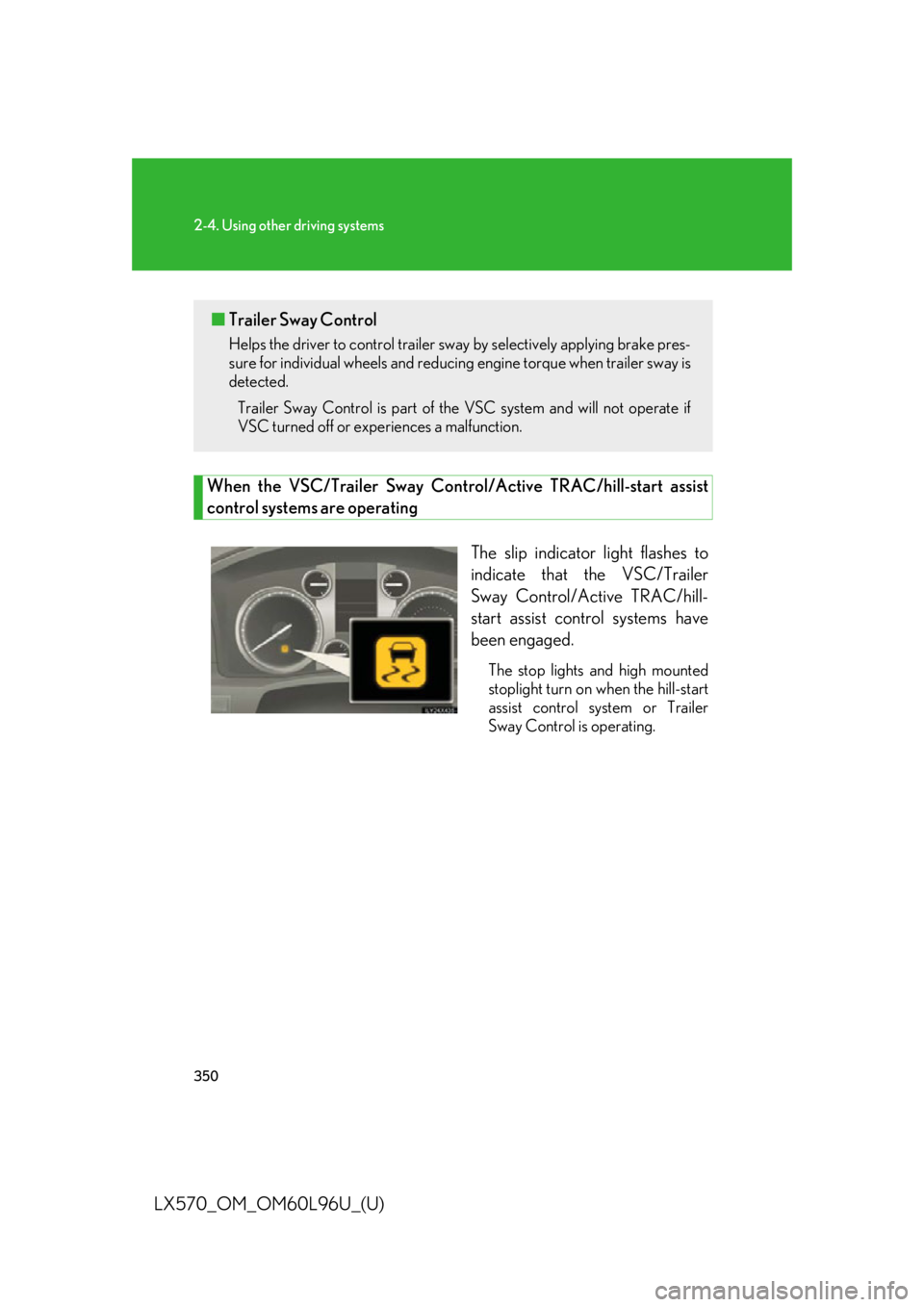
The slip indicator light flashes to
indicate that the VSC/Trailer
Sway Control/Active TRAC/hill-
start assist control systems have
been engaged. The stop lights and high mounted
stoplight turn on when the hill-start
assist control system or Trailer
Sway Control is operating.■ Trailer Sway Control Helps the driver to control trailer sway by selectively applying brake pres-
sure for individual wheels and reducing engine torque when trailer sway is
detected.
Trailer Sway Control is part of th e VSC system and will not operate if
VSC turned off or expe riences a malfunction.
Page 351 of 960
3512-4. Using other driving systems
2
When driving
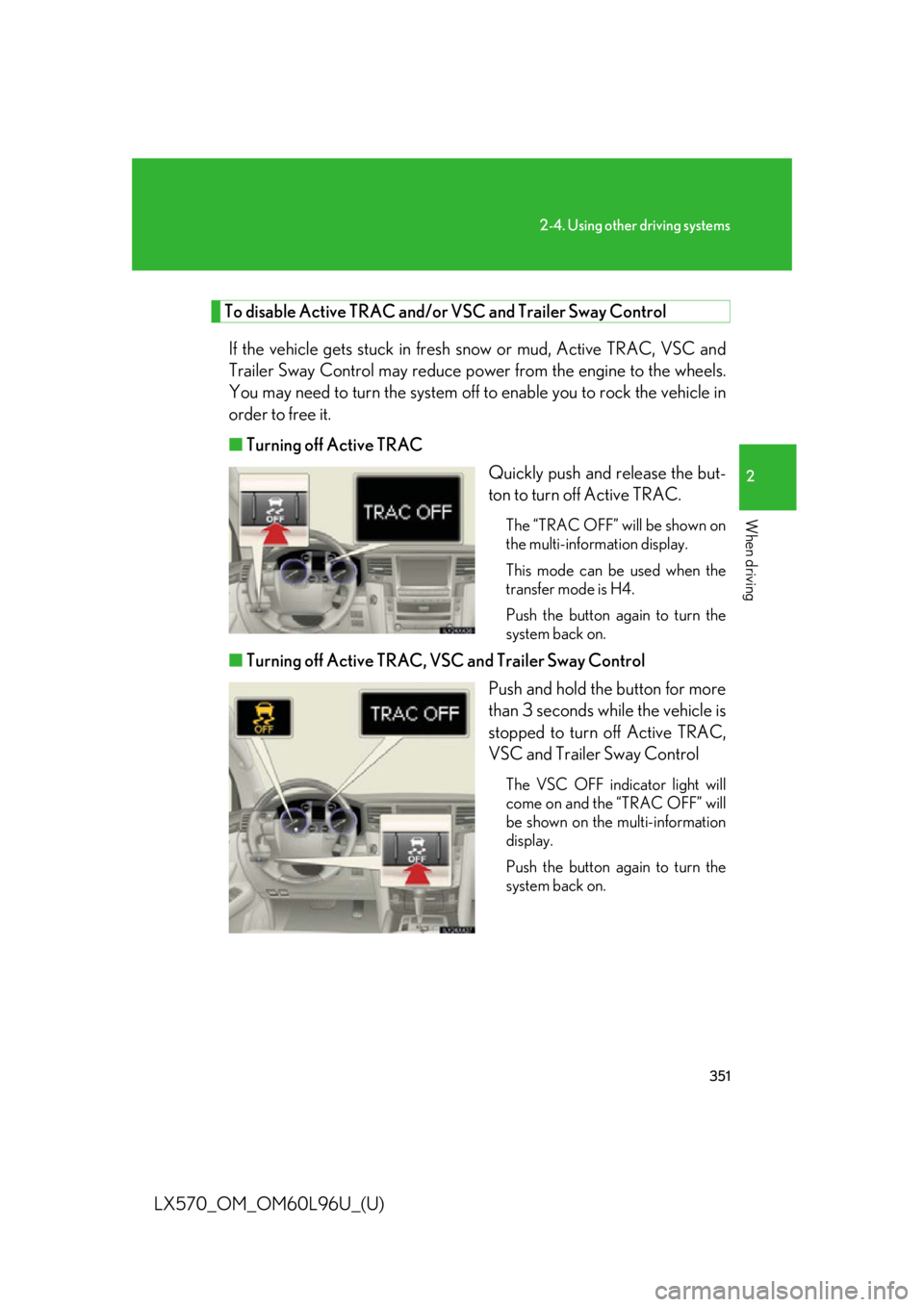
LX570_OM_OM60L96U_(U) To disable Active TRAC and/or VSC and Trailer Sway Control
If the vehicle gets stuck in fresh snow or mud, Active TRAC, VSC and
Trailer Sway Control may reduce po wer from the engine to the wheels.
You may need to turn the system off to enable you to ro ck the vehicle in
order to free it.
■ Turning off Active TRAC
Quickly push and release the but-
ton to turn off Active TRAC. The “TRAC OFF” will be shown on
the multi-information display.
This mode can be used when the
transfer mode is H4.
Push the button again to turn the
system back on.
■ Turning off Active TRAC, VSC and Trailer Sway Control
Push and hold the button for more
than 3 seconds while the vehicle is
stopped to turn off Active TRAC,
VSC and Trailer Sway Control The VSC OFF indicator light will
come on and the “TRAC OFF” will
be shown on the multi-information
display.
Push the button again to turn the
system back on.
Page 353 of 960

3532-4. Using other driving systems
2
When driving
LX570_OM_OM60L96U_(U) ■
Sounds and vibrations caused by the Multi Terrain ABS, brake assist, Active
TRAC, VSC, Trailer Sway Control, hill-start assist control and VGRS●
A sound may be heard from the engine compartment when the engine is
started or just after the vehicle begins to move. This sound does not indicate that
a malfunction has occurred in any of these systems. ●
Any of the following conditions may oc cur when the above systems are operat-
ing. None of these indicates that a malfunction has occurred.
• Vibrations may be felt through the vehicle body and steering.
• A motor sound may be heard after the vehicle comes to a stop.
• The brake pedal may pulsate slightly after the Multi Terrain ABS is activated.
• The brake pedal may move down slightly after the Multi Terrain ABS is acti-
vated.■
Hill-start assist control is operational when ●
The shift lever is in “D” or “S”. ●
The brake pedal is not depressed.■
VGRS is disabled in the following situations ●
During stopping or the steering wheel has been moved for a long time while
driving at lower speeds. ●
After the engine is restarted at less than -22°F (-30°C).●
If you disconnect the battery with the steering wheel turned, the center position
of the steering wheel could be slightly and temporary changed. To initialize the
VGRS, drive for a short while.