light LEXUS LX570 2016 Owners Manual
[x] Cancel search | Manufacturer: LEXUS, Model Year: 2016, Model line: LX570, Model: LEXUS LX570 2016Pages: 632, PDF Size: 8.94 MB
Page 307 of 632

LX570_OM_OM60N01U_(U)
3074-5. Using the driving support systems
4
Driving
■The center differential lock indicator light
The indicator light blinks while locking/unlocking the center differential.
■The center differential lock/unlock switch can be operated when
●The engine switch is in IGNITION ON mode.
●The vehicle speed is less than 62 mph (100 km/h).
■Locking/unlocking the center differential
●When the four-wheel drive control switch is in L4 with the center differential locked,
VSC is automatically turned off. (The center differential lock and VSC OFF indicator
lights come on.)
●If the operation is not completed, the center di fferential lock indicator blinks. If the indi-
cator light does not turn off when unlocking the center differential, drive straight ahead
while accelerating or decelerating, or drive in reverse.
●If the center differential lock/unlock is not completed within 5 seconds while the cruise
control system is on, cancel the cruise control system.
■If the low speed four-wheel drive indicator light or the center differential lock indicator
light blinks
●If the low speed four-wheel drive indicator lig ht continues to blink when using the four-
wheel drive control switch, stop the vehicle completely, move the shift lever to N and
operate the switch again.
●If the shift lever is moved before the low sp eed four-wheel drive indicator turns on/off,
the transfer mode may not be shifted comp letely. The transfer mode disengages both
the front and rear driveshafts from the powertrain and allows the vehicle to move
regardless of the shift position. (At this time , the indicator blinks and the buzzer sounds.)
Therefore, the vehicle is free to roll even if the automatic transmission is in P. You or
someone else could be seriously injured. You must complete the shifting of the transfer
mode.
To complete the shifting, stop the vehicle completely, return the shift lever to N, and
confirm that the shift was completed (the indicator turns on/off).
●If the engine coolant temperature is too low, the four-wheel drive control system may
not be able to shift. When the engine is warmer operate the switch again.
If the low speed four-wheel drive indicator light or the center differential lock indicator
light continues to blink even after attempti ng the above, there may be a malfunction in
the engine, the brake system or the four-wheel drive system. In this case, you may not be
able to shift between H4 and L4, and the center differential lock may not be operable.
Have the vehicle inspected by your Lexus dealer immediately.
Page 313 of 632

LX570_OM_OM60N01U_(U)
3134-5. Using the driving support systems
4
Driving
■Sounds and vibrations caused by the Crawl Control system
●A sound may be heard from the engine compartment when the engine is started or just
after the vehicle begins to move. This sound does not indicate that a malfunction has
occurred in Crawl Control system.
●Either of the following conditions may occur when the Crawl Control system is operat-
ing. None of these are indicators that a malfunction has occurred.
• Vibrations may be felt through the vehicle body and steering.
• A motor sound may be heard after the vehicle comes to a stop.
■When there is a malfunction in the system
Warning lights and/or warning messages will turn on. ( P. 5 2 4 , 5 3 2 )
WA R N I N G
■When using Crawl Control and Turn Assist function
Do not rely solely on the Crawl Control and Turn Assist function. This function does not
extend the vehicle’s performance limitations. Always thoroughly check the road condi-
tions, and drive safely.
■These conditions may cause the system not to operate properly
When driving on the following surfaces, the sy stem may not be able to maintain a fixed
low speed, which may re sult in an accident:
●Extremely steep inclines.
●Extremely uneven surfaces.
●Snow-covered roads, or other slippery surfaces.
NOTICE
■When using Turn Assist function
The Turn Assist function is a function to assist turning performance when driving off
road. The function may be less effective on paved road surfaces.
Page 316 of 632
316
LX570_OM_OM60N01U_(U)4-5. Using the driving support systems
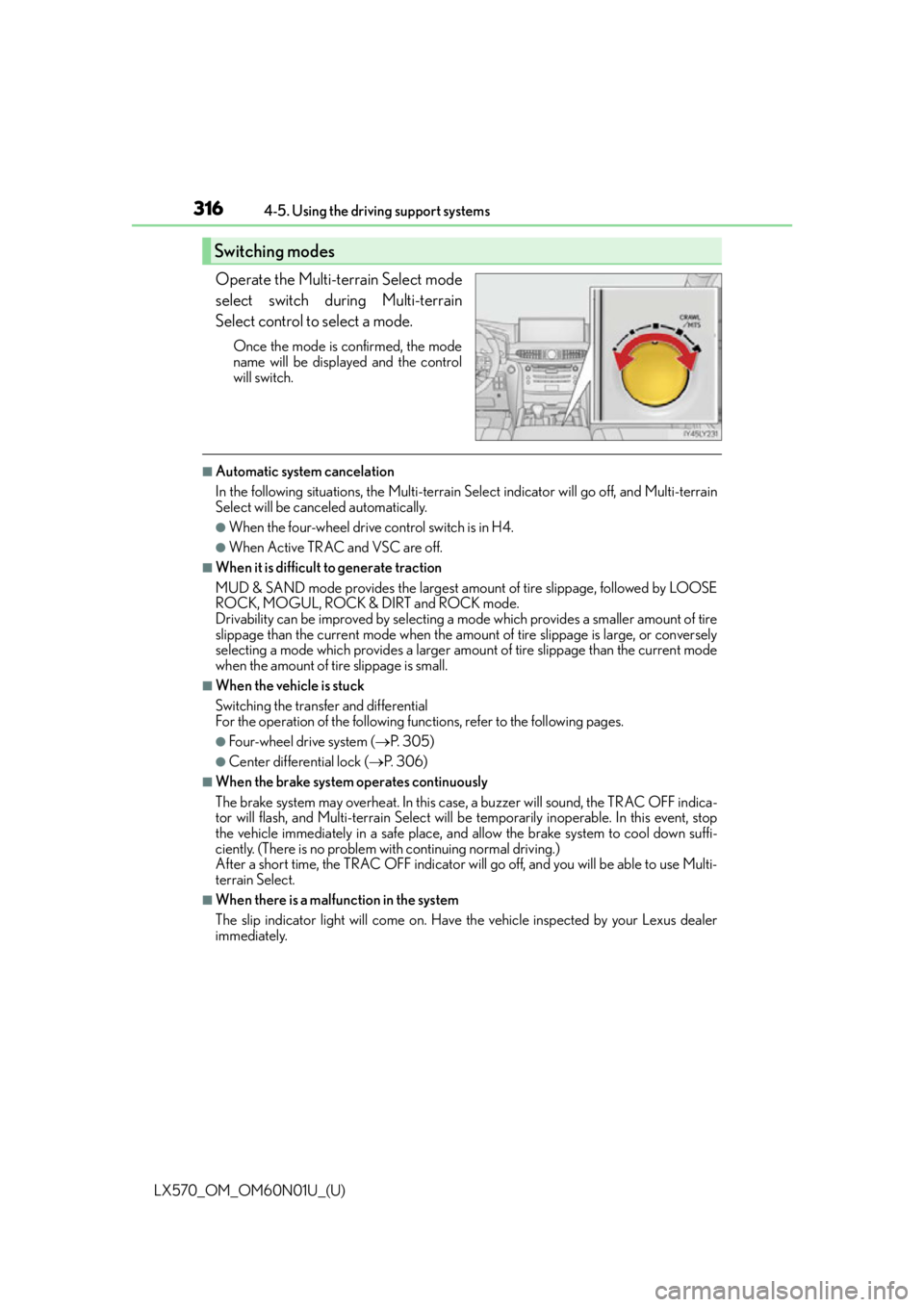
Operate the Multi-terrain Select mode
select switch during Multi-terrain
Select control to select a mode.
Once the mode is confirmed, the mode
name will be displayed and the control
will switch.
■Automatic system cancelation
In the following situations, the Multi-terrain Se
lect indicator will go off, and Multi-terrain
Select will be canceled automatically.
●When the four-wheel drive control switch is in H4.
●When Active TRAC and VSC are off.
■When it is difficult to generate traction
MUD & SAND mode provides the largest amount of tire slippage, followed by LOOSE
ROCK, MOGUL, ROCK & DIRT and ROCK mode.
Drivability can be improved by selecting a mo de which provides a smaller amount of tire
slippage than the current mode when the amount of tire slippage is large, or conversely
selecting a mode which provides a larger amou nt of tire slippage than the current mode
when the amount of ti re slippage is small.
■When the vehicle is stuck
Switching the transfer and differential
For the operation of the following functions, refer to the following pages.
●Four-wheel drive system ( P. 3 0 5 )
●Center differential lock ( P. 3 0 6 )
■When the brake system operates continuously
The brake system may overheat. In this case, a buzzer will sound, the TRAC OFF indica-
tor will flash, and Multi-terrain Select will be temporarily inoperable. In this event, stop
the vehicle immediately in a safe place, and allow the brake system to cool down suffi-
ciently. (There is no problem wi th continuing normal driving.)
After a short time, the TRAC OFF indicator will go off, and you will be able to use Multi-
terrain Select.
■When there is a malfunction in the system
The slip indicator light will come on. Have the vehicle inspected by your Lexus dealer
immediately.
Switching modes
Page 350 of 632

350
LX570_OM_OM60N01U_(U)4-5. Using the driving support systems
NOTICE
■Pa n o ra m i c v i ew
●In the panoramic view, the system combines images taken from the front, back, left
and right side cameras into a single image. There are limits to the range and content
that can be displayed. Understand the char
acteristics of this system before using.
●Image clarity may decline at the four corners of the panoramic view. However, this is
not a malfunction, as these are the regions along the border of each camera image
where the images are combined.
●Depending on lighting conditions near each of the cameras, bright and dark patches
may appear on the panoramic view.
●The panoramic view display does not extend higher than the installation position and
image capture range of each camera.
●There are blind spots around the vehicle and there are regions that are not displayed
in the panoramic view.
●Three-dimensional objects disp layed in wide front view or rear view may not be dis-
played in the panoramic view.
●People and other three-dimensional obst acles may appear differently when dis-
played in the panoramic view. (These di fferences include, among others, cases in
which displayed objects appear to have fa llen over, disappear near image processing
areas, appear from image processing areas, or when the actual distance to an object
differs from the displayed position.)
●The panoramic view will not be properly disp layed when either front door or the back
door is open.
●The vehicle icon displayed in the panoramic view is a computer generated image, and
properties such as the color, shape and size will differ from the actual vehicle. There-
fore, nearby three-dimensional objects may appear to be touching the vehicle, and
actual distances to three- dimensional objects may diff er from those displayed.
Page 354 of 632

354
LX570_OM_OM60N01U_(U)4-5. Using the driving support systems
■Panoramic view display range
●In the panoramic view, the system processes
and displays images acquired form the 4
cameras under the assumption that the vehicle is on a flat road surface. Therefore, the
display may appear as follows.
• Three-dimensional objects may appear to have fallen over, and be long and thin or bigger than they actually are
• Three-dimensional objects at a point higher than the surface of the road may appear further away than they actually are, or may not appear
• Tall objects may appear to emerge from the image processing seams
●Inconsistencies in the bright ness of images from each camera may occur depending on
lighting conditions.
●The displayed image may not be aligned when the tilt or height of the vehicle changed
due to the number of passengers, cargo we ight or remaining quantity of gasoline.
●The displayed image may not be aligned when the vehicle is in other than “N” (normal)
height mode. ( P. 2 9 7 )
●Images and guide lines may not be properly displayed when the doors are not com-
pletely closed.
●The relative distances between the vehicle ic on and road surface or an obstacle dis-
played in the panoramic view may differ from the actual state.
●If an illuminated license plate is used, it may appear on the screen.
●The black area around the vehicle icon is an area that is not appear in the camera.
Check these areas directly.
■Wide front view display range
●Certain areas at the front of the vehicle have a different sense of distance, and are
masked in black so that they do not appear on the screen.
●There are limits to the range displayed on the screen. Objects at either corner of the
bumper or directly below the bumper are not displayed.
●The perceived distance in images displayed on the screen differs from the actual dis-
tance.
■Images displayed on the screen
Cameras of the Multi-terrain Monitor system use special lenses. The distance of the
image that appears on the screen differs from the actual distance.
●The circled areas shown in the illustration may
be difficult to see, as these are points where
images are combined.
Page 363 of 632
LX570_OM_OM60N01U_(U)
3634-5. Using the driving support systems
4
Driving
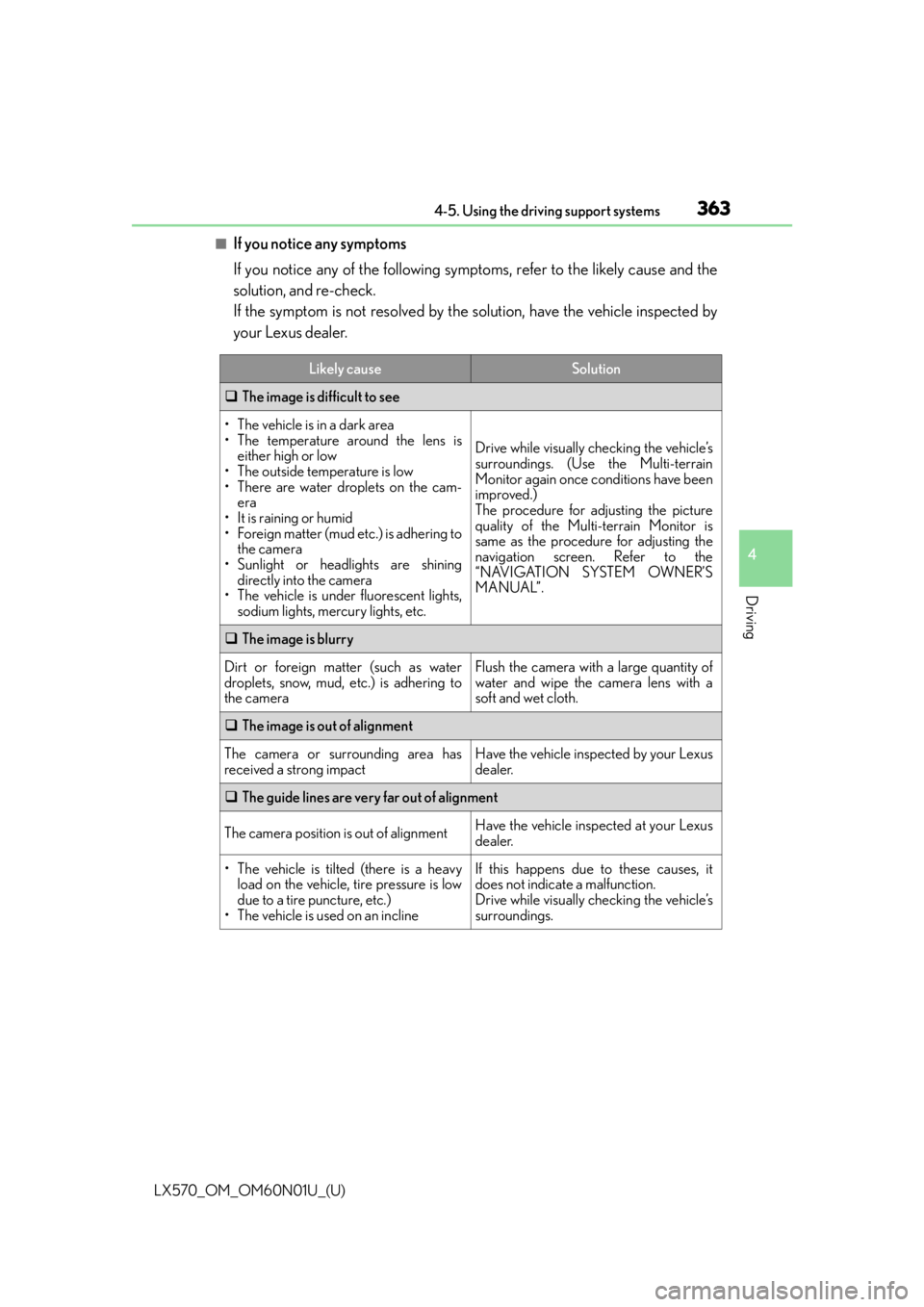
■If you notice any symptoms
If you notice any of the following symptoms, refer to the likely cause and the
solution, and re-check.
If the symptom is not resolved by the solution, have the vehicle inspected by
your Lexus dealer.
Likely causeSolution
The image is difficult to see
• The vehicle is in a dark area
• The temperature around the lens is
either high or low
• The outside temperature is low
• There are water droplets on the cam- era
• It is raining or humid
• Foreign matter (mud etc.) is adhering to the camera
• Sunlight or headlights are shining directly into the camera
• The vehicle is under fluorescent lights,
sodium lights, mercury lights, etc.
Drive while visually checking the vehicle’s
surroundings. (Use the Multi-terrain
Monitor again once conditions have been
improved.)
The procedure for adjusting the picture
quality of the Multi-terrain Monitor is
same as the procedure for adjusting the
navigation screen. Refer to the
“NAVIGATION SYSTEM OWNER’S
MANUAL”.
The image is blurry
Dirt or foreign matter (such as water
droplets, snow, mud, etc.) is adhering to
the cameraFlush the camera with a large quantity of
water and wipe the camera lens with a
soft and wet cloth.
The image is out of alignment
The camera or surrounding area has
received a strong impactHave the vehicle inspected by your Lexus
dealer.
The guide lines are very far out of alignment
The camera position is out of alignmentHave the vehicle inspected at your Lexus
dealer.
• The vehicle is tilted (there is a heavy
load on the vehicle, tire pressure is low
due to a tire puncture, etc.)
• The vehicle is used on an inclineIf this happens due to these causes, it
does not indicate a malfunction.
Drive while visually checking the vehicle’s
surroundings.
Page 364 of 632

364
LX570_OM_OM60N01U_(U)4-5. Using the driving support systems
The projected course lines move even thou gh the steering wheel is straight (vehi-
cle width extension guide lines and pr ojected course lines are not aligned)
There is a malfunction in the signals being
output by the steering sensorHave the vehicle inspected by your Lexus
dealer.
Guide lines are not displayed
The back door is open
Close the back door.
If this does not resolve the symptom, have
the vehicle inspected by your Lexus
dealer.
“!” is displayed
The battery is disconnected and recon-
nected
Turn the steering whee l fully to right and
left.
If this does not resolve the symptom, have
the vehicle inspected by your Lexus
dealer.
There is a malfunction in the Multi-terrain
MonitorHave the vehicle inspected by your Lexus
dealer.
NOTICE
■How to use the camera
●The Multi-terrain Monitor system may not operate properly in the following cases.
• If the front or the rear of the vehicle or the outside rear view mirror has been hit, the camera’s position and mounting angle may have changed.
• As the camera has a water proof construction, do not detach, disassemble or modify it. This may cause incorrect operation.
• Do not strongly rub the camera lens. If th e camera lens is scratched, it cannot
transmit a clear image.
• Do not allow organic solvent, car wax, window cleaner or glass coat to adhere to the camera. If this happens, wipe it off as soon as possible.
• If the temperature changes rapidly, such as when hot water is poured on the vehi- cle in cold weather, the system may not operate normally.
• When washing the vehicle, do not apply intensive bursts of water to the camera or
camera area. Doing so may result in the camera malfunctioning.
• When the camera is used under fluorescen t lights, sodium light or mercury light
etc., the lights and the illuminate d areas may appear to flicker.
• The camera can be damaged by flying rocks and other debris.
●Do not expose the camera to strong impact as this could cause a malfunction. If this
happens, have the vehicle inspected by your Lexus dealer as soon as possible.
Likely causeSolution
Page 367 of 632
LX570_OM_OM60N01U_(U)
3674-5. Using the driving support systems
4
Driving
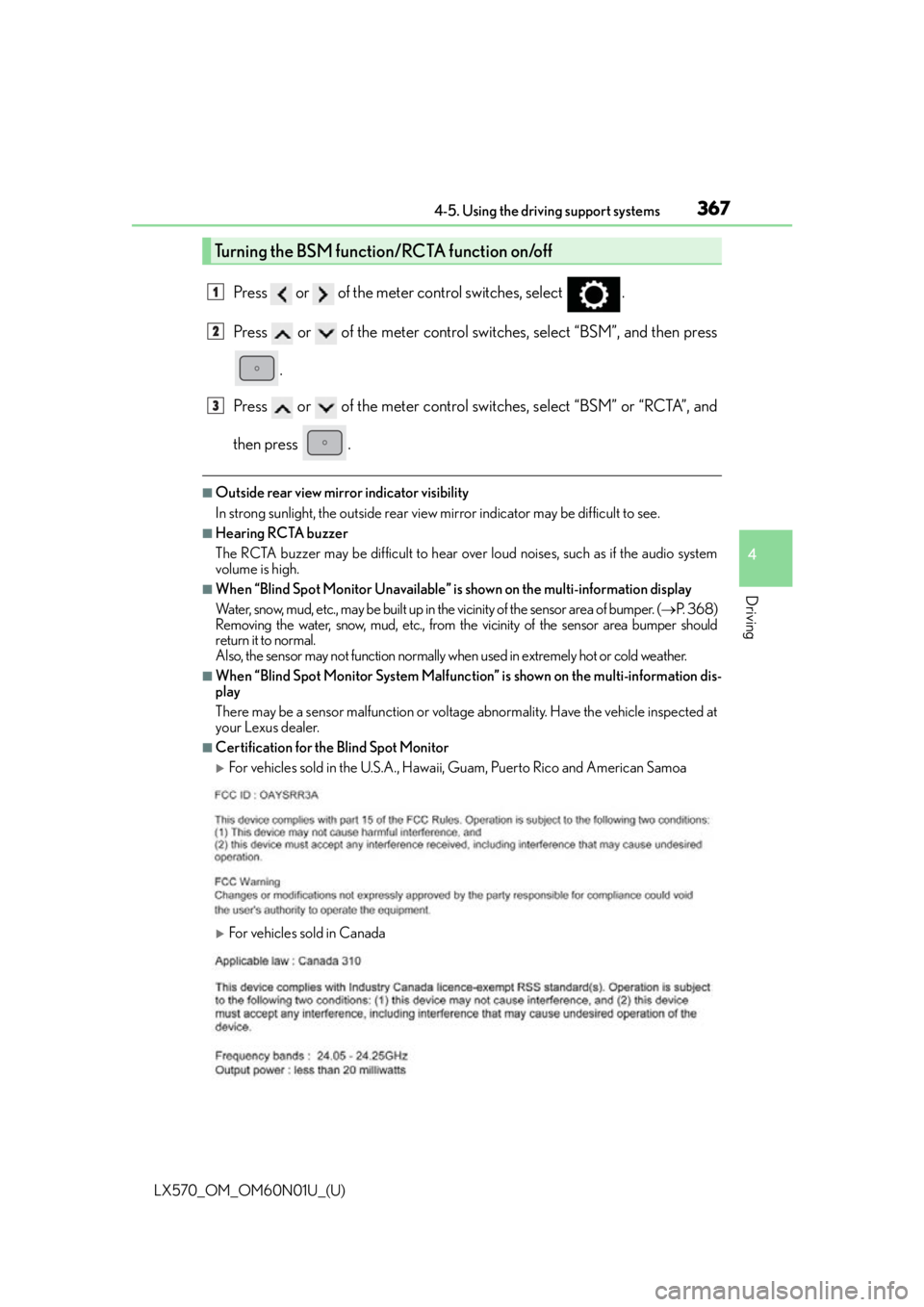
Press or of the meter control switches, select .
Press or of the meter control switches, select “BSM”, and then press.
Press or of the meter control switches, select “BSM” or “RCTA”, and
then press .
■Outside rear view mirror indicator visibility
In strong sunlight, the outside rear view mirror indicator may be difficult to see.
■Hearing RCTA buzzer
The RCTA buzzer may be difficult to hear ov er loud noises, such as if the audio system
volume is high.
■When “Blind Spot Monitor Unavailable” is shown on the multi-information display
Water, snow, mud, etc., may be built up in the vicinity of the sensor area of bumper. ( P. 3 6 8 )
Removing the water, snow, mud, etc., from the vicinity of the sensor area bumper should
return it to normal.
Also, the sensor may not function normally wh en used in extremely hot or cold weather.
■When “Blind Spot Monitor System Malfunctio n” is shown on the multi-information dis-
play
There may be a sensor malfunction or volta ge abnormality. Have the vehicle inspected at
your Lexus dealer.
■Certification for the Blind Spot Monitor
For vehicles sold in the U.S.A., Hawaii , Guam, Puerto Rico and American Samoa
For vehicles sold in Canada
Turning the BSM function/RCTA function on/off
1
2
3
Page 368 of 632
368
LX570_OM_OM60N01U_(U)4-5. Using the driving support systems
WA R N I N G
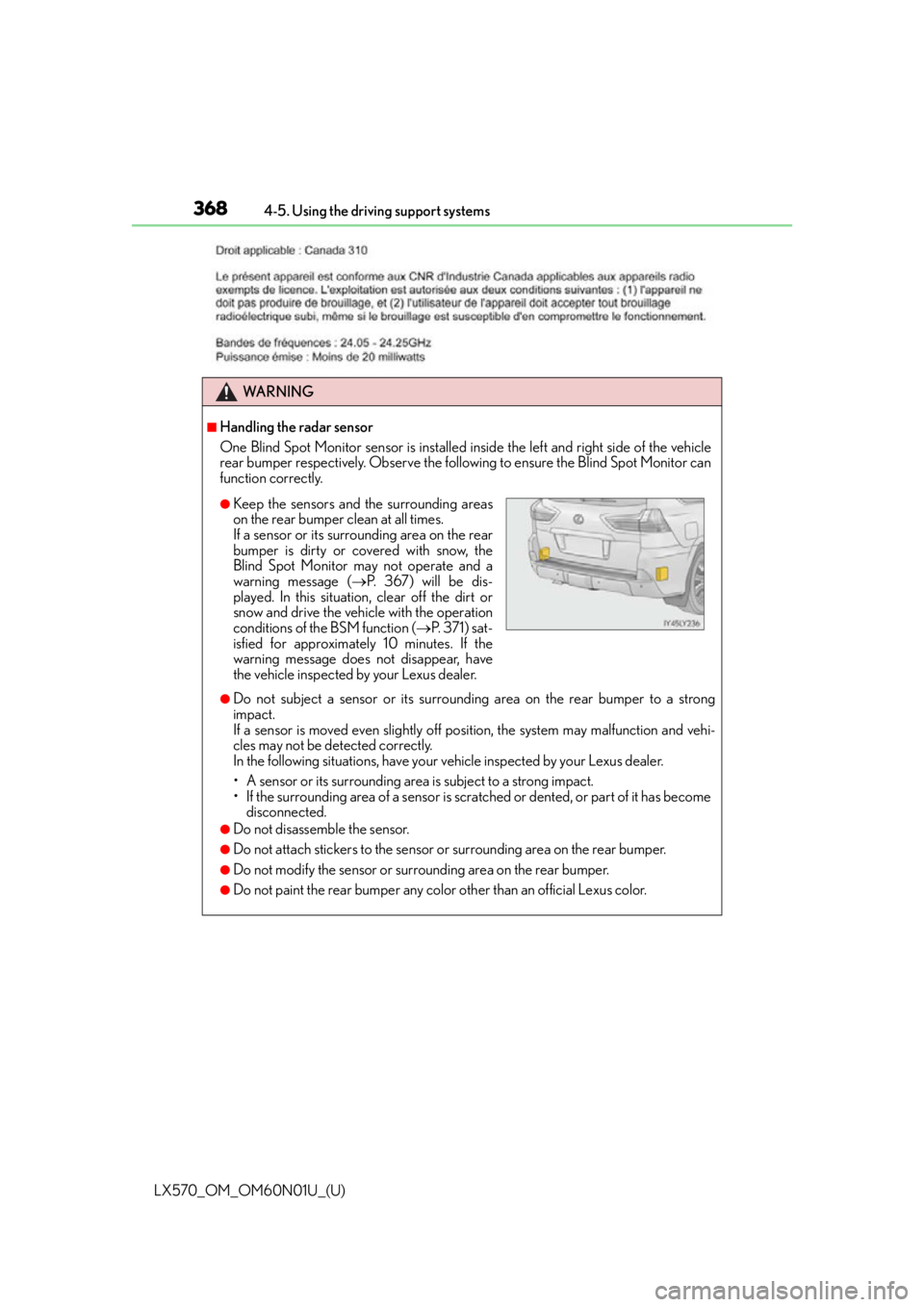
■Handling the radar sensor
One Blind Spot Monitor sensor is installed in
side the left and right side of the vehicle
rear bumper respectively. Observe the following to ensure the Blind Spot Monitor can
function correctly.
●Do not subject a sensor or its surrounding area on the rear bumper to a strong
impact.
If a sensor is moved even slightly off po sition, the system may malfunction and vehi-
cles may not be detected correctly.
In the following situations, have your vehicle inspected by your Lexus dealer.
• A sensor or its surrounding area is subject to a strong impact.
• If the surrounding area of a sensor is scra tched or dented, or part of it has become
disconnected.
●Do not disassemble the sensor.
●Do not attach stickers to the sensor or surrounding area on the rear bumper.
●Do not modify the sensor or surrounding area on the rear bumper.
●Do not paint the rear bumper any color other than an official Lexus color.
●Keep the sensors and the surrounding areas
on the rear bumper clean at all times.
If a sensor or its surrounding area on the rear
bumper is dirty or covered with snow, the
Blind Spot Monitor may not operate and a
warning message (P. 367) will be dis-
played. In this situation, clear off the dirt or
snow and drive the vehicle with the operation
conditions of the BSM function ( P. 3 7 1 ) s a t -
isfied for approximately 10 minutes. If the
warning message does not disappear, have
the vehicle inspected by your Lexus dealer.
Page 380 of 632
380
LX570_OM_OM60N01U_(U)4-5. Using the driving support systems
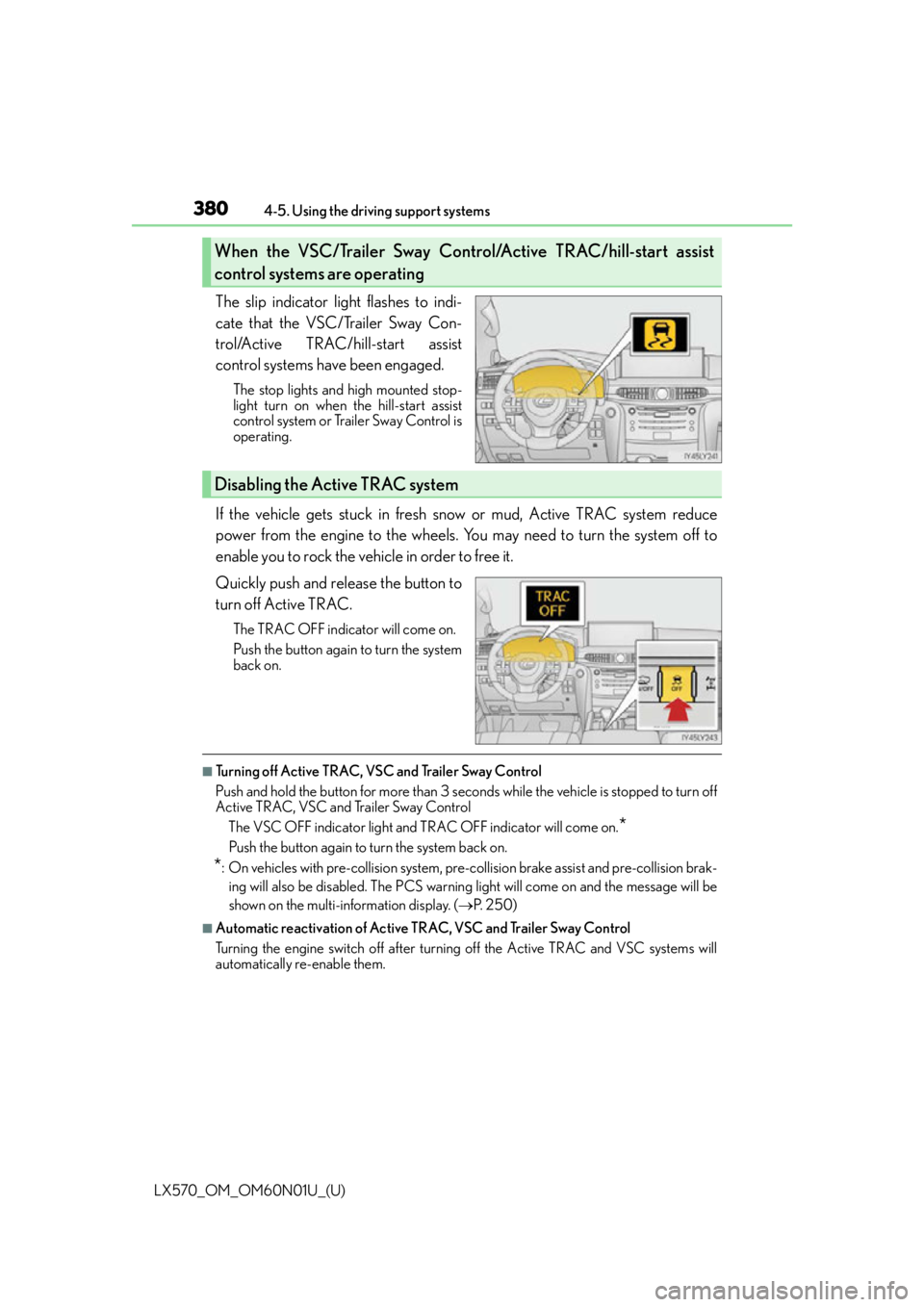
The slip indicator light flashes to indi-
cate that the VSC/Trailer Sway Con-
trol/Active TRAC/hill-start assist
control systems have been engaged.
The stop lights and high mounted stop-
light turn on when
the hill-start assist
control system or Trailer Sway Control is
operating.
If the vehicle gets stuck in fresh snow or mud, Active TRAC system reduce
power from the engine to the wheels. You may need to turn the system off to
enable you to rock the vehicle in order to free it.
Quickly push and release the button to
turn off Active TRAC.
The TRAC OFF indicator will come on.
Push the button again to turn the system
back on.
■Turning off Active TRAC, VSC and Trailer Sway Control
Push and hold the button for more than 3 seconds while the vehicle is stopped to turn off
Active TRAC, VSC and Trailer Sway Control
The VSC OFF indicator light and TRAC OFF indicator will come on.
*
Push the button again to turn the system back on.
*: On vehicles with pre-collision system, pre-collision brake assist and pre-collision brak-ing will also be disabled. The PCS warning light will come on and the message will be
shown on the multi-information display. ( P. 2 5 0 )
■Automatic reactivation of Active TRAC, VSC and Trailer Sway Control
Turning the engine switch off after turning off the Active TRAC and VSC systems will
automatically re-enable them.
When the VSC/Trailer Sway Control/Active TRAC/hill-start assist
control systems are operating
Disabling the Active TRAC system