towing LEXUS NX300h 2015 Owner's Manual
[x] Cancel search | Manufacturer: LEXUS, Model Year: 2015, Model line: NX300h, Model: LEXUS NX300h 2015Pages: 681, PDF Size: 9.14 MB
Page 199 of 681
1994-1. Before driving
4
Driving
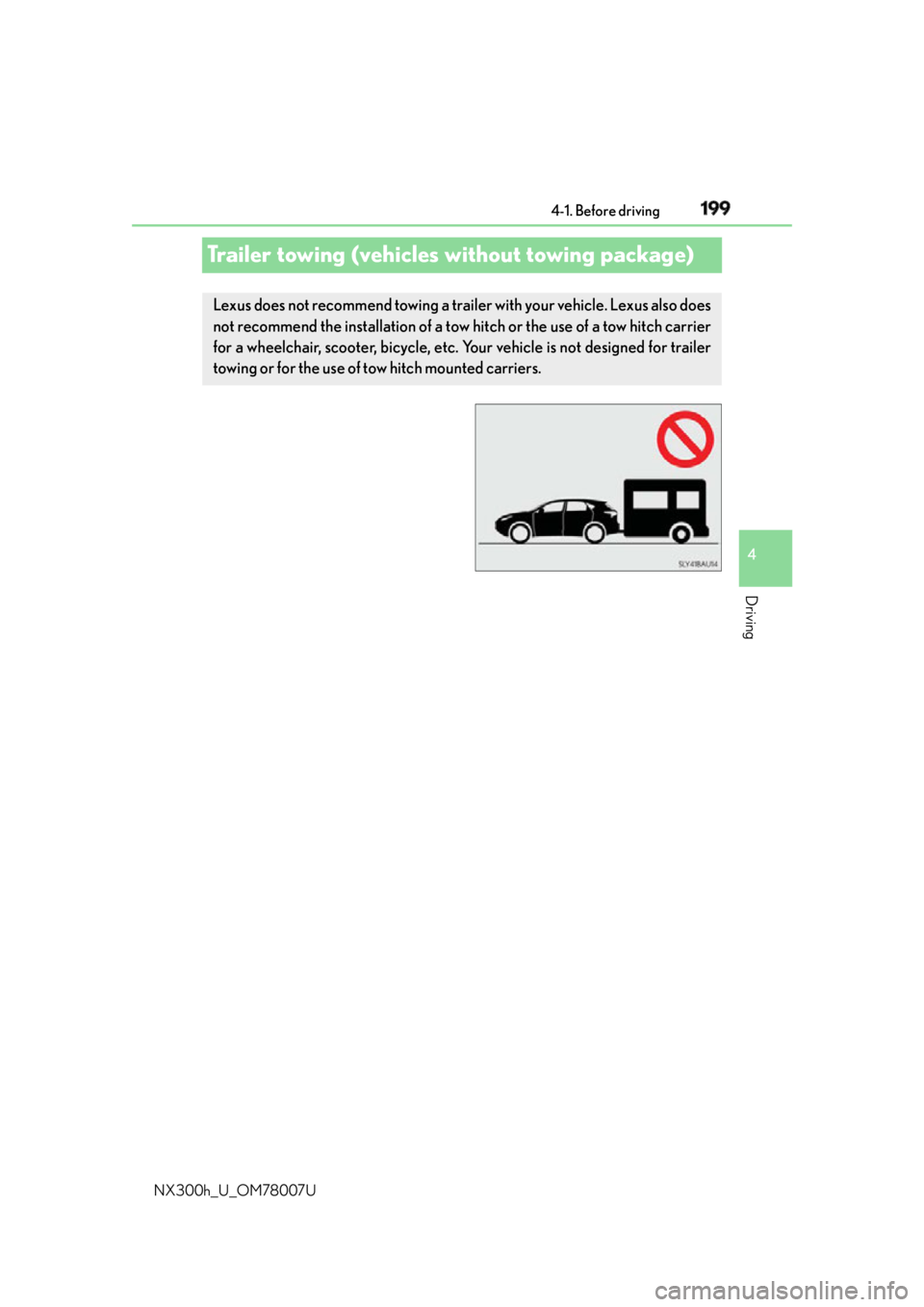
NX300h_U_OM78007UTrailer towing (vehicles without towing package) Lexus does not recommend towing a trailer with your vehicle. Lexus also does
not recommend the installation of a tow hitch or the use of a tow hitch carrier
for a wheelchair, scooter, bicycle, etc. Your vehicle is not designed for trailer
towing or for the use of tow hitch mounted carriers.
Page 200 of 681
200 4-1. Before driving
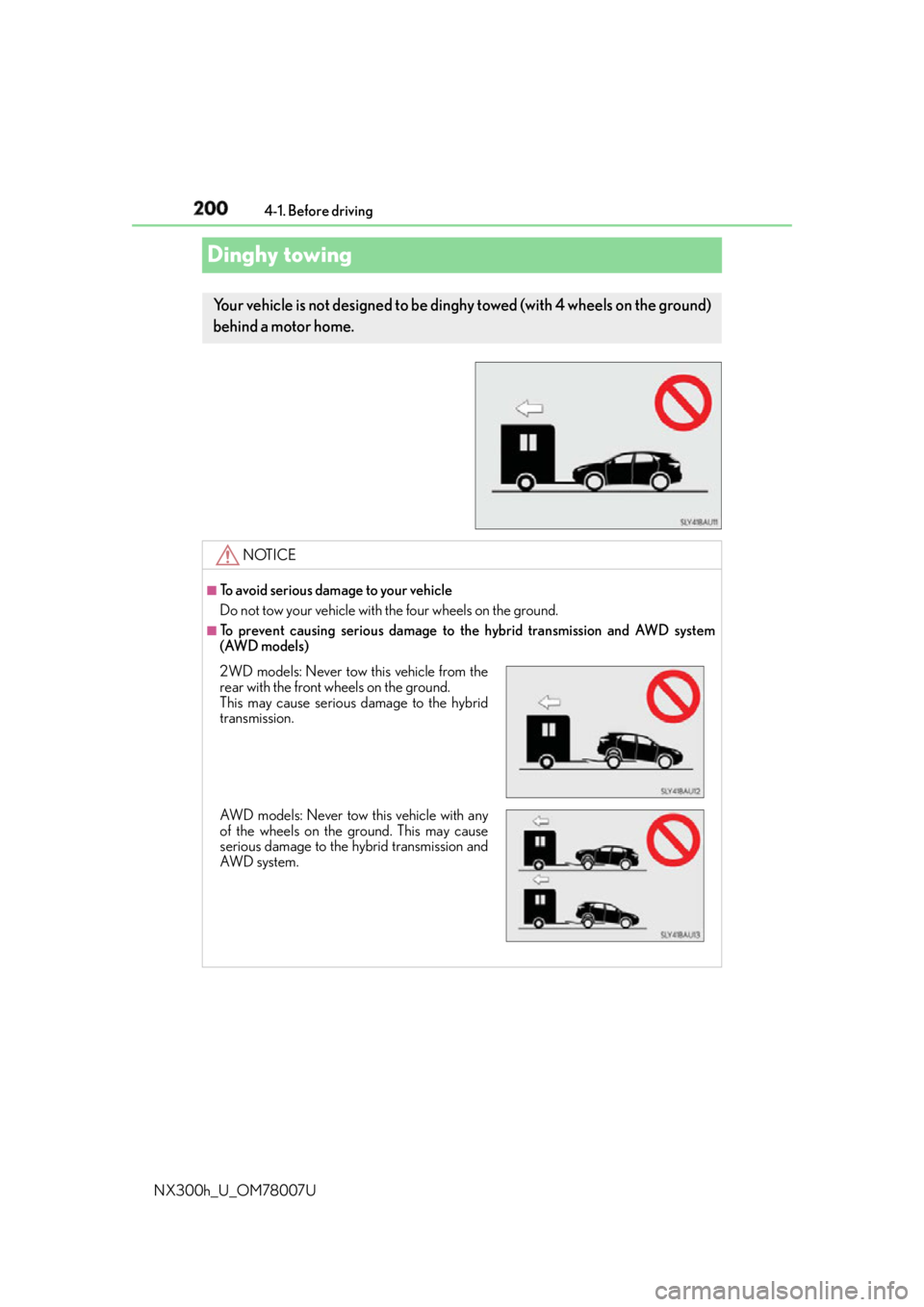
NX300h_U_OM78007UDinghy towing Your vehicle is not designed to be ding hy towed (with 4 wheels on the ground)
behind a motor home.
NOTICE ■
To avoid serious damage to your vehicle
Do not tow your vehicle with the four wheels on the ground. ■
To prevent causing serious damage to the hybrid transmission and AWD system
(AWD models)
2WD models: Never tow this vehicle from the
rear with the front wheels on the ground.
This may cause serious damage to the hybrid
transmission.
AWD models: Never tow this vehicle with any
of the wheels on the ground. This may cause
serious damage to the hybrid transmission and
AWD system.
Page 250 of 681
250 4-5. Using the driving support systems
NX300h_U_OM78007U WA R N I N G ■
Situations unsuitable for dynamic radar cruise control
Do not use dynamic radar cruise control in any of the following situations.
Doing so may result in inappropriate speed control and could cause an accident result-
ing in death or serious injury. ●
Roads where there are pede strians, cyclers, etc.●
In heavy traffic ●
On roads with sharp bends ●
On winding roads ●
On slippery roads, such as thos e covered with rain, ice or snow●
On sharp inclines or declines
Vehicle speed may exceed the set speed when driving down a steep hill. ●
Roads with continuous inclines and declines ●
At entrances to freeways and highways ●
When weather conditions are bad enough that they may prevent the sensors from
detecting correctly (fog, snow, sandstorm, heavy rain, etc.)●
When an approach warning buzzer is heard often ●
When your vehicle is towing a trailer or during emergency towing ■
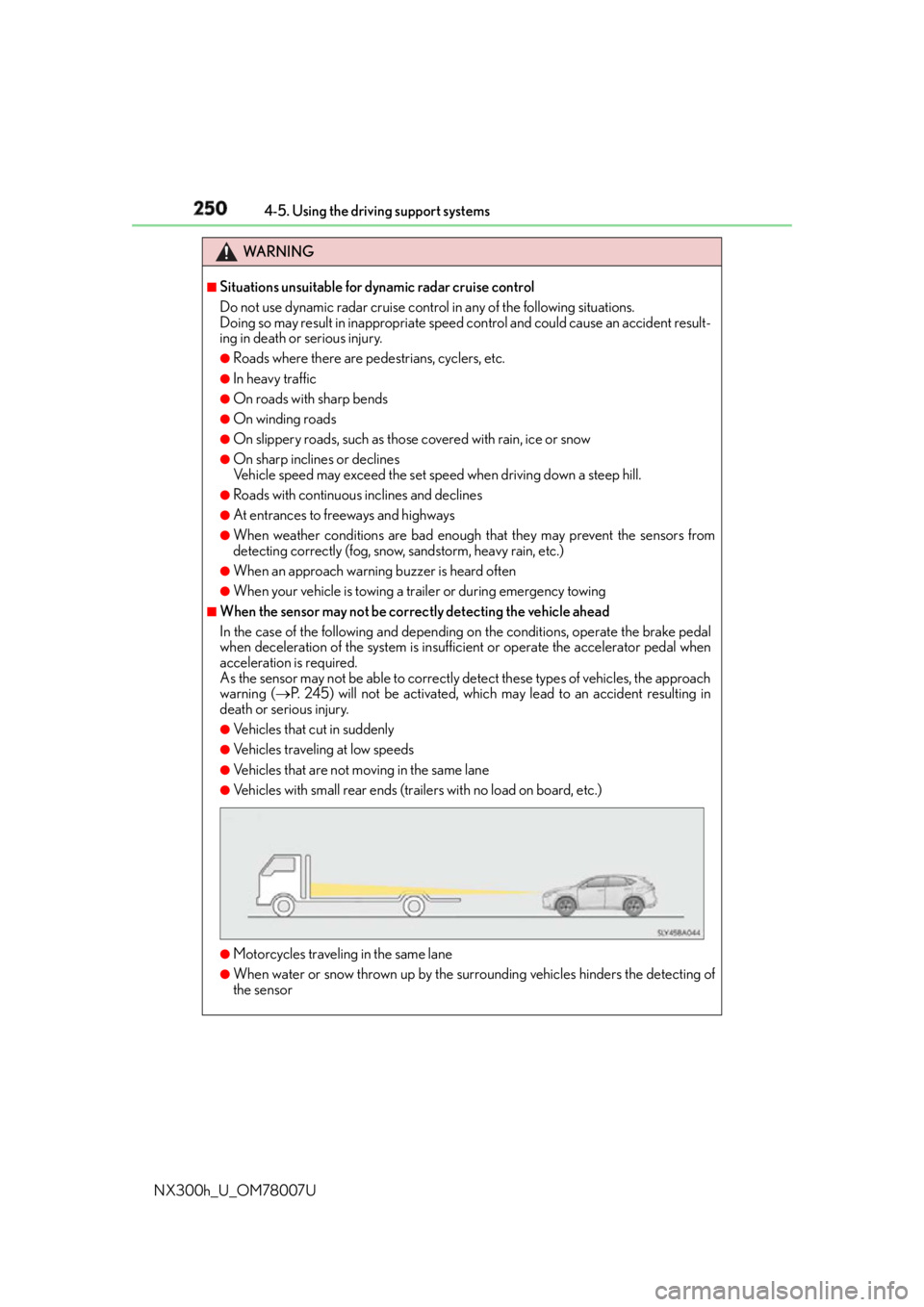
When the sensor may not be correctly detecting the vehicle ahead
In the case of the following and depending on the conditions, operate the brake pedal
when deceleration of the system is insuff icient or operate the accelerator pedal when
acceleration is required.
As the sensor may not be able to correctly detect these types of vehicles, the approach
warning ( P. 245) will not be activated, which may lead to an accident resulting in
death or serious injury. ●
Vehicles that cut in suddenly ●
Vehicles traveling at low speeds ●
Vehicles that are not moving in the same lane ●
Vehicles with small rear ends (traile rs with no load on board, etc.)
●
Motorcycles traveling in the same lane ●
When water or snow thrown up by the surrounding vehicles hinders the detecting of
the sensor
Page 264 of 681
264 4-5. Using the driving support systems
NX300h_U_OM78007U WA R N I N G ■
Situations unsuitable for dynamic rada r cruise control with full-speed range
Do not use dynamic radar cruise control wi th full-speed range in any of the following
situations.
Doing so may result in inappropriate speed control and could cause an accident result-
ing in death or serious injury. ●
Roads where there are pede strians, cyclers, etc.●
In heavy traffic ●
On roads with sharp bends ●
On winding roads ●
On slippery roads, such as thos e covered with rain, ice or snow●
On sharp inclines or declines
Vehicle speed may exceed the set speed when driving down a steep hill. ●
Roads with continuous inclines and declines ●
At entrances to freeways and highways ●
When weather conditions are bad enough that they may prevent the sensors from
detecting correctly (fog, snow, sandstorm, heavy rain, etc.)●
When an approach warning buzzer is heard often ●
When your vehicle is towing a trailer or during emergency towing ■
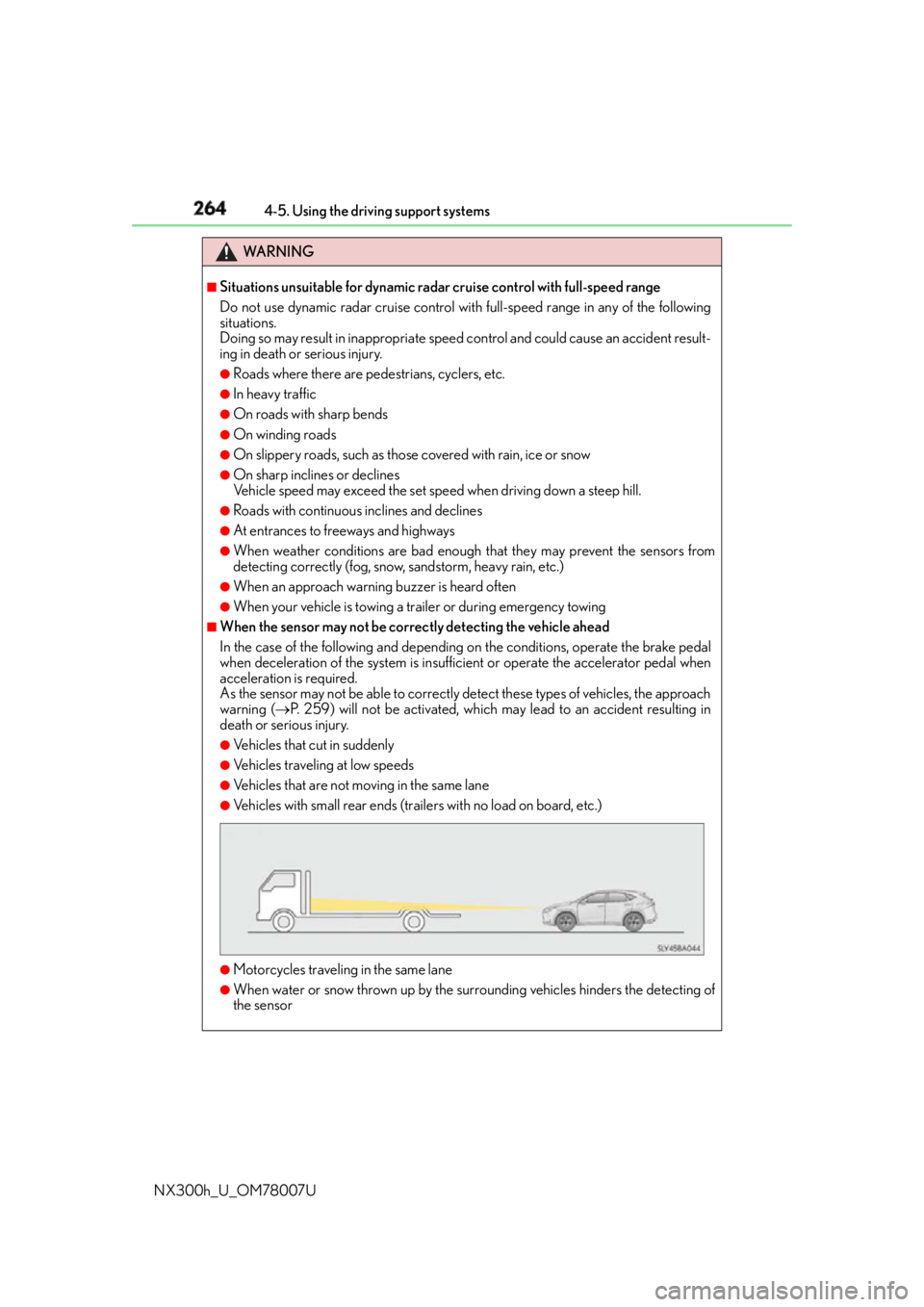
When the sensor may not be correctly detecting the vehicle ahead
In the case of the following and depending on the conditions, operate the brake pedal
when deceleration of the system is insuff icient or operate the accelerator pedal when
acceleration is required.
As the sensor may not be able to correctly detect these types of vehicles, the approach
warning ( P. 259) will not be activated, which ma y lead to an accident resulting in
death or serious injury. ●
Vehicles that cut in suddenly ●
Vehicles traveling at low speeds ●
Vehicles that are not moving in the same lane ●
Vehicles with small rear ends (traile rs with no load on board, etc.)
●
Motorcycles traveling in the same lane ●
When water or snow thrown up by the surrounding vehicles hinders the detecting of
the sensor
Page 269 of 681

2694-5. Using the driving support systems
4
Driving
NX300h_U_OM78007U ■
Cruise control can be set when ●
The shift lever is in D or range 4 or higher of S has been selected.●
Vehicle speed is above approximately 25 mph (40 km/h). ■
Accelerating after setting the vehicle speed ●
The vehicle can be accelerated by operating accelerator pedal. After accelerating, the
set speed resumes. ●
Even without canceling the cruise control, the set speed can be increased by first accel-
erating the vehicle to the desired speed and then pushing the lever down to set the new
speed. ■
Automatic cancelation of cruise control
Cruise control is automatically canceled in any of the fo llowing situations.●
Actual vehicle speed falls more than approximately 10 mph (16 km/h) below the set
speed. ●
Actual vehicle speed is below approximately 25 mph (40km/h). ●
VSC is activated. ●
TRAC is activated for a period of time. ●
When the VSC or TRAC system is turned off by pressing the VSC OFF switch. ■
If “Cruise Control Malfunction Visit Your De aler” is displayed on the multi-information
display
Press the “ON/OFF” button once to deactivate the system, and then press the button
again to reactivate the system.
If the cruise control speed cannot be set or if the cruise control cancels immediately after
being activated, there may be a malfunction in the cruise control system. Have the vehi-
cle inspected by your Lexus dealer.
WA R N I N G ■
To avoid operating the cruise control by mistake
Switch the cruise control off using th e “ON/OFF” button when not in use.■
Situations unsuitable for cruise control
Do not use cruise control in any of the following situations.
Doing so may result in loss of control and could cause an accident resulting in death or
serious injury. ●
Roads where there are pede strians, cyclers, etc.●
In heavy traffic ●
On roads with sharp bends ●
On winding roads ●
On slippery roads, such as thos e covered with rain, ice or snow●
On sharp inclines or declines
Vehicle speed may exceed the set speed when driving down a steep hill. ●
When your vehicle is towing a trailer or during emergency towing
Page 284 of 681

284 4-5. Using the driving support systems
NX300h_U_OM78007U ■
The intuitive parking assist can be operated when ●
Front corner sensors:
• The power switch is in ON mode.
• The shift lever is in other than P.
• The vehicle speed is less than about 6 mph (10 km/h).
(At any speed when the shift lever is in R) ●
Front center sensors:
• The power switch is in ON mode.
• The shift lever is in other than P or R.
• The vehicle speed is less than about 6 mph (10 km/h). ●
Rear corner and rear center sensors:
• The power switch is in ON mode.
• The shift lever is in R. ■
Intuitive parking assist display
When an obstacle is detected while the Lexus parking assist monitor is in use, the warn-
ing indicator will appear in the upper corner of the screen ev en if the display setting has
been set to off. ■
Sensor detectio n information●
The sensor’s detection areas are limited to the areas around the vehicle’s bumper. ●
Certain vehicle conditions and the surround ing environment may affect the ability of a
sensor to correctly detect an obstacle. Particular instances where this may occur are
listed below.
• There is dirt, snow or ice on the sensor . (Wiping the sensors will resolve this prob-
lem.)
• The sensor is frozen. (Thawing th e area will resolve this problem.)
In especially cold weather, if a sensor is frozen the screen may show an abnormal
display, or obstacles may not be detected.
• The sensor is covered in any way.
• The vehicle is leaning co nsiderably to one side.
• On an extremely bumpy road, on an incline, on gravel, or on grass.
• The vicinity of the vehicle is noisy due to vehicle horns, motorcycle engines, air
brakes of large vehicles, or other loud noises producing ultrasonic waves.
• There is another vehicle equipped with parking assist sensors in the vicinity.
• The sensor is coated with a sheet of spray or heavy rain.
• The vehicle is equipped with a fender pole or wireless antenna.
• Towing eyelets are installed.
• The bumper or sensor receives a strong impact.
• The vehicle is approaching a tall or curved curb.
• In harsh sunlight or intense cold weather.
• The area directly under the bumpers is not detected.
• If obstacles draw too close to the sensor.
• A non-genuine Lexus suspension (low ered suspension etc.) is installed.
• People may not be detected if they are wearing certain types of clothing.
In addition to the examples above, there are instances in which, because of their shape,
signs and other objects may be judged by a sensor to be closer than they are.
Page 312 of 681

312 4-5. Using the driving support systems
NX300h_U_OM78007U ■
The pre-collision system is operational when
The pre-collision system is on ( P. 311) and the following conditions are met:●
Pre-collision warning:
• Vehicle speed is greater th an about 10 mph (15 km/h).
• The speed at which your vehicle is approaching the obstacle or the vehicle running
ahead of you is greater than about 7 mph (10 km/h). ●
Pre-collision brake assist:
• The VSC is not turned off.
• Vehicle speed is greater than about 19 mph (30 km/h).
• The speed at which your vehicle is approaching the obstacle or the vehicle running
ahead of you is greater than about 19 mph (30 km/h).
• The brake pedal is depressed. ●
Pre-collision braking:
• The VSC is not turned off.
• Vehicle speed is greater th an about 10 mph (15 km/h).
• The speed at which your vehicle is approaching the obstacle or the vehicle running
ahead of you is greater than about 7 mph (10 km/h).■
Conditions that may trigger the system even if there is no possibility of a collision
If the following obstructs the front of the sens or, the system judges that a collision may be
possible and operates. ●
When passing by a vehicle while making left or right turns or passing a vehicle in an
opposite lane. ●
When the vehicle rapidly approaches an object in front of it (such as another vehicle,
toll gate, etc.) ●
When climbing a steep hill, etc., and there are structures in the upper region of the road
(billboards, low ceilings , street lamps, etc.)●
When driving through narrow passages or places with low ceilings (bridges, tunnels,
overhead passes, etc.) ●
When driving on an uneven road surface ●
When metal objects are on the road surface causing level differences or protrusions in
the road ●
When an extreme change in vehicle height occurs ●
When the radar sensor moves off position du e to its surrounding area being subjected
to a strong impact. ●
When there is an obstacle on the side of an entrance of a curb for road (guardrails, etc.) ●
When your vehicle is tilted upwards (due to towing a trailer or during emergency tow-
ing, heavy loads in the lu ggage compartment, etc.).
When the system is activated in the situations described above, ther e is also a possibility
that the brakes will be applied wi th a force greater than normal.■
Obstacles not detected
The sensor cannot detect plasti c obstacles such as traffic co nes. There may also be occa-
sions when the sensor cannot detect pedestrians, animals, bicycles, motorcycles, trees,
or snowdrifts.
Page 449 of 681
4496-3. Using the storage features
6
Interior features
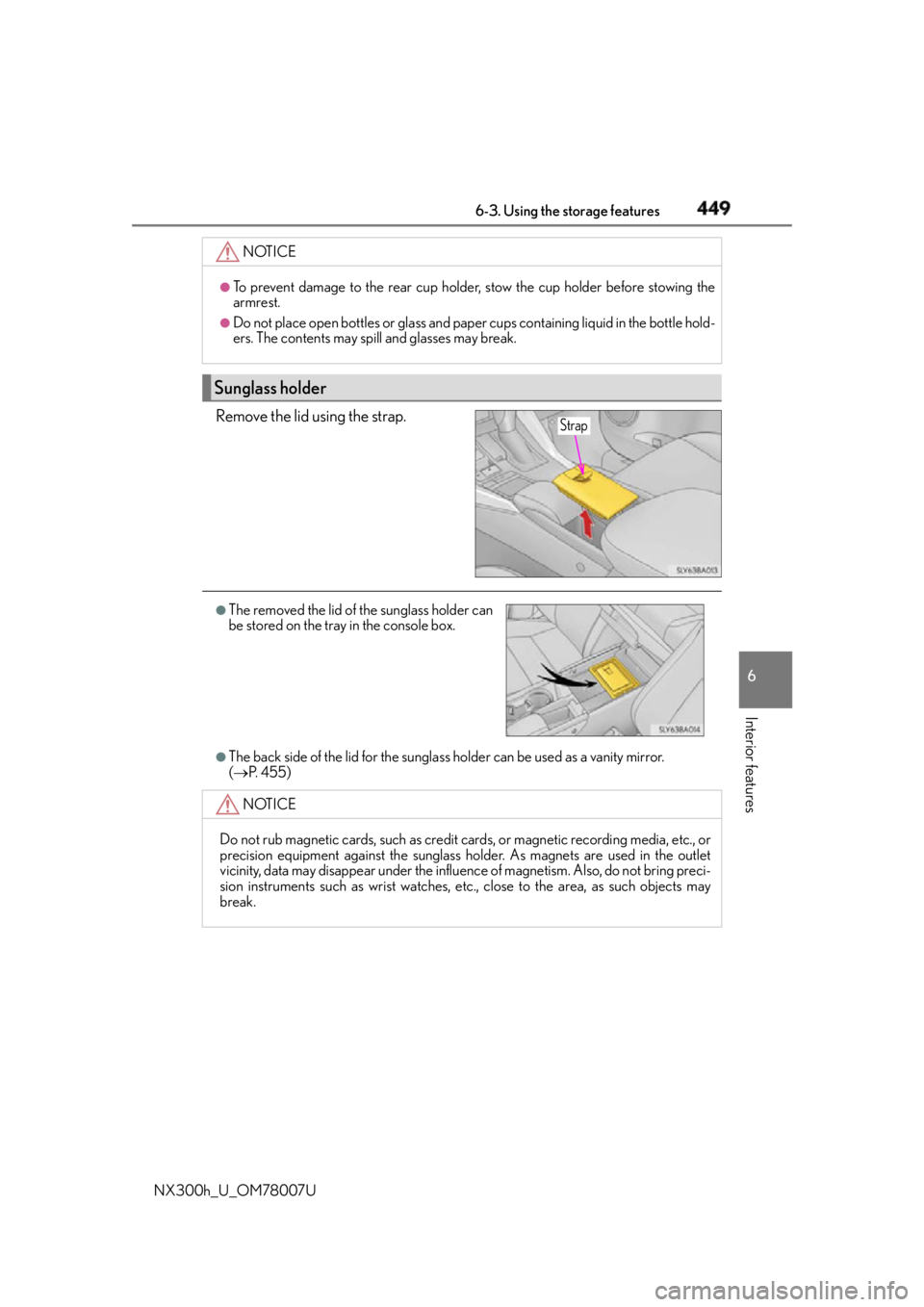
NX300h_U_OM78007U Remove the lid using the strap.
●
The back side of the lid for the sunglass holder can be used as a vanity mirror.
( P. 4 5 5 )NOTICE ●
To prevent damage to the rear cup holder, stow the cup holder before stowing the
armrest. ●
Do not place open bottles or glass and paper cups containing liquid in the bottle hold-
ers. The contents may spill and glasses may break.
Sunglass holder Strap
●
The removed the lid of the sunglass holder can
be stored on the tray in the console box.
NOTICE
Do not rub magnetic cards, such as credit cards, or magnetic recording media, etc., or
precision equipment against the sunglass ho lder. As magnets are used in the outlet
vicinity, data may disappear under the influe nce of magnetism. Also, do not bring preci-
sion instruments such as wris t watches, etc., close to the area, as such objects may
break.
Page 453 of 681
4536-3. Using the storage features
6
Interior features
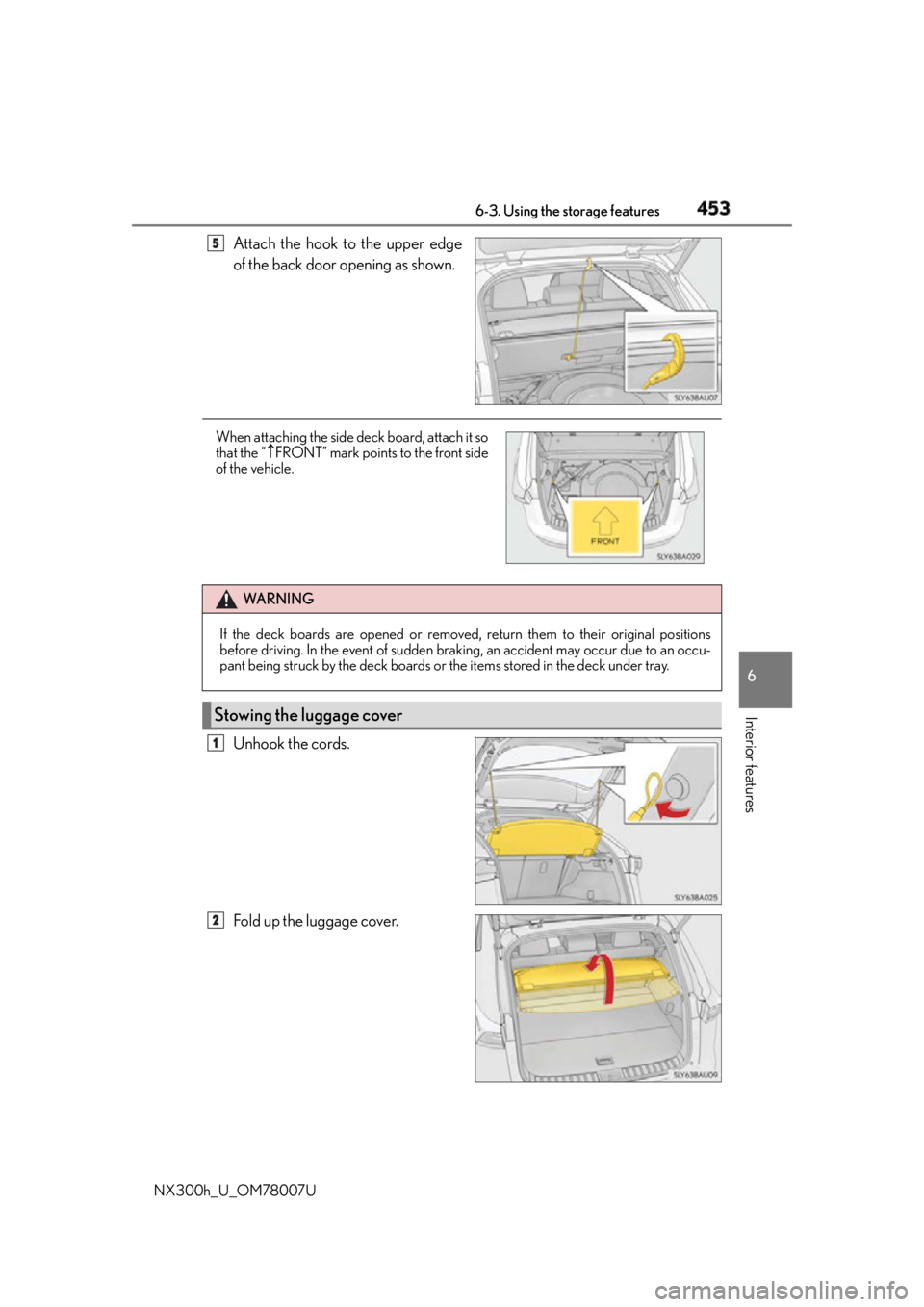
NX300h_U_OM78007U Attach the hook to the upper edge
of the back door opening as shown.
Unhook the cords.
Fold up the luggage cover. 5
When attaching the side deck board, attach it so
that the “ FRONT” mark points to the front side
of the vehicle.
WA R N I N G
If the deck boards are opened or removed, return them to their original positions
before driving. In the event of sudden brakin g, an accident may occur due to an occu-
pant being struck by the deck boards or the items stored in the deck under tray.
Stowing the luggage cover 1
2
Page 480 of 681

480 6-4. Other interior features
NX300h_U_OM78007U ■
Automatic Collis ion Notification
In case of either airbag deployment or severe rear-end collision, the system is
designed to automatically call the response center. The responding agent
receives the vehicle’s location and attempts to speak with the vehicle occu-
pants to assess the level of emergency. If the occupants are unable to commu-
nicate, the agent automatically treats the call as an emergency, contacts the
nearest emergency services provider to describe the situation, and requests
that assistance be se nt to the location.■
Stolen Vehicle Location
If your vehicle is stolen, Safety Connect can work with local authorities to
assist them in locating and recovering the vehicle. After filing a police report,
call the Safety Connect response center at 1-800-25-LEXUS
(1-800-255-3987) and follow the prompts for Safety Connect to initiate this
service.
In addition to assisting law enforcement with recovery of a stolen vehicle,
Safety-Connect-equipped vehicle location data may, under certain circum-
stances, be shared with third parties to locate your vehicle. Further informa-
tion is available at Lexus.com. ■
Emergency Assistance Button (“SOS”)
In the event of an emergency on the ro ad, push the “SOS” button to reach the
Safety Connect response center. Th e answering agent will determine your
vehicle’s location, assess the emergency, and dispatch the necessary assis-
tance required. If you accidentally press the “SOS” button, tell the response-center agent that you
are not experiencing an emergency.■
Enhanced Roadside Assistance
Enhanced Roadside Assistance adds GP S data to the already included war-
ranty-based Lexus roadside service.
Subscribers can press the “SOS” button to reach a Safety Connect response-
center agent, who can help with a wide range of needs, such as: towing, flat
tire, fuel delivery, etc. For a description of the Roadside Assistance services
and their limitations, please see the Safety Connect Terms and Conditions,
which are available at Lexus.com.Safety Connect services