display LEXUS NX300H 2016 Owners Manual
[x] Cancel search | Manufacturer: LEXUS, Model Year: 2016, Model line: NX300H, Model: LEXUS NX300H 2016Pages: 680, PDF Size: 10.23 MB
Page 425 of 680
4255-12. Other function
5
Lexus Display Audio system
NX300h_OM_USA_OM78082U
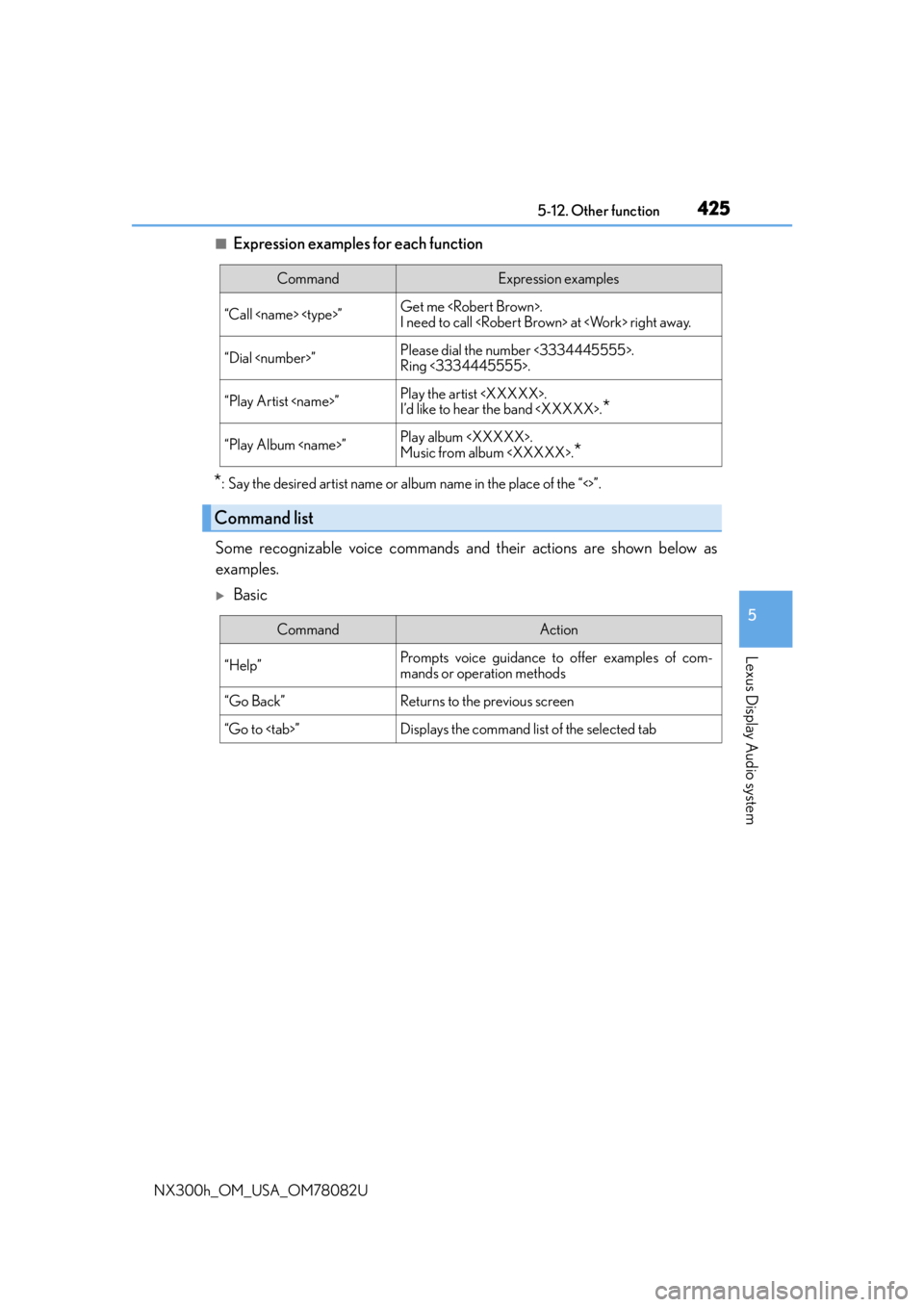
■Expression examples for each function
*: Say the desired artist name or album name in the place of the “<>”.
Some recognizable voice commands an d their actions are shown below as
examples.
Basic
CommandExpression examples
“Call
I need to call
“Dial
Ring <3334445555>.
“Play Artist
I’d like to hear the band
“Play Album
Music from album
*
Command list
CommandAction
“Help”Prompts voice guidance to offer examples of com-
mands or operation methods
“Go Back”Returns to the previous screen
“Go to
Page 426 of 680
4265-12. Other function
NX300h_OM_USA_OM78082U
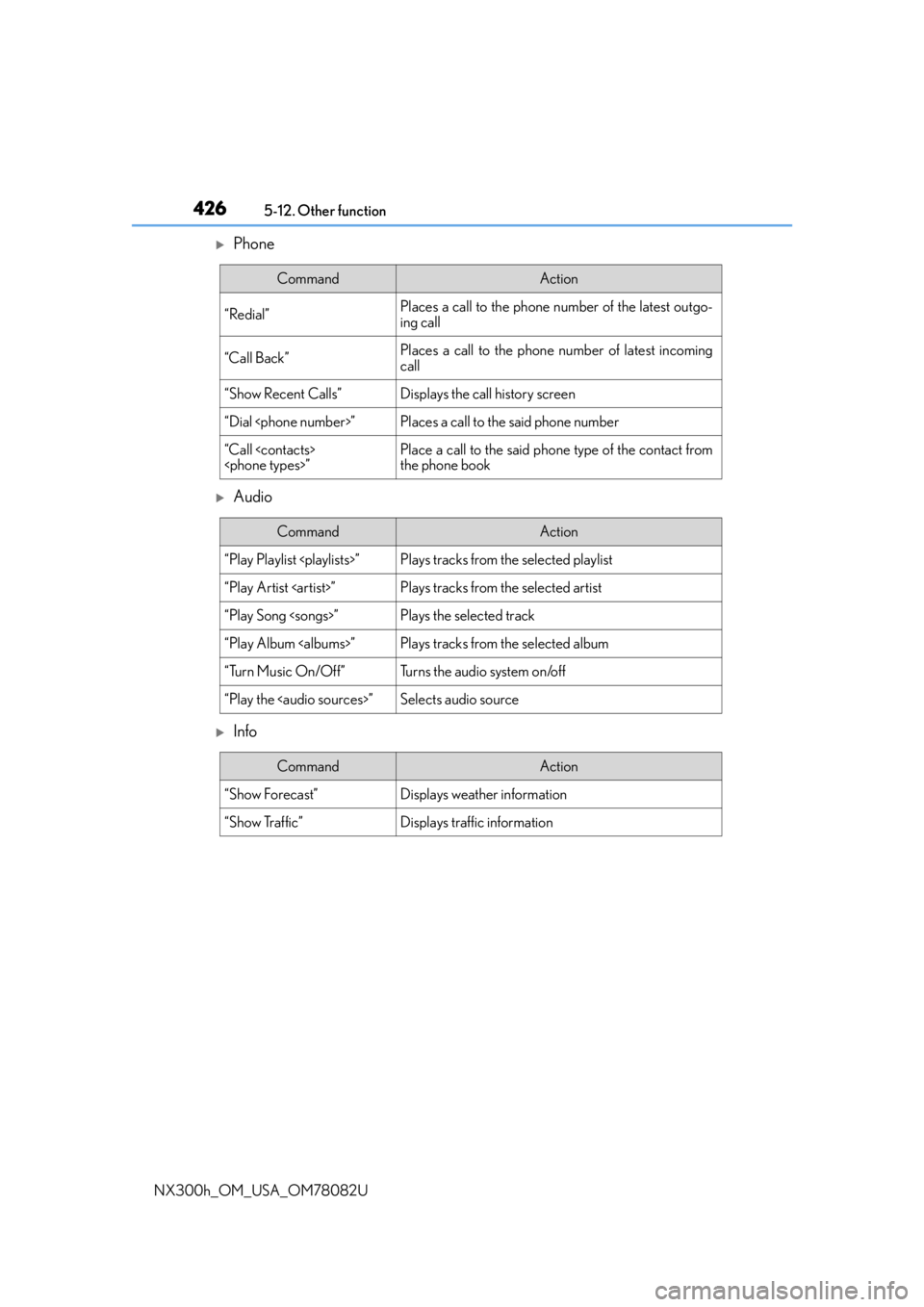
Phone
Audio
Info
CommandAction
“Redial”Places a call to the phone nu mber of the latest outgo-
ing call
“Call Back”Places a call to the phone number of latest incoming
call
“Show Recent Calls”Displays the call history screen
“Dial
“Call
the phone book
CommandAction
“Play Playlist
“Play Artist
“Play Song
“Play Album
“Turn Music On/Off”Turns the audio system on/off
“Play the
Page 427 of 680
4275-12. Other function
5
Lexus Display Audio system
NX300h_OM_USA_OM78082U
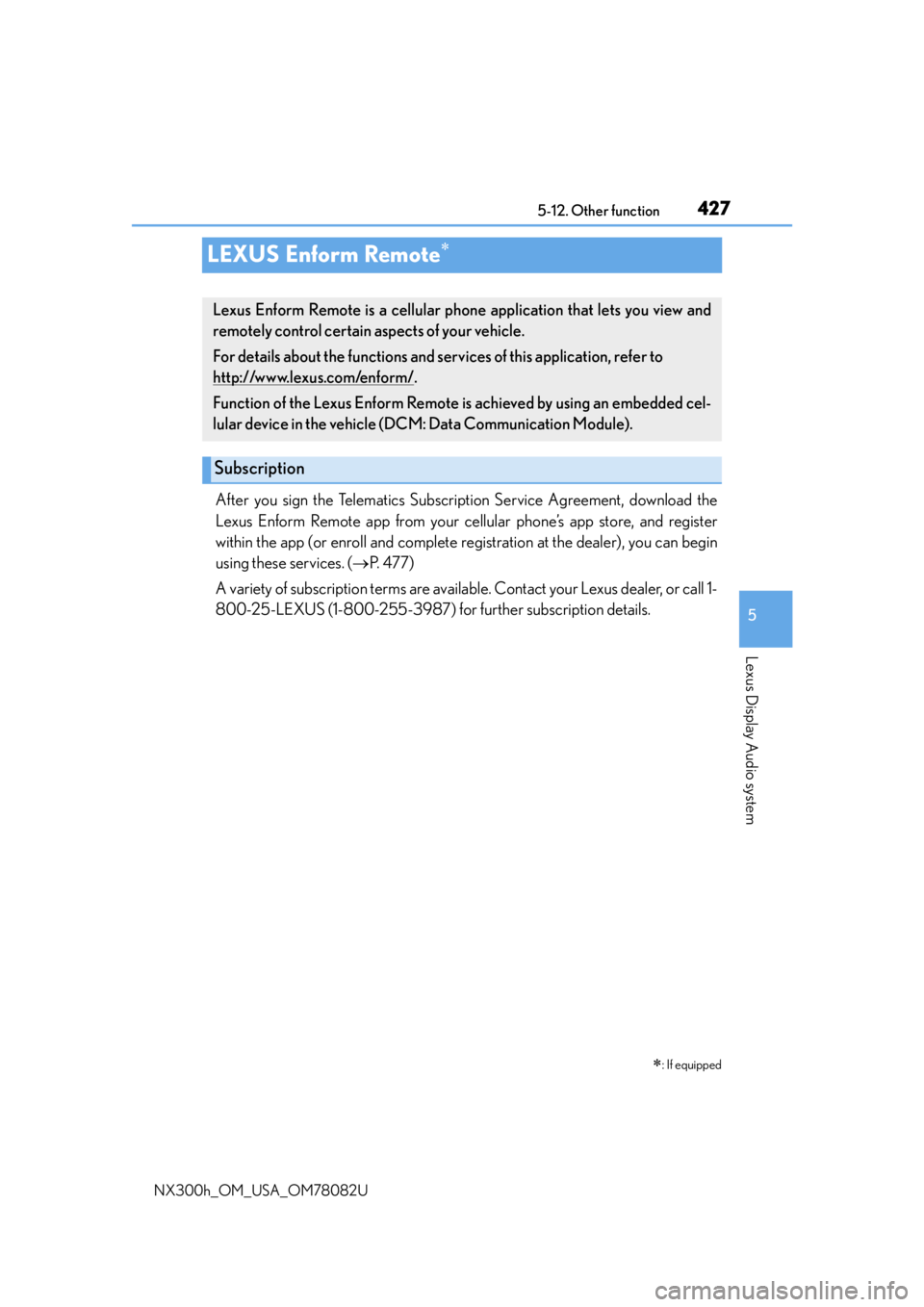
LEXUS Enform Remote
After you sign the Telematics Subscription Service Agreement, download the
Lexus Enform Remote app from your cellular phone’s app store, and register
within the app (or enroll and complete registration at the dealer), you can begin
using these services. ( P. 4 7 7 )
A variety of subscription terms are available. Contact your Lexus dealer, or call 1-
800-25-LEXUS (1-800-255-3987) fo r further subscription details.
: If equipped
Lexus Enform Remote is a cellular phone application that lets you view and
remotely control certain aspects of your vehicle.
For details about the functions and services of this application, refer to
http://www.lexus.com/enform/
.
Function of the Lexus Enform Remote is achieved by using an embedded cel-
lular device in the vehicle (D CM: Data Communication Module).
Subscription
Page 430 of 680
4306-1. Using the air conditioning system and defogger
NX300h_OM_USA_OM78082U
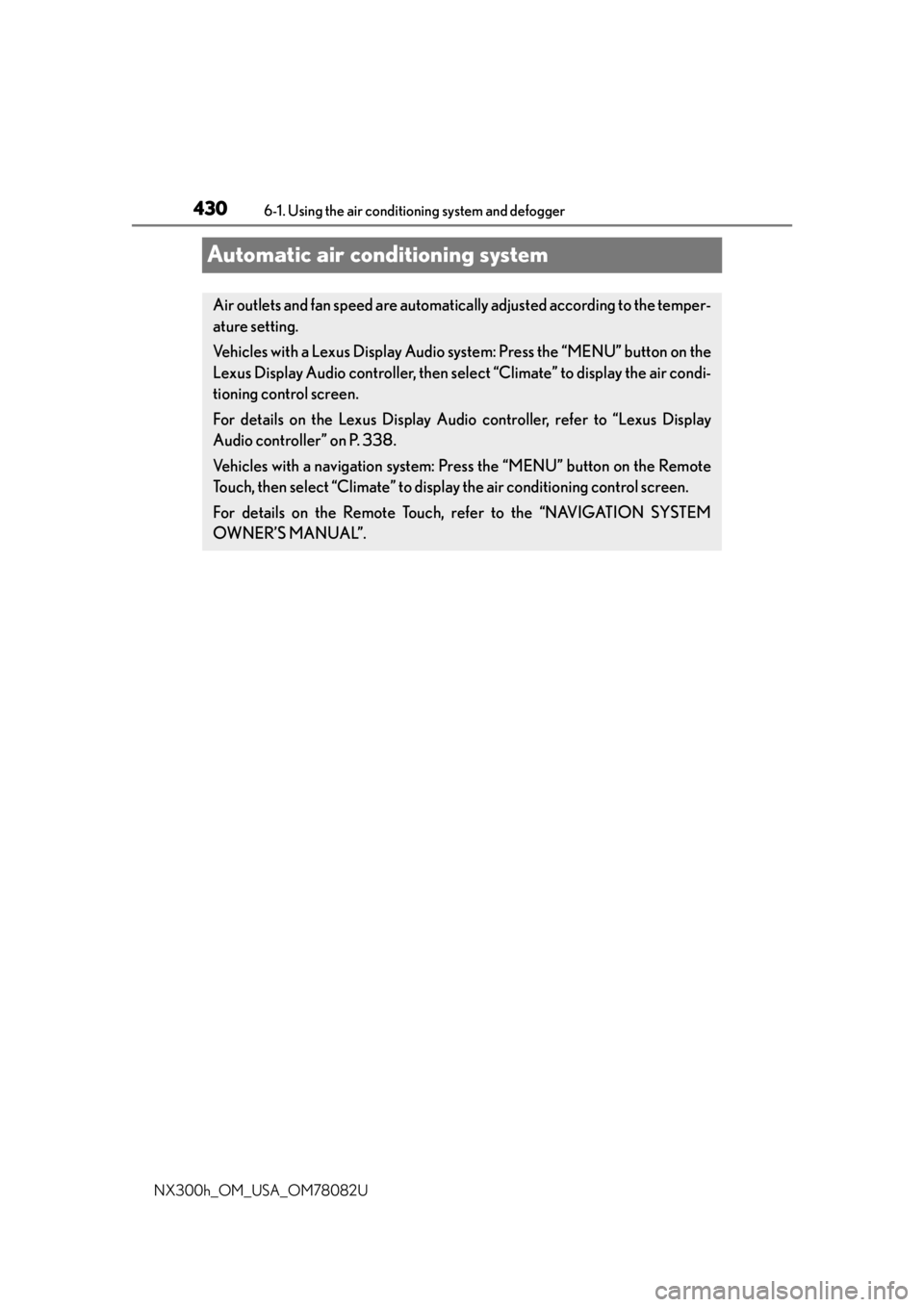
Automatic air conditioning system
Air outlets and fan speed are automatica lly adjusted according to the temper-
ature setting.
Vehicles with a Lexus Display Audio sy stem: Press the “MENU” button on the
Lexus Display Audio controller, then select “Climate” to display the air condi-
tioning control screen.
For details on the Lexus Display Audio controller, refer to “Lexus Display
Audio controller” on P. 338.
Vehicles with a navigati on system: Press the “MENU” button on the Remote
Touch, then select “Climate” to display the air conditioning control screen.
For details on the Remote Touch, refer to the “NAVIGATION SYSTEM
OWNER’S MANUAL”.
Page 433 of 680
4336-1. Using the air conditioning system and defogger
6
Interior features
NX300h_OM_USA_OM78082U
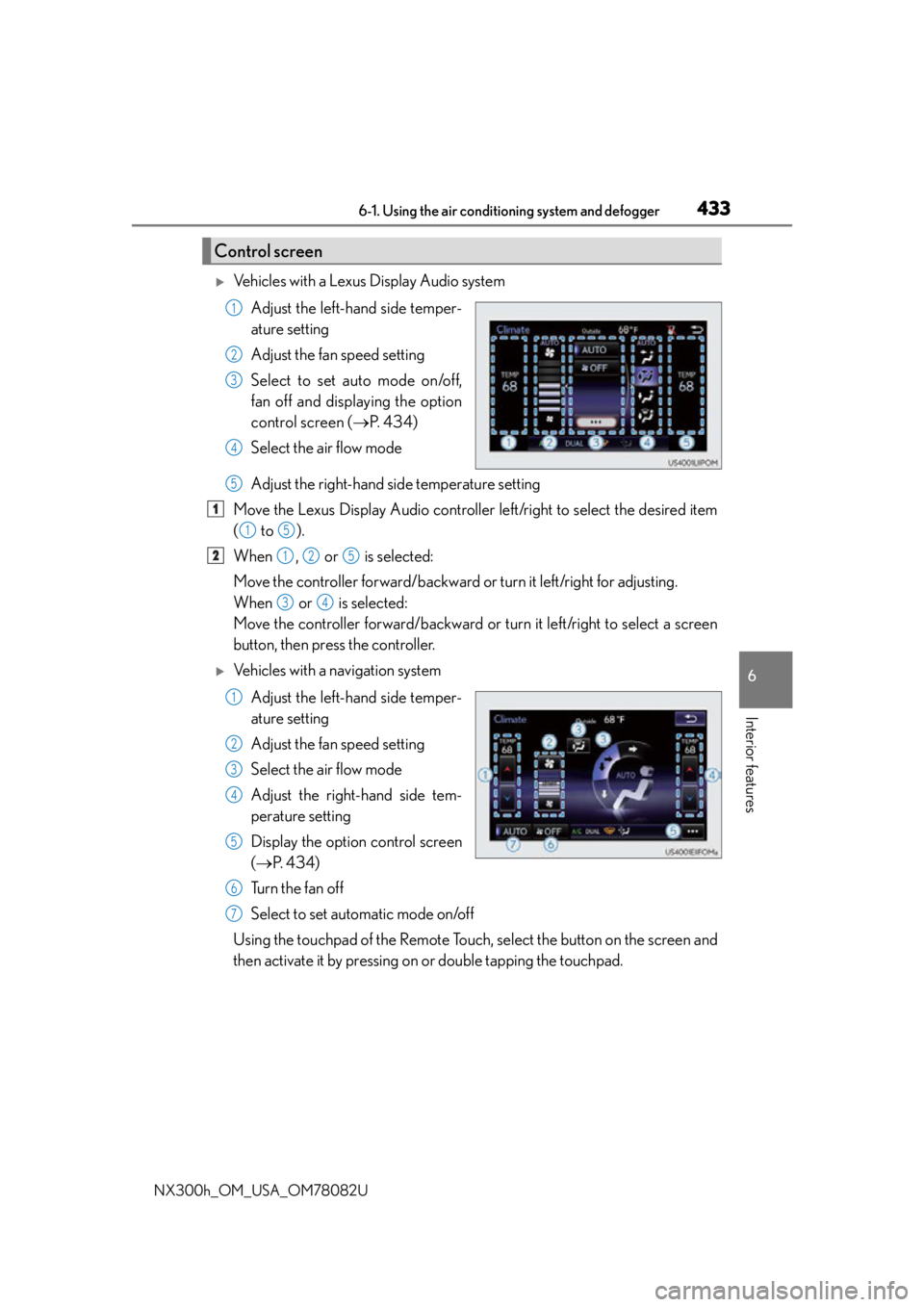
Vehicles with a Lexus Display Audio system
Adjust the left-hand side temper-
ature setting
Adjust the fan speed setting
Select to set auto mode on/off,
fan off and displaying the option
control screen ( P. 434)
Select the air flow mode
Adjust the right-hand side temperature setting
Move the Lexus Display Audio controller left/right to select the desired item
( to ).
When , or is selected:
Move the controller forward/backward or turn it left/right for adjusting.
When or is selected:
Move the controller forward/backward or turn it left/right to select a screen
button, then press the controller.
Vehicles with a navigation system
Adjust the left-hand side temper-
ature setting
Adjust the fan speed setting
Select the air flow mode
Adjust the right-hand side tem-
perature setting
Display the option control screen
( P. 4 3 4 )
Tu r n t h e f a n o f f
Select to set automatic mode on/off
Using the touchpad of the Remote Touch, select the button on the screen and
then activate it by pressing on or double tapping the touchpad.
Control screen
1
2
3
4
5
1
15
2125
34
1
2
3
4
5
6
7
Page 434 of 680
4346-1. Using the air conditioning system and defogger
NX300h_OM_USA_OM78082U
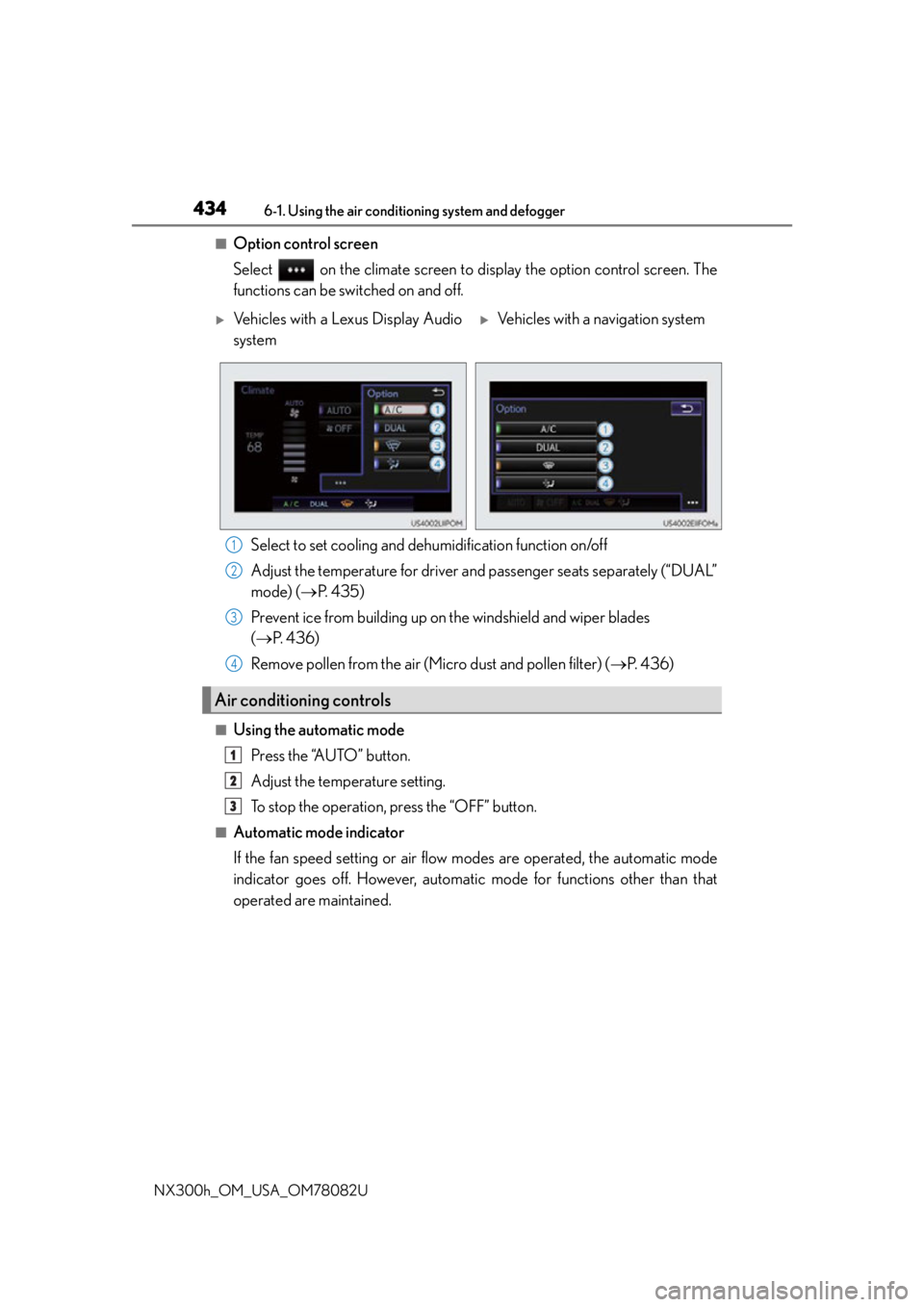
■Option control screen
Select on the climate screen to display the option control screen. The
functions can be switched on and off. Select to set cooling and dehumidification function on/off
Adjust the temperature for driver and passenger seats separately (“DUAL”
mode) ( P. 4 3 5 )
Prevent ice from building up on the windshield and wiper blades
( P. 4 3 6 )
Remove pollen from the air (Micro dust and pollen filter) ( P. 4 3 6 )
■Using the automatic mode
Press the “AUTO” button.
Adjust the temperature setting.
To stop the operation, press the “OFF” button.
■Automatic mode indicator
If the fan speed setting or air flow modes are operated, the automatic mode
indicator goes off. However, automati c mode for functions other than that
operated are maintained.
Vehicles with a Lexus Display Audio
systemVehicles with a navigation system
Air conditioning controls
1
2
3
4
1
2
3
Page 436 of 680
4366-1. Using the air conditioning system and defogger
NX300h_OM_USA_OM78082U
■Micro dust and pollen filter
Pollen is removed from the air and the air flows to the upper part of the body.
Select on the option control screen.
When the micro dust and pollen filter is on, is displayed on the air condition-
ing control screen.
In order to prevent the windshield from fo gging up when the outside air is cold, the
dehumidification function may operate.
The pollens are filtered out even if the micro dust and pollen filter is turned off.
■Windshield wiper de-icer
This feature is used to prevent ice fr om building up on the windshield and
wiper blades.
Select on the option control screen.
When the windshield wiper de-icer is on , is displayed on the air condition-
ing control screen.
The windshield wiper de-icer will automati cally turn off after a period of time.
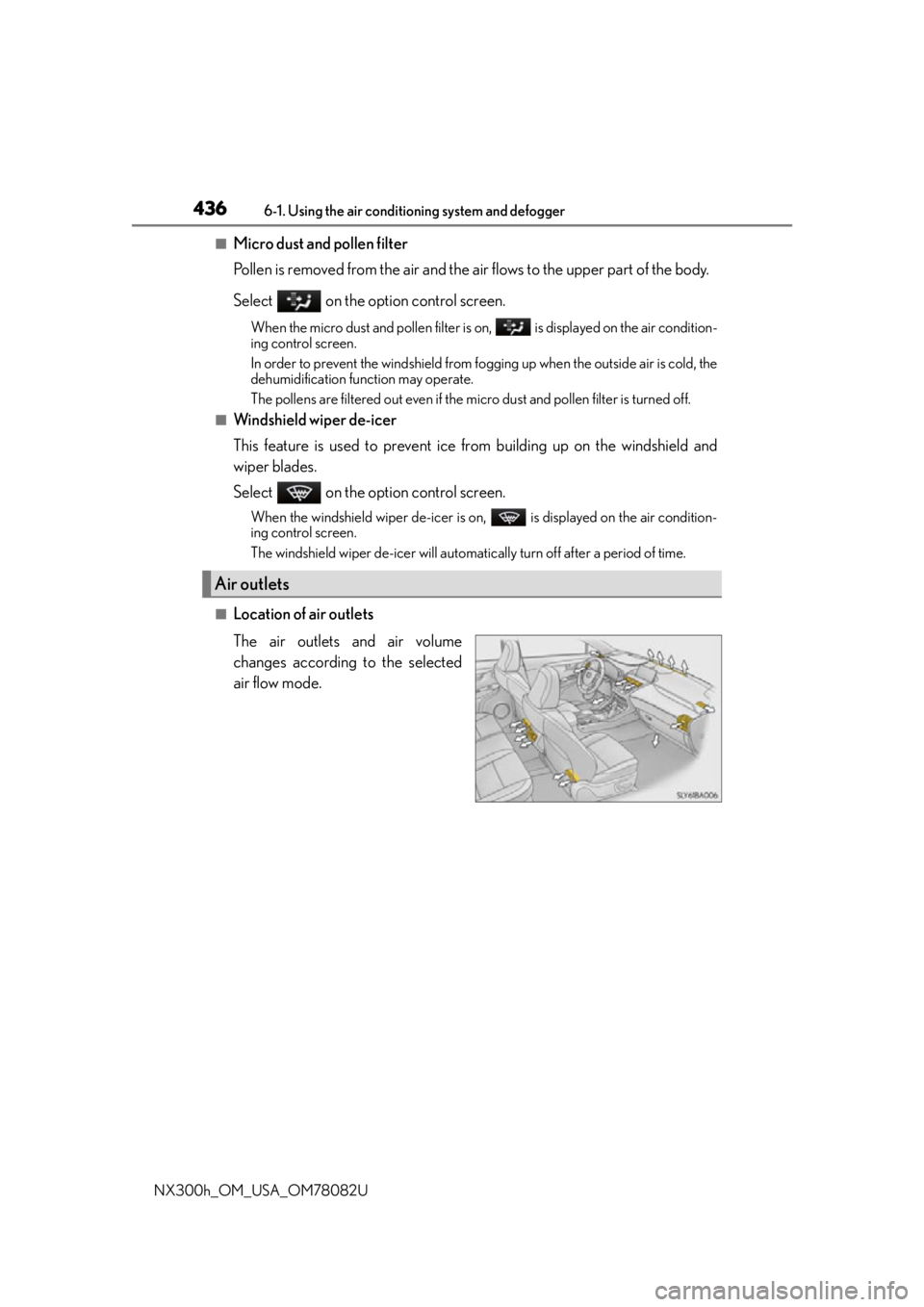
■Location of air outlets
The air outlets and air volume
changes according to the selected
air flow mode.
Air outlets
Page 464 of 680
4646-4. Other interior features
NX300h_OM_USA_OM78082U
NOTICE
■Conditions in which the function may not operate correctly
In the following conditions, it may not operate correctly
●The portable device is fully charged
●There is foreign matter between the charge area and portable device
●The temperature of the portable device gets higher from charging
●The charging surface of the portable device is facing up
●The placement of the portable device is out of alignment with the charge area
●Near a TV tower, electric power plant, gas station, radio station, large display, airport
or other facility that generates strong radio waves or electrical noise
●When the electronic key is in contact with , or is covered by the following metallic
objects
• Cards to which aluminum foil is attached
• Cigarette boxes that have aluminum foil inside
• Metallic wallets or bags
•Coins
•Hand warmers made of metal
• Media such as CDs and DVDs
●When other wireless keys (that emit radio waves) are being used nearby
In addition, excluding the above-mentioned, when the charger does not perform nor-
mally or the operation display lamp is flashi ng continuously, it is considered that the
wireless charger is malfunctioning. Contact your Lexus dealer.
■To prevent failure or damage to data
●Do not bring magnetic cards, such as credit cards, or magnetic recording media, etc.,
close to the charger while charging, otherw ise, data may disappear under the influ-
ence of magnetism. Also, do not bring pr ecision instruments such as wrist watches,
etc., close to the charger, as such objects may break.
●Do not leave portable devices in the cab in. The temperature inside the cabin may
become high, when under the sun, and cause damage to the device.
■To prevent 12-volt battery discharge
When the hybrid system is stopped, do not use the wireless charger for a long time.
Page 471 of 680
4716-4. Other interior features
6
Interior features
NX300h_OM_USA_OM78082U
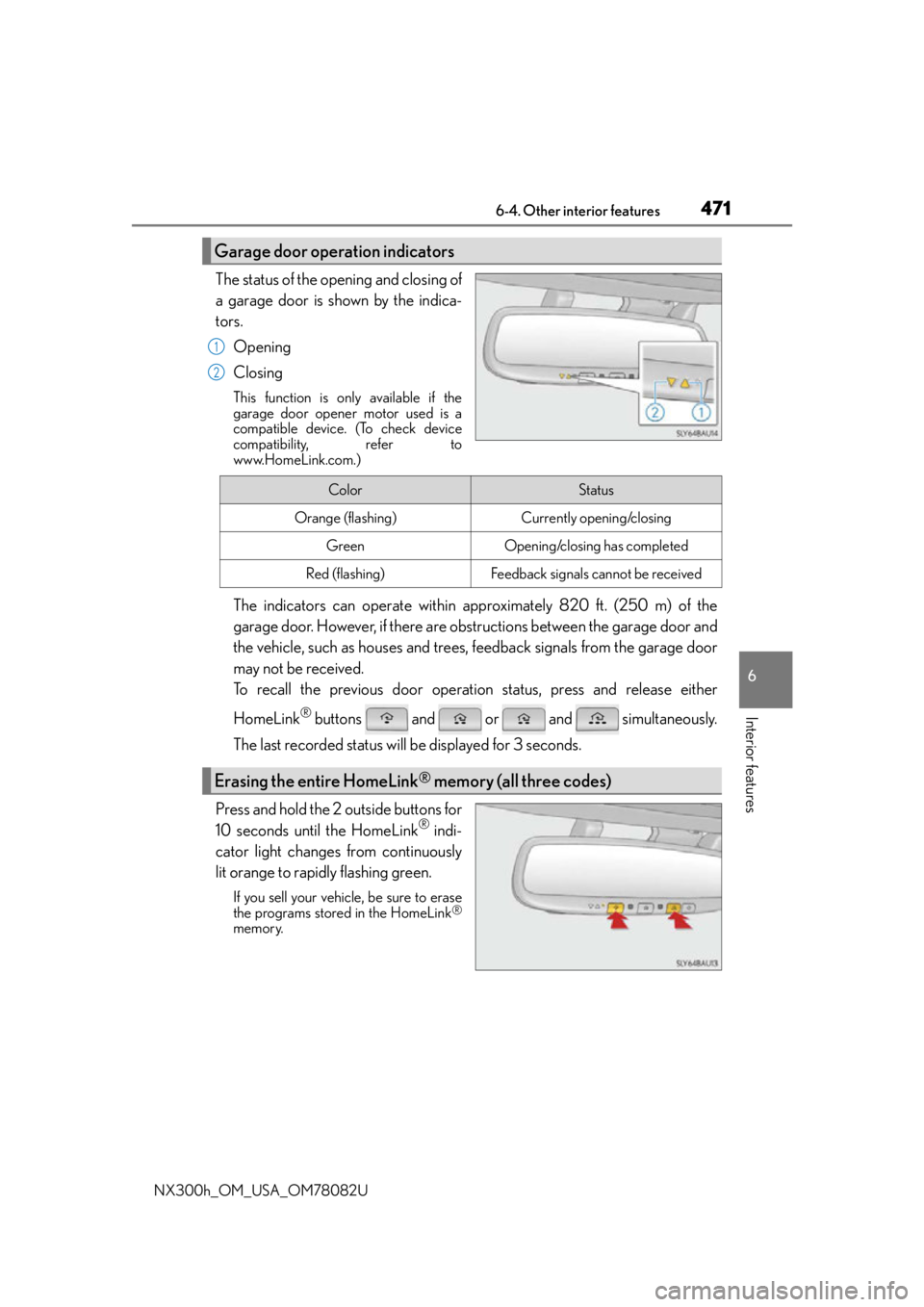
The status of the opening and closing of
a garage door is shown by the indica-
tors.Opening
Closing
This function is only available if the
garage door opener motor used is a
compatible device. (To check device
compatibility, refer to
www.HomeLink.com.)
The indicators can operate within approximately 820 ft. (250 m) of the
garage door. However, if there are obstructions between the garage door and
the vehicle, such as houses and trees, feedback signals from the garage door
may not be received.
To recall the previous door operat ion status, press and release either
HomeLink
® buttons and or and simultaneously.
The last recorded status w ill be displayed for 3 seconds.
Press and hold the 2 outside buttons for
10 seconds until the HomeLink
® indi-
cator light changes from continuously
lit orange to rapidly flashing green.
If you sell your vehicle, be sure to erase
the programs stored in the HomeLink®
memory.
Garage door operation indicators
1
2
ColorStatus
Orange (flashing)Currently opening/closing
GreenOpening/closing has completed
Red (flashing)Feedback signals cannot be received
Erasing the entire HomeLink® memory (all three codes)
Page 473 of 680
4736-4. Other interior features
6
Interior features
NX300h_OM_USA_OM78082U
Compass
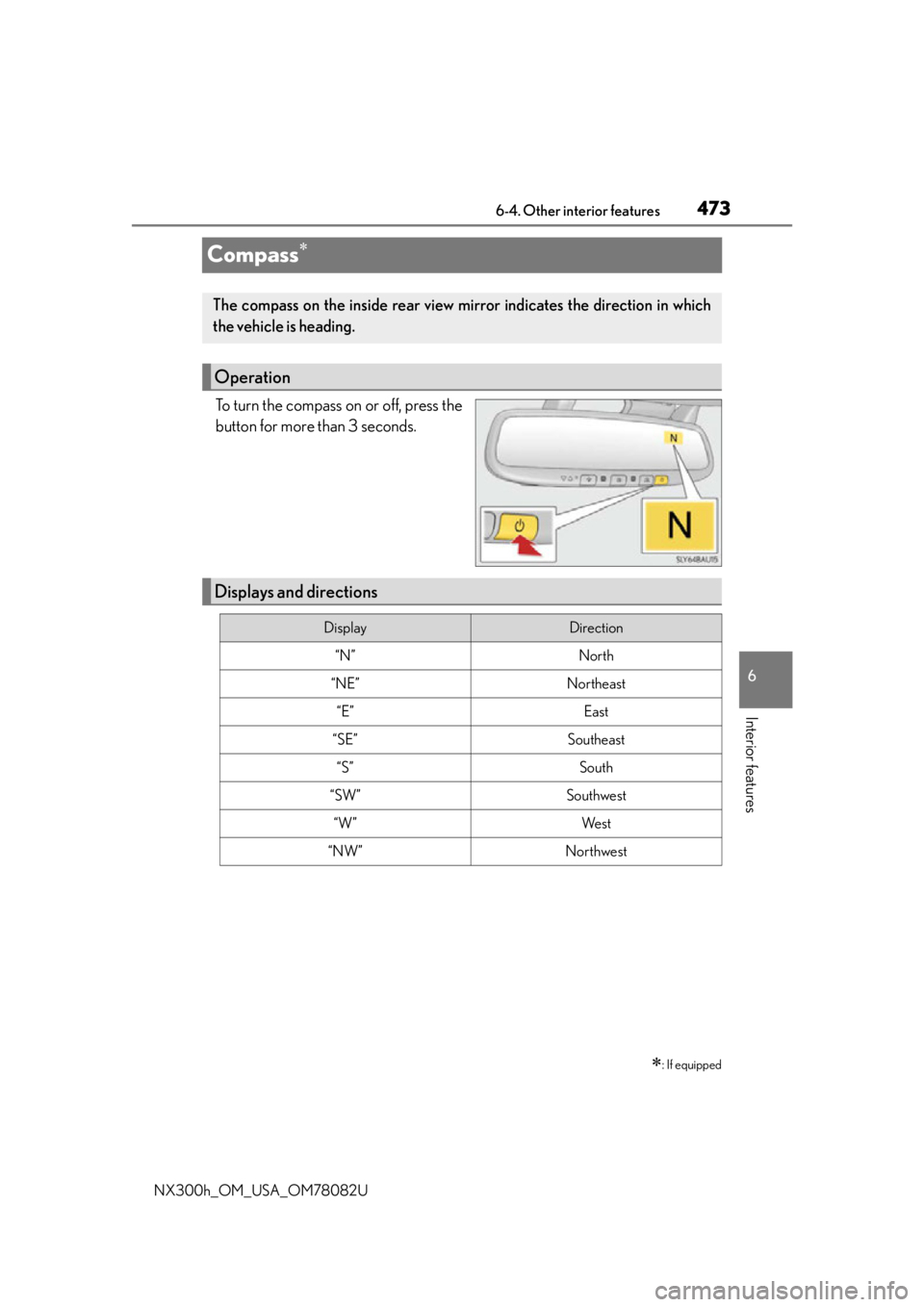
To turn the compass on or off, press the
button for more than 3 seconds.
: If equipped
The compass on the inside rear view mirror indicates the direction in which
the vehicle is heading.
Operation
Displays and directions
DisplayDirection
“N”North
“NE”Northeast
“E”East
“SE”Southeast
“S”South
“SW”Southwest
“W”We s t
“NW”Northwest