ignition LEXUS RC200T 2017 Owner's Manual
[x] Cancel search | Manufacturer: LEXUS, Model Year: 2017, Model line: RC200T, Model: LEXUS RC200T 2017Pages: 724, PDF Size: 42.04 MB
Page 233 of 724
2333-5. Opening, closing the windows and moon roof
3
Operation of each component
RC200t_RC F_EE(OM24728E)
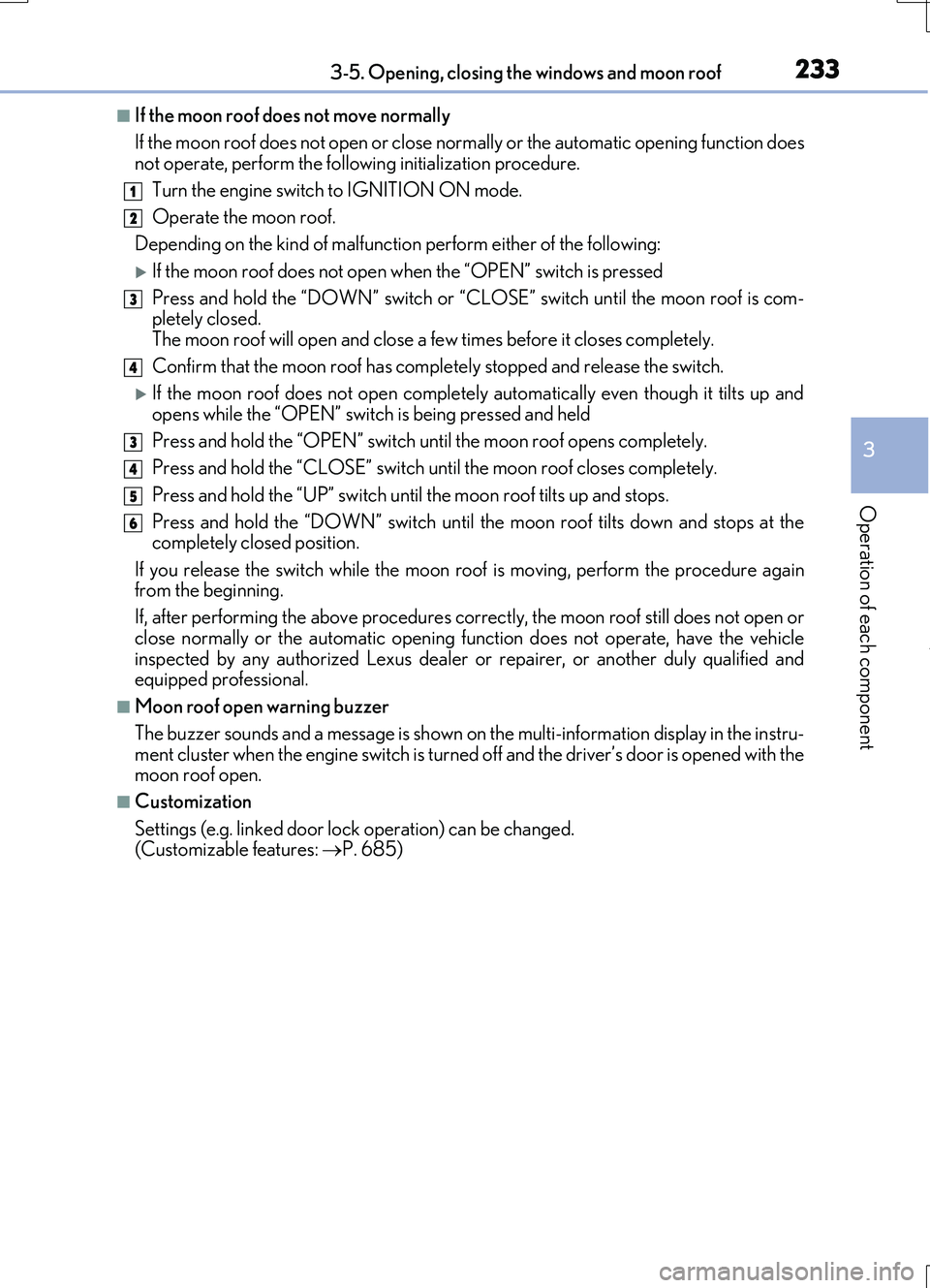
■If the moon roof does not move normally
If the moon roof does not open or close no rmally or the automatic opening function does not operate, perform the follo wing initialization procedure.
Turn the engine switch to IGNITION ON mode.
Operate the moon roof.
Depending on the kind of malfunctio n perform either of the following:
If the moon roof does not open when the “OPEN” switch is pressed
Press and hold the “DOWN” switch or “C LOSE” switch until the moon roof is com- pletely closed.
The moon roof will open and close a few times before it closes completely.
Confirm that the moon roof has comple tely stopped and release the switch.
If the moon roof does not open completely automatically even though it tilts up and
opens while the “OPEN” switch is being pressed and held
Press and hold the “OPEN” switch un til the moon roof opens completely.
Press and hold the “CLOSE” switch un til the moon roof closes completely.
Press and hold the “UP” switch unt il the moon roof tilts up and stops.
Press and hold the “DOWN” switch until th e moon roof tilts down and stops at the completely closed position.
If you release the switch while the moon r oof is moving, perform the procedure again from the beginning.
If, after performing the above procedures co rrectly, the moon roof still does not open or
close normally or the automatic opening func tion does not operate, have the vehicle inspected by any authorized Lexus dealer or repairer, or another duly qualified and equipped professional.
■Moon roof open warning buzzer
The buzzer sounds and a message is shown on the multi-information display in the instru-
ment cluster when the engine switch is turned off and the driver’s door is opened with the moon roof open.
■Customization
Settings (e.g. linked door lock operation) can be changed. (Customizable features: P. 685)
1
2
3
4
3
4
5
6
Page 235 of 724
235
4Driving
RC200t_RC F_EE(OM24728E)
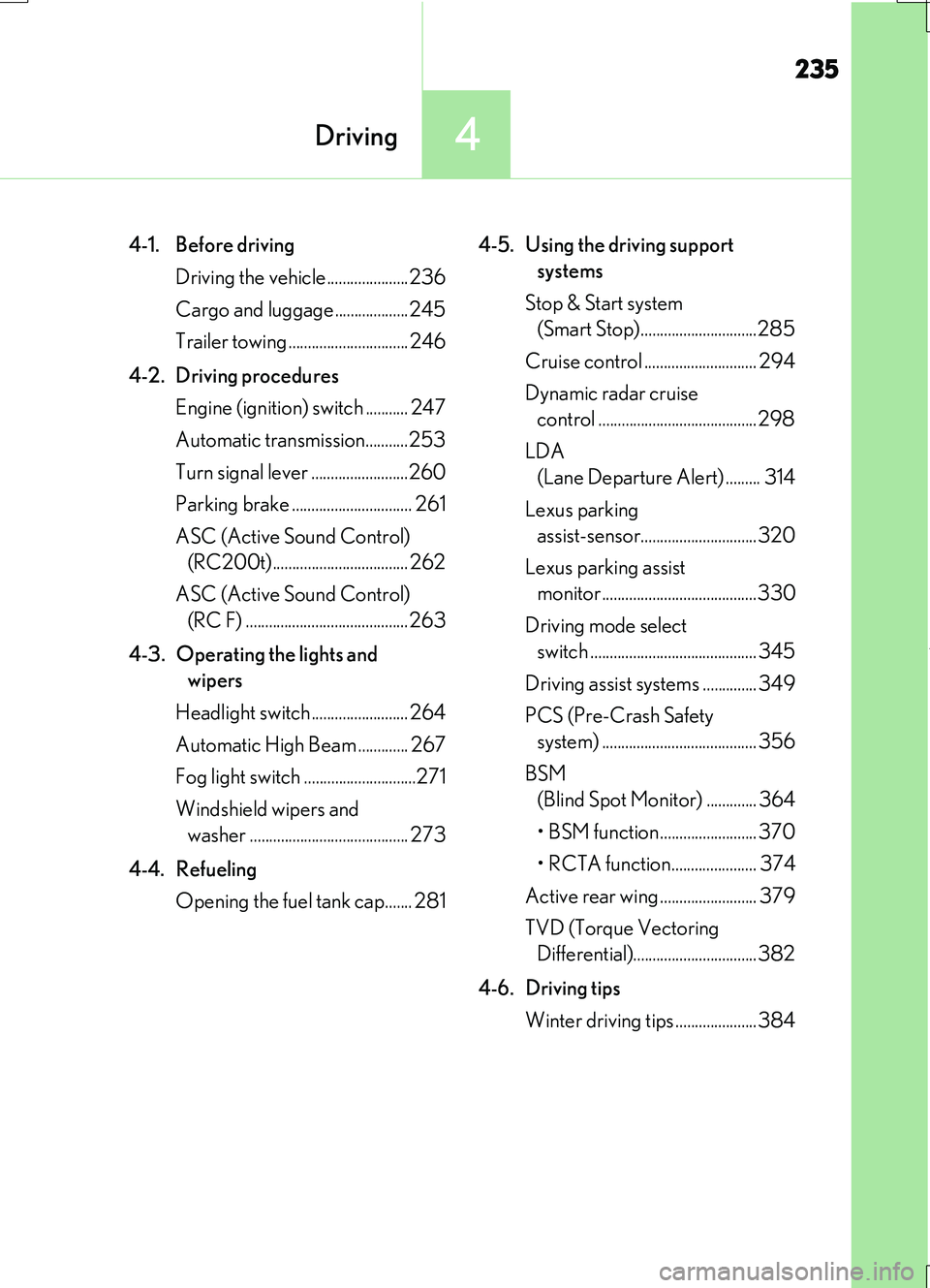
4-1. Before driving
Driving the vehicle.....................236
Cargo and luggage ...................245
Trailer towing ............................... 246
4-2. Driving procedures
Engine (ignition) switch ........... 247
Automatic transmission...........253
Turn signal lever .........................260
Parking brake ............................... 261
ASC (Active Sound Control)
(RC200t)................................... 262
ASC (Active Sound Control)
(RC F) .......................................... 263
4-3. Operating the lights and
wipers
Headlight switch ......................... 264
Automatic High Beam ............. 267
Fog light switch .............................271
Windshield wipers and
washer ......................................... 273
4-4. Refueling
Opening the fuel tank cap....... 281
4-5. Using the driving support
systems
Stop & Start system
(Smart Stop)..............................285
Cruise control ............................. 294
Dynamic radar cruise
control .........................................298
LDA
(Lane Departure Alert) ......... 314
Lexus parking
assist-sensor..............................320
Lexus parking assist
monitor........................................330
Driving mode select
switch ........................................... 345
Driving assist systems .............. 349
PCS (Pre-Crash Safety
system) ........................................ 356
BSM
(Blind Spot Monitor) ............. 364
• BSM function ......................... 370
• RCTA function...................... 374
Active rear wing ......................... 379
TVD (Torque Vectoring
Differential)................................382
4-6. Driving tips
Winter driving tips .....................384
Page 247 of 724
247
4
Driving
RC200t_RC F_EE(OM24728E)
4-2. Driving procedures
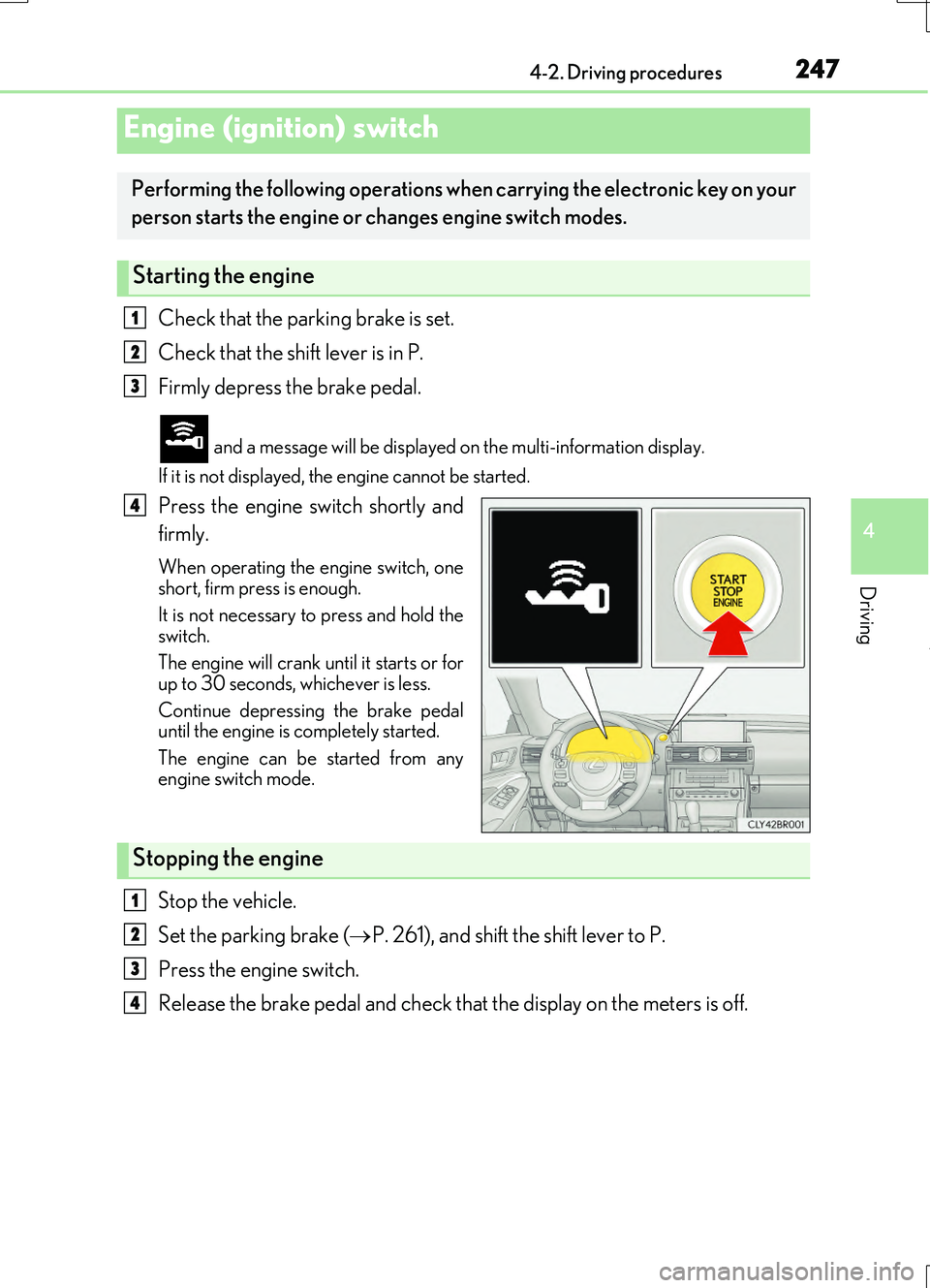
Check that the parking brake is set.
Check that the shift lever is in P.
Firmly depress the brake pedal.
and a message will be displayed on the multi-information display.
If it is not displayed, the engine cannot be started.
Press the engine switch shortly and
firmly.
When operating the engine switch, one short, firm press is enough.
It is not necessary to press and hold the switch.
The engine will crank un til it starts or for
up to 30 seconds, whichever is less.
Continue depressing the brake pedal until the engine is completely started.
The engine can be started from any engine switch mode.
Stop the vehicle.
Set the parking brake ( P. 261), and shift the shift lever to P.
Press the engine switch.
Release the brake pedal and check that the display on the meters is off.
Engine (ignition) switch
Performing the following operations when carrying the electronic key on your
person starts the engine or changes engine switch modes.
Starting the engine
1
2
3
4
Stopping the engine
1
2
3
4
Page 248 of 724
2484-2. Driving procedures
RC200t_RC F_EE(OM24728E)
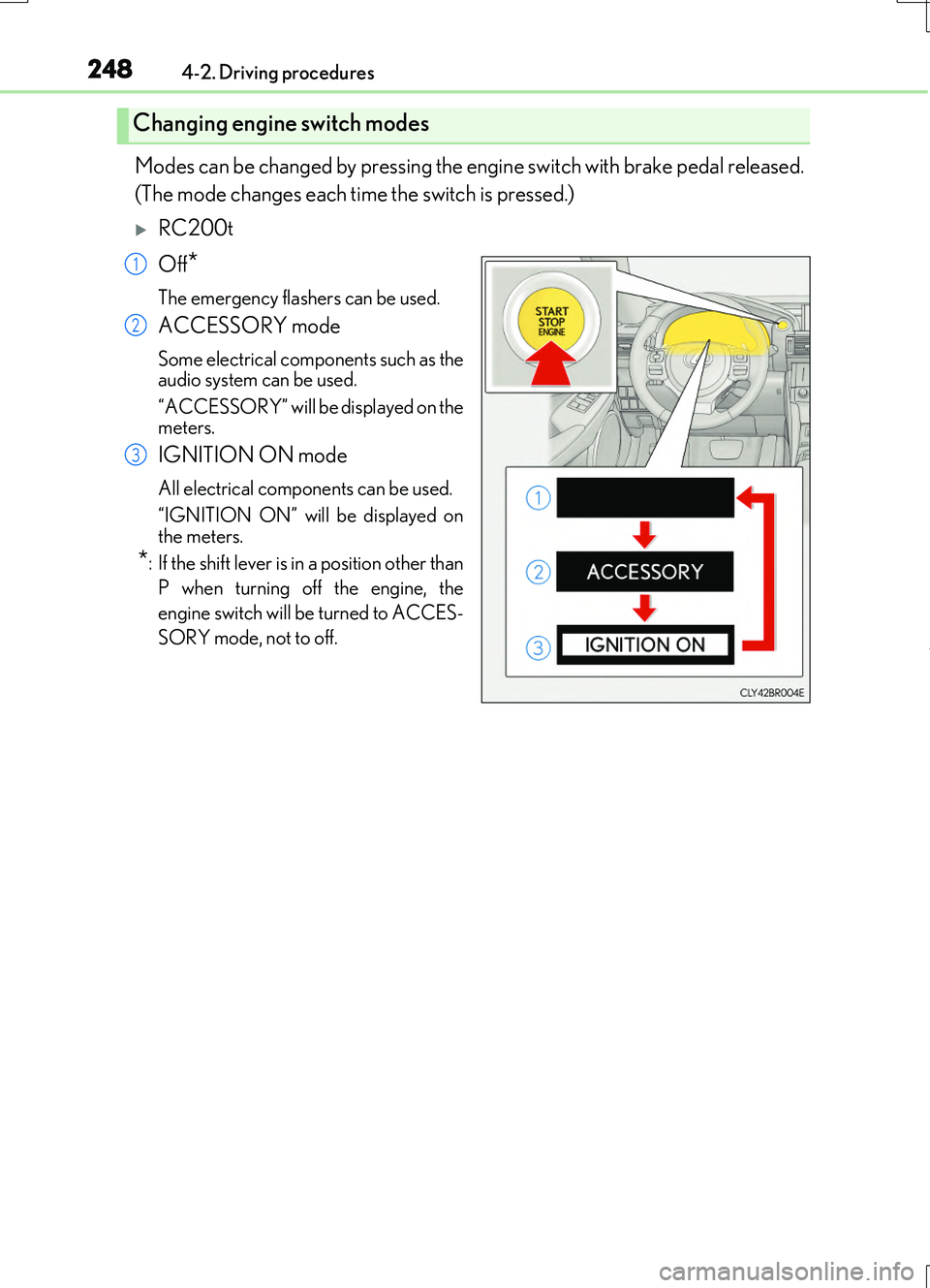
Modes can be changed by pressing the engine switch with brake pedal released.
(The mode changes each time the switch is pressed.)
RC200t
Off*
The emergency flashers can be used.
ACCESSORY mode
Some electrical components such as the audio system can be used.
“ACCESSORY” will be displayed on the meters.
IGNITION ON mode
All electrical components can be used.
“IGNITION ON” will be displayed on the meters.
*: If the shift lever is in a position other than
P when turning off the engine, the
engine switch will be turned to ACCES-
SORY mode, not to off.
Changing engine switch modes
1
2
3
Page 249 of 724
2494-2. Driving procedures
4
Driving
RC200t_RC F_EE(OM24728E)
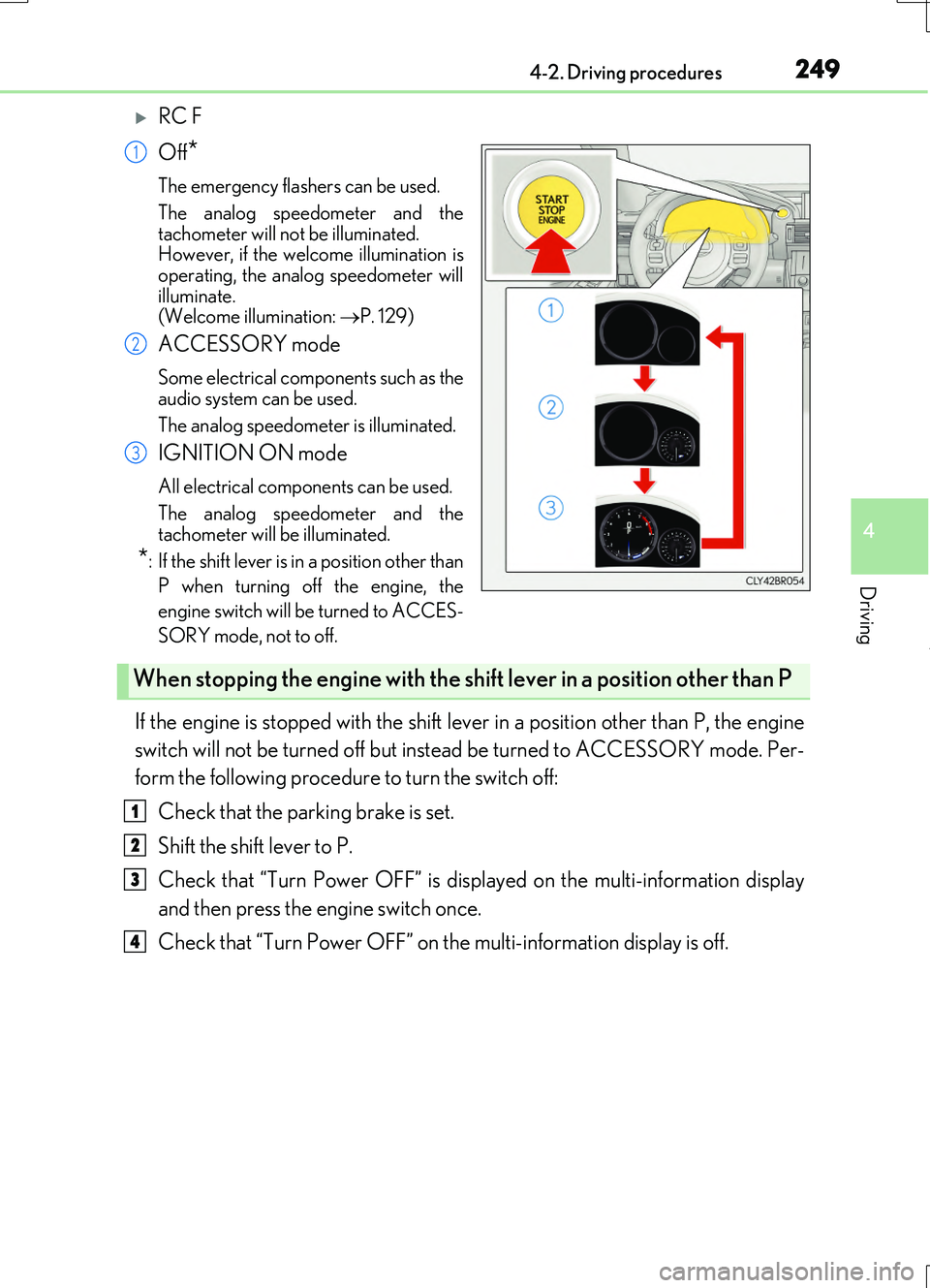
RC F
Off*
The emergency flashers can be used.
The analog speedometer and the
tachometer will not be illuminated. However, if the welcome illumination isoperating, the analog speedometer will
illuminate. (Welcome illumination: P. 129)
ACCESSORY mode
Some electrical components such as the audio system can be used.
The analog speedometer is illuminated.
IGNITION ON mode
All electrical components can be used.
The analog speedometer and the tachometer will be illuminated.
*: If the shift lever is in a position other than
P when turning off the engine, the
engine switch will be turned to ACCES-
SORY mode, not to off.
If the engine is stopped with the shift lever in a position other than P, the engine
switch will not be turned off but inst ead be turned to ACCESSORY mode. Per-
form the following procedure to turn the switch off:
Check that the parking brake is set.
Shift the shift lever to P.
Check that “Turn Power OFF” is displayed on the multi-information display
and then press the engine switch once.
Check that “Turn Power OFF” on the multi-information display is off.
1
2
3
When stopping the engine with the shift lever in a position other than P
1
2
3
4
Page 250 of 724
2504-2. Driving procedures
RC200t_RC F_EE(OM24728E)
■Auto power off function
If the vehicle is left in ACCESSORY mode for more than 20 minutes or IGNITION ON mode (the engine is not running) for more than an hour with the shift lever in P, the engineswitch will automatically turn off. However, this function cannot entirely prevent battery
discharge. Do not leave the vehicle with the engine switch in ACCESSORY or IGNI- TION ON mode for long periods of time when the engine is not running.
■Electronic key battery depletion
P. 161
■Conditions affecting operation
P. 177
■Notes for the entry function
P. 178
■If the engine does not start
●Check that the shift lever is securely set in P. The engine may not start if the shift lever is displaced out of P.
●The engine immobilizer system may not have been deactivated. ( P. 92)
Contact any authorized Lexus dealer or repairer, or another duly qualified and equipped professional.
■Steering lock
After turning the engine switch off and opening and closing the doors, the steering wheel will be locked due to the steering lock functi on. Operating the engine switch again auto- matically cancels the steering lock.
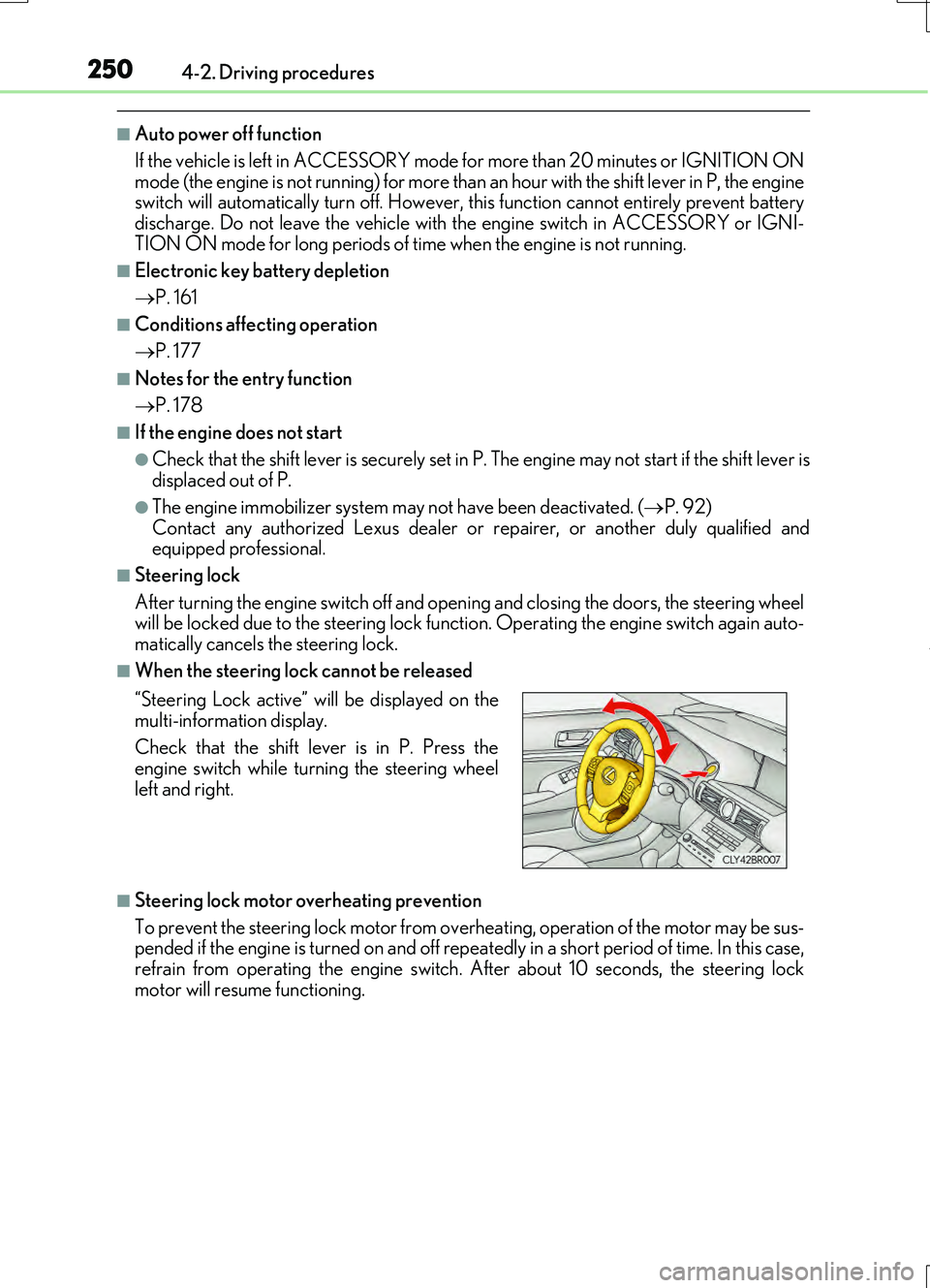
■When the steering lock cannot be released
■Steering lock motor overheating prevention
To prevent the steering lock motor from over heating, operation of the motor may be sus- pended if the engine is turned on and off repeat edly in a short period of time. In this case,
refrain from operating the engine switch. After about 10 seconds, the steering lock motor will resume functioning.
“Steering Lock active” will be displayed on the
multi-information display.
Check that the shift lever is in P. Press the engine switch while turning the steering wheel
left and right.
Page 252 of 724
2524-2. Driving procedures
RC200t_RC F_EE(OM24728E)
NOTICE
■To prevent battery discharge
●Do not leave the engine switch in ACCESSORY or IGNITION ON mode for long periods of time without the engine running.
●RC200t: If “ACCESSORY” or “IGNITION ON” is displayed on the meters while theengine is not running, the engine switch is not off. Exit the vehicle after turning theengine switch off.
●RC F: If the analog speedometer is illumi nated and the engine is not running, the engine switch is not off. Exit the vehi cle after turning the engine switch off. However, if the welcome illumination is operating, the analog speedometer will be
illuminated even though the engine sw itch is off. (Welcome illumination: P. 129)
●Do not stop the engine when the shift lever is in a position other than P. If the engine is stopped in another shift lever position, the engine switch will not be turned off but
instead be turned to ACCESSORY mode. If the vehicle is left in ACCESSORY mode, battery discharge may occur.
■When starting the engine
●Do not race a cold engine.
●If the engine becomes difficult to start or stalls frequently, have your vehicle checkedby any authorized Lexus dealer or repair er, or another duly qualified and equipped
professional immediately.
■Symptoms indicating a malfun ction with the engine switch
If the engine switch seems to be operating s omewhat differently than usual, such as the
switch sticking slightly, th ere may be a malfunction. Contact any authorized Lexus dealer or repairer, or another duly qualif ied and equipped professional immediately.
Page 253 of 724
2534-2. Driving procedures
4
Driving
RC200t_RC F_EE(OM24728E)
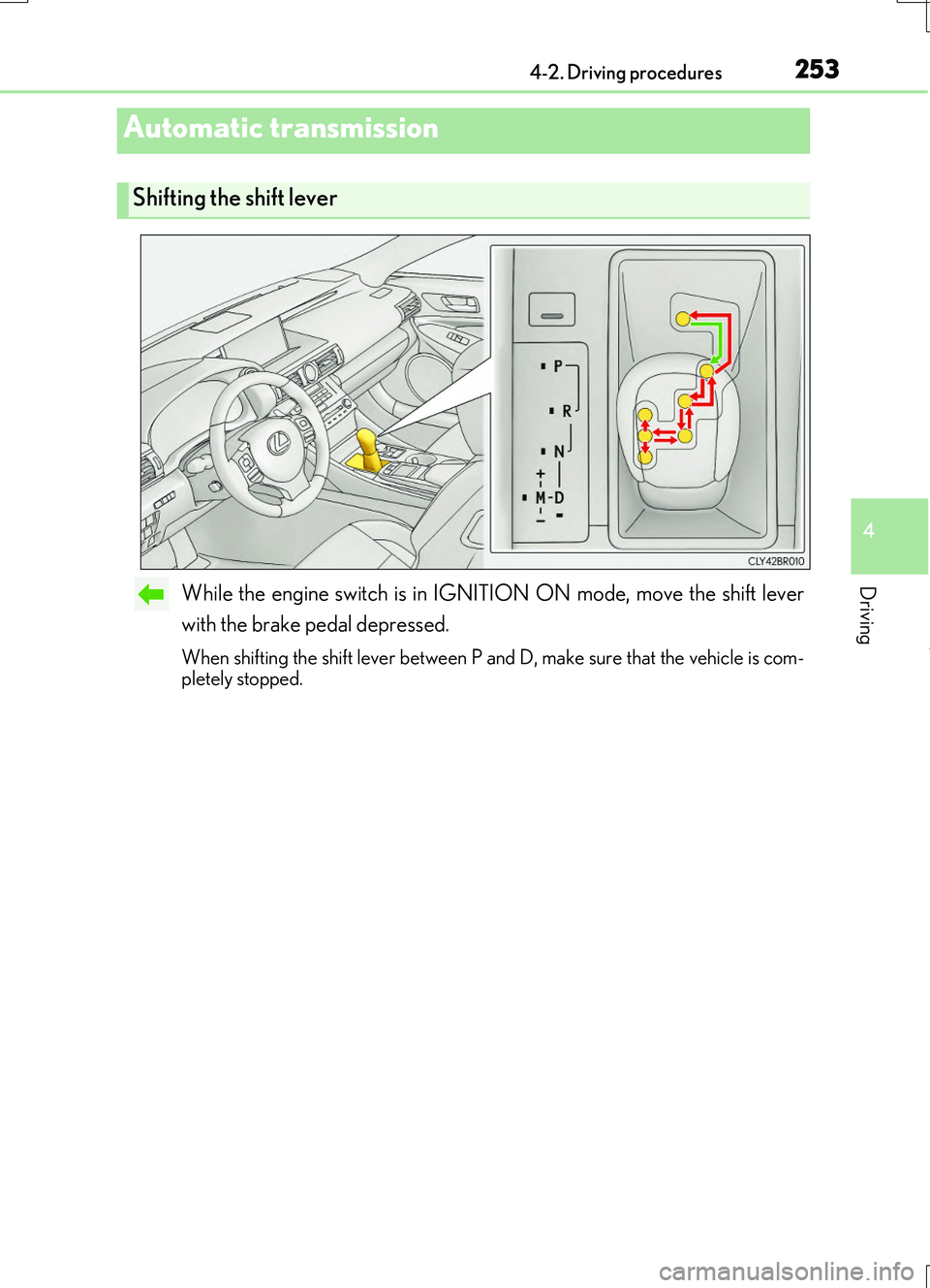
While the engine switch is in IGNITION ON mode, move the shift lever
with the brake pedal depressed.
When shifting the shift lever between P and D, make sure that the vehicle is com- pletely stopped.
Automatic transmission
Shifting the shift lever
Page 258 of 724
2584-2. Driving procedures
RC200t_RC F_EE(OM24728E)
■Downshifting restriction warning buzzer
To help ensure safety and driving performa nce, downshifting operation may sometimes be restricted. In some circumstances, down shifting may not be possible even when the
shift lever or paddle shift switch is operated. (A buzzer will sound twice.)
■Snow mode automatic deactivation
Snow mode is automatically deactivated if the engine switch is turned off after driving in
snow mode.
■When driving with cruise control or dynamic radar cruise control activated
Even when performing the following actions with the intent of enabling engine braking,
engine braking will not activate because crui se control or dynamic radar cruise control will not be canceled.
●While driving in the D position, downshifting to 7, 6, 5 or 4. ( P. 294, 298)
●When switching the driving mode to sport mode while driving in D position. (P. 345)
■Shift lock system
The shift lock system is a system to prevent accidental operation of the shift lever in start-
ing.
The shift lever can be shifte d from P only when the engine switch is in IGNITION ON mode and the brake pedal is being depressed.
■If the shift lever cannot be shifted from P
First, check whether the brake pedal is being depressed.
If the shift lever cannot be shifted with your foot on the brake pedal, there may be a prob-
lem with the shift lock system. Have the vehicle inspected by any authorized Lexus dealer or repairer, or another duly qualifie d and equipped professional immediately.
The following steps may be used as an emerge ncy measure to ensure that the shift lever
can be shifted.
Releasing the shift lock:
Set the parking brake.
Turn the engine switch to off.
Depress the brake pedal.
1
2
3
Page 260 of 724
2604-2. Driving procedures
RC200t_RC F_EE(OM24728E)
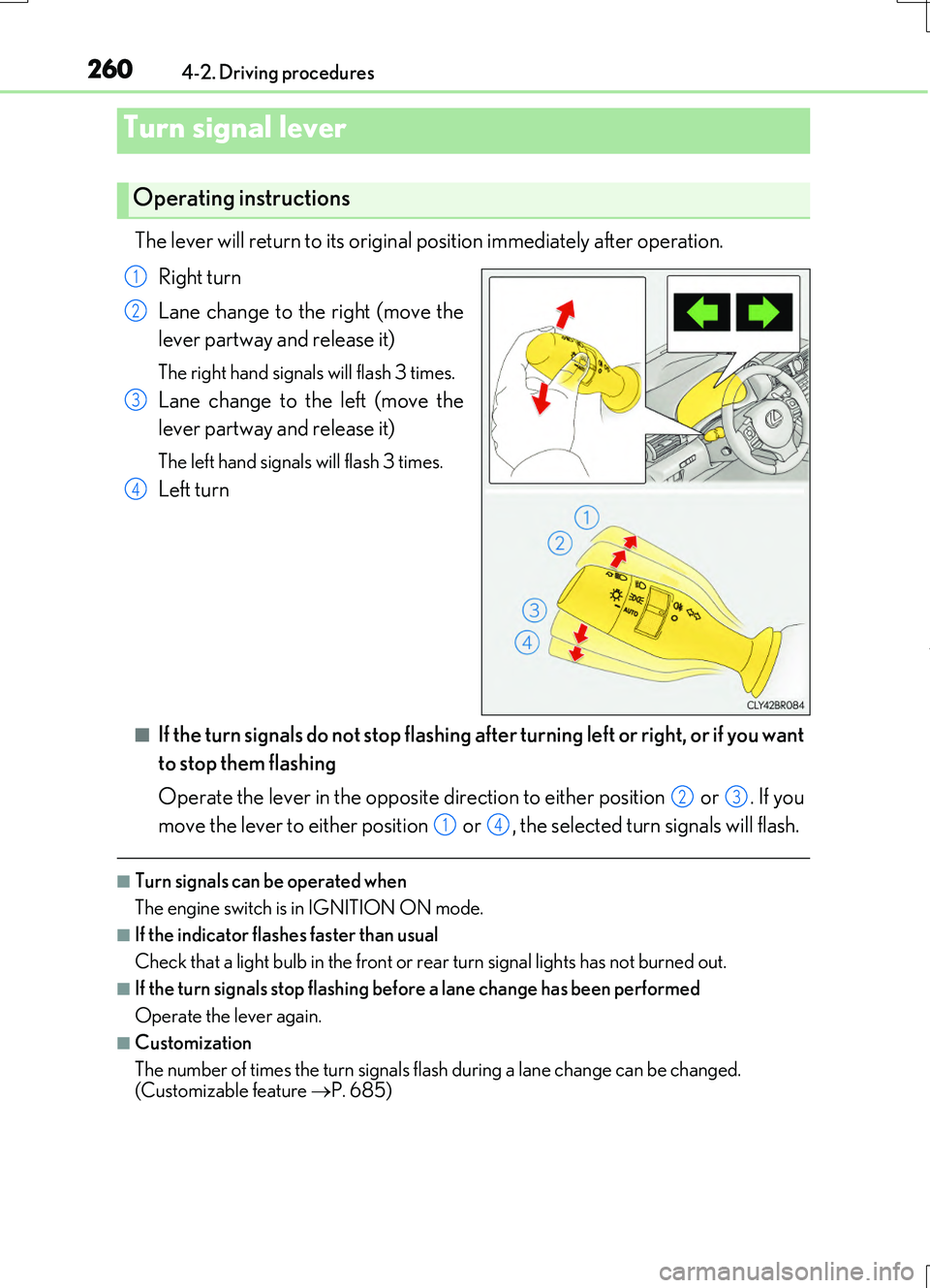
The lever will return to its original position immediately after operation.
Right turn
Lane change to the right (move the
lever partway and release it)
The right hand signals will flash 3 times.
Lane change to the left (move the
lever partway and release it)
The left hand signals will flash 3 times.
Left turn
■If the turn signals do not stop flashing after turning left or right, or if you want
to stop them flashing
Operate the lever in the opposite direction to either position or . If you
move the lever to either position or , the selected turn signals will flash.
■Turn signals can be operated when
The engine switch is in IGNITION ON mode.
■If the indicator flashes faster than usual
Check that a light bulb in the front or rear turn signal lights has not burned out.
■If the turn signals stop flashing before a lane change has been performed
Operate the lever again.
■Customization
The number of times the turn signals flash during a lane change can be changed.
(Customizable feature P. 685)
Turn signal lever
Operating instructions
1
2
3
4
23
14