ECO mode LEXUS RC200T 2017 Owner's Guide
[x] Cancel search | Manufacturer: LEXUS, Model Year: 2017, Model line: RC200T, Model: LEXUS RC200T 2017Pages: 724, PDF Size: 42.04 MB
Page 251 of 724
2514-2. Driving procedures
4
Driving
RC200t_RC F_EE(OM24728E)
■When “Check Entry & Start System” is displayed on the multi-information display
The system may be malfunctioning. Have the vehicle inspected by any authorized Lexus dealer or repairer, or another duly qua lified and equipped professional immediately.
■If the electronic key battery is depleted
P. 563
■Operation of the engine switch
●If the switch is not pressed shortly and firmly, the engine switch mode may not change or the engine may not start.
●If attempting to restart the engine immediately after turning the engine switch off, the
engine may not start in some cases. After turning the engine switch off, please wait a few seconds before restarting the engine.
■If the smart entry & start system has been deactivated by a customized setting
P. 650
WARNING
■When starting the engine
Always start the engine while sitting in the driver’s seat. Do not depress the accelerator pedal while starting the engine under any circumstances.
Doing so may cause an accident resu lting in death or serious injury.
■Caution while driving
If engine failure occurs while the vehicle is moving, do not lock or open the doors until
the vehicle reaches a safe and complete stop. Activation of the steering lock in this cir- cumstance may lead to an accident, resulting in death or serious injury.
■Stopping the engine in an emergency
If you want to stop the engine in an emer gency while driving the vehicle, press and hold the engine switch for more than 2 seconds, or press it briefly 3 times or more in succes- sion. ( P. 581)
However, do not touch the engine switch while driving except in an emergency. Turning the engine off while driving will not cause loss of steering or braking control, but the power assist to these systems will be lost. Th is will make it more difficult to steer and
brake, so you should pull over and stop the vehicle as soon as it is safe to do so.
Page 252 of 724
2524-2. Driving procedures
RC200t_RC F_EE(OM24728E)
NOTICE
■To prevent battery discharge
●Do not leave the engine switch in ACCESSORY or IGNITION ON mode for long periods of time without the engine running.
●RC200t: If “ACCESSORY” or “IGNITION ON” is displayed on the meters while theengine is not running, the engine switch is not off. Exit the vehicle after turning theengine switch off.
●RC F: If the analog speedometer is illumi nated and the engine is not running, the engine switch is not off. Exit the vehi cle after turning the engine switch off. However, if the welcome illumination is operating, the analog speedometer will be
illuminated even though the engine sw itch is off. (Welcome illumination: P. 129)
●Do not stop the engine when the shift lever is in a position other than P. If the engine is stopped in another shift lever position, the engine switch will not be turned off but
instead be turned to ACCESSORY mode. If the vehicle is left in ACCESSORY mode, battery discharge may occur.
■When starting the engine
●Do not race a cold engine.
●If the engine becomes difficult to start or stalls frequently, have your vehicle checkedby any authorized Lexus dealer or repair er, or another duly qualified and equipped
professional immediately.
■Symptoms indicating a malfun ction with the engine switch
If the engine switch seems to be operating s omewhat differently than usual, such as the
switch sticking slightly, th ere may be a malfunction. Contact any authorized Lexus dealer or repairer, or another duly qualif ied and equipped professional immediately.
Page 254 of 724
2544-2. Driving procedures
RC200t_RC F_EE(OM24728E)
*1: To improve fuel efficiency and reduce noise, shift the shift lever to D for normal driv-
ing.
*2: Any gear range can be fixed when driving in M mode.
■Sport mode/Eco drive mode
P. 345
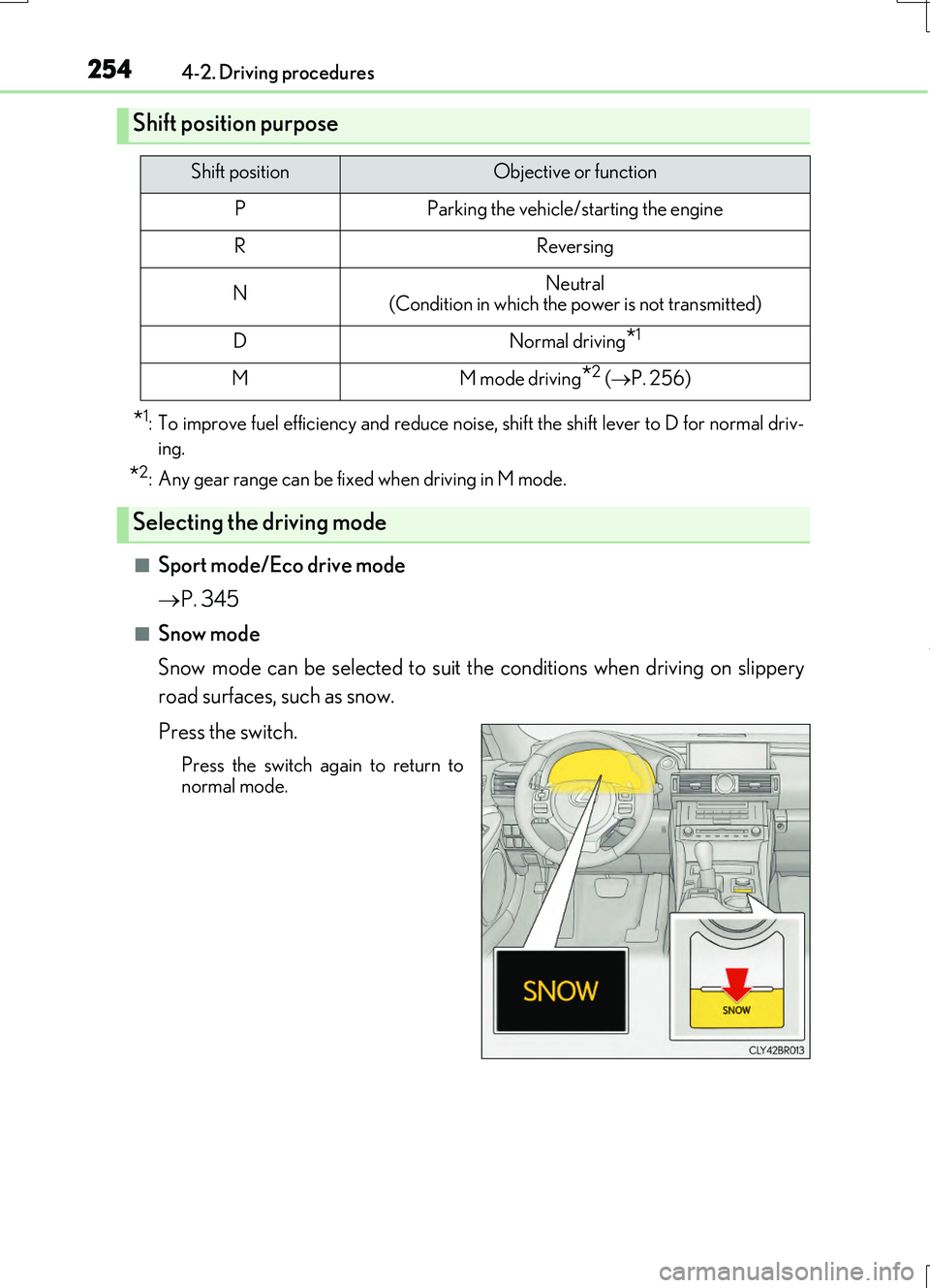
■Snow mode
Snow mode can be selected to suit the conditions when driving on slippery
road surfaces, such as snow.
Press the switch.
Press the switch again to return to
normal mode.
Shift position purpose
Shift positionObjective or function
PParking the vehicle/starting the engine
RReversing
NNeutral (Condition in which the power is not transmitted)
DNormal driving*1
MM mode driving*2 ( P. 256)
Selecting the driving mode
Page 257 of 724
2574-2. Driving procedures
4
Driving
RC200t_RC F_EE(OM24728E)
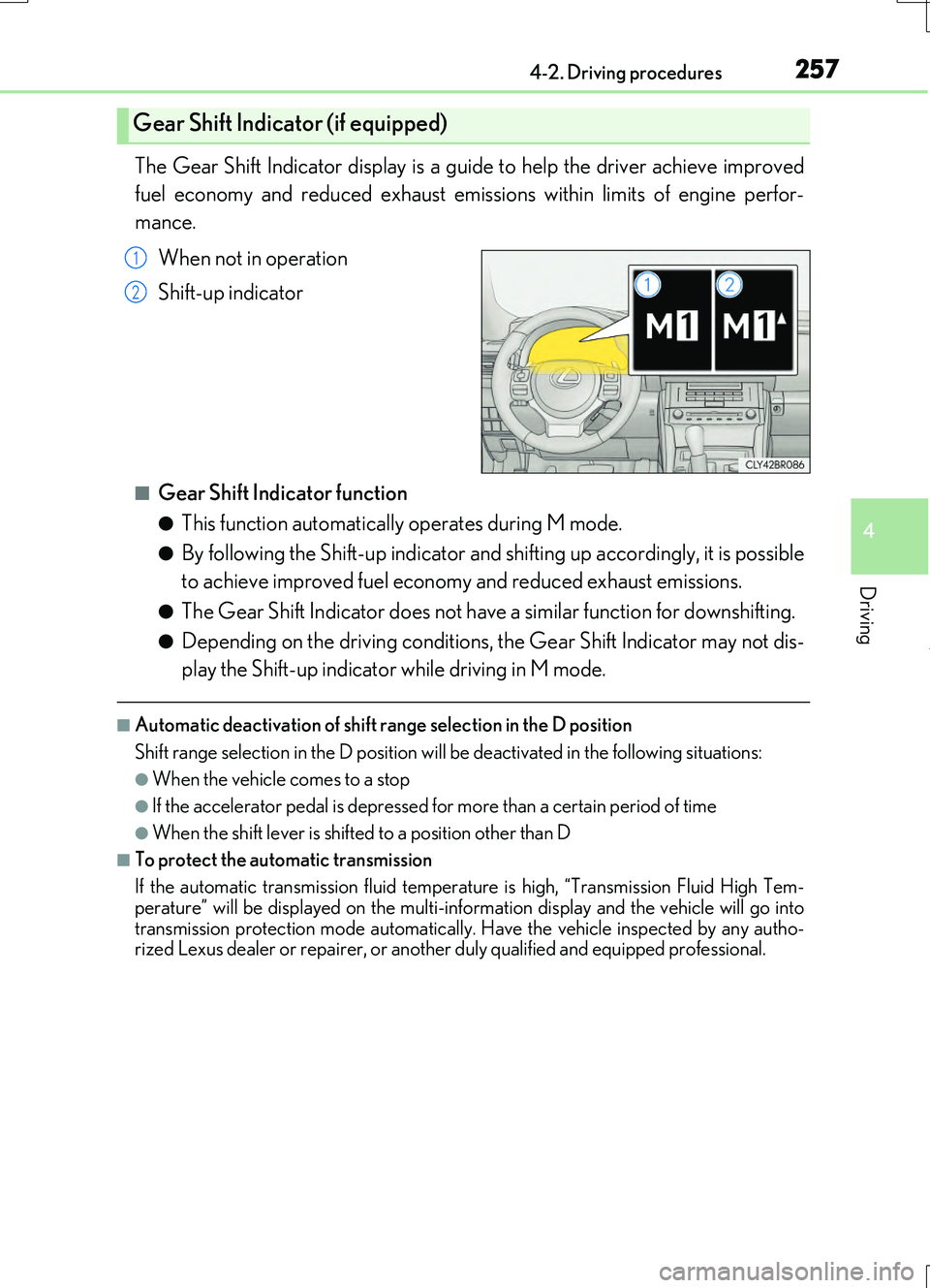
The Gear Shift Indicator display is a guide to help the driver achieve improved
fuel economy and reduced exhaust emissions within limits of engine perfor-
mance.
When not in operation
Shift-up indicator
■Gear Shift Indicator function
●This function automatically operates during M mode.
●By following the Shift-up indicator and shifting up accordingly, it is possible
to achieve improved fuel economy and reduced exhaust emissions.
●The Gear Shift Indicator does not have a similar function for downshifting.
●Depending on the driving conditions, the Gear Shift Indicator may not dis-
play the Shift-up indicator while driving in M mode.
■Automatic deactivation of shift range selection in the D position
Shift range selection in the D position will be deactivated in the following situations:
●When the vehicle comes to a stop
●If the accelerator pedal is depressed for more than a certain period of time
●When the shift lever is shifted to a position other than D
■To protect the automatic transmission
If the automatic transmission fluid temperat ure is high, “Transmission Fluid High Tem-
perature” will be displayed on the multi-information display and the vehicle will go into transmission protection mode automatically. Have the vehicle inspected by any autho-rized Lexus dealer or repairer, or another duly qualified and equipped professional.
Gear Shift Indicator (if equipped)
1
2
Page 265 of 724
2654-3. Operating the lights and wipers
4
Driving
RC200t_RC F_EE(OM24728E)
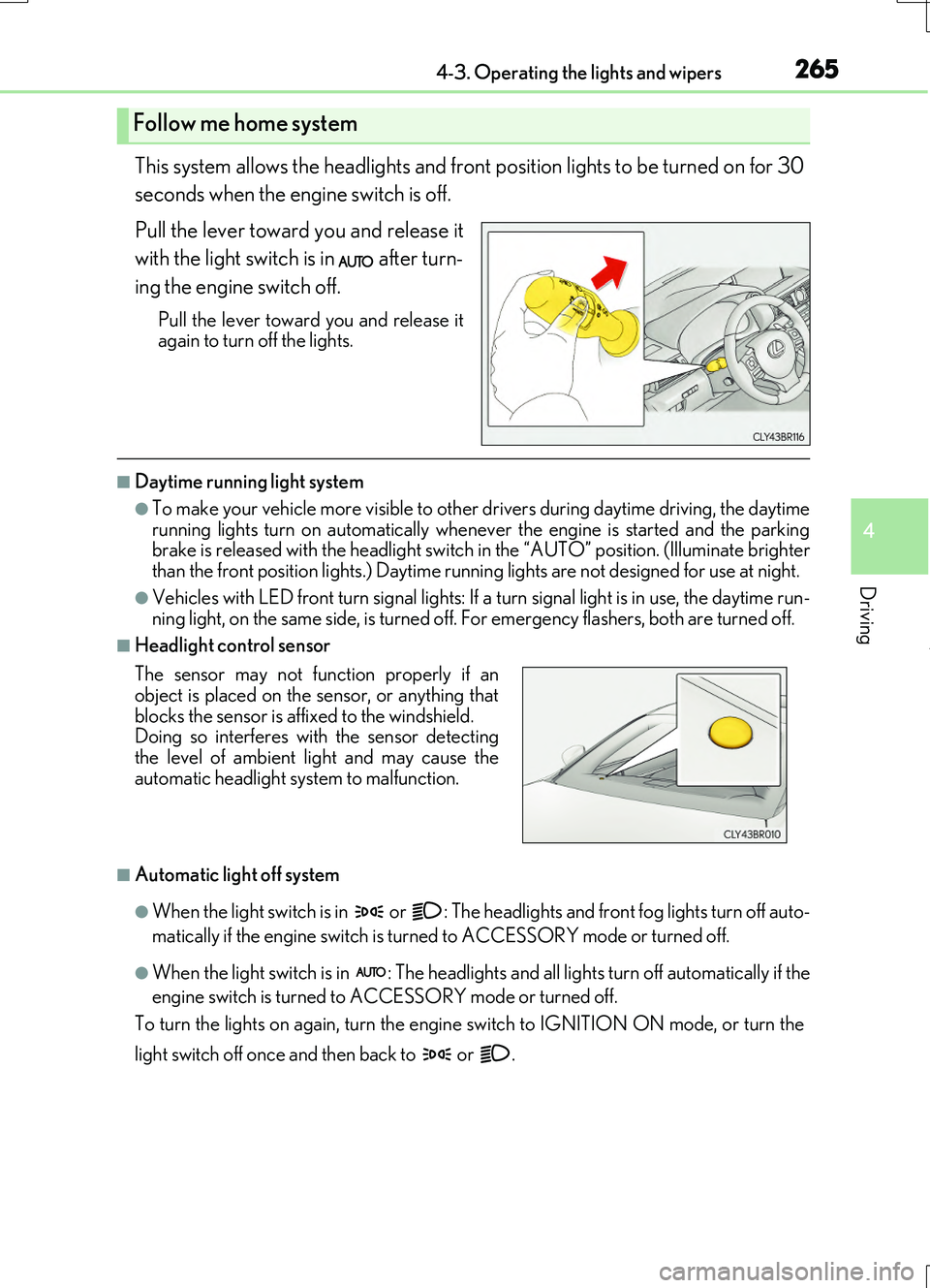
This system allows the headlights and front position lights to be turned on for 30
seconds when the engine switch is off.
Pull the lever toward you and release it
with the light switch is in after turn-
ing the engine switch off.
Pull the lever toward you and release it again to turn off the lights.
■Daytime running light system
●To make your vehicle more visible to other drivers during daytime driving, the daytime
running lights turn on automatically whenever the engine is started and the parking brake is released with the headlight switch in the “AUTO” position. (Illuminate brighter than the front position lights.) Daytime running lights are not designed for use at night.
●Vehicles with LED front turn signal lights: If a turn signal light is in use, the daytime run- ning light, on the same side, is turned off. For emergency flashers, both are turned off.
■Headlight control sensor
■Automatic light off system
●When the light switch is in or : The headlights and front fog lights turn off auto-
matically if the engine switch is turned to ACCESSORY mode or turned off.
●When the light switch is in : The headlights and all lights turn off automatically if the
engine switch is turned to ACCESSORY mode or turned off.
To turn the lights on again, turn the engine switch to IGNITION ON mode, or turn the
light switch off once and then back to or .
Follow me home system
The sensor may not function properly if an object is placed on the sensor, or anything that
blocks the sensor is affixed to the windshield. Doing so interferes with the sensor detectingthe level of ambient light and may cause the
automatic headlight system to malfunction.
Page 280 of 724
2804-3. Operating the lights and wipers
RC200t_RC F_EE(OM24728E)
WARNING
■Caution regarding the use of windshield wipers in AUTO mode
The windshield wipers may operate unexpectedly if the sensor is touched or the wind- shield is subject to vibration in AUTO mode. Take care that your fingers or anything
else do not become caught in the windshield wipers.
■Caution regarding the use of washer fluid
When it is cold, do not use the washer fluid until the windshield becomes warm. The
fluid may freeze on the windshield and cause low visibility. This may lead to an accident, resulting in death or serious injury.
NOTICE
■When the windshield is dry
Do not use the wipers, as they may damage the windshield.
■When there is no washer fluid spray from the nozzle
Damage to the washer fluid pump may be caused if the lever is pulled toward you and held continually.
■When a nozzle becomes blocked
In this case, contact any authorized Lexus de aler or repairer, or another duly qualified and equipped professional.
Do not try to clear it with a pin or other object. The nozzle will be damaged.
Page 288 of 724
2884-5. Using the driving support systems
RC200t_RC F_EE(OM24728E)
■Operating conditions
●The Stop & Start system is operational when all of the following conditions are met:
• The brake pedal is being depressed firmly.
• The shift lever is in D or P.
• Normal mode or Eco drive mode is selected as the driving mode.
• is off.
• The driver’s seat belt is fastened.
• The engine is adequately warmed up.
• The driver’s door is closed.
• The accelerator pedal is not being depressed.
• The outside temperature is -5°C (23°F) or higher.
• The hood is closed.
●In the following situations the engine may not be stopped by the Stop & Start system.
This is not a malfunction of the Stop & Start system.
• The air conditioning system is being used when the ambient temperature is high or
low.
• The battery is not sufficiently charged, such as if the vehicle has been parked for a long time and the battery charge has decreased, the electric load is large, the bat-
tery temperature is excessively low or the battery has deteriorated, or is undergoing
a periodic recharge.
• The brake booster vacuum is low.
• The vehicle is stoppe d on a steep incline.
• The steering wheel is being operated.
• Due to traffic or other circumstances the vehicle is stopped repeatedly.
• The vehicle is being driven in a high altitude area.
• Engine coolant temperature or transmissi on fluid temperature is extremely low or
high.
• The battery fluid temperature is extremely low or high.
• For a while after the battery terminals have been disconnected and reconnected.
• For a while after the battery replacement.
●In the following situations, the engine will re start automatically if the engine is stopped
by the Stop & Start system. (To enable stoppi ng of the engine by the Stop & Start sys-
tem, drive the vehicle.)
• The air conditioning system is turned on.
• Pollen removal mode is turned on.
• is turned on.
• is turned on.
• The steering wheel is operated.
• The shift lever is shifted to M, N or R from D.
• The shift lever is shifted from P.
• Sport mode or snow mode is selected as the driving mode.
• The driver’s seat belt is unfastened.
• The driver’s door is opened.
• The accelerator pedal is depressed.
• The Stop & Start cancel switch is pressed.
• The vehicle starts to roll on an incline.
Page 290 of 724
2904-5. Using the driving support systems
RC200t_RC F_EE(OM24728E)
■If the windshield is fogged up while the engine is stopped by the Stop & Start system
Turn on. (The engine will start due to the automatic engine start function.):
P. 484
If the windshield fogs up frequently, press the Stop & Start cancel switch to disable the
system.
■Air conditioning system operation while the engine is stopped by the Stop & Start sys-
tem
●If the air conditioning system is being us ed in automatic mode, the fan speed may be
reduced or the fan may be stopped while the engine is stopped by the Stop & Start sys-
tem in order to reduce changes in the cabin temperature.
●To ensure air conditioning system performanc e when the vehicle is stopped, disable the
Stop & Start system by pressing the Stop & Start cancel switch.
■Changing the idling stop time with the air conditioning system on
The length of time the Stop & Start system will operate when the air conditioning system
is on can be changed by performing the followi ng operation. (The length of time the Stop
& Start system will operate when the air condit ioning system is off cannot be changed.)
●Setting by pressing and holding the Stop & Start cancel switch
Each time the Stop & Start cancel switch is pressed and held for 3 seconds or more, the
system changes between standard and extended. The system status can be confirmed
on the multi-information display screen. ( P. 131)
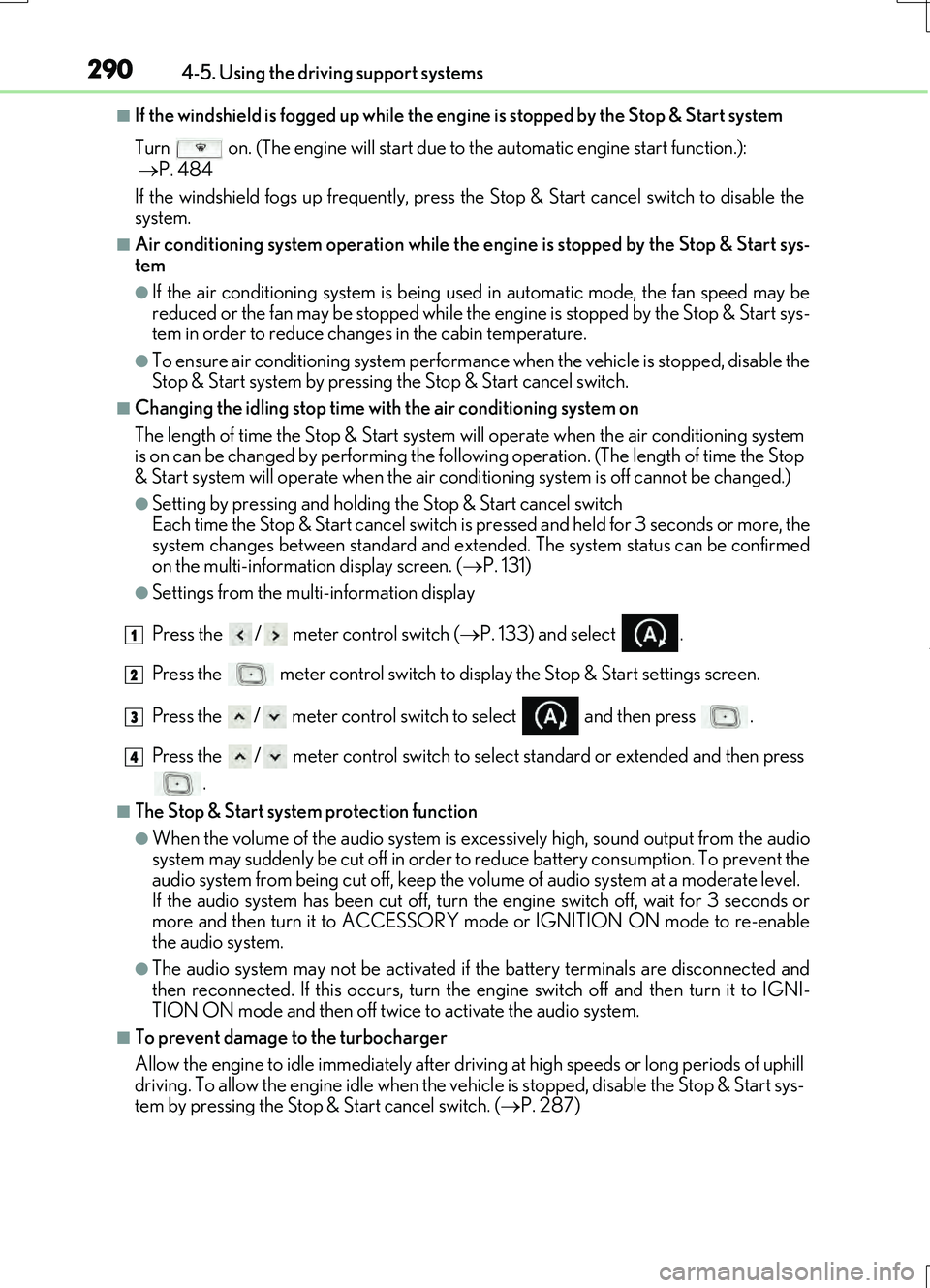
●Settings from the multi-information display
Press the / meter control switch ( P. 133) and select .
Press the meter control switch to display the Stop & Start settings screen.
Press the / meter control switch to select and then press .
Press the / meter control switch to select standard or extended and then press .
■The Stop & Start system protection function
●When the volume of the audio system is ex cessively high, sound output from the audio
system may suddenly be cut of f in order to reduce battery consumption. To prevent the
audio system from being cut off, keep the vo lume of audio system at a moderate level.
If the audio system has been cut off, turn the engine switch off, wait for 3 seconds or
more and then turn it to ACCESSORY mode or IGNITION ON mode to re-enable
the audio system.
●The audio system may not be activated if the battery terminals are disconnected and
then reconnected. If this occurs, turn the engine switch off and then turn it to IGNI-
TION ON mode and then off twice to activate the audio system.
■To prevent damage to the turbocharger
Allow the engine to idle immediately after driv ing at high speeds or long periods of uphill
driving. To allow the engine idle when the vehicle is stopped, disable the Stop & Start sys-
tem by pressing the Stop & Start cancel switch. ( P. 287)
1
2
3
4
Page 301 of 724
3014-5. Using the driving support systems
4
Driving
RC200t_RC F_EE(OM24728E)
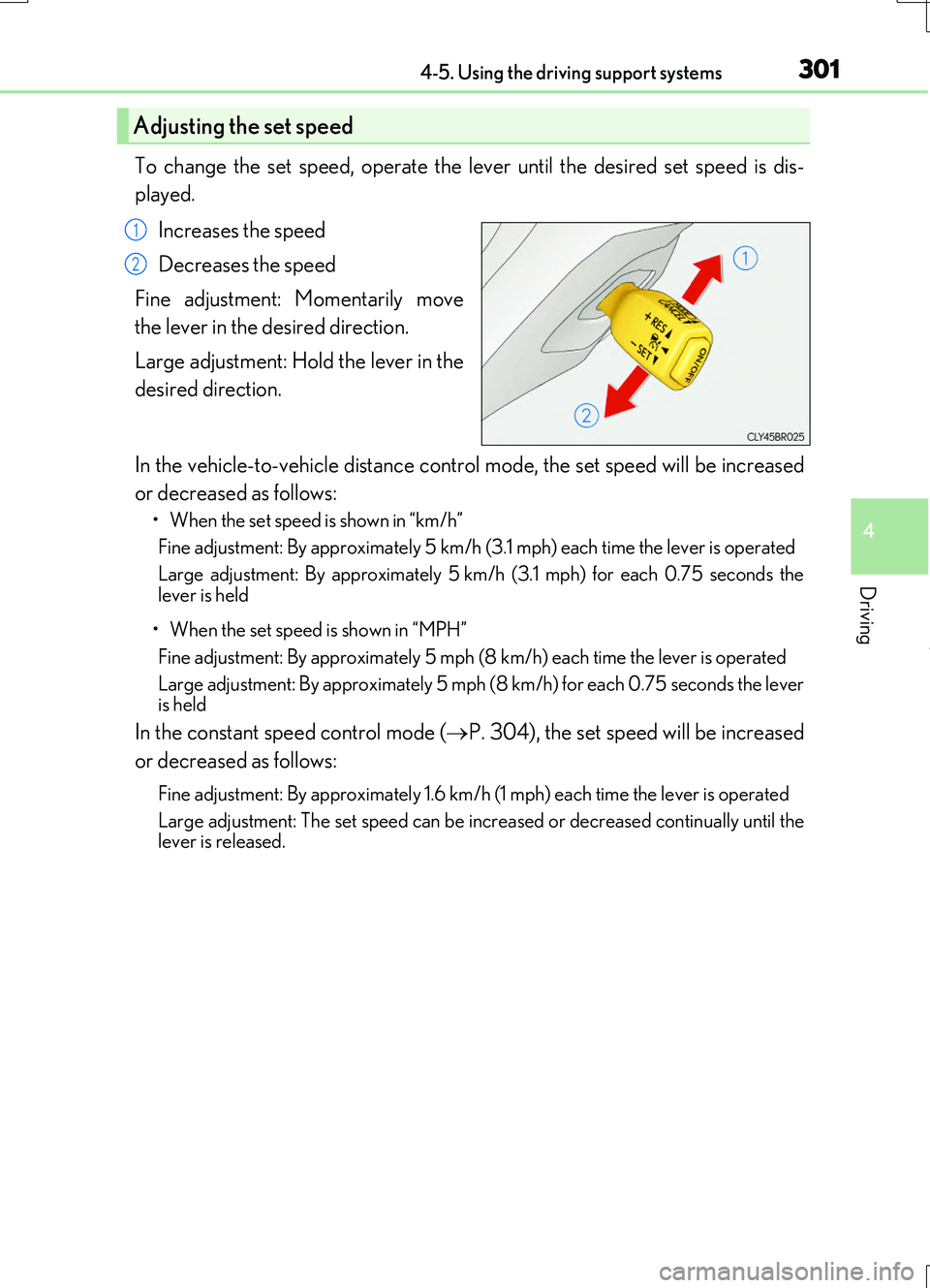
To change the set speed, operate the lever until the desired set speed is dis-
played.
Increases the speed
Decreases the speed
Fine adjustment: Momentarily move
the lever in the desired direction.
Large adjustment: Hold the lever in the
desired direction.
In the vehicle-to-vehicle distance control mode, the set speed will be increased
or decreased as follows:
• When the set speed is shown in “km/h”
Fine adjustment: By approximately 5 km/h (3.1 mph) each time the lever is operated
Large adjustment: By approximately 5 km/h (3.1 mph) for each 0.75 seconds the
lever is held
• When the set speed is shown in “MPH”
Fine adjustment: By approximately 5 mph (8 km/h) each time the lever is operated
Large adjustment: By approximately 5 mph (8 km/h) for each 0.75 seconds the lever is held
In the constant speed control mode ( P. 304), the set speed will be increased
or decreased as follows:
Fine adjustment: By approximately 1.6 km/h (1 mph) each time the lever is operated
Large adjustment: The set speed can be incr eased or decreased continually until the lever is released.
Adjusting the set speed
1
2
Page 304 of 724
3044-5. Using the driving support systems
RC200t_RC F_EE(OM24728E)
When constant speed control mode is selected, your vehicle will maintain a set
speed without controlling the vehicle-to-vehicle distance. Select this mode only
when vehicle-to-vehicle distance control mode does not function correctly due
to dirt, etc.
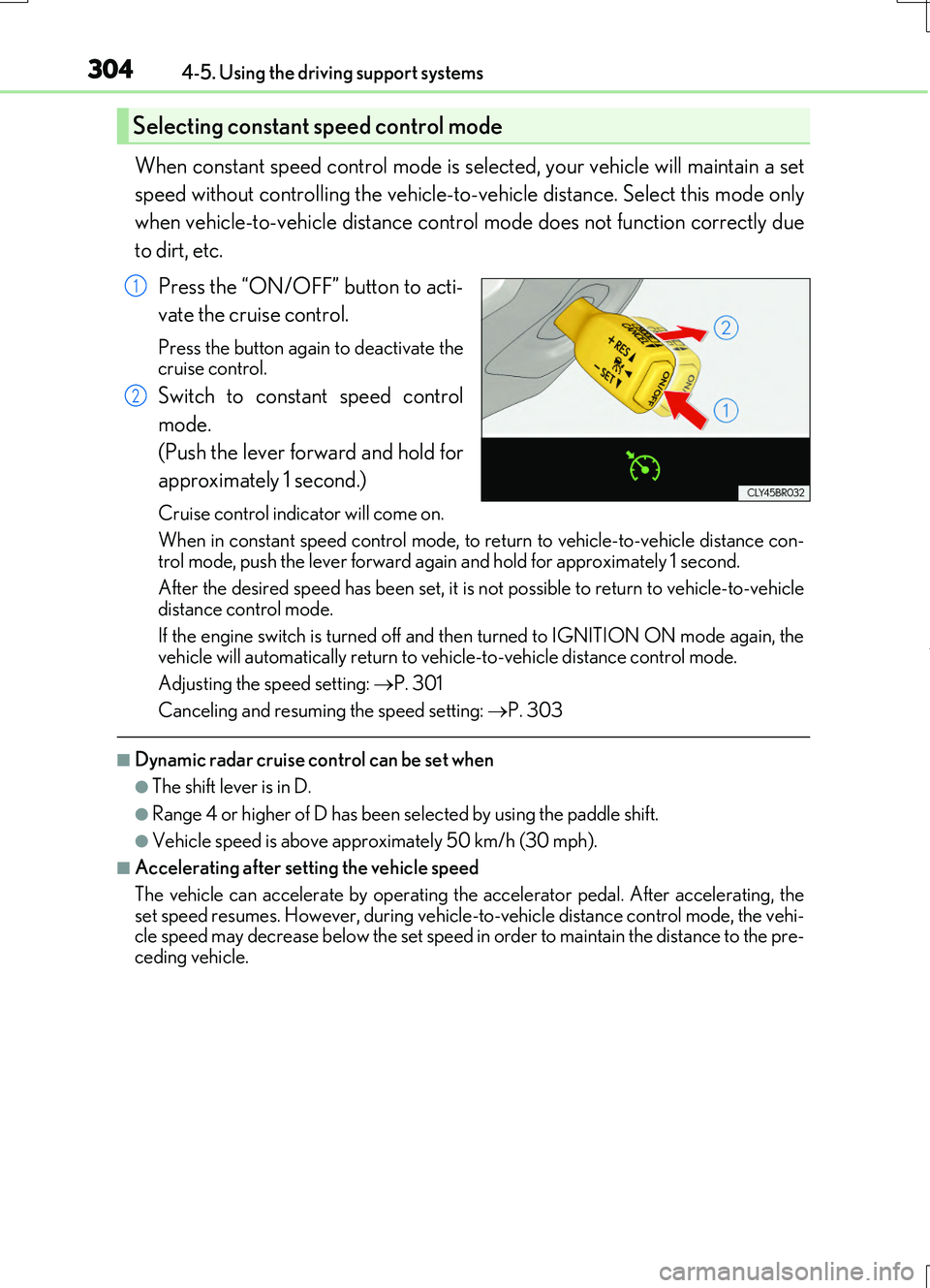
Press the “ON/OFF” button to acti-
vate the cruise control.
Press the button again to deactivate the cruise control.
Switch to constant speed control
mode.
(Push the lever forward and hold for
approximately 1 second.)
Cruise control indicator will come on.
When in constant speed control mode, to return to vehicle-to-vehicle distance con- trol mode, push the lever forward again and hold for approximately 1 second.
After the desired speed has been set, it is not possible to return to vehicle-to-vehicle distance control mode.
If the engine switch is turned off and then turned to IGNITION ON mode again, the
vehicle will automatically return to ve hicle-to-vehicle distance control mode.
Adjusting the speed setting: P. 301
Canceling and resuming the speed setting: P. 303
■Dynamic radar cruise control can be set when
●The shift lever is in D.
●Range 4 or higher of D has been selected by using the paddle shift.
●Vehicle speed is above approximately 50 km/h (30 mph).
■Accelerating after setting the vehicle speed
The vehicle can accelerate by operating the accelerator pedal. After accelerating, the set speed resumes. However, during vehicle-to-vehicle distance control mode, the vehi-cle speed may decrease below the set speed in order to maintain the distance to the pre-
ceding vehicle.
Selecting constant speed control mode
1
2