window LEXUS RX200T 2017 Owner's Manual
[x] Cancel search | Manufacturer: LEXUS, Model Year: 2017, Model line: RX200T, Model: LEXUS RX200T 2017Pages: 776, PDF Size: 44.51 MB
Page 141 of 776
1413-2. Opening, closing and locking the doors
3
Operation of each component
RX350/RX200t_EE_OM48F32E
■Operation signals
Doors: The emergency flashers flash to indicate th at the doors have been locked/unlocked. (Locked: Once; Unlocked: Twice)
Windows and moon roof or panoramic moon roof: A buzzer sounds.
■Security feature
If a door is not opened within approximately 30 seconds after the vehicle is unlocked, the security feature automatically locks the vehicle again.
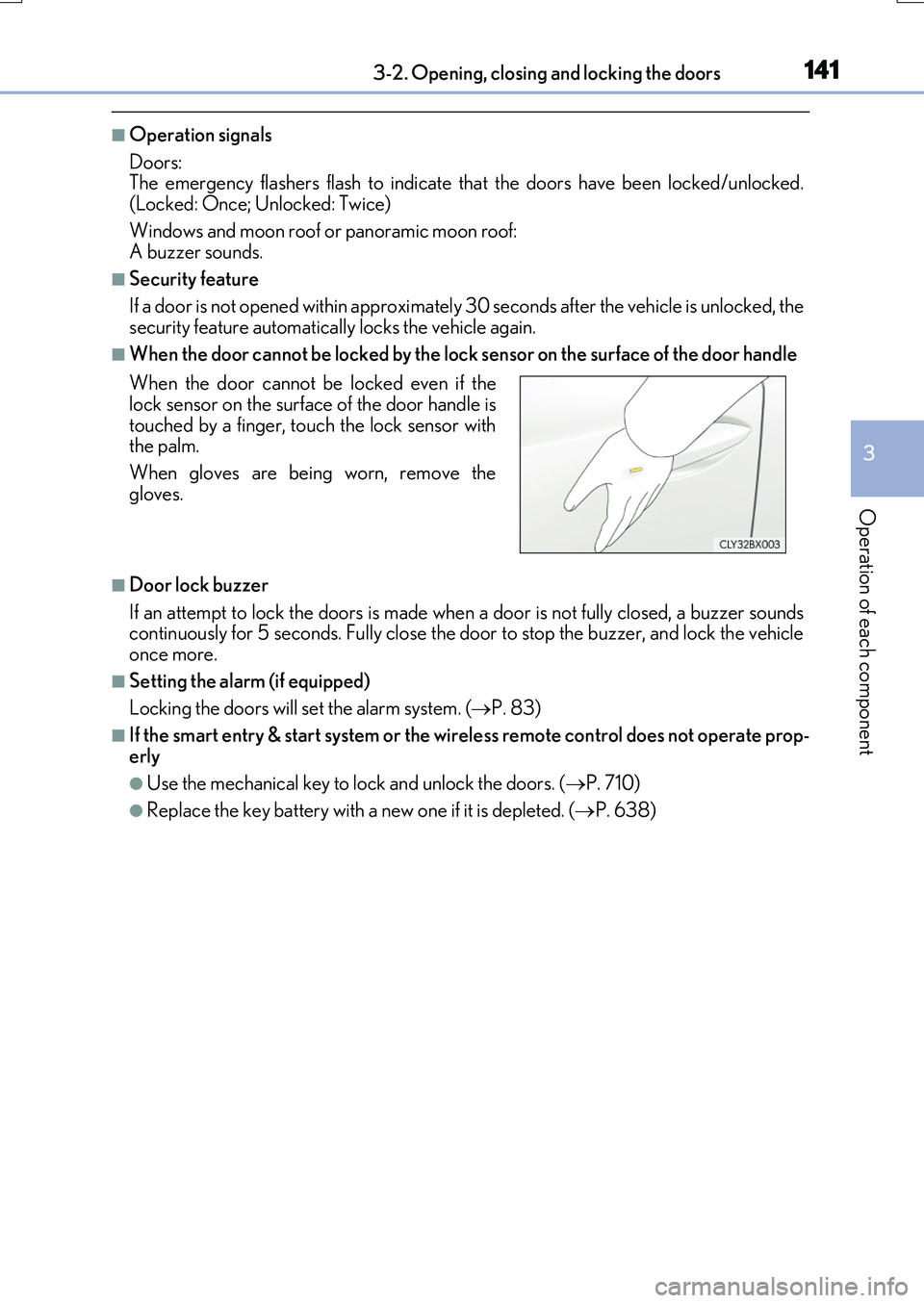
■When the door cannot be locked by the lock sensor on the surface of the door handle
■Door lock buzzer
If an attempt to lock the doors is made when a door is not fully closed, a buzzer sounds continuously for 5 seconds. Fully close the door to stop the buzzer, and lock the vehicleonce more.
■Setting the alarm (if equipped)
Locking the doors will set the alarm system. ( P. 83)
■If the smart entry & start system or the wireless remote control does not operate prop-
erly
●Use the mechanical key to lock and unlock the doors. ( P. 710)
●Replace the key battery with a new one if it is depleted. (P. 638)
When the door cannot be locked even if the lock sensor on the surface of the door handle is
touched by a finger, touch the lock sensor with the palm.
When gloves are being worn, remove the
gloves.
Page 145 of 776
1453-2. Opening, closing and locking the doors
3
Operation of each component
RX350/RX200t_EE_OM48F32E
■Conditions affecting the operation of the smart entry & start system or wireless remote control
P. 170
■Customization
Some functions can be customized. ( P. 740)
WARNING
■To prevent an accident
Observe the following precautions while driving the vehicle.
Failure to do so may result in a door open ing and an occupant falling out, resulting in death or serious injury.
●Ensure that all doors are properly closed and locked.
●Do not pull the inside handle of the doors while driving.
Be especially careful for the front doors, as the doors may be opened even if the inside lock buttons are in locked position.
●Set the rear door child-protector locks wh en children are seated in the rear seats.
■When opening or closing a door
Check the surroundings of the vehicle such as whether the vehicle is on an incline,
whether there is enough space for a door to open and whether a strong wind is blow- ing. When opening or closing the door, hold the door handle tightly to prepare for any unpredictable movement.
■When using the wireless remote control and operating the power windows or themoon roof or panoramic moon roof
Operate the power windows or the moon roof or panoramic moon roof after checking
to make sure that there is no possibility of any passenger having any of their body parts caught in the windows or the moon roof or panoramic moon roof. Also, do not allow children to operate the wireless remote contro l. It is possible for children and other
passengers to get caught in the power windows or the moon roof or panoramic moon roof.
Page 170 of 776
1703-2. Opening, closing and locking the doors
RX350/RX200t_EE_OM48F32E
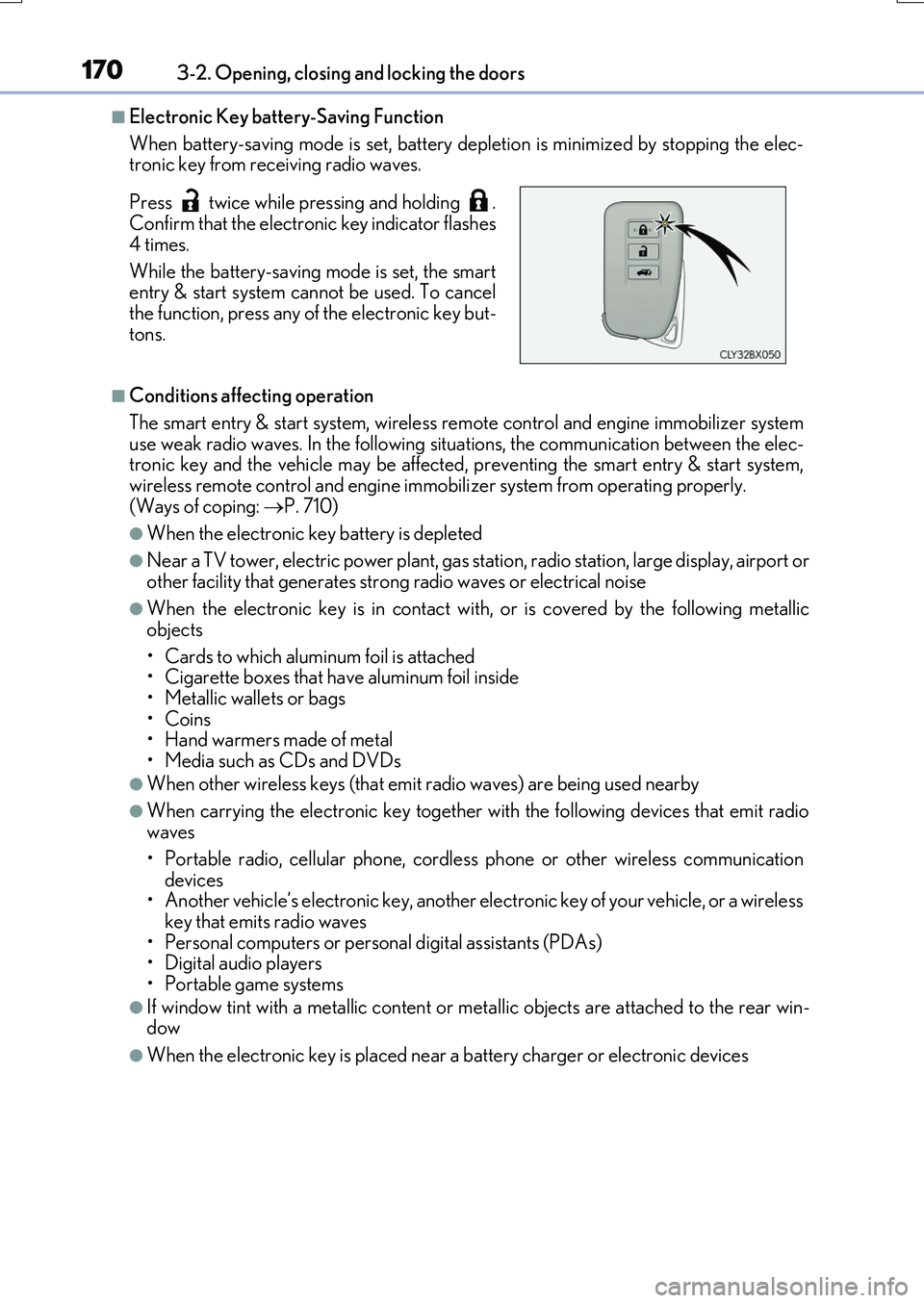
■Electronic Key battery-Saving Function
When battery-saving mode is set, battery depl etion is minimized by stopping the elec- tronic key from receiving radio waves.
■Conditions affecting operation
The smart entry & start system, wireless re mote control and engine immobilizer system use weak radio waves. In the following si tuations, the communication between the elec- tronic key and the vehicle may be affected, preventing the smart entry & start system,
wireless remote control and engine immob ilizer system from operating properly. (Ways of coping: P. 710)
●When the electronic key battery is depleted
●Near a TV tower, electric power plant, gas station, radio station, large display, airport or other facility that gene rates strong radio waves or electrical noise
●When the electronic key is in contact with, or is covered by the following metallic
objects
• Cards to which aluminum foil is attached • Cigarette boxes that have aluminum foil inside
• Metallic wallets or bags •Coins• Hand warmers made of metal
• Media such as CDs and DVDs
●When other wireless keys (that emit radio waves) are being used nearby
●When carrying the electronic key together with the following devices that emit radio waves
• Portable radio, cellular phone, cordle ss phone or other wireless communication
devices • Another vehicle’s electronic key, another electronic key of your vehicle, or a wirelesskey that emits radio waves
• Personal computers or personal digital assistants (PDAs) • Digital audio players• Portable game systems
●If window tint with a metallic content or me tallic objects are attached to the rear win- dow
●When the electronic key is placed near a battery charger or electronic devices
Press twice while pressing and holding . Confirm that the electronic key indicator flashes
4 times.
While the battery-saving mode is set, the smart entry & start system cannot be used. To cancel
the function, press any of the electronic key but- tons.
Page 171 of 776

1713-2. Opening, closing and locking the doors
3
Operation of each component
RX350/RX200t_EE_OM48F32E
■Note for the entry function
●Even when the electronic key is within the effective range (detection areas), the system may not operate properly in the following cases:
• The electronic key is too close to the window or outside door handle, near the ground, or in a high place when the doors are locked or unlocked.• The electronic key is near the ground or in a high place, or too close to the rear
bumper center when the back door is opened. • The electronic key is on the instrument panel, luggage compartment, floor, or in thedoor pockets or glove box when the engine is started or engine switch modes are
changed.
●Do not leave the electronic key on top of th e instrument panel or near the door pockets
when exiting the vehicle. Depending on the radio wave reception conditions, it may be detected by the antenna outside the cabin and the door will become lockable from theoutside, possibly trapping the electronic key inside the vehicle.
●As long as the electronic key is within the effective range, the doors may be locked orunlocked by anyone.
●Even if the electronic key is not inside the vehicle, it may be possible to start the engine
if the electronic key is near the window.
●The doors may unlock if a large amount of wa ter splashes on the door handle, such as in the rain or in a car wash when the electronic key is within the effective range. (The door
will automatically be locked after approx imately 30 seconds if the doors are not opened and closed.)
●If the wireless remote control is used to lock the doors when the electronic key is near
the vehicle, there is a possibility that the d oor may not be unlocked by the entry func- tion. (Use the wireless remote control to unlock the doors.)
●Touching the door lock sensor while wearin g gloves may delay or prevent lock opera-
tion. Remove the gloves and to uch the lock sensor again.
●If the door handle becomes wet while the electronic key is within the effective range,
the door may lock and unlock repeatedly. In that case, follow the following correction
procedures to wash the vehicle:
• Place the electronic key in a location 2 m (6 ft.) or more away from the vehicle. (Take
care to ensure that the key is not stolen.)
• Set the electronic key to battery-saving mode to disable the smart entry & start sys-
tem. ( P. 170)
●If the electronic key is inside the vehicle and a door handle becomes wet during a car wash, a message may be shown on the mult i-information display and a buzzer will
sound outside the vehicle. To turn off the alarm, lock all the doors.
●The lock sensor may not work properly if it comes into contact with ice, snow, mud, etc. Clean the lock sensor and attempt to operate it again.
●A sudden approach to the effective range or door handle may prevent the doors frombeing unlocked. In this case, return the door handle to the original position and check that the doors unlock before pulling the door handle again.
●If there is another electronic key in the de tection area, it may take slightly longer to unlock the doors after the door handle is gripped.
●Fingernails may scrape against the door duri ng operation of the door handle. Be care-
ful not to injure fingernails or damage the surface of the door.
Page 208 of 776
2083-4. Adjusting the steering wheel and mirrors
RX350/RX200t_EE_OM48F32E
When the mirror select switch is in the “L” or “R” position, the outside rear view
mirrors will automatically angle downwa rds when the vehicle is reversing in
order to give a better view of the ground.
To disable this function, select neither “L” nor “R” of the mirror select switch.
■Adjusting the mirror angle when the vehicle is reversing
With the shift lever in R, adjust the mirror angle at a desired position.
The adjusted angle will be memorized and the mirror will automatically tilt to
the memorized angle whenever the shift lever is shifted to R from next time.
The memorized downward tilt position of the mirror is linked to the normal position (angle adjusted with the shif t lever in other than R). Therefore, if the normal posi- tion is changed after adjustment, th e tilt position will also change.
When the normal position is changed, readjust the angle in reversing.
■Mirror angle can be adjusted when
The engine switch is in ACCESSORY or IGNITION ON mode.
■When disconnecting and reconnecting battery terminals
The automatic folding/extending mirror function will return to off as default. To turn the
function on, press the switch again to select on.
■When the mirrors are fogged up
The outside rear view mirrors can be clea red using the mirror defoggers. Turn on the
rear window defogger to turn on the outside rear view mirror defoggers. ( P. 542)
■Automatic adjustment of the mirror angle (if equipped)
A desired mirror face angle can be entered to memory and recalled automatically by the
driving position memory. ( P. 195)
■Auto anti-glare function (if equipped)
When the anti-glare inside rear view mirror is set to automatic mode, the outside rear
view mirrors will activate in co njunction with the anti-glare inside rear view mirror to reduce reflected light. ( P. 204)
■Using automatic mode in cold weather
When automatic mode is used in cold weat her, the door mirror could freeze up and automatic stowing and return may not be possible. In this case, remove any ice and snowfrom the door mirror, then either operate the mirror using manual mode or move the mir-
ror by hand.
■Customization
Some functions can be customized. ( P. 740)
Linked mirror function when reversing
Page 210 of 776
210
RX350/RX200t_EE_OM48F32E
3-5. Opening, closing the windows and moon roof
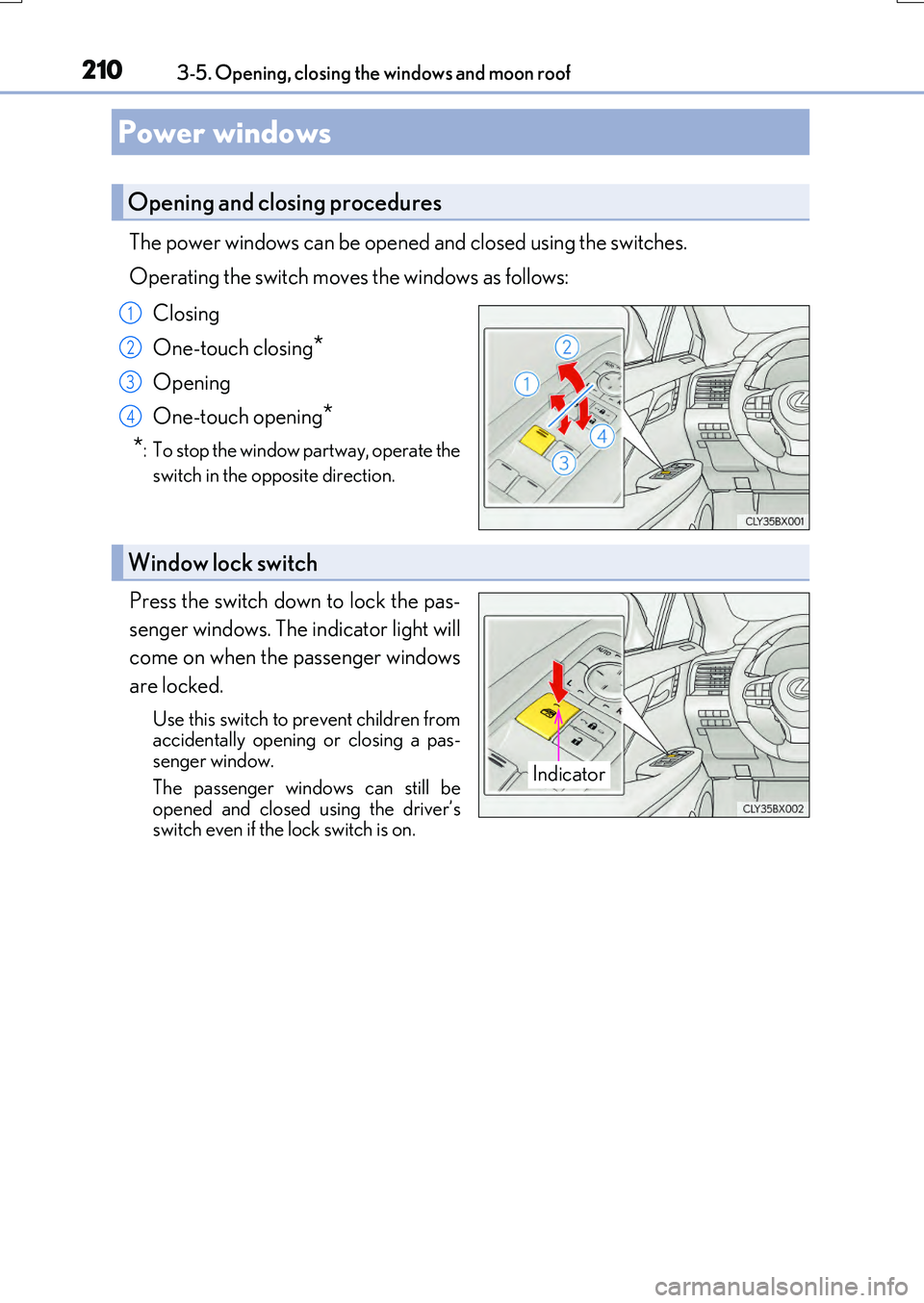
The power windows can be opened and closed using the switches.
Operating the switch moves the windows as follows:
Closing
One-touch closing*
Opening
One-touch opening*
*: To stop the window partway, operate the
switch in the opposite direction.
Press the switch down to lock the pas-
senger windows. The indicator light will
come on when the passenger windows
are locked.
Use this switch to prevent children from accidentally opening or closing a pas-senger window.
The passenger windows can still be opened and closed using the driver’sswitch even if the lock switch is on.
Power windows
Opening and closing procedures
1
2
3
4
Window lock switch
Indicator
Page 211 of 776
2113-5. Opening, closing the windows and moon roof
3
Operation of each component
RX350/RX200t_EE_OM48F32E
■The power windows can be operated when
The engine switch is in IGNITION ON mode.
■Operating the power windows after turning the engine off
The power windows can be operated for approximately 45 seconds even after the
engine switch is turned to ACCESSORY mode or turned off. They cannot, however, be operated once either front door is opened.
■Jam protection function
If an object becomes jammed between the window and the window frame while the win- dow is closing, window movement is stop ped and the window is opened slightly.
■Catch protection function
If an object becomes caught between the door and window while the window is opening, window movement is stopped.
■When the window cannot be opened or closed
When the jam protection function or catch protection function operates unusually and the door window cannot be opened or closed , perform the following operations with the power window switch of that door.
●Stop the vehicle. With the engine switch in IGNITION ON mode, within 4 seconds ofthe jam protection function or catch protecti on function activating, continuously oper- ate the power window switch in the one-to uch closing direction or one-touch opening
direction so that the door window can be opened and closed.
●If the door window cannot be opened and closed even when performing the above operations, perform the following pr ocedure for function initialization.
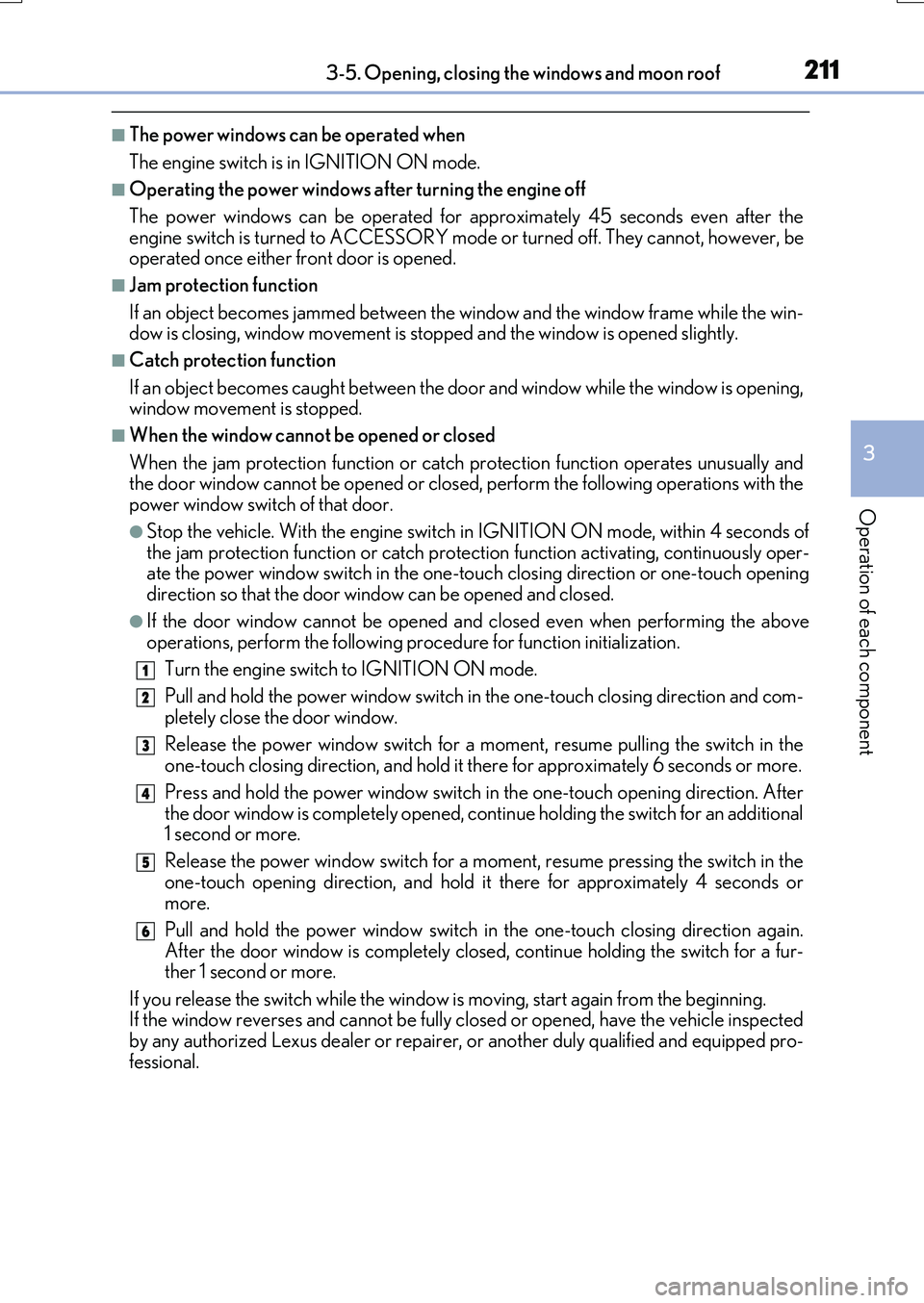
Turn the engine switch to IGNITION ON mode.
Pull and hold the power window switch in the one-touch closing direction and com- pletely close the door window.
Release the power window switch for a moment, resume pulling the switch in the one-touch closing direction, and hold it there for approximately 6 seconds or more.
Press and hold the power window switch in the one-touch opening direction. After
the door window is completely opened, cont inue holding the switch for an additional 1 second or more.
Release the power window switch for a moment, resume pressing the switch in the
one-touch opening direction, and hold it there for approximately 4 seconds or more.
Pull and hold the power window switch in the one-touch closing direction again.
After the door window is completely clos ed, continue holding the switch for a fur- ther 1 second or more.
If you release the switch while the window is moving, start again from the beginning. If the window reverses and cannot be fully closed or opened, have the vehicle inspectedby any authorized Lexus dealer or repairer , or another duly qualified and equipped pro-
fessional.
1
2
3
4
5
6
Page 212 of 776
2123-5. Opening, closing the windows and moon roof
RX350/RX200t_EE_OM48F32E
■Door lock linked window operation
●The power windows can be opened and closed using the mechanical key.* (P. 711)
●The power windows can be opened and closed using the wireless remote control.*
(P. 140)
*: These settings must be customized at any authorized Lexus dealer or repairer, or
another duly qualified and equipped professional.
■Alarm (if equipped)
The alarm may be triggered if the alarm is set and a power window is closed using the
door lock linked power window operation function. ( P. 84)
■When the battery is disconnected
The window lock switch is disabled. If nece ssary, press the window lock switch after
reconnecting the battery.
■Power windows open warning buzzer
The buzzer sounds and a message is shown on the multi-information display in the instru-
ment cluster when the engine switch is turned off and the driver’s door is opened with the power windows open.
■Customization
Some functions can be customized. ( P. 740)
Page 213 of 776
2133-5. Opening, closing the windows and moon roof
3
Operation of each component
RX350/RX200t_EE_OM48F32E
WARNING
Observe the following precautions. Failing to do so may result in death or serious injury.
■Opening and closing the windows
●The driver is responsible for all the power window operations, including the operation for the passengers. In order to prevent acci dental operation, especially by a child, do not let a child operate the power windows. It is possible for children and other passen-
gers to have body parts caught in the power window. Also, when riding with a child, it is recommended to use the window lock switch. ( P. 210)
●When using the wireless remote control or mechanical key and operating the power
windows, operate the power window after checking to make sure that there is no pos- sibility of any passenger having any of thei r body parts caught in the window. Also do not let a child operate power window by the wireless remote control or mechanical
key. It is possible for children and other passengers to get caught in the power win- dow.
●When exiting the vehicle, turn the engine switch off, carry the key and exit the vehicle
along with the child. There may be accidental operation, due to mischief, etc., that may possibly lead to an accident.
■Jam protection function
●Never use any part of your body to intent ionally activate the jam protection function.
●The jam protection function may not work if something gets jammed just before the window is fully closed. Be careful not to ge t any part of your body jammed in the win-
dow.
■Catch protection function
●Never use any part of your body or clothing to intentionally activate the catch protec-
tion function.
●The catch protection function may not work if something gets caught just before the window is fully opened. Be careful not to get any part of your body or clothing caught
in the window.
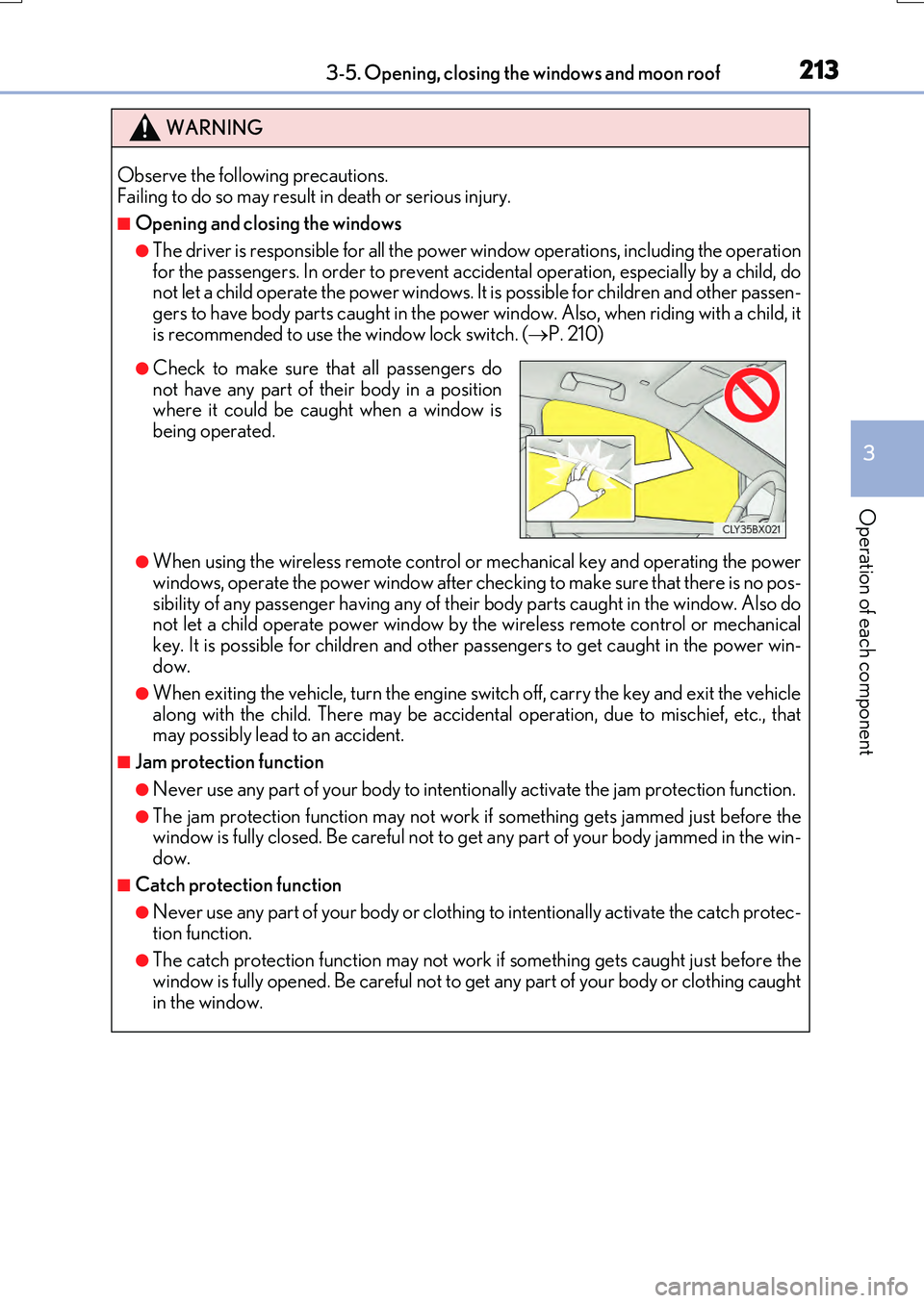
●Check to make sure that all passengers do not have any part of their body in a positionwhere it could be caught when a window is
being operated.
Page 214 of 776
2143-5. Opening, closing the windows and moon roof
RX350/RX200t_EE_OM48F32E
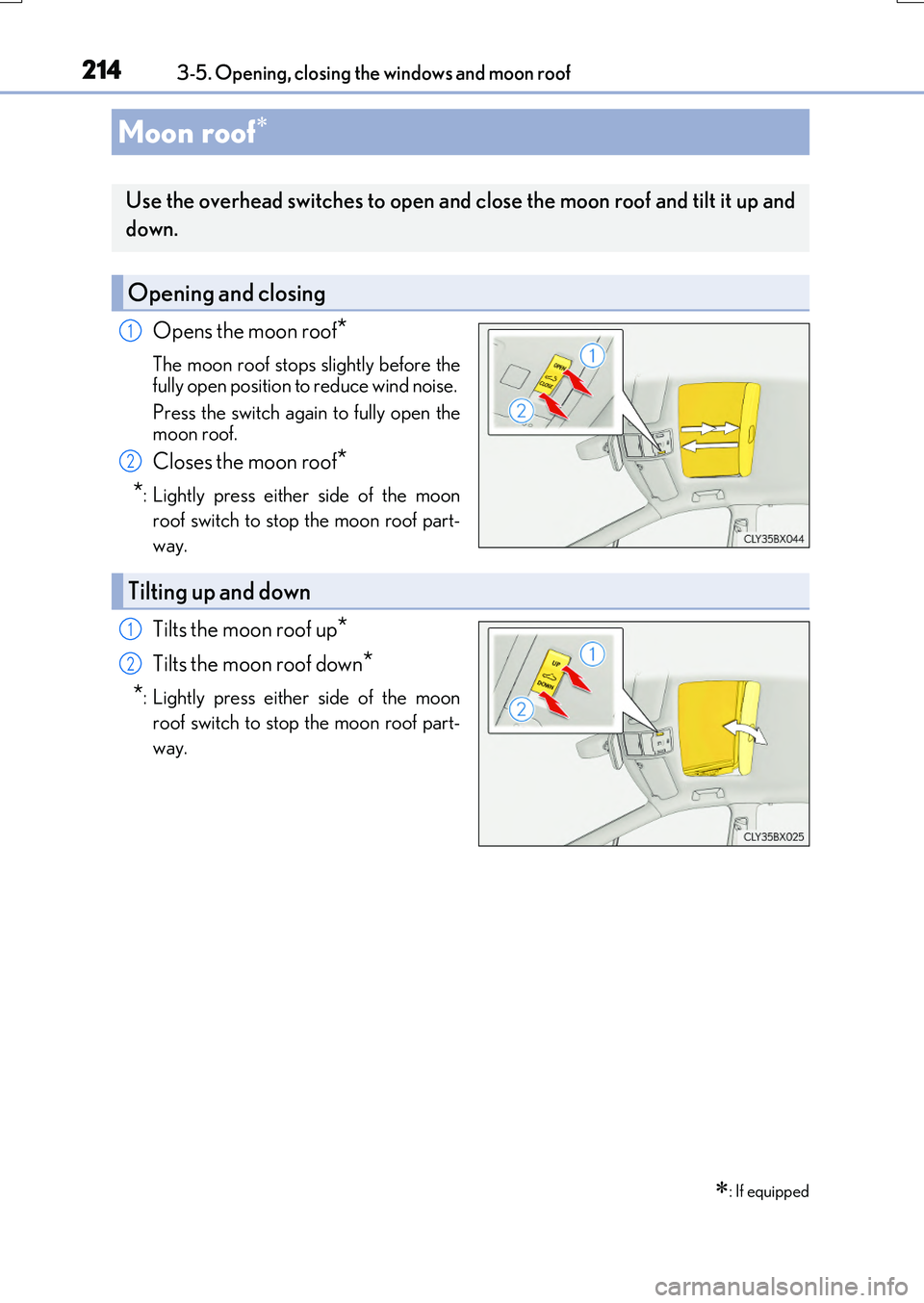
Opens the moon roof*
The moon roof stops slightly before the
fully open position to reduce wind noise.
Press the switch again to fully open the moon roof.
Closes the moon roof*
*: Lightly press either side of the moon
roof switch to stop the moon roof part-
way.
Tilts the moon roof up*
Tilts the moon roof down*
*: Lightly press either side of the moon
roof switch to stop the moon roof part-
way.
Moon roof
: If equipped
Use the overhead switches to open and close the moon roof and tilt it up and
down.
Opening and closing
1
2
Tilting up and down
1
2