door lock LEXUS RX350 2015 Service Manual
[x] Cancel search | Manufacturer: LEXUS, Model Year: 2015, Model line: RX350, Model: LEXUS RX350 2015Pages: 886, PDF Size: 11 MB
Page 77 of 886
771-3. Adjustable components (seats, mirrors, steering wheel)
1
Before driving Linking driving position memory with door unlock operation
Record your driving position to butto n “1”, “2” or “3” before performing
the following:
Carry only the key (including the card key) to which you want to link the
driving position. If 2 or more keys are in the vehi cle, the driving position
cannot be linked properly.
Shift the shift lever to P and cl ose the driver's door. Turn the
“ENGINE START STOP” switch to IGNITION ON mode.
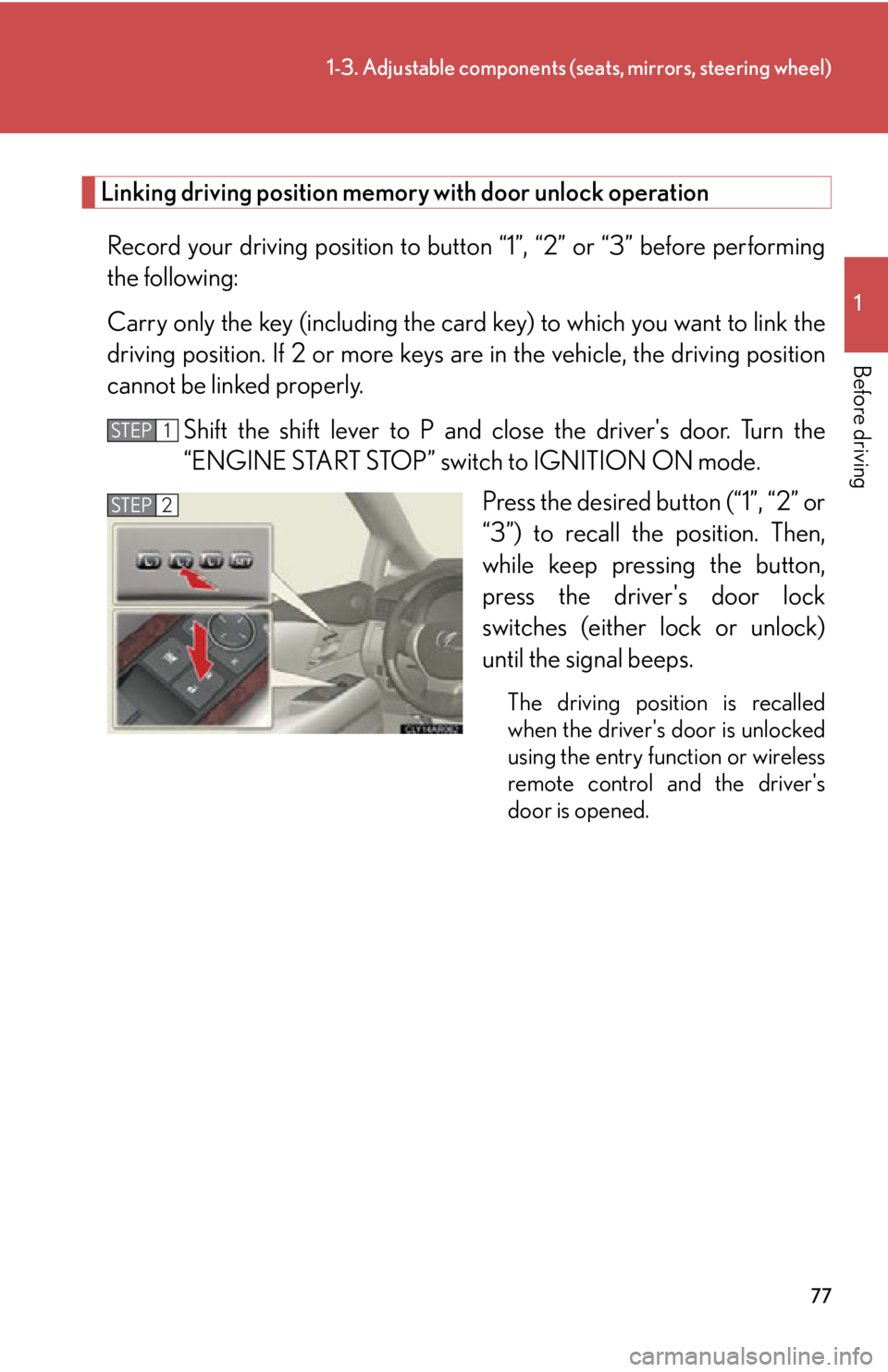
Press the desired button (“1”, “2” or
“3”) to recall the position. Then,
while keep pressing the button,
press the driver's door lock
switches (either lock or unlock)
until the signal beeps. The driving position is recalled
when the driver's door is unlocked
using the entry function or wireless
remote control and the driver's
door is opened. STEP 1
STEP 2
Page 79 of 886
791-3. Adjustable components (seats, mirrors, steering wheel)
1
Before driving ■
When driving position memory is li nked with door unlock operation
If the driver’s door is opened, the driver’s seat will move toward the memorized
position but stop slightly beforehand to allow easy access to the vehicle.
Turning the “ENGINE START STOP” switch to ACCESSORY mode or fastening
the driver’s seat belt moves the seat fully into the memorized position.■
Canceling the linked do or unlock operation
Turn the “ENGINE START STOP” swit ch to IGNITION ON mode and
close the driver's door.
While pressing the “SET” button, press the driver’s door lock switches
(either lock or unlock) until the signal beeps.■
Operating the driving position memory after turning the “ENGINE START
STOP” switch off
Memorized positions (except for the steering wheel position) can be activated up
to 180 seconds after the driver’s door is opened and another 60 seconds after it is
closed again, even after turning the “ENGINE START STOP” switch off.■
Stopping seat position op eration part-way through
Perform any of the following operations: ●
Press the “SET” button.●
Press button “1”, “2” or “3”.●
Adjust the seat using the switches (only cancels seat position recall).●
Adjust the steering wheel using the tilt and telescopic steering control switch
(only cancels steering wheel position recall).■
Correct seat position
When the seat is in the most forward or most backward posi tion, and the seat is
being moved in those directions, the system may not correctly recognize the cur-
rent position and the memorized posi tion will not be correctly recalled.
■
The auto away function for exiting the driver seat
If the seat is already close to the rearmost position, the auto away function may not
operate when the driver exits the vehicle.
■
Customization
The distance that the driver’s seat move s backward during the auto away function
can be changed. (Customizable features P. 8 3 4 )STEP 1
STEP 2
Page 96 of 886
961-3. Adjustable components (s eats, mirrors, steering wheel)
Automatically folding and extending the mirrors (power type)
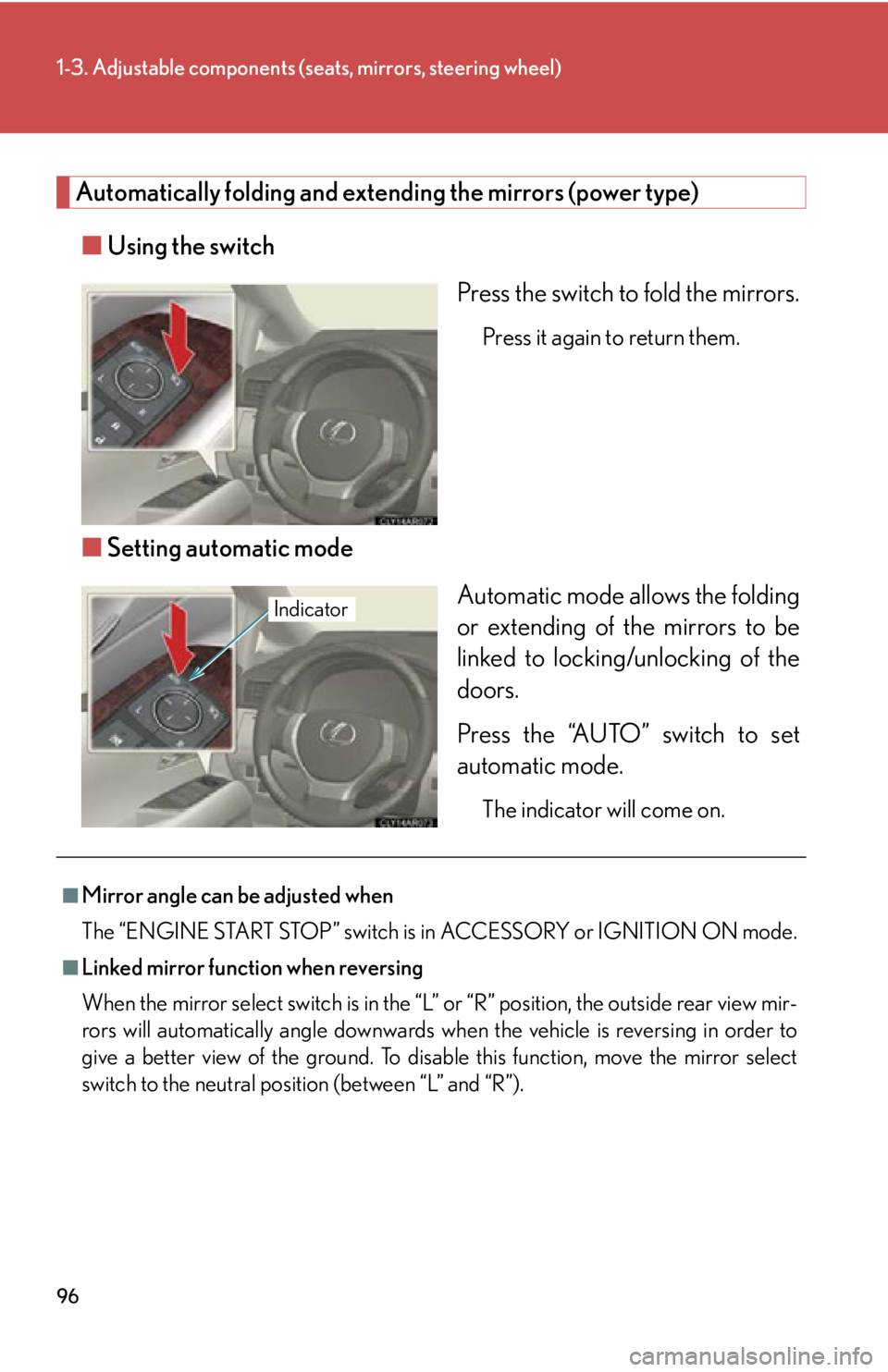
■ Using the switch
Press the switch to fold the mirrors. Press it again to return them.
■ Setting automatic mode
Automatic mode allows the folding
or extending of the mirrors to be
linked to locking/unlocking of the
doors.
Press the “AUTO” switch to set
automatic mode. The indicator will come on.Indicator
■
Mirror angle can be adjusted when
The “ENGINE START STOP” switch is in ACCESSORY or IGNITION ON mode.■
Linked mirror function when reversing
When the mirror select switch is in the “L ” or “R” position, the outside rear view mir-
rors will automatically angl e downwards when the vehicle is reversing in order to
give a better view of the ground. To disable this function, move the mirror select
switch to the neutral positi on (between “L” and “R”).
Page 100 of 886
1001-4. Opening and closing the windows and moon roof
■
Door lock linked window operation ●
The power windows can be opened and closed using the mechanical key.
( P. 7 9 3 )●
The power windows can be opened using the wireless remote control.
( P. 4 9 )■
When the battery is disconnected
The window lock switch is disabled. If necessary, press the window lock switch after
reconnecting the battery.■
Customization
Settings (e.g. linked door lock operation) can be changed.
(Customizable features P. 8 3 4 )
CAUTION■
Closing the windows
Observe the following precautions.
Failing to do so may result in death or serious injury. ●
Check to make sure that all passengers do not have any part of their body in a
position where it could be caught when a window is being operated.●
Do not allow children to operate the power windows.
Closing a power window on someone can cause death or serious injury.
The driver is responsible for instructin g children not to operate the power win-
dows.■
Jam protection function ●
Never use any part of your body to intent ionally activate the jam protection func-
tion.●
The jam protection function may not work if something gets caught just before
the window fully closes. Also, the jam protection does not operate when the
power window switch is pulled up continually to close the windows.
Page 102 of 886

1021-4. Opening and closing the windows and moon roof
■
The moon roof can be operated when
The “ENGINE START STOP” switch is in IGNITION ON mode. ■
Operating the moon roof after turning the engine off
The moon roof can be operated for ap proximately 45 seconds even after the
“ENGINE START STOP” switch is turned to ACCESSORY mode or turned off. It
cannot, however, be operated once either front door is opened. ■
Jam protection function
If an object is detected between the moon roof and the frame while the moon roof is
closing or tilting down, travel is stopped and the moon roof opens slightly.■
Sunshade
The sunshade can be opened and closed manually. However, the sunshade will
open automatically when the moon roof is opened. ■
Door lock linked moon roof operation ●
The moon roof can be opened and closed using the mechanical key. ( P. 7 9 3 )●
The moon roof can be opened using the wireless remote control. ( P. 4 9 )
Page 103 of 886
1031-4. Opening and closing the windows and moon roof
1
Before driving ■
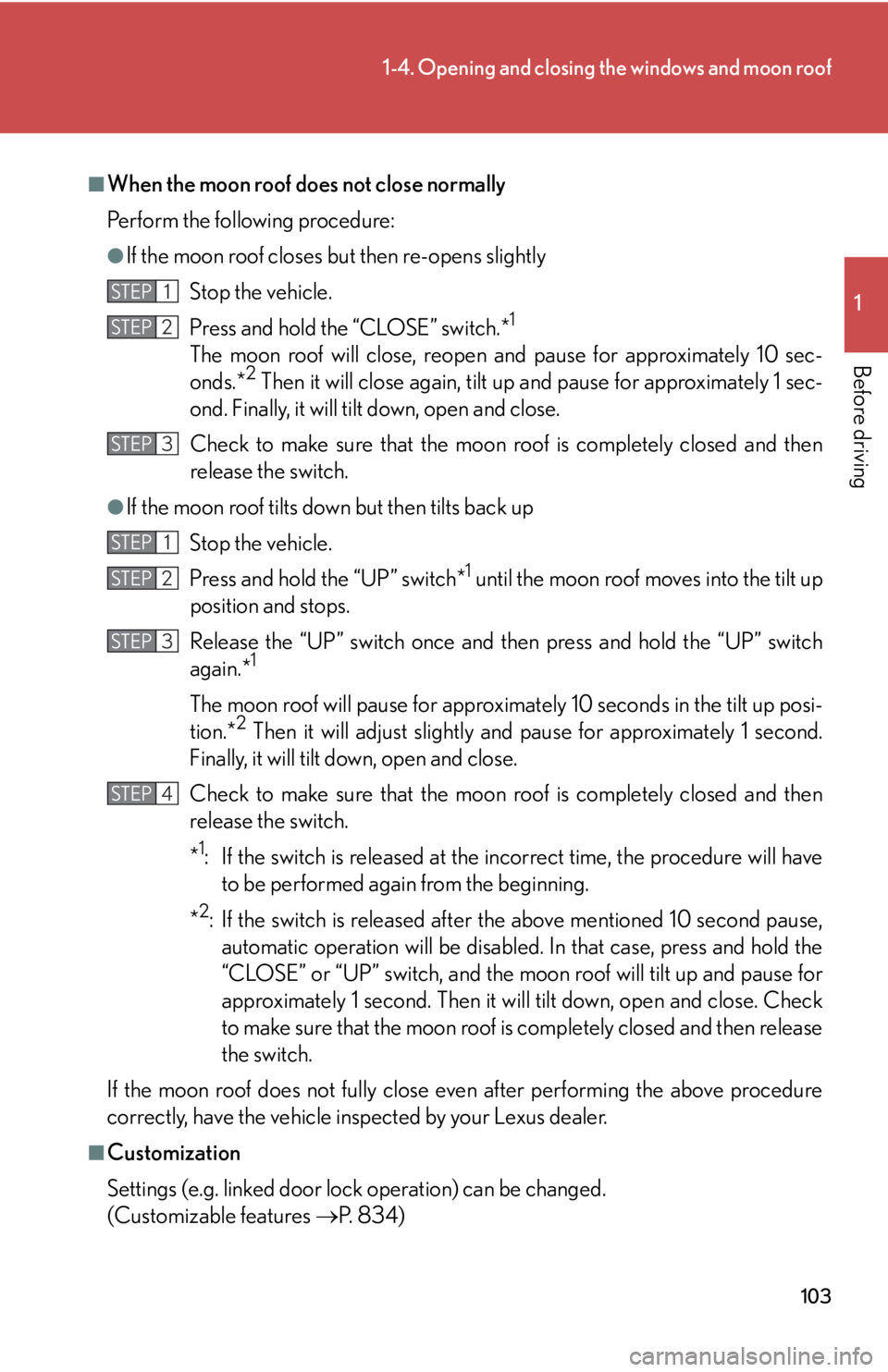
When the moon roof does not close normally
Perform the following procedure: ●
If the moon roof closes but then re-opens slightly
Stop the vehicle.
Press and hold the “CLOSE” switch.* 1
The moon roof will close, reopen and pause for approximately 10 sec-
onds.* 2
Then it will close again, tilt up and pause for approximately 1 sec-
ond. Finally, it will tilt down, open and close.
Check to make sure that the moon roof is completely closed and then
release the switch.●
If the moon roof tilts down but then tilts back up
Stop the vehicle.
Press and hold the “UP” switch* 1
until the moon roof moves into the tilt up
position and stops.
Release the “UP” switch once and th en press and hold the “UP” switch
again.* 1
The moon roof will pause for approximately 10 seconds in the tilt up posi-
tion.* 2
Then it will adjust slightly and pause for approximately 1 second.
Finally, it will tilt down, open and close.
Check to make sure that the moon roof is completely closed and then
release the switch.
* 1
: If the switch is released at the incorrect time, the procedure will have
to be performed again from the beginning.
* 2
: If the switch is released after the above mentioned 10 second pause,
automatic operation will be disabled. In that case, press and hold the
“CLOSE” or “UP” switch, and the moon roof will tilt up and pause for
approximately 1 second. Then it will tilt down, open and close. Check
to make sure that the moon roof is completely closed and then release
the switch.
If the moon roof does not fully close even after performing the above procedure
correctly, have the vehicle inspected by your Lexus dealer.
■
Customization
Settings (e.g. linked door lock operation) can be changed.
(Customizable features P. 8 3 4 )STEP 1
STEP 2
STEP 3
STEP 1
STEP 2
STEP 3
STEP 4
Page 112 of 886
1121-6. Theft deterrent system
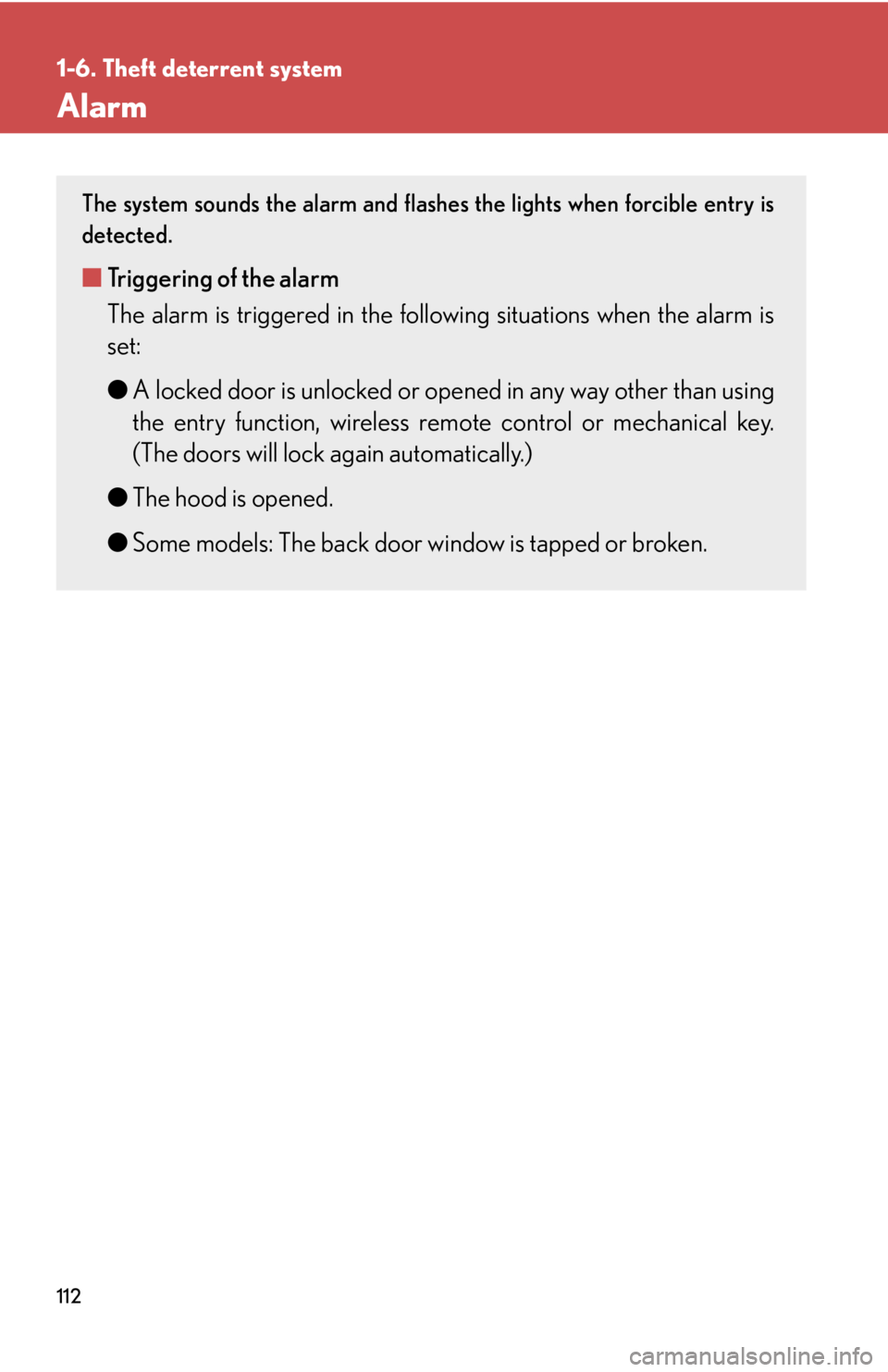
Alarm The system sounds the alarm and flashe s the lights when forcible entry is
detected.
■ Triggering of the alarm
The alarm is triggered in the follow ing situations when the alarm is
set:
● A locked door is unlocked or open ed in any way other than using
the entry function, wireless r emote control or mechanical key.
(The doors will lock again automatically.)
● The hood is opened.
● Some models: The back door window is tapped or broken.
Page 113 of 886
1131-6. Theft deterrent system
1
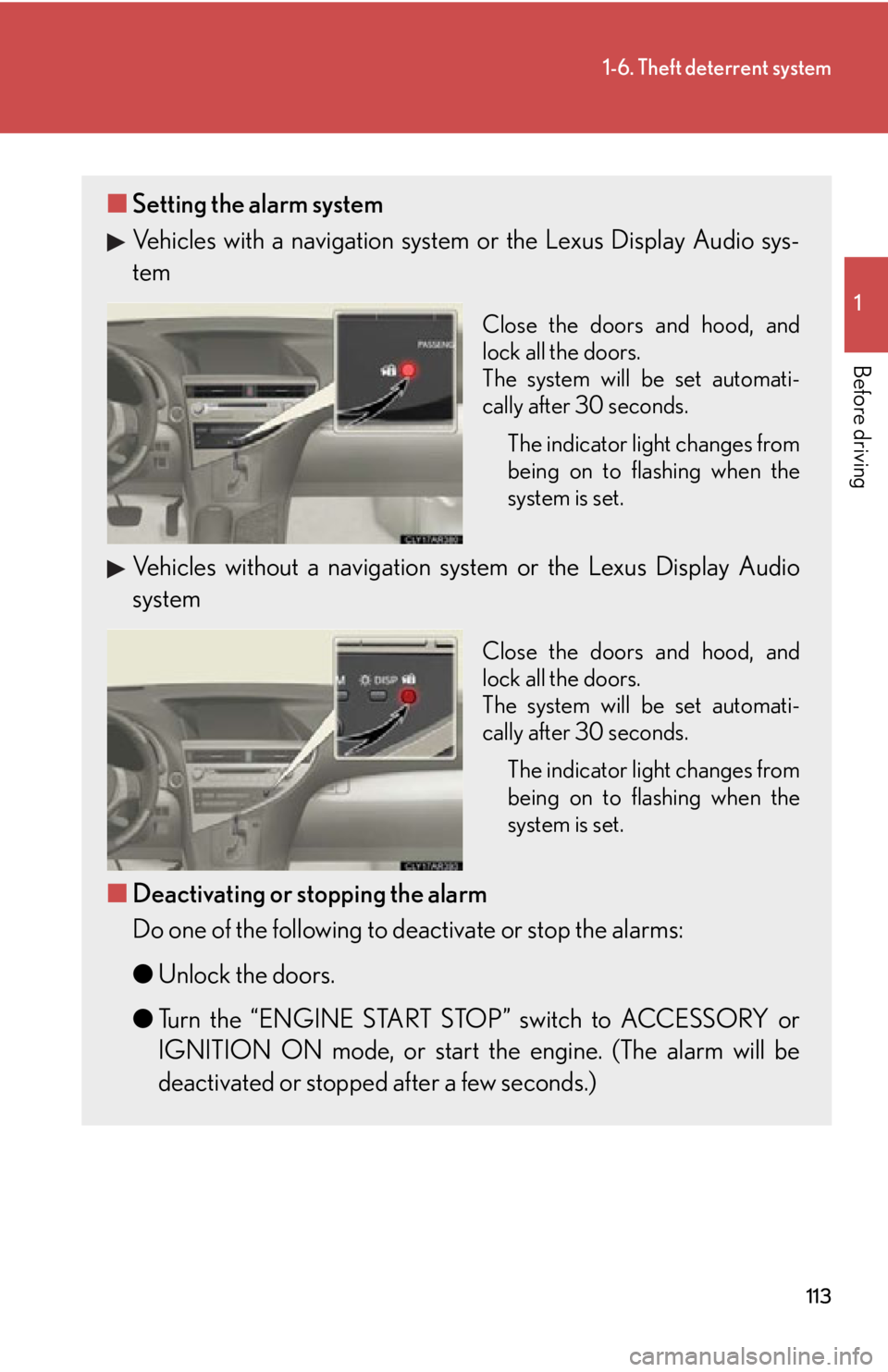
Before driving ■ Setting the alarm system
Vehicles with a navigation system or the Lexus Display Audio sys-
tem Close the doors and hood, and
lock all the doors.
The system will be set automati-
cally after 30 seconds.
The indicator light changes from
being on to flashing when the
system is set.
Vehicles without a navigation sy stem or the Lexus Display Audio
system Close the doors and hood, and
lock all the doors.
The system will be set automati-
cally after 30 seconds.
The indicator light changes from
being on to flashing when the
system is set.
■ Deactivating or stopping the alarm
Do one of the following to deactivate or stop the alarms:
● Unlock the doors.
● Turn the “ENGINE START STOP” switch to ACCESSORY or
IGNITION ON mode, or start the engine. (The alarm will be
deactivated or stopped after a few seconds.)
Page 114 of 886
1141-6. Theft deterrent system
■
System maintenance
The vehicle has a maintenance-free type alarm system.■
Items to check before locking the vehicle
To prevent unexpected triggering of the alarm and vehicle theft, make sure of the
following: ●
Nobody is in the vehicle.●
The windows and moon roof are closed before the alarm is set.●
No valuables or other personal items are left in the vehicle.■
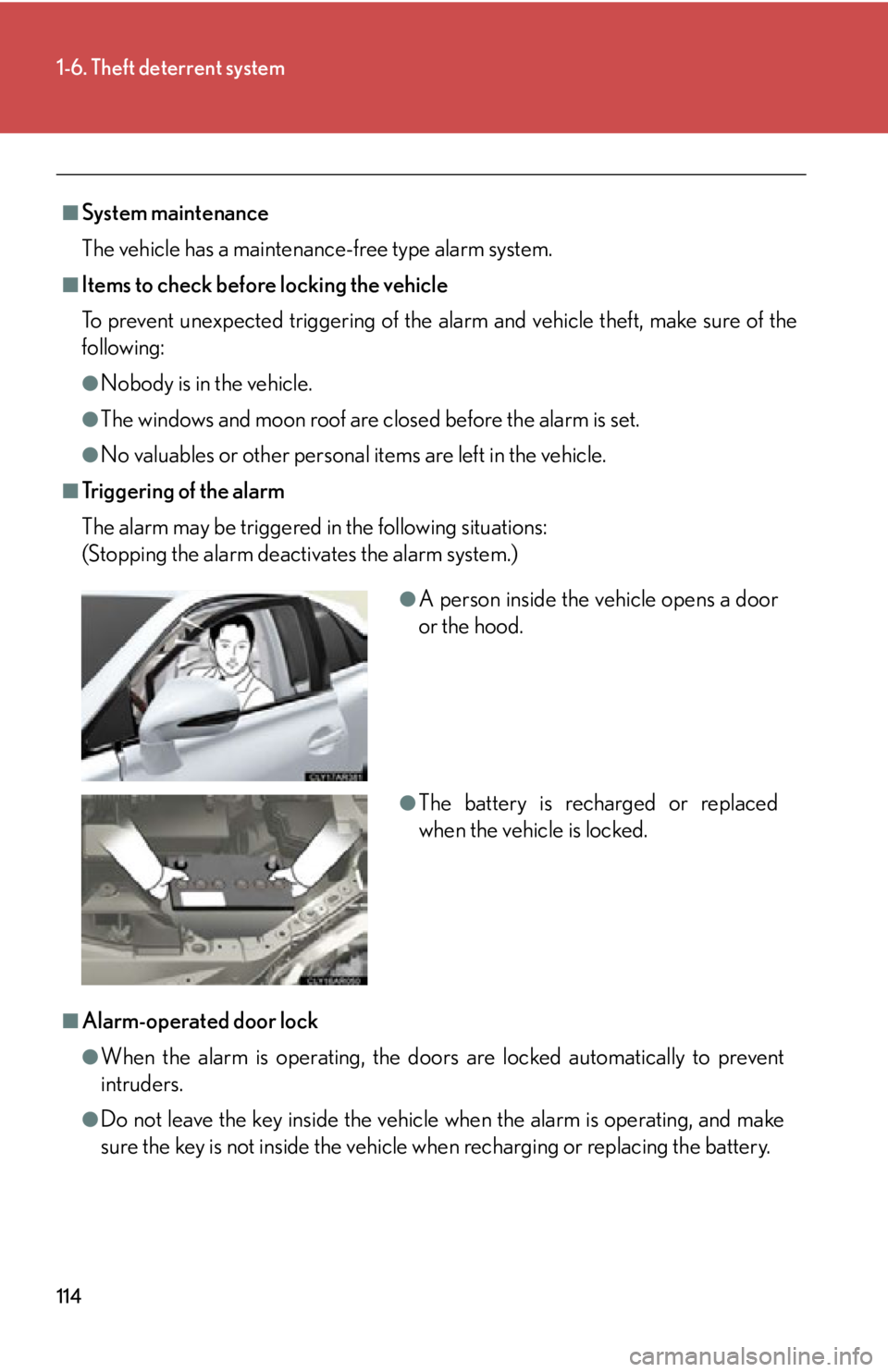
Tr i g g e r i n g o f t h e a l a r m
The alarm may be triggered in the following situations:
(Stopping the alarm deactivates the alarm system.)
■
Alarm-operated door lock
●
When the alarm is operating, the door s are locked automatically to prevent
intruders.
●
Do not leave the key inside the vehicle when the alarm is operating, and make
sure the key is not inside the vehicle when recharging or replacing the battery. ●
A person inside the vehicle opens a door
or the hood.
●
The battery is recharged or replaced
when the vehicle is locked.
Page 154 of 886
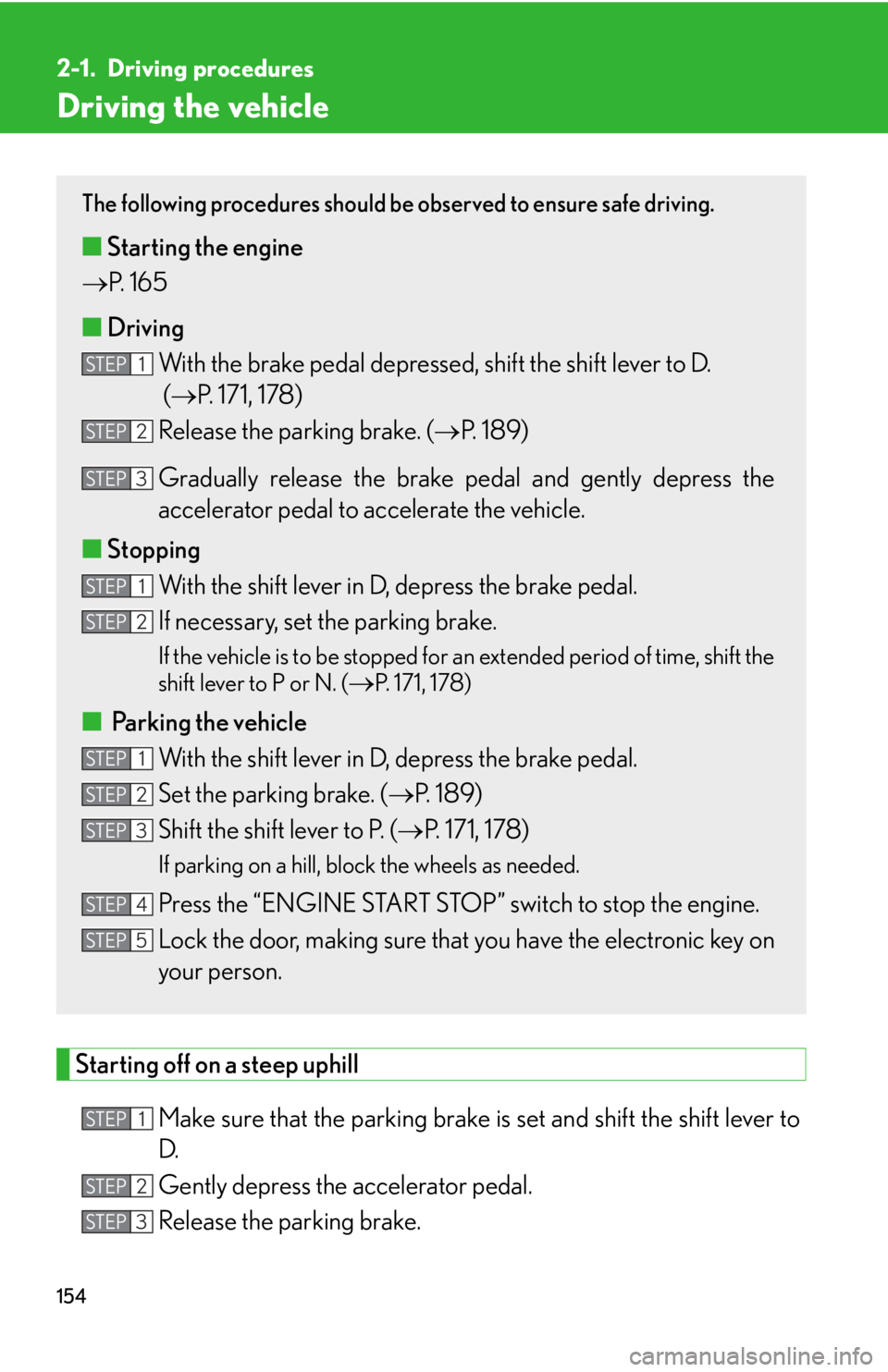
1542-1. Driving procedures
Driving the vehicle
Starting off on a steep uphill
Make sure that the pa rking brake is set and shift the shift lever to
D.
Gently depress the accelerator pedal.
Release the parking brake. The following procedures should be observed to ensure safe driving.
■ Starting the engine
P. 1 6 5
■ Driving
With the brake pedal depressed, shift the shift lever to D.
( P. 171, 178)
Release the parking brake. ( P. 1 8 9 )
Gradually release the brake pedal and gently depress the
accelerator pedal to accelerate the vehicle.
■ Stopping
With the shift lever in D, depress the brake pedal.
If necessary, set the parking brake. If the vehicle is to be stopped for an extended period of time, shift the
shift lever to P or N. (
P. 171, 178)
■
Parking the vehicle
With the shift lever in D, depress the brake pedal.
Set the parking brake. ( P. 1 8 9 )
Shift the shift lever to P. ( P. 171, 178)If parking on a hill, block the wheels as needed.
Press the “ENGINE START STOP” switch to stop the engine.
Lock the door, making sure that you have the electronic key on
your person.STEP 1
STEP 2
STEP 3
STEP 1
STEP 2
STEP 1
STEP 2
STEP 3
STEP 4
STEP 5
STEP 1
STEP 2
STEP 3