engine LEXUS RX350 2016 Owners Manual
[x] Cancel search | Manufacturer: LEXUS, Model Year: 2016, Model line: RX350, Model: LEXUS RX350 2016Pages: 748, PDF Size: 12.36 MB
Page 377 of 748
3774-5. Using the driving support systems
4
Driving
RX350_U_OM48E90U ■
Turning off TRAC, VSC and Tr ailer Sway Control systems
To turn the TRAC, VSC and Trailer Sway Control systems off, press and hold for
more than 3 seconds while the vehicle is stopped.
The VSC OFF indicator light will come on an d the “Traction Control Turned Off” will be
shown on the multi- information display.
*Press again to turn the systems back on.
* : On vehicles with PCS (Pre-Collision System), pre-collision brake assist and pre-
collision braking will also be disabled. ( P. 2 8 2 )■
When the message is displayed on the mu lti-information display showing that TRAC
has been disabled even if has not been pressed
TRAC and hill-start assist control cannot be operated. Contact your Lexus dealer. ■
Sounds and vibrations caused by the ABS, brake assist, TRAC, VSC, Trailer Sway Con-
trol and hill-start assist control systems ●
A sound may be heard from the engine compartment when the brake pedal is
depressed repeatedly, when the engine is started or just after the vehicle begins to
move. This sound does not indicate that a ma lfunction has occurred in any of these sys-
tems. ●
Any of the following condit ions may occur when the above systems are operating.
None of these indicates that a malfunction has occurred.
• Vibrations may be felt through the vehicle body and steering.
• A motor sound may be heard after the vehicle comes to a stop.
• The brake pedal may pulsate slig htly after the ABS is activated.
• The brake pedal may move down s lightly after the ABS is activated.■
EPS operation sound
When the steering wheel is operated, a motor sound (whirring sound) may be heard.
This does not indicate a malfunction. ■
Automatic reactivation of TRAC, VSC and Trailer Sway Control systems
After turning the TRAC, VSC and Trailer Sway Control systems off, the systems will be
automatically re-enabled in the following situations: ●
When the engine switch is turned off ●
If only the TRAC system is turned off, the TRAC will turn on when vehicle speed
increases
If the TRAC, VSC and Trailer Sway Control systems are turned off, automatic re-
enabling will not occur when vehicle speed increases.
Page 378 of 748
378 4-5. Using the driving support systems
RX350_U_OM48E90U ■
Reactivation of the TRAC system linked to vehicle speed
When only the TRAC system is turned off, the TRAC system will turn on when vehicle
speed increases. However, when TRAC, VS C and Trailer Sway Control systems are
turned off, the systems will not turn on even when vehicle speed increases.■
Reduced effectiveness of the EPS system
The effectiveness of the EPS system is reduced to prevent the system from overheating
when there is frequent steering input over an extended period of time. The steering
wheel may feel heavy as a result. Should this occur, refrain from excessive steering input
or stop the vehicle and turn the engine of f. The EPS system should return to normal
within 10 minutes. ■
Operating conditions of hill-start assist control
When the following four conditions are met, the hill-start assist control will operate:●
The shift lever is in a position other than P or N (when starting off forward/backward on
an upward incline). ●
The vehicle is stopped. ●
The accelerator pedal is not depressed. ●
The parking brake is not engaged. ■
Automatic system cancelation of hill-start assist control
The hill-start assist control will turn off in any of the following situations: ●
The shift lever is moved to P or N. ●
The accelerator pedal is depressed. ●
The parking brake is engaged. ●
Approximately 2 seconds elapse after the brake pedal is released.
WA R N I N G ■
The ABS does not operate effectively when ●
The limits of tire gripping performance have been exceeded (such as excessively
worn tires on a snow covered road). ●
The vehicle hydroplanes while driving at high speed on wet or slick roads. ■
Stopping distance when the ABS is operat ing may exceed that of normal conditions
The ABS is not designed to shorten the vehicle’s stopping distance. Always maintain a
safe distance from the vehicle in front of you, especially in the following situations:●
When driving on dirt, gravel or snow-covered roads ●
When driving with tire chains ●
When driving over bumps in the road ●
When driving over roads with potholes or uneven surfaces ■
TRAC may not operate effectively when
Directional control and power may not be achievable while drivin g on slippery road
surfaces, even if the TRAC system is operating.
Drive the vehicle carefully in conditions where stability and power may be lost.
Page 380 of 748
380
RX350_U_OM48E90U 4-6. Driving tips
●
Use fluids that are appropriate to the prevailing outside temperatures.
•Engine oil
• Engine coolant
• Washer fluid ●
Have a service technician inspect the condition of the battery. ●
Have the vehicle fitted with four snow tires or purchase a set of tire chains for
the front tires. Ensure that all tires are of the specified size and the same brand, and that chains
match the size of the tires.
Perform the following according to the driving conditions: ●
Do not try to forcibly open a window or move a wiper that is frozen. Pour
warm water over the frozen area to melt the ice. Wipe away the water imme-
diately to prevent it from freezing. ●
To ensure proper operation of the climate control system fan, remove any
snow that has accumulated on the air inlet vents in front of the windshield. ●
Check for and remove any excess ice or snow that may have accumulated on
the exterior lights, vehicle’s roof, chassis, around the tires or on the brakes. ●
Remove any snow or mud from the bottom of your shoes before getting in the
vehicle.Winter driving tips Carry out the necessary preparations and inspections before driving the vehi-
cle in winter. Always drive the vehicle in a manner appropriate to the prevail-
ing weather conditions.
Pre-winter preparations
Before driving the vehicle
Page 382 of 748
382 4-6. Driving tips
RX350_U_OM48E90U To enable the windshield wipers to be lifted when heavy snow or icy conditions
are expected, change the rest position of the windshield wipers from the
retracted position below the hood to the service position using the wiper lever.
( P. 2 5 4 ) ■
Tire chain installation
Observe the following precautions wh en installing and removing chains:●
Install and remove tire chains in a safe location. ●
Install tire chains on the front tires only. Do not install tire chains on the rear tires. ●
Install tire chains on front tires as tightl y as possible. Retighten chains after driving
1/4 -1/2 mile (0.5 - 1.0 km). ●
Install tire chains following the instru ctions provided with the tire chains. Windshield wipers
WA R N I N G ■
Driving with snow tires
Observe the following precautions to reduce the risk of accidents.
Failure to do so may result in a loss of ve hicle control and cause death or serious injury.●
Use tires of the specified size. ●
Maintain the recommended level of air pressure. ●
Do not drive in excess of 75 mph (120 km/h), regardless of the type of snow tires
being used. ●
Use snow tires on all, not just some wheels.■
Driving with tire chains
Observe the following precautions to reduce the risk of accidents.
Failure to do so may result in the vehicle being unable to be driven safely, and may
cause death or serious injury. ●
Do not drive in excess of the speed limit specified for the tire chains being used, or
30 mph (50 km/h), whichever is lower. ●
Avoid driving on bumpy road surfaces or over potholes. ●
Avoid sudden acceleration, ab rupt steering, sudden bra king and shifting operations
that cause sudden engine braking. ●
Slow down sufficiently before entering a cu rve to ensure that vehicle control is main-
tained. ●
Do not use the LKA (Lane-Keeping Assist) system. (if equipped) ●
Do not use the LDA (Lane Departure Alert with steering control) system. (if
equipped)
Page 386 of 748
386 4-6. Driving tips
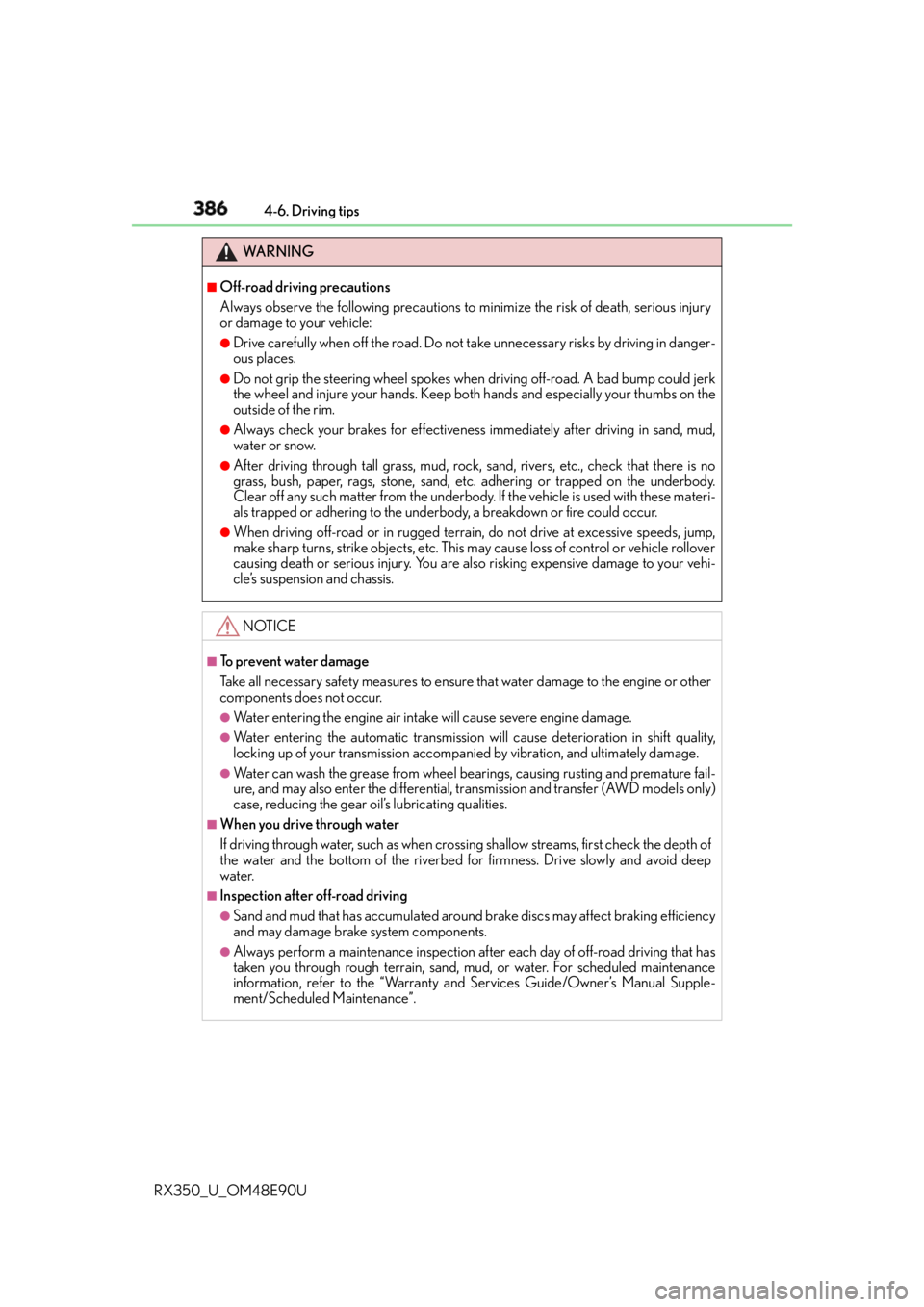
RX350_U_OM48E90U WA R N I N G ■
Off-road driving precautions
Always observe the following precautions to minimize the risk of death, serious injury
or damage to your vehicle: ●
Drive carefully when off the road. Do not ta ke unnecessary risks by driving in danger-
ous places. ●
Do not grip the steering wheel spokes when driving off-road. A bad bump could jerk
the wheel and injure your hands. Keep both hands and especially your thumbs on the
outside of the rim. ●
Always check your brakes for effectivenes s immediately after driving in sand, mud,
water or snow. ●
After driving through tall grass, mud, rock, sand, rivers, etc., check that there is no
grass, bush, paper, rags, stone, sand, etc. adhering or trapped on the underbody.
Clear off any such matter from the underbody. If the vehicle is used with these materi-
als trapped or adhering to the underb ody, a breakdown or fire could occur.●
When driving off-road or in rugged terrai n, do not drive at excessive speeds, jump,
make sharp turns, strike objects, etc. This may cause loss of control or vehicle rollover
causing death or serious injury. You are also risking expensive damage to your vehi-
cle’s suspension and chassis.
NOTICE ■
To prevent water damage
Take all necessary safety measures to ensure that water damage to the engine or other
components does not occur. ●
Water entering the engine air intake will cause severe engine damage. ●
Water entering the automatic transmission will cause deterioration in shift quality,
locking up of your transmission accompan ied by vibration, and ultimately damage.●
Water can wash the grease from wheel be arings, causing rusting and premature fail-
ure, and may also enter the differential, tr ansmission and transfer (AWD models only)
case, reducing the gear o il’s lubricating qualities.■
When you drive through water
If driving through water, such as when crossing shallow streams, first check the depth of
the water and the bottom of the riverbed for firmness. Drive slowly and avoid deep
water. ■
Inspection after off-road driving ●
Sand and mud that has accumulated around brake discs may affect braking efficiency
and may damage brake system components. ●
Always perform a maintenance inspection after each day of off-road driving that has
taken you through rough terr ain, sand, mud, or water. For scheduled maintenance
information, refer to the “Warranty and Services Guide/Owner’s Manual Supple-
ment/Scheduled Maintenance”.
Page 395 of 748
3955-1. Basic Operations
5
Lexus Display Audio system
RX350_U_OM48E90U ■
When using the screen ●
Under extremely cold conditions, the Lexus Display Audio controller may react slowly.●
If the screen is cold, the display may be dark, or the system may seem to be operating
slightly slower than normal. ●
The screen may seem dark and hard to see when viewed through sunglasses. Change
your angle of viewing, adjust the display on the “Display” screen ( P. 4 0 7 ) o r r e m o v e
your sunglasses. ■
Using cellular phones
Interference may be heard through the audio system’s speakers if a cellular phone is
being used inside or close to the vehi cle while the audio system is operating.
WA R N I N G ■
Using the Lexus Display Audio controller
Be careful when touching the Lexus Display Audio controller in extreme temperatures
as it may become very hot or cold due to the temperature inside the vehicle. ■
Laser product ●
CAUTION
USE OF CONTROL OR ADJUSTMENT OR PERFORMANCE OF PROCE-
DURES OTHER THAN THOSE SPECIFIED HEREIN MAY RESULT IN HAZARD-
OUS RADIATION EXPOSURE. ●
CAUTION
THE USE OF OPTICAL INSTRUMENTS WITH THIS PRODUCT WILL
INCREASE EYE HAZARD.
NOTICE ■
To prevent Lexus Display Audio controller malfunction ●
Do not allow the Lexus Display Audio controller to come into contact with food, liq-
uid, stickers or lit cigarettes as doing so may cause it to change color, emit a strange
odor or stop functioning. ●
Do not subject the Lexus Display Audio controller to excessive pressure or strong
impact as the controller may bend or break off.■
To prevent battery discharge
Do not leave the audio system on longer than necessary when the engine is off. ■
To avoid damaging the audio system
Take care not to spill drinks or other fluids on the audio system.
Page 421 of 748
4215-4. Using the radio
5
Lexus Display Audio system
RX350_U_OM48E90U It is prohibited to copy, decompile, disassemble, reverse engineer, hack, manipulate, or
otherwise make available any technology or software incorporated in receivers compat-
ible with the XM Satellite Ra dio System or that support the XM website, the Online Ser-
vice or any of its content. Furthermore, the AMBE ®
voice compression software
included in this product is protected by intellectual property rights including patent
rights, copyrights, and trade secrets of Digital Voice Systems, Inc.
Note: this applies to XM receivers only and not XM Ready devices. ■
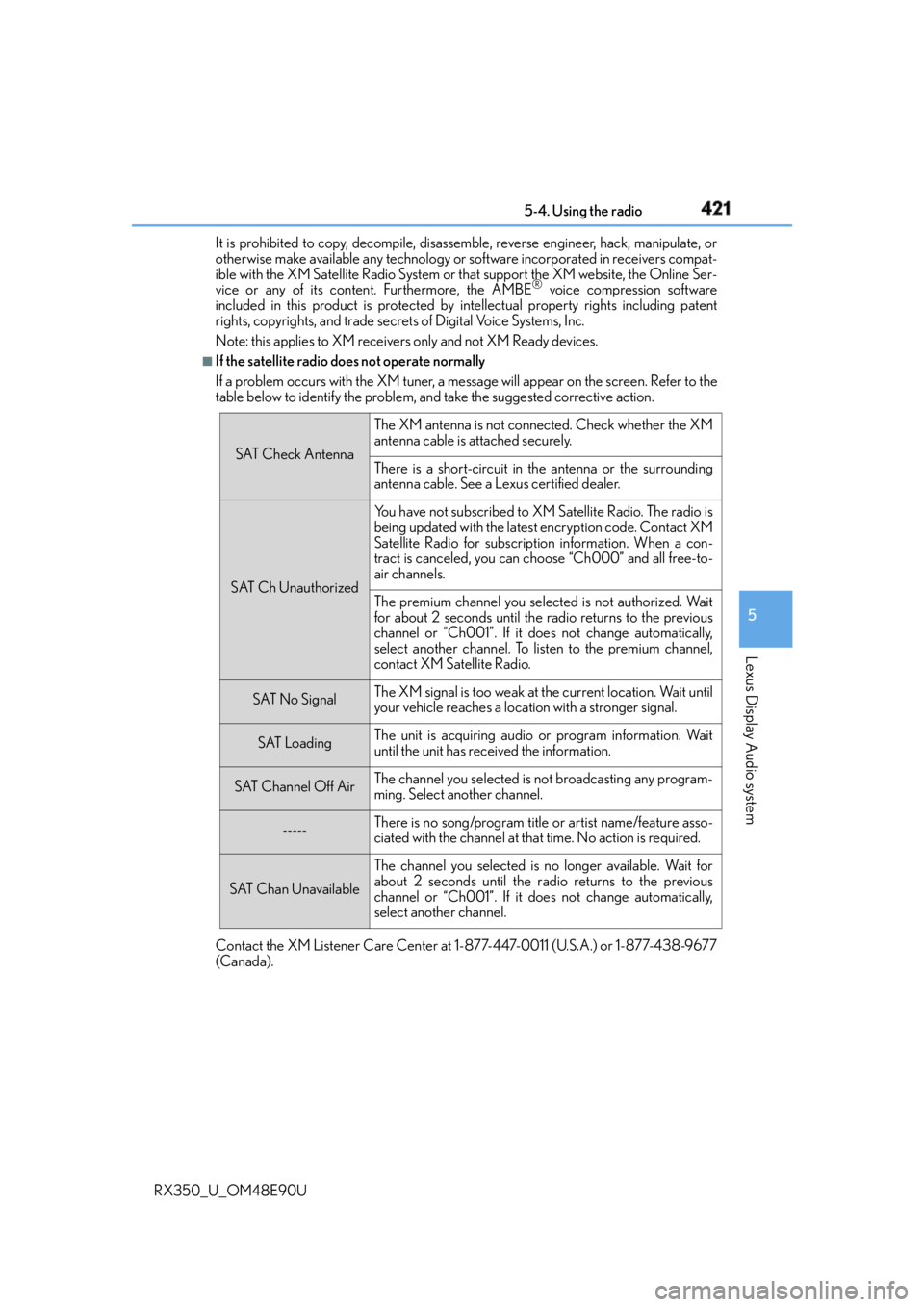
If the satellite radio does not operate normally
If a problem occurs with the XM tuner, a me ssage will appear on the screen. Refer to the
table below to identify the problem, and take the suggested corrective action.
Contact the XM Listener Care Center at 1-877-447-0011 (U.S.A.) or 1-877-438-9677
(Canada). SAT Check Antenna The XM antenna is not connected. Check whether the XM
antenna cable is attached securely.
There is a short-circuit in the antenna or the surrounding
antenna cable. See a Lexus certified dealer.
SAT Ch Unauthorized Yo u h a v e n o t s u b s c r i b e d t o X M Satellite Radio. The radio is
being updated with the latest encryption code. Contact XM
Satellite Radio for subscription information. When a con-
tract is canceled, you can choose “Ch000” and all free-to-
air channels.
The premium channel you select ed is not authorized. Wait
for about 2 seconds until the radio returns to the previous
channel or “Ch001”. If it does not change automatically,
select another channel. To listen to the premium channel,
contact XM Satellite Radio.
SAT No Signal The XM signal is too weak at the current location. Wait until
your vehicle reaches a location with a stronger signal.
SAT Loading The unit is acquiring audio or program information. Wait
until the unit has received the information.
SAT Channel Off Air The channel you selected is not broadcasting any program-
ming. Select another channel.
----- There is no song/program title or artist name/feature asso-
ciated with the channel at that time. No action is required.
SAT Chan Unavailable The channel you selected is no longer available. Wait for
about 2 seconds until the radio returns to the previous
channel or “Ch001”. If it does not change automatically,
select another channel.
Page 442 of 748
442 5-7. Connecting Bluetooth ®
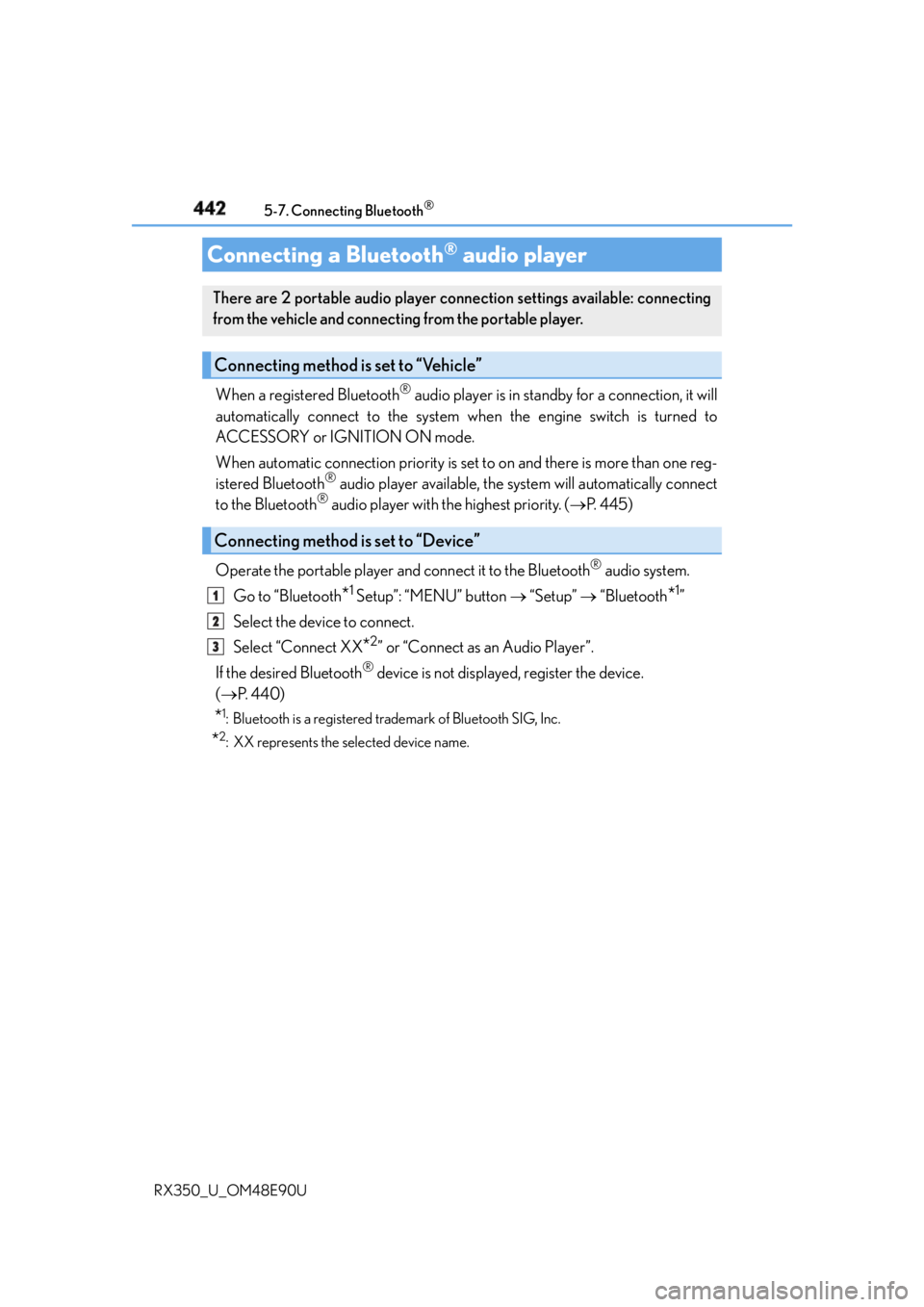
RX350_U_OM48E90U When a registered Bluetooth ®
audio player is in standby for a connection, it will
automatically connect to the system wh en the engine switch is turned to
ACCESSORY or IGNITION ON mode.
When automatic connection priority is set to on and there is more than one reg-
istered Bluetooth ®
audio player available, the system will automatically connect
to the Bluetooth ®
audio player with the highest priority. ( P. 4 4 5 )
Operate the portable player and connect it to the Bluetooth ®
audio system.
Go to “Bluetooth
* 1
Setup”: “MENU” button “Setup” “Bluetooth
* 1
”
Select the device to connect.
Select “Connect XX
* 2
” or “Connect as an Audio Player”.
If the desired Bluetooth ®
device is not displayed, register the device.
( P. 4 4 0 )
* 1
: Bluetooth is a registered trademark of Bluetooth SIG, Inc.
* 2
: XX represents the selected device name.Connecting a Bluetooth ®
audio playerThere are 2 portable audio player connection settings available: connecting
from the vehicle and connecting from the portable player.
Connecting method is set to “Vehicle”
Connecting method is set to “Device” 1
2
3
Page 443 of 748
4435-7. Connecting Bluetooth ®
5
Lexus Display Audio system
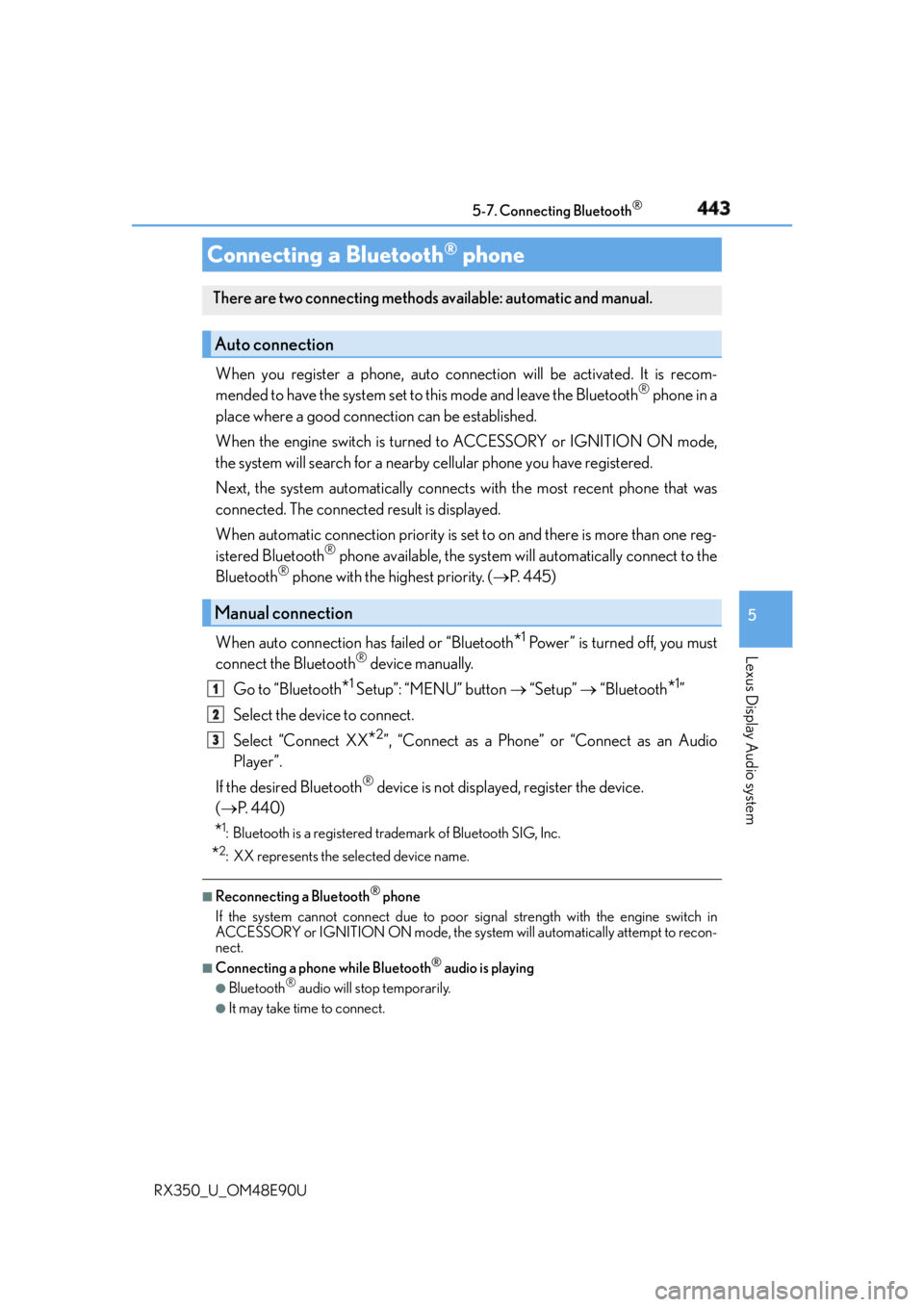
RX350_U_OM48E90U When you register a phone, auto conn ection will be activated. It is recom-
mended to have the system set to this mode and leave the Bluetooth ®
phone in a
place where a good connection can be established.
When the engine switch is turned to ACCESSORY or IGNITION ON mode,
the system will search for a nearby cellular phone you have registered.
Next, the system automatically connects with the most recent phone that was
connected. The connected result is displayed.
When automatic connection priority is set to on and there is more than one reg-
istered Bluetooth ®
phone available, the system will automatically connect to the
Bluetooth ®
phone with the highest priority. ( P. 4 4 5 )
When auto connection has failed or “Bluetooth
* 1
Power” is turned off, you must
connect the Bluetooth ®
device manually.
Go to “Bluetooth
* 1
Setup”: “MENU” button “Setup” “Bluetooth
* 1
”
Select the device to connect.
Select “Connect XX
* 2
”, “Connect as a Phone” or “Connect as an Audio
Player”.
If the desired Bluetooth ®
device is not displayed, register the device.
( P. 4 4 0 )
* 1
: Bluetooth is a registered trademark of Bluetooth SIG, Inc.
* 2
: XX represents the selected device name. ■
Reconnecting a Bluetooth ®
phone
If the system cannot connect due to poor si gnal strength with the engine switch in
ACCESSORY or IGNITION ON mode, the syst em will automatically attempt to recon-
nect. ■
Connecting a phone while Bluetooth ®
audio is playing●
Bluetooth ®
audio will stop temporarily.●
It may take time to connect.Connecting a Bluetooth ®
phoneThere are two connecting methods av ailable: automatic and manual.
Auto connection
Manual connection 1
2
3
Page 465 of 748
4655-10. Phonebook
5
Lexus Display Audio system
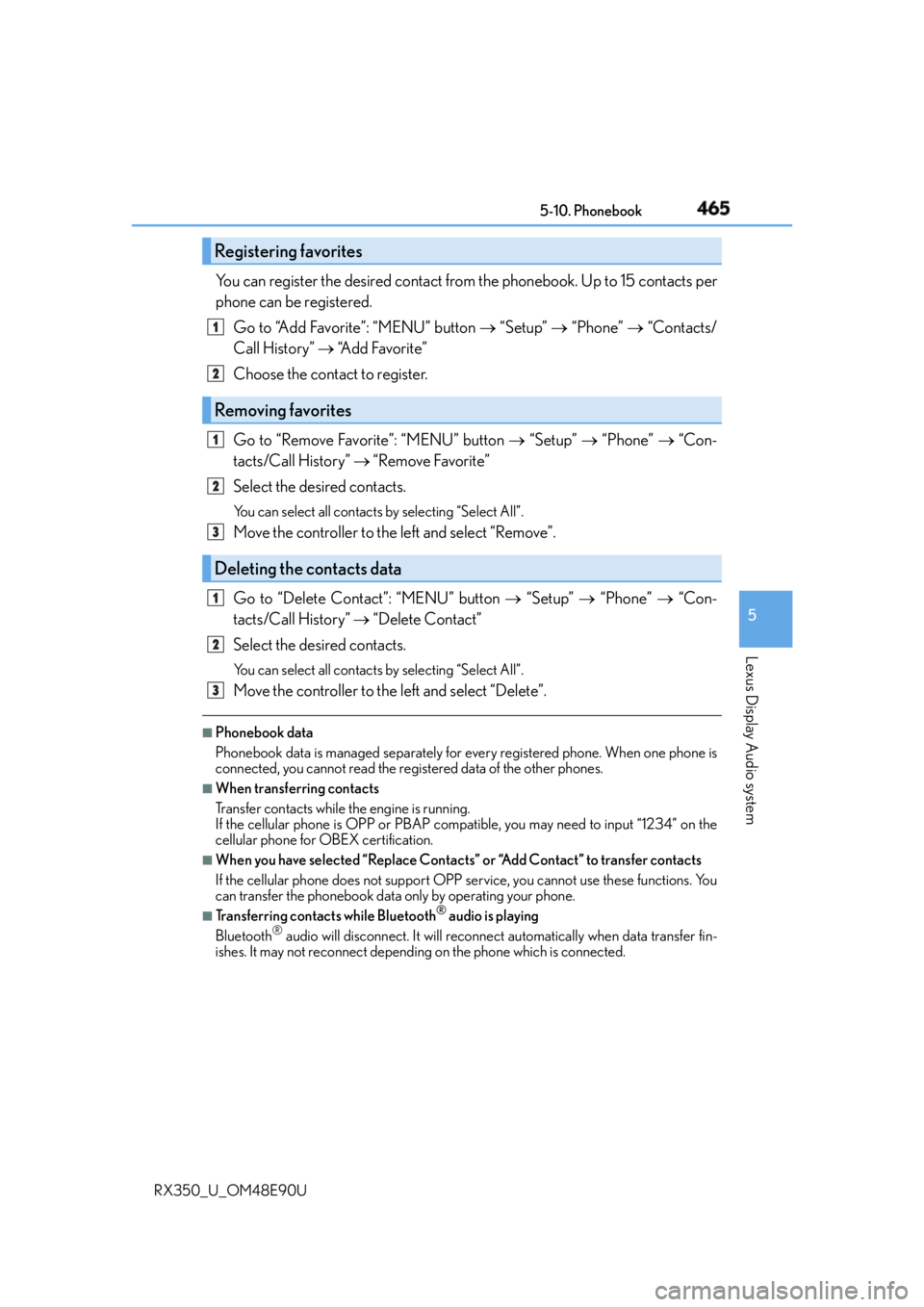
RX350_U_OM48E90U You can register the desired contact from the phonebook. Up to 15 contacts per
phone can be registered.
Go to “Add Favorite”: “MENU” button “Setup” “Phone” “Contacts/
Call History” “A d d F a v o r i t e ”
Choose the contact to register.
Go to “Remove Favorite”: “MENU” button “Setup” “Phone” “Con-
tacts/Call History” “Remove Favorite”
Select the desired contacts. You can select all contacts by selecting “Select All”.
Move the controller to the left and select “Remove”.
Go to “Delete Contact”: “MENU” button “Setup” “Phone” “Con-
tacts/Call History” “Delete Contact”
Select the desired contacts. You can select all contacts by selecting “Select All”.
Move the controller to the left and select “Delete”.■
Phonebook data
Phonebook data is managed separately for every registered phone. When one phone is
connected, you cannot read the registered data of the other phones. ■
When transferring contacts
Transfer contacts while the engine is running.
If the cellular phone is OPP or PBAP compatible, you may need to input “1234” on the
cellular phone for OBEX certification. ■
When you have selected “Replace Contacts ” or “Add Contact” to transfer contacts
If the cellular phone does not support OPP service, you cannot use these functions. You
can transfer the phonebook data only by operating your phone.■
Transferring contacts while Bluetooth ®
audio is playing
Bluetooth ®
audio will disconnect. It will reconnect automatically when data transfer fin-
ishes. It may not reconnect dependin g on the phone which is connected.Registering favorites 1
2
Removing favorites
Deleting the contacts data 1
2
3
1
2
3