remote control LEXUS RX350 2016 Owner's Manual
[x] Cancel search | Manufacturer: LEXUS, Model Year: 2016, Model line: RX350, Model: LEXUS RX350 2016Pages: 748, PDF Size: 12.36 MB
Page 150 of 748

150 3-2. Opening, closing and locking the doors
RX350_U_OM48E90U ●
Fingernails may scrape against the door duri ng operation of the door handle. Be care-
ful not to injure fingernails or damage the surface of the door.
* : This setting can be customized at your Lexus dealer. ■
When the vehicle is not driven for extended periods ●
To prevent theft of the vehicle, do not leave the electronic key within 6 ft. (2 m) of the
vehicle. ●
The smart access system with push-butto n start can be deactivated in advance.
( P. 6 9 9 )■
To operate the system properly
Make sure to carry the electronic key when operating the system. Do not get the elec-
tronic key too close to the vehicle when op erating the system from the outside of the
vehicle.
Depending on the position and holding condit ion of the electronic key, the key may not
be detected correctly and the system may not operate properly. (The alarm may go off
accidentally, or the door lock prevention may not operate.) ■
If the smart access system with push-button start does not operate properly ●
Locking and unlocking the doors: Use the mechanical key. ( P. 6 6 1 )●
Starting the engine: P. 6 6 3■
Customization
Some functions can be customized. ( P. 6 9 9 )■
If the smart access system with push-butto n start has been deactivated in a customized
setting ●
Locking and unlocking the doors:
Use the wireless remote control or mechanical key. ( P. 124, 130, 661)●
Starting the engine and changing engine switch modes: P. 663●
Stopping the engine: P. 220
Page 165 of 748
1653-3. Adjusting the seats
3
Operation of each component
RX350_U_OM48E90U Each electronic key can be registered to recall your preferred driving position.■
Registering procedure
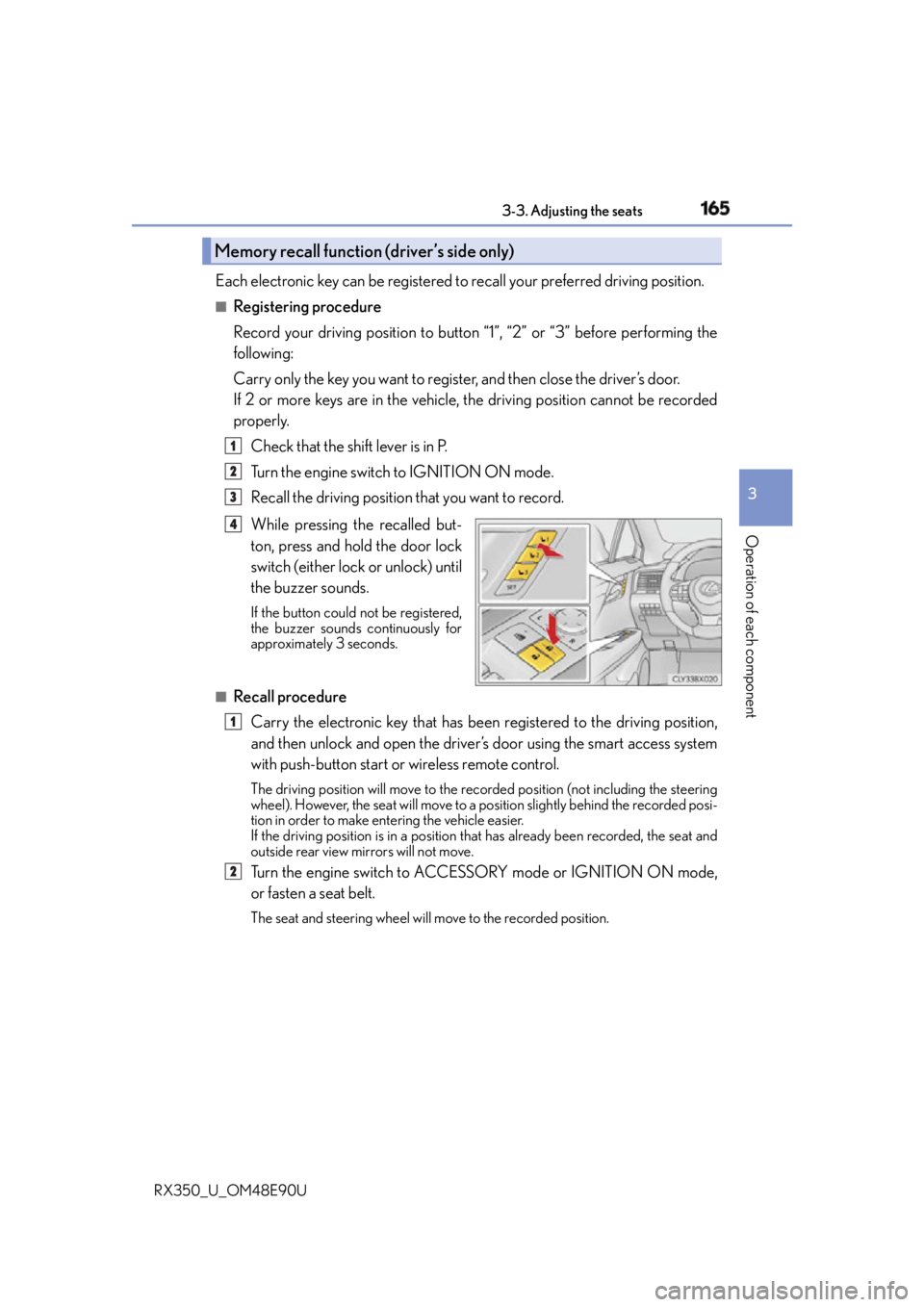
Record your driving position to button “1”, “2” or “3” before performing the
following:
Carry only the key you want to regist er, and then close the driver’s door.
If 2 or more keys are in the vehicle, the driving position cannot be recorded
properly.
Check that the shift lever is in P.
Turn the engine switch to IGNITION ON mode.
Recall the driving position that you want to record.
While pressing the recalled but-
ton, press and hold the door lock
switch (either lock or unlock) until
the buzzer sounds. If the button could not be registered,
the buzzer sounds continuously for
approximately 3 seconds.
■
Recall procedure
Carry the electronic key that has been registered to the driving position,
and then unlock and open the driver’s door using the smart access system
with push-button start or wireless remote control. The driving position will move to the reco rded position (not including the steering
wheel). However, the seat will move to a po sition slightly behind the recorded posi-
tion in order to make entering the vehicle easier.
If the driving position is in a position th at has already been recorded, the seat and
outside rear view mirrors will not move.
Turn the engine switch to ACCESSORY mode or IGNITION ON mode,
or fasten a seat belt. The seat and steering wheel will move to the recorded position.Memory recall function (driver’s side only) 1
2
3
4
1
2
Page 179 of 748

1793-5. Opening, closing the windows and moon roof
3
Operation of each component
RX350_U_OM48E90U ■
Door lock linked window operation ●
The power windows can be opened an d closed using the mechanical key.
* ( P. 6 6 2 )●
The power windows can be opened us ing the wireless remote control.
* (
P. 1 2 4 )
* : These settings must be cust omized at your Lexus dealer.■
Alarm
The alarm may be triggered if the alarm is set and a power window is closed using the
door lock linked power window operation function. ( P. 76 )■
When the battery is disconnected
The window lock switch is disabled. If nece ssary, press the window lock switch after
reconnecting the battery. ■
Power windows open warning buzzer
The buzzer sounds and a message is shown on the multi-information display in the instru-
ment cluster when the engine switch is turned off and the driver’s door is opened with the
power windows open. ■
Customization
Some functions can be customized. ( P. 6 9 9 )
Page 180 of 748
180 3-5. Opening, closing the windows and moon roof
RX350_U_OM48E90U WA R N I N G
Observe the following precautions.
Failing to do so may result in death or serious injury. ■
Opening and closing the windows ●
The driver is responsible for all the power window operations, including the operation
for the passengers. In order to prevent acci dental operation, especially by a child, do
not let a child operate the power windows. It is possible for children and other passen-
gers to have body parts caught in the power window. Also, when riding with a child, it
is recommended to use the window lock switch. ( P. 177)
●
When using the wireless remote control or mechanical key and operating the power
windows, operate the power window after checking to make sure that there is no pos-
sibility of any passenger having any of their body parts caught in the window. Also do
not let a child operate power window by th e wireless remote control or mechanical
key. It is possible for children and other passengers to get caught in the power win-
dow. ●
When exiting the vehicle, turn the engine sw itch off, carry the key and exit the vehicle
along with the child. There may be accidental operation, due to mischief, etc., that
may possibly lead to an accident. ■
Jam protection function ●
Never use any part of your body to intentio nally activate the jam protection function.●
The jam protection function may not work if something gets caught just before the
power window fully closes. ■
Pinch protection function ●
Do not use a hand, arm, or clothing to inte ntionally activate the pinch protection func-
tion. ●
The pinch protection function may not operate if something gets caught just before
the power window is fully opened. Take care so that your hands, arms, or clothing do
not get caught. ●
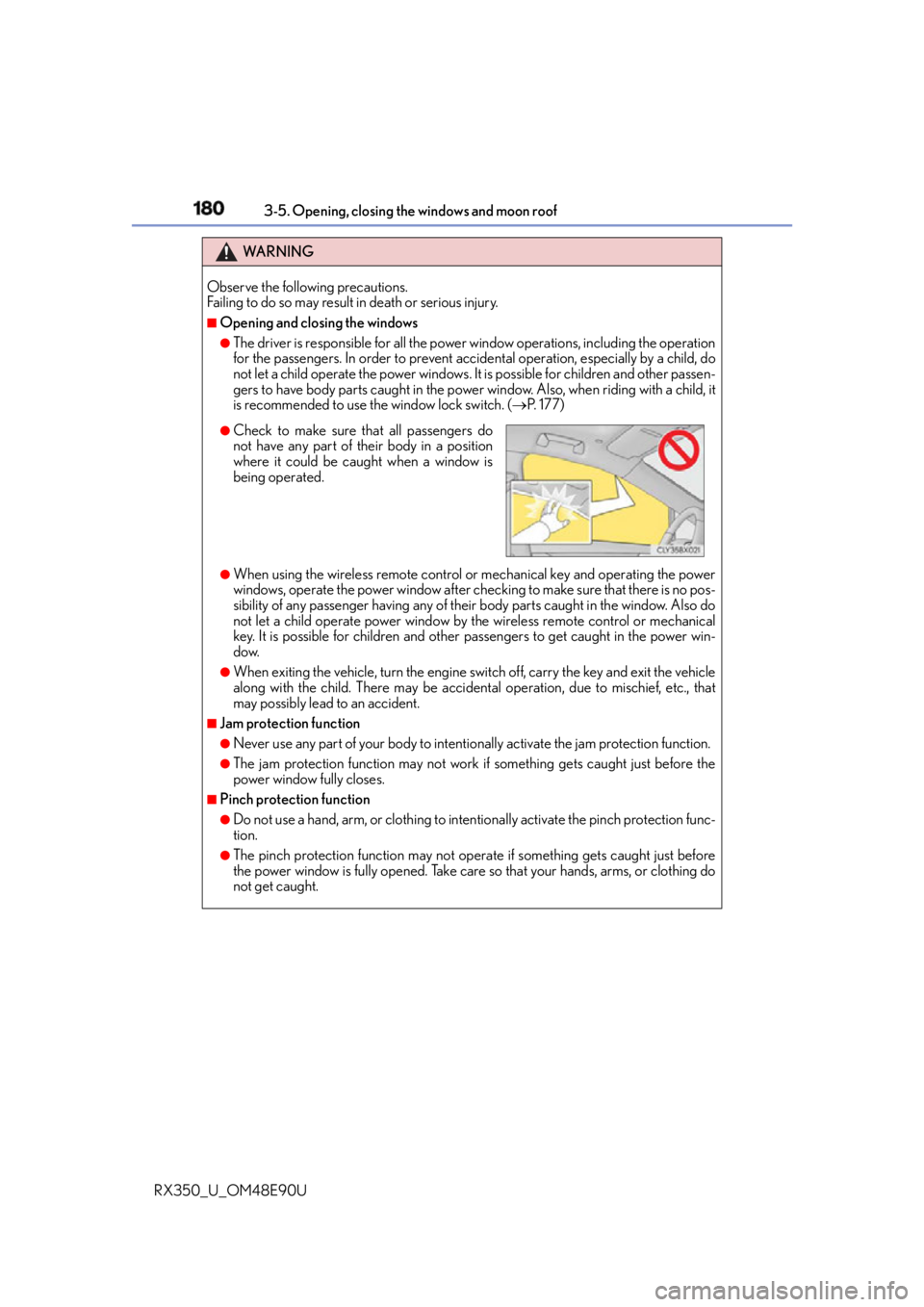
Check to make sure that all passengers do
not have any part of their body in a position
where it could be caught when a window is
being operated.
Page 182 of 748

182 3-5. Opening, closing the windows and moon roof
RX350_U_OM48E90U ■
The moon roof can be operated when
The engine switch is in IGNITION ON mode. ■
Operating the moon roof after turning the engine off
The moon roof can be operated for approximately 45 seconds after the engine switch is
turned to ACCESSORY mode or turned off. It cannot, however, be operated once the
driver’s door is opened. ■
Jam protection function
If an object is detected between the moon roof and the frame while the moon roof is clos-
ing or tilting down, travel is stoppe d and the moon roof opens slightly.■
Sunshade
The sunshade can be opened and closed manually. However, the sunshade will open
automatically when the moon roof is opened. ■
Door lock linked moon roof operation ●
The moon roof can be opened and closed using the mechanical key.
* ( P. 6 6 2 )●
The moon roof can be opened using the wireless remote control.
* ( P. 1 2 4 )
* : These settings must be cust omized at your Lexus dealer.
Page 184 of 748
184 3-5. Opening, closing the windows and moon roof
RX350_U_OM48E90U WA R N I N G
Observe the following precautions.
Failing to do so may caus e death or serious injury.■
Opening the moon roof ●
Do not allow any passengers to put their hands or heads outside the vehicle while it is
moving. ●
Do not sit on top of the moon roof. ■
Opening and closing the moon roof ●
The driver is responsible for moon roof opening and closing operations.
In order to prevent accidental operation, espe cially by a child, do not let a child oper-
ate the moon roof. It is possible for children and other passengers to have body parts
caught in the moon roof.
■
Jam protection function ●
Never use any part of your body to intentio nally activate the jam protection function.●
The jam protection function may not work if something gets caught just before the
moon roof is fully closed. Also, the jam prot ection function is not designed to operate
while the switch is being pressed. Take care so that your fingers, etc. do not get
caught. ●
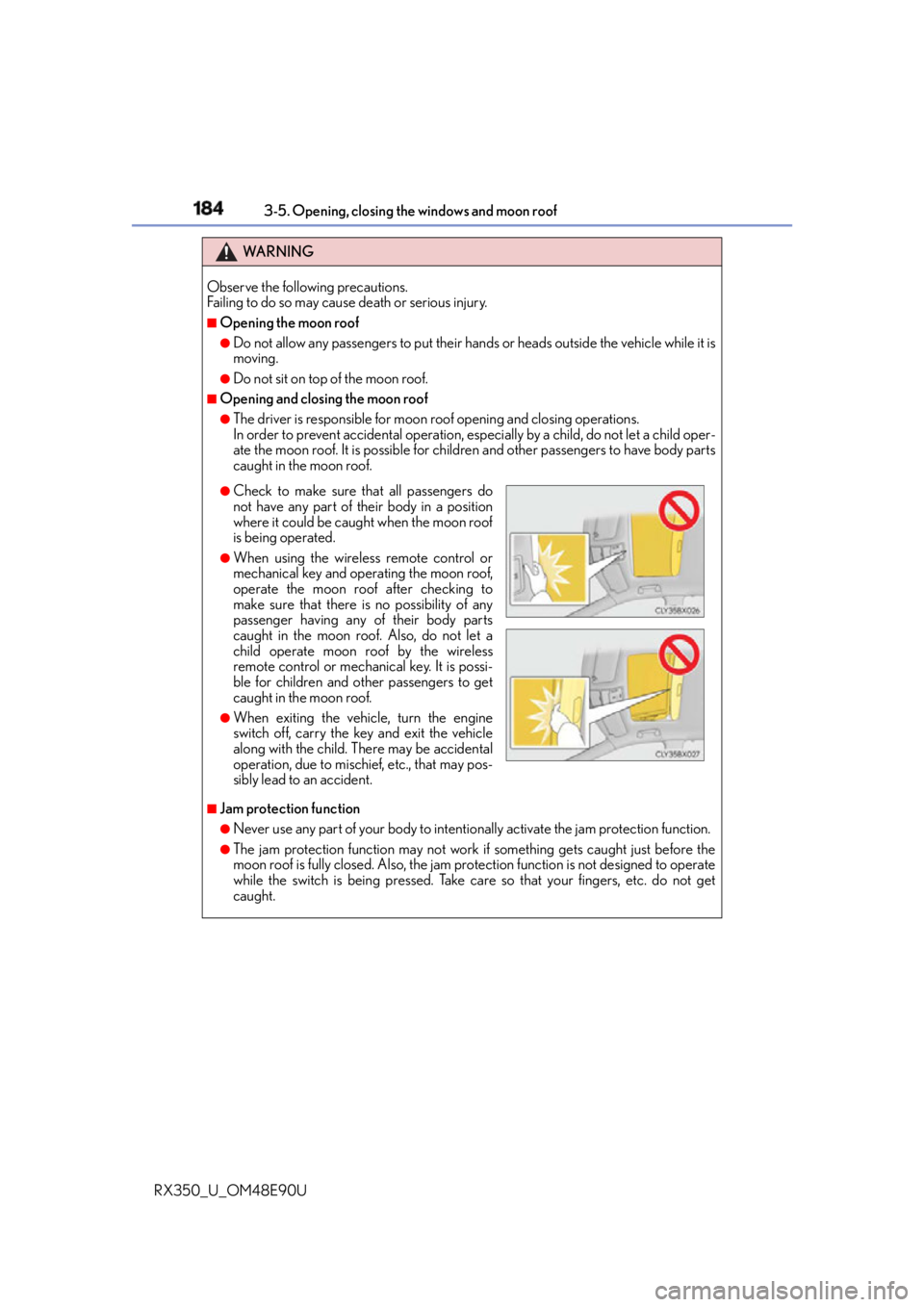
Check to make sure that all passengers do
not have any part of their body in a position
where it could be caught when the moon roof
is being operated. ●
When using the wireless remote control or
mechanical key and operating the moon roof,
operate the moon roof after checking to
make sure that there is no possibility of any
passenger having any of their body parts
caught in the moon roof. Also, do not let a
child operate moon roof by the wireless
remote control or mechanical key. It is possi-
ble for children and other passengers to get
caught in the moon roof. ●
When exiting the vehicle, turn the engine
switch off, carry the key and exit the vehicle
along with the child. Th ere may be accidental
operation, due to mischief, etc., that may pos-
sibly lead to an accident.
Page 186 of 748
186 3-5. Opening, closing the windows and moon roof
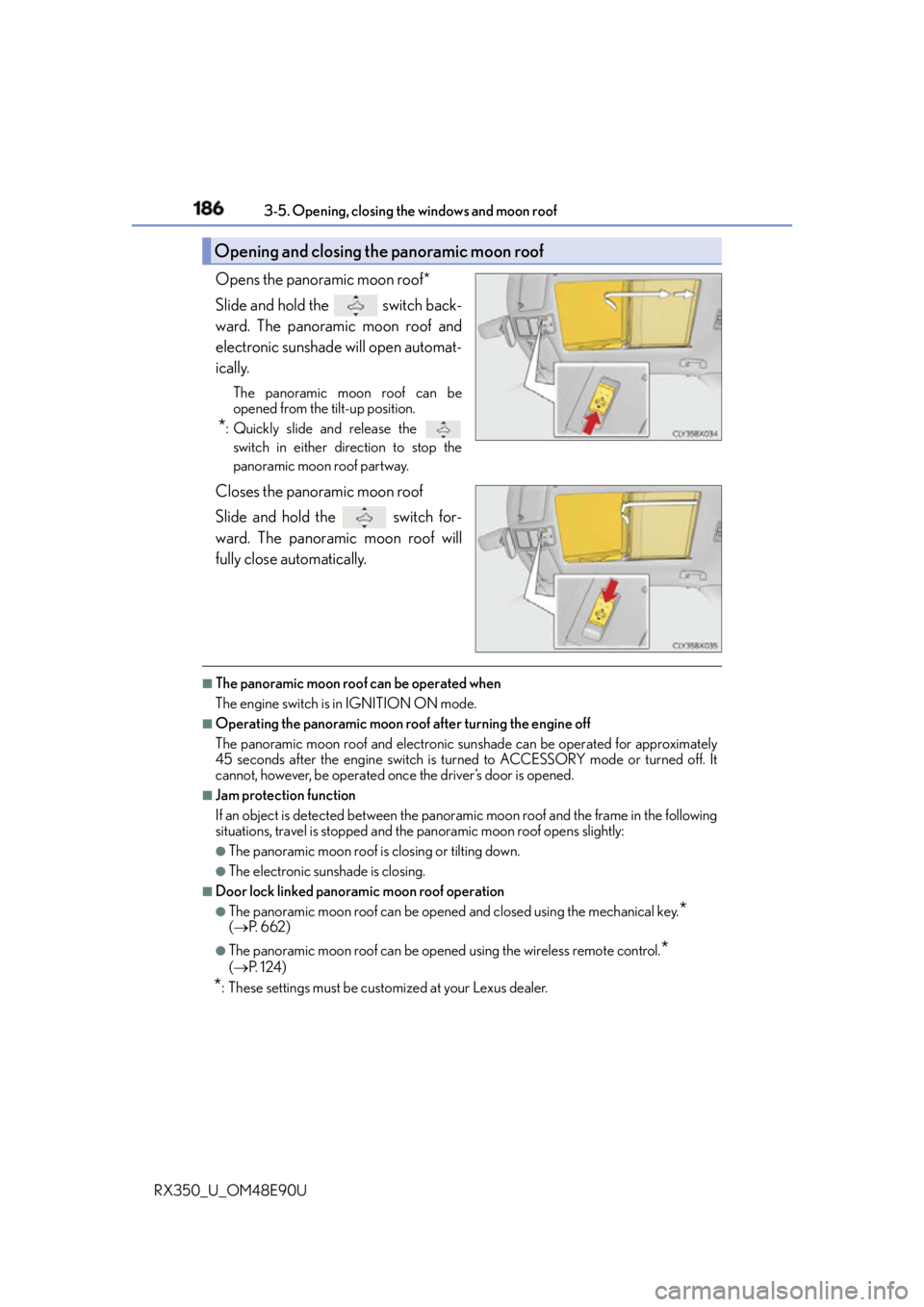
RX350_U_OM48E90U Opens the panoramic moon roof*
Slide and hold the switch back-
ward. The panoramic moon roof and
electronic sunshade will open automat-
ically. The panoramic moon roof can be
opened from the tilt-up position.
* : Quickly slide and release the
switch in either direction to stop the
panoramic moon roof partway.
Closes the panoramic moon roof
Slide and hold the switch for-
ward. The panoramic moon roof will
fully close automatically. ■
The panoramic moon roof can be operated when
The engine switch is in IGNITION ON mode. ■
Operating the panoramic moon roof after turning the engine off
The panoramic moon roof and electronic sunshade can be operated for approximately
45 seconds after the engine switch is turned to ACCESSORY mode or turned off. It
cannot, however, be operated once the driver’s door is opened. ■
Jam protection function
If an object is detected between the panoramic moon roof and the frame in the following
situations, travel is stopped and the panoramic moon roof opens slightly:●
The panoramic moon roof is closing or tilting down. ●
The electronic sunshade is closing. ■
Door lock linked panoramic moon roof operation●
The panoramic moon roof can be opened and closed using the mechanical key.
* ( P. 6 6 2 ) ●
The panoramic moon roof can be opened using the wireless remote control.
* ( P. 1 2 4 )
* : These settings must be cust omized at your Lexus dealer.Opening and closing the panoramic moon roof
Page 188 of 748
188 3-5. Opening, closing the windows and moon roof
RX350_U_OM48E90U WA R N I N G
Observe the following precautions.
Failing to do so may caus e death or serious injury.■
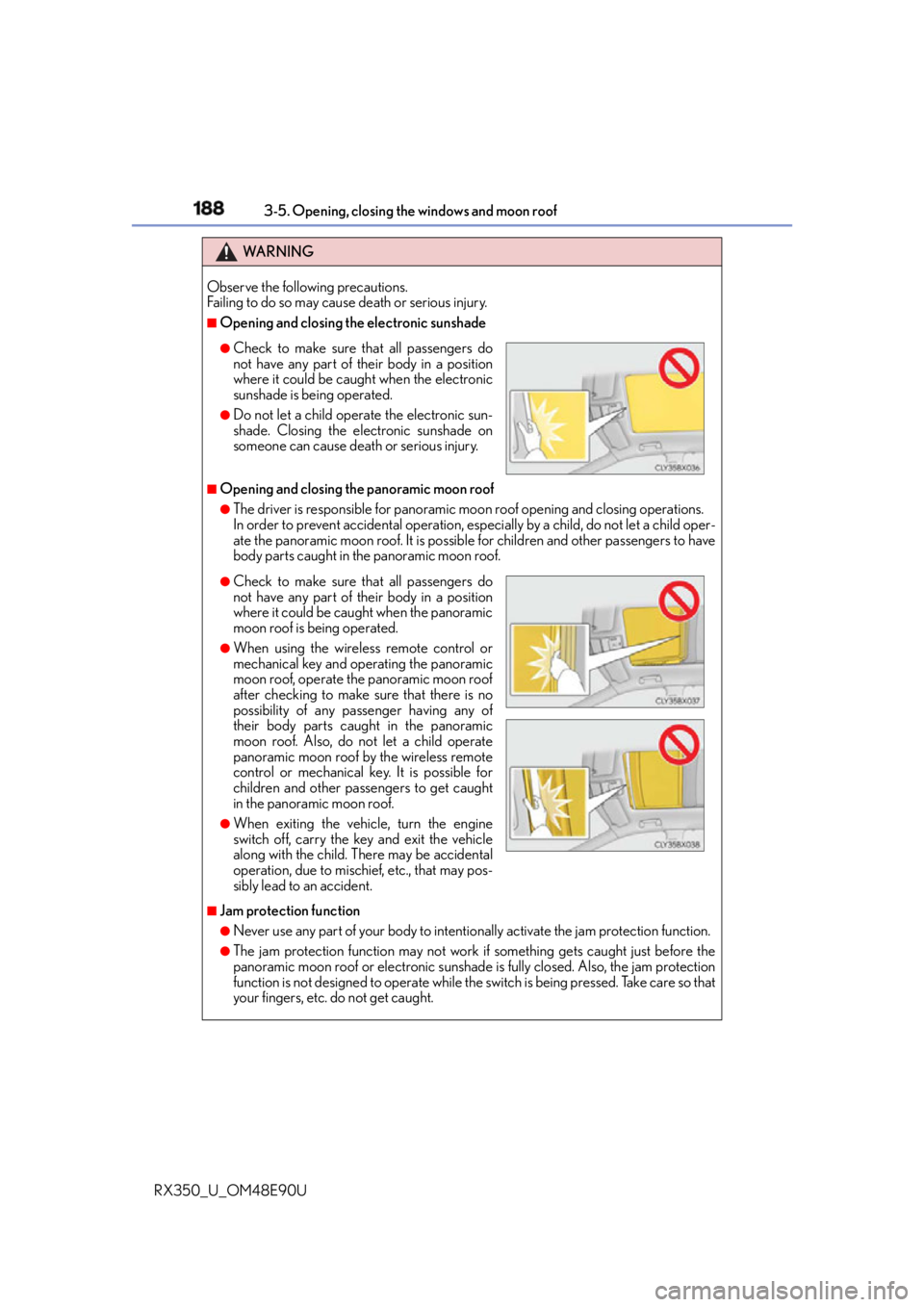
Opening and closing the electronic sunshade
■
Opening and closing the panoramic moon roof ●
The driver is responsible for panoramic m oon roof opening and closing operations.
In order to prevent accidental operation, espe cially by a child, do not let a child oper-
ate the panoramic moon roof. It is possible for children and other passengers to have
body parts caught in the panoramic moon roof.
■
Jam protection function ●
Never use any part of your body to intentio nally activate the jam protection function.●
The jam protection function may not work if something gets caught just before the
panoramic moon roof or electronic sunshade is fully closed. Also, the jam protection
function is not designed to operate while the switch is being pressed. Take care so that
your fingers, etc. do not get caught.●
Check to make sure that all passengers do
not have any part of their body in a position
where it could be caught when the electronic
sunshade is being operated. ●
Do not let a child operate the electronic sun-
shade. Closing the electronic sunshade on
someone can cause death or serious injury.
●
Check to make sure that all passengers do
not have any part of their body in a position
where it could be caught when the panoramic
moon roof is being operated. ●
When using the wireless remote control or
mechanical key and operating the panoramic
moon roof, operate the panoramic moon roof
after checking to make sure that there is no
possibility of any passenger having any of
their body parts caught in the panoramic
moon roof. Also, do not let a child operate
panoramic moon roof by the wireless remote
control or mechanical key. It is possible for
children and other passengers to get caught
in the panoramic moon roof. ●
When exiting the vehicle, turn the engine
switch off, carry the key and exit the vehicle
along with the child. Th ere may be accidental
operation, due to mischief, etc., that may pos-
sibly lead to an accident.
Page 243 of 748
2434-3. Operating the lights and wipers
4
Driving
RX350_U_OM48E90U ■
Daytime running light system ●
To make your vehicle more visible to other drivers during daytime driving, the daytime
running lights turn on automatically whenever the engine is started and the parking
brake is released with the headlight sw itch in (Canada only) or position.
(Illuminate brighter th an the parking li ghts.) Daytime running lights are not designed for
use at night.
For the U.S.A.: Daytime running lights can be turned off by operating the headlight
switch to position. ●
Compared to turning on the headlights, the daytime running light system offers greater
durability and consumes less electricity, so it can help improve fuel economy. ■
Cornering lights (if equipped)
When the cornering lights are on for more th an 30 minutes, they will turn off automati-
cally. ■
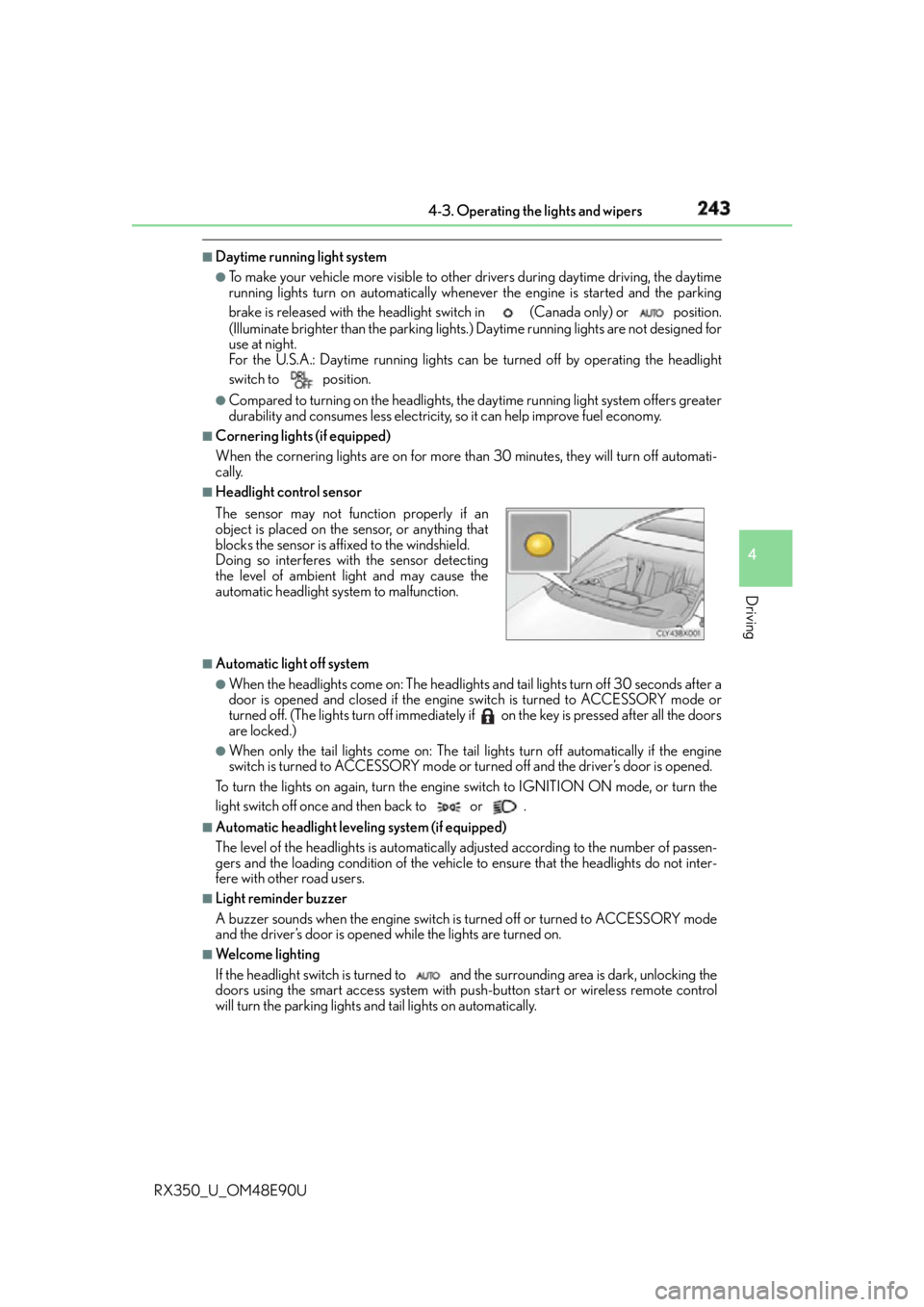
Headlight control sensor
■
Automatic light off system ●
When the headlights come on: The headlights and tail lights turn off 30 seconds after a
door is opened and closed if the engine switch is turned to ACCESSORY mode or
turned off. (The lights turn off immediately if on the key is pressed after all the doors
are locked.) ●
When only the tail lights come on: The tail lights turn off automatically if the engine
switch is turned to ACCESSORY mode or turned off and the driver’s door is opened.
To turn the lights on again, turn the engine switch to IGNITION ON mode, or turn the
light switch off once and then back to or . ■
Automatic headlight leveling system (if equipped)
The level of the headlights is automatically ad justed according to the number of passen-
gers and the loading condition of the vehicle to ensure that the headlights do not inter-
fere with other road users. ■
Light reminder buzzer
A buzzer sounds when the engine switch is turned off or turned to ACCESSORY mode
and the driver’s door is opened while the lights are turned on. ■
We l c o m e l i g h t i n g
If the headlight switch is turned to and the surrounding area is dark, unlocking the
doors using the smart access system with pu sh-button start or wireless remote control
will turn the parking lights and tail lights on automatically.The sensor may not function properly if an
object is placed on the sensor, or anything that
blocks the sensor is affixed to the windshield.
Doing so interferes with the sensor detecting
the level of ambient light and may cause the
automatic headlight system to malfunction.
Page 335 of 748
3354-5. Using the driving support systems
4
Driving
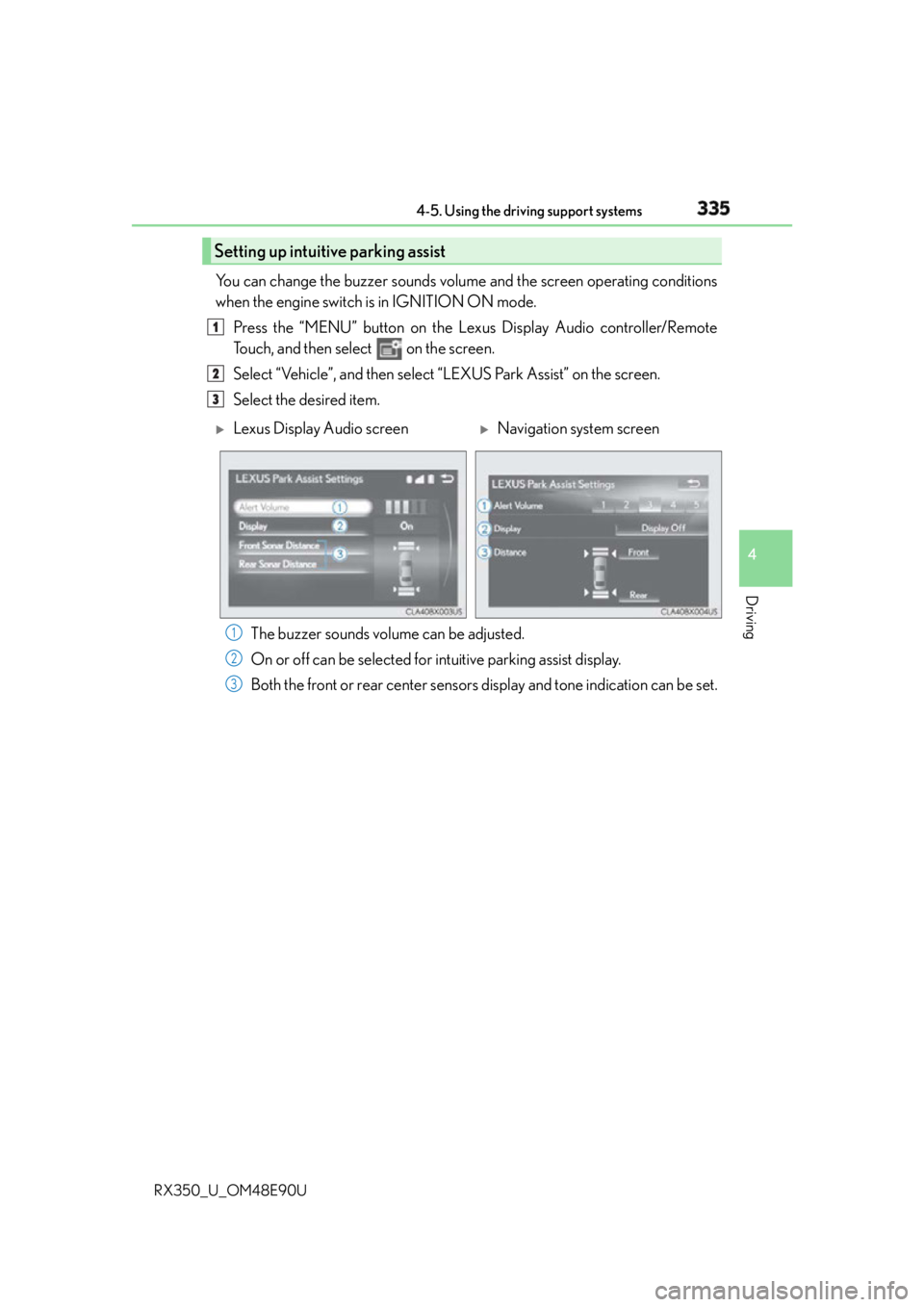
RX350_U_OM48E90U You can change the buzzer sounds volu me and the screen operating conditions
when the engine switch is in IGNITION ON mode.
Press the “MENU” button on the Le xus Display Audio controller/Remote
Touch, and then select on the screen.
Select “Vehicle”, and th en select “LEXUS Park Assist” on the screen.
Select the desired item.
The buzzer sounds volume can be adjusted.
On or off can be selected for intuitive parking assist display.
Both the front or rear center sensors display and tone indication can be set.Setting up intuitive parking assist 1
2
3
Lexus Display Audio screen
Navigation system screen
1
2
3