warning LEXUS RX350 2016 Repair Manual
[x] Cancel search | Manufacturer: LEXUS, Model Year: 2016, Model line: RX350, Model: LEXUS RX350 2016Pages: 748, PDF Size: 12.36 MB
Page 301 of 748

3014-5. Using the driving support systems
4
Driving
RX350_U_OM48E90U ■
If the LDA indicator is illuminated in amber and a warning message is displayed on the
multi-information display
P. 6 3 4 ■
Customization
Some functions can be customized. ( P. 9 6 )
Page 304 of 748
304 4-5. Using the driving support systems
RX350_U_OM48E90U WA R N I N G ■
Situations unsuitable for dynamic rada r cruise control with full-speed range
Do not use dynamic radar cruise control wi th full-speed range in any of the following
situations.
Doing so may result in inappropriate speed control and could cause an accident result-
ing in death or serious injury. ●
Roads where there are pede strians, cyclers, etc.●
In heavy traffic ●
On roads with sharp bends ●
On winding roads ●
On slippery roads, such as thos e covered with rain, ice or snow●
On steep downhills, or where there are sudden changes between sharp up and down
gradients
Vehicle speed may exceed the set speed when driving down a steep hill. ●
At entrances to freeways and highways ●
When weather conditions are bad enough that they may prevent the sensors from
detecting correctly (fog, snow, sandstorm, heavy rain, etc.)●
When there is rain, snow, etc. on the front surface of the radar sensor or camera sen-
sor ●
In traffic conditions that require frequent repeated acceleration and deceleration ●
When your vehicle is towing a trailer or during emergency towing ●
When an approach warning buzzer is heard often
Page 309 of 748
3094-5. Using the driving support systems
4
Driving
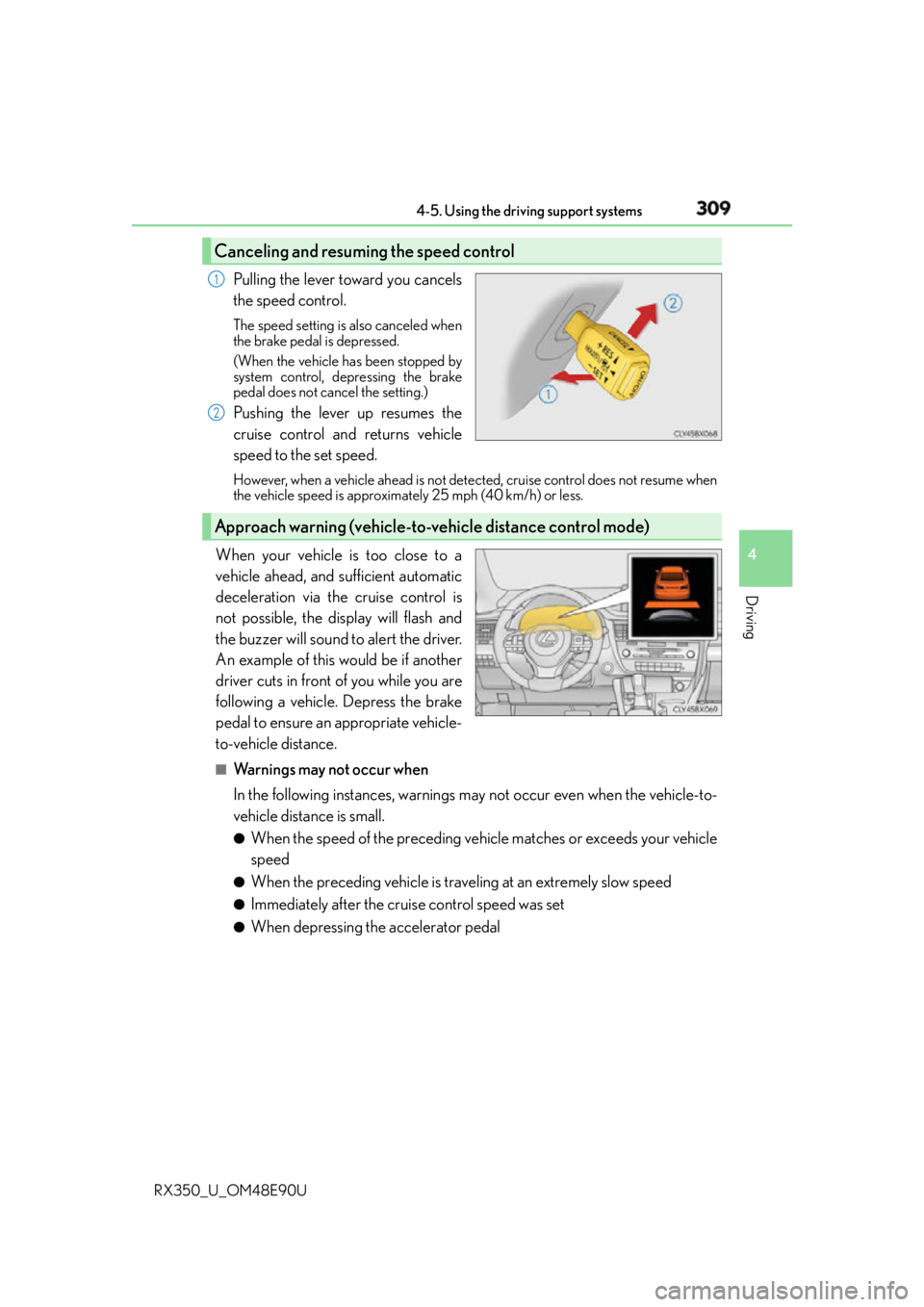
RX350_U_OM48E90U Pulling the lever toward you cancels
the speed control. The speed setting is also canceled when
the brake pedal is depressed.
(When the vehicle has been stopped by
system control, depressing the brake
pedal does not cancel the setting.)
Pushing the lever up resumes the
cruise control and returns vehicle
speed to the set speed. However, when a vehicle ahead is not dete cted, cruise control does not resume when
the vehicle speed is approximately 25 mph (40 km/h) or less.
When your vehicle is too close to a
vehicle ahead, and sufficient automatic
deceleration via the cruise control is
not possible, the display will flash and
the buzzer will sound to alert the driver.
An example of this would be if another
driver cuts in front of you while you are
following a vehicle. Depress the brake
pedal to ensure an appropriate vehicle-
to-vehicle distance. ■
Warnings may not occur when
In the following instances, warnings may not occur even when the vehicle-to-
vehicle distance is small. ●
When the speed of the preceding vehicle matches or exceeds your vehicle
speed ●
When the preceding vehicle is traveling at an extremely slow speed ●
Immediately after the cruise control speed was set ●
When depressing the accelerator pedalCanceling and resuming the speed control 1
2
Approach warning (vehicle-to-vehicle distance control mode)
Page 312 of 748
312 4-5. Using the driving support systems
RX350_U_OM48E90U ■
Automatic cancelation of constant speed control mode
Constant speed control mode is automatica lly canceled in the following situations:●
Actual vehicle speed is more than approximately 10 mph (16 km/h) below the set vehi-
cle speed. ●
Actual vehicle speed falls below approximately 25 mph (40 km/h). ●
VSC is activated. ●
TRAC is activated for a period of time. ●
When the VSC or TRAC system is turned off by pressing the VSC OFF switch. ●
Pre-collision braking is activated.
If constant speed control mode is automatica lly canceled for any other reason, there may
be a malfunction in the system. Contact your Lexus dealer. ■
Warning messages and buzzers for dynamic ra dar cruise control with full-speed range
Warning messages and buzzers are used to indicate a system malfunction or to inform
the driver of the need for caution while driving. If a warning message is shown on the
multi-information display, read the message and follow the instructions.■
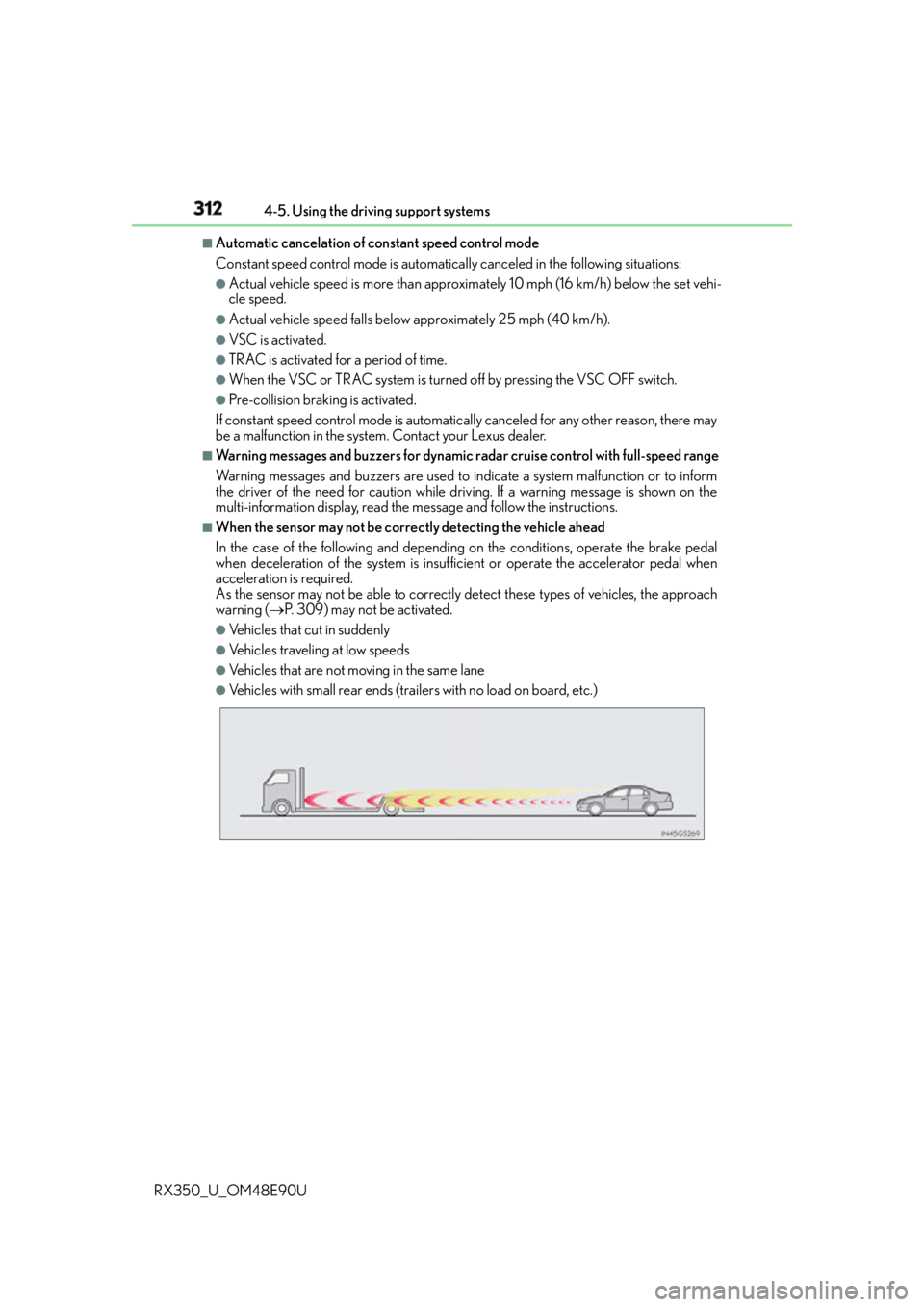
When the sensor may not be correctly detecting the vehicle ahead
In the case of the following and depending on the conditions, operate the brake pedal
when deceleration of the system is insuff icient or operate the accelerator pedal when
acceleration is required.
As the sensor may not be able to correctly detect these types of vehicles, the approach
warning ( P. 309) may not be activated.●
Vehicles that cut in suddenly ●
Vehicles traveling at low speeds ●
Vehicles that are not moving in the same lane ●
Vehicles with small rear ends (traile rs with no load on board, etc.)
Page 316 of 748
316 4-5. Using the driving support systems
RX350_U_OM48E90U WA R N I N G ■
Situations unsuitable for dynamic radar cruise control
Do not use dynamic radar cruise control in any of the following situations.
Doing so may result in inappropriate speed control and could cause an accident result-
ing in death or serious injury. ●
Roads where there are pede strians, cyclers, etc.●
In heavy traffic ●
On roads with sharp bends ●
On winding roads ●
On slippery roads, such as thos e covered with rain, ice or snow●
On steep downhills, or where there are sudden changes between sharp up and down
gradients
Vehicle speed may exceed the set speed when driving down a steep hill. ●
At entrances to freeways and highways ●
When weather conditions are bad enough that they may prevent the sensors from
detecting correctly (fog, snow, sandstorm, heavy rain, etc.)●
When there is rain, snow, etc. on the front surface of the radar sensor or camera sen-
sor ●
In traffic conditions that require frequent repeated acceleration and deceleration ●
When your vehicle is towing a trailer or during emergency towing ●
When an approach warning buzzer is heard often
Page 321 of 748
3214-5. Using the driving support systems
4
Driving
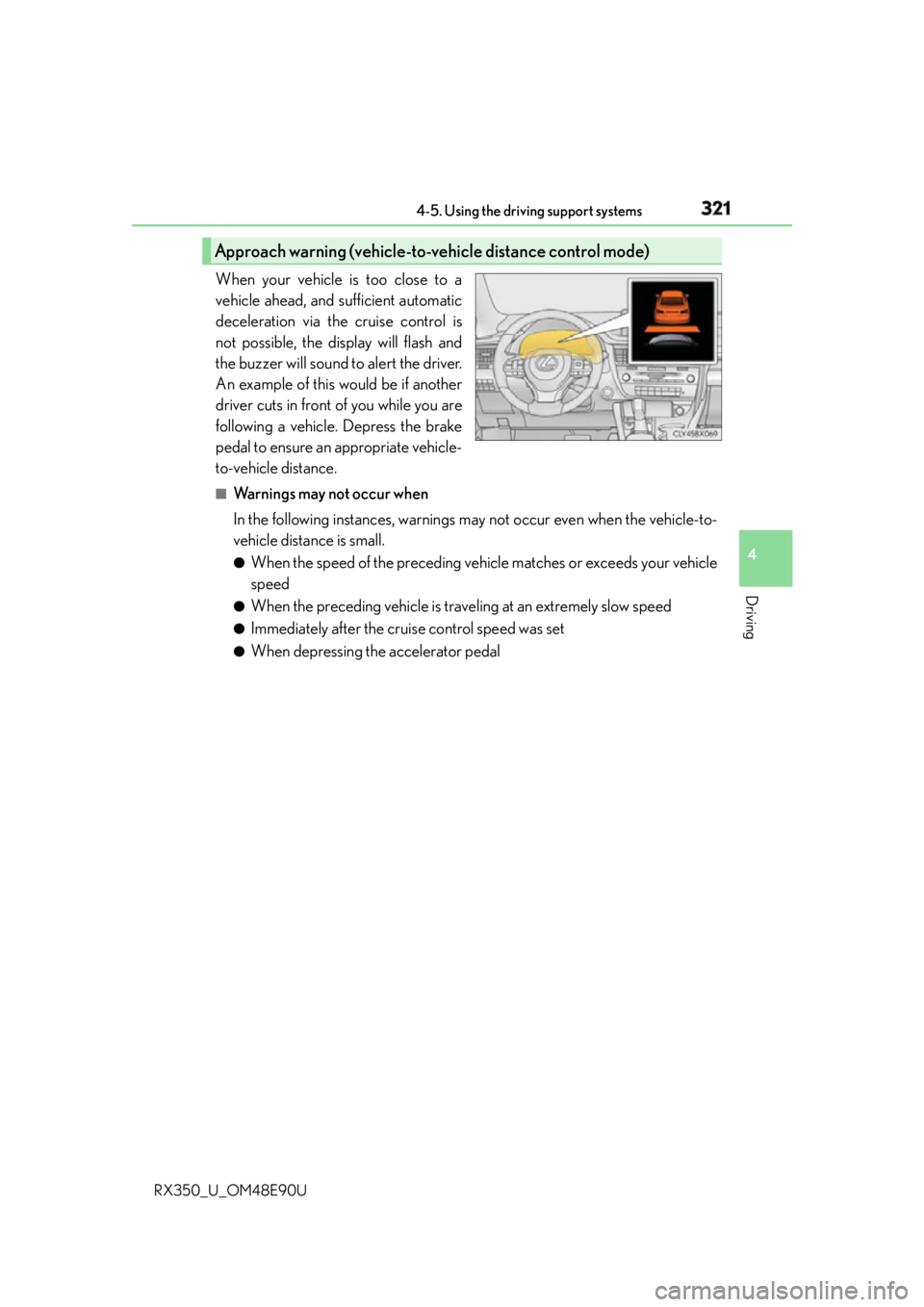
RX350_U_OM48E90U When your vehicle is too close to a
vehicle ahead, and sufficient automatic
deceleration via the cruise control is
not possible, the display will flash and
the buzzer will sound to alert the driver.
An example of this would be if another
driver cuts in front of you while you are
following a vehicle. Depress the brake
pedal to ensure an appropriate vehicle-
to-vehicle distance. ■
Warnings may not occur when
In the following instances, warnings may not occur even when the vehicle-to-
vehicle distance is small. ●
When the speed of the preceding vehicle matches or exceeds your vehicle
speed ●
When the preceding vehicle is traveling at an extremely slow speed ●
Immediately after the cruise control speed was set ●
When depressing the accelerator pedalApproach warning (vehicle-to-vehicle distance control mode)
Page 323 of 748
3234-5. Using the driving support systems
4
Driving
RX350_U_OM48E90U ■
Dynamic radar cruise control can be set when ●
The shift lever is in the D or range 4 or higher of S has been selected.
(vehicles without padd le shift switches)●
The shift lever is in D.
(vehicles with paddle shift switches) ●
Range 4 or higher of D has been se lected by using the paddle shift.
(vehicles with paddle shift switches) ●
Vehicle speed is above approximately 30 mph (50 km/h). ■
Accelerating after setting the vehicle speed
The vehicle can accelerate by operating the accelerator pedal. After accelerating, the
set speed resumes. However, during vehicle- to-vehicle distance control mode, the vehi-
cle speed may decrease below the set speed in order to maintain the distance to the pre-
ceding vehicle. ■
Automatic cancelation of vehicle- to-vehicle distance control mode
Vehicle-to-vehicle distance control mode is automatically canceled in the following situ-
ations. ●
Actual vehicle speed falls below approximately 25 mph (40 km/h). ●
VSC is activated. ●
TRAC is activated for a period of time. ●
When the VSC or TRAC system is turned off by pressing the VSC OFF switch. ●
The sensor cannot detect correctly because it is covered in some way. ●
Pre-collision braking is activated.
If vehicle-to-vehicle distance control mode is automatically canceled for any other rea-
son, there may be a malfunction in the system. Contact your Lexus dealer. ■
Automatic cancelation of constant speed control mode
Constant speed control mode is automatica lly canceled in the following situations:●
Actual vehicle speed is more than approximately 10 mph (16 km/h) below the set vehi-
cle speed. ●
Actual vehicle speed falls below approximately 25 mph (40 km/h). ●
VSC is activated. ●
TRAC is activated for a period of time. ●
When the VSC or TRAC system is turned off by pressing the VSC OFF switch. ●
Pre-collision braking is activated.
If constant speed control mode is automatica lly canceled for any other reason, there may
be a malfunction in the system. Contact your Lexus dealer. ■
Warning messages and buzzers for dynamic radar cruise control
Warning messages and buzzers are used to indicate a system malfunction or to inform
the driver of the need for caution while driving. If a warning message is shown on the
multi-information display, read the message and follow the instructions.
Page 324 of 748
324 4-5. Using the driving support systems
RX350_U_OM48E90U ■
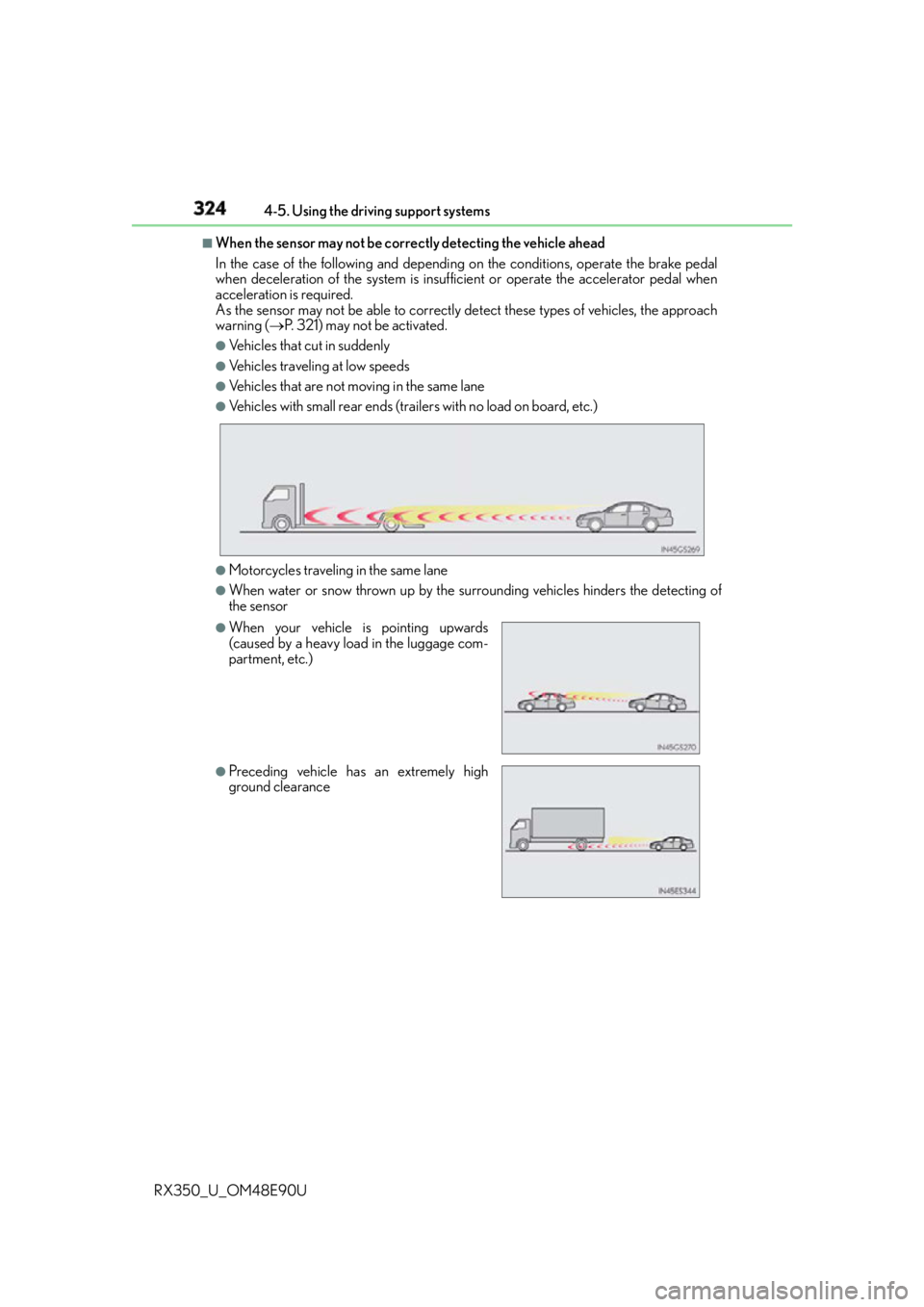
When the sensor may not be correctly detecting the vehicle ahead
In the case of the following and depending on the conditions, operate the brake pedal
when deceleration of the system is insuff icient or operate the accelerator pedal when
acceleration is required.
As the sensor may not be able to correctly detect these types of vehicles, the approach
warning ( P. 321) may not be activated.●
Vehicles that cut in suddenly ●
Vehicles traveling at low speeds ●
Vehicles that are not moving in the same lane ●
Vehicles with small rear ends (traile rs with no load on board, etc.)
●
Motorcycles traveling in the same lane ●
When water or snow thrown up by the surrounding vehicles hinders the detecting of
the sensor ●
When your vehicle is pointing upwards
(caused by a heavy load in the luggage com-
partment, etc.)
●
Preceding vehicle has an extremely high
ground clearance
Page 336 of 748

336 4-5. Using the driving support systems
RX350_U_OM48E90U ■
The intuitive parking assist can be operated when ●
Front corner sensors:
• The engine switch is in IGNITION ON mode.
• The shift lever is in other than P.
• The vehicle speed is less than about 6 mph (10 km/h).
(At any speed when the shift lever is in R) ●
Front center sensors:
• The engine switch is in IGNITION ON mode.
• The shift lever is in other than P or R.
• The vehicle speed is less than about 6 mph (10 km/h). ●
Rear corner and rear center sensors:
• The engine switch is in IGNITION ON mode.
• The shift lever is in R. ■
Intuitive parking assist display ●
Vehicles with a Lexus Display Audio system /navigation system (8 -inch display): When
an obstacle is detected while the Lexus parking assist monitor or panoramic view mon-
itor is in use, the warning indi cator will appear in the upper pa rt of the screen even if the
display setting has been set to off. ●
Vehicles with a navigation system (12.3-inch display): If the intuitive parking assist dis-
play is set to on, detected objects will also be displayed on the panoramic view monitor.
For details, refer to “NAVIGATION SYSTEM OWNER’S MANUAL”. ■
Sensor detectio n information●
The sensor’s detection areas are limited to the areas around the vehicle’s bumper. ●
Certain vehicle conditions and the surround ing environment may affect the ability of a
sensor to correctly detect an obstacle. Particular instances where this may occur are
listed below.
• There is dirt, snow or ice on the sensor . (Wiping the sensors will resolve this prob-
lem.)
• The sensor is frozen. (Thawing th e area will resolve this problem.)
In especially cold weather, if a sensor is frozen the screen may show an abnormal
display, or obstacles may not be detected.
• The sensor is covered in any way.
• The vehicle is leaning co nsiderably to one side.
• On an extremely bumpy road, on an incline, on gravel, or on grass.
• The vicinity of the vehicle is noisy due to vehicle horns, motorcycle engines, air
brakes of large vehicles, or other loud noises producing ultrasonic waves.
• There is another vehicle equipped with parking assist sensors in the vicinity.
• The sensor is coated with a sheet of spray or heavy rain.
• The vehicle is equipped with a fender pole or wireless antenna.
• Towing eyelets are installed.
• The bumper or sensor receives a strong impact.
• The vehicle is approaching a tall or curved curb.
• In harsh sunlight or intense cold weather.
• The area directly under the bumpers is not detected.
• If obstacles draw too close to the sensor.
• A non-genuine Lexus suspension (low ered suspension etc.) is installed.
• People may not be detected if they are wearing certain types of clothing.
In addition to the examples above, there are instances in which, because of their shape,
signs and other objects may be judged by a sensor to be closer than they are.
Page 357 of 748
3574-5. Using the driving support systems
4
Driving
RX350_U_OM48E90U Press “ ” or “ ” of the meter control switches, select .
Press “ ” or “ ” of the meter control switches, select “BSM”.
Press “ ” or “ ” of the meter control switches, select “BSM” or “RCTA”.■
Outside rear view mirror indicator visibility
In strong sunlight, the outside rear view mirror indicator may be difficult to see.■
Hearing the RCTA buzzer
The RCTA buzzer may be difficult to hear ov er loud noises, such as if the audio system
volume is high. ■
When there is a malfunction in the Blind Spot Monitor
If a system malfunction is de tected due to any of the following, a warning message will be
displayed: ( P. 6 4 1 )●
A sensor is malfunctioning ●
A sensor is dirty or covered with snow or a sticker ●
The outside temperature is extremely high or low ●
Sensor voltage is abnormal ●
A sensor is misaligned ■
Certification for the Blind Spot Monitor
For vehicles sold in the U.S.A.
FCC ID : OAYSRR3A
This device complies with part 15 of the FC C Rules. Operation is subject to the following
two conditions:
(1) This device may not cause harmful interference, and
(2) this device must accept any interference received, including in terference that may
cause undesired operation.
FCC Warning
Changes or modifications not expressly approved by the party responsible for compli-
ance could void the user's authority to operate the equipment.
For vehicles sold in Canada
Applicable law : Canada 310
This device complies with Industry Canada licence-exempt RSS st andard(s). Operation
is subject to the following two conditions: (1) this device may not cause interference, and
(2) this device must accept any interference, including interference that may cause
undesired operation of the device.
Frequency bands : 24.05 - 24.25GHz
Output power : less than 20 milliwatts ■
Customization
Some functions can be customized. ( P. 3 6 8 , 6 9 9 )Turning the BSM function/RCTA function on/off 1
2
3