Settings screen LEXUS RX350 2019 Owner's Guide
[x] Cancel search | Manufacturer: LEXUS, Model Year: 2019, Model line: RX350, Model: LEXUS RX350 2019Pages: 777, PDF Size: 12.44 MB
Page 516 of 777
5156-2. Using the air conditioning system and defogger
6
Interior features
RX350/RX350L_U ■
Registering air conditioning settings to elec tronic keys (vehicles with driving position
memory) ●
Unlocking the vehicle using an electronic ke y and turning the engine switch to IGNI-
TION ON mode will recall that key’s re gistered air conditioning settings.●
When the engine switch is tu rned off, the current air cond itioning settings will automat-
ically be registered to the electronic key that was used to unlock the vehicle. ●
The system may not operate correctly if more th an one electronic key is in the vicinity or
if the smart access system with push-button start is used to unlock a passenger door.●
The doors that can recall the air conditioni ng setting when unlocked using the smart
access system with push-b utton start can be changed.
* For details, contact your Lexus
dealer.
* : The doors that can recall the driving positi on memory are changed at the same time.■
Using automatic mode
Fan speed is adjusted automatically according to the temperature setting and the ambi-
ent conditions.
Therefore, the fan may stop for a while until wa rm or cool air is ready to flow immediately
after the “AUTO” button is pressed or “AUTO” is selected. ■
How the system judges if a passenger is in the vehicle when in S-FLOW mode
In S-FLOW mode, the system judges if a passenger is in the vehicle as follows:
• Front passenger seat: A passeng er is judged to be in the front passenger seat when the
system detects an object on the front passe nger seat, fastening of the front passenger
seat belt, changing of the set temperature for the front passenger seat or the opening
and closing of the front passenger door. (However, when only opening and closing of
the front passenger door is detected, the sy stem will judge that a passenger is not in
the front passenger seat after the vehicl e speed reaches approximately 12 mph (20
km/h) or more.)
• Rear seats (automatic S-FLOW mode only): A passenger is judged to be in a rear seat
when the system detects the opening and closin g of a rear door or the operation of the
rear air conditioning system (RX350L).
If a passenger is judged to be in the vehicl e, the system will retain the judgement for a
certain amount of time after th e engine switch is turned off.■
Operation of automatic S-FLOW mode
When the system is operating in automati c S-FLOW mode, if the system detects the
opening and closing of a rear door or the op eration of the rear air conditioning system
(RX350L), S-FLOW mode will be disabled . To enable S-FLOW mode, select on
the option control screen. (I n this case, the system w ill operate in manual S-FLOW
mode.) ■
Changing from manual S-FLOW mode to automatic S-FLOW mode
Select on the option control screen to disable S-FLOW mode.
Turn the engine switch off.
Wait for 60 minutes or more and change the engine switch to IGNITION ON mode.■
Using the voice command system (vehicles with a navigation system)
Air conditioning system can be operated using voic e commands. For details, refer to the
“NAVIGATION SYSTEM OWNER’S MANUAL”. 1
2
3
Page 607 of 777
606 7-3. Do-it-yourself maintenance
RX350/RX350L_U ■
How to initialize the tire pressure warning system
Park the vehicle in a safe place and turn the engine switch off.Initialization cannot be performed while the vehicle is moving.
Adjust the tire inflation pressure to th e specified cold tire inflation pressure
level. ( P. 704)Make sure to adjust the tire pressure to the specified cold tire inflation pressure
level. The tire pressure warning system will operate based on this pressure level.
Turn the engine switch to IGNITION ON mode.
Select on the multi-information display. ( P. 97)
Press or of the meter control sw itch, select the “Vehicle Settings”
screen and then press the .
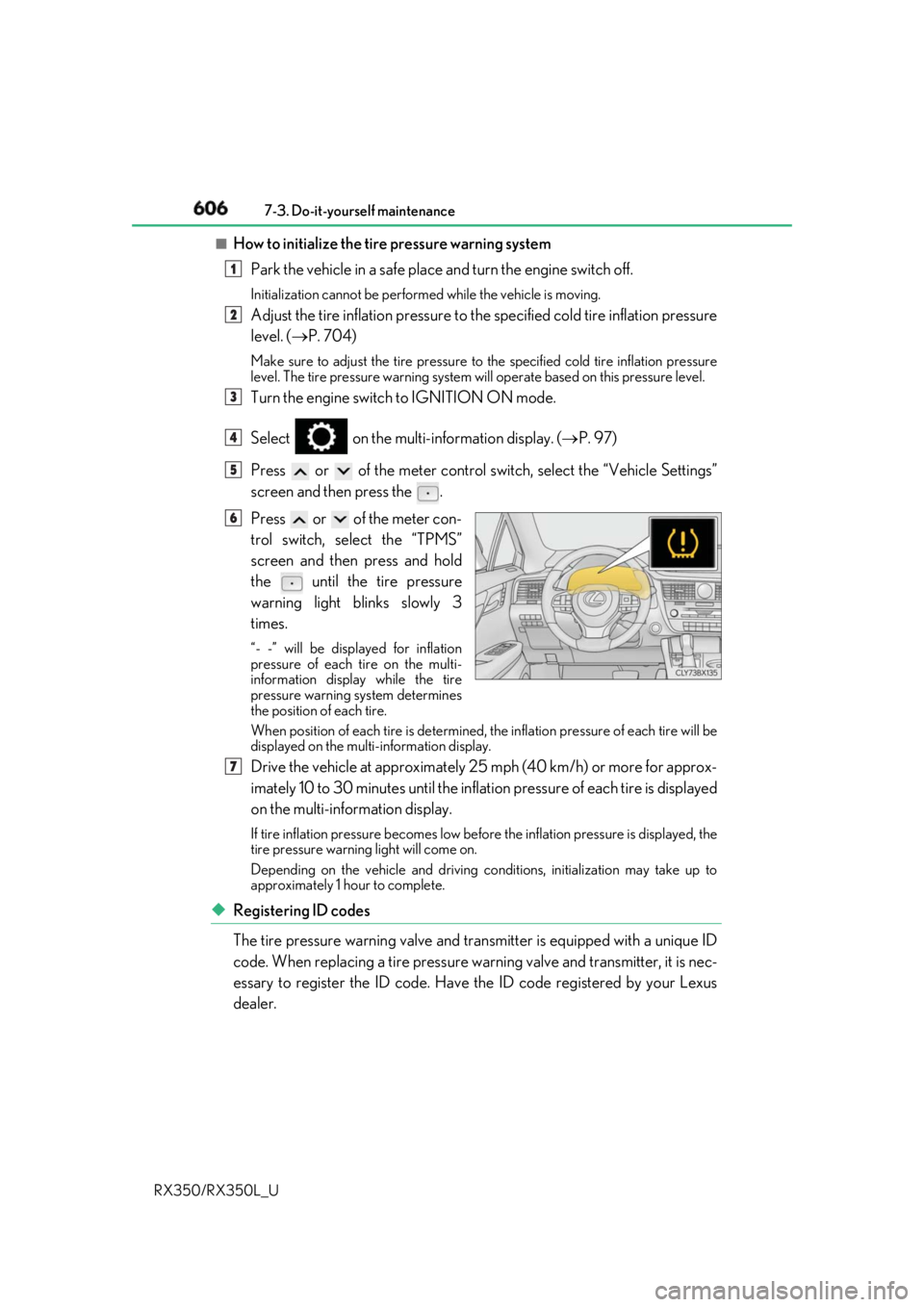
Press or of the meter con-
trol switch, select the “TPMS”
screen and then press and hold
the
until the tire pressure
warning light blinks slowly 3
times. “- -” will be displayed for inflation
pressure of each tire on the multi-
information displa y while the tire
pressure warning system determines
the position of each tire.
When position of each tire is determined, the inflation pressure of each tire will be
displayed on the mult i-information display.
Drive the vehicle at approximately 25 mph (40 km/h) or more for approx-
imately 10 to 30 minutes until the inflat ion pressure of each tire is displayed
on the multi-information display. If tire inflation pressure becomes low before the inflation pressure is displayed, the
tire pressure warning light will come on.
Depending on the vehicle and driving co nditions, initialization may take up to
approximately 1 hour to complete.
◆ Registering ID codes
The tire pressure warning valve and tran smitter is equipped with a unique ID
code. When replacing a tire pressure warning valve and transmitter, it is nec-
essary to register the ID code. Have the ID code registered by your Lexus
dealer. 1
2
3
4
5
6
7
Page 723 of 777
722
RX350/RX350L_U 9-2. Customization
When customizing vehicle features, ensure that the vehicle is parked in a safe
place with the shift lever in P and the parking brake set.■
Changing on the audio system screen
Vehicles with a navigation system
Press the “MENU” button on the Remote Touch.
Select on the “Menu” screen and select .
Various setting can be changed. Refer to the list of settings that can be
changed for details.
Vehicles with a Lexus Display Audio system
Press the “MENU” button on the Lexus Display Audio controller.
Select “Setup” on the “Menu” screen and select “Vehicle”.
Various setting can be changed. Refer to the list of settings that can be
changed for details. ■
Changing using the multi-information display
P. 97Customizable features Your vehicle includes a variety of elec tronic features that can be personalized
to suit your preferences. The settings of these features can be changed using
the multi-information display, on the audio system screen, or at your Lexus
dealer.
Customizing vehicle features 1
2
1
2
Page 724 of 777
7239-2. Customization
9
Vehicle specifications
RX350/RX350L_U Some function settings are changed simultaneously with other functions being
customized. Contact your Lexu s dealer for further details.
Settings that can be changed on the audio system screen
Settings that can be changed by your Lexus dealer
Definition of symbols: O = Available, – =Not available ■
Gauges, meters and multi-information display ( P. 86, 90)
* 1
: The default setting varies according to countries.
* 2
:Except F SPORT modelsCustomizable Features 1
2
Function Default setting Customized setting
Language English French
O—
Spanish
Units
* 1
miles (MPG US) miles
(MPG Imperial)
O —
km (L/100 km)
km (km/ L)
Color
* 2
Color 1 Color 2
O —
Suggestion function On Off — O 1 2
Page 735 of 777
734 9-2. Customization
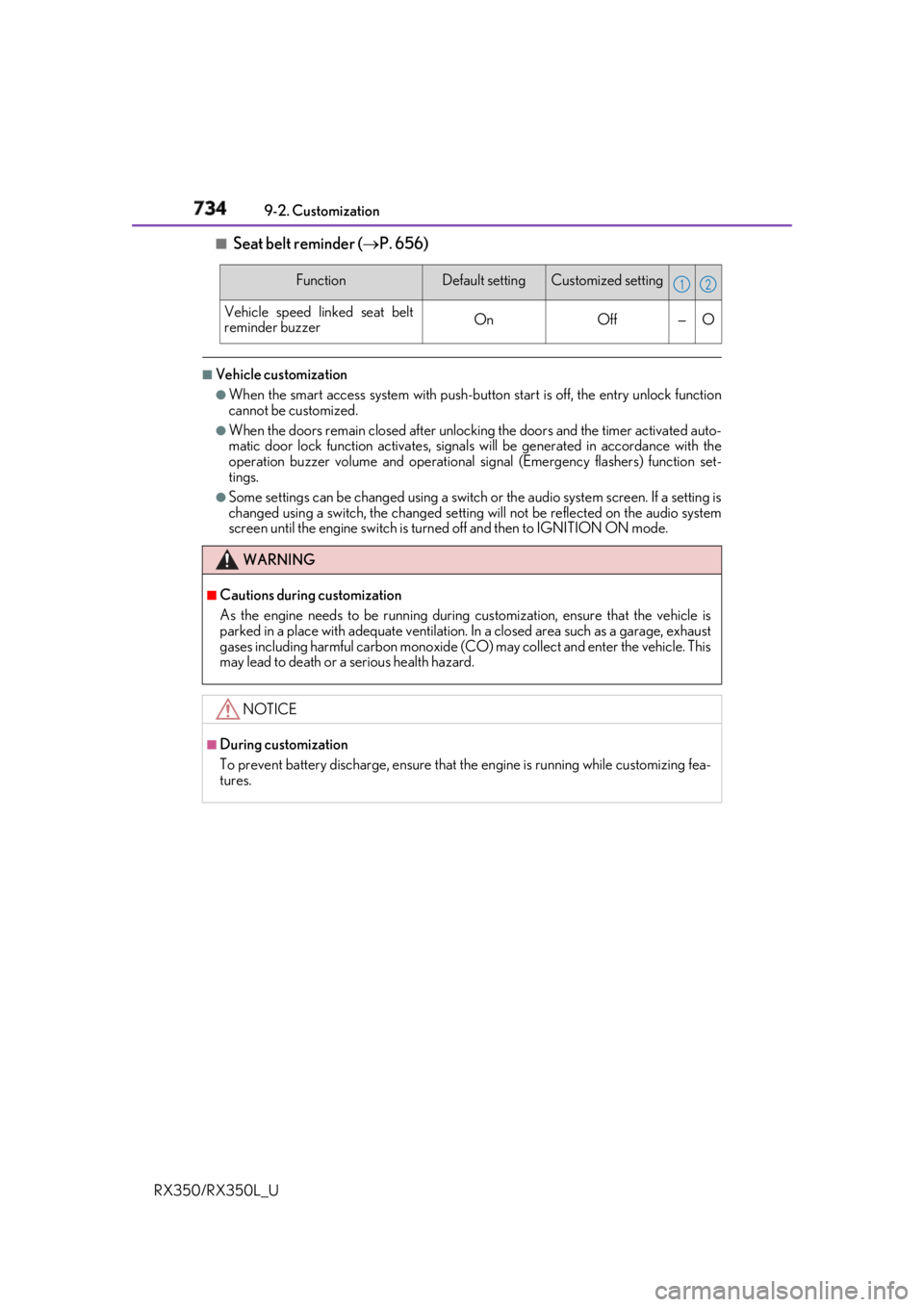
RX350/RX350L_U ■
Seat belt reminder ( P. 656)■
Vehicle customization ●
When the smart access system with push-button start is off, the entry unlock function
cannot be customized. ●
When the doors remain closed after unlocking the doors and the timer activated auto-
matic door lock function activates, signals will be generated in accordance with the
operation buzzer volume and operational si gnal (Emergency flashers) function set-
tings. ●
Some settings can be changed using a switch or the audio system screen. If a setting is
changed using a switch , the changed setting will not be reflected on the audio system
screen until the engine switch is turn ed off and then to IGNITION ON mode.Function Default setting Customized setting
Vehicle speed linked seat belt
reminder buzzer On Off — O
WARNING ■
Cautions during customization
As the engine needs to be running during customization, ensure that the vehicle is
parked in a place with adequate ventilation. In a closed area such as a garage, exhaust
gases including harmful carbon monoxide (CO) may collect and enter the vehicle. This
may lead to death or a serious health hazard.
NOTICE ■
During customization
To prevent battery discharge, ensure that the engine is running while customizing fea-
tures. 1 2