display LEXUS RX400H 2008 Owner's Guide
[x] Cancel search | Manufacturer: LEXUS, Model Year: 2008, Model line: RX400H, Model: LEXUS RX400H 2008Pages: 487, PDF Size: 6.96 MB
Page 217 of 487
215
3-2. Using the front audio system
3
Interior features
RX400h_UInsert the next CD when the indicator on the slot turns from
amber to green again.
Repeat the procedure for the remaining CDs.
To stop the operation, press .
Ejecting CDs
■ Ejecting a CD
To select the CD to be ejected, press ∧ or ∨ on .
The number of the CD select ed is shown on the display.
Press and remove the CD.
■ Ejecting all the CDs
Press and hold until you hear a beep, and then remove the CDs.
Selecting, fast-forwarding, re wind, and scanning tracks
■ Selecting a track
Press ∧ to move up and ∨ to move down using until the
desired track number is displayed.
To fast-forward or rewind, press and hold ∧ or ∨ on .
■Scanning a CD
Press .
The first ten seconds of each track will be played.
Press the switch again when the desired track is reached.
STEP3
STEP1
STEP2
STEP1
STEP2
Page 218 of 487
216
3-2. Using the front audio system
RX400h_U
Selecting a CD■ To select a CD to play
To select the desired CD, press ∧ or ∨ on .
■ To scan loaded CDs
Press and hold until you hear a beep.
The first ten seconds of the first track on each CD will be played.
Press the button again when the desired CD is reached.
Repeat play
■ To repeat a track
Press (RPT).
■ To repeat all of the tracks on a CD
Press and hold (RPT) until you hear a beep.
Random playback
■ Current CD
Press (RAND).
Tracks are played in random order until random playback is canceled.
■All CDs
Press and hold (RAND) until you hear a beep.
Tracks on all loaded CDs are played in a random order until the button is
pressed once more.
Switching the display
Press .
Each time the button is pressed, the display changes in the order of Track no./
Elapsed time → CD title → Tr a c k n a m e .
STEP1
STEP2
Page 219 of 487
217
3-2. Using the front audio system
3
Interior features
RX400h_U
■Canceling random, repeat and scan playback
Press (RAND), (RPT), or again.
■When LOAD, ERROR or WAIT is shown on the display
LOAD: This indicates that the CD player has completed loading the CD.
ERROR: This indicates is a trouble either in the CD or inside the player. The CDmay be dirty, damaged, or inserted up-side down.
WAIT: Operation is stopped due to a high temperature inside the player. Wait for a while and then press . Contact your Lexus dealer if the CD still
cannot be played back.
■Discs that can be used
Discs with the marks shown below can be used.
Playback may not be possible depending on recording format or disc features, or
due to scratches, dirt or deterioration.
CDs with copy-protect features may not be used.
■CD player protection feature
To protect the internal components, playback is automatically stopped when a
problem is detected.
■If CDs are left inside the CD player or in the ejected position for extended peri-
ods
CDs may be damaged and may not play properly.
■Lens cleaners
Do not use lens cleaners. Doing so may damage the CD player.
Page 222 of 487
220
3-2. Using the front audio system
RX400h_U
Playing back MP3 and WMA discs
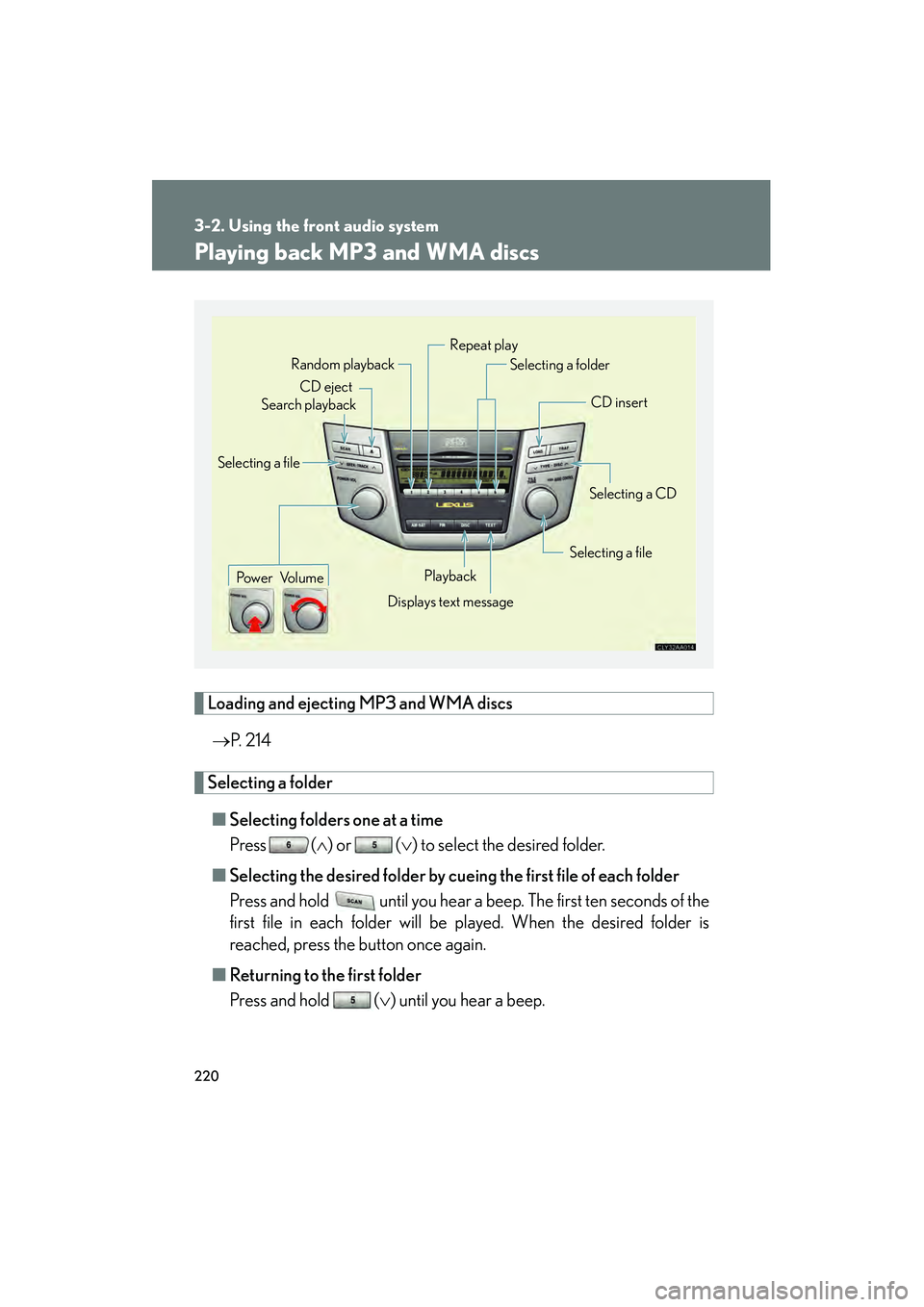
Loading and ejecting MP3 and WMA discs→ P. 2 1 4
Selecting a folder
■ Selecting folders one at a time
Press ( ∧) or ( ∨) to select the desired folder.
■ Selecting the desired folder by cuei ng the first file of each folder
Press and hold until you hear a beep. The first ten seconds of the
first file in each folder will be played. When the desired folder is
reached, press the button once again.
■ Returning to the first folder
Press and hold ( ∨) until you hear a beep.
Pow e r Vo l u m e CD eject
Playback
Search playback
CD insert
Selecting a CD
Selecting a file
Random playback
Repeat play
Displays text message
Selecting a folder
Selecting a file
Page 223 of 487
221
3-2. Using the front audio system
3
Interior features
RX400h_U
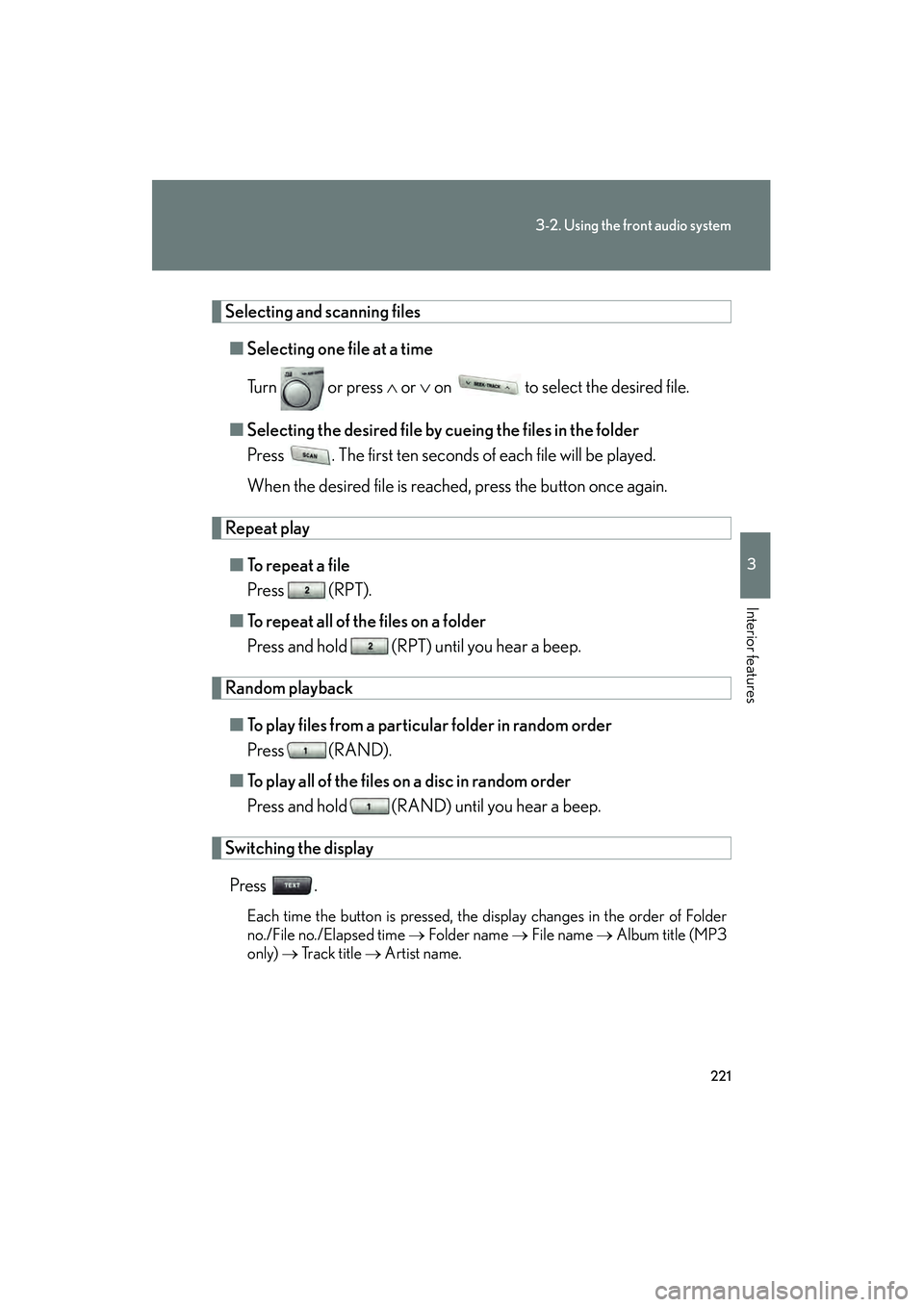
Selecting and scanning files■ Selecting one file at a time
Tu r n o r p r e s s ∧ or ∨ on to select the desired file.
■ Selecting the desired file by cu eing the files in the folder
Press . The first ten seconds of each file will be played.
When the desired file is reached, press the button once again.
Repeat play
■ To r e p e a t a f i l e
Press (RPT).
■ To repeat all of the files on a folder
Press and hold (RPT) until you hear a beep.
Random playback
■ To play files from a particular folder in random order
Press (RAND).
■ To play all of the files on a disc in random order
Press and hold (RAND) until you hear a beep.
Switching the display
Press .
Each time the button is pressed, the display changes in the order of Folder
no./File no./Elapsed time → Folder name → File name → Album title (MP3
only) → Tr a c k t i t l e → Artist name.
Page 224 of 487
222
3-2. Using the front audio system
RX400h_U
■Canceling random, repeat and scan playback
Press (RAND), (RPT), or
again.
■When LOAD, ERROR or WAIT is shown on the display.
LOAD: This indicates that the CD player has completed loading the CD.
ERROR: This indicates is a trouble either in the CD or inside the player. The CDmay be dirty, damaged, or inserted up-side down.
WAIT: Operation is stopped due to a high temperature inside the player. Wait for a while and then press . Contact your Lexus dealer if the CD still
cannot be played back.
NO MUSIC: This indicates that the MP3/WMA file is not included in the CD.
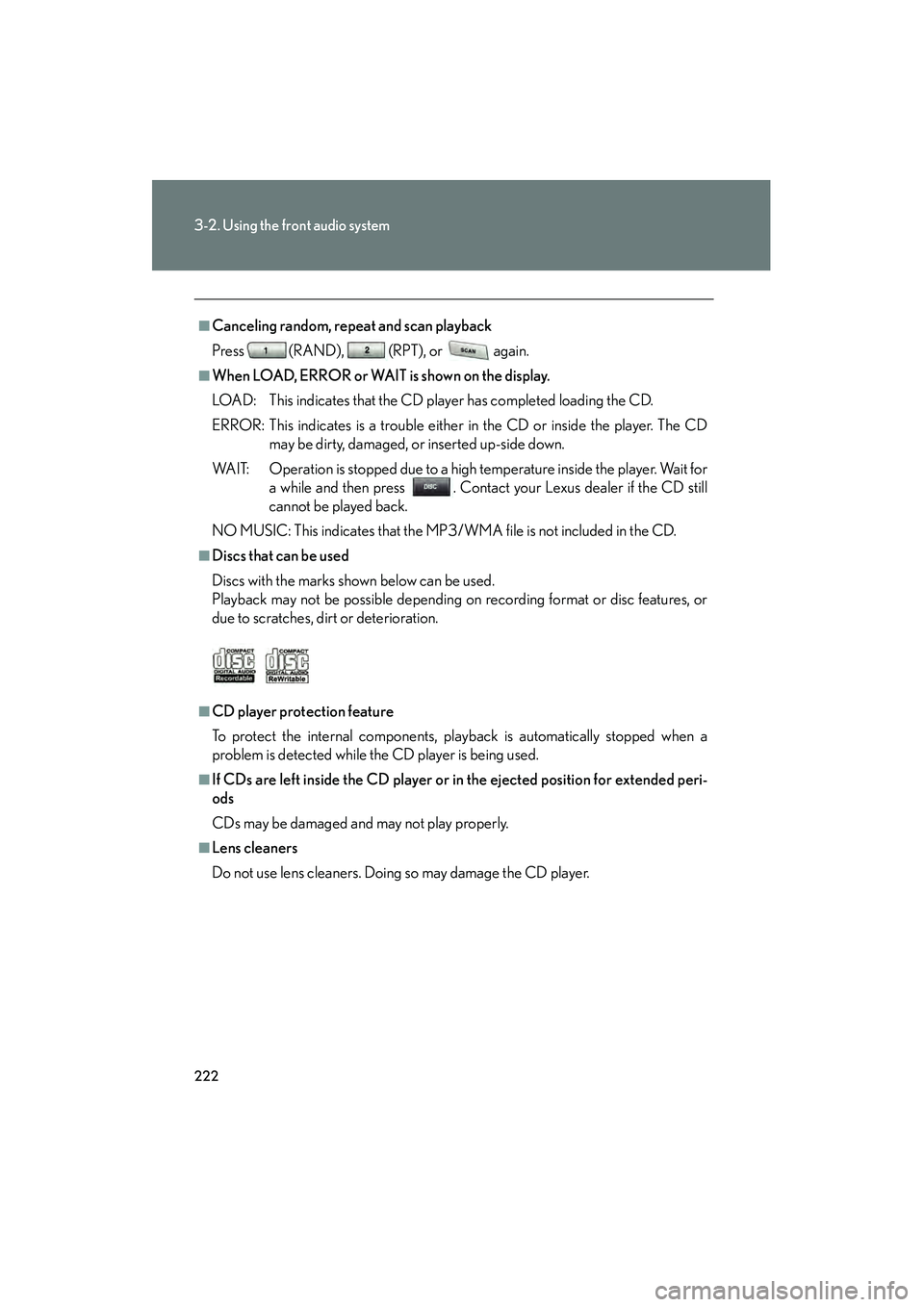
■Discs that can be used
Discs with the marks shown below can be used.
Playback may not be possible depending on recording format or disc features, or
due to scratches, dirt or deterioration.
■CD player protection feature
To protect the internal components, playback is automatically stopped when a
problem is detected while the CD player is being used.
■If CDs are left inside the CD player or in the ejected position for extended peri-
ods
CDs may be damaged and may not play properly.
■Lens cleaners
Do not use lens cleaners. Doing so may damage the CD player.
Page 230 of 487
228
3-2. Using the front audio system
RX400h_U
Optimal use of the audio system
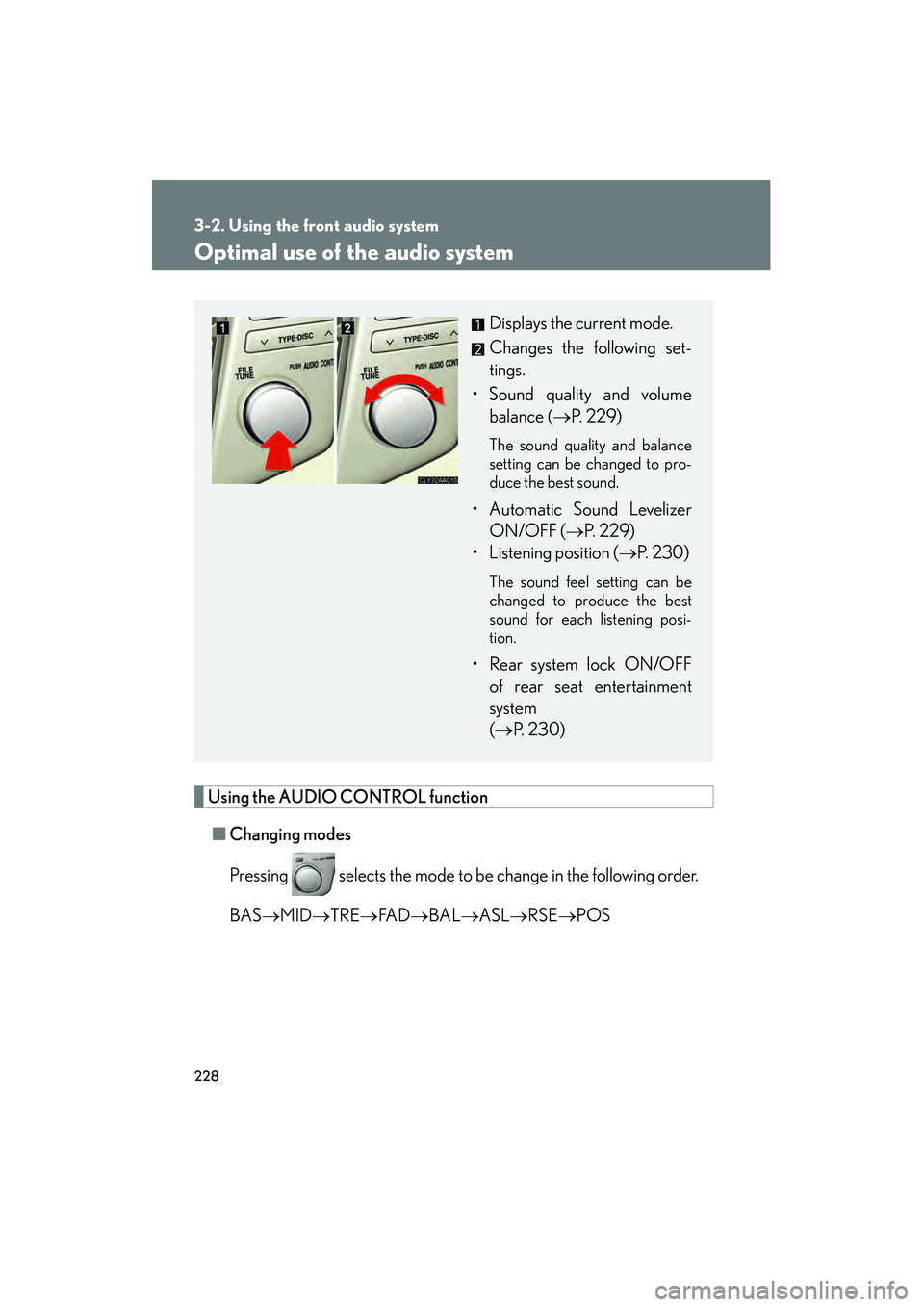
Using the AUDIO CONTROL function■ Changing modes
Pressing selects the mode to be change in the following order.
BAS →MID →TRE →FA D →BAL →ASL →RSE →POS
Displays the current mode.
Changes the following set-
tings.
• Sound quality and volume balance ( →P. 229)
The sound quality and balance
setting can be changed to pro-
duce the best sound.
• Automatic Sound Levelizer
ON/OFF ( →P. 229)
• Listening position ( →P. 2 3 0 )
The sound feel setting can be
changed to produce the best
sound for each listening posi-
tion.
• Rear system lock ON/OFF
of rear seat entertainment
system
(→ P. 2 3 0 )
Page 231 of 487
229
3-2. Using the front audio system
3
Interior features
RX400h_U■
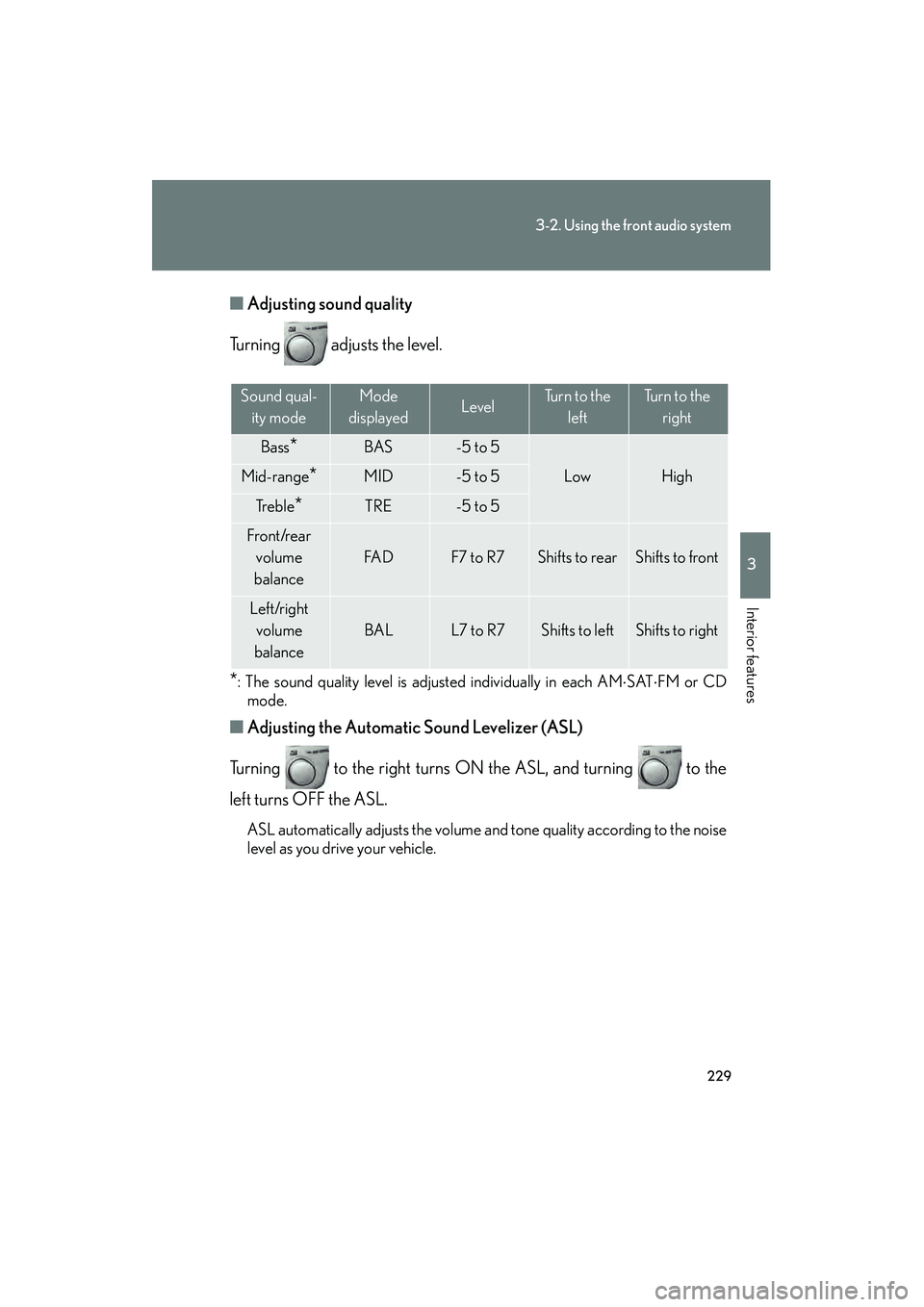
Adjusting sound quality
Turning adjusts the level.
*: The sound quality level is adjusted individually in each AM ⋅SAT ⋅FM or CD
mode.
■ Adjusting the Automatic Sound Levelizer (ASL)
Turning to the right turns ON the ASL, and turning to the
left turns OFF the ASL.
ASL automatically adjusts the volume and tone quality according to the noise
level as you drive your vehicle.
Sound qual- ity modeMode
displayedLevelTurn to the leftTurn to the right
Bass*BAS-5 to 5
LowHighMid-range*MID-5 to 5
Tr e b l e*TRE-5 to 5
Front/rear volume
balance
FA DF7 to R7Shifts to rearShifts to front
Left/right volume
balance
BALL7 to R7Shifts to leftShifts to right
Page 232 of 487
230
3-2. Using the front audio system
RX400h_U■
Changing the li stening position
Turning changes the position in the following order.
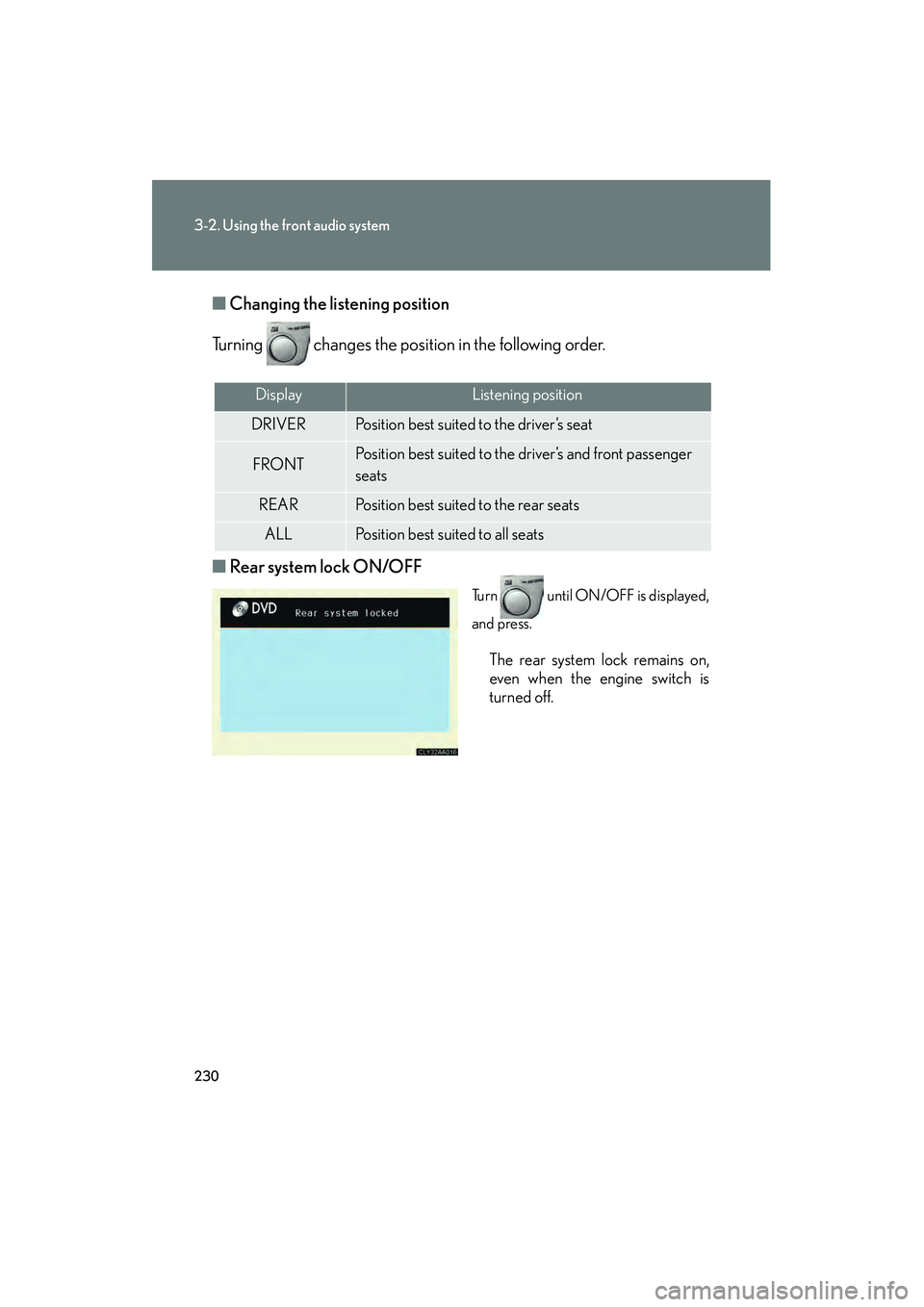
■ Rear system lock ON/OFF
Turn until ON/OFF is displayed,
and press.
The rear system lock remains on,
even when the engine switch is
turned off.
DisplayListening position
DRIVERPosition best suited to the driver’s seat
FRONTPosition best suited to the driver’s and front passenger
seats
REARPosition best suited to the rear seats
ALLPosition best suited to all seats
Page 235 of 487
233
3
Interior features
RX400h_U
3-3. Using the rear audio system
Rear seat entertainment system features (if equipped)
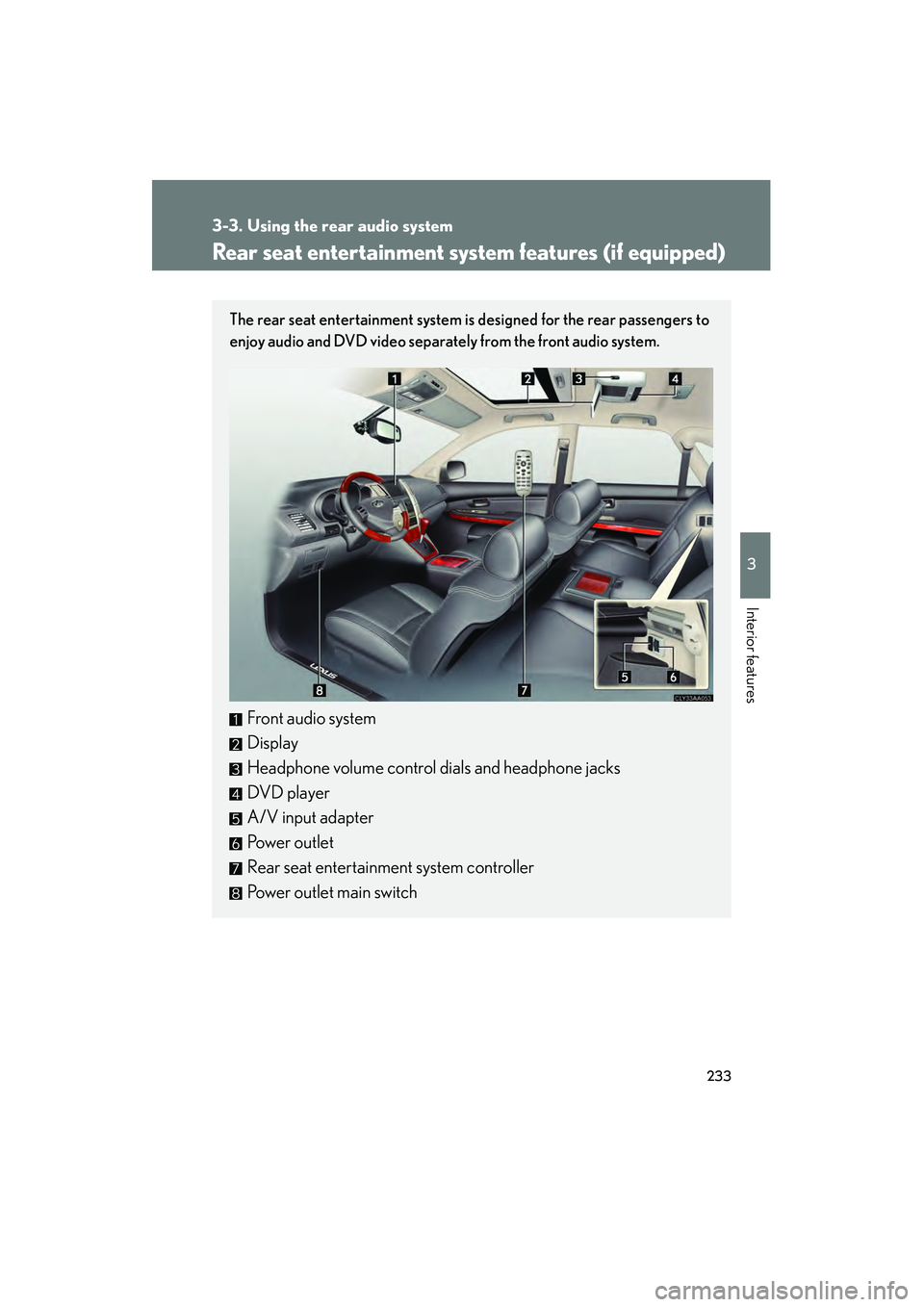
The rear seat entertainment system is designed for the rear passengers to
enjoy audio and DVD video separately from the front audio system.
Front audio system
Display
Headphone volume control dials and headphone jacks
DVD pla yer
A/V input adapter
Power outlet
Rear seat entertainment system controller
Power outlet main switch