ESP LEXUS RX450h 2016 Workshop Manual
[x] Cancel search | Manufacturer: LEXUS, Model Year: 2016, Model line: RX450H, Model: LEXUS RX450H 2016Pages: 660, PDF Size: 10.15 MB
Page 387 of 660
387
4
Driving
RX450h_U_OM0E013U 4-6. Driving tips
◆ Using Eco drive mode
When using Eco drive mode, the torq ue corresponding to the accelerator
pedal depression amount can be generate d more smoothly than it is in normal
conditions. In addition, the operation of the air conditioning system (heat-
ing/cooling) will be minimized, improving the fuel economy. ( P. 3 7 7 )
◆ Use of Hybrid System Indicator
The Eco-friendly driving is possible by keeping the indicator needle (except F
SPORT models) or bar display (F SPOR T models) of Hybrid System Indicator
within Eco area. ( P. 100)
◆ Shift lever operation
Shift the shift lever to D when stopped at a traffic light, or driving in heavy traf-
fic, etc. Shift the shift lever to P when parking. When using the N, there is no
positive effect on fuel consumption. In the N, the gasoline engine operates but
electricity cannot be generated. Also, wh en using the air conditioning system,
etc., the hybrid battery (traction battery) power is consumed.
◆ Accelerator pedal/brake pedal operation ●
Drive your vehicle smoothly. Avoid ab rupt acceleration and deceleration.
Gradual acceleration and deceleration will make more effective use of the
electric motor (traction motor) wi thout having to use gasoline engine
power. ●
Avoid repeated acceleration. Repeated acceleration consumes hybrid bat-
tery (traction battery) power, resulting in poor fuel consumption. Battery
power can be restored by driving with the accelerator pedal slightly
released.
◆ When braking
Make sure to operate the brakes gently and in a timely manner. A greater
amount of electrical energy can be regenerated when slowing down.Hybrid vehicle driving tips For economical and ecological driving, pay attention to the following points:
Page 395 of 660
3954-6. Driving tips
4
Driving
RX450h_U_OM0E013U Your vehicle is not designed to be driven off-road. However, in the event that
off-road driving cannot be avoided, please observe the following precautions to
help avoid the areas prohibited to vehicles. ●
Drive your vehicle only in areas where off-road vehicles are permitted to
travel. ●
Respect private property. Get owner’s permission before entering private
property. ●
Do not enter areas that are closed. Honor gates, barriers and signs that
restrict travel. ●
Stay on established roads. When co nditions are wet, driving techniques
should be changed or travel delayed to prevent damage to roads. ●
AWD models: Avoid driving on very steep, slippery roads and other surfaces,
such as sand, where the tires are liable to lose traction. Your vehicle may not
perform as well as conventional AWD on-road vehicles on these surfaces.■
Additional information for off-road driving
For owners in U.S. mainland, Hawaii and Puerto Rico:
To obtain additional informat ion pertaining to driving your vehicle off-road, consult the
following organizations. ●
State and Local Parks and Recreation Departments ●
State Motor Vehicle Bureau ●
Recreational Vehicle Clubs ●
U.S. Forest Service and Bureau of Land ManagementOff-road driving
Page 396 of 660
396 4-6. Driving tips
RX450h_U_OM0E013U WA R N I N G ■
Off-road driving precautions
Always observe the following precautions to minimize the risk of death, serious injury
or damage to your vehicle: ●
Drive carefully when off the road. Do not ta ke unnecessary risks by driving in danger-
ous places. ●
Do not grip the steering wheel spokes when driving off-road. A bad bump could jerk
the wheel and injure your hands. Keep both hands and especially your thumbs on the
outside of the rim. ●
Always check your brakes for effectivenes s immediately after driving in sand, mud,
water or snow. ●
After driving through tall grass, mud, rock, sand, rivers, etc., check that there is no
grass, bush, paper, rags, stone, sand, etc. adhering or trapped on the underbody.
Clear off any such matter from the underbody. If the vehicle is used with these materi-
als trapped or adhering to the underb ody, a breakdown or fire could occur.●
When driving off-road or in rugged terrai n, do not drive at excessive speeds, jump,
make sharp turns, strike objects, etc. This may cause loss of control or vehicle rollover
causing death or serious injury. You are also risking expensive damage to your vehi-
cle’s suspension and chassis.
NOTICE ■
To prevent water damage
Take all necessary safety measures to ensure that water damage to the hybrid battery
(traction battery), hybrid system or other components does not occur. ●
Water entering the engine compartment may cause severe damage to the hybrid
system. Water entering the interior may cause the hybrid battery (traction battery)
stowed under the rear seats to short circuit. ●
Water entering the hybrid transmission and rear electric motor (traction motor)
(AWD models only) will cause deterioration in transmission qua lity. The malfunction
indicator may come on, and the vehicle may not be drivable. ●
Water can wash the grease from wheel be arings, causing rusting and premature fail-
ure, and may also enter the hybrid transmission case, reducing the gear oil’s lubricat-
ing qualities. ■
When you drive through water
If driving through water, such as when crossing shallow streams, first check the depth of
the water and the bottom of the riverbed for firmness. Drive slowly and avoid deep
water. ■
Inspection after off-road driving ●
Sand and mud that has accumulated around brake discs may affect braking efficiency
and may damage brake system components. ●
Always perform a maintenance inspection after each day of off-road driving that has
taken you through rough terr ain, sand, mud, or water. For scheduled maintenance
information, refer to the “Warranty and Services Guide/Owner’s Manual Supple-
ment/Scheduled Maintenance”.
Page 400 of 660
400 5-1. Basic operation of the Remote Touch screen
RX450h_U_OM0E013U ■
Screen display during low temperatures
When the ambient temperature is extremely low, screen response may be delayed even
if the Remote Touch is operated.
WA R N I N G ■
When using the Remote Touch ●
Do not allow fingers, fingernails or hair to become caught in the Remote Touch as this
may cause an injury. ●
Be careful when selecting the Remote To uch in extreme temperatures as it may
become very hot or cold due to the temperature inside the vehicle.
NOTICE ■
To prevent damage to the Remote Touch ●
Do not allow the Remote Touch to come into contact with food, liquid, stickers or lit
cigarettes as doing so may cause it to change color, emit a strange odor or stop func-
tioning. ●
Do not subject the Remote Touch to excessive pressure or strong impact as the knob
may bend or break off. ●
Do not allow coins, contact lenses or other such items to become caught in the
Remote Touch as this may cause it to stop functioning. ●
Items of clothing may rip if they beco me caught on the Remote Touch knob.●
If your hand or any object is on the Remote Touch knob when the power switch is in
ACCESSORY mode, the Remote Touch knob may not operate properly.
Page 403 of 660
4035-1. Basic operation of the Remote Touch screen
5
Interior features
RX450h_U_OM0E013U ■
Selecting the operation screen
When selecting the main display, move the Remote Touch knob to the left.
When selecting the side display, move the Remote Touch knob to the right. ■
Main display
For details about the functions and operat ion of the main display, refer to the
respective section and “NAVIGATION SYSTEM OWNER’S MANUAL”. ■
Side display
Basic screens
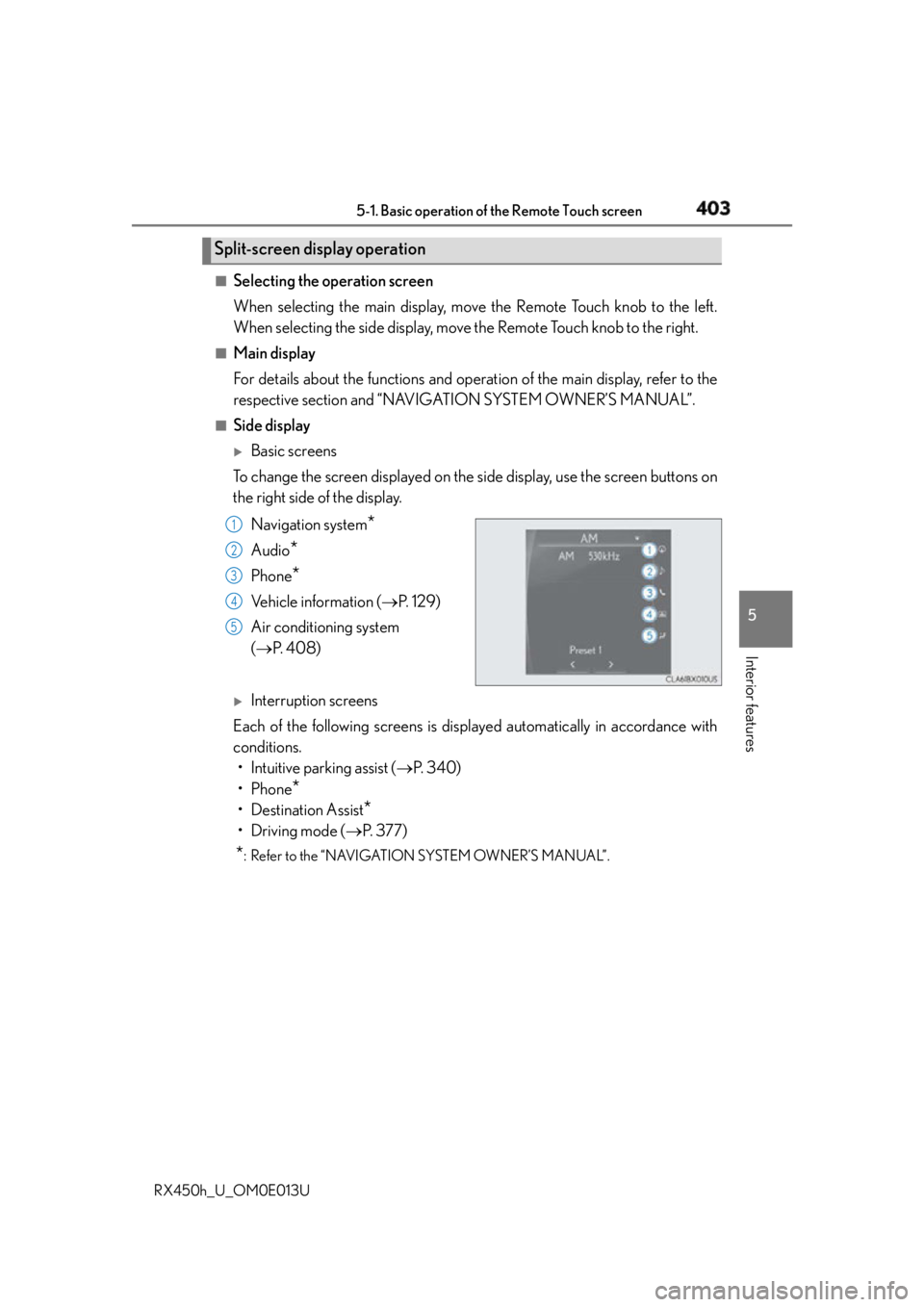
To change the screen displayed on the side display, use the screen buttons on
the right side of the display.
Navigation system
*Audio
* Phone
* Vehicle information ( P. 1 2 9 )
Air conditioning system
( P. 4 0 8 )
Interruption screens
Each of the following screens is displayed automatically in accordance with
conditions.
• Intuitive parking assist ( P. 3 4 0 )
•Phone
*• Destination Assist
*•Driving mode ( P. 3 7 7 )
* : Refer to the “NAVIGATION SYSTEM OWNER’S MANUAL”.Split-screen display operation
1
2
3
4
5
Page 414 of 660
414 5-2. Using the air conditio ning system and defogger
RX450h_U_OM0E013UHeated steering wheel
/seat heaters/seat ventila-
tors
: If equippedHeated steering wheel and seat heater s heat the side grips of the steering
wheel and seats, respectively. Seat ventilators maintain good airflow by blow-
ing air from the seats. WA R N I N G ●
Care should be taken to prevent injury if anyone in the following categories comes in
contact with the steering wheel an d seats when the heater is on:
• Babies, small children, the elderly, the sick and the physically challenged
• Persons with sensitive skin
• Persons who are fatigued
• Persons who have taken alcohol or drugs that induce sleep (s leeping drugs, cold
remedies, etc.) ●
Observe the following precautions to prevent minor burns or overheating:
• Do not cover the seat with a blanket or cushion when using the seat heater.
• Do not use seat heater more than necessary.
NOTICE ●
Do not put heavy objects that have an uneven surface on the seat and do not stick
sharp objects (needles, nails, etc.) into the seat. ●
To prevent 12-volt battery discharge, do not use the functions when the hybrid system
is off.
Page 420 of 660
420 5-3. Using the interior lights
RX450h_U_OM0E013U ●
Illuminated entry system: The lights automatical ly turn on/off according to power switch
mode, the presence of the electronic key, whether the doors are locked/unlocked, and
whether the doors are opened/closed. ●
If the interior lights remain on when the power switch is turned off, the lights will go off
automatically after 20 minutes. ●
In the following cases, the interior lights and front personal lights may not respond as
normal.
• When water, dirt, etc., have adhered to the lens surface
• When operated with a wet hand
• When wearing gloves, etc. ●
Some functions can be customized ( P. 6 0 7 )
NOTICE ●
Never remove the lens for the front interior light and front personal lights. Otherwise,
the lights will be damaged. If the lens ne ed to remove, contact your Lexus dealer.●
To prevent 12-volt battery discharge, do not leave the lights on longer than necessary
when the hybrid system is off.
Page 436 of 660
436 5-5. Using the other interior features
RX450h_U_OM0E013U ■
If a cover or accessory is attached to the portable device
Do not charge a portable device if a cover or accessory which is not Qi compatible is
attached. Depending on the type of cover and/or accessory attached, it may not be pos-
sible to charge the portable device. If the portable device is placed on the charging area
and does not charge, remove the cover and/or accessories. ■
If interference is heard in AM radio broadcasts while charging
Turn off the wireless charger and check if the noise is reduced. If noise is reduced, press
and hold the power supply switch of the wire less charger for 2 seconds. The frequency of
the wireless charger is changed and noise may be reduced. When the frequency is
changed, the operation indicator light will blink (orange) 2 times.■
Charging precautions ●
If the electronic key cannot be detected in the cabin, charging cannot be performed.
When a door is opened and closed, ch arging may be temporarily suspended.●
While charging, the wireless charger and the portable device will become warm. This is
not a malfunction.
If a portable device becomes warm while ch arging and charging stops due to the pro-
tection function of the portable device, wait until the portable device cools down and
charge it again. ■
Sound generated du ring operation
When the power supply switch is turned on or while a portable device is being identified,
operation sounds may be heard. This is not a malfunction. ■
Cleaning the wireless charger
P. 4 6 3 ■
Certification for the wireless charger
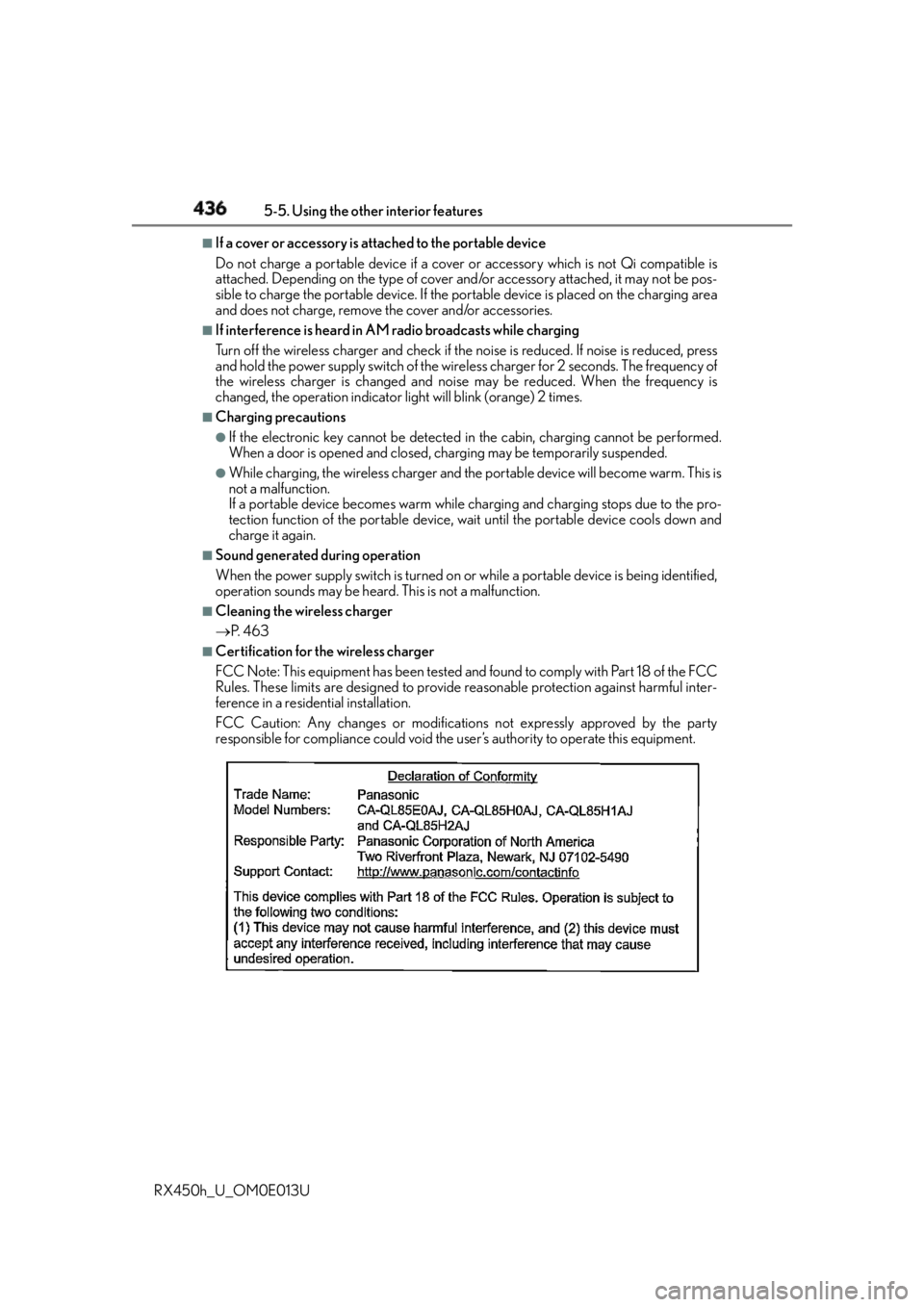
FCC Note: This equipment has been tested and found to comply with Part 18 of the FCC
Rules. These limits are designed to provide reasonable protection against harmful inter-
ference in a residential installation.
FCC Caution: Any changes or modification s not expressly approved by the party
responsible for compliance could void the user’s authority to operate this equipment.
Page 450 of 660
450 5-5. Using the other interior features
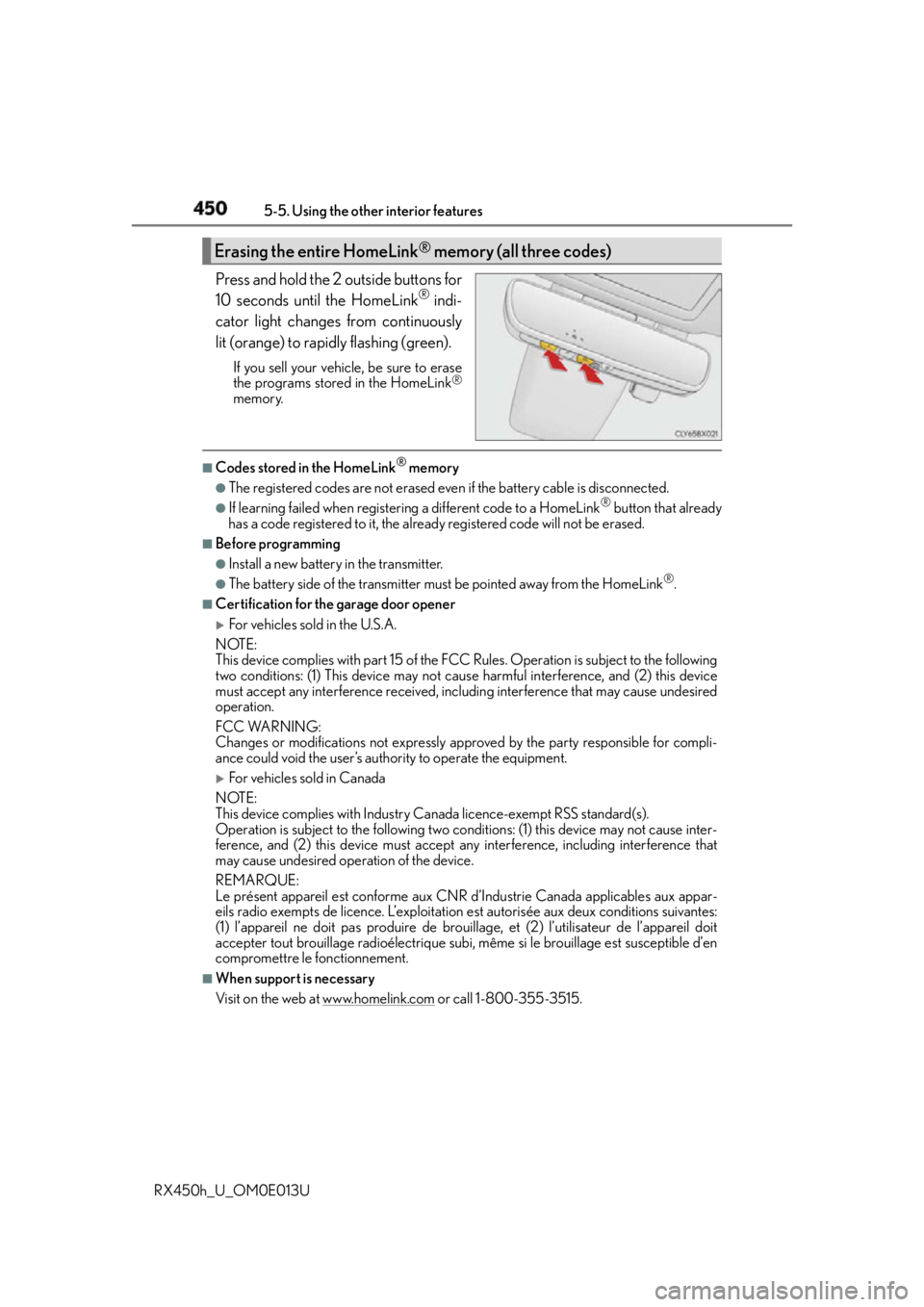
RX450h_U_OM0E013U Press and hold the 2 outside buttons for
10 seconds until the HomeLink ®
indi-
cator light changes from continuously
lit (orange) to rapidly flashing (green). If you sell your vehicle, be sure to erase
the programs stored in the HomeLink ®
memory. ■
Codes stored in the HomeLink ®
memory●
The registered codes are not erased even if the battery cabl e is disconnected.●
If learning failed when registerin g a different code to a HomeLink ®
button that already
has a code registered to it, the already registered code will not be erased. ■
Before programming ●
Install a new battery in the transmitter. ●
The battery side of the transmitter must be pointed away from the HomeLink ®
.■
Certification for the garage door opener
For vehicles sold in the U.S.A.
NOTE:
This device complies with part 15 of the FC C Rules. Operation is subject to the following
two conditions: (1) This device may not caus e harmful interference, and (2) this device
must accept any interference received, incl uding interference that may cause undesired
operation.
FCC WARNING:
Changes or modifications not expressly approved by the party responsible for compli-
ance could void the user’s authority to operate the equipment.
For vehicles sold in Canada
NOTE:
This device complies with Industry Canada licence-exempt RSS standard(s).
Operation is subject to the following two co nditions: (1) this device may not cause inter-
ference, and (2) this device must accept any interference, including interference that
may cause undesired operation of the device.
REMARQUE:
Le présent appareil est conforme aux CNR d’Industrie Canada applicables aux appar-
eils radio exempts de licence. L’exploitation est autorisée aux deux conditions suivantes:
(1) l’appareil ne doit pas produire de brou illage, et (2) l’utilisateur de l’appareil doit
accepter tout brouillage radioé lectrique subi, même si le brouillage est susceptible d’en
compromettre le fonctionnement. ■
When support is necessary
Visit on the web at www.homelink.com
or call 1-800-355-3515.Erasing the entire HomeLink ®
memory (all three codes)
Page 452 of 660
452 5-5. Using the other interior features
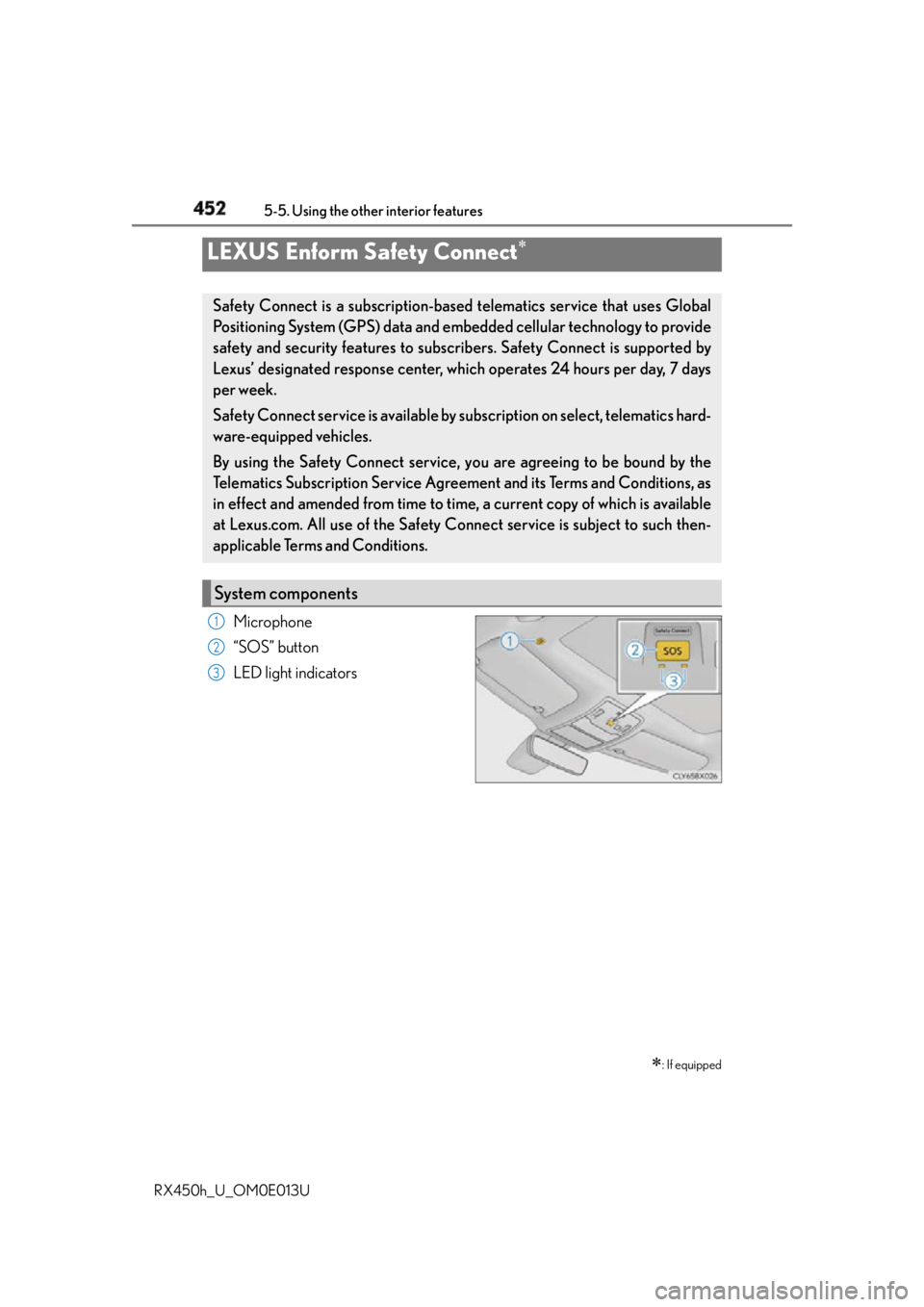
RX450h_U_OM0E013U Microphone
“SOS” button
LED light indicatorsLEXUS Enform Safety Connect
: If equippedSafety Connect is a subscription-based telematics service that uses Global
Positioning System (GPS) data and embe dded cellular techno logy to provide
safety and security features to subscribers. Safety Connect is supported by
Lexus’ designated response center, wh ich operates 24 hours per day, 7 days
per week.
Safety Connect service is available by su bscription on select, telematics hard-
ware-equipped vehicles.
By using the Safety Connect service, yo u are agreeing to be bound by the
Telematics Subscription Service Agreement and its Terms and Conditions, as
in effect and amended from time to time, a current copy of which is available
at Lexus.com. All use of the Safety Connect service is subject to such then-
applicable Terms and Conditions.
System components 1
2
3