warning LEXUS RX450h 2016 Repair Manual
[x] Cancel search | Manufacturer: LEXUS, Model Year: 2016, Model line: RX450H, Model: LEXUS RX450H 2016Pages: 660, PDF Size: 10.15 MB
Page 307 of 660
3074-5. Using the driving support systems
4
Driving
RX450h_U_OM0E013U ■
Operation conditions of each function ●
Lane departure alert function
This function operates when all of the following conditions are met.
• LDA is turned on.
• Vehicle speed is approximately 32 mph (50 km/h) or more.
• System recognizes white (yellow) lines.
• Width of traffic lane is approximately 9.8 ft. (3 m) or more.
• Turn signal lever is not operated.
• Vehicle is driven on a straight road or around a gentle curve with a radius of more
than approximately 492 ft. (150 m).
• No system malfunctions are detected. ( P. 5 3 6 )●
Steering assist function
This function operates when all of the foll owing conditions are met in addition to the
operation conditions for the lane departure alert function.
• Setting for “Steering Assist” in of the multi-information display is set to “On”.
( P. 1 0 9 )
• Vehicle is not accelerated or decelerated by a fixed amount or more.
• Steering wheel is not operated with a st eering force level suitable for changing
lanes.
• ABS, VSC, TRAC and PCS are not operating.
• TRAC or VSC is not turned off. ●
Ve h i c l e s w a y w a r n i n g
This function operates when all of the following conditions are met.
• Setting for “Sway Warning” in of the multi-information display is set to “On”.
( P. 1 0 9 )
• Vehicle speed is approximately 32 mph (50 km/h) or more.
• Width of traffic lane is approximately 9.8 ft. (3 m) or more.
• No system malfunctions are detected. ( P. 5 3 6 )
Page 308 of 660

308 4-5. Using the driving support systems
RX450h_U_OM0E013U ■
Temporary cancellation of functions
When operation conditions are no longer me t, a function may be temporarily canceled.
However, when the operation conditions are met again, operation of the function is auto-
matically restored. ( P. 3 0 7 )■
Steering assist function
Depending on the vehicle speed, lane depart ure situation, road conditions, etc., the
operation of the functions may not be reco gnized or the functions may not operate.■
Lane departure alert function
The warning buzzer may be difficult to hear due to external noise, audio playback, etc.
Also, it may be difficult to feel steering wheel vibrations due to the road conditions, etc. ■
Hands off steering wheel alert
When the system determines that the driver has removed their hands from the steering
wheel while the steering assist function is operating, a warning message is displayed on
the multi-information displa y and the buzzer sounds.■
White (yellow) lines are on ly on one side of road
The LDA system will not operate for the side on which white (yellow) lines could not be
recognized.
Page 310 of 660

310 4-5. Using the driving support systems
RX450h_U_OM0E013U ■
If the LDA indicator is illuminated in amber and a warning message is displayed on the
multi-information display
P. 5 3 6 ■
Customization
Some functions can be customized. ( P. 1 0 9 )
Page 313 of 660
3134-5. Using the driving support systems
4
Driving
RX450h_U_OM0E013U WA R N I N G ■
Situations unsuitable for dynamic rada r cruise control with full-speed range
Do not use dynamic radar cruise control wi th full-speed range in any of the following
situations.
Doing so may result in inappropriate speed control and could cause an accident result-
ing in death or serious injury. ●
Roads where there are pede strians, cyclers, etc.●
In heavy traffic ●
On roads with sharp bends ●
On winding roads ●
On slippery roads, such as thos e covered with rain, ice or snow●
On steep downhills, or where there are sudden changes between sharp up and down
gradients
Vehicle speed may exceed the set speed when driving down a steep hill. ●
At entrances to freeways and highways ●
When weather conditions are bad enough that they may prevent the sensors from
detecting correctly (fog, snow, sandstorm, heavy rain, etc.)●
When there is rain, snow, etc. on the front surface of the radar sensor or camera sen-
sor ●
In traffic conditions that require frequent repeated acceleration and deceleration ●
When your vehicle is towing a trailer or during emergency towing ●
When an approach warning buzzer is heard often
Page 318 of 660
318 4-5. Using the driving support systems
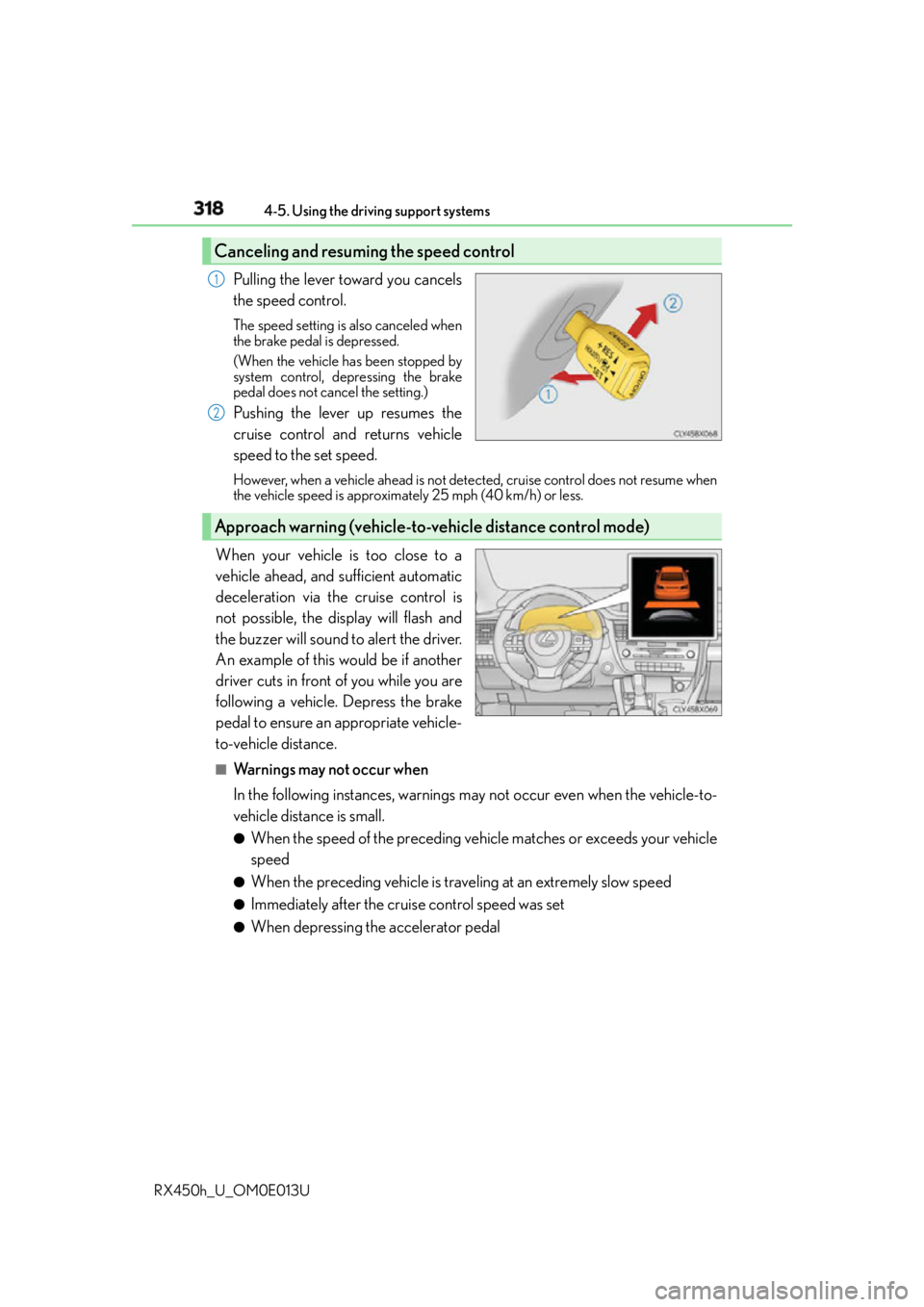
RX450h_U_OM0E013U Pulling the lever toward you cancels
the speed control. The speed setting is also canceled when
the brake pedal is depressed.
(When the vehicle has been stopped by
system control, depressing the brake
pedal does not cancel the setting.)
Pushing the lever up resumes the
cruise control and returns vehicle
speed to the set speed. However, when a vehicle ahead is not dete cted, cruise control does not resume when
the vehicle speed is approximately 25 mph (40 km/h) or less.
When your vehicle is too close to a
vehicle ahead, and sufficient automatic
deceleration via the cruise control is
not possible, the display will flash and
the buzzer will sound to alert the driver.
An example of this would be if another
driver cuts in front of you while you are
following a vehicle. Depress the brake
pedal to ensure an appropriate vehicle-
to-vehicle distance. ■
Warnings may not occur when
In the following instances, warnings may not occur even when the vehicle-to-
vehicle distance is small. ●
When the speed of the preceding vehicle matches or exceeds your vehicle
speed ●
When the preceding vehicle is traveling at an extremely slow speed ●
Immediately after the cruise control speed was set ●
When depressing the accelerator pedalCanceling and resuming the speed control 1
2
Approach warning (vehicle-to-vehicle distance control mode)
Page 321 of 660
3214-5. Using the driving support systems
4
Driving
RX450h_U_OM0E013U ■
Automatic cancelation of constant speed control mode
Constant speed control mode is automatica lly canceled in the following situations:●
Actual vehicle speed is more than approximately 10 mph (16 km/h) below the set vehi-
cle speed. ●
Actual vehicle speed falls below approximately 25 mph (40 km/h). ●
VSC is activated. ●
TRAC is activated for a period of time. ●
When the VSC or TRAC system is turned off by pressing the VSC OFF switch. ●
Pre-collision braking is activated.
If constant speed control mode is automatica lly canceled for any other reason, there may
be a malfunction in the system. Contact your Lexus dealer. ■
Warning messages and buzzers for dynamic ra dar cruise control with full-speed range
Warning messages and buzzers are used to indicate a system malfunction or to inform
the driver of the need for caution while driving. If a warning message is shown on the
multi-information display, read the message and follow the instructions.■
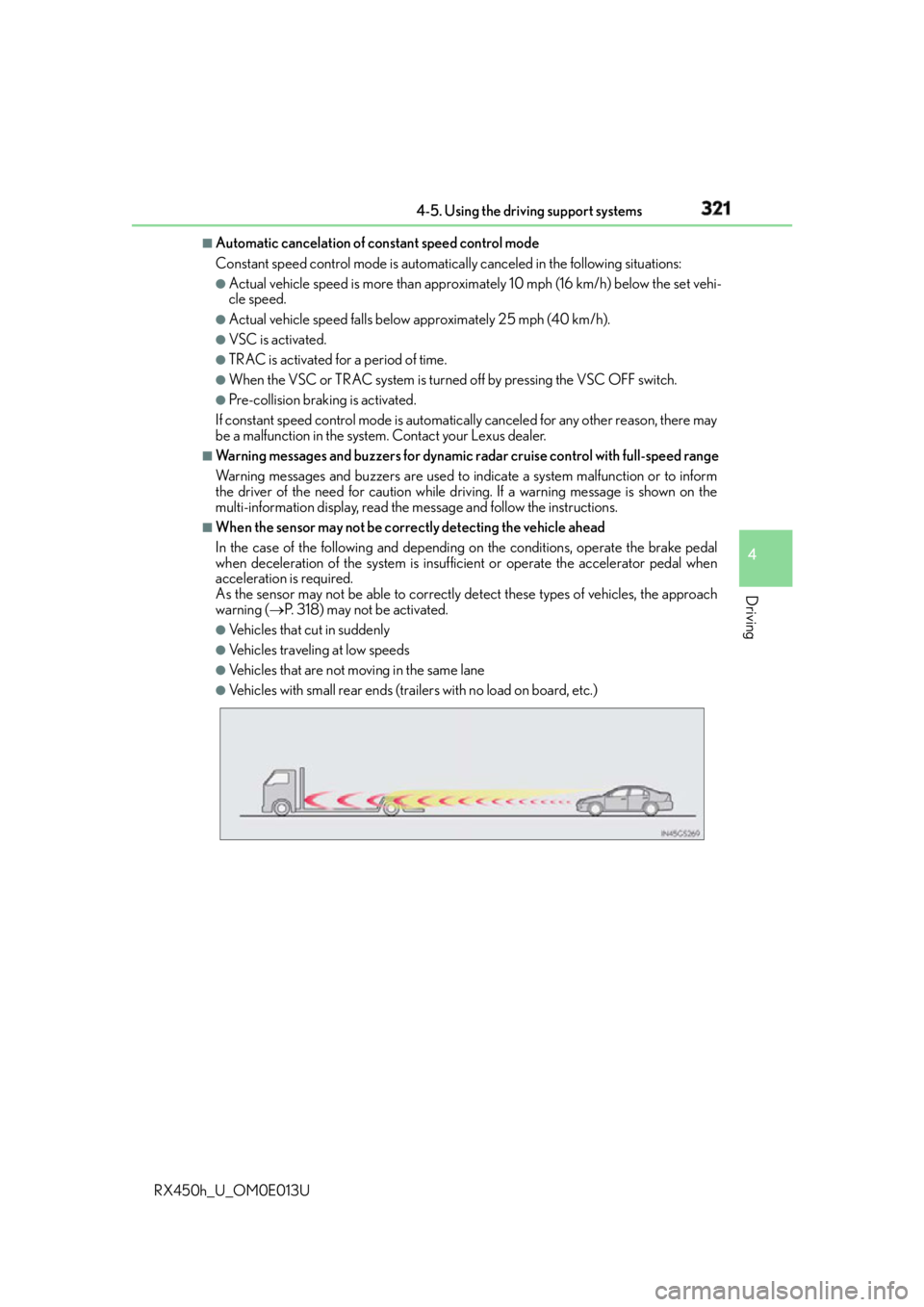
When the sensor may not be correctly detecting the vehicle ahead
In the case of the following and depending on the conditions, operate the brake pedal
when deceleration of the system is insuff icient or operate the accelerator pedal when
acceleration is required.
As the sensor may not be able to correctly detect these types of vehicles, the approach
warning ( P. 318) may not be activated.●
Vehicles that cut in suddenly ●
Vehicles traveling at low speeds ●
Vehicles that are not moving in the same lane ●
Vehicles with small rear ends (traile rs with no load on board, etc.)
Page 325 of 660
3254-5. Using the driving support systems
4
Driving
RX450h_U_OM0E013U WA R N I N G ■
Situations unsuitable for dynamic radar cruise control
Do not use dynamic radar cruise control in any of the following situations.
Doing so may result in inappropriate speed control and could cause an accident result-
ing in death or serious injury. ●
Roads where there are pede strians, cyclers, etc.●
In heavy traffic ●
On roads with sharp bends ●
On winding roads ●
On slippery roads, such as thos e covered with rain, ice or snow●
On steep downhills, or where there are sudden changes between sharp up and down
gradients
Vehicle speed may exceed the set speed when driving down a steep hill. ●
At entrances to freeways and highways ●
When weather conditions are bad enough that they may prevent the sensors from
detecting correctly (fog, snow, sandstorm, heavy rain, etc.)●
When there is rain, snow, etc. on the front surface of the radar sensor or camera sen-
sor ●
In traffic conditions that require frequent repeated acceleration and deceleration ●
When your vehicle is towing a trailer or during emergency towing ●
When an approach warning buzzer is heard often
Page 330 of 660
330 4-5. Using the driving support systems
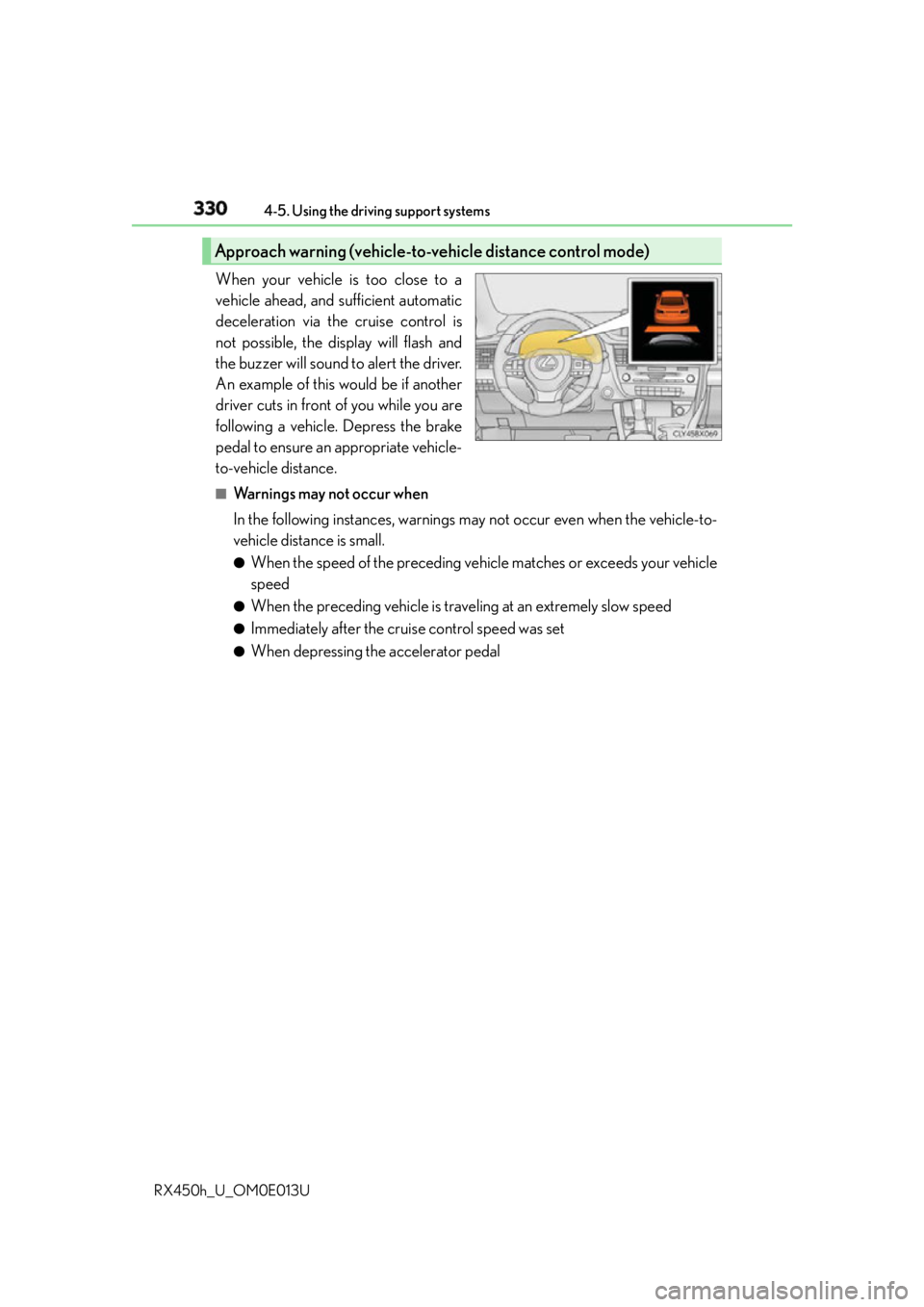
RX450h_U_OM0E013U When your vehicle is too close to a
vehicle ahead, and sufficient automatic
deceleration via the cruise control is
not possible, the display will flash and
the buzzer will sound to alert the driver.
An example of this would be if another
driver cuts in front of you while you are
following a vehicle. Depress the brake
pedal to ensure an appropriate vehicle-
to-vehicle distance. ■
Warnings may not occur when
In the following instances, warnings may not occur even when the vehicle-to-
vehicle distance is small. ●
When the speed of the preceding vehicle matches or exceeds your vehicle
speed ●
When the preceding vehicle is traveling at an extremely slow speed ●
Immediately after the cruise control speed was set ●
When depressing the accelerator pedalApproach warning (vehicle-to-vehicle distance control mode)
Page 332 of 660
332 4-5. Using the driving support systems
RX450h_U_OM0E013U ■
Dynamic radar cruise control can be set when ●
The shift lever is in D or range 4 or higher of S has been selected.●
Range 4 or higher of D has been se lected by using the paddle shift.
(vehicles with paddle shift switches) ●
Vehicle speed is above approximately 30 mph (50 km/h). ■
Accelerating after setting the vehicle speed
The vehicle can accelerate by operating the accelerator pedal. After accelerating, the
set speed resumes. However, during vehicle- to-vehicle distance control mode, the vehi-
cle speed may decrease below the set speed in order to maintain the distance to the pre-
ceding vehicle. ■
Automatic cancelation of vehicle- to-vehicle distance control mode
Vehicle-to-vehicle distance control mode is automatically canceled in the following situ-
ations. ●
Actual vehicle speed falls below approximately 25 mph (40 km/h). ●
VSC is activated. ●
TRAC is activated for a period of time. ●
When the VSC or TRAC system is turned off by pressing the VSC OFF switch. ●
The sensor cannot detect correctly because it is covered in some way. ●
Pre-collision braking is activated.
If vehicle-to-vehicle distance control mode is automatically canceled for any other rea-
son, there may be a malfunction in the system. Contact your Lexus dealer. ■
Automatic cancelation of constant speed control mode
Constant speed control mode is automatica lly canceled in the following situations:●
Actual vehicle speed is more than approximately 10 mph (16 km/h) below the set vehi-
cle speed. ●
Actual vehicle speed falls below approximately 25 mph (40 km/h). ●
VSC is activated. ●
TRAC is activated for a period of time. ●
When the VSC or TRAC system is turned off by pressing the VSC OFF switch. ●
Pre-collision braking is activated.
If constant speed control mode is automatica lly canceled for any other reason, there may
be a malfunction in the system. Contact your Lexus dealer. ■
Warning messages and buzzers for dynamic radar cruise control
Warning messages and buzzers are used to indicate a system malfunction or to inform
the driver of the need for caution while driving. If a warning message is shown on the
multi-information display, read the message and follow the instructions.
Page 333 of 660
3334-5. Using the driving support systems
4
Driving
RX450h_U_OM0E013U ■
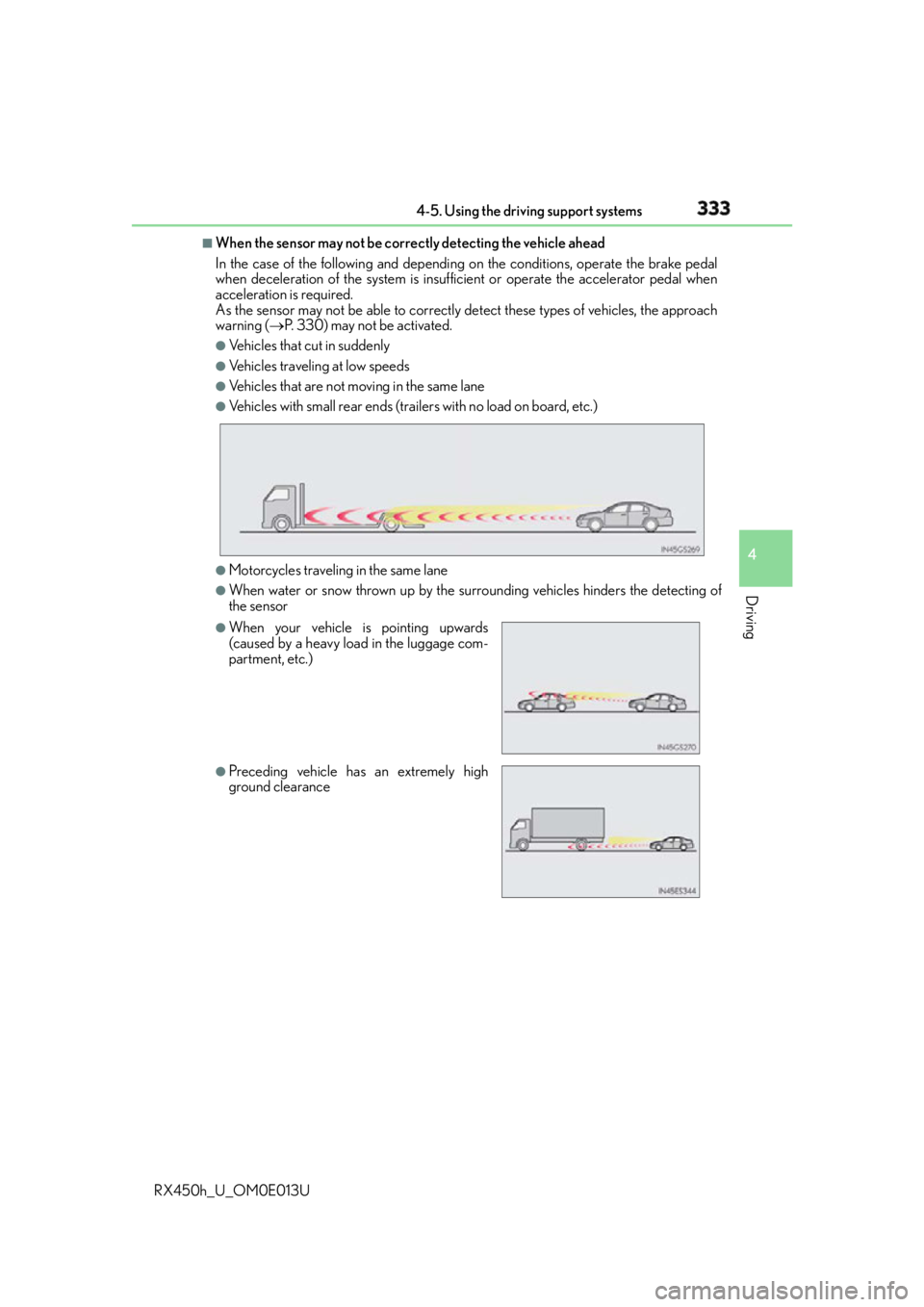
When the sensor may not be correctly detecting the vehicle ahead
In the case of the following and depending on the conditions, operate the brake pedal
when deceleration of the system is insuff icient or operate the accelerator pedal when
acceleration is required.
As the sensor may not be able to correctly detect these types of vehicles, the approach
warning ( P. 330) may not be activated.●
Vehicles that cut in suddenly ●
Vehicles traveling at low speeds ●
Vehicles that are not moving in the same lane ●
Vehicles with small rear ends (traile rs with no load on board, etc.)
●
Motorcycles traveling in the same lane ●
When water or snow thrown up by the surrounding vehicles hinders the detecting of
the sensor ●
When your vehicle is pointing upwards
(caused by a heavy load in the luggage com-
partment, etc.)
●
Preceding vehicle has an extremely high
ground clearance