low LEXUS RX450H 2016 Owners Manual
[x] Cancel search | Manufacturer: LEXUS, Model Year: 2016, Model line: RX450H, Model: LEXUS RX450H 2016Pages: 660, PDF Size: 14.85 MB
Page 275 of 660
2754-5. Using the driving support systems
4
Driving
RX450h_U_OM0E013U
WARNING
■To avoid malfunction of the camera sensor
Observe the following precautions.
Otherwise, the camera sensor may not operate properly, possibly leading to an acci-
dent resulting in death or serious injury.
●Keep the windshield clean at all times.
• If the windshield is dirty or covered with an oily film, water droplets, snow, etc.,
clear the windshield.
• If a glass coating agent is applied to the wi ndshield, it will still be necessary to use
the windshield wipers to re move water droplets from th e area of the windshield in
front of the camera sensor.
• If the inner side of the windshield where th e camera sensor is installed is dirty, con-
tact your Lexus dealer.
●If the part of the windshield in front of the camera sensor is fogged up or covered with
condensation or ice, use the windshield de fogger to remove the fog, condensation or
ice. ( P. 409)
●If water droplets cannot be properly removed from the area of the windshield in front
of the camera sensor by the windshield wipers, replace the wiper insert or wiper blade.
• To replace the wiper insert: P. 504
• If the wiper blades need to be re placed, contact your Lexus dealer.
●Do not attach window tinting to the windshield.
●Replace the windshield if it is damaged or cracked.
If the windshield needs to be re placed, contact your Lexus dealer.
●Do not get the camera sensor wet.
●Do not allow bright lights to shine into the camera sensor.
●Do not dirty or damage the camera sensor.
When cleaning the inside of the windshield , do not allow glass cleaner to contact the
lens. Also, do not touch the lens.
If the lens is dirty or damaged, contact your Lexus dealer.
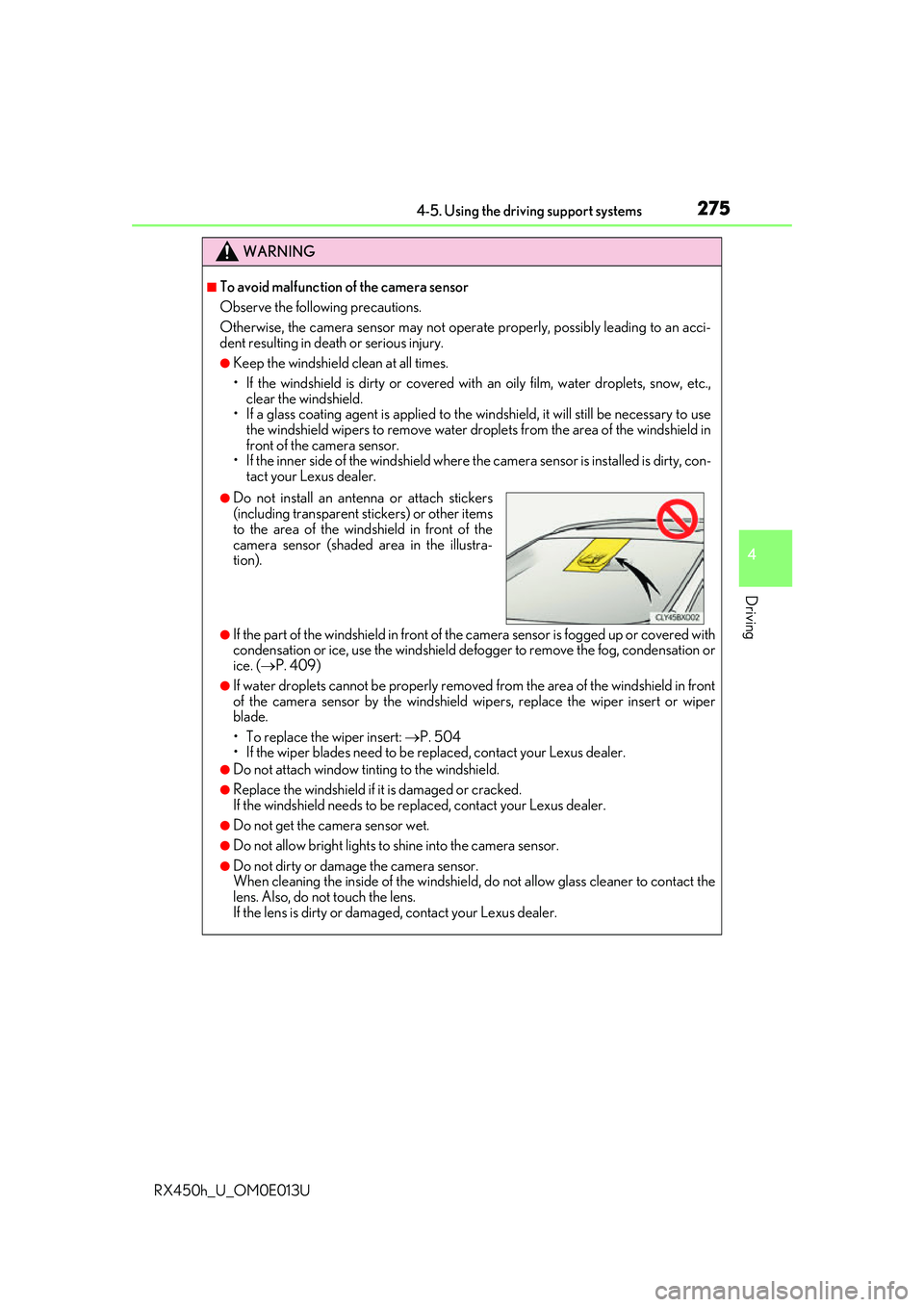
●Do not install an ante nna or attach stickers
(including transparent st ickers) or other items
to the area of the wind shield in front of the
camera sensor (shaded area in the illustra-
tion).
Page 281 of 660
2814-5. Using the driving support systems
4
Driving
RX450h_U_OM0E013U
WARNING
■Limitations of the pre-collision system
●The driver is solely responsible for safe driving. Always drive safely, taking care to
observe your surroundings.
Do not use the pre-collision system instead of normal braking operations under any
circumstances. This system will not prevent collisions or lessen collision damage or
injury in every situation. Do not overly rely on this system. Failure to do so may lead to
an accident, resulting in death or serious injury.
●Although this system is designed to help av oid and reduce the impact of a collision, its
effectiveness may change according to various conditions, therefore the system may
not always be able to achieve the same level of performance.
Read the following conditions carefully. Do not overly rely on this system and always
drive carefully.
• Conditions under which the system may oper ate even if there is no possibility of a
collision: P. 286
• Conditions under which the system may not operate properly: P. 289
●Do not attempt to test the operation of the pre-collision system yourself, as the system
may not operate properly, possibly leading to an accident.
■Pre-collision braking*3
●The pre-collision braking function may not operate if certain operations are per-
formed by the driver. If the accelerator pedal is being depressed strongly or the steer-
ing wheel is being turned, the system may de termine that the driver is taking evasive
action and possibly prevent the pre-coll ision braking function from operating.
●In some situations, while the pre-collision braking function is operating, operation of
the function may be canceled if the accele rator pedal is depressed strongly or the
steering wheel is turned and the system de termines that the driver is taking evasive
action.
●A large amount of braking force is applied while the pre-collision braking function is
operating. Additionally, as the vehicle may creep if it has been stopped by the pre-
collision braking function, the driver shou ld depress the brake pedal as necessary.
●If the brake pedal is being depressed, the sy stem may determine that the driver is tak-
ing evasive action and possibly delay the operation timing of the pre-collision braking
function.
*3: Depending on the region in which the vehicle was so ld, the pre-collision braking
function may not be available.
Page 282 of 660
2824-5. Using the driving support systems
RX450h_U_OM0E013U
WARNING
■When to disable the pre-collision system
In the following situations, di sable the system, as it may not operate properly, possibly
leading to an accident resulting in death or serious injury:
●When the vehicle is being towed
●When your vehicle is towing another vehicle
●When transporting the vehicle via truck, bo at, train or similar means of transportation
●When the vehicle is raised on a lift with the hybrid system on and the tires are allowed
to rotate freely
●When inspecting the vehicle using a drum tester such as a chassis dynamometer or
speedometer tester, or when using an on vehicle wheel balancer
●When a strong impact is applied to the fron t bumper or front grille, due to an accident
or other reasons
●If the vehicle cannot be driven in a stable manner, such as when the vehicle has been
in an accident or is malfunctioning
●When the vehicle is driven in a sporty manner or off-road
●When the tires are not properly inflated
●When the tires are very worn
●When tires of a size other than specified are installed
●When tire chains are installed
●When a compact spare tire or an emergency tire puncture repair kit is used
●If the suspension is modified
●If the front of the vehicle is raised or lo wered, such as when loaded with heavy lug-
gage
Page 284 of 660
2844-5. Using the driving support systems
RX450h_U_OM0E013U
■Operational conditions
Availability of the pedestrian detection function and pre-collision braking function
depend on the region in which the vehicle was sold.
Read the following for details:
Region A
(The pedestrian detection function and pre-collision braking function are available)
The pre-collision system is enabled and the sy stem determines that the possibility of a
frontal collision with a vehicle or pedestrian is high.
Each function is operationa l at the following speeds:
●Pre-collision warning:
• Vehicle speed is approximately 7 mph (10 km/h) or more. (For detecting a pedes-
trian, vehicle speed is between approximately 7 and 50 mph [10 and 80 km/h].)
• The relative speed between your vehicle and the vehicle or pedestrian ahead is approximately 7 mph (10 km/h) or more.
●Pre-collision brake assist:
• Vehicle speed is approximately 19 mph (3 0 km/h) or more. (For detecting a pedes-
trian, vehicle speed is between approxim ately 19 and 50 mph [30 and 80 km/h].)
• The relative speed between your vehicle and the vehicle or pedestrian ahead is approximately 19 mph (30 km/h) or more.
●Pre-collision braking:
• Vehicle speed is approximately 7 mph (10 km/h) or more. (For detecting a pedes-
trian, vehicle speed is between approximately 7 and 50 mph [10 and 80 km/h].)
• The relative speed between your vehicle and the vehicle or pedestrian ahead is approximately 7 mph (10 km/h) or more.
The system may not operate in the following situations:
●If a 12-volt battery terminal has been disconnected and reconnected and then the vehi-
cle has not been driven for a certain amount of time
●If the shift lever is in R
●If VSC is disabled (only the pre-collis ion warning function will be operational)
●If the PCS warning light is flashing or illuminated
RegionsFunction availability
Region AThe pedestrian detection func tion and pre-collision braking
function are available
Region BThe pedestrian detection function is not available and the pre-
collision braking function is available
Region CThe pedestrian detection func tion and pre-collision braking
function are not available
Page 285 of 660
2854-5. Using the driving support systems
4
Driving
RX450h_U_OM0E013U
Region B
(The pedestrian detection function is not available and the pre-collision braking func-
tion is available)
The pre-collision system is enabled and the sy stem determines that the possibility of a
frontal collision with a vehicle is high.
Each function is operationa l at the following speeds:
●Pre-collision warning:
• Vehicle speed is approximatel y 10 mph (15 km/h) or more.
• The relative speed between your vehicle and the vehicle or pedestrian ahead is
approximately 7 mph (10 km/h) or more.
●Pre-collision brake assist:
• Vehicle speed is approximatel y 19 mph (30 km/h) or more.
• The relative speed between your vehicle and the vehicle or pedestrian ahead is approximately 19 mph (30 km/h) or more.
●Pre-collision braking:
• Vehicle speed is approximatel y 10 mph (15 km/h) or more.
• The relative speed between your vehicle and the vehicle or pedestrian ahead is approximately 7 mph (10 km/h) or more.
The system may not operate in the following situations:
●If a 12-volt battery terminal has been disconnected and reconnected and then the vehi-
cle has not been driven for a certain amount of time
●If the shift lever is in R
●If VSC is disabled (only the pre-collis ion warning function will be operational)
●If the PCS warning light is flashing or illuminated
Region C
(The pedestrian detection function and pre-collision braking function are not avail-
able)
The pre-collision system is enabled and the sy stem determines that the possibility of a
frontal collision with a vehicle is high.
Each function is operationa l at the following speeds:
●Pre-collision warning:
• Vehicle speed is approximatel y 10 mph (15 km/h) or more.
• The relative speed between your vehicle and the vehicle or pedestrian ahead is approximately 7 mph (10 km/h) or more.
●Pre-collision brake assist:
• Vehicle speed is approximatel y 19 mph (30 km/h) or more.
• The relative speed between your vehicle and the vehicle or pedestrian ahead is approximately 19 mph (30 km/h) or more.
The system may not operate in the following situations:
●If a 12-volt battery terminal has been disconnected and reconnected and then the vehi-
cle has not been driven for a certain amount of time
●If the shift lever is in R
●If VSC is disabled (only the pre-collis ion warning function will be operational)
●If the PCS warning light is flashing or illuminated
Page 286 of 660
2864-5. Using the driving support systems
RX450h_U_OM0E013U
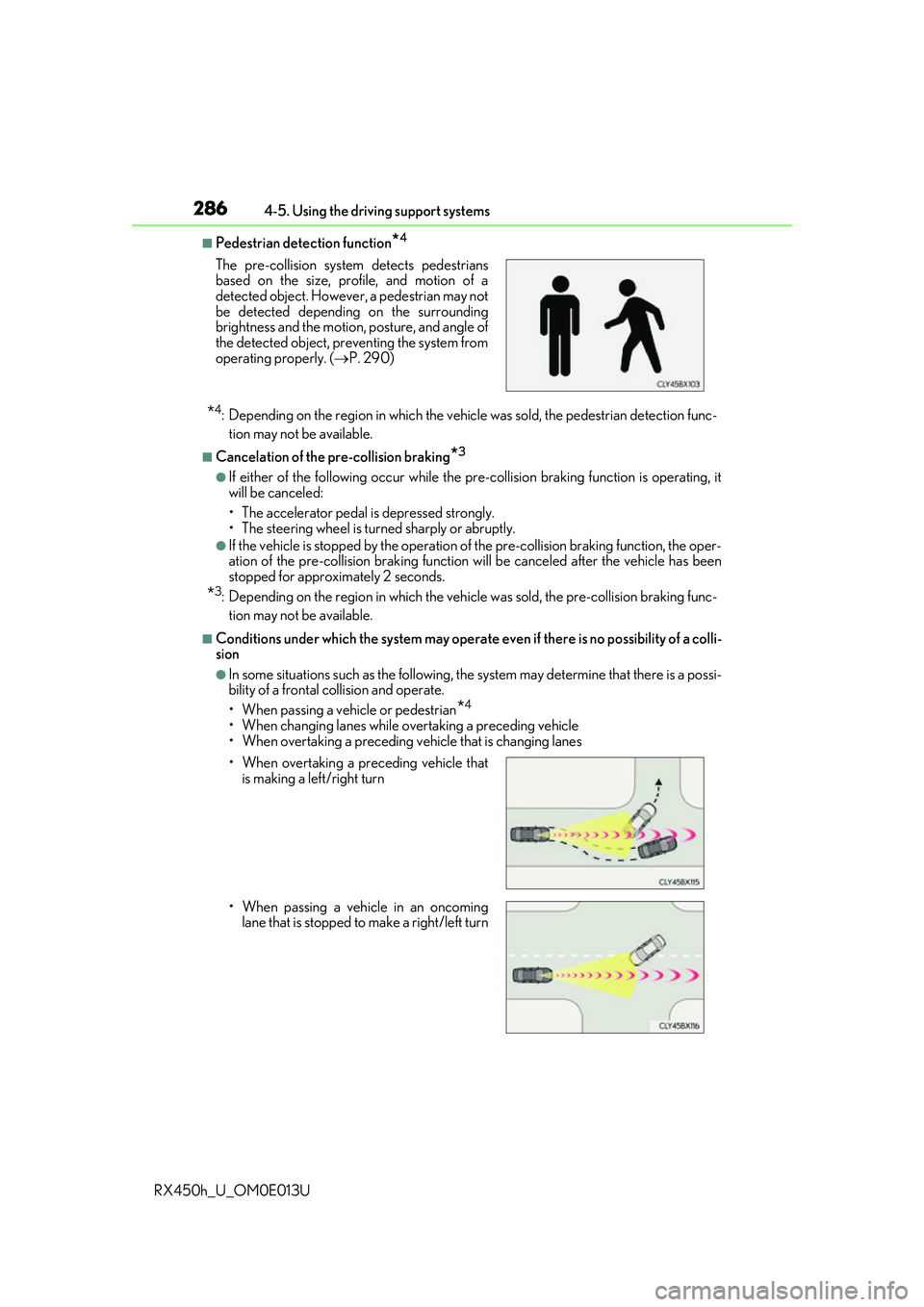
■Pedestrian detection function*4
*4: Depending on the region in which the vehi cle was sold, the pedestrian detection func-
tion may not be available.
■Cancelation of the pre-collision braking*3
●If either of the following occur while the pr e-collision braking function is operating, it
will be canceled:
• The accelerator pedal is depressed strongly.
• The steering wheel is tu rned sharply or abruptly.
●If the vehicle is stopped by the operation of the pre-collision braking function, the oper-
ation of the pre-collision braking function will be canceled after the vehicle has been
stopped for approximately 2 seconds.
*3: Depending on the region in which the vehi cle was sold, the pre-collision braking func-
tion may not be available.
■Conditions under which the system may operate even if th ere is no possibility of a colli-
sion
●In some situations such as the following, th e system may determine that there is a possi-
bility of a frontal collision and operate.
• When passing a vehicle or pedestrian
*4
• When changing lanes while overtaking a preceding vehicle
• When overtaking a preceding vehicle that is changing lanes
The pre-collision system detects pedestrians
based on the size, prof
ile, and motion of a
detected object. However, a pedestrian may not
be detected depending on the surrounding
brightness and the motion, posture, and angle of
the detected object, preventing the system from
operating properly. ( P. 290)
• When overtaking a preceding vehicle that is making a left/right turn
• When passing a vehicle in an oncoming lane that is stopped to make a right/left turn
Page 287 of 660
2874-5. Using the driving support systems
4
Driving
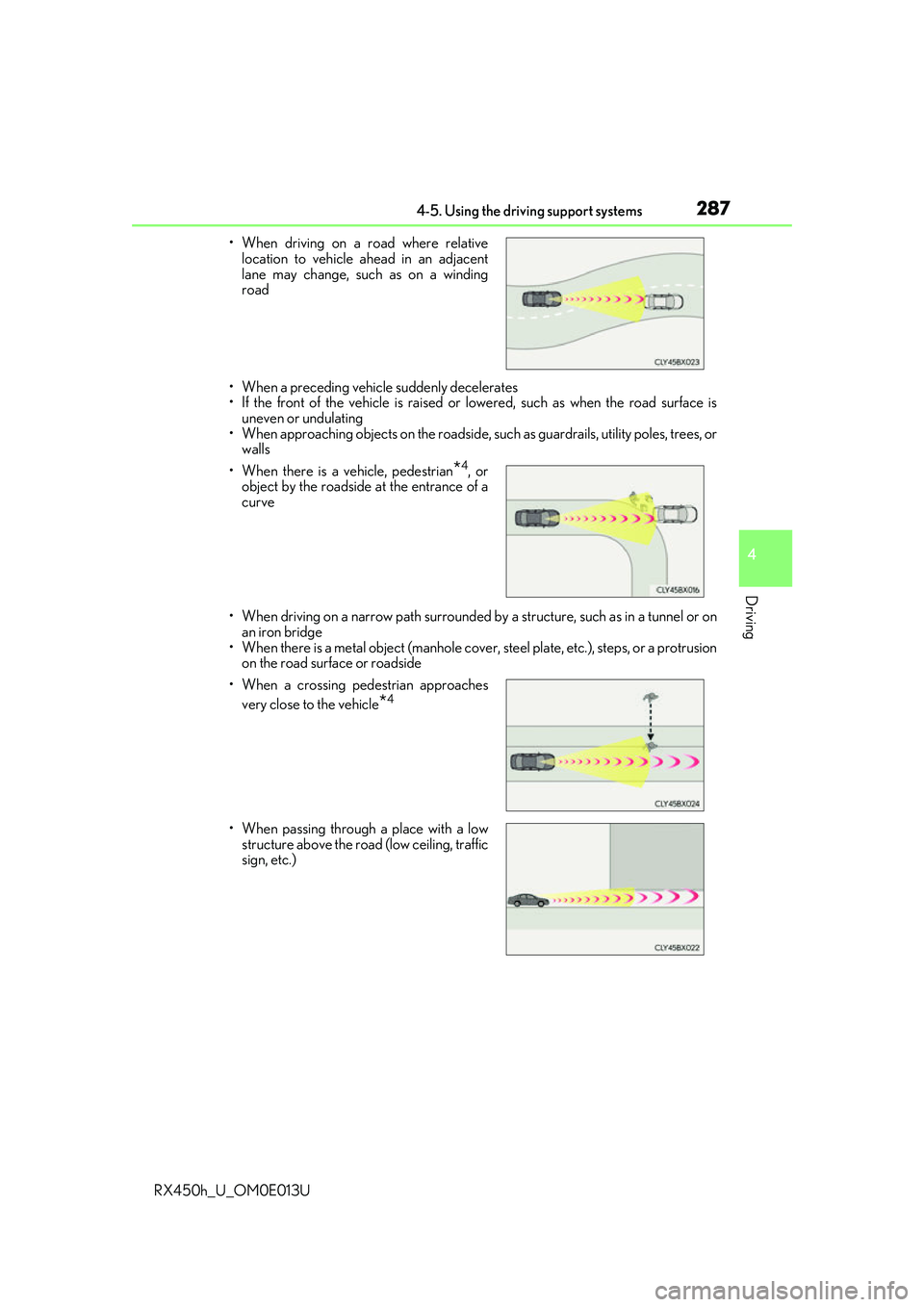
RX450h_U_OM0E013U• When a preceding vehicle suddenly decelerates
• If the front of the vehicle is raised or lowered, such as when the road surface is
uneven or undulating
• When approaching objects on the roadside, such as guardrails, utility poles, trees, or walls
• When driving on a narrow path surrounded by a structure, such as in a tunnel or on
an iron bridge
• When there is a metal object (manhole cover, steel plate, etc.), steps, or a protrusion
on the road surface or roadside
• When driving on a road where relative
location to vehicle ahead in an adjacent
lane may change, such as on a winding
road
• When there is a vehicle, pedestrian
*4, or
object by the roadside at the entrance of a
curve
• When a crossing pedestrian approaches very close to the vehicle
*4
• When passing through a place with a lowstructure above the road (low ceiling, traffic
sign, etc.)
Page 289 of 660
2894-5. Using the driving support systems
4
Driving
RX450h_U_OM0E013U
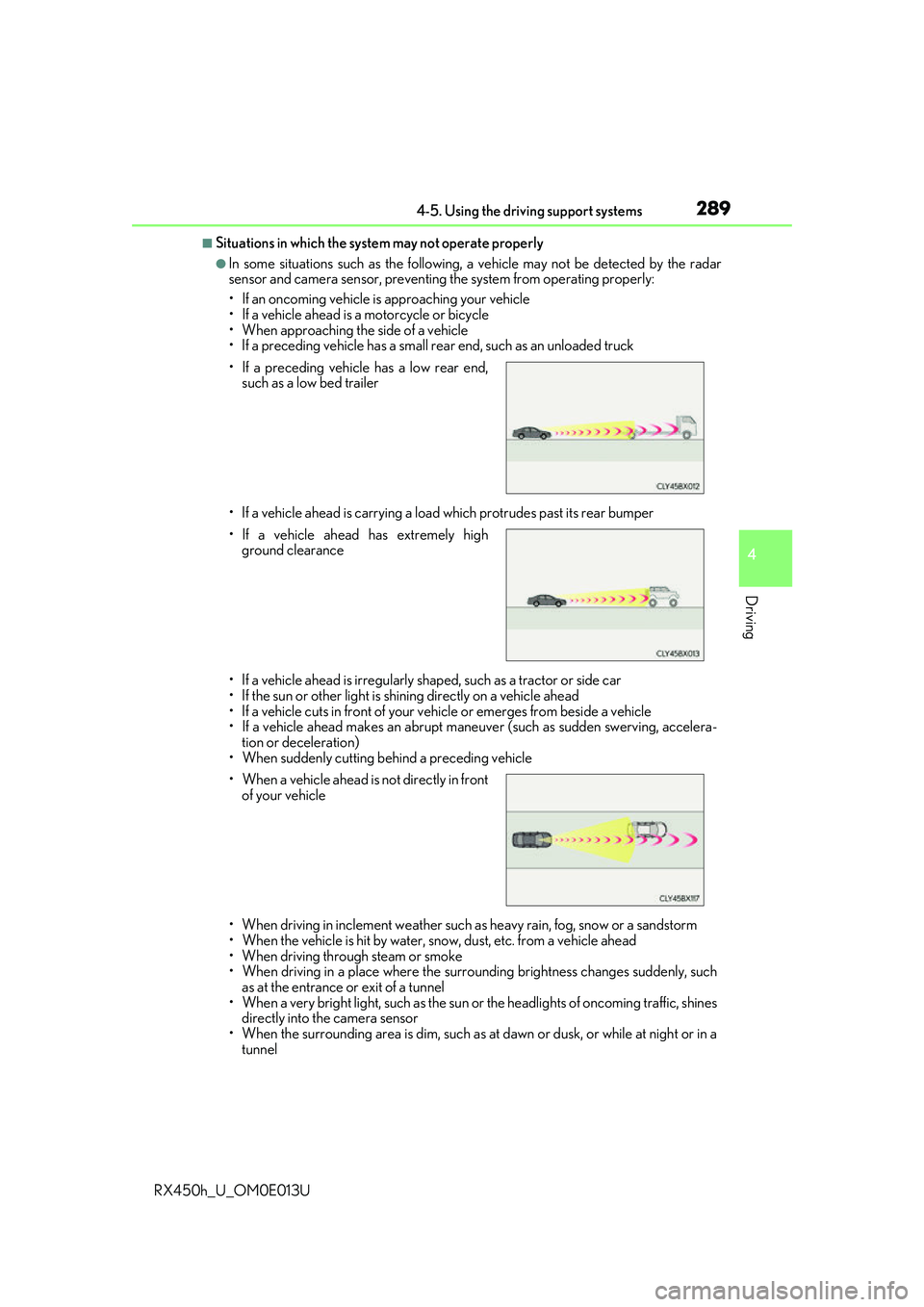
■Situations in which the system may not operate properly
●In some situations such as the following, a vehicle may not be detected by the radar
sensor and camera sensor, preventing the system from operating properly:
• If an oncoming vehicle is approaching your vehicle
• If a vehicle ahead is a motorcycle or bicycle
• When approaching the side of a vehicle
• If a preceding vehicle has a small rear end, such as an unloaded truck
• If a vehicle ahead is carrying a load which protrudes past its rear bumper
• If a vehicle ahead is irregularly shap ed, such as a tractor or side car
• If the sun or other light is shin ing directly on a vehicle ahead
• If a vehicle cuts in front of your ve hicle or emerges from beside a vehicle
• If a vehicle ahead makes an abrupt maneuver (such as sudden swerving, accelera-
tion or deceleration)
• When suddenly cutting behind a preceding vehicle
• When driving in inclement we ather such as heavy rain, fog, snow or a sandstorm
• When the vehicle is hit by water, sn ow, dust, etc. from a vehicle ahead
• When driving through steam or smoke
• When driving in a place where the surrounding brightness changes suddenly, such as at the entrance or exit of a tunnel
• When a very bright light, such as the sun or the headlights of on coming traffic, shines
directly into the camera sensor
• When the surrounding area is dim, such as at dawn or dusk, or while at night or in a tunnel
• If a preceding vehicle has a low rear end,
such as a low bed trailer
• If a vehicle ahead has extremely high ground clearance
• When a vehicle ahead is not directly in front of your vehicle
Page 290 of 660
2904-5. Using the driving support systems
RX450h_U_OM0E013U • After the hybrid system has started the
vehicle has not been driven for a certain
amount of time
• While making a left/right turn and for a few seconds after making a left/right turn
• While driving on a curve and for a few seconds after driving on a curve
• If your vehicle is skidding
• If the front of the vehicle is raised or lowered, such as when the road surface is uneven or undulating
• If the wheels are misaligned
• If a wiper blade is blocking the camera sensor
• The vehicle is wobbling.
• The vehicle is being driven at extremely high speeds.
• When driving on a hill
●In some situations such as the following, sufficient braking forc e may not be obtained,
preventing the system from performing properly:
• If the braking functions cannot operate to their full extent, such as when the brake
parts are extremely cold, extremely hot, or wet
• If the vehicle is not properly maintained (brakes or tires are excessively worn,
improper tire inflation pressure, etc.)
• When the vehicle is being driven on a gravel road or other slippery surface
●Some pedestrians such as the following may not be detected by the radar sensor and
camera sensor, preventing the system from operating properly
*4:
• Pedestrians shorter than approximately 3.2 ft. (1 m) or taller than approximately 6.5
ft. (2 m)
• Pedestrians wearing oversized clothing (a ra in coat, long skirt, etc.), making their sil-
houette obscure
• Pedestrians who are carrying large baggage, holding an umbrella, etc., hiding part
of their body
• Pedestrians who are bending forward or squatting
• Pedestrians who are pushing a stroller , wheelchair, bicycle or other vehicle
• Groups of pedestrians which are close together
• Pedestrians who are wearing white and look extremely bright
• Pedestrians in the dark, such as at night or while in a tunnel
• Pedestrians whose clothing appears to be nearly the same color or brightness as
their surroundings
• Pedestrians near walls, fences , guardrails, or large objects
• Pedestrians who are on a metal object (manhole cover, steel plate, etc.) on the road
• Pedestrians who are walking fast
• Pedestrians who are changing speed abruptly
• Pedestrians running out from be hind a vehicle or a large object
• Pedestrians who are extremely close to the side of the vehicle (outside rear view mirror, etc.)
*4: Depending on the region in which the ve hicle was sold, the pedestrian detection
function may not be available.
Page 291 of 660
2914-5. Using the driving support systems
4
Driving
RX450h_U_OM0E013U
■If the PCS warning light flashes and a warning message is displayed on the multi-infor-
mation display
The pre-collision system may be temporarily unavailable or there may be a malfunction
in the system.
●In the following situations, the warning light will turn off, the message will disappear and
the system will become operational when normal operating conditions return:
• When the radar sensor or ca mera sensor or the area around either sensor is hot,
such as in the sun
• When the radar sensor or camera sensor or the area around either sensor is cold,
such as in an extremely cold environment
• When the radar sensor or front grille embl em is dirty or covered with snow, etc.
• If the camera sensor is obstructed, such as when the hood is open or a sticker is
attached to the windshield near the camera sensor
●If the PCS warning light continues to flash or the warning message does not disappear,
the system may be malfunctioning. Have the vehicle inspected by your Lexus dealer
immediately.
■If VSC is disabled
●If VSC is disabled ( P. 384), the pre-collision brake assist and pre-collision braking
functions are also disabled.
●The PCS warning light will turn on and “V SC Turned Off Pre-Collision Brake System
Unavailable” will be displayed on the multi-information display.