driver LEXUS RX450H 2016 Workshop Manual
[x] Cancel search | Manufacturer: LEXUS, Model Year: 2016, Model line: RX450H, Model: LEXUS RX450H 2016Pages: 660, PDF Size: 14.85 MB
Page 247 of 660
2474-2. Driving procedures
4
Driving
RX450h_U_OM0E013U
■Parking brake operation sound
When the parking brake operates, a motor sound (whirring sound) may be heard. This
does not indicate a malfunction.
■Parking brake indicator light and parking brake lamp
●Depending on the power switch mode, the parking brake indicator light and parking
brake lamp will turn on and stay on as described below:
ON mode: Comes on until the parking brake is released.
Not in ON mode: Stays on fo r approximately 15 seconds.
●When the power switch is turned off with th e parking brake set, the parking brake indi-
cator light and parking brake la mp will stay on for about 15 seconds. This does not indi-
cate a malfunction.
■Changing the mode
When changing the automatic mode on/off , the message will be shown on the multi-
information display and the buzzer sounds.
■Parking brake engaged warning buzzer
A buzzer will sound if the vehicle is driv en with the parking brake engaged. “Release
Parking Brake” is displayed on the multi-information display.
■Warning messages and buzzers
Warning messages and buzzers are used to indicate a system malfunction or to inform
the driver of the need for caution. If a warn ing message is shown on the multi-information
display, read the message and follow the instructions.
■If the brake system warning light comes on
P. 536
■Usage in winter time
P. 391
Page 249 of 660
2494-2. Driving procedures
4
Driving
RX450h_U_OM0E013U
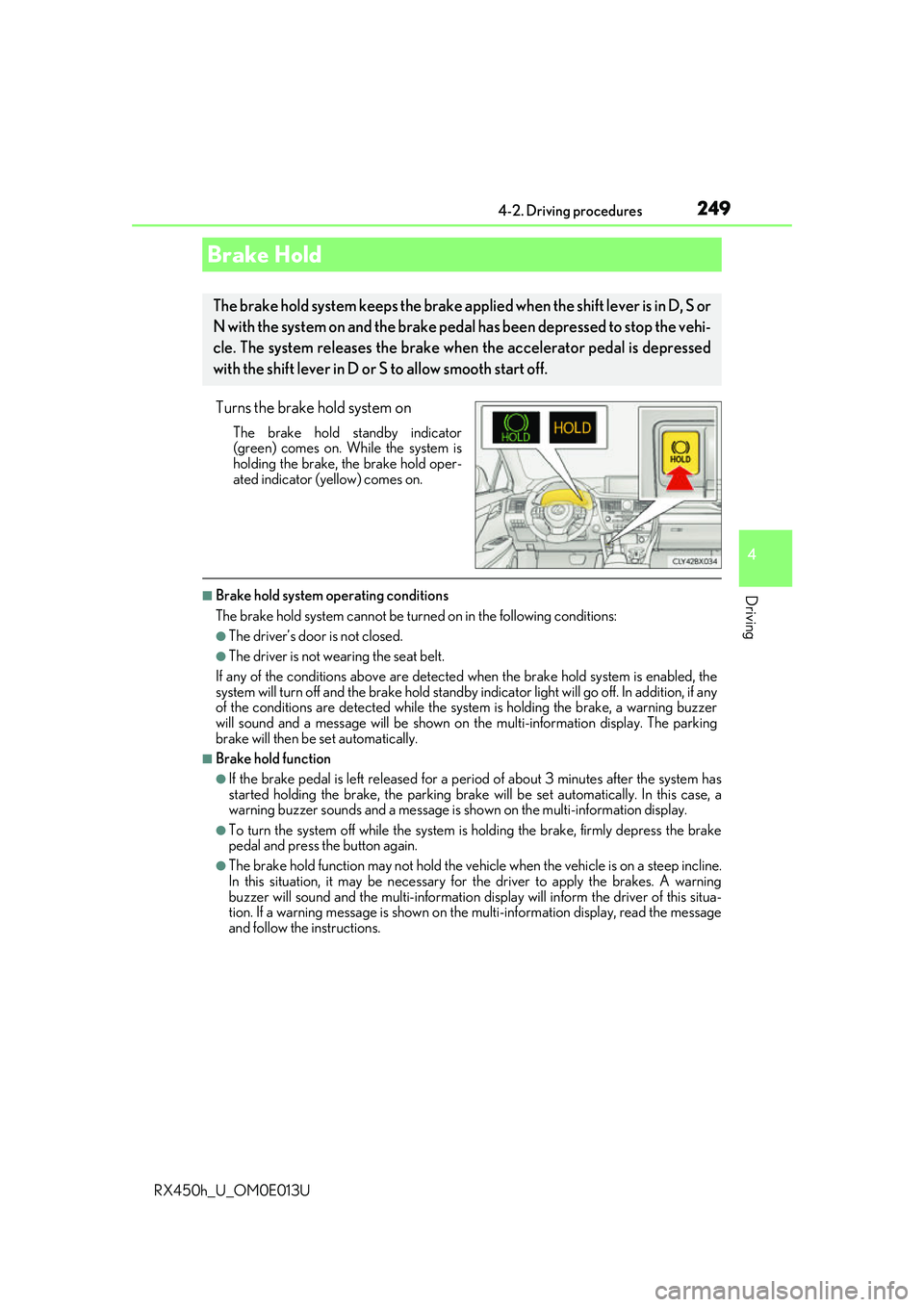
Turns the brake hold system on
The brake hold standby indicator
(green) comes on. While the system is
holding the brake, the brake hold oper-
ated indicator (yellow) comes on.
■Brake hold system operating conditions
The brake hold system cannot be turn ed on in the following conditions:
●The driver’s door is not closed.
●The driver is not wearing the seat belt.
If any of the conditions above are detected when the brake hold system is enabled, the
system will turn off and the brake hold standby in dicator light will go off. In addition, if any
of the conditions are detected while the sy stem is holding the brake, a warning buzzer
will sound and a message will be shown on th e multi-information display. The parking
brake will then be set automatically.
■Brake hold function
●If the brake pedal is left released for a pe riod of about 3 minutes after the system has
started holding the brake, the parking brake will be set automatically. In this case, a
warning buzzer sounds and a message is shown on the multi-information display.
●To turn the system off while the system is holding the brake, firmly depress the brake
pedal and press the button again.
●The brake hold function may not hold the vehicle when the vehicle is on a steep incline.
In this situation, it may be necessary for the driver to apply the brakes. A warning
buzzer will sound and the mult i-information display will inform the driver of this situa-
tion. If a warning message is shown on the multi-information display, read the message
and follow the instructions.
Brake Hold
The brake hold system keeps the brake appl ied when the shift lever is in D, S or
N with the system on and the brake peda l has been depressed to stop the vehi-
cle. The system releases the brake wh en the accelerator pedal is depressed
with the shift lever in D or S to allow smooth start off.
Page 250 of 660
2504-2. Driving procedures
RX450h_U_OM0E013U
■When the parking brake is set automatically while the system is holding the brakes
The parking brake will not be released auto matically. With the brake pedal depressed,
release the parking brake by operating the pa rking brake switch, making sure that the
parking brake indicator light goes off. ( P. 245)
■If “Brake Hold Fault Depress Brake to Deacti vate Visit Your Dealer” is displayed on the
multi-information display
The system may be malfunctio ning. Have the vehicle inspected by your Lexus dealer
immediately.
■Warning messages and buzzers
Warning messages and buzzers are used to indicate a system malfunction or to inform
the driver of the need for caution. If a warn ing message is shown on the multi-information
display, read the message and follow the instructions.
■If the brake hold operated indicator flashes
P. 536
WARNING
■When the vehicle is on a steep incline
When using the brake hold system on a steep incline exercise caution. The brake hold
function may not hold the vehicle in such a situation.
■When stopped on a slippery road
The system cannot stop the vehicle when the gripping ability of the tires has been
exceeded. Do not use the system when stopped on a slippery road.
NOTICE
■When parking the vehicle
The brake hold system is not designed for use when parking the vehicle for a long
period of time. Turning the power switch off while the system is holding the brake may
release the brake, which would cause the vehicle to move. When operating the power
switch, depress the brake pedal, shift the shift lever to P and set the parking brake.
Page 253 of 660
2534-3. Operating the lights and wipers
4
Driving
RX450h_U_OM0E013U
■Daytime running light system
●To make your vehicle more visible to other drivers during daytime driving, the daytime
running lights turn on automatically whenever the hybrid system is started and the park-
ing brake is released with the headlight switch in (Canada only) or posi-
tion. (Illuminate brighter than the park ing lights.) Daytime running lights are not
designed for use at night.
For the U.S.A.: Daytime running lights can be turned off by operating the headlight
switch to position.
●Compared to turning on the headlights, the daytime running light system offers greater
durability and consumes less electricity, so it can help improve fuel economy.
■Cornering lights (if equipped)
When the cornering lights are on for more than 30 minutes, they will turn off automati-
cally.
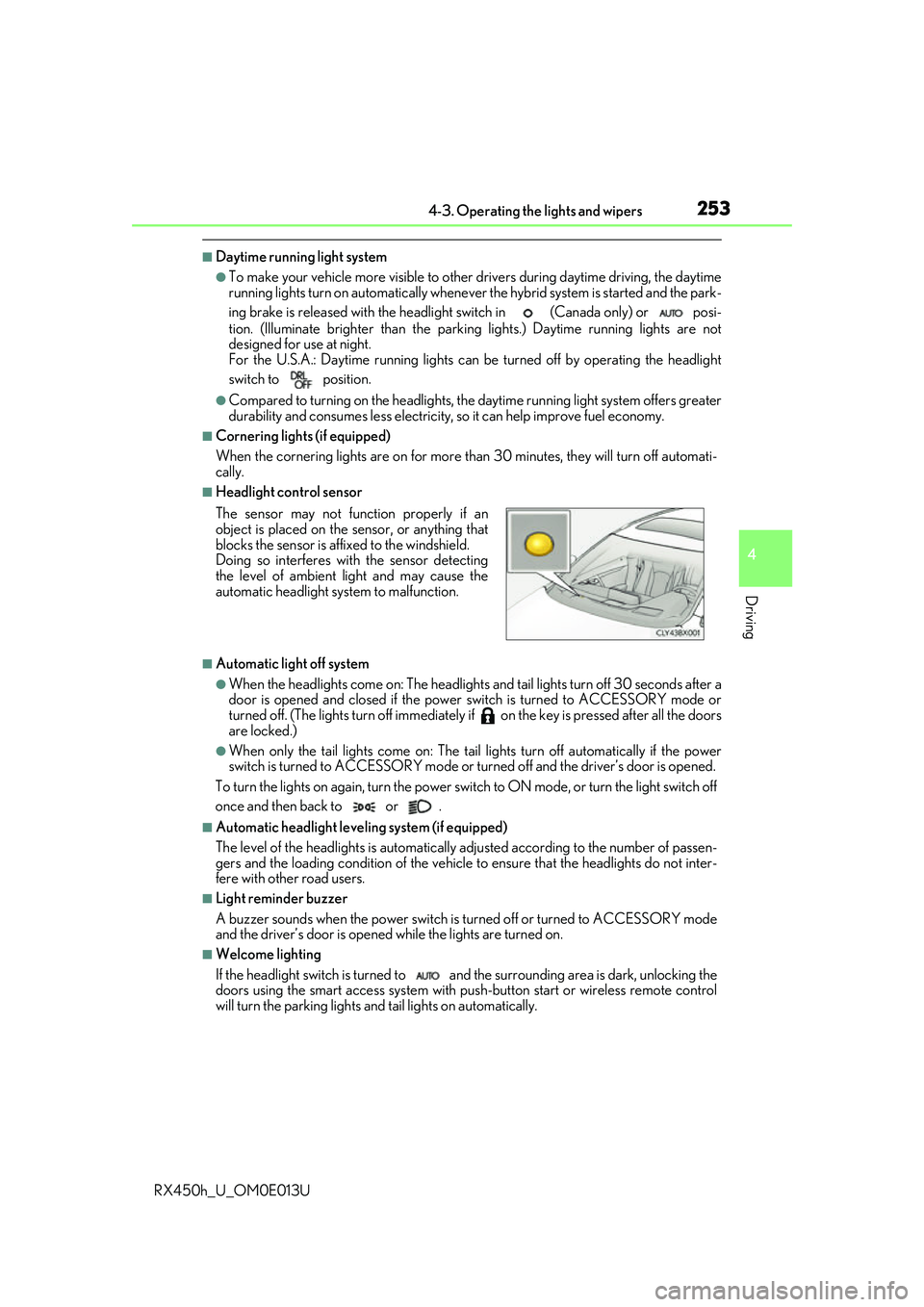
■Headlight control sensor
■Automatic light off system
●When the headlights come on: The headlights and tail lights turn off 30 seconds after a
door is opened and closed if the power switch is turned to ACCESSORY mode or
turned off. (The lights turn off immediately if on the key is pre ssed after all the doors
are locked.)
●When only the tail lights come on: The tail lights turn off automatically if the power
switch is turned to ACCESSORY mode or tu rned off and the driver’s door is opened.
To turn the lights on again, turn the power switch to ON mode, or turn the light switch off
once and then back to or .
■Automatic headlight leve ling system (if equipped)
The level of the headlights is automatically adjusted accordi ng to the number of passen-
gers and the loading condition of the vehicle to ensure that the headlights do not inter-
fere with other road users.
■Light reminder buzzer
A buzzer sounds when the power switch is turned off or turned to ACCESSORY mode
and the driver’s door is opened while the lights are turned on.
■Welcome lighting
If the headlight switch is turned to and the surrounding area is dark, unlocking the
doors using the smart access system with pu sh-button start or wireless remote control
will turn the parking lights and tail lights on automatically. The sensor may not function properly if an
object is placed on the sensor, or anything that
blocks the sensor is affixed to the windshield.
Doing so interferes with the sensor detecting
the level of ambient light and may cause the
automatic headlight system to malfunction.
Page 258 of 660
2584-3. Operating the lights and wipers
RX450h_U_OM0E013U
●In the following situations the system may not be able to correctly detect the surround-
ing brightness level. This may cause the lo w beams to remain on or the high beams to
flash or dazzle pedestrians or vehicles ahead. In such a case, it is necessary to manually
switch between the high and low beams.
• When driving in inclement weather (heavy rain, snow, fog, sandstorms, etc.)
• When the windshield is obscured by fog, mist, ice, dirt, etc.
• When the windshield is cracked or damaged
• When the camera sensor is deformed or dirty
• When the temperature of the camera sensor is extremely high
• When the surrounding brightness level is equal to that of headlights, tail lights or fog
lights
• When headlights or tail lights of vehicles ahead are turned off, dirty, changing color,
or not aimed properly
• When the vehicle is hit by water, snow, dust, etc. from a preceding vehicle
• When driving through an area of intermittently changing brightness and darkness
• When frequently and repeated ly driving ascending/descending roads, or roads with
rough, bumpy or uneven surfaces (such as stone-paved roads, gravel roads, etc.)
• When frequently and repeatedly taking curves or driving on a winding road
• When there is a highly reflective object ahea d of the vehicle, such as a sign or mirror
• When the back of a preceding vehicle is highly reflective, such as a container on a truck
• When the vehicle’s headlights are damaged or dirty, or are not aimed properly
• When the vehicle is listing or titling due to a flat tire, a trailer being towed, etc.
• When the headlights are changed between the high beams and low beams repeat-
edly in an abnormal manner
• When the driver believes that the high beams may be flashing or dazzling pedestri- ans or other drivers
■Temporarily lowering sensor sensitivity
The sensitivity of the sensor can be temporarily lowered.
Turn the power switch off while the following conditions are met.
• The headlight switch is in or .
• The headlight switch lever is in high beam position.
• Automatic High Beam switch is on.
Turn the power switch to ON mode.
Within 30 seconds after , repeat pulling th e headlight switch lever to the original
position then pushing it to the high beam position quickly 10 times, then leave the lever
in high beam position.
If the sensitivity is changed, the Automatic High Beam indicator is turn on and off 3
times.
Automatic High Beam (head lights) may turn on even the vehicle is stopped.
1
2
32
4
Page 271 of 660
271
4
Driving
RX450h_U_OM0E013U4-5. Using the driving support systems
◆PCS (Pre-Collision System)
P. 279
◆LKA (Lane-Keeping Assist)
P. 292
◆LDA (Lane Departure Alert with steering control)
P. 302
◆Automatic High Beam
P. 255
◆Dynamic radar cruise control with full-speed range
P. 311
◆Dynamic radar cruise control
P. 323
Lexus Safety System+
: If equipped
The Lexus Safety System+ consists of the following drive assist systems and
contributes to a safe and comfo rtable driving experience:
WARNING
■Lexus Safety System+
The Lexus Safety System+ is designed to operate under the assumption that the driver
will drive safely, and is designed to help reduce the impact to the occupants and the
vehicle in the case of a collision or assist the driver in normal driving conditions.
As there is a limit to the degree of recognition accuracy and control performance that
this system can provide, do not overly rely on this system. The driver is always responsi-
ble for paying attention to the vehicle's surroundings and driving safely.
Page 279 of 660
2794-5. Using the driving support systems
4
Driving
RX450h_U_OM0E013U
PCS (Pre-Collision System)
: If equipped
The pre-collision system uses a radar sensor and camera sensor to detect
vehicles and pedestrians
*1 in front of your vehicle. When the system deter-
mines that the possibility of a frontal collision with a vehicle or pedestrian is
high, a warning operates to urge the dr iver to take evasive action and the
potential brake pressure is increased to help the driver avoid the collision. If
the system determines that the possibility of a frontal collision with a vehicle or
pedestrian is extremely high, the brakes are automatically applied
*2 to help
avoid the collision or help reduce the impact to the vehicle occupants and the
vehicle in the collision.
The pre-collision system can be disabled/enabled and the warning timing can
be changed. ( P. 283)
*1: Depending on the region in which the ve hicle was sold, the pedestrian detection
function may not be available. Cont act your Lexus dealer for details.
*2: Depending on the region in which the ve hicle was sold, the pre-collision braking
function (automatic braking function) may not be available. Contact your Lexus
dealer for details.
Page 280 of 660
2804-5. Using the driving support systems
RX450h_U_OM0E013U
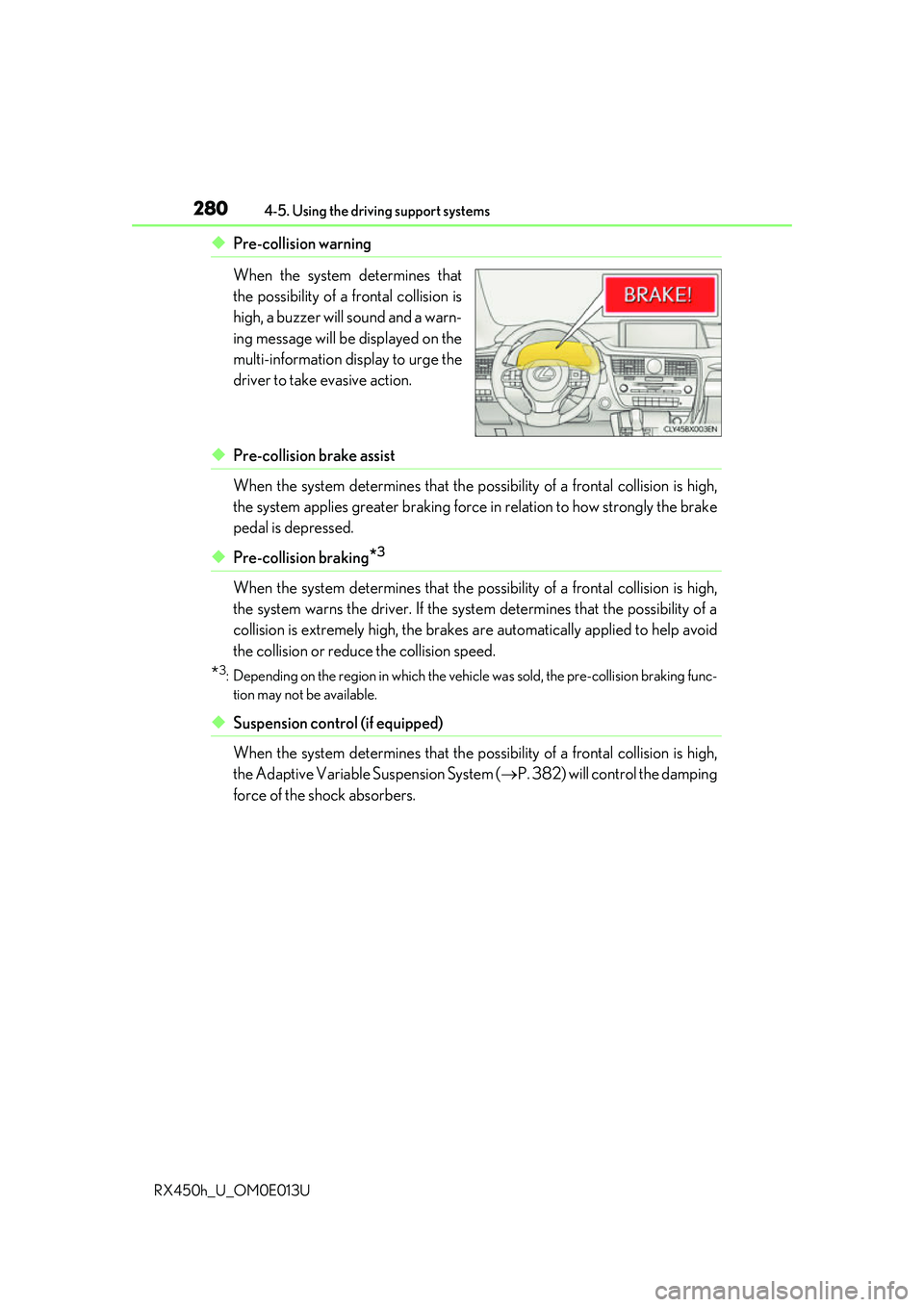
◆Pre-collision warning
When the system determines that
the possibility of a frontal collision is
high, a buzzer will sound and a warn-
ing message will be displayed on the
multi-information display to urge the
driver to take evasive action.
◆Pre-collision brake assist
When the system determines that the po ssibility of a frontal collision is high,
the system applies greater braking force in relation to how strongly the brake
pedal is depressed.
◆Pre-collision braking*3
When the system determines that the po ssibility of a frontal collision is high,
the system warns the driver. If the syst em determines that the possibility of a
collision is extremely high, the brakes ar e automatically applied to help avoid
the collision or reduce the collision speed.
*3: Depending on the region in which the vehi cle was sold, the pre-collision braking func-
tion may not be available.
◆Suspension control (if equipped)
When the system determines that the po ssibility of a frontal collision is high,
the Adaptive Variable Suspension System ( P. 382) will control the damping
force of the shock absorbers.
Page 281 of 660
2814-5. Using the driving support systems
4
Driving
RX450h_U_OM0E013U
WARNING
■Limitations of the pre-collision system
●The driver is solely responsible for safe driving. Always drive safely, taking care to
observe your surroundings.
Do not use the pre-collision system instead of normal braking operations under any
circumstances. This system will not prevent collisions or lessen collision damage or
injury in every situation. Do not overly rely on this system. Failure to do so may lead to
an accident, resulting in death or serious injury.
●Although this system is designed to help av oid and reduce the impact of a collision, its
effectiveness may change according to various conditions, therefore the system may
not always be able to achieve the same level of performance.
Read the following conditions carefully. Do not overly rely on this system and always
drive carefully.
• Conditions under which the system may oper ate even if there is no possibility of a
collision: P. 286
• Conditions under which the system may not operate properly: P. 289
●Do not attempt to test the operation of the pre-collision system yourself, as the system
may not operate properly, possibly leading to an accident.
■Pre-collision braking*3
●The pre-collision braking function may not operate if certain operations are per-
formed by the driver. If the accelerator pedal is being depressed strongly or the steer-
ing wheel is being turned, the system may de termine that the driver is taking evasive
action and possibly prevent the pre-coll ision braking function from operating.
●In some situations, while the pre-collision braking function is operating, operation of
the function may be canceled if the accele rator pedal is depressed strongly or the
steering wheel is turned and the system de termines that the driver is taking evasive
action.
●A large amount of braking force is applied while the pre-collision braking function is
operating. Additionally, as the vehicle may creep if it has been stopped by the pre-
collision braking function, the driver shou ld depress the brake pedal as necessary.
●If the brake pedal is being depressed, the sy stem may determine that the driver is tak-
ing evasive action and possibly delay the operation timing of the pre-collision braking
function.
*3: Depending on the region in which the vehicle was so ld, the pre-collision braking
function may not be available.
Page 292 of 660
2924-5. Using the driving support systems
RX450h_U_OM0E013U
When driving on highways and freeways with white or yellow lines, this function
alerts the driver when the vehicle might depart from its lane and provides assis-
tance by operating the steering wheel to keep the vehicle in its lane. Further-
more, the system also provides steering assistance when dynamic radar cruise
control with full-speed range is operat ing to keep the vehicle in its lane.
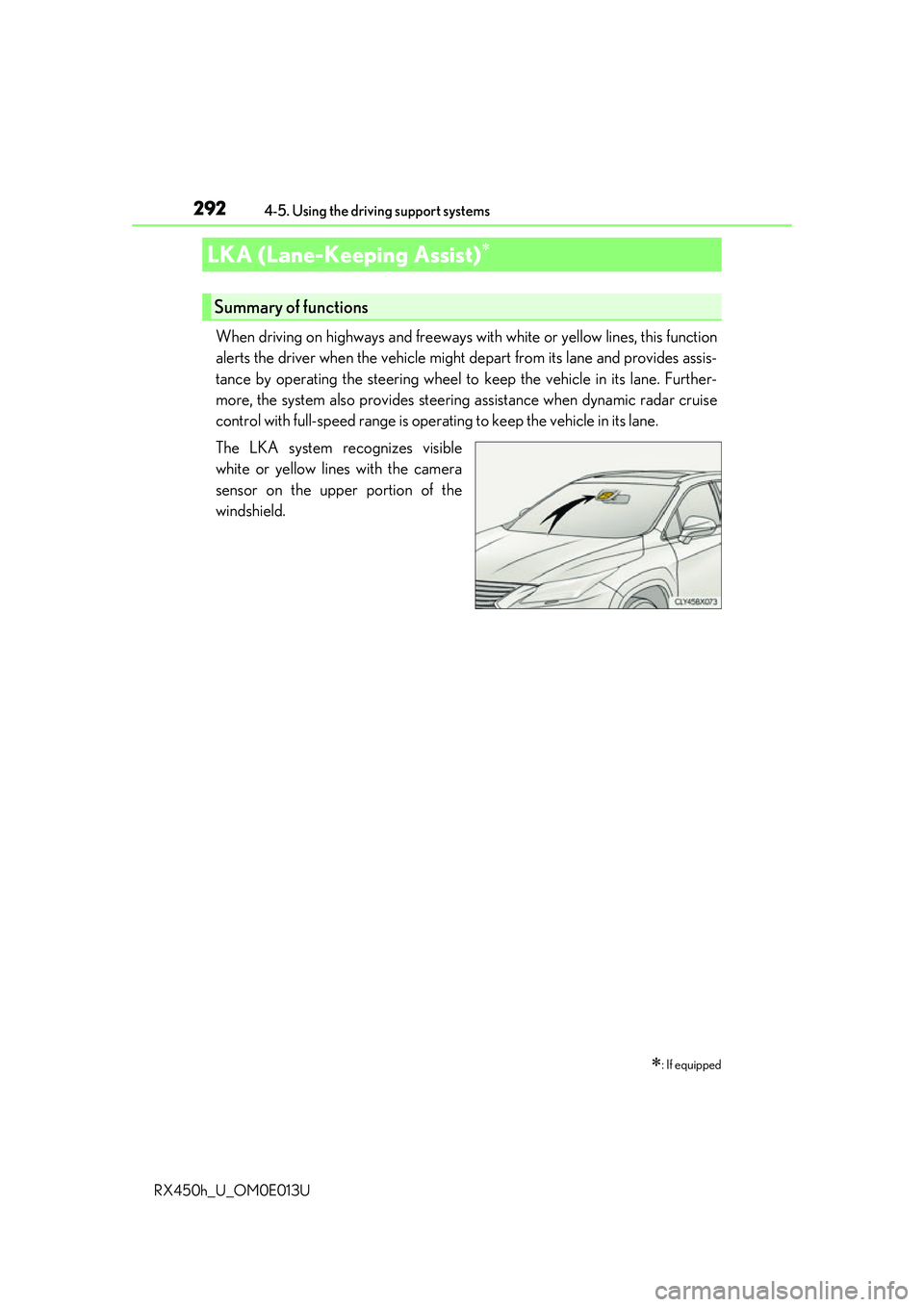
The LKA system recognizes visible
white or yellow lines with the camera
sensor on the upper portion of the
windshield.
LKA (Lane-Keeping Assist)
: If equipped
Summary of functions