stop LEXUS RX450H 2019 Owners Manual
[x] Cancel search | Manufacturer: LEXUS, Model Year: 2019, Model line: RX450H, Model: LEXUS RX450H 2019Pages: 792, PDF Size: 13.48 MB
Page 377 of 792

3774-5. Using the driving support systems
4
Driving
RX450h_RX450hL_U
WARNING
■When using the Lexus parking assist monitor system
The parking assist monitor is a supplemental device intended to assist the driver when
backing up. When backing up, be sure to check visually behind and all around the vehi-
cle before proceeding.
Observe the following precautions to avoid an accident that could result in death or
serious injuries.
●Never depend on the parking assist monitor entirely when backing up. The image
and the position of the guide lines displaye d on the screen may differ from the actual
state.
Use caution, just as you woul d when backing up any vehicle.
●Be sure to back up slowly, depressing the brake pedal to control vehicle speed.
●If you seem likely to hit nearby vehicles, obstacles, people or mount the shoulder,
depress the brake pedal to stop the vehicle.
●The instructions given are only guidelines.
When and how much to turn the steering wheel will vary according to traffic condi-
tions, road surface conditions, vehicle condit ion, etc. when parking. It is necessary to
be fully aware of this before using the parking assist system.
●When parking, be sure to check that the parking space will accommodate your vehi-
cle before maneuvering into it.
●Do not use the parking assist monitor in the following cases:
• On icy or slick road surfaces, or in snow
• When using tire chains or emergency tires
• When the back door is not closed completely
• On roads that are not flat or stra ight, such as curves or slopes.
●In low temperatures, the screen may darken or the image may become faint. The
image could distort when the vehicle is movi ng, or you may become unable to see the
image on the screen. Be sure to check dire ct visually and with the mirrors all around
the vehicle before proceeding.
●If the tire sizes are changed, the position of the guide lines displayed on the screen
may change.
●The camera uses a special lens. The distances between objects and pedestrians that
appear in the image displayed on the screen will differ from the actual distances.
( P. 371)
●Estimated course line display mode: If the st eering wheel is straight and the vehicle
width guide lines and the estimated course lines are not in alignment, have the vehicle
inspected by your Lexus dealer.
Page 382 of 792
3824-5. Using the driving support systems
RX450h_RX450hL_U
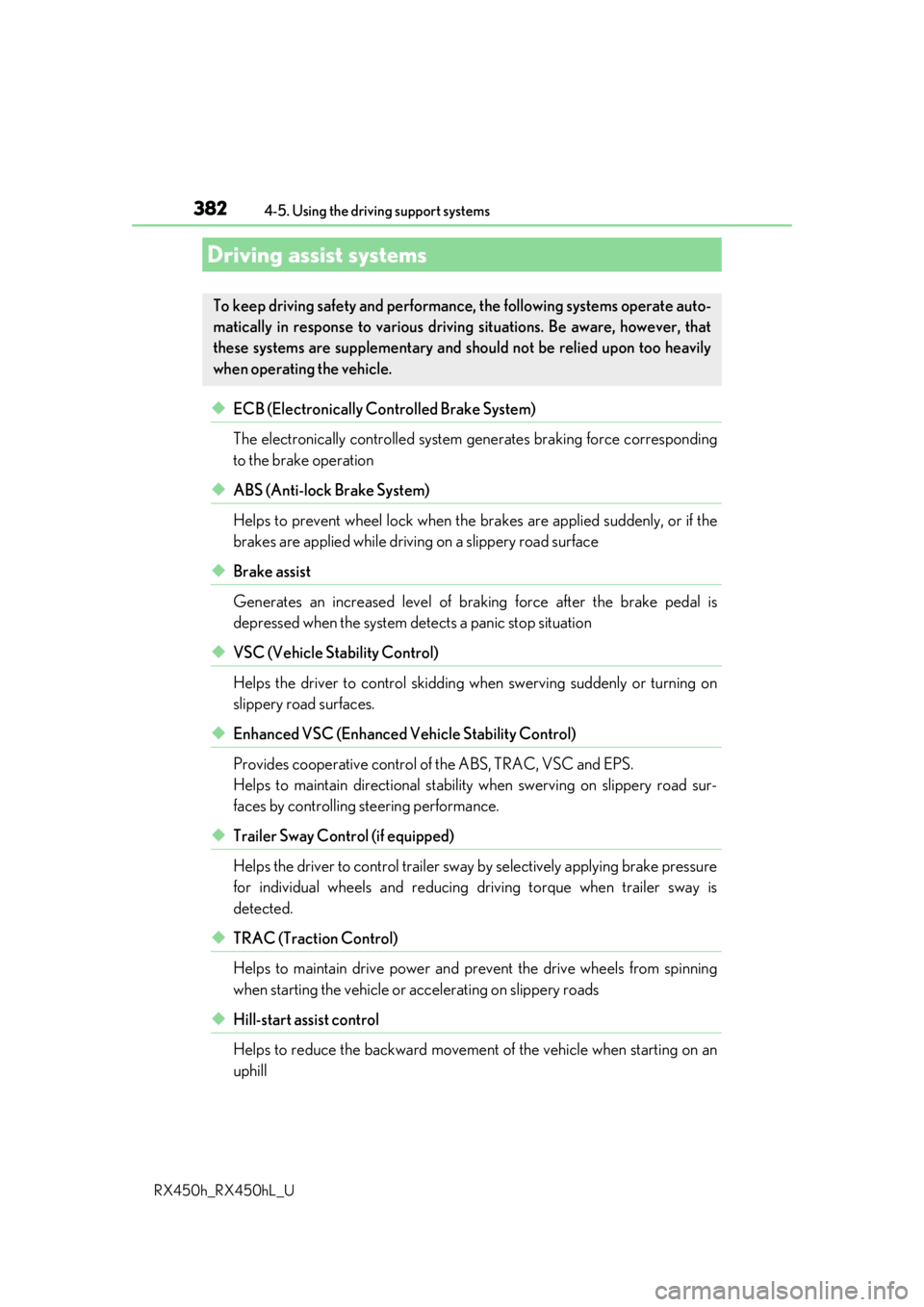
◆ECB (Electronically Controlled Brake System)
The electronically controlled system generates braking force corresponding
to the brake operation
◆ABS (Anti-lock Brake System)
Helps to prevent wheel lock when the br akes are applied suddenly, or if the
brakes are applied while drivin g on a slippery road surface
◆Brake assist
Generates an increased level of br aking force after the brake pedal is
depressed when the system detects a panic stop situation
◆VSC (Vehicle Stability Control)
Helps the driver to contro l skidding when swerving suddenly or turning on
slippery road surfaces.
◆Enhanced VSC (Enhanced Vehicle Stability Control)
Provides cooperative control of the ABS, TRAC, VSC and EPS.
Helps to maintain directional stability when swerving on slippery road sur-
faces by controlling steering performance.
◆Trailer Sway Control (if equipped)
Helps the driver to control trailer sway by selectively applying brake pressure
for individual wheels and reducing dr iving torque when trailer sway is
detected.
◆TRAC (Traction Control)
Helps to maintain drive power and pr event the drive wheels from spinning
when starting the vehicle or accelerating on slippery roads
◆Hill-start assist control
Helps to reduce the backward movement of the vehicle when starting on an
uphill
Driving assist systems
To keep driving safety and performance, the following systems operate auto-
matically in response to various drivin g situations. Be aware, however, that
these systems are supplementary and shou ld not be relied upon too heavily
when operating the vehicle.
Page 385 of 792
3854-5. Using the driving support systems
4
Driving
RX450h_RX450hL_U
■Turning off both TRAC VSC and Trailer Sway Control systems
To turn the TRAC VSC and Trailer Sway Co ntrol systems off, press and hold for
more than 3 seconds whil e the vehicle is stopped.
The VSC OFF indicator light will come on an d the “Traction Control Turned Off” will be
shown on the multi-information display.
*
Press again to turn the systems back on.
*: On vehicles with PCS (Pre-Collision Sy stem), pre-collision brake assist and pre-
collision braking will also be disabled. The PCS warning light will come on and a
message will be displa yed on the multi-information display. (P. 296)
■When the message is displayed on the mu lti-information display showing that TRAC
has been disabled even if has not been pressed
TRAC cannot be operated. Contact your Lexus dealer.
■Operating conditions of hill-start assist control
When the following four conditions are met, the hill-start assist control will operate:
●The shift lever is in a position other than P or N (when starting off forward/backward on
an upward incline).
●The vehicle is stopped
●The accelerator pedal is not depressed
●The parking brake is not engaged
■Automatic system cancelation of hill-start assist control
The hill-start assist control will turn off in any of the following situations:
●The shift lever is shifted to P or N
●The accelerator pedal is depressed
●The parking brake is engaged
●2 seconds at maximum elapsed after the brake pedal is released
■Sounds and vibrations caused by the ABS, brake assist, VSC, Trailer Sway Control,
TRAC and hill-start assist control systems
●A sound may be heard from the engine compartment when the brake pedal is
depressed repeatedly, when the hybrid system is started or just after the vehicle begins
to move. This sound does not indicate that a malfunction has occurred in any of these
systems.
●Any of the following conditions may occur when the above systems are operating.
None of these indicates that a malfunction has occurred.
• Vibrations may be felt through the vehicle body and steering.
• A motor sound may be heard also after the vehicle comes to a stop.
Page 386 of 792

3864-5. Using the driving support systems
RX450h_RX450hL_U
■ECB operating sound
ECB operating sound may be heard in the followi ng cases, but it does not indicate that a
malfunction has occurred.
●Operating sound heard from the engine compartment when the brake pedal is oper-
ated.
●Motor sound of the brake system heard from the front part of the vehicle when the
driver’s door is opened.
●Operating sound heard from the engine compartment when one or two minutes
passed after the stop of the hybrid system.
■EPS operation sound
When the steering wheel is operated, a motor sound (whirring sound) may be heard.
This does not indicate a malfunction.
■Automatic reactivation of TRAC, Tr ailer Sway Control and VSC systems
After turning the TRAC, Trailer Sway Contro l and VSC systems off, the systems will be
automatically re-enabled in the following situations:
●When the power switch is turned off
●If only the TRAC system is turned off, the TRAC will turn on when vehicle speed
increases
If both the TRAC and VSC systems are turned off, automatic re-enabling will not
occur when vehicle speed increases.
■Reduced effectiveness of the EPS system
The effectiveness of the EPS system is reduced to prevent the system from overheating
when there is frequent steering input over an extended period of time. The steering
wheel may feel heavy as a result . Should this occur, refrain from excessive steering input
or stop the vehicle and turn the hybrid system off. The EPS system should return to nor-
mal within 10 minutes.
WARNING
■The ABS does not operate effectively when
●The limits of tire gripping performance have been exceeded (such as excessively
worn tires on a snow covered road).
●The vehicle hydroplanes while driving at high speed on wet or slick roads.
■Stopping distance when the ABS is operating may exceed that of normal conditions
The ABS is not designed to shorten the vehi cle’s stopping distance. Always maintain a
safe distance from the vehicle in front of you, especially in the following situations:
●When driving on dirt, grav el or snow-covered roads
●When driving with tire chains
●When driving over bumps on the road
●When driving over roads with potholes or uneven surfaces
■TRAC/VSC may not operate effectively when
Directional control and power may not be achievable wh ile driving on slippery road
surfaces, even if the TRAC/VSC system is op erating. Drive the vehicle carefully in con-
ditions where stability and power may be lost.
Page 388 of 792

388
RX450h_RX450hL_U4-6. Driving tips
◆Using Eco drive mode
When using Eco drive mode, the torque corresponding to the accelerator
pedal depression amount can be generate
d more smoothly than it is in normal
conditions. In addition, the operation of the air conditioning system (heat-
ing/cooling) will be minimized, improving the fuel economy. (P. 379)
◆Use of Hybrid System Indicator
The Eco-friendly driving is possible by keeping the indicator needle (except F
SPORT models) or bar display (F SPOR T models) of Hybrid System Indicator
within Eco area. ( P. 99)
◆Shift lever operation
Shift the shift lever to D when stopped at a traffic light, or driving in heavy traf-
fic, etc. Shift the shift lever to P when parking. When using the N, there is no
positive effect on fuel consumption. In the N, the gasoline engine operates but
electricity cannot be generated. Also, wh en using the air conditioning system,
etc., the hybrid battery (tractio n battery) power is consumed.
◆Accelerator pedal/brake pedal operation
●Drive your vehicle smoothly. Avoid ab rupt acceleration and deceleration.
Gradual acceleration and deceleration will make more effective use of the
electric motor (traction motor) without having to use gasoline engine
power.
●Avoid repeated acceleration. Repeated acceleration consumes hybrid bat-
tery (traction battery) power, resulting in poor fuel consumption. Battery
power can be restored by driving with the accelerator pedal slightly
released.
◆When braking
Make sure to operate the brakes gently and in a timely manner. A greater
amount of electrical energy can be regenerated when slowing down.
Hybrid vehicle driving tips
For economical and ecological driving, pay attention to the following points:
Page 389 of 792

3894-6. Driving tips
4
Driving
RX450h_RX450hL_U
◆Delays
Repeated acceleration and deceleration, as well as long waits at traffic lights,
will lead to bad fuel economy. Check traffic reports before leaving and avoid
delays as much as possible. When drivin g in a traffic jam, gently release the
brake pedal to allow the vehicle to move forward slightly while avoiding over-
use of the accelerator pedal. Doing so can help control excessive gasoline
consumption.
◆Highway driving
Control and maintain the vehicle at a co nstant speed. Before stopping at a toll
booth or similar, allow plenty of ti me to release the accelerator and gently
apply the brakes. A greater amount of electrical energy can be regenerated
when slowing down.
◆Air conditioning
Use the air conditioning only when necessary. Doing so can help reduce
excessive gasoline consumption.
In summer: When the ambient temperature is high, use the recirculated air
mode. Doing so will help to reduce the burden on the air conditioning system
and reduce fuel consumption as well.
In winter: Because the gasoline engine will not automatically cut out until it
and the interior of the vehicle are warm , it will consume fuel. Also, fuel con-
sumption can be improved by av oiding overuse of the heater.
◆Checking tire inflation pressure
Make sure to check the tire inflation pr essure frequently. Improper tire infla-
tion pressure can cause poor fuel economy.
Also, as snow tires can cause large amou nts of friction, their use on dry roads
can lead to poor fuel economy. Use tires that are appropriate for the season.
◆Luggage
Carrying heavy luggage will lead to poor fuel economy. Avoid carrying
unnecessary luggage. Installing a large roof rack will also cause poor fuel
economy.
◆Warming up before driving
Since the gasoline engine starts up an d cuts out automatically when cold,
warming up the engine is unnecessary. Moreover, frequently driving short dis-
tances will cause the engine to repeated ly warm up, which can lead to excess
fuel consumption.
Page 405 of 792
4055-1. Basic Operations
5
Lexus Display Audio system
RX450h_RX450hL_U
■When using the screen
●Under extremely cold conditions, the Lexus Display Audio controller may react slowly.
●If the screen is cold, the display may be dark, or the system may seem to be operating
slightly slower than normal.
●The screen may seem dark and hard to see when viewed through sunglasses. Change
your angle of viewing, adjust the display on the “Display” screen (P. 417) or remove
your sunglasses.
■Using cellular phones
Interference may be heard through the audi o system’s speakers if a cellular phone is
being used inside or close to the vehicle while the audio system is operating.
WARNING
■Using the Lexus Display Audio controller
Be careful when touching the Lexus Display Audio controller in extreme temperatures
as it may become very hot or cold due to the temperature inside the vehicle.
■Laser product
●CAUTION
USE OF CONTROL OR ADJUSTMENT OR PERFORMANCE OF PROCE-
DURES OTHER THAN THOSE SPECIFIED HEREIN MAY RESULT IN HAZARD-
OUS RADIATION EXPOSURE.
●CAUTION
THE USE OF OPTICAL INSTRUMENTS WITH THIS PRODUCT WILL
INCREASE EYE HAZARD.
NOTICE
■To prevent Lexus Display Au dio controller malfunction
●Do not allow the Lexus Display Audio controll er to come into contact with food, liq-
uid, stickers or lit cigarettes as doing so may cause it to change color, emit a strange
odor or stop functioning.
●Do not subject the Lexus Display Audio controller to excessive pressure or strong
impact as the controller may bend or break off.
■To prevent battery discharge
Do not leave the audio system on longer than necessary when the engine is off.
■To avoid damaging the audio system
Take care not to spill drinks or other fluids on the audio system.
Page 423 of 792
4235-3. Using the audio system
5
Lexus Display Audio system
RX450h_RX450hL_U
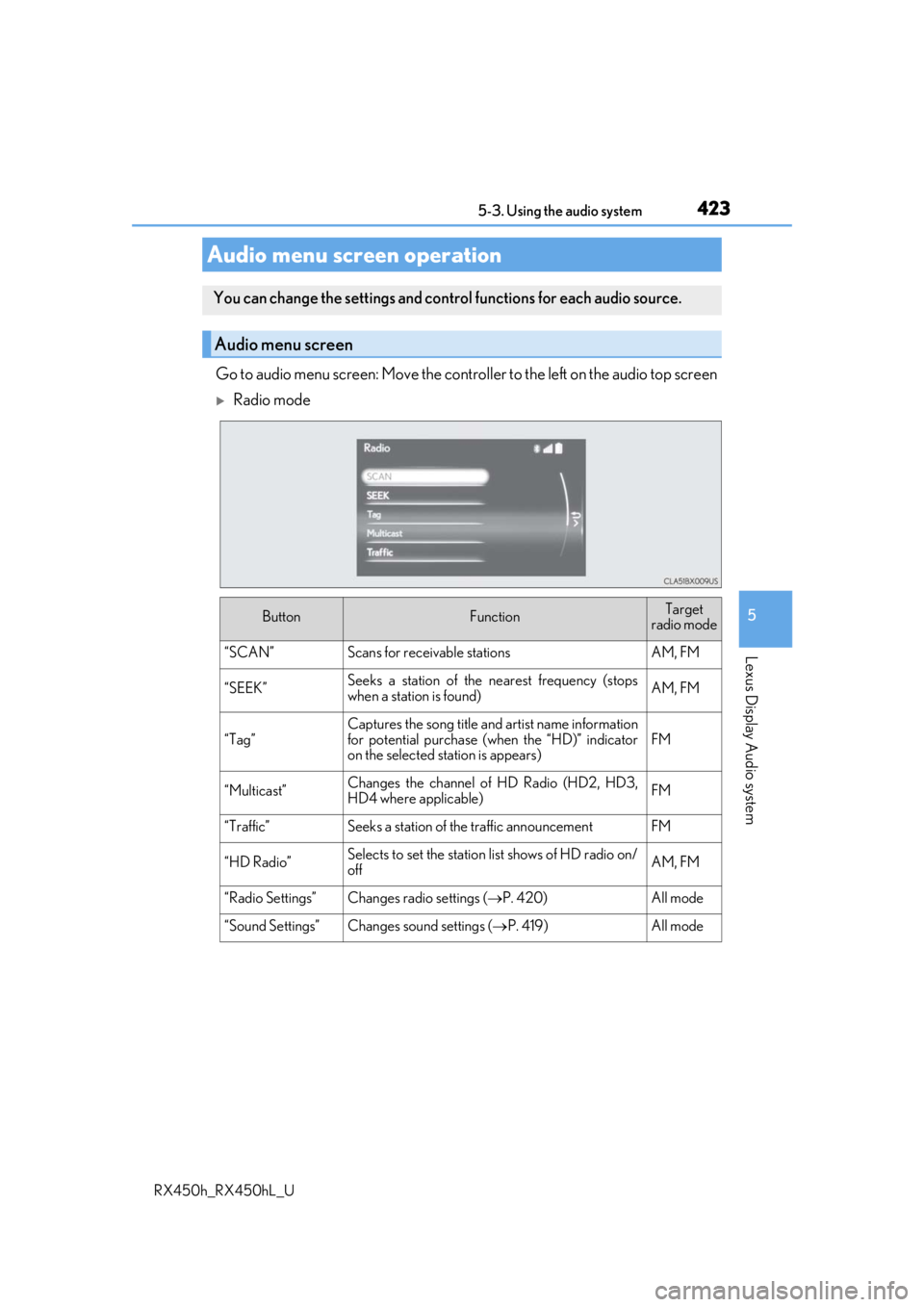
Go to audio menu screen: Move the controller to the left on the audio top screen
Radio mode
Audio menu screen operation
You can change the settings and control functions for each audio source.
Audio menu screen
ButtonFunctionTarget
radio mode
“SCAN”Scans for receivable stationsAM, FM
“SEEK”Seeks a station of the nearest frequency (stops
when a station is found)AM, FM
“Tag”
Captures the song title and artist name information
for potential purchase (when the “HD)” indicator
on the selected st ation is appears)
FM
“Multicast”Changes the channel of HD Radio (HD2, HD3,
HD4 where applicable)FM
“Traffic”Seeks a station of th e traffic announcementFM
“HD Radio”Selects to set the station list shows of HD radio on/
offAM, FM
“Radio Settings”Changes radio settings ( P. 420)All mode
“Sound Settings”Changes sound settings (P. 419)All mode
Page 426 of 792
426
RX450h_RX450hL_U5-4. Using the radio
Pressing the “RADIO” button displays the radio top screen from any screen of
the selected source.
■Menu screen
P. 423
Tune in to the desired station using one of the following methods.
■Seek tuning
Press and hold then release the “ PRST” or “TRACK ” button.
Seek tuning can also be operated on the menu screen. ( P. 423)
The radio will begin seeking up or down for a station of the nearest frequency
and will stop when a station is found.
■Manual tuning
Turn the “TUNE•SCROLL” knob.
■Preset stations
Select the desired preset station by pressing the “ PRST” or “TRACK ” but-
ton, or turning and pressing the controller.
■Station list
Move the controller to the right and selecting “Station List”.
AM radio: Selectin g a desired station.
FM radio: Selecting a desired type of station and selecting a desired st\
a-
tion.
To refreshing the station list, select “Refresh”. Select “Source” on the refresh
screen, can be change to the othe r audio source while refreshing.
Radio operation
Select “AM”, “FM” or “SAT” on the audi o source selection screen to begin lis-
tening to the radio.
Radio top screen
Selecting a station (AM or FM radio)
1
2
Page 434 of 792

4345-5. Playing an audio CD and MP3/WMA/AAC discs
RX450h_RX450hL_U
■Error messages
If the following error messages appear on th e screen, refer to the table and take the
appropriate measures. If the pr oblem is not rectified, take the vehicle to your Lexus
dealer.
■Discs that can be used
Discs with the marks sh own below can be used.
Playback may not be possible depending on recording format or disc features, or due to
scratches, dirt or deterioration.
CDs with copy-protection feat ures may not play correctly.
■CD player protection feature
To protect the internal components, playback is automatically stopped when a problem is
detected.
■If a disc is left inside the CD player or in the ejected position for extended periods
Disc may be damaged and may not play properly.
■Lens cleaners
Do not use lens cleaners. Doing so may damage the CD player.
■MP3, WMA and AAC files
MP3 (MPEG Audio LAYER3) is a standard audio compression format.
Files can be compressed to approximately 1/10 of their original size by using MP3 com-
pression.
WMA (Windows Media Audio) is a Microsoft audio compression format.
This format compresses audio data to a si ze smaller than that of the MP3 format.
AAC is short for Advanced Audio Coding and refers to an audi o compression technol-
ogy standard used with MPEG2 and MPEG4.
MP3, WMA and AAC file and media/formats compatibility are limited.
MessageCauseCorrection procedures
“Check disc”
• The disc is dirty or dam- aged.
• The disc is inserted upside down.
•The disc is not playable with the player.
•Clean the disc.
• Insert the disc correctly.
•Confirm the disc is play-able with the player.
“DISC Error”There is a malfunction
within the system.Eject the disc.
“No music files found.”No playable data is
included on the disc.Eject the disc.