stop LEXUS RX450H 2019 Owners Manual
[x] Cancel search | Manufacturer: LEXUS, Model Year: 2019, Model line: RX450H, Model: LEXUS RX450H 2019Pages: 792, PDF Size: 13.48 MB
Page 454 of 792
4545-7. Connecting Bluetooth®
RX450h_RX450hL_U
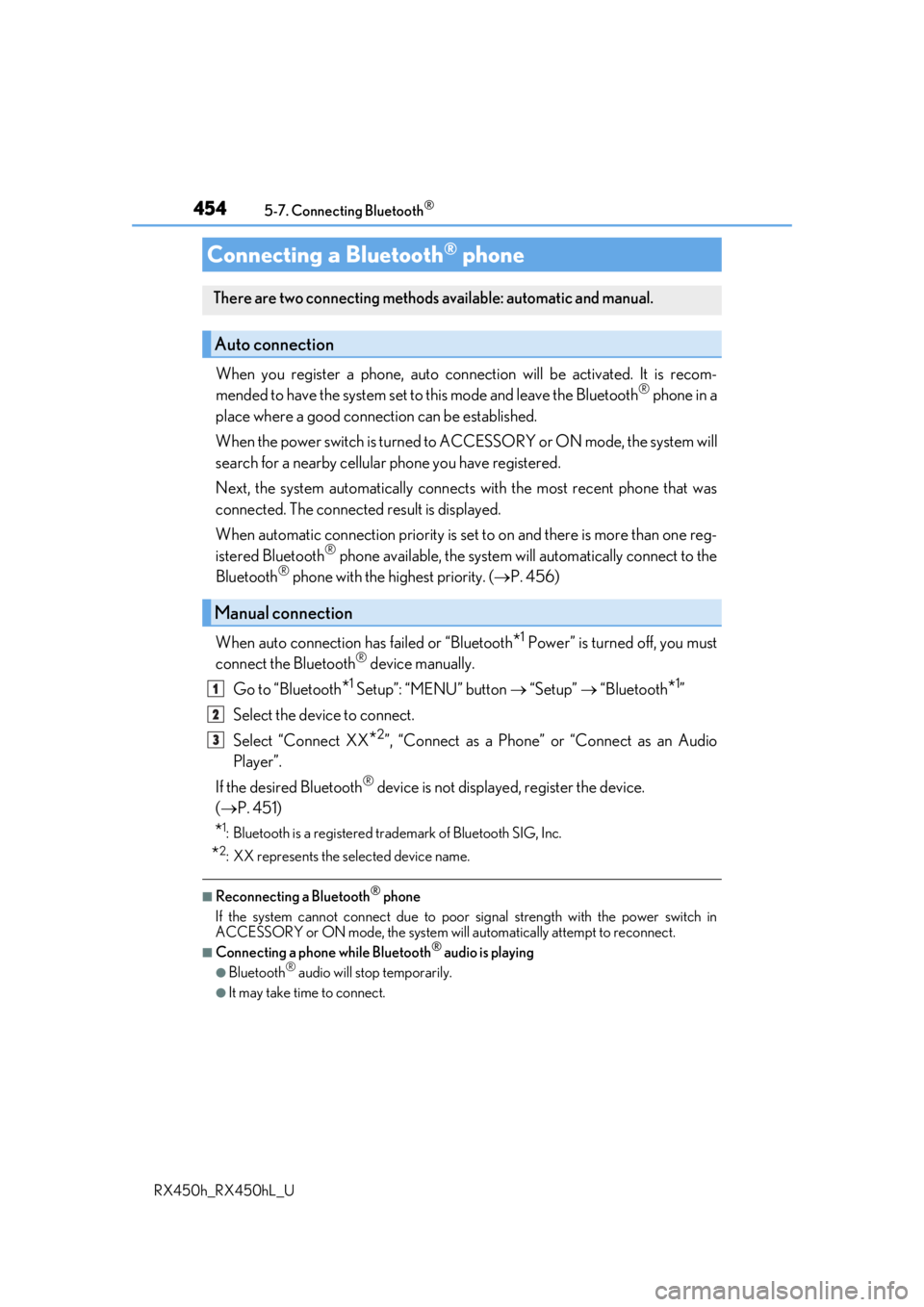
When you register a phone, auto connection will be activated. It is recom-
mended to have the system set to this mode and leave the Bluetooth® phone in a
place where a good connection can be established.
When the power switch is turned to ACCESSORY or ON mode, the system will
search for a nearby cellular phone you have registered.
Next, the system automatically connects with the most recent phone that was
connected. The connected result is displayed.
When automatic connection priority is set to on and there is more than one reg-
istered Bluetooth
® phone available, the system will automatically connect to the
Bluetooth® phone with the highest priority. ( P. 456)
When auto connection has failed or “Bluetooth
*1 Power” is turned off, you must
connect the Bluetooth® device manually.
Go to “Bluetooth
*1 Setup”: “MENU” button “Setup” “Bluetooth*1”
Select the device to connect.
Select “Connect XX
*2”, “Connect as a Phone” or “Connect as an Audio
Player”.
If the desired Bluetooth
® device is not displayed, register the device.
( P. 451)
*1: Bluetooth is a registered trademark of Bluetooth SIG, Inc.
*2: XX represents the selected device name.
■Reconnecting a Bluetooth® phone
If the system cannot connect due to poor signal strength with the power switch in
ACCESSORY or ON mode, the system will automatically attempt to reconnect.
■Connecting a phone while Bluetooth® audio is playing
●Bluetooth® audio will stop temporarily.
●It may take time to connect.
Connecting a Bluetooth® phone
There are two connecting methods available: automatic and manual.
Auto connection
Manual connection
1
2
3
Page 469 of 792
4695-9. Bluetooth® Phone
5
Lexus Display Audio system
RX450h_RX450hL_U
Go to message screen: “MENU” button “Phone” “Messages”
Select a message.
Moving the controller to the left while on the message list screen displays the setting
screen. ( P. 477)
Move the controller to the right while on the message screen and then select an
account to display a message list for the selected account.
Selecting “Next” or “Previous” disp lays the next or previous message.
If a message is too long, select “R ead More” to display the full text.
■Option menu
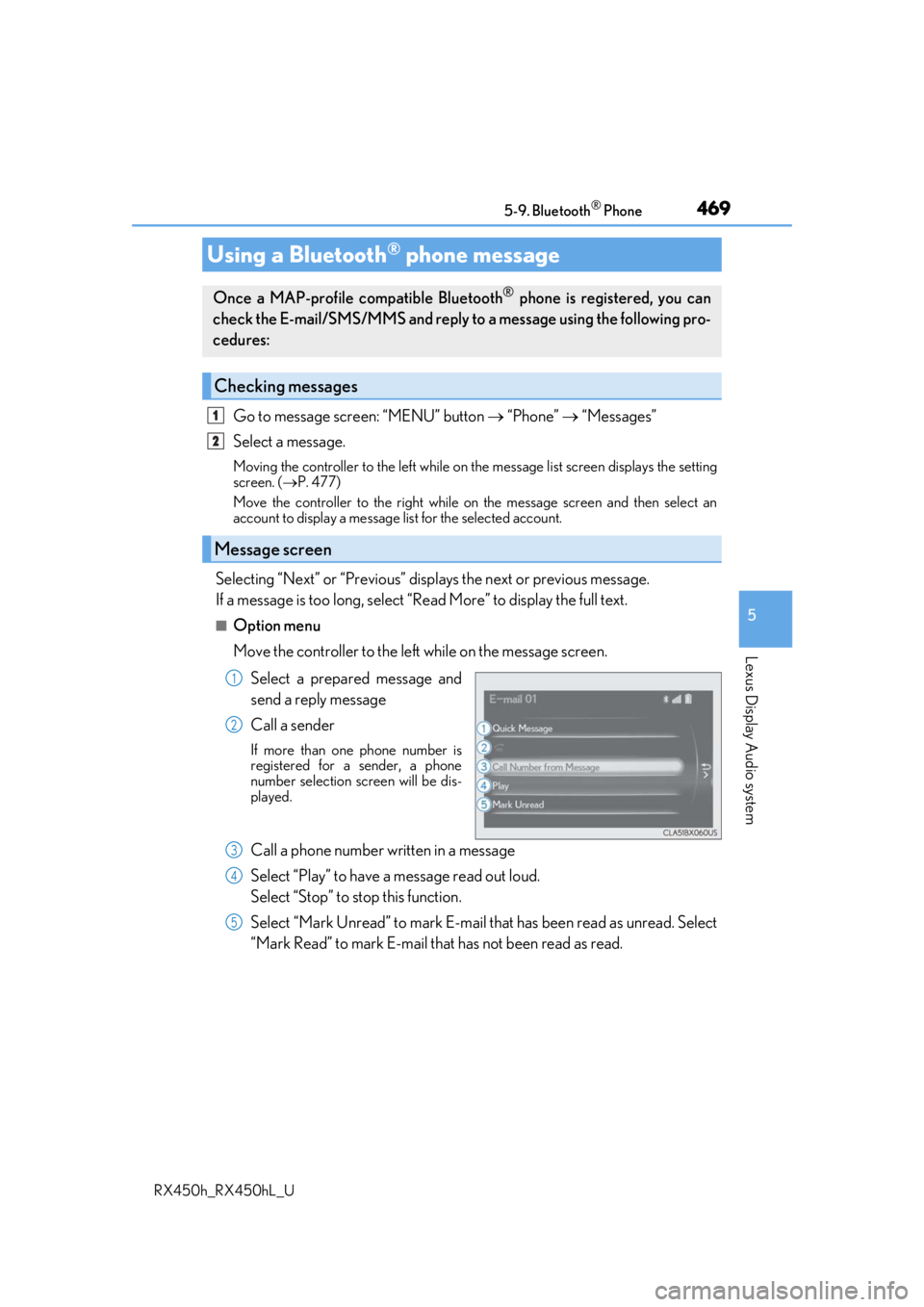
Move the controller to the left while on the message screen.
Select a prepared message and
send a reply message
Call a sender
If more than one phone number is
registered for a sender, a phone
number selection screen will be dis-
played.
Call a phone number written in a message
Select “Play” to have a message read out loud.
Select “Stop” to stop this function.
Select “Mark Unread” to mark E-mail th at has been read as unread. Select
“Mark Read” to mark E-mail that has not been read as read.
Using a Bluetooth® phone message
Once a MAP-profile compatible Bluetooth® phone is registered, you can
check the E-mail/SMS/MMS and reply to a message using the following pro-
cedures:
Checking messages
Message screen
1
2
1
2
3
4
5
Page 481 of 792
4815-11. Bluetooth®
5
Lexus Display Audio system
RX450h_RX450hL_U
In other situations
Even though all conceivable measures have been taken, the symptom status does not
change.
The cellular phone is not close enough to this system.
Bring the cellular phone closer to this system.
The cellular phone is the most likely cause of the symptom.
Turn the cellular phone off, remove and reinstall the battery pack, and then
restart the cellular phone.
Enable the cellular phone’s Bluetooth
® connection.
Stop the cellular phone’s security software and close all applications.
Before using an application installed on the cellular phone, carefully check its
source and how its operation might affect this system.
Page 502 of 792
5026-1. Basic operation of the Remote Touch screen
RX450h_RX450hL_U
■Screen display during low temperatures
When the ambient temperature is extremely low, screen response may be delayed even
if the Remote Touch is operated.
WARNING
■When using the Remote Touch
●Do not allow fingers, fingernails or hair to become caught in the Remote Touch as this
may cause an injury.
●Be careful when selecting the Remote Touch in extreme temperatures as it may
become very hot or cold due to the temperature inside the vehicle.
NOTICE
■To prevent damage to the Remote Touch
●Do not allow the Remote Touch to come into contact with food, liquid, stickers or lit
cigarettes as doing so may cause it to change color, emit a strange odor or stop func-
tioning.
●Do not subject the Remote Touch to excessive pressure or strong impact as the knob
may bend or break off.
●Do not allow coins, contact lenses or ot her such items to become caught in the
Remote Touch as this may cause it to stop functioning.
●Items of clothing may rip if they become caught on the Remote Touch knob.
●If your hand or any object is on the Remo te Touch knob when the power switch is in
ACCESSORY mode, the Remote Touch knob may not operate properly.
Page 513 of 792
5136-2. Using the air conditioning system and defogger
RX450h_RX450hL_U
6
Interior features
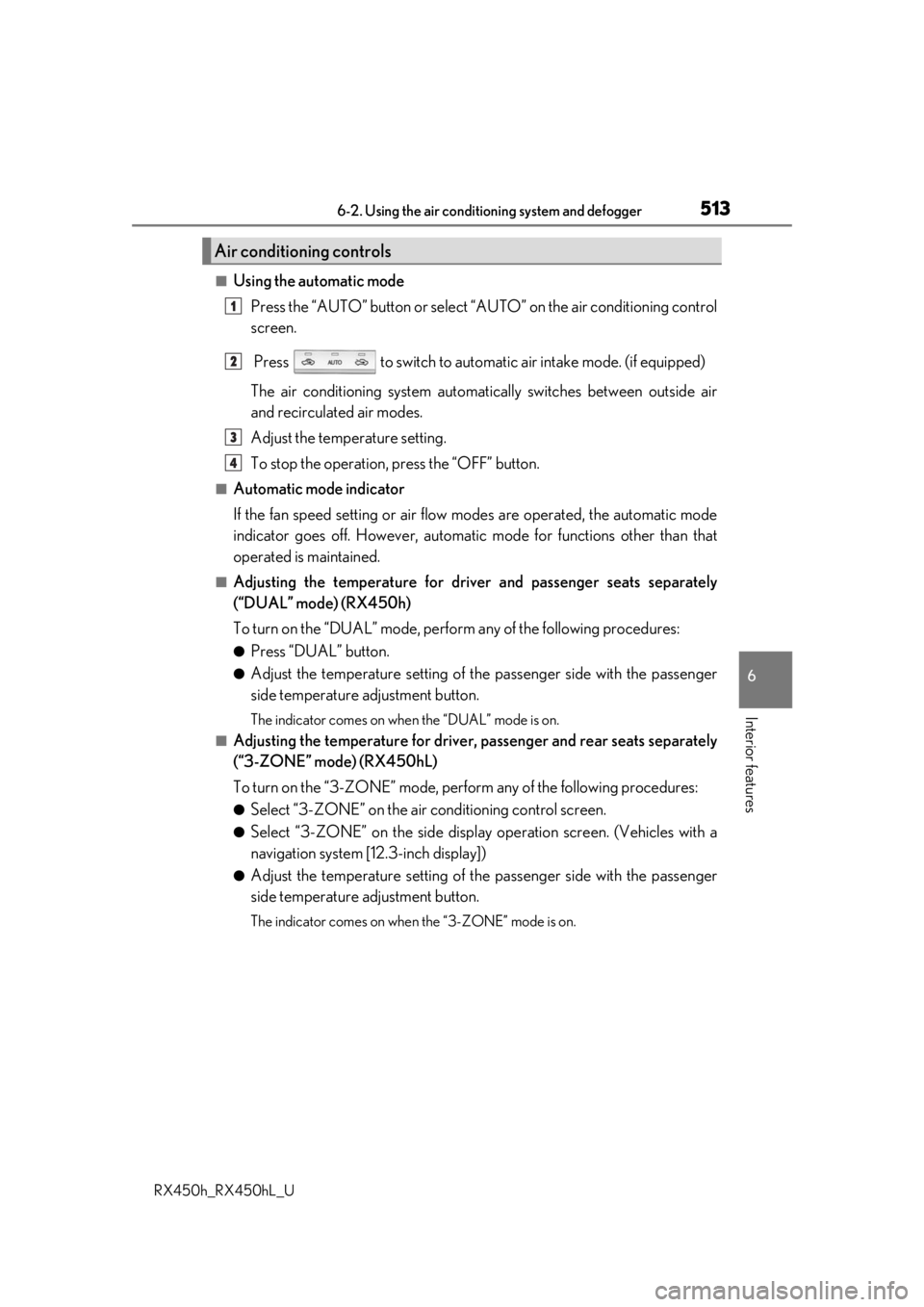
■Using the automatic mode Press the “AUTO” button or select “A UTO” on the air conditioning control
screen.
Press to switch to automatic air intake mode. (if equipped)
The air conditioning system automati cally switches between outside air
and recirculated air modes.
Adjust the temperature setting.
To stop the operation, press the “OFF” button.
■Automatic mode indicator
If the fan speed setting or air flow modes are operated, the automatic mode
indicator goes off. However, automati c mode for functions other than that
operated is maintained.
■Adjusting the temperature for driv er and passenger seats separately
(“DUAL” mode) (RX450h)
To turn on the “DUAL” mode, perfor m any of the following procedures:
●Press “DUAL” button.
●Adjust the temperature setting of th e passenger side with the passenger
side temperature adjustment button.
The indicator comes on when the “DUAL” mode is on.
■Adjusting the temperature for driver, passenger and rear seats separately
(“3-ZONE” mode) (RX450hL)
To turn on the “3-ZONE” mode, perf orm any of the following procedures:
●Select “3-ZONE” on the air conditioning control screen.
●Select “3-ZONE” on the side displa y operation screen. (Vehicles with a
navigation system [12.3-inch display])
●Adjust the temperature setting of th e passenger side with the passenger
side temperature adjustment button.
The indicator comes on when the “3-ZONE” mode is on.
Air conditioning controls
1
2
3
4
Page 514 of 792
5146-2. Using the air conditioning system and defogger
RX450h_RX450hL_U
■S-FLOW mode
In S-FLOW mode, priority for the airflo w is given to the front seats, reducing
the airflow and air conditioning effect on the rear seats. When in S-FLOW
mode, airflow from the rear air condit ioning system is stopped. (RX450hL)
Operation in S-FLOW mode differs according to the following conditions: • Priority is given to the driver’s se at only when: Manual S-FLOW mode:
When no passenger is judged to be in the front passenger seat.
Automatic S-FLOW mode: When no passeng ers are judged to be in the front
passenger seat or rear seats. • Priority is given to the front seats when: Manual S-FLOW mode is selected
or no passengers are judged to be in the rear seats when in automatic S-
FLOW mode.
• S-FLOW mode will be disa bled when: A passenger is judged to be in a rear
seat when in automatic S-FLOW mode.
Depending on the set temperature, operation in S-FLOW mode may not
change as described above.
When certain conditions are met and priori ty is given to the driver’s seat only,
the temperature indicator for the fr ont passenger side will turn off.
How the system judges if a passenger is in the vehicle: P. 518
The following S-FLOW modes are available:
Automatic S-FLOW mode
In this mode, when a passenger is judg ed to be in a rear seat, S-FLOW mode
will be automatically disabled.
The indicator will illuminate wh en S-FLOW mode is enabled.
To enable/disable S-FLOW mode and enter manual S-FLOW mode, select
on the option control screen.
How the system judges if a passenger is in the vehicle: P. 518
Manual S-FLOW mode
When is selected, S-FLOW mode will be manually enabled/disabled.
The indicator will illuminate when S-FLOW mode is enabled.
In manual S-FLOW mode, as the system does not judge if a passenger is in a rear
seat, S-FLOW mode will not be disabled automatically.
To disable S-FLOW mode automatically by opening and closing a rear door or
operating the rear air conditioning syst em (RX450hL), change to automatic S-
FLOW mode. ( P. 518)
Page 515 of 792
5156-2. Using the air conditioning system and defogger
RX450h_RX450hL_U
6
Interior features
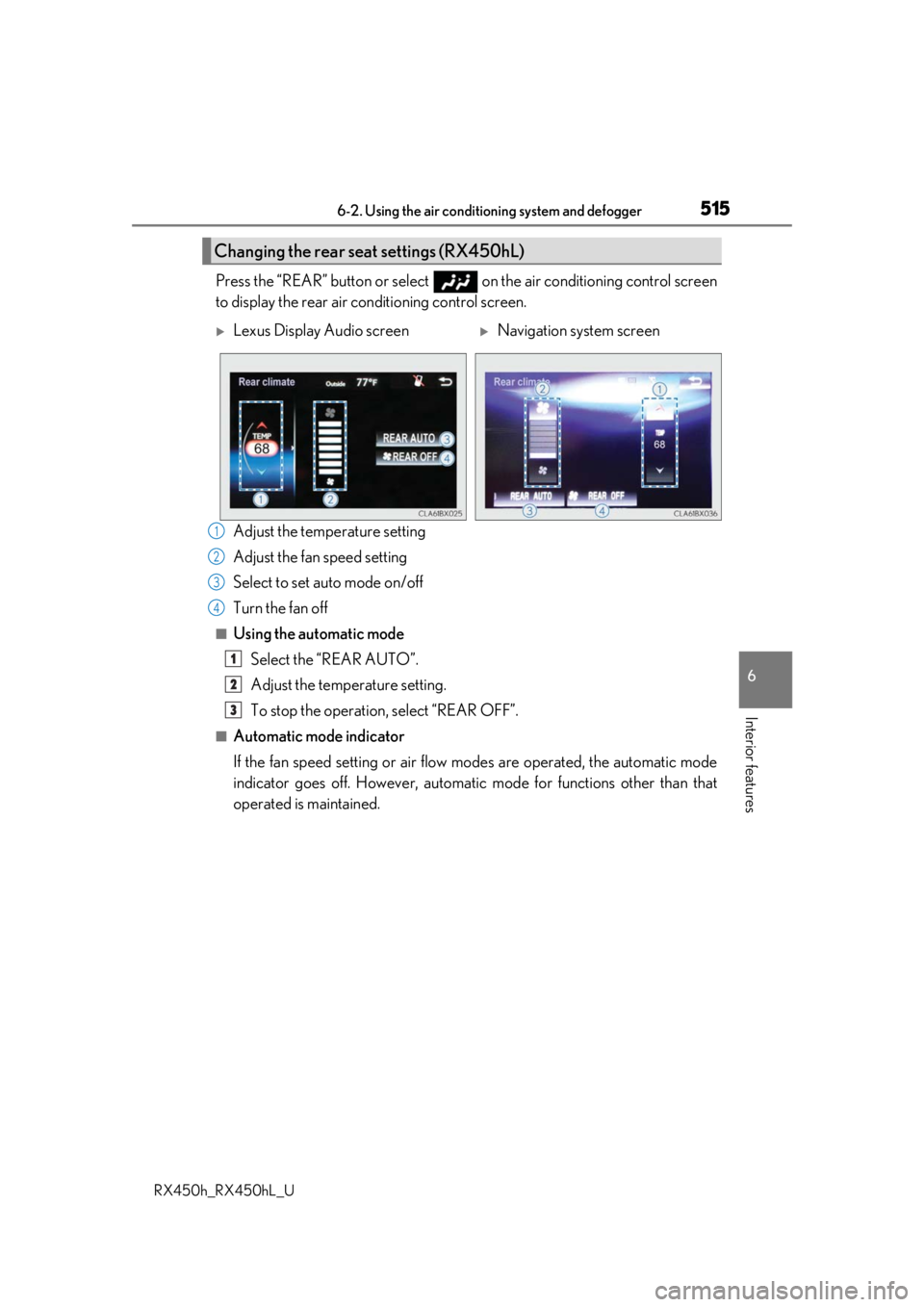
Press the “REAR” button or select on the air conditioning control screen
to display the rear air conditioning control screen.
Adjust the temperature setting
Adjust the fan speed setting
Select to set auto mode on/off
Turn the fan off
■Using the automatic modeSelect the “REAR AUTO”.
Adjust the temperature setting.
To stop the operation, select “REAR OFF”.
■Automatic mode indicator
If the fan speed setting or air flow modes are operated, the automatic mode
indicator goes off. However, automati c mode for functions other than that
operated is maintained.
Changing the rear seat settings (RX450hL)
Lexus Display Audio screenNavigation system screen
1
2
3
4
1
2
3
Page 518 of 792
5186-2. Using the air conditioning system and defogger
RX450h_RX450hL_U
■Registering air conditioning settings to electronic keys
●Unlocking the vehicle using an electronic key and turning the power switch to ON
mode will recall that ke y’s registered air conditioning settings.
●When the power switch is turned off, the cu rrent air conditioning settings will automati-
cally be registered to the electronic key that was used to unlock the vehicle.
●The system may not operate correctly if more th an one electronic key is in the vicinity or
if the smart access system with push-button start is used to unlock a passenger door.
●The doors that can recall the air conditioning setting when unlocked using the smart
access system with push-button start can be changed.
* For details, contact your Lexus
dealer.
*: The doors that can recall the driving positi on memory are changed at the same time.
■Using automatic mode
Fan speed is adjusted automatically according to the temperature setting and the ambi-
ent conditions.
Therefore, the fan may stop for a while until wa rm or cool air is ready to flow immediately
after the “AUTO” button is pressed or “AUTO” is selected.
■How the system judges if a passenger is in the vehicle when in S-FLOW mode
In S-FLOW mode, the system judges if a passenger is in the vehicle as follows:
• Front passenger seat: A passeng er is judged to be in the front passenger seat when the
system detects an object on the front passenger seat, fastening of the front passenger
seat belt, changing of the set temperature for the front passenger seat or the opening
and closing of the front passenger door. (However, when only opening and closing of
the front passenger door is detected, the sy stem will judge that a passenger is not in
the front passenger seat after the vehicl e speed reaches approximately 12 mph (20
km/h) or more.)
• Rear seats (automatic S-FLOW mode only): A passenger is judged to be in a rear seat
when the system detects the opening and closin g of a rear door or the operation of the
rear air conditioning system (RX450hL).
If a passenger is judged to be in the vehicl e, the system will retain the judgement for a
certain amount of time after th e power switch is turned off.
■Operation of automatic S-FLOW mode
When the system is operating in automati c S-FLOW mode, if the system detects the
opening and closing of a rear door or the op eration of the rear air conditioning system
(RX450hL), S-FLOW mode will be disabled. To enable S-FLOW mode, select
on the option control screen. (In this case , the system will operate in manual S-FLOW
mode.)
■Changing from manual S-FLOW mode to automatic S-FLOW mode
Select on the option control screen to disable S-FLOW mode.
Turn the power switch off.
Wait for 60 minutes or more and change the power switch to ON mode.
■Using the voice command system
Air conditioning system can be operated using voice commands. For details, refer to the
“NAVIGATION SYSTEM OWNER’S MANUAL”.
1
2
3
Page 524 of 792
5246-2. Using the air conditioning system and defogger
RX450h_RX450hL_U
■Using the automatic mode Press the “AUTO” button
Adjust the temperature setting.
To stop the operation, press the “OFF” button.
■Automatic mode indicator
If the fan speed setting or air flow modes are operated, the automatic mode
indicator goes off. However, automati c mode for functions other than that
operated is maintained.
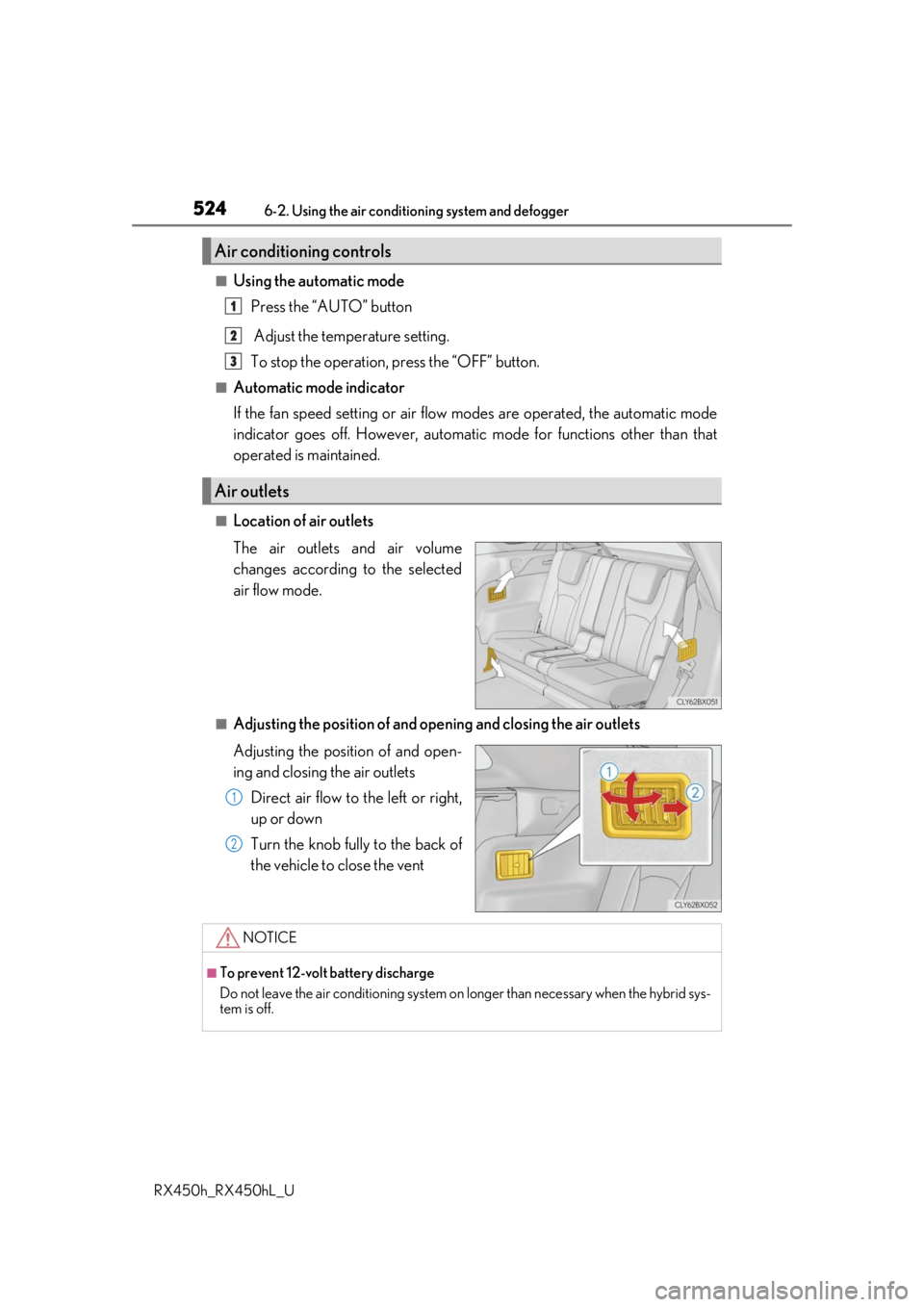
■Location of air outlets
The air outlets and air volume
changes according to the selected
air flow mode.
■Adjusting the position of and opening and closing the air outlets
Adjusting the position of and open-
ing and closing the air outlets
Direct air flow to the left or right,
up or down
Turn the knob fully to the back of
the vehicle to close the vent
Air conditioning controls
Air outlets
1
2
3
1
2
NOTICE
■To prevent 12-volt battery discharge
Do not leave the air conditioning system on longer than necessary when the hybrid sys-
tem is off.
Page 549 of 792
5496-5. Using the other interior features
6
Interior features
RX450h_RX450hL_U
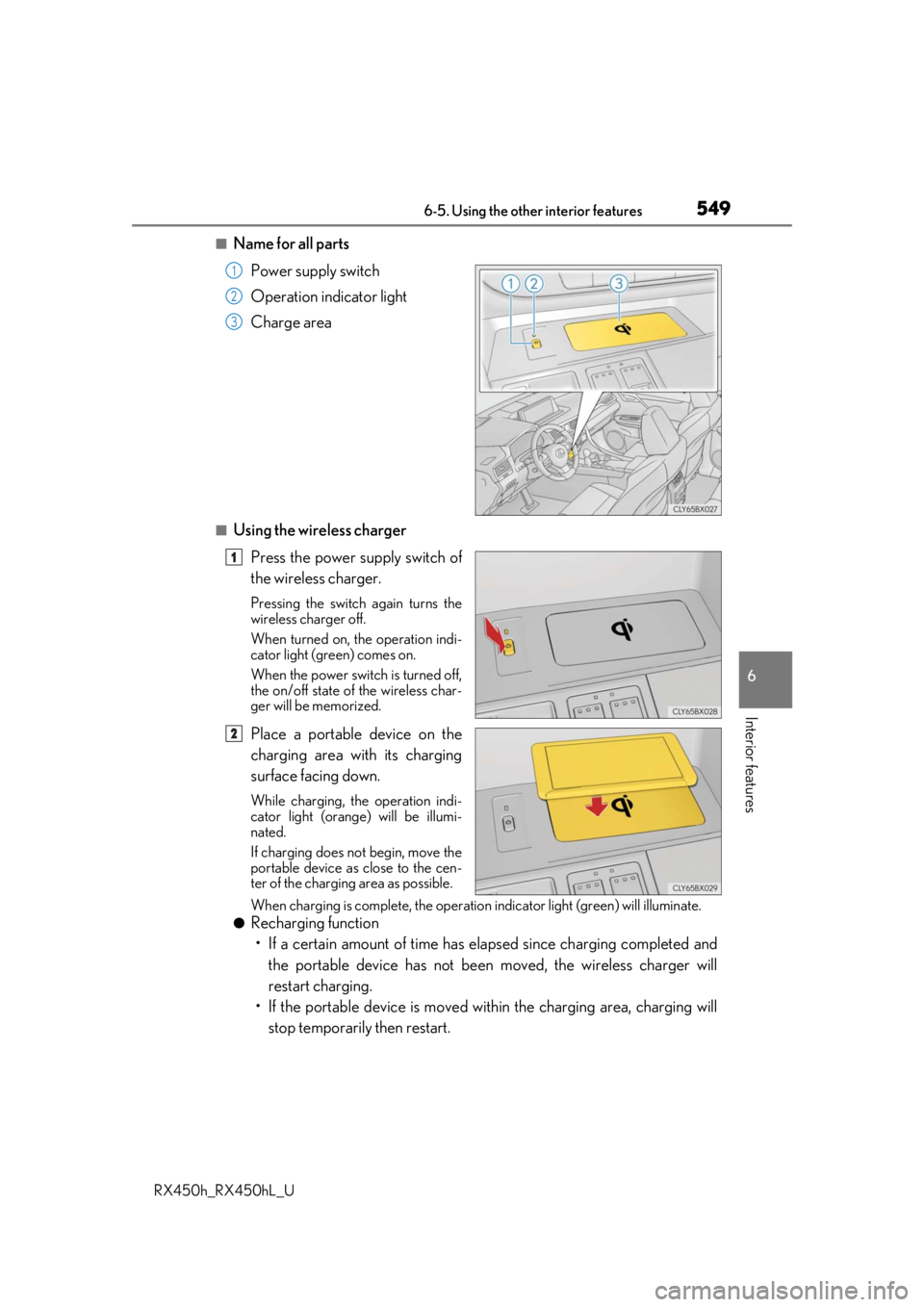
■Name for all partsPower supply switch
Operation indicator light
Charge area
■Using the wireless chargerPress the power supply switch of
the wireless charger.
Pressing the switch again turns the
wireless charger off.
When turned on, the operation indi-
cator light (green) comes on.
When the power switch is turned off,
the on/off state of the wireless char-
ger will be memorized.
Place a portable device on the
charging area with its charging
surface facing down.
While charging, the operation indi-
cator light (orange) will be illumi-
nated.
If charging does not begin, move the
portable device as close to the cen-
ter of the charging area as possible.
When charging is complete, the operatio n indicator light (green) will illuminate.
●Recharging function
• If a certain amount of time has elapsed since charging completed and the portable device has not been moved, the wireless charger will
restart charging.
• If the portable device is moved with in the charging area, charging will
stop temporarily then restart.
1
2
3
1
2