open LEXUS RX450H 2019 Owners Manual
[x] Cancel search | Manufacturer: LEXUS, Model Year: 2019, Model line: RX450H, Model: LEXUS RX450H 2019Pages: 792, PDF Size: 13.48 MB
Page 534 of 792
5346-4. Using the storage features
RX450h_RX450hL_U
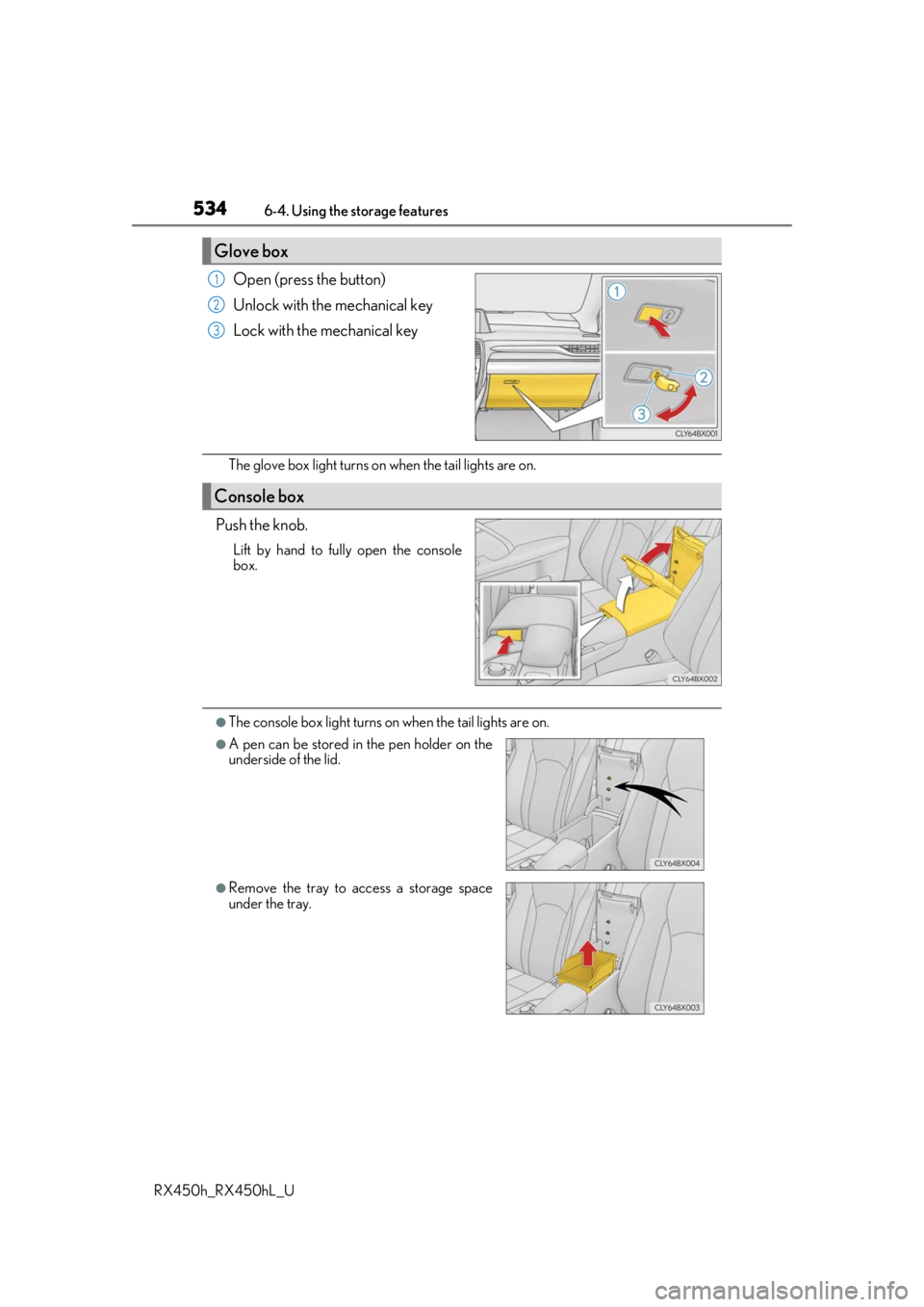
Open (press the button)
Unlock with the mechanical key
Lock with the mechanical key
The glove box light turns on when the tail lights are on.
Push the knob.
Lift by hand to fully open the console
box.
●The console box light turns on when the tail lights are on.
Glove box
1
2
3
Console box
●A pen can be stored in the pen holder on the
underside of the lid.
●Remove the tray to access a storage space
under the tray.
Page 537 of 792
5376-4. Using the storage features
6
Interior features
RX450h_RX450hL_U
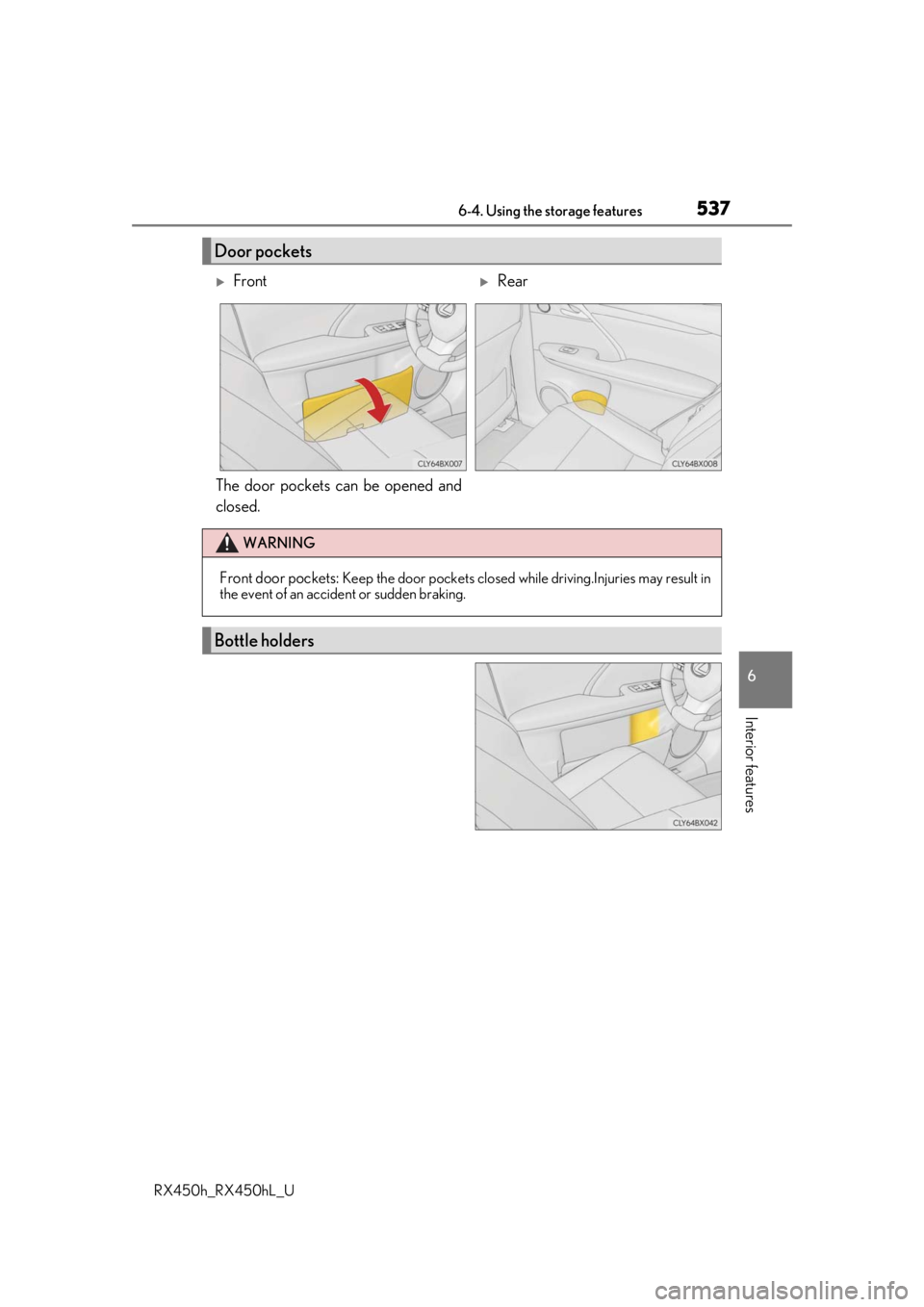
The door pockets can be opened and
closed.
Door pockets
FrontRear
WARNING
Front door pockets: Keep the door pockets closed while driving.Injuries may result in
the event of an accident or sudden braking.
Bottle holders
Page 538 of 792
5386-4. Using the storage features
RX450h_RX450hL_U
●When storing a bottle, close the cap.
●The bottle may not be stored depending on its size or shape.
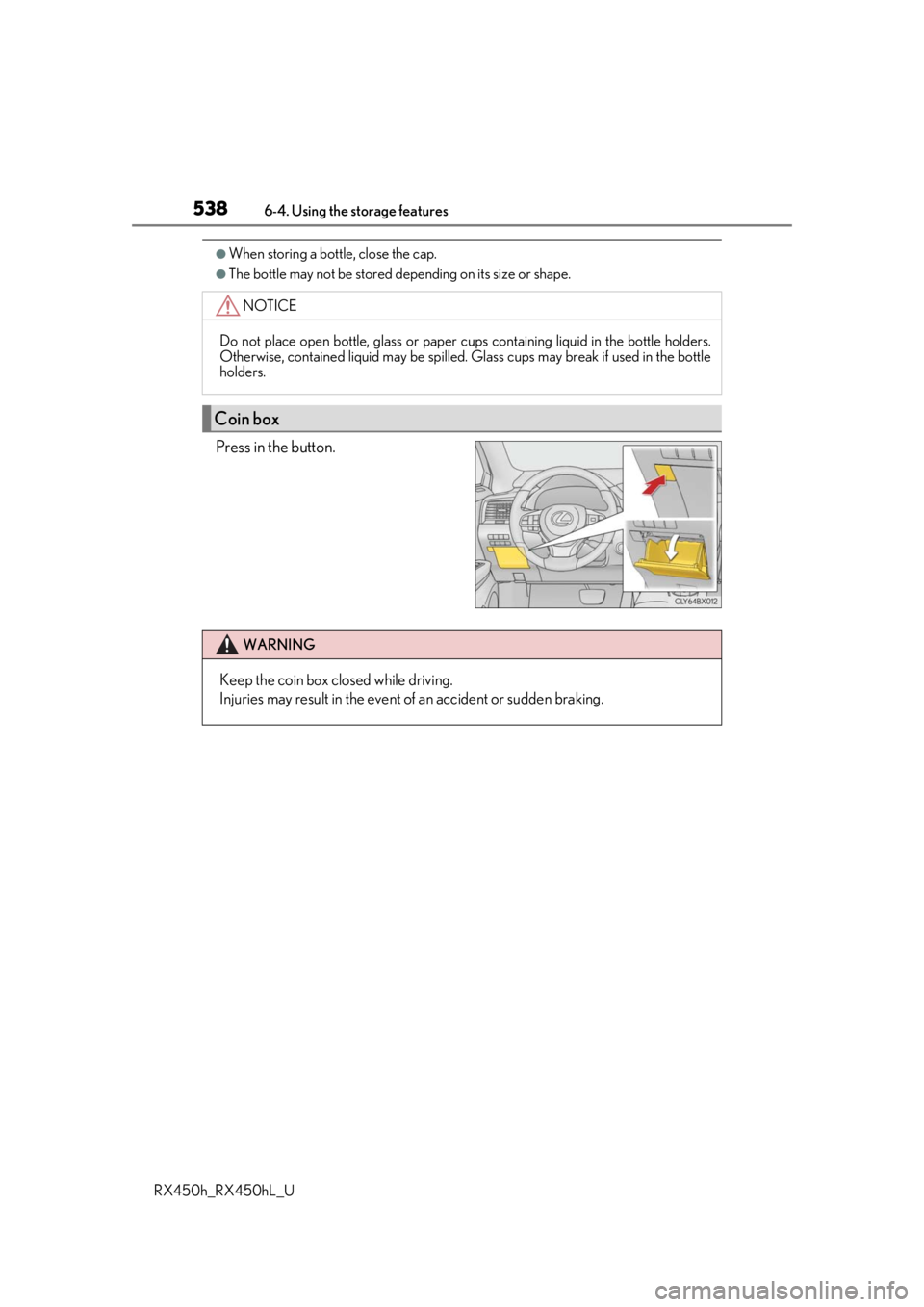
Press in the button.
NOTICE
Do not place open bottle, glass or paper cups containing liquid in the bottle holders.
Otherwise, contained liquid may be spilled. Glass cups may break if used in the bottle
holders.
Coin box
WARNING
Keep the coin box closed while driving.
Injuries may result in the event of an accident or sudden braking.
Page 539 of 792
5396-4. Using the storage features
6
Interior features
RX450h_RX450hL_U
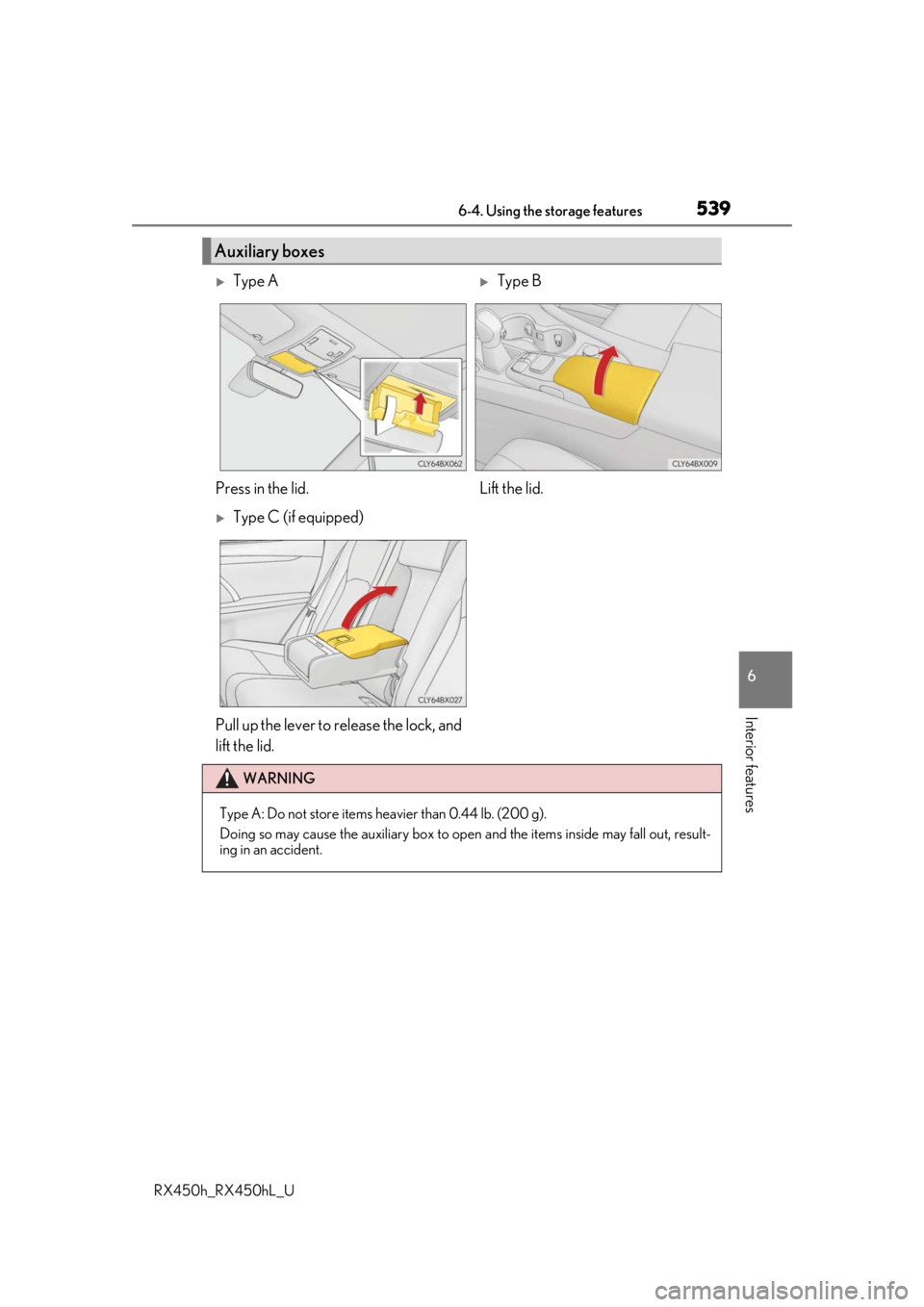
Auxiliary boxes
Type AType B
Press in the lid. Lift the lid.
Type C (if equipped)
Pull up the lever to release the lock, and
lift the lid.
WARNING
Type A: Do not store items he avier than 0.44 lb. (200 g).
Doing so may cause the auxiliary box to open and the items inside may fall out, result-
ing in an accident.
Page 544 of 792

5446-4. Using the storage features
RX450h_RX450hL_U
Pull the lever up and fold the flap of
the deck board.
Lift the deck board and disengage
the hook on the underside of the
deck board.
Attach the hook to the upper edge
of the back door opening as shown.
Auxiliary boxes (RX450h)
1
2
3
Deck floor boxSide auxiliary box
Page 545 of 792
5456-4. Using the storage features
6
Interior features
RX450h_RX450hL_U
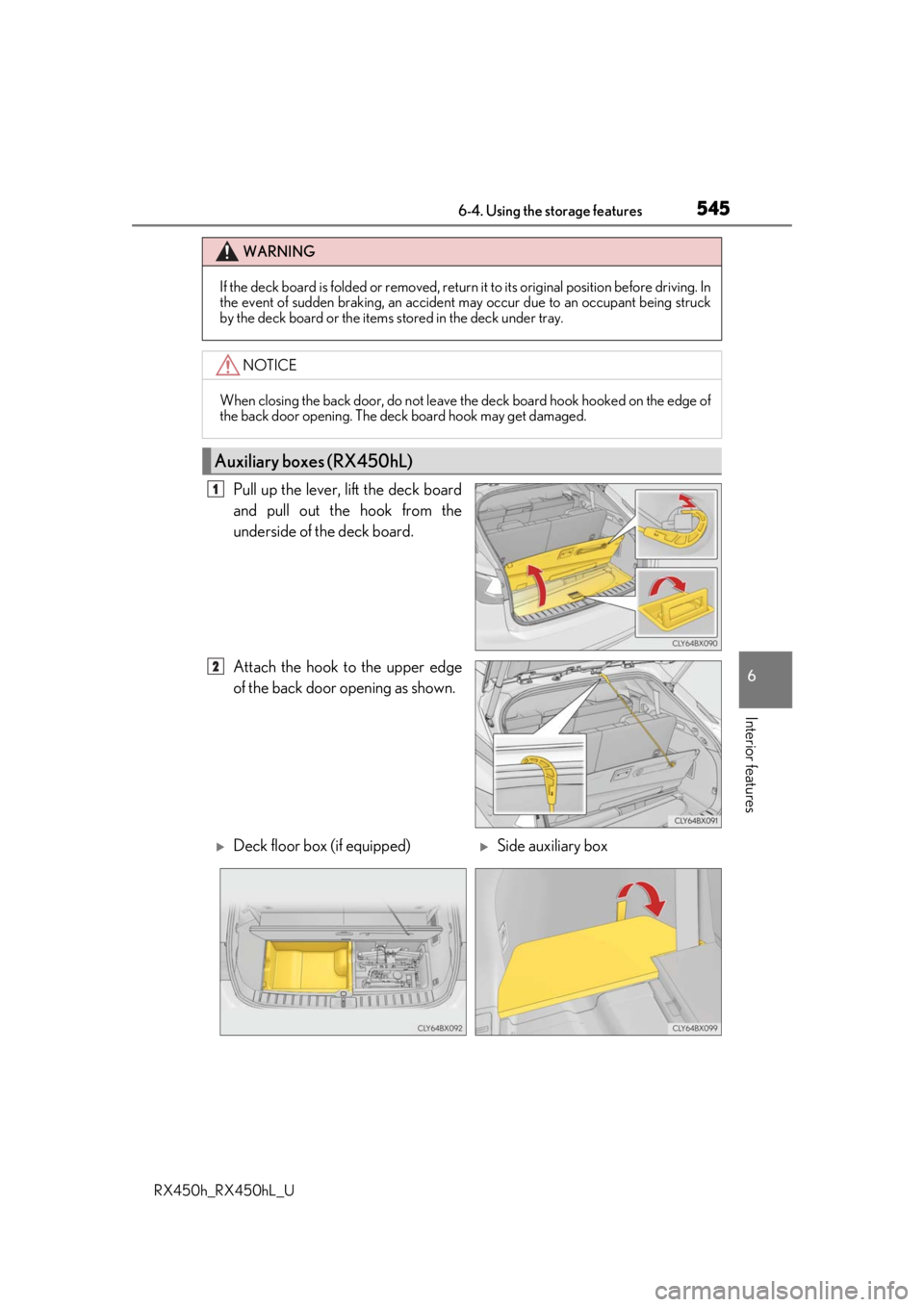
Pull up the lever, lift the deck board
and pull out the hook from the
underside of the deck board.
Attach the hook to the upper edge
of the back door opening as shown.
WARNING
If the deck board is folded or removed, return it to its original position before driving. In
the event of sudden braking, an accident may occur due to an occupant being struck
by the deck board or the items stored in the deck under tray.
NOTICE
When closing the back door, do not leave th e deck board hook hooked on the edge of
the back door opening. The deck board hook may get damaged.
Auxiliary boxes (RX450hL)
1
2
Deck floor box (if equipped)Side auxiliary box
Page 546 of 792
5466-4. Using the storage features
RX450h_RX450hL_U
WARNING
●If the deck board is folded or removed, return it to its original position before driving.
In the event of sudden braking, an accident may occur due to an occupant being
struck by the deck board or the items stored in the deck under tray.
NOTICE
When closing the back door, do not leave th e deck board hook hooked on the edge of
the back door opening. The deck board hook may get damaged.
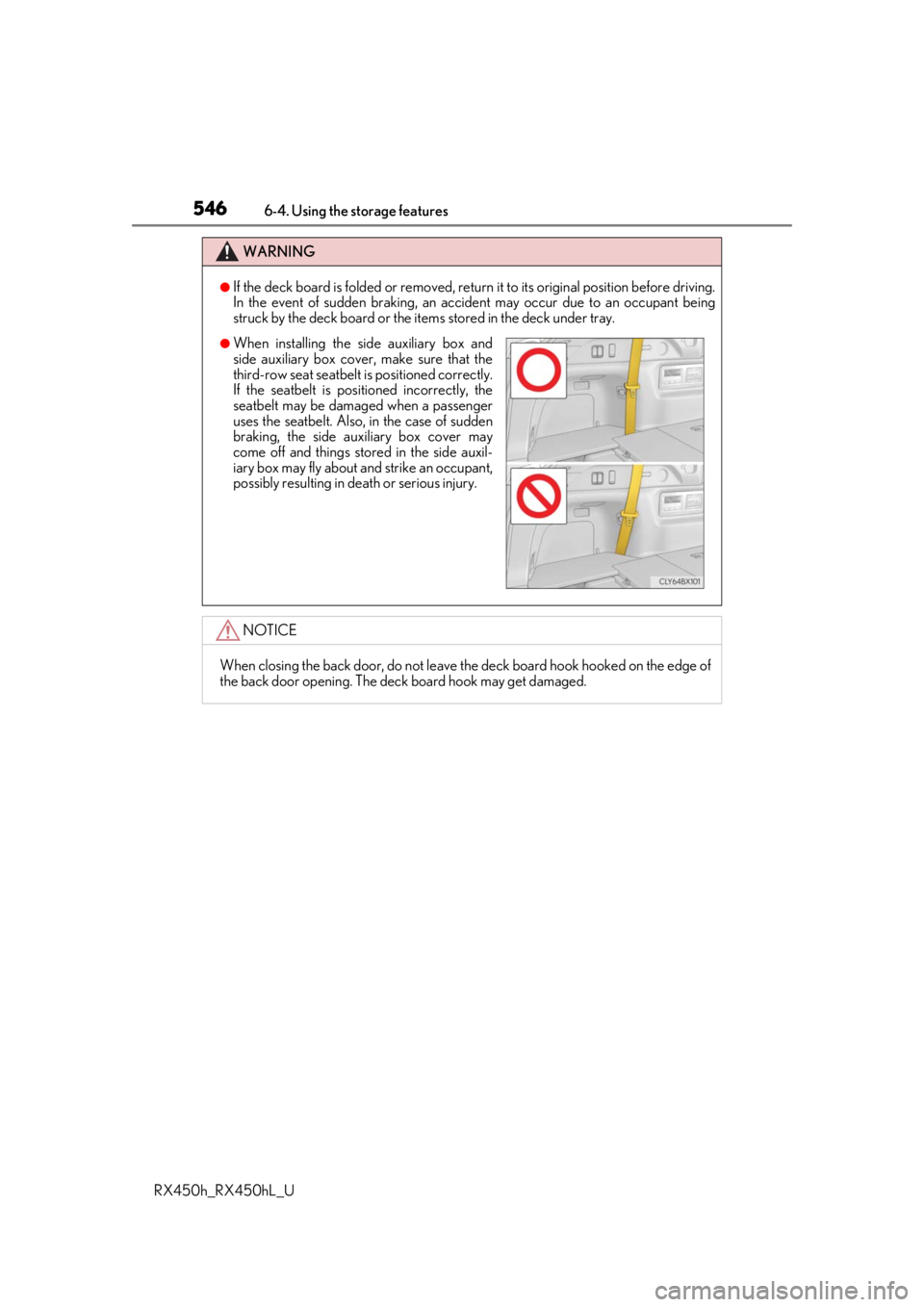
●When installing the side auxiliary box and
side auxiliary box cover, make sure that the
third-row seat seatbelt is positioned correctly.
If the seatbelt is posi tioned incorrectly, the
seatbelt may be damaged when a passenger
uses the seatbelt. Also, in the case of sudden
braking, the side auxiliary box cover may
come off and things stor ed in the side auxil-
iary box may fly about and strike an occupant,
possibly resulting in death or serious injury.
Page 547 of 792
547
RX450h_RX450hL_U
6
Interior features
6-5. Using the other interior features
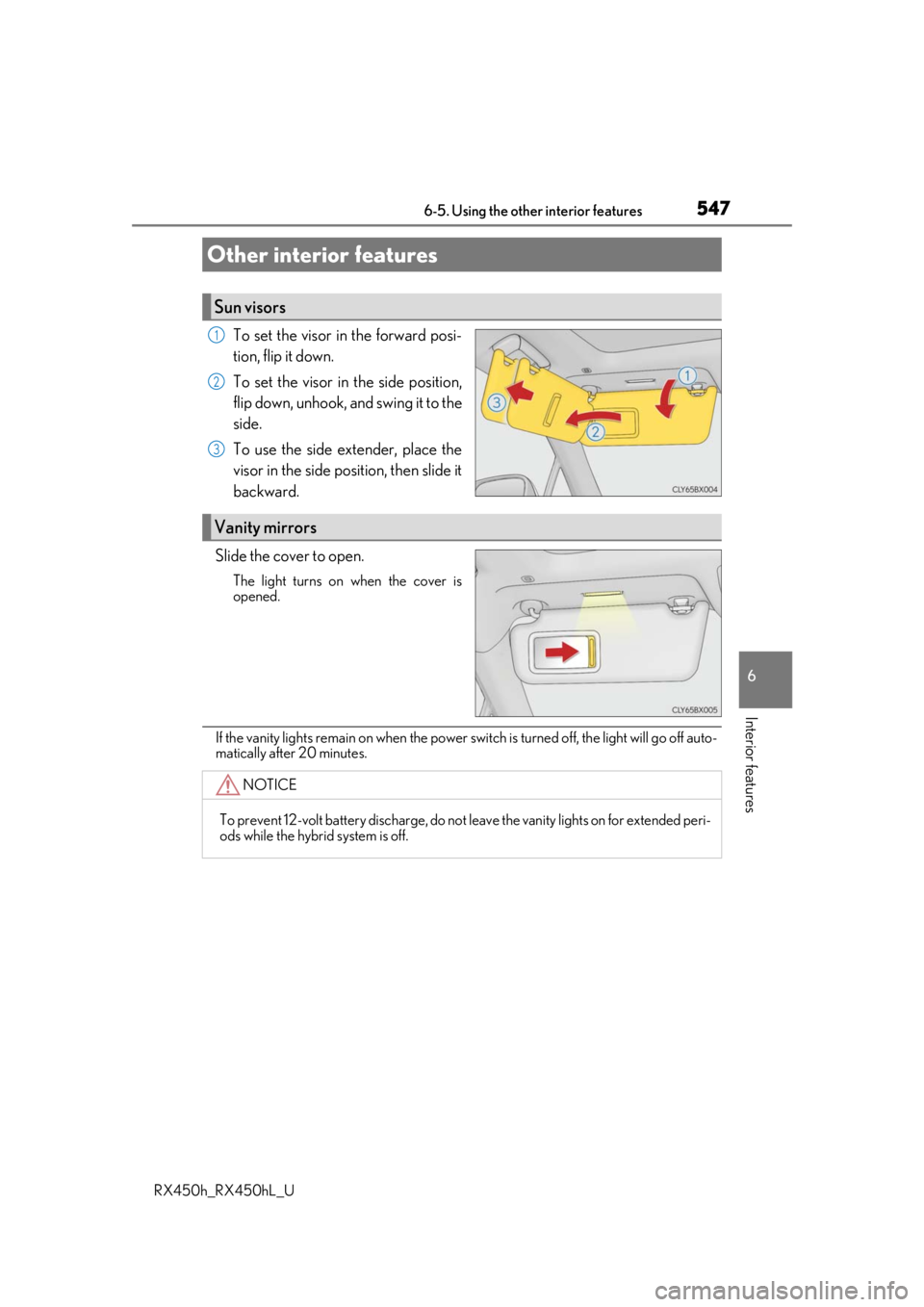
To set the visor in the forward posi-
tion, flip it down.
To set the visor in the side position,
flip down, unhook, and swing it to the
side.
To use the side extender, place the
visor in the side position, then slide it
backward.
Slide the cover to open.
The light turns on when the cover is
opened.
If the vanity lights remain on when the power sw itch is turned off, the light will go off auto-
matically after 20 minutes.
Other interior features
Sun visors
1
2
3
Vanity mirrors
NOTICE
To prevent 12-volt battery discharge, do not leave the vanity lights on for extended peri-
ods while the hybrid system is off.
Page 551 of 792
5516-5. Using the other interior features
6
Interior features
RX450h_RX450hL_U
■If a cover or accessory is attached to the portable device
Do not charge a portable device if a cover or accessory which is not Qi compatible is
attached. Depending on the type of cover an d/or accessory attached, it may not be pos-
sible to charge the portable device. If the po rtable device is placed on the charging area
and does not charge, remove the cover and/or accessories.
■If interference is heard in AM radio broadcasts while charging
Turn off the wireless charger and check if the noise is reduced. If noise is reduced, press
and hold the power supply switch of the wireless charger for 2 seconds. The frequency of
the wireless charger is changed and noise may be reduced. When the frequency is
changed, the operation indicator lig ht will blink (orange) 2 times.
■Charging precautions
●If the electronic key cannot be detected in the cabin, charging cannot be performed.
When a door is opened and closed, ch arging may be temporarily suspended.
●While charging, the wireless charger and the po rtable device will become warm. This is
not a malfunction.
If a portable device become s warm while charging and ch arging stops due to the pro-
tection function of the portable device, wait until the portable device cools down and
charge it again.
■Sound generated during operation
When the power supply switch is turned on or while a portable device is being identified,
operation sounds may be heard. This is not a malfunction.
■Cleaning the wireless charger
P. 585
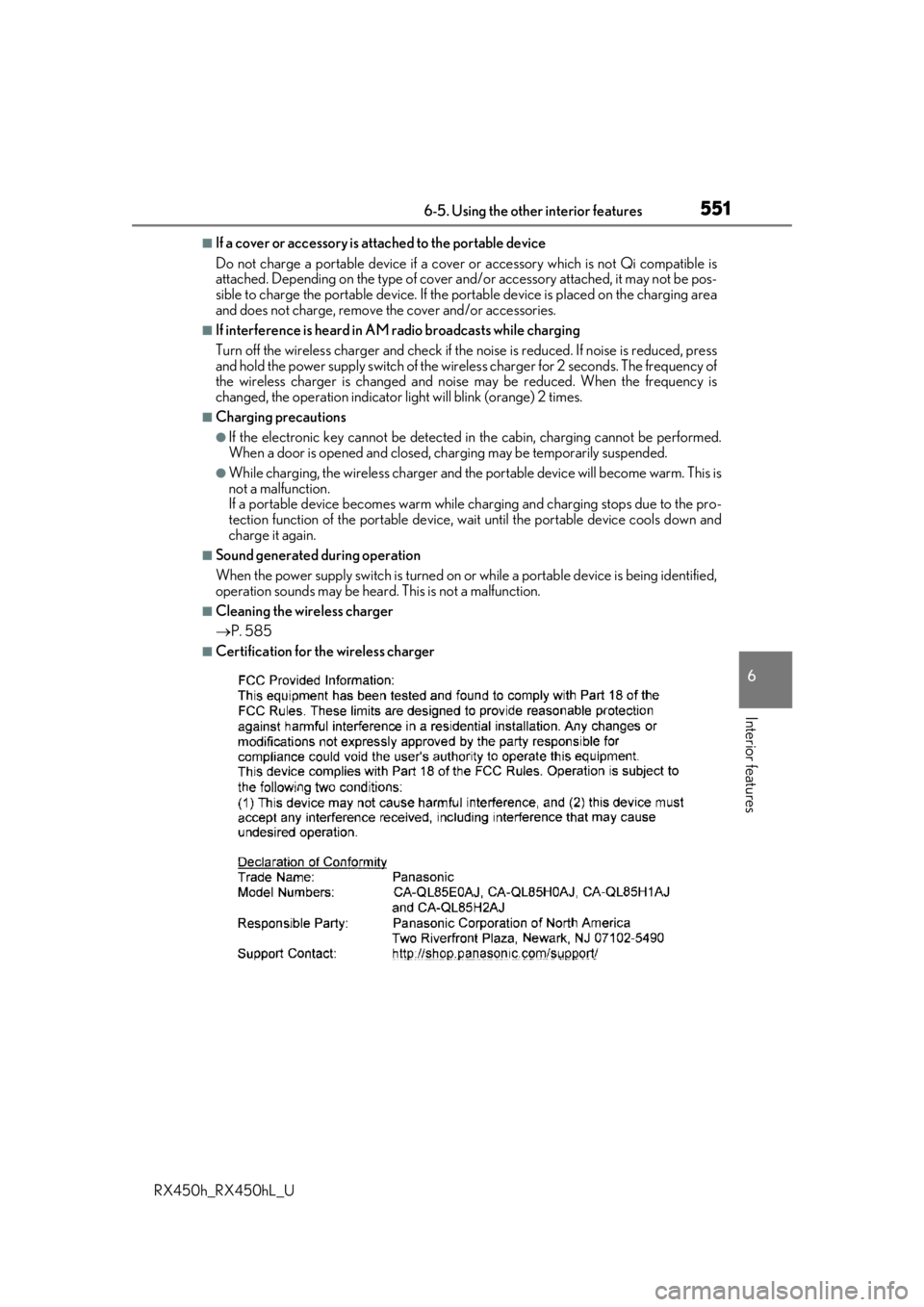
■Certification for the wireless charger
Page 555 of 792
5556-5. Using the other interior features
6
Interior features
RX450h_RX450hL_U
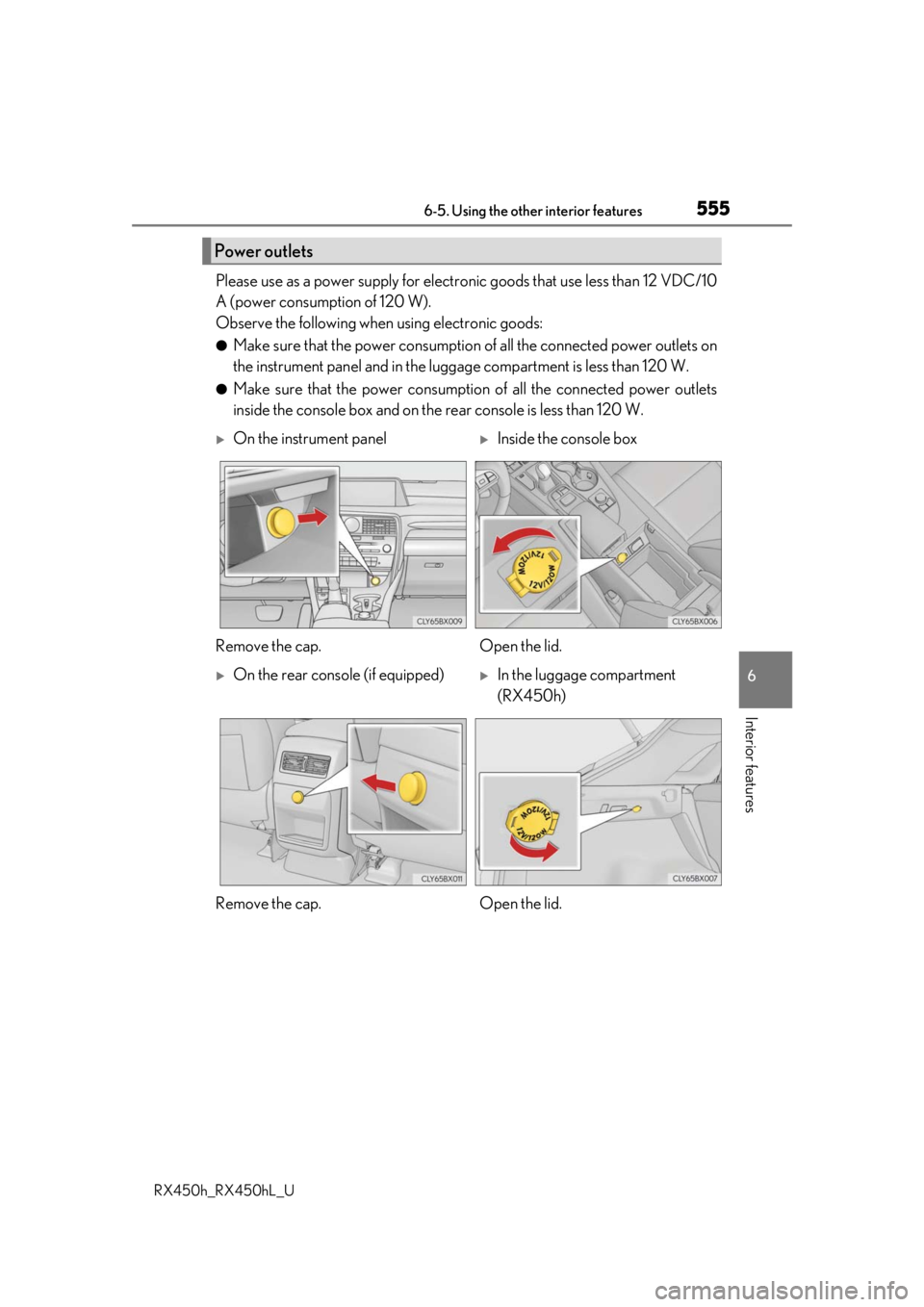
Please use as a power supply for electronic goods that use less than 12 VDC/10
A (power consumption of 120 W).
Observe the following when using electronic goods:
●Make sure that the power consumption of all the connected power outlets on
the instrument panel and in the lugg age compartment is less than 120 W.
●Make sure that the power consumptio n of all the connected power outlets
inside the console box and on the rear console is less than 120 W.
Power outlets
On the instrument panelInside the console box
Remove the cap. Open the lid.
On the rear console (if equipped)In the luggage compartment
(RX450h)
Remove the cap. Open the lid.