check LEXUS SC300 1991 Service Repair Manual
[x] Cancel search | Manufacturer: LEXUS, Model Year: 1991, Model line: SC300, Model: LEXUS SC300 1991Pages: 4087, PDF Size: 75.75 MB
Page 221 of 4087
 and (4). Connector (1) has \
a short spring plate on the fe-
male terminal side, but the operating principle is the same.
(3) Electrical Connection Check M")
HINT: The illustration shows connectors (3) and (4). Connector (1) has \
a short spring plate on the fe-
male terminal side, but the operating principle is the same.
(3) Electrical Connection Check MechanismThis mechanism is designed to electrically check if con-
nectors are connected correctly and completely.
The electrical connection check mechanism is designed
so that the connection detection pin connects with the
diagnosis terminals when the connector housing lock is
in the locked condition.
HINT: The illustration shows connector (5). Connector (1) also has the s\
ame operating principle.
AB±7SRS AIRBAG ± Operation
WhereEverybodyKnowsYourName
Page 223 of 4087

INSPECTION ITEMS AND REPLACEMENT REQUIREMENTS
If a Vehicle is brought in for an airbag system inspection, or if a vehicle wh\
ich has been involved in a collision
is inspected, perform the inspection in accordance with the following proc\
edure. If any problems are discovered,
replace the affected part with a new one.
Steering Wheel Pad (with Airbag), Steering Wheel and Spiral
Cable
INSPECTION ITEMS
1. VEHICLES NOT INVOLVED IN A COLLISION(a) Perform a diagnostic system check (See page AB±30).
(b) Perform a visual check which includes the following items with the steering wheel pad (with airbag) installed in the vehicle.
w Check for cuts, minute cracks or marked discoloration of
the steering wheel pad top surface and grooved portion.
2. VEHICLES INVOLVED IN A COLLISION IF THE AIRBAG IS NOT DEPLOYED
(a) Perform a diagnostic system check (See page AB±30).
(b) Perform a visual check which includes the following items with the steering wheel pad (with airbag) removed from the vehicle.
w Check for cuts or cracks in, or marked discoloration of the
steering wheel pad top surface and grooved portion.
w Check for cuts and cracks in, or chipping of connectors and
wire harnesses.
w Check for deformation of the horn button contact plate of
the steering wheel.
HINT: w If the horn button contact plate of the steering wheel is
deformed, never repair it. Always replace the steering
wheel assembly with a new one.
w There should be no interference between the steering
wheel pad and the steering wheel, and the clearance
should be uniform all the way around when the new
steering wheel pad is installed on the steering wheel.
CAUTION: For removal and installation of the steering wheel
pad, see page AB±14, ªREMOVAL AND INSTALLATIONº and be
sure to follow the correct procedure.
IF THE AIRBAG IS DEPLOYED
(a) Perform a diagnostic system check (See page AB±30).
(b) Perform a visual check which includes the following items with the steering wheel pad (with airbag) removed from the vehicle.
w Check for deformation of the horn button contact plate of
the steering wheel.
w Check for damage to the spiral cable connector and wire
harness.
AB±9SRS AIRBAG ± Inspection Items and Replacement Requirements
WhereEverybodyKnowsYourName
Page 224 of 4087

HINT:
w If the horn button contact plate of the steering wheel is deformed, never \
repair it. Always replace the
steering wheel assembly with a new one.
w There should be no interference between the steering wheel pad and the steeri\
ng wheel, and the
clearance should be uniform all the way around when the new steering wheel pad is\
installed on the
steering wheel.
REPLACEMENT REQUIREMENTS
In the following cases, replace the steering wheel pad, steering wheel or \
spiral cable.
CAUTION: For replacement of the steering wheel pad, see page AB±16, ªREMOVAL AND INSTALLA-
TIONº and be sure to follow the correct procedure.
w If the airbag has been deployed.
w If the steering wheel pad or spiral cable has been found to be faulty in\
troubleshooting.
w If the steering wheel pad, steering wheel or spiral cable has been found t\
o be faulty during the check
in item 1±(b) or 2±(b).
w If the steering wheel pad has been dropped.
Front Airbag Sensor
INSPECTION ITEMS
1. VEHICLES NOT INVOLVED IN A COLLISION
w Perform a diagnostic system check (See page AB±30).
2. VEHICLES INVOLVED IN A COLLISION (a) Perform a diagnostic system check (See page AB±30).
(b) If the front fender of the car or its periphery is damaged, perform visual check for damage to the front airbag
sensor, which includes the following items even if the
airbag was not deployed:
w Bracket deformation.
w Peeling of paint from the bracket.
w Cracks, dents or chips in the case.
w Cracks and dents in, or chipping and scratches of
the connector.
w Peeling off of the label or damage to the series
number.
Also refer to the body dimension drawings on page
BO±133 and check the dimensions and mounting sur-
face angle of the body area where the front airbag sen-
sors are mounted.
AB±10SRS AIRBAG ± Inspection Items and Replacement Requirements
WhereEverybodyKnowsYourName
Page 225 of 4087
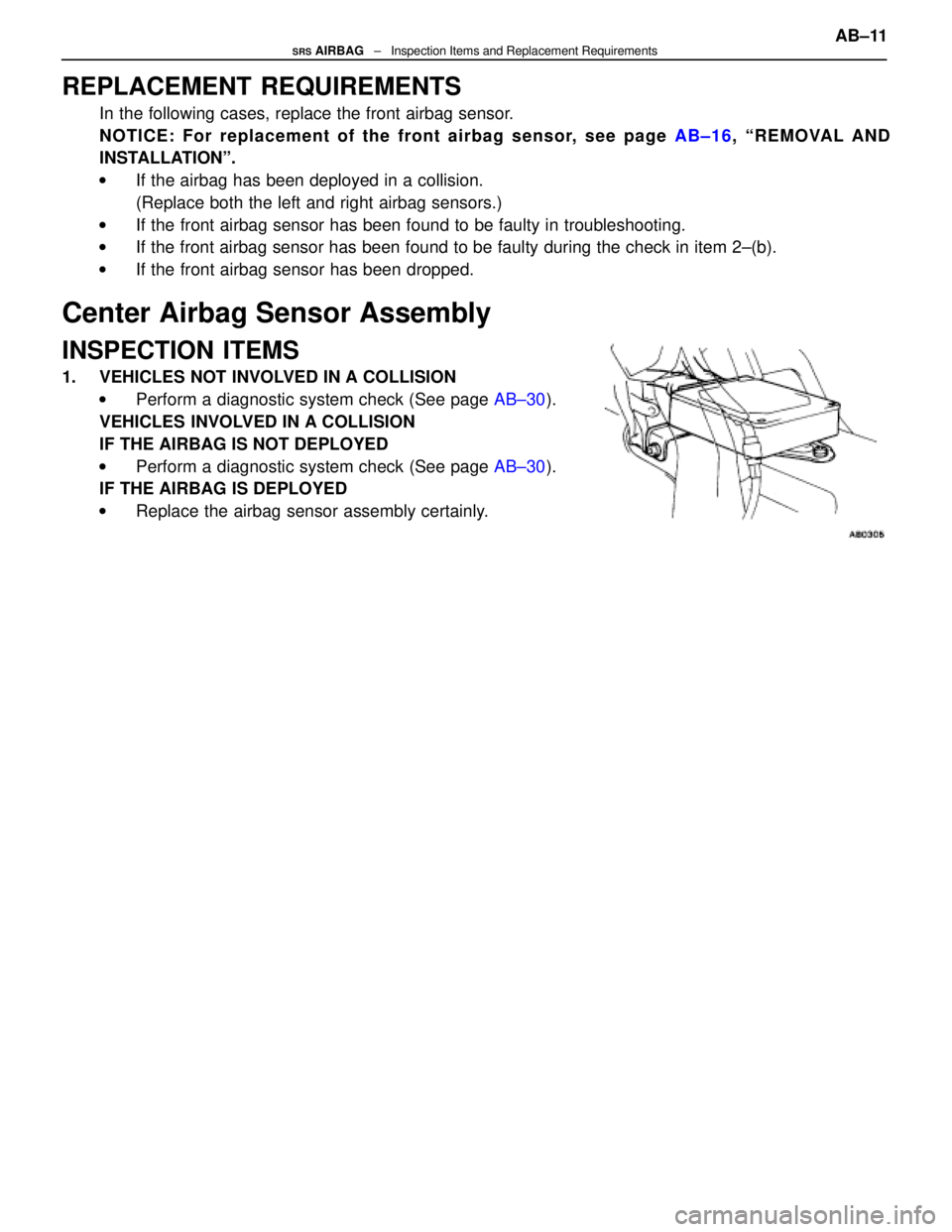
REPLACEMENT REQUIREMENTS
In the following cases, replace the front airbag sensor.
NOTICE: For replacement of the front airbag sensor, see page AB±16, ªREMOVAL AND
INSTALLATIONº.
w If the airbag has been deployed in a collision.
(Replace both the left and right airbag sensors.)
w If the front airbag sensor has been found to be faulty in troubleshootin\
g.
w If the front airbag sensor has been found to be faulty during the check \
in item 2±(b).
w If the front airbag sensor has been dropped.
Center Airbag Sensor Assembly
INSPECTION ITEMS
1. VEHICLES NOT INVOLVED IN A COLLISION
w Perform a diagnostic system check (See page AB±30).
VEHICLES INVOLVED IN A COLLISION
IF THE AIRBAG IS NOT DEPLOYED
w Perform a diagnostic system check (See page AB±30).
IF THE AIRBAG IS DEPLOYED
w Replace the airbag sensor assembly certainly.
AB±11SRS AIRBAG ± Inspection Items and Replacement Requirements
WhereEverybodyKnowsYourName
Page 226 of 4087

Wire Harness and Connector
HINT: The wires for the airbag wire harness are encased in a yellow corrugate\
d tube and all the connectors in
the system are a standard yellow color.
INSPECTION ITEMS
1. VEHICLES NOT INVOLVED IN A COLLISIONw Perform a diagnostic system check (See page AB±30).
2. VEHICLES INVOLVED IN A COLLISION (a) Perform a diagnostic system check (See page AB±30).
(b) If there is a break in any of the wires in the airbag system wire harness,\
or if conductors are exposed.
(c) If the airbag system wire harness connectors are cracked or chipped.
REPLACEMENT REQUIREMENTS
In the following cases, replace the wire harness or connector.
w If any part of the airbag system wire harness or any connector has been fo\
und to be faulty in trouble-
shooting.
w If any part of the airbag system wire harness or any connector has been \
found to be faulty during the
check in item 2±(b) or (c).
NOTICE: If the wire harness used in the airbag system is damaged, replace the w\
hole wire harness
assembly.
When the connector to the airbag front sensors can be repaired alone (when \
there is no damage
to the wire harness), use the repair wire specially designed for the pu\
rpose (See page AB±20).
AB±12
SRS AIRBAG
± Inspection Items and Replacement Requirements
WhereEverybodyKnowsYourName
Page 227 of 4087
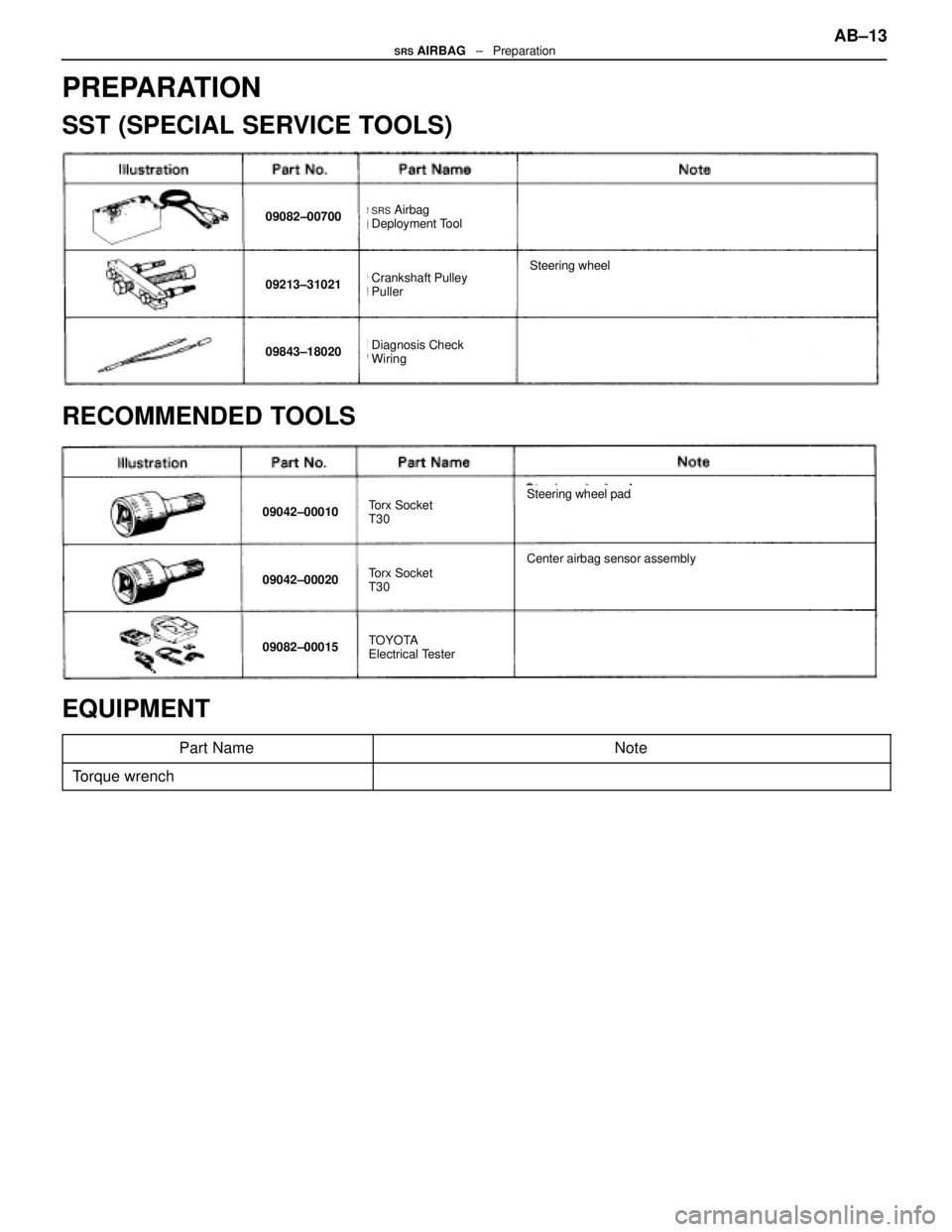
PREPARATION
SST (SPECIAL SERVICE TOOLS)
09082±00700SRS Airbag
Deployment Tool
09213±31021Crankshaft Pulley
Puller
09843±18020Diagnosis Check
Wiring
Steering wheel
RECOMMENDED TOOLS
09042±00010Torx Socket
T30
09042±00020Torx Socket
T30
09082±00015TOYOTA
Electrical Tester
Center airbag sensor assembly
Steering wheel pad
EQUIPMENT
Part NameNote
Torque wrench
AB±13SRS AIRBAG ± Preparation
WhereEverybodyKnowsYourName
Page 229 of 4087

(e) Pull the wheel pad out from the steering wheel anddisconnect the airbag connector.
NOTICE: When removing the wheel pad, take care not to
pull the airbag wire harness.
CAUTION:
wWhen storing the wheel pad, keep the upper surface of
the pad facing upward (See pages AB±3, 4).
wNever disassemble the wheel pad.
2. REMOVE STEERING WHEEL
(a) Disconnect the connector.
(b) Remove the set nut.
(c) Place matchmarks on the steering wheel and mainshaft.
(d) Using SST, remove the steering wheel.
SST 09213±31021
3. REMOVE AND INSTALL SPIRAL CABLE FROM/TO COMBINATION SWITCH (See page BE±41)
NOTICE: Do not disassemble the spiral cable or apply oil
to it.
4. CENTER SPIRAL CABLE (a) Check that the front wheels are facing straight ahead.
(b) Turn the spiral cable counterclockwise by hand until it
becomes harder to turn the cable.
(c) Then rotate the spiral cable clockwise about 3 turns to align the red mark.
HINT: The spiral cable will rotate about 3 turns to either left
or right of the center.
5. INSTALL STEERING WHEEL (a) Align matchmarks on the steering wheel and main shaft,
and install the steering wheel to the main shaft.
(b) Install and torque the set nut.
Torque: 35 N Vm (360 kgf Vcm, 26 ft Vlbf)
(c) Connect the connector.
6. INSTALL STEERING WHEEL PAD (a) Connect the airbag connector.
(b) I n s t a l l t h e w heel pad after confirming that the
circumference groove of the torx screws is caught on the
screw case.
(c) Using a torx wrench, tighten the four screws.
Torque: 7.4 N Vm (75 kgf Vcm, 65 in. Vlbf)
NOTICE:
wMake sure the wheel pad is installed to the specified
torque.
wIf the wheel pad has been dropped, or there are cracks,
dents or other defects in the case or connector, replace
the wheel pad with a new one.
wWhen installing the wheel pad, take care that the wirings
do not interfere with other parts and are not pinched
between other parts.
7. CHECK STEERING WHEEL CENTER POINT AB±15
SRS AIRBAG
± Removal and Installation of Component Parts
WhereEverybodyKnowsYourName
Page 231 of 4087
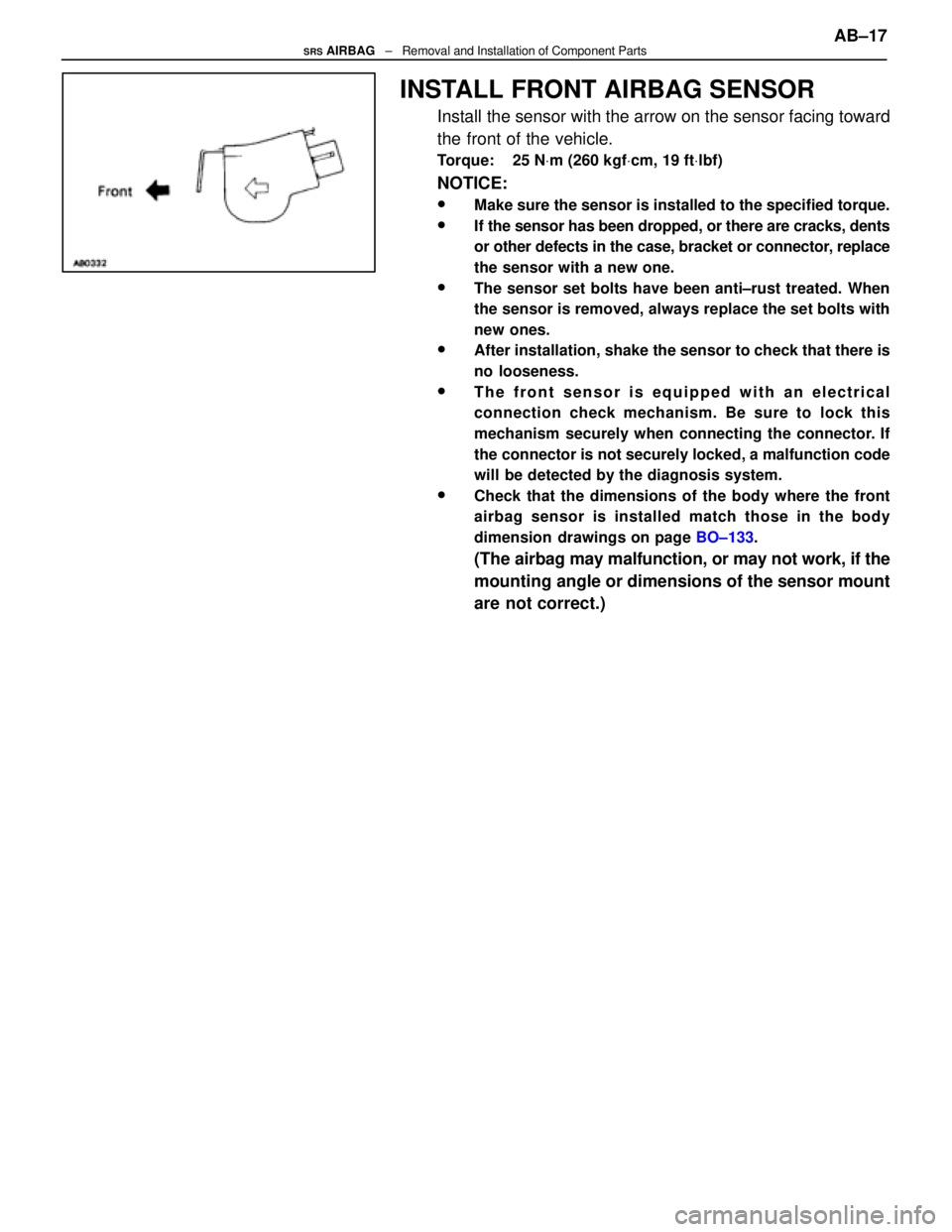
INSTALL FRONT AIRBAG SENSOR
Install the sensor with the arrow on the sensor facing toward
the front of the vehicle.
Torque: 25 NVm (260 kgf Vcm, 19 ft Vlbf)
NOTICE:
wMake sure the sensor is installed to the specified torque.
wIf the sensor has been dropped, or there are cracks, dents
or other defects in the case, bracket or connector, replace
the sensor with a new one.
wThe sensor set bolts have been anti±rust treated. When
the sensor is removed, always replace the set bolts with
new ones.
wAfter installation, shake the sensor to check that there is
no looseness.
wThe front sensor is equipped with an electrical
connection check mechanism. Be sure to lock this
mechanism securely when connecting the connector. If
the connector is not securely locked, a malfunction code
will be detected by the diagnosis system.
wCheck that the dimensions of the body where the front
airbag sensor is installed match those in the body
dimension drawings on page BO±133.
(The airbag may malfunction, or may not work, if the
mounting angle or dimensions of the sensor mount
are not correct.) AB±17
SRS AIRBAG
± Removal and Installation of Component Parts
WhereEverybodyKnowsYourName
Page 233 of 4087
(MAIN POINTS OF REMOVAL AND
INSTALLATION)
CAUTION: Work must be started after approx. 20 se-
conds or longer from the time the ignition switch is
turned to the LOCK position and the negative (±) terminal
cable is disconnected from the battery (See page AB±2).
NOTICE:
wDo not open the cover or the case of the ECU and various
computers unless absolutely necessary. (If the IC termi-
nals are touched, the IC may be destroyed by static elec-
tricity.)
wNever use airbag parts from another vehicle. When
replacing parts, replace with new parts.
wNever reuse the center airbag sensor assembly involved
in a collision when the airbag has deployed.
wNever repair a sensor in order to reuse it.
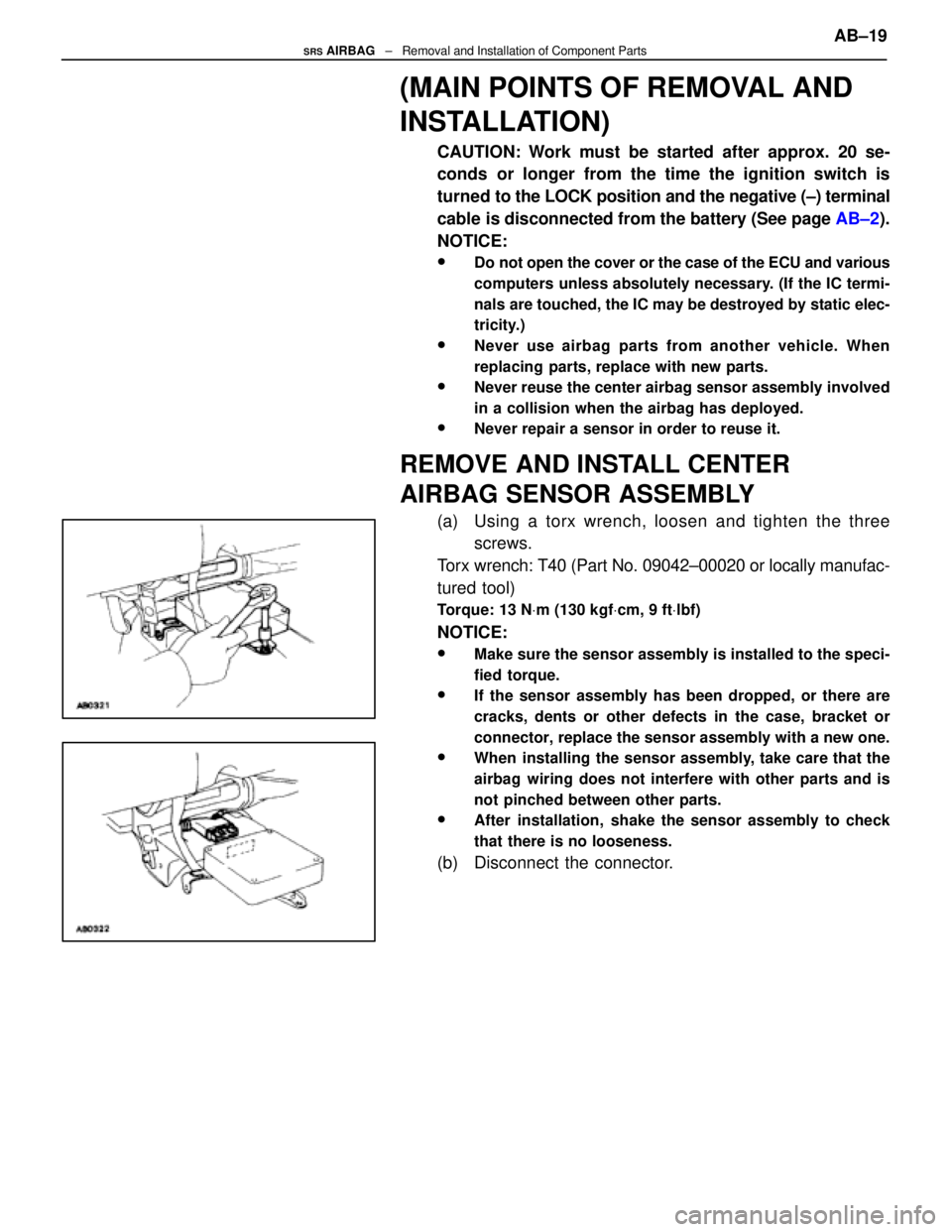
REMOVE AND INSTALL CENTER
AIRBAG SENSOR ASSEMBLY
(a) Using a torx wrench, loosen and tighten the three screws.
Torx wrench: T40 (Part No. 09042±00020 or locally manufac-
tured tool)
Torque: 13 N Vm (130 kgf Vcm, 9 ft Vlbf)
NOTICE:
wMake sure the sensor assembly is installed to the speci-
fied torque.
wIf the sensor assembly has been dropped, or there are
cracks, dents or other defects in the case, bracket or
connector, replace the sensor assembly with a new one.
wWhen installing the sensor assembly, take care that the
airbag wiring does not interfere with other parts and is
not pinched between other parts.
wAfter installation, shake the sensor assembly to check
that there is no looseness.
(b) Disconnect the connector. AB±19
SRS AIRBAG
± Removal and Installation of Component Parts
WhereEverybodyKnowsYourName
Page 235 of 4087
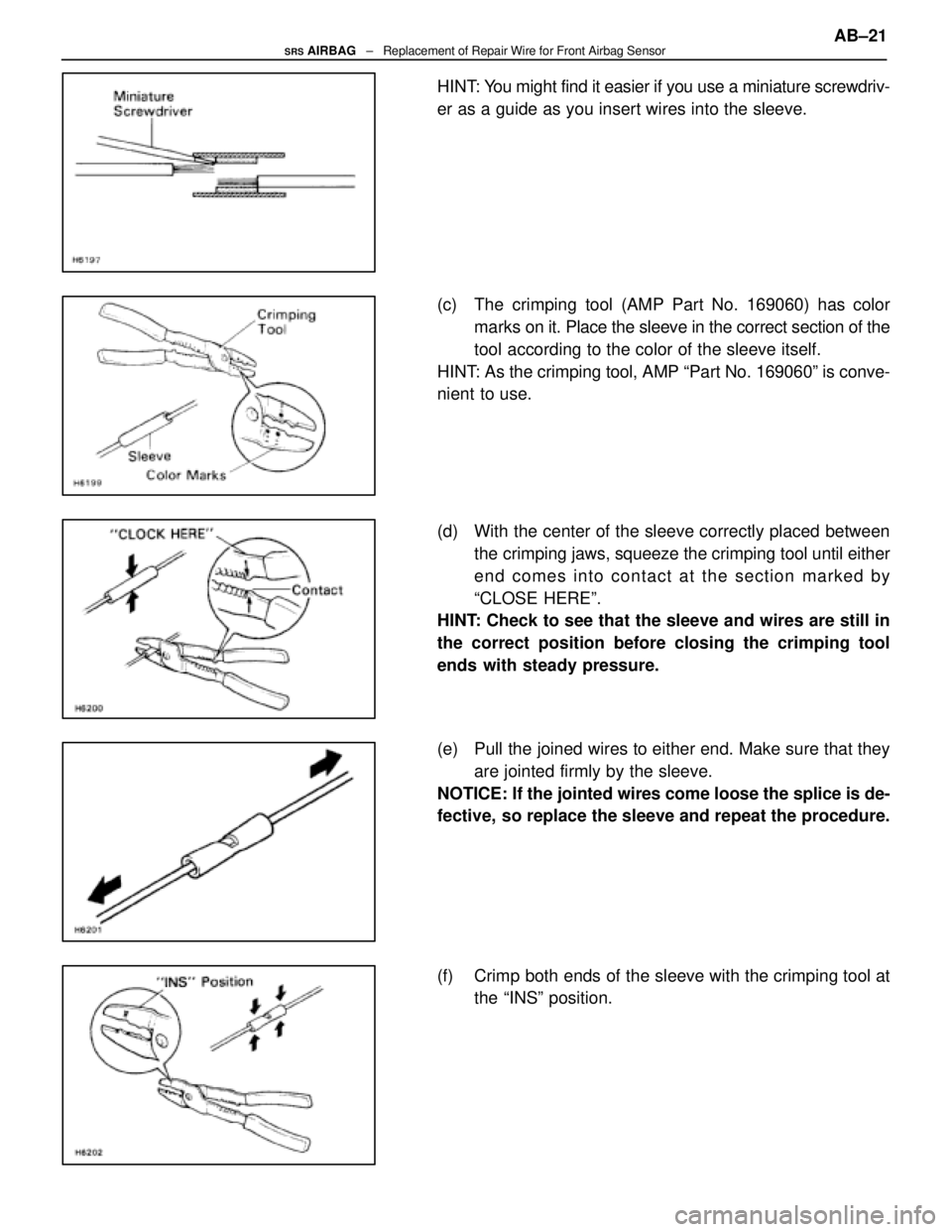
HINT: You might find it easier if you use a miniature screwdriv-
er as a guide as you insert wires into the sleeve.
(c) The crimping tool (AMP Part No. 169060) has colormarks on it. Place the sleeve in the correct section of the
tool according to the color of the sleeve itself.
HINT: As the crimping tool, AMP ªPart No. 169060º is conve-
nient to use.
(d) With the center of the sleeve correctly placed between the crimping jaws, squeeze the crimping tool until either
end comes into contact at the section marked by
ªCLOSE HEREº.
HINT: Check to see that the sleeve and wires are still in
the correct position before closing the crimping tool
ends with steady pressure.
(e) Pull the joined wires to either end. Make sure that they
are jointed firmly by the sleeve.
NOTICE: If the jointed wires come loose the splice is de-
fective, so replace the sleeve and repeat the procedure.
(f) Crimp both ends of the sleeve with the crimping tool at the ªINSº position. AB±21
SRS AIRBAG
± Replacement of Repair Wire for Front Airbag Sensor
WhereEverybodyKnowsYourName