open LEXUS UX200 2019 Workshop Manual
[x] Cancel search | Manufacturer: LEXUS, Model Year: 2019, Model line: UX200, Model: LEXUS UX200 2019Pages: 452, PDF Size: 10.06 MB
Page 141 of 452
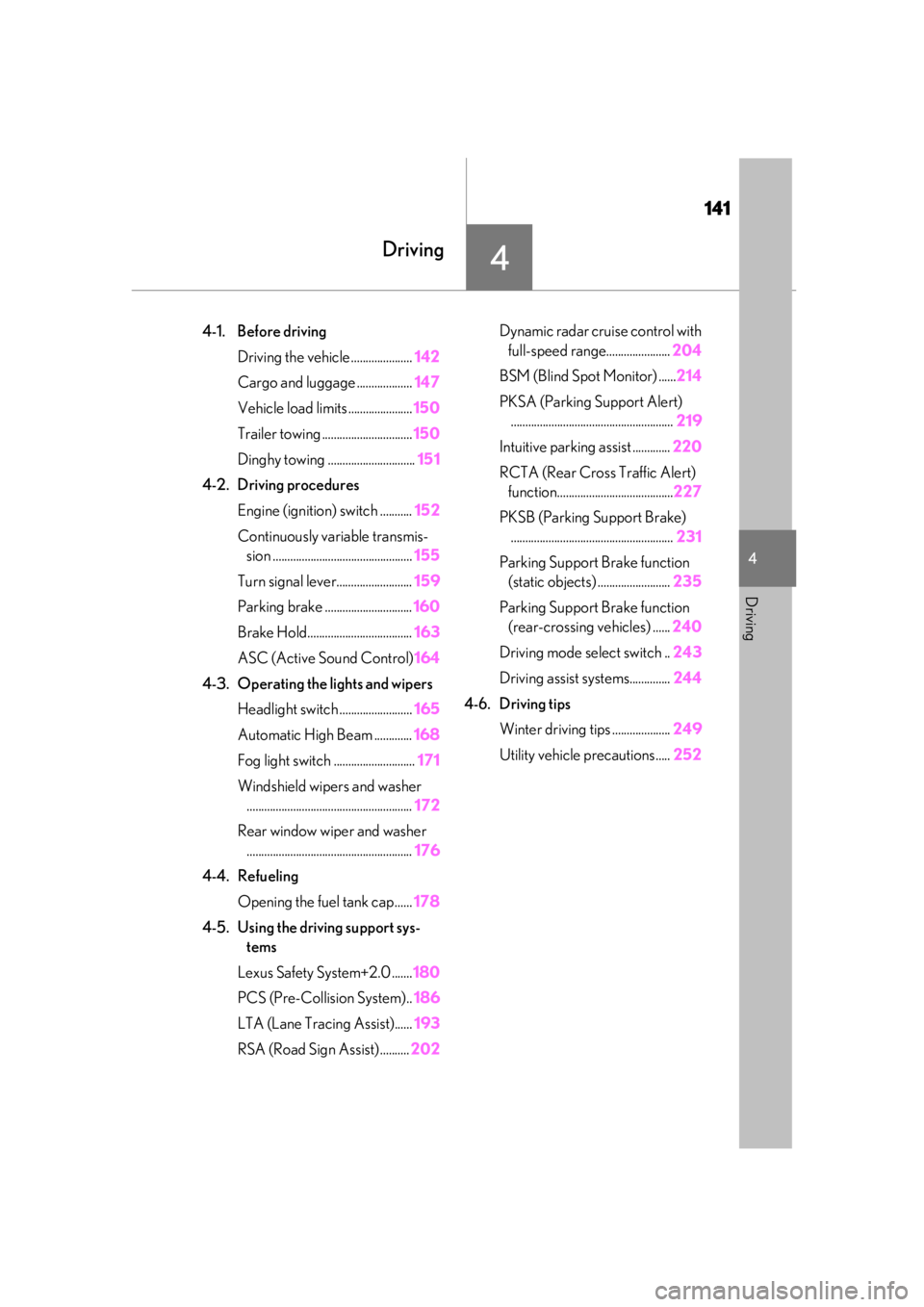
141
4
4
Driving
Driving
4-1. Before drivingDriving the vehicle ..................... 142
Cargo and luggage ................... 147
Vehicle load limits ...................... 150
Trailer towing ............................... 150
Dinghy towing .............................. 151
4-2. Driving procedures Engine (ignition) switch ........... 152
Continuously variable transmis- sion ................................................ 155
Turn signal lever.......................... 159
Parking brake .............................. 160
Brake Hold.................................... 163
ASC (Active Sound Control) 164
4-3. Operating the lights and wipers Headlight switch ......................... 165
Automatic High Beam ............. 168
Fog light switch ............................ 171
Windshield wipers and washer ......................................................... 172
Rear window wiper and washer ......................................................... 176
4-4. Refueling Opening the fuel tank cap...... 178
4-5. Using the driving support sys- tems
Lexus Safety System+2.0 ....... 180
PCS (Pre-Collision System).. 186
LTA (Lane Tracing Assist)...... 193
RSA (Road Sign Assist) .......... 202Dynamic radar cruise control with
full-speed range...................... 204
BSM (Blind Spot Monitor) ...... 214
PKSA (Parking Support Alert) ........................................................ 219
Intuitive parking assist ............. 220
RCTA (Rear Cross Traffic Alert) function........................................ 227
PKSB (Parking Support Brake) ........................................................ 231
Parking Support Brake function (static objects) ......................... 235
Parking Support Brake function (rear-crossing vehicles) ...... 240
Driving mode select switch .. 243
Driving assist systems.............. 244
4-6. Driving tips Winter driving tips .................... 249
Utility vehicle precautions..... 252
Page 145 of 452
1454-1. Before driving
4
Driving
WARNING
●Be careful not to shift the shift lever
with the accelerator pedal depressed.
Shifting the shift lever to any position
other than P or N may lead to unex-
pected rapid acceleration of the vehi-
cle that may cause an accident and
result in death or serious injury.
■If you hear a squealing or scraping
noise (brake pad wear limit indica-
tors)
Have the brake pads checked and
replaced by your Lexus dealer as soon as
possible. Rotor damage may result if the
pads are not replaced when needed.
It is dangerous to drive the vehicle when
the wear limits of the brake pads and/or
those of the brake discs are exceeded.
■When the vehicle is stopped
●Do not race the engine.
If the shift lever is in any position other
than P or N, the vehicle may acceler-
ate suddenly and unexpectedly, caus-
ing an accident.
●In order to prevent accidents due to
the vehicle rolling away, always keep
depressing the brake pedal while the
engine is running, and apply the park-
ing brake as necessary.
●If the vehicle is stopped on an incline,
in order to prevent accidents caused
by the vehicle rolling forward or back-
ward, always depress the brake pedal
and securely apply the parking brake
as needed.
●Avoid revving or racing the engine.
Running the engine at high speed
while the vehicle is stopped may cause
the exhaust system to overheat, which
could result in a fire if combustible
material is nearby.
■When the vehicle is parked
●Do not leave glasses, cigarette lighters,
spray cans, or soft drink cans in the
vehicle when it is in the sun.
Doing so may result in the following:
• Gas may leak from a cigarette lighter or spray can, and may lead to a fire.
• The temperature inside the vehicle may cause the plastic lenses and plas-
tic material of glasses to deform or
crack.
• Soft drink cans may fracture, causing the contents to spray over the interior
of the vehicle, and may also cause a
short circuit in the vehicle’s electrical
components.
●Do not leave cigarette lighters in the
vehicle. If a cigare tte lighter is in a
place such as the glove box or on the
floor, it may be lit accidentally when
luggage is loaded or the seat is
adjusted, causing a fire.
●Do not attach adhesive discs to the
windshield or windows. Do not place
containers such as air fresheners on
the instrument panel or dashboard.
Adhesive discs or containers may act
as lenses, causing a fire in the vehicle.
●Do not leave a door or window open if
the curved glass is coated with a met-
allized film such as a silver-colored
one. Reflected sunlight may cause the
glass to act as a lens, causing a fire.
●Always apply the parking brake, shift
the shift lever to P, stop the engine and
lock the vehicle.
Do not leave the vehicle unattended
while the engine is running.
If the vehicle is parked with the shift
lever in P but the parking brake is not
set, the vehicle may start to move, pos-
sibly leading to an accident.
●Do not touch the exhaust pipes while
the engine is running or immediately
after turning the engine off.
Doing so may cause burns.
Page 152 of 452
1524-2. Driving procedures
4-2.Driving procedures
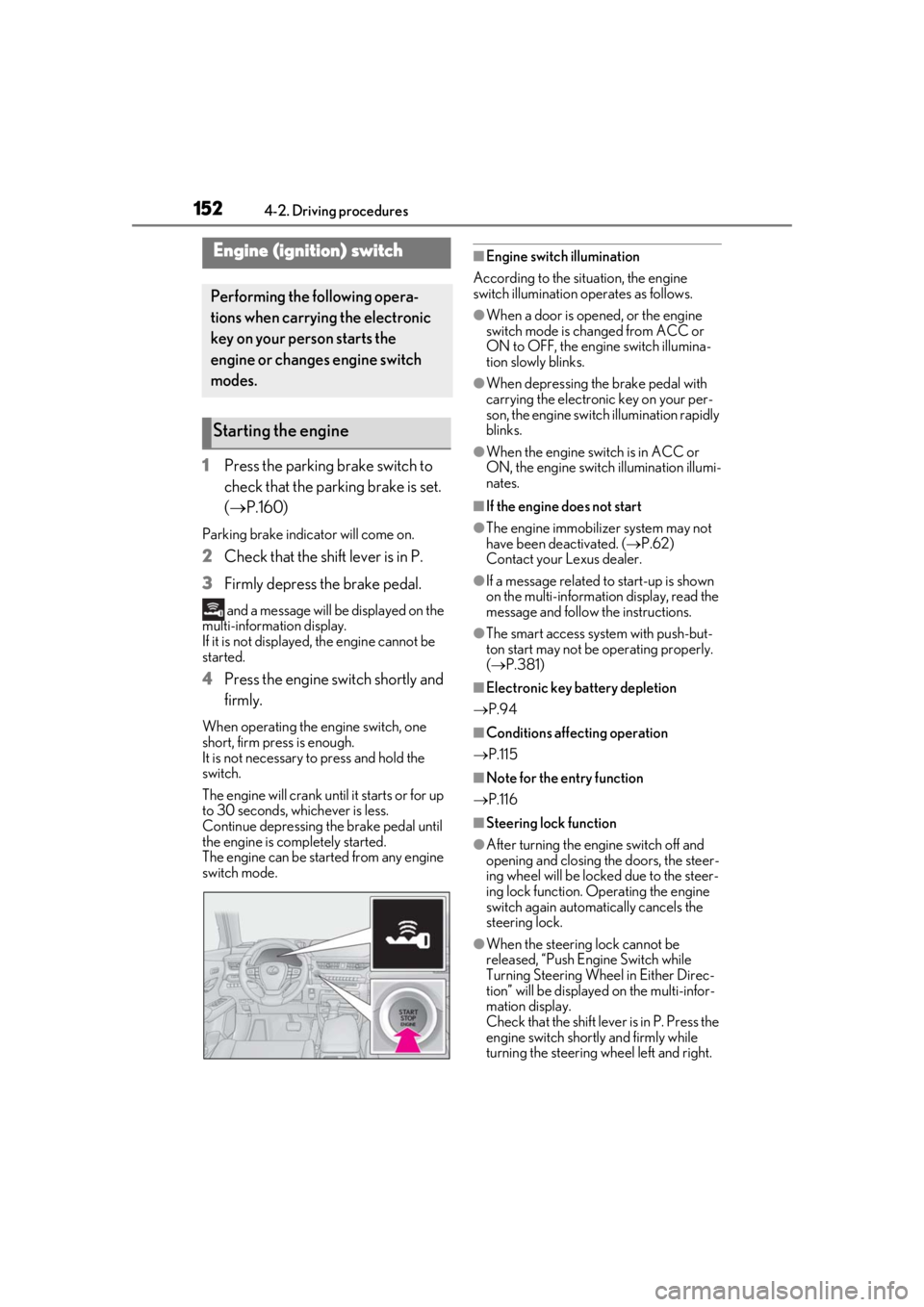
1Press the parking brake switch to
check that the parking brake is set.
(P.160)
Parking brake indicator will come on.
2 Check that the shift lever is in P.
3 Firmly depress the brake pedal.
and a message will be displayed on the
multi-information display.
If it is not displayed, the engine cannot be
started.
4 Press the engine switch shortly and
firmly.
When operating the engine switch, one
short, firm press is enough.
It is not necessary to press and hold the
switch.
The engine will crank until it starts or for up
to 30 seconds, whichever is less.
Continue depressing the brake pedal until
the engine is completely started.
The engine can be started from any engine
switch mode.
■Engine switch illumination
According to the situation, the engine
switch illumination operates as follows.
●When a door is opened, or the engine
switch mode is changed from ACC or
ON to OFF, the engine switch illumina-
tion slowly blinks.
●When depressing the brake pedal with
carrying the electronic key on your per-
son, the engine switch illumination rapidly
blinks.
●When the engine swit ch is in ACC or
ON, the engine switch illumination illumi-
nates.
■If the engine does not start
●The engine immobilizer system may not
have been deactivated. ( P.62)
Contact your Lexus dealer.
●If a message related to start-up is shown
on the multi-information display, read the
message and follow the instructions.
●The smart access system with push-but-
ton start may not be operating properly.
( P.381)
■Electronic key battery depletion
P.94
■Conditions affecting operation
P.115
■Note for the entry function
P.116
■Steering lock function
●After turning the engine switch off and
opening and closing the doors, the steer-
ing wheel will be lock ed due to the steer-
ing lock function. Operating the engine
switch again automatically cancels the
steering lock.
●When the steering lock cannot be
released, “Push Engine Switch while
Turning Steering Whee l in Either Direc-
tion” will be displayed on the multi-infor-
mation display.
Check that the shift lever is in P. Press the
engine switch shortly and firmly while
turning the steering wheel left and right.
Engine (ignition) switch
Performing the following opera-
tions when carryin g the electronic
key on your person starts the
engine or changes engine switch
modes.
Starting the engine
Page 153 of 452
1534-2. Driving procedures
4
Driving
●To prevent the steering lock motor from
overheating, operation of the motor may
be suspended if the engine is turned on
and off repeatedly in a short period of
time. In this case, refrain from running the
engine. After about 10 seconds, the
steering lock motor will resume function-
ing.
■Electronic key battery
P.341
■Operation of the engine switch
●If the switch is not pressed shortly and
firmly, the engine switch mode may not
change or the engine may not start.
●If attempting to restart the engine imme-
diately after turning the engine switch off,
the engine may not start in some cases.
After turning the engine switch off, please
wait a few seconds before restarting the
engine.
■Customization
If the smart access sy stem with push-button
start has been deactivated in a customized
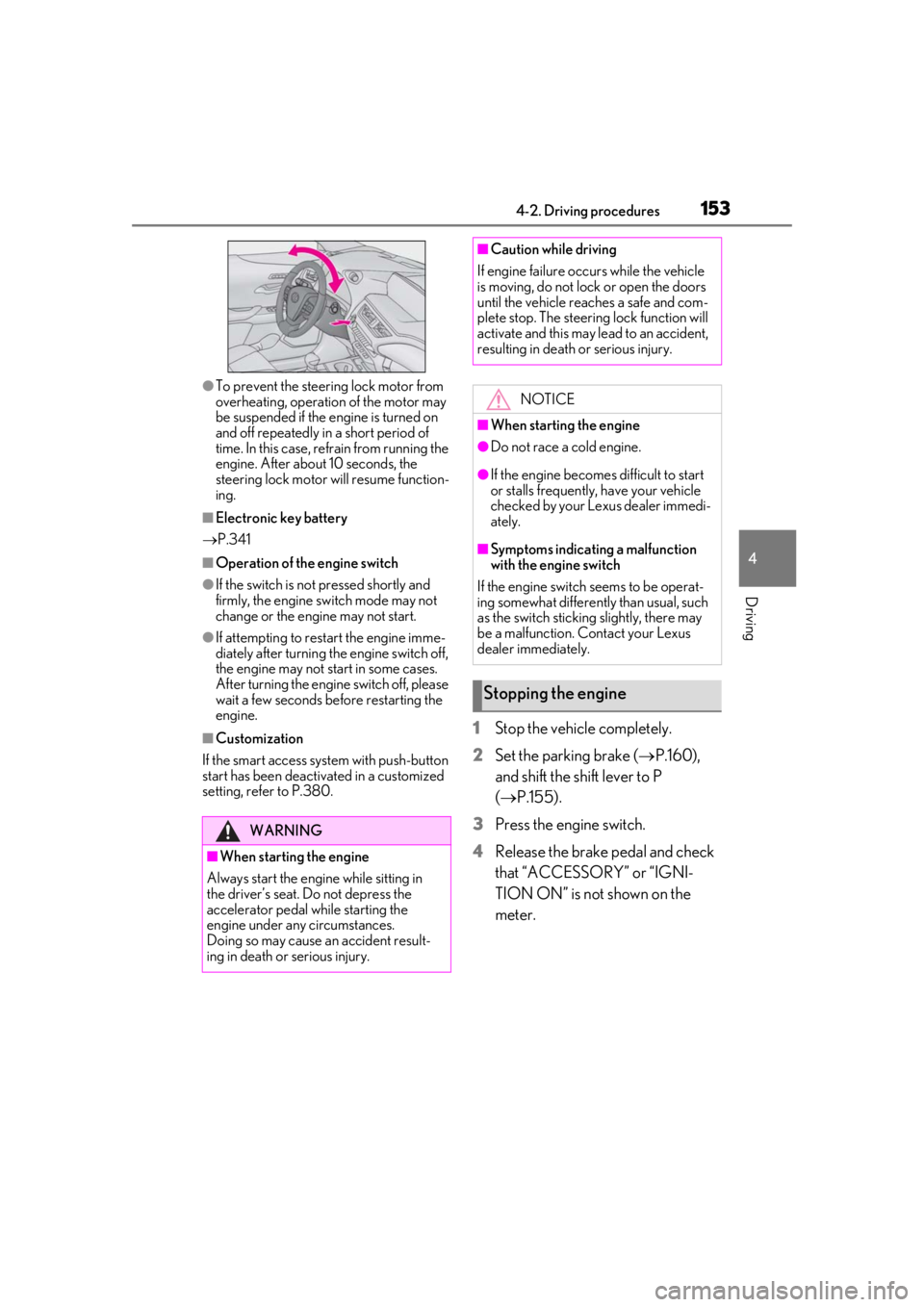
setting, refer to P.380.1Stop the vehicle completely.
2
Set the parking brake ( P.160),
and shift the shift lever to P
( P.155).
3
Press the engine switch.
4
Release the brake pedal and check
that “ACCESSORY” or “IGNI-
TION ON” is not shown on the
meter.
WARNING
■When starting the engine
Always start the engine while sitting in
the driver’s seat. Do not depress the
accelerator pedal while starting the
engine under any circumstances.
Doing so may cause an accident result-
ing in death or serious injury.
■Caution while driving
If engine failure occurs while the vehicle
is moving, do not lock or open the doors
until the vehicle reaches a safe and com-
plete stop. The steering lock function will
activate and this may lead to an accident,
resulting in death or serious injury.
NOTICE
■When starting the engine
●Do not race a cold engine.
●If the engine becomes difficult to start
or stalls frequently, have your vehicle
checked by your Lexus dealer immedi-
ately.
■Symptoms indicating a malfunction
with the engine switch
If the engine switch seems to be operat-
ing somewhat differently than usual, such
as the switch sticking slightly, there may
be a malfunction. Contact your Lexus
dealer immediately.
Stopping the engine
Page 166 of 452
1664-3. Operating the lights and wipers
■Automatic light off system
●When the headlights come on: The head-
lights and tail lights turn off 30 seconds
after a driver’s door is opened and closed
if the engine switch is turned to ACC or
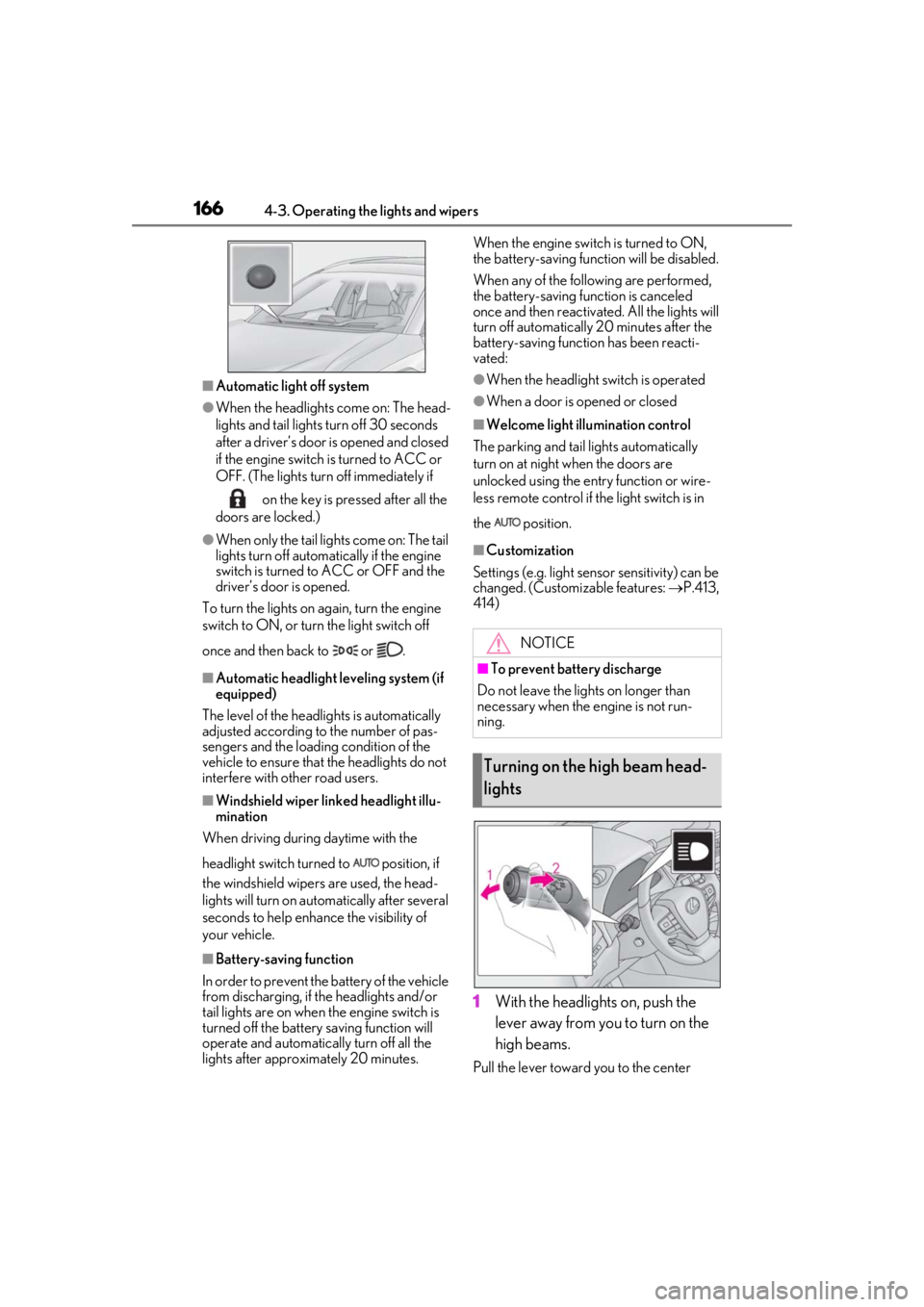
OFF. (The lights turn off immediately if on the key is pressed after all the
doors are locked.)
●When only the tail lights come on: The tail
lights turn off automatically if the engine
switch is turned to ACC or OFF and the
driver’s door is opened.
To turn the lights on again, turn the engine
switch to ON, or turn the light switch off
once and then back to or .
■Automatic headlight leveling system (if
equipped)
The level of the headlights is automatically
adjusted according to the number of pas-
sengers and the loading condition of the
vehicle to ensure that the headlights do not
interfere with other road users.
■Windshield wiper linked headlight illu-
mination
When driving during daytime with the
headlight switch turned to position, if
the windshield wipers are used, the head-
lights will turn on auto matically after several
seconds to help enha nce the visibility of
your vehicle.
■Battery-saving function
In order to prevent the battery of the vehicle
from discharging, if the headlights and/or
tail lights are on when the engine switch is
turned off the battery saving function will
operate and automatically turn off all the
lights after approximately 20 minutes. When the engine switch is turned to ON,
the battery-saving function will be disabled.
When any of the following are performed,
the battery-saving function is canceled
once and then reactivated. All the lights will
turn off automatically 20 minutes after the
battery-saving function has been reacti-
vated:
●When the headlight switch is operated
●When a door is opened or closed
■Welcome light illumination control
The parking and tail lights automatically
turn on at night when the doors are
unlocked using the entry function or wire-
less remote control if the light switch is in
the position.
■Customization
Settings (e.g. light sensor sensitivity) can be
changed. (Customizable features: P.413,
414)
1With the headlights on, push the
lever away from you to turn on the
high beams.
Pull the lever toward you to the center
NOTICE
■To prevent battery discharge
Do not leave the lights on longer than
necessary when the engine is not run-
ning.
Turning on the high beam head-
lights
Page 176 of 452
1764-3. Operating the lights and wipers
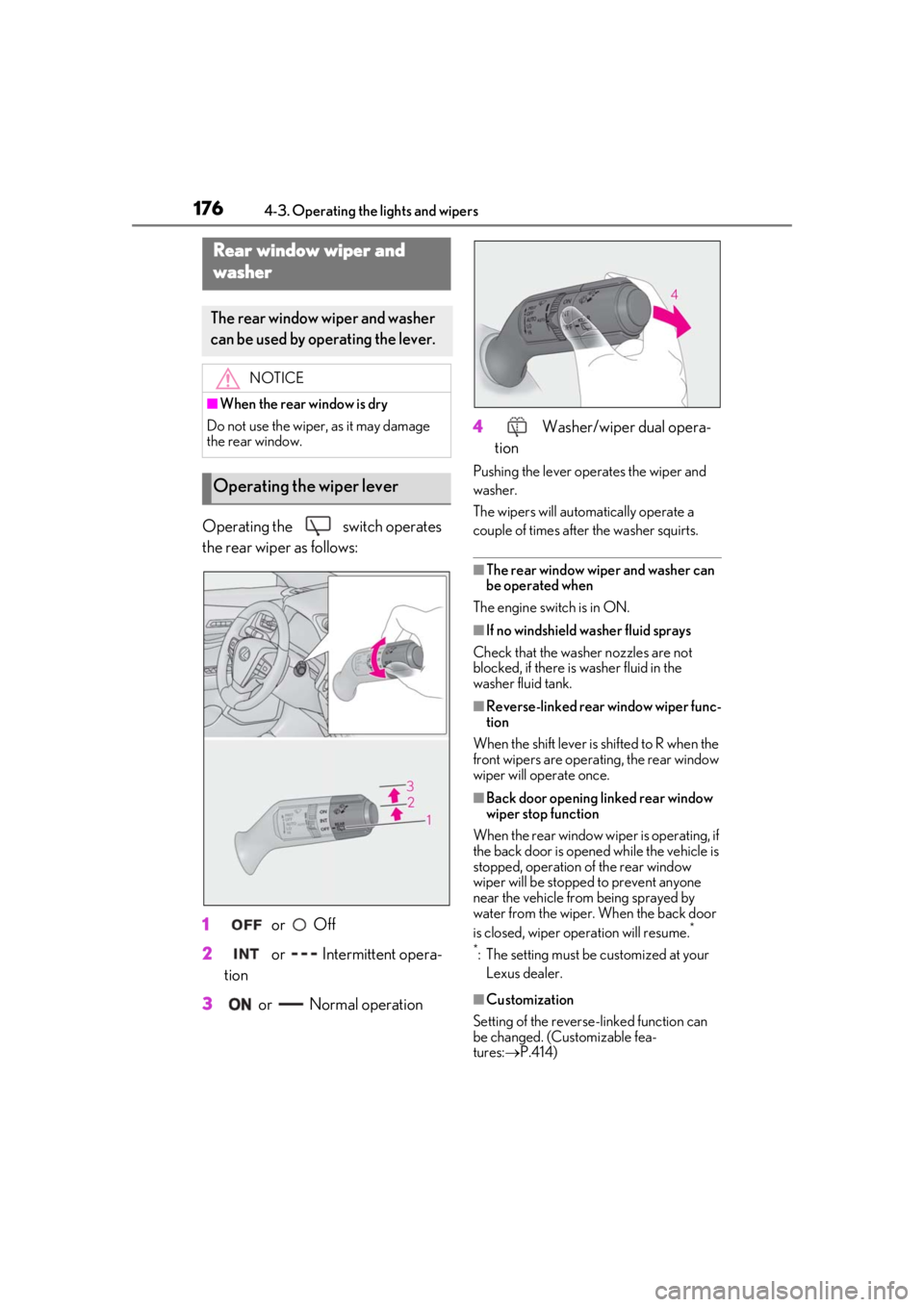
Operating the switch operates
the rear wiper as follows:
1
or Off
2
or Intermittent opera-
tion
3
or Normal operation 4
Washer/wiper dual opera-
tion
Pushing the lever oper ates the wiper and
washer.
The wipers will automatically operate a
couple of times after the washer squirts.
■The rear window wiper and washer can
be operated when
The engine switch is in ON.
■If no windshield washer fluid sprays
Check that the washer nozzles are not
blocked, if there is washer fluid in the
washer fluid tank.
■Reverse-linked rear window wiper func-
tion
When the shift lever is shifted to R when the
front wipers are operating, the rear window
wiper will operate once.
■Back door opening linked rear window
wiper stop function
When the rear window wi per is operating, if
the back door is opened while the vehicle is
stopped, operation of the rear window
wiper will be stopped to prevent anyone
near the vehicle from being sprayed by
water from the wiper. When the back door
is closed, wiper operation will resume.
*
*
: The setting must be customized at your Lexus dealer.
■Customization
Setting of the reverse-linked function can
be changed. (Customizable fea-
tures: P.414)
Rear window wiper and
w
asher
The rear window wiper and washer
can be used by operating the lever.
NOTICE
■When the rear window is dry
Do not use the wiper, as it may damage
the rear window.
Operating the wiper lever
Page 178 of 452
1784-4. Refueling
4-4.Refueling
Turn the engine switch off and
ensure that all the doors and win-
dows are closed.
Confirm the type of fuel.
■Fuel types
P.397
■Fuel tank opening for unleaded gasoline
To help prevent incorrect fueling, your vehi-
cle has a fuel tank opening that only accom-
modates the special nozzle on unleaded
fuel pumps.
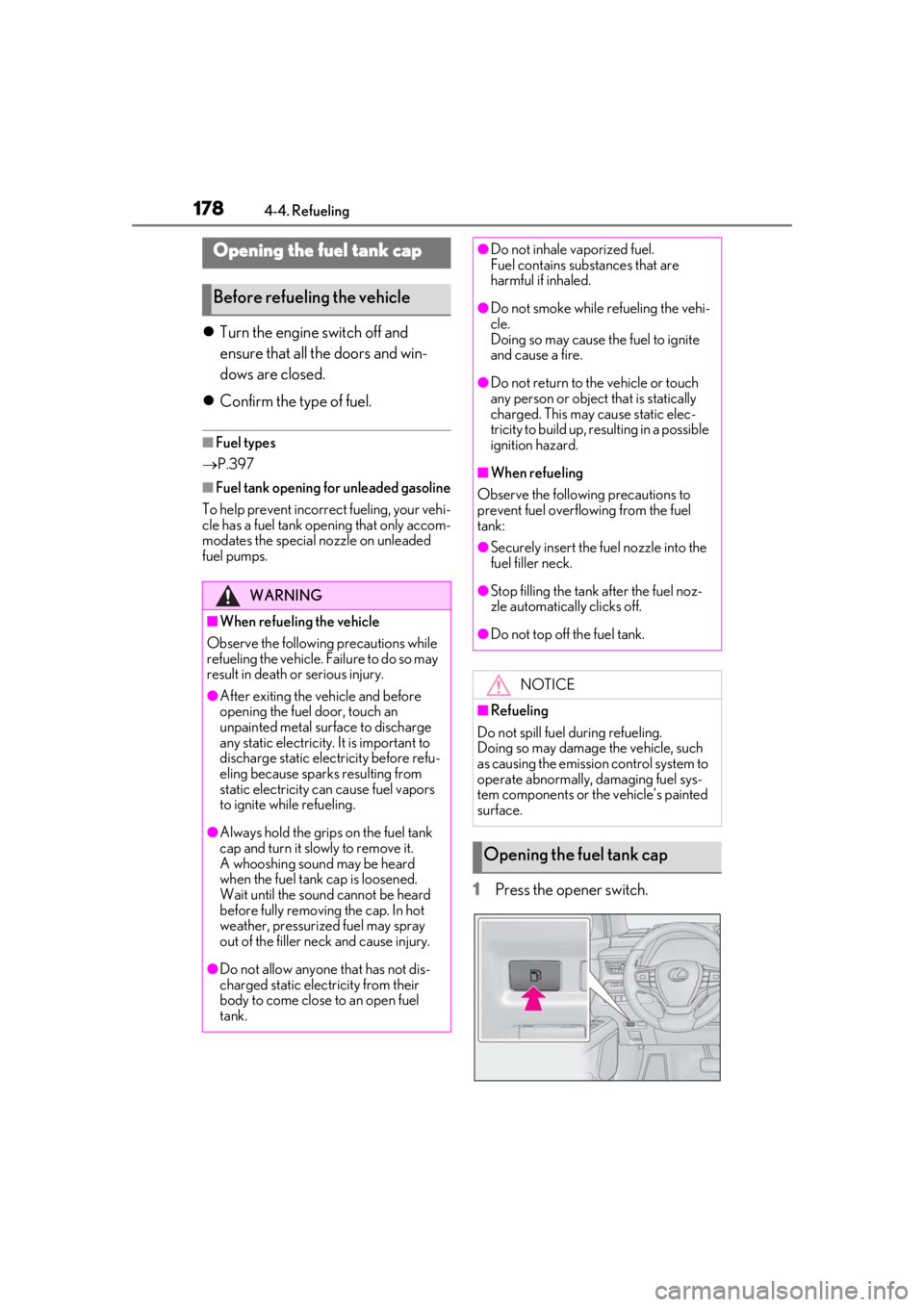
1Press the opener switch.
Opening the fuel tank cap
Before refueling the vehicle
WARNING
■When refueling the vehicle
Observe the following precautions while
refueling the vehicle. Failure to do so may
result in death or serious injury.
●After exiting the vehicle and before
opening the fuel door, touch an
unpainted metal surface to discharge
any static electricity. It is important to
discharge static electricity before refu-
eling because sparks resulting from
static electricity can cause fuel vapors
to ignite while refueling.
●Always hold the grips on the fuel tank
cap and turn it slowly to remove it.
A whooshing sound may be heard
when the fuel tank cap is loosened.
Wait until the sound cannot be heard
before fully removing the cap. In hot
weather, pressurized fuel may spray
out of the filler neck and cause injury.
●Do not allow anyone that has not dis-
charged static electricity from their
body to come close to an open fuel
tank.
●Do not inhale vaporized fuel.
Fuel contains substances that are
harmful if inhaled.
●Do not smoke while refueling the vehi-
cle.
Doing so may cause the fuel to ignite
and cause a fire.
●Do not return to the vehicle or touch
any person or object that is statically
charged. This may cause static elec-
tricity to build up, re sulting in a possible
ignition hazard.
■When refueling
Observe the following precautions to
prevent fuel overflowing from the fuel
tank:
●Securely insert the fuel nozzle into the
fuel filler neck.
●Stop filling the tank after the fuel noz-
zle automatically clicks off.
●Do not top off the fuel tank.
NOTICE
■Refueling
Do not spill fuel during refueling.
Doing so may damage the vehicle, such
as causing the emission control system to
operate abnormally, damaging fuel sys-
tem components or the vehicle’s painted
surface.
Opening the fuel tank cap
Page 179 of 452
1794-4. Refueling
4
Driving
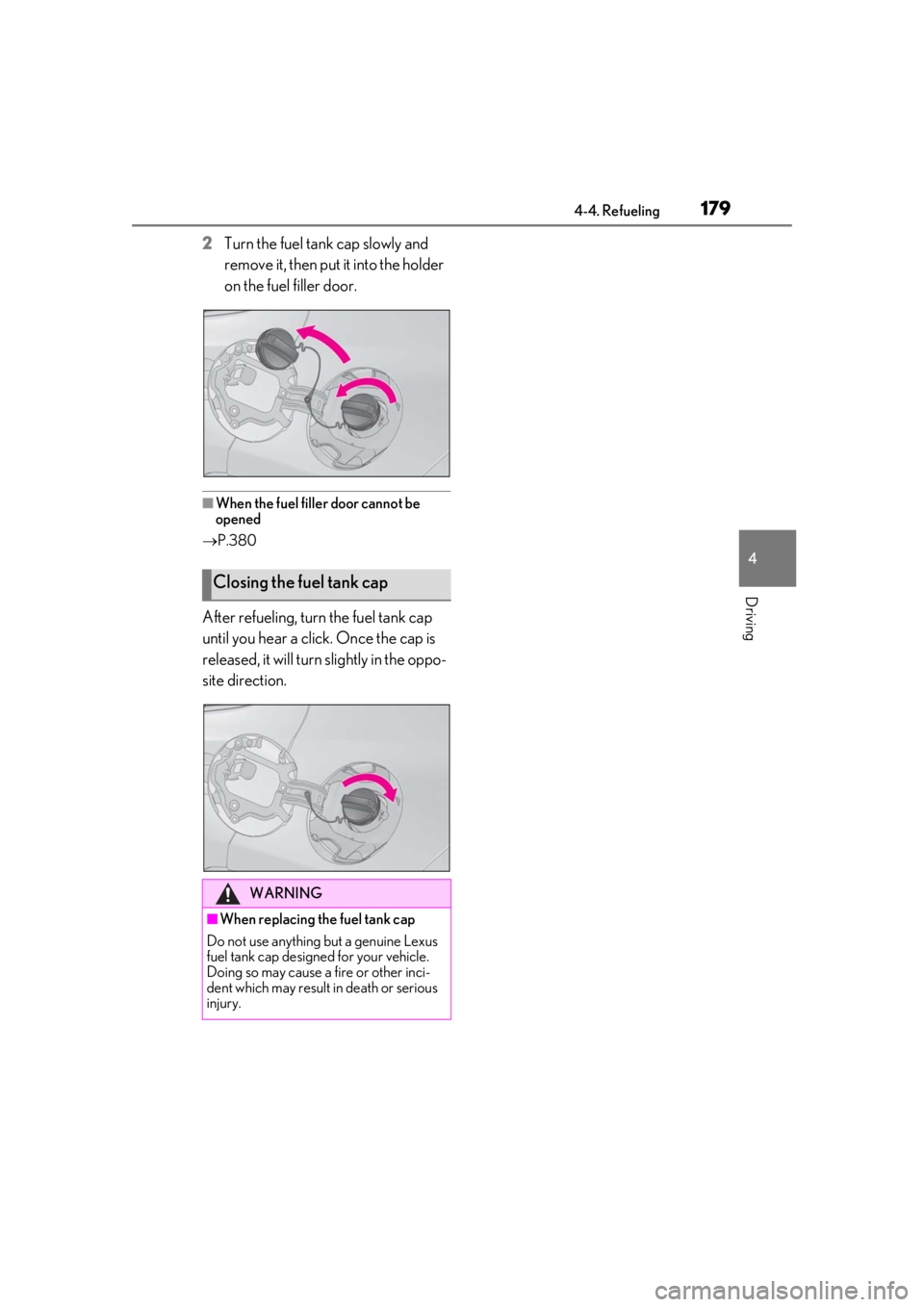
2Turn the fuel tank cap slowly and
remove it, then put it into the holder
on the fuel filler door.
■When the fuel filler door cannot be
opened
P.380
After refueling, turn the fuel tank cap
until you hear a click. Once the cap is
released, it will turn slightly in the oppo-
site direction.
Closing the fuel tank cap
WARNING
■When replacing the fuel tank cap
Do not use anything but a genuine Lexus
fuel tank cap designed for your vehicle.
Doing so may cause a fire or other inci-
dent which may result in death or serious
injury.
Page 185 of 452
1854-5. Using the driving support systems
4
Driving
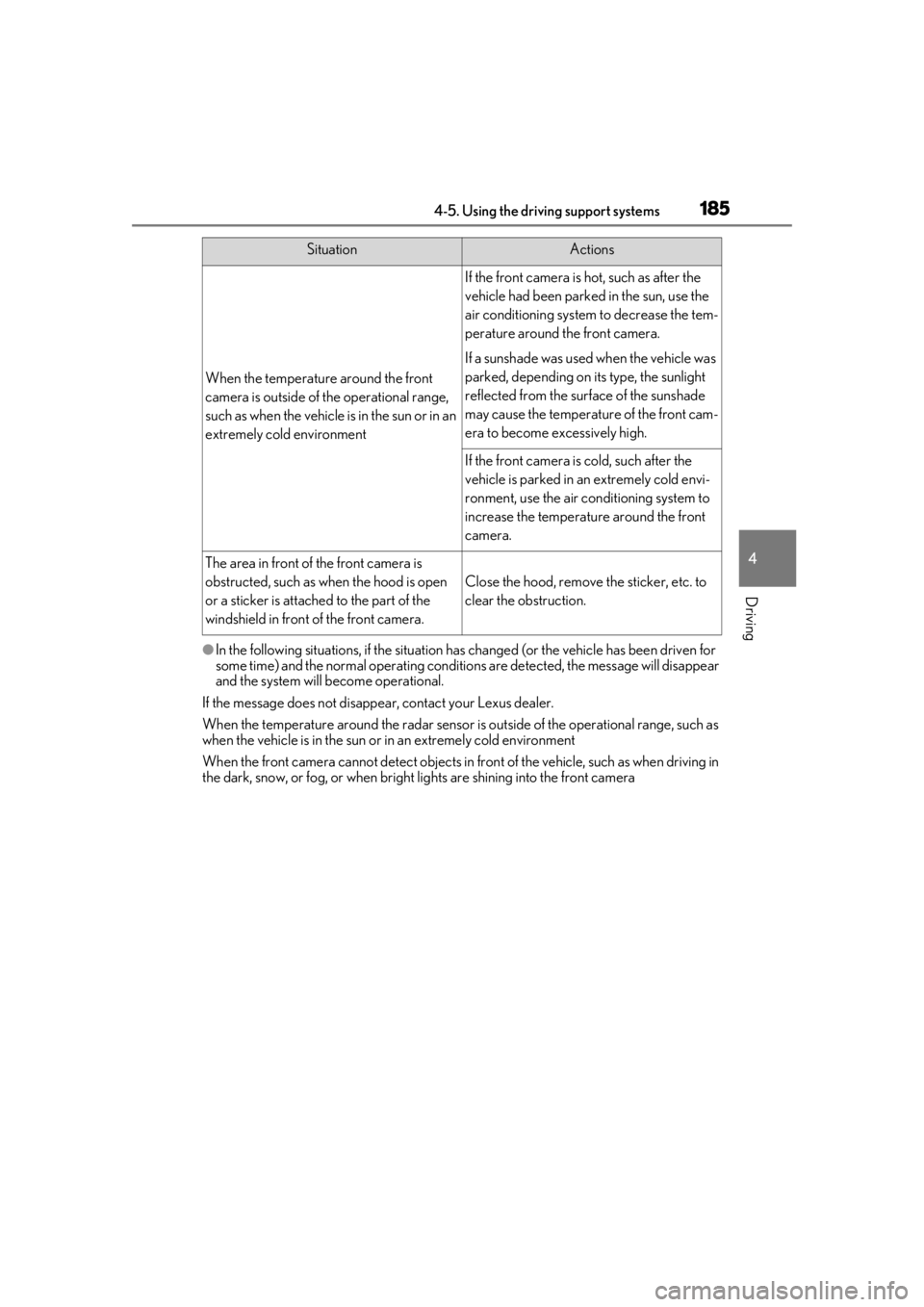
●In the following situations, if the situation has changed (or the vehicle has been driven for
some time) and the normal operating conditions are detected, the message will disappear
and the system will become operational.
If the message does not disappea r, contact your Lexus dealer.
When the temperature around the radar sensor is outside of the operational range, such as
when the vehicle is in the sun or in an extremely cold environment
When the front camera cannot detect objects in fr ont of the vehicle, such as when driving in
the dark, snow, or fog, or when bright lights are shining into the front camera
When the temperature around the front
camera is outside of the operational range,
such as when the vehicle is in the sun or in an
extremely cold environment
If the front camera is hot, such as after the
vehicle had been parked in the sun, use the
air conditioning system to decrease the tem-
perature around the front camera.
If a sunshade was used when the vehicle was
parked, depending on its type, the sunlight
reflected from the surface of the sunshade
may cause the temperature of the front cam-
era to become excessively high.
If the front camera is cold, such after the
vehicle is parked in an extremely cold envi-
ronment, use the air conditioning system to
increase the temperature around the front
camera.
The area in front of the front camera is
obstructed, such as when the hood is open
or a sticker is attached to the part of the
windshield in front of the front camera.
Close the hood, remove the sticker, etc. to
clear the obstruction.
SituationActions
Page 190 of 452
1904-5. Using the driving support systems
pre-collision braking function is operating, it
will be canceled:
●The accelerator pedal is depressed
strongly.
●The steering wheel is turned sharply or
abruptly.
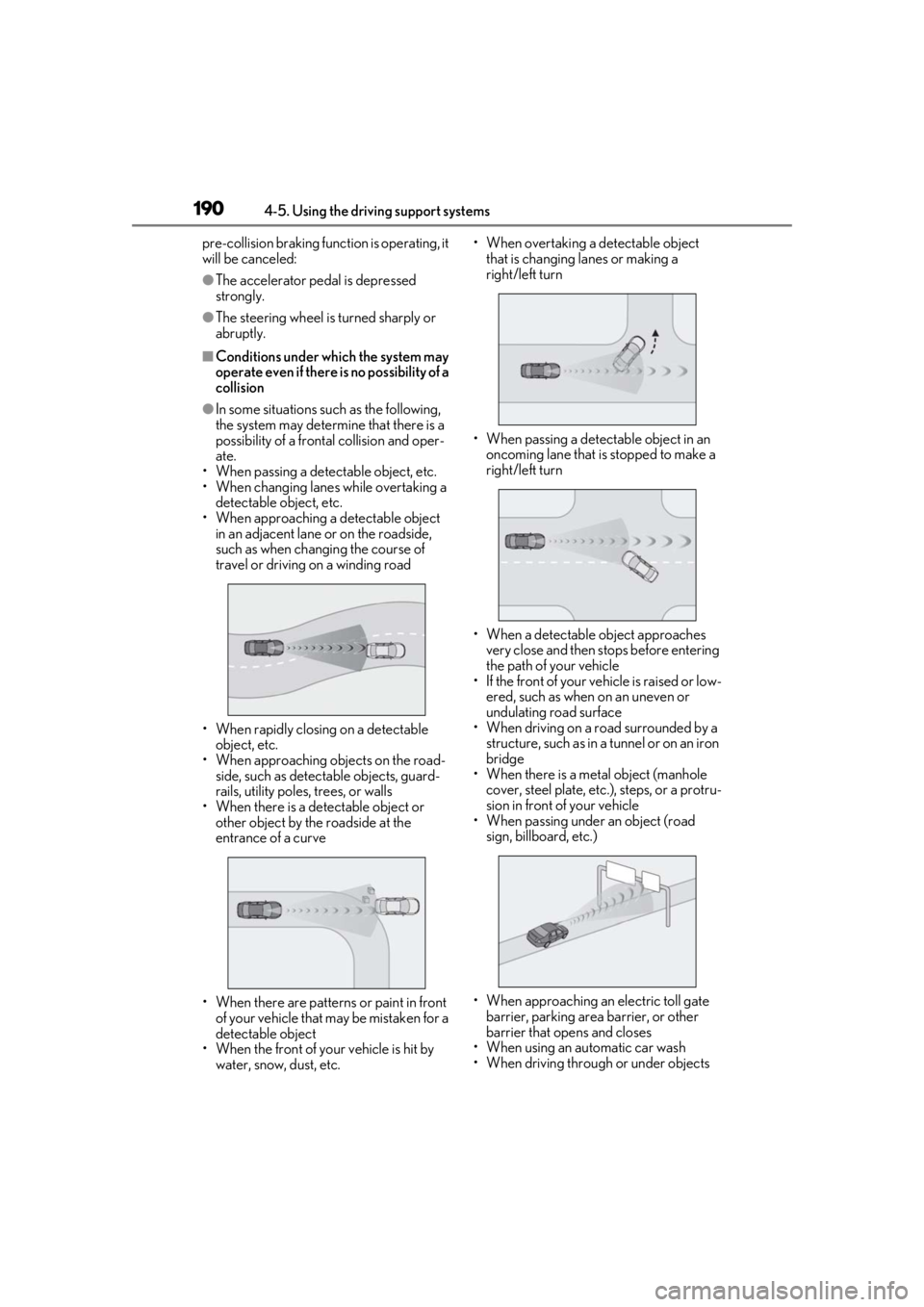
■Conditions under which the system may
operate even if there is no possibility of a
collision
●In some situations such as the following,
the system may determine that there is a
possibility of a frontal collision and oper-
ate.
• When passing a detectable object, etc.
• When changing lane s while overtaking a
detectable object, etc.
• When approaching a detectable object in an adjacent lane or on the roadside,
such as when changing the course of
travel or driving on a winding road
• When rapidly closing on a detectable object, etc.
• When approaching objects on the road- side, such as detectable objects, guard-
rails, utility poles, trees, or walls
• When there is a detectable object or other object by the roadside at the
entrance of a curve
• When there are patterns or paint in front of your vehicle that may be mistaken for a
detectable object
• When the front of your vehicle is hit by water, snow, dust, etc. • When overtaking a de
tectable object
that is changing lanes or making a
right/left turn
• When passing a detectable object in an oncoming lane that is stopped to make a
right/left turn
• When a detectable object approaches very close and then stops before entering
the path of your vehicle
• If the front of your vehicle is raised or low-
ered, such as when on an uneven or
undulating road surface
• When driving on a road surrounded by a
structure, such as in a tunnel or on an iron
bridge
• When there is a metal object (manhole
cover, steel plate, etc.), steps, or a protru-
sion in front of your vehicle
• When passing under an object (road
sign, billboard, etc.)
• When approaching an electric toll gate barrier, parking area barrier, or other
barrier that opens and closes
• When using an automatic car wash
• When driving through or under objects