light LINCOLN AVIATOR 2004 User Guide
[x] Cancel search | Manufacturer: LINCOLN, Model Year: 2004, Model line: AVIATOR, Model: LINCOLN AVIATOR 2004Pages: 336, PDF Size: 3.69 MB
Page 26 of 336
CD/CD PLAYER CARE
Do:
²Handle discs by their edges only. Never touch the playing surface.
²Inspect discs before playing. Clean only with an approved CD cleaner
and wipe from the center out.
Don't:
²Expose discs to direct sunlight or heat sources for extended periods
of time.
²Insert more than one disc into each slot of the CD changer magazine.
²Clean using a circular motion.
CD units are designed to play commercially pressed 12 cm (4.75
in) audio compact discs only. Due to technical incompatibility,
certain recordable and re-recordable compact discs may not
function correctly when used in Ford CD players. Irregular
shaped CDs, CDs with a scratch protection film attached, and CDs
with homemade paper (adhesive) labels should not be inserted
into the CD player. The label may peel and cause the CD to
become jammed. It is recommended that homemade CDs be
identified with permanent felt tip marker rather than adhesive
labels. Ball point pens may damage CDs. Please contact your
dealer for further information.
AUDIO SYSTEM WARRANTY AND SERVICE
Refer to theWarranty Guidefor audio system warranty information. If
service is necessary, see your dealer or qualified technician.
LINCOLN NAVIGATION SYSTEM (IF EQUIPPED)
Your vehicle may be equipped with a Lincoln Navigation System which
allows you to listen to the radio, play CDs and also navigate the vehicle
using a navigation DVD.
Your system has a large range of features, yet is easy to use. Guidance is
shown on the display screen and is supplemented with voice prompts.
The display screen provides full information for operating the system
through use of menus, text screens and map displays. Screen selections
are made by touching the desired selection on the screen.
Entertainment Systems
26
Page 29 of 336
To play a previously loaded CD:
1. Ensure that the vehicle ignition is on.
2. Press AUDIO.
3. Press CD to select a CD which is already loaded. (NO CD will appear
in the display if there are no CDs loaded into the system). Use the
controls (1±6) to select the desired CD.
4. CD will begin to play.
To load CDs:
1. Press CD OPEN CLOSE at the
bottom of the screen to load a CD.
(The screen will open).
2. Press LOAD and select the desired slot. Or, press and hold LOAD to
auto load all available slots. The slot indicator lights blink rate will
increase when the system is ready to accept a disc. Push CD OPEN
CLOSE to close the screen. Once closed, the CD will begin to play.
3. Use the touch controls to advance tracks, scan, pause, etc.
To use the Navigation system:
1. Ensure that the vehicle ignition is on, and the navigation DVD is
loaded into the navigation DVD player.
Refer toLoading the map DVDorNavigation system Ð DVD location
in the Index for your vehicle's navigation DVD location.
2. Press DEST. The warning screen will appear. After reading, press
AGREE. The screen will show a map with your current location. Press
DEST again.
Entertainment Systems
29
Page 38 of 336
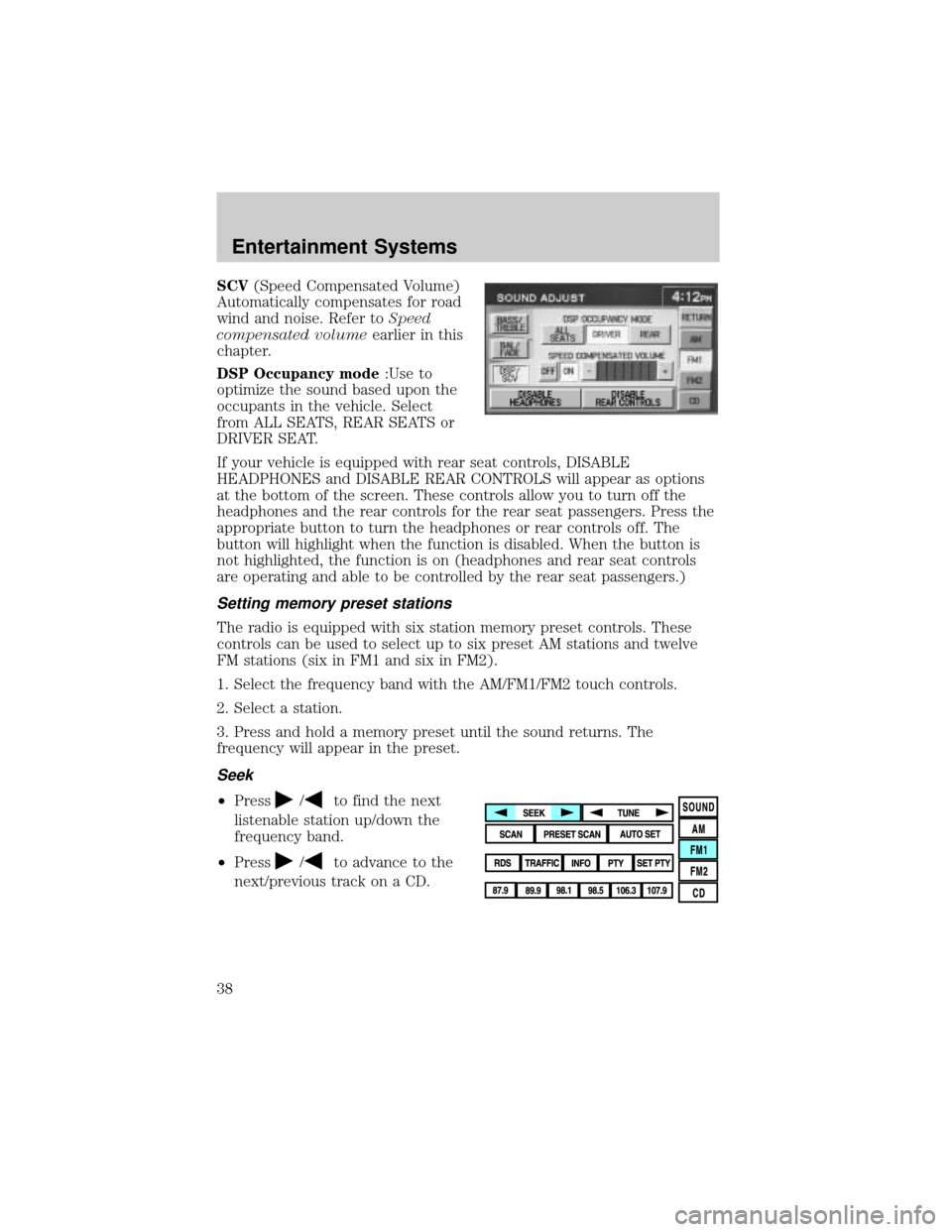
SCV(Speed Compensated Volume)
Automatically compensates for road
wind and noise. Refer toSpeed
compensated volumeearlier in this
chapter.
DSP Occupancy mode:Use to
optimize the sound based upon the
occupants in the vehicle. Select
from ALL SEATS, REAR SEATS or
DRIVER SEAT.
If your vehicle is equipped with rear seat controls, DISABLE
HEADPHONES and DISABLE REAR CONTROLS will appear as options
at the bottom of the screen. These controls allow you to turn off the
headphones and the rear controls for the rear seat passengers. Press the
appropriate button to turn the headphones or rear controls off. The
button will highlight when the function is disabled. When the button is
not highlighted, the function is on (headphones and rear seat controls
are operating and able to be controlled by the rear seat passengers.)
Setting memory preset stations
The radio is equipped with six station memory preset controls. These
controls can be used to select up to six preset AM stations and twelve
FM stations (six in FM1 and six in FM2).
1. Select the frequency band with the AM/FM1/FM2 touch controls.
2. Select a station.
3. Press and hold a memory preset until the sound returns. The
frequency will appear in the preset.
Seek
²Press/to find the next
listenable station up/down the
frequency band.
²Press
/to advance to the
next/previous track on a CD.
Entertainment Systems
38
Page 43 of 336
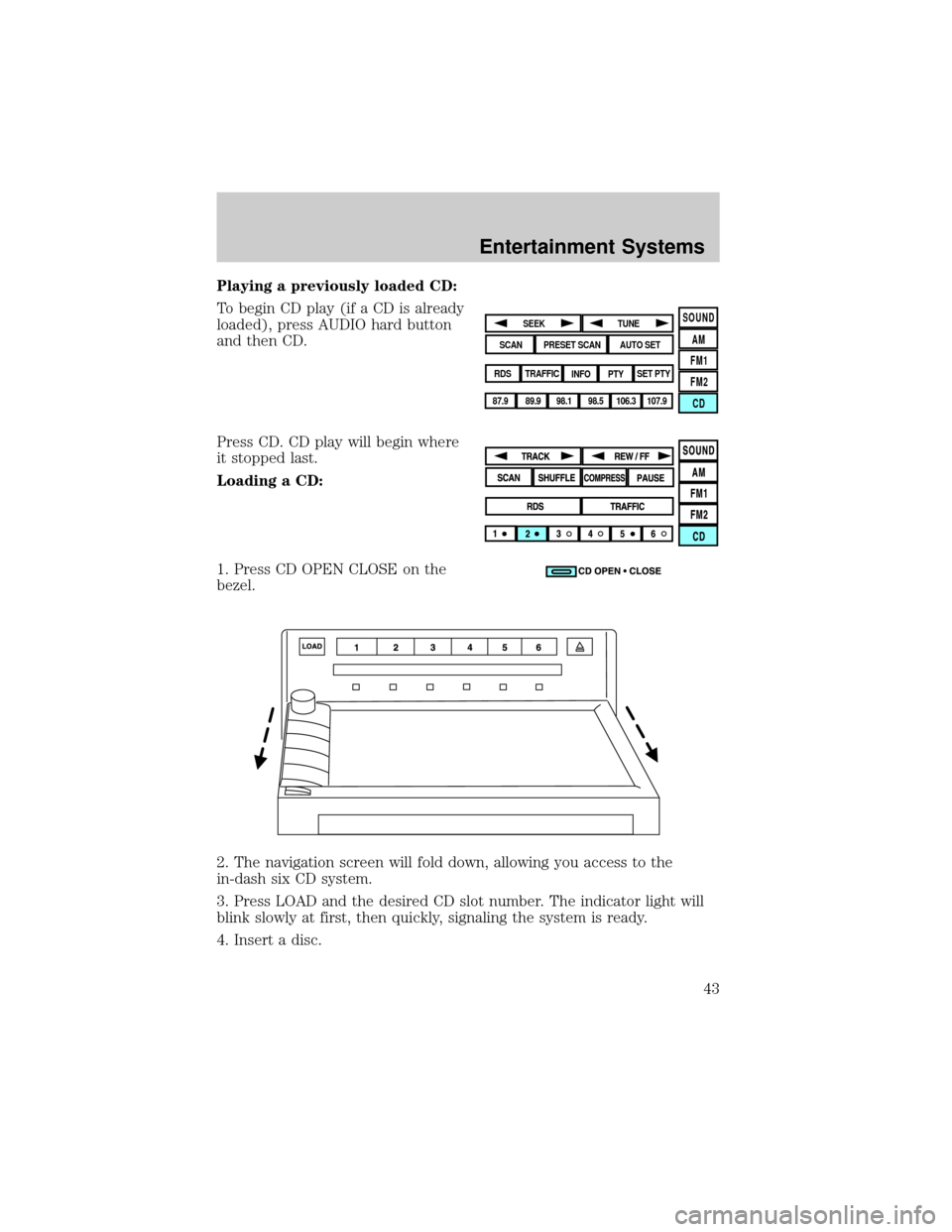
Playing a previously loaded CD:
To begin CD play (if a CD is already
loaded), press AUDIO hard button
and then CD.
Press CD. CD play will begin where
it stopped last.
Loading a CD:
1. Press CD OPEN CLOSE on the
bezel.
2. The navigation screen will fold down, allowing you access to the
in-dash six CD system.
3. Press LOAD and the desired CD slot number. The indicator light will
blink slowly at first, then quickly, signaling the system is ready.
4. Insert a disc.
SOUND
AM
FM1
FM2
CDSEEK
TUNE
PRESET SCANAUTO SET
SCAN
RDS
TRAFFIC
INFO PTYSET PTY
87.9
89.9 98.1
98.5 106.3 107.9
Entertainment Systems
43
Page 53 of 336
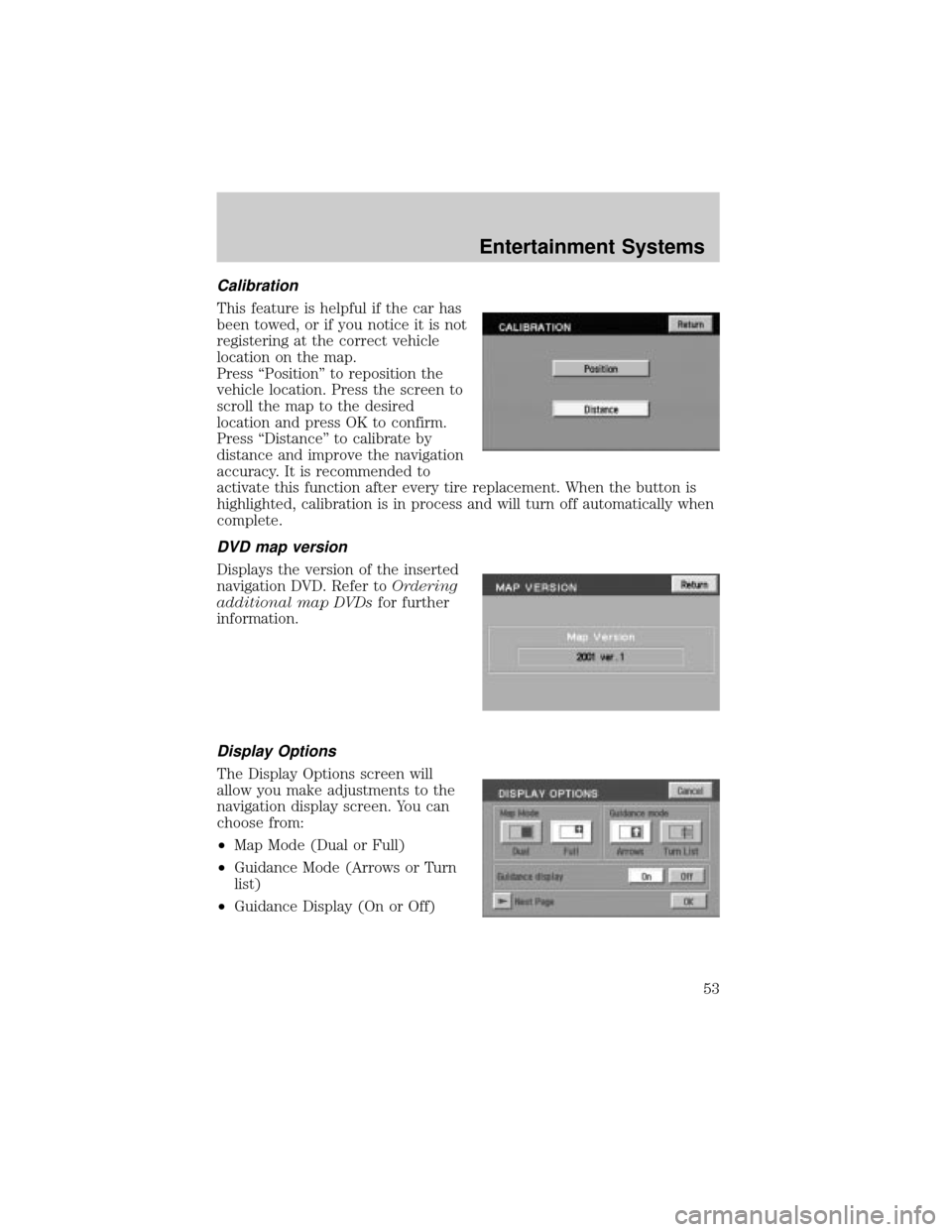
Calibration
This feature is helpful if the car has
been towed, or if you notice it is not
registering at the correct vehicle
location on the map.
Press ªPositionº to reposition the
vehicle location. Press the screen to
scroll the map to the desired
location and press OK to confirm.
Press ªDistanceº to calibrate by
distance and improve the navigation
accuracy. It is recommended to
activate this function after every tire replacement. When the button is
highlighted, calibration is in process and will turn off automatically when
complete.
DVD map version
Displays the version of the inserted
navigation DVD. Refer toOrdering
additional map DVDsfor further
information.
Display Options
The Display Options screen will
allow you make adjustments to the
navigation display screen. You can
choose from:
²Map Mode (Dual or Full)
²Guidance Mode (Arrows or Turn
list)
²Guidance Display (On or Off)
Entertainment Systems
53
Page 56 of 336
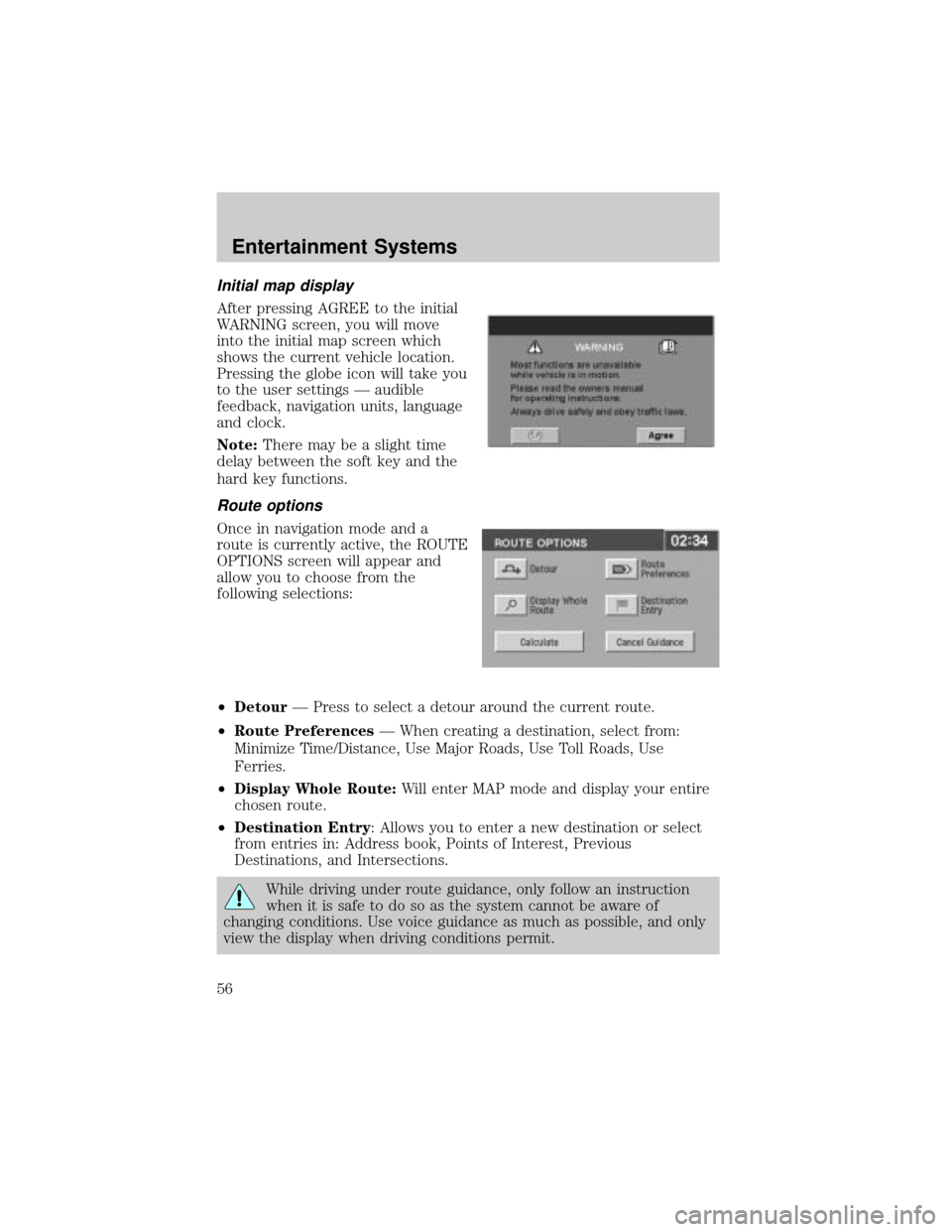
Initial map display
After pressing AGREE to the initial
WARNING screen, you will move
into the initial map screen which
shows the current vehicle location.
Pressing the globe icon will take you
to the user settings Ð audible
feedback, navigation units, language
and clock.
Note:There may be a slight time
delay between the soft key and the
hard key functions.
Route options
Once in navigation mode and a
route is currently active, the ROUTE
OPTIONS screen will appear and
allow you to choose from the
following selections:
²DetourÐ Press to select a detour around the current route.
²Route PreferencesÐ When creating a destination, select from:
Minimize Time/Distance, Use Major Roads, Use Toll Roads, Use
Ferries.
²Display Whole Route:Will enter MAP mode and display your entire
chosen route.
²Destination Entry: Allows you to enter a new destination or select
from entries in: Address book, Points of Interest, Previous
Destinations, and Intersections.
While driving under route guidance, only follow an instruction
when it is safe to do so as the system cannot be aware of
changing conditions. Use voice guidance as much as possible, and only
view the display when driving conditions permit.
Entertainment Systems
56
Page 75 of 336
The database reflects reality as existing before you received the
database and it comprises data and information from government
and other sources, which may contain errors and omissions.
Accordingly, the database may contain inaccurate or incomplete
information due to the passage of time, changing circumstances,
and due to the nature of the sources used. The database does not
include or reflect information on neighborhood safety, law
enforcement, emergency assistance, construction work, road or
lane closures, vehicle or speed restrictions, road slope or grade,
bridge height, weight or other limits, road or traffic conditions,
special events, traffic congestion, or travel time.
Radio reception factors
There are certain factors that may effect your radio reception.
²Distance/strength.The further an FM signal travels, the weaker it is.
The listenable range of the average FM station is approximately 40 km
(24 miles). This range can be affected by ªsignal modulation.º Signal
modulation is a process radio stations use to increase their
strength/volume relative to other stations.
²Terrain.Hills, mountains and tall buildings between your vehicle's
antenna and the radio station signal can cause FM reception problems.
Static can be caused on AM stations by power lines, electric fences,
traffic lights and thunderstorms. Moving away from an interfering
structure (out of its ªshadowº) returns your reception to normal.
²Station overload.Weak signals are sometimes captured by stronger
signals when you pass a broadcast tower. A stronger signal may
temporarily overtake a weaker signal and play while the weak station
frequency is displayed.
Principles of GPS (global positioning system) operation
Your system directs you based on information derived from global
positioning satellites, road maps stored on the DVD, sensors in your
vehicle and the desired destination. The system compiles all necessary
information to guide you to your selected destination. Space satellites
determine the vehicle's current location and transmit position and time
signals to your car.
If the vehicle has been parked for a long period of time, the navigation
function may be temporarily unresponsive. The navigation system will
operate reliably again once GPS reception is available for a few minutes.
Entertainment Systems
75
Page 82 of 336
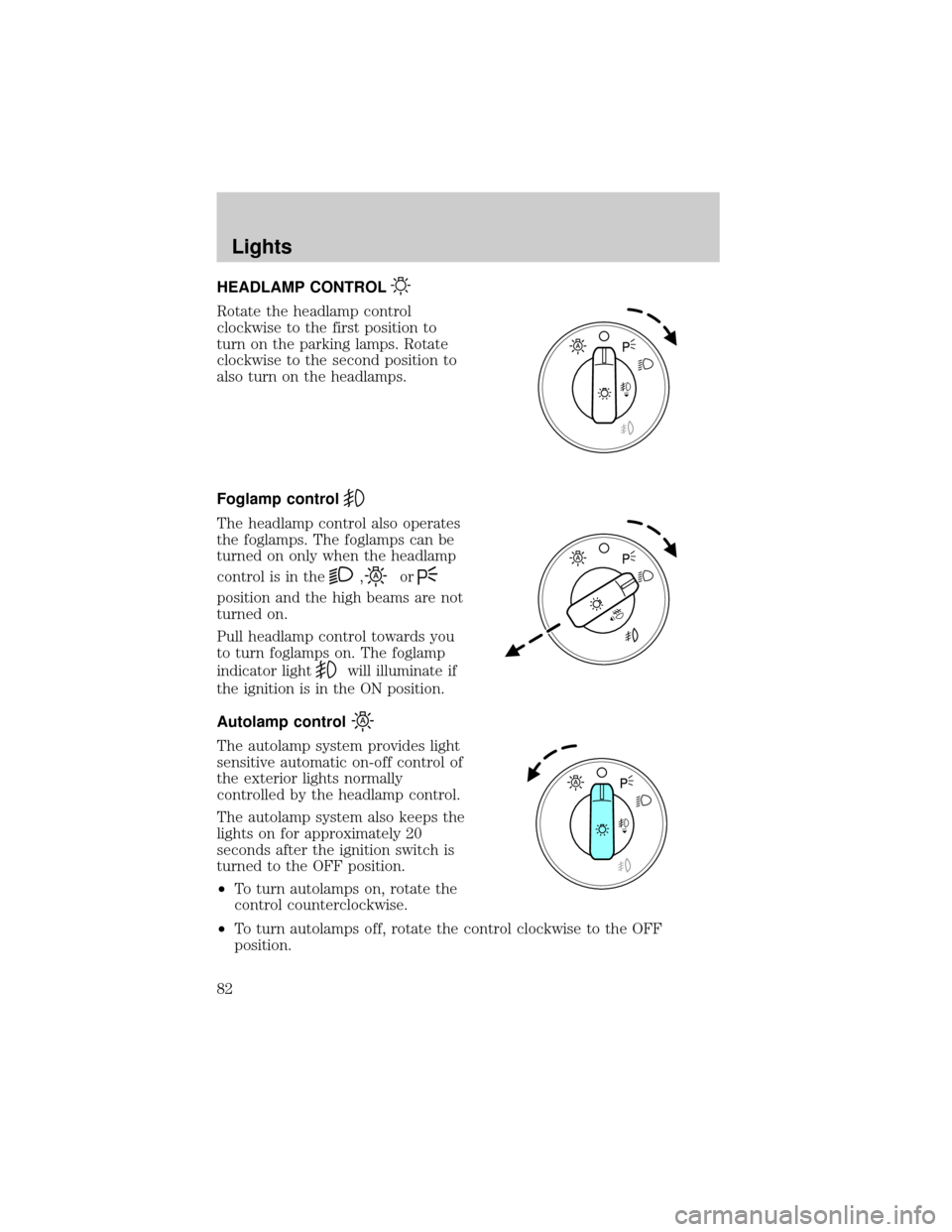
HEADLAMP CONTROL
Rotate the headlamp control
clockwise to the first position to
turn on the parking lamps. Rotate
clockwise to the second position to
also turn on the headlamps.
Foglamp control
The headlamp control also operates
the foglamps. The foglamps can be
turned on only when the headlamp
control is in the
,or
position and the high beams are not
turned on.
Pull headlamp control towards you
to turn foglamps on. The foglamp
indicator light
will illuminate if
the ignition is in the ON position.
Autolamp control
The autolamp system provides light
sensitive automatic on-off control of
the exterior lights normally
controlled by the headlamp control.
The autolamp system also keeps the
lights on for approximately 20
seconds after the ignition switch is
turned to the OFF position.
²To turn autolamps on, rotate the
control counterclockwise.
²To turn autolamps off, rotate the control clockwise to the OFF
position.
Lights
Lights
82
Page 83 of 336

Autolamp exit time delay, manual sequence
This option allows you to change the length of the autolamp exit delay.
To program the auto lamp exit time delay:
1. Start with the ignition in OFF and the autolamps selected.
2. Deselect the auto lamps.
3. Put the ignition on ON position.
4. Put the ignition in OFF.
5. Select the autolamps.
²Note:Steps 2 through 5 must be performed within a 10 second
period.
²At this point, the headlamps and park lamps will turn on.
6. Deselect the auto lamps after the desired auto lamp delay time
(maximum of 3 minutes).
²At this point, the headlamps and park lamps will turn off.
The default for autolamp exit delay time is 20 seconds. Following a
vehicle battery disconnect/reconnect auto lamp delay exit time will be
retained.
Autolamp exit time delay, message center sequence
This option allows you to change the length of time of the autolamp exit
delay using the message center. You will have the ability to change the
autolamp exit delay time of the autolamp ON time when the instrument
cluster message center is enabled (ignition in ON or accessory position).
There are 8 distinct and separate set points or values for auto lamp delay
exit time in seconds. The following are predefined set points or auto
lamp exit delay time values: 0, 10, 20, 30, 60, 90, 120, 180, seconds (i.e.
0 to 3 minutes).
The following steps are used to program the autolamp exit time delay
using the message center:
1. The message center will display the last autolamp exit delay time in
seconds.
2. You can respond to this message by 1 of 4 methods:
²No Response- The message center then times out after 4 seconds
and displays it's normal text information.
²Press the info button- The message center then displays its normal
text information.
Lights
83
Page 84 of 336
²Press the setup button- The message center then displays the next
menu selection in its list.
²Press the reset button- The message center then proceeds to the
next sequence/step (3) below.
²The message center sends/issues the ªAutolamp Delay Commandº to
the body security module (BSM).
²The body security module responds within 100 milliseconds with next
auto lamp exit delay time.
3. Next sequence/step number is one (1) steps 1,2,3,4 & 5 are repeated
until exit via step 2.
4. The message center displays the next menu selection.
Daytime running lamps (DRL) (if equipped)
To activate DRL:
²the ignition must be in the ON position and
²the headlamp control is in the OFF or Parking lamps position
²the parking brake must be disengaged.
Always remember to turn on your headlamps at dusk or during
inclement weather. The Daytime Running Light (DRL) System
does not activate your tail lamps and generally may not provide
adequate lighting during these conditions. Failure to activate your
headlamps under these conditions may result in a collision.
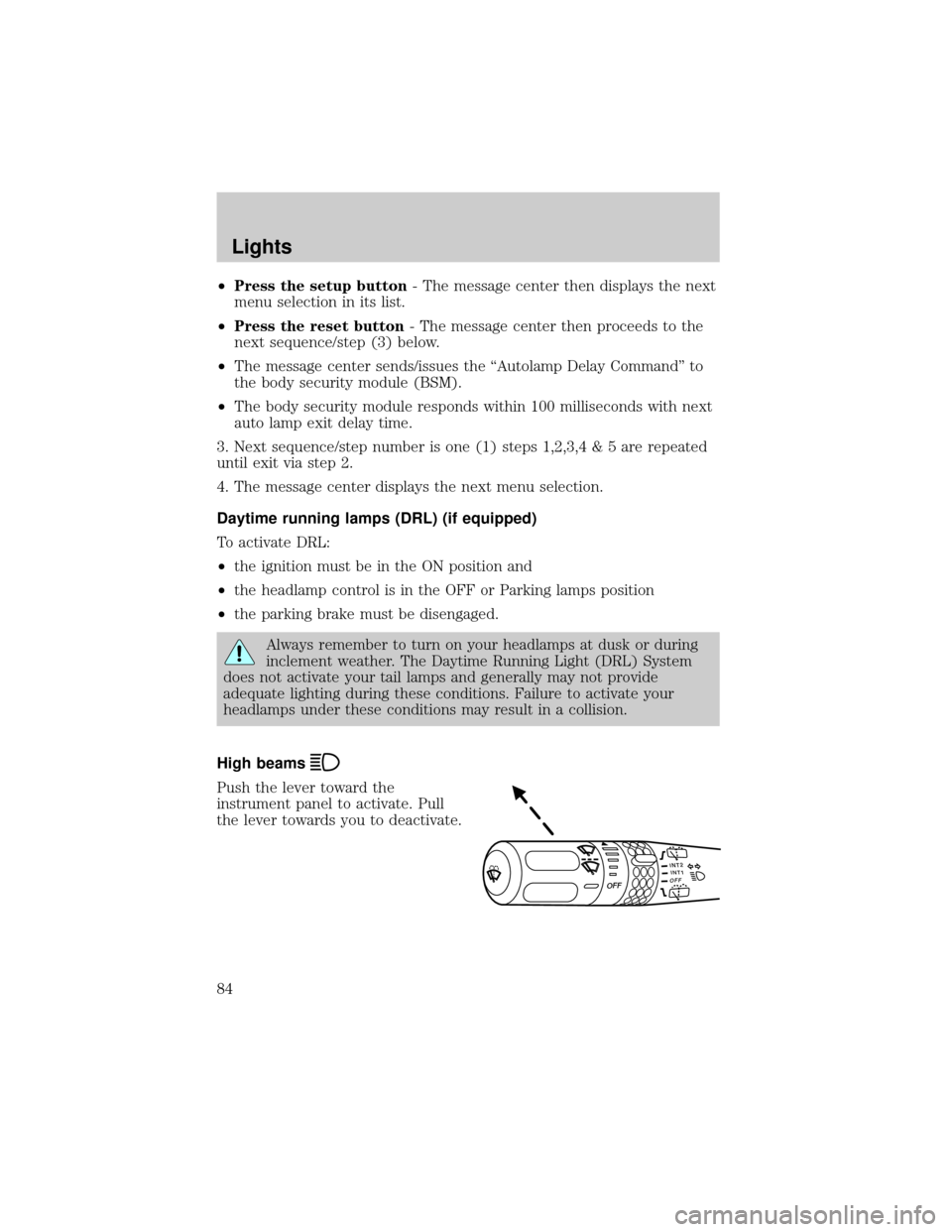
High beams
Push the lever toward the
instrument panel to activate. Pull
the lever towards you to deactivate.
INT2OFFOFFINT1
Lights
84