change wheel LINCOLN AVIATOR 2004 Owners Manual
[x] Cancel search | Manufacturer: LINCOLN, Model Year: 2004, Model line: AVIATOR, Model: LINCOLN AVIATOR 2004Pages: 336, PDF Size: 3.69 MB
Page 31 of 336

Press and hold VOICE briefly (on your steering wheel controls) until the
voice icon
appears on the Navigation display to use the Navigation
voice command. Press RPT (repeat) to hear the previous command
repeated from the navigation system.
The voice activated command feature will not operate if a map DVD is
not inserted into the navigation DVD unit.
At any time, you may say these commands to change modes:
²Radio²Audio on
²AM²Audio off
²FM1²Power off
²FM2²CD Changer (if equipped)
²CD²DVD (if equipped)
²Power on
During normal radio operation, you may say:
²Seek up²Seek down
Disc operation commands you may say when using a rear seat DVD (if
equipped):
²Track up²Track down
²Previous track²Disc up
²Disc down²Next disc
²Previous disc
During CDDJ or in-dash CD play, you may say:
²Track up²Track down
²Previous track²Disc up
²Next disc²Disc down
²Previous disc
To change the screen display, you may say the following commands:
²Screen off²Screen day mode
²Day mode on²Screen night mode
²Night mode on²Screen auto mode
²Auto mode on
Entertainment Systems
31
Page 200 of 336

If your vehicle should become stuck in deep snow or mud, try switching
the AdvanceTracysystem off by pressing the AdvanceTracybutton.
This will allow your tires to ªdigº for traction. Pressing the control once
will disable the AdvanceTracystability enhancement and the engine
power reduction portion of the traction enhancement feature; the brake
portion of the traction enhancement feature will still function normally.
Pressing and holding the control for more than five seconds will disable
the AdvanceTracystability enhancement and traction enhancement
feature. If the AdvanceTracysystem is activated excessively for an
extended period of time, the brake portion of the system will shut down
to allow the brakes to cool down.
A limited AdvanceTracyfunction using only engine power reduction will
still help control the wheels from over-spinning. When the brakes have
cooled down, the system will again function normally. Anti-lock braking is
not affected by this condition and will function normally during the
cool-down period.
AdvanceTracyenhances your vehicle's stability during maneuvers that
require all available tire traction, like in wet/snowy/icy road conditions
and/or when performing emergency maneuvers. In an emergency
lane-change, the driver will experience better overall vehicle traction,
and have better control of the vehicle.
The AdvanceTracysystem helps the driver maintain steering control if
the vehicle begins to slide excessively left or right or spin out.
AdvanceTracywill attempt to correct the sliding motion by applying
brake force at individual tires and, if necessary, by reducing engine
power.
Driving conditions which may activate AdvanceTracyinclude:
²Taking a turn too fast
²Maneuvering quickly to avoid an accident, pedestrian or obstacle
²Hitting a patch of ice
²Changing lanes on a snow-rutted road
²Entering a snow-free road from a snow-covered side street, or vice
versa
²Entering a paved road from a gravel road, or vice versa
²Hitting a curb while turning
²Driving on slick surfaces
²Cornering while towing a heavily loaded trailer (refer toTrailer
Towingin this chapter)
Driving
200
Page 201 of 336

Roll Stability Control System (4x2 vehicles only)
The Roll Stability Control system works in conjunction with the
AdvanceTracysystem to further enhance the vehicle's overall stability
during aggressive maneuvers. The system helps maintain roll stability of
the vehicle during aggressive maneuvers by applying brake force to one
or more wheels.
Driving conditions that may activate Roll Stability Control include:
²Emergency lane-change
²Taking a turn too fast
²Quick maneuvering to avoid an accident, pedestrian or obstacle
²Hitting a curb while turning
The AdvanceTracy/Roll Stability Control system automatically turns on
when the engine is started. However, the system does not function when
the vehicle is traveling in R (Reverse). In R (Reverse), ABS and the
traction enhancement feature will continue to function.
The AdvanceTracy/Roll Stability
Control button allows the driver to
control the availability of the
AdvanceTracy/Roll Stability Control
system. AdvanceTracy/Roll Stability
Control system status is indicated by a warning indicator light with a
ªsliding carº icon in the instrument cluster that will flash when the
system is active and an indicator light in the control button that will
illuminate when the system is turned off. In vehicles with a message
center, the message ªADVANCETRAC OFFº will be displayed.
If a failure is detected in the AdvanceTracy/Roll Stability Control
system, the warning indicator light in the instrument cluster will stay on.
If the warning indicator light in the instrument cluster remains on while
the engine is running, have the system serviced immediately.
Pressing the control once will disable the AdvanceTracystability
enhancement/Roll Stability Control and the engine power reduction
portion of the traction enhancement feature; the brake portion of the
traction enhancement feature will still function normally. Pressing and
holding the control for more than five seconds will disable the
AdvanceTracystability enhancement/Roll Stability Control and traction
enhancement feature. If the vehicle is stuck in snow or mud or when
driving in deep sand, switching off the AdvanceTracysystem may be
beneficial so the wheels are allowed to spin. If your vehicle seems to lose
engine power while driving in deep sand or very deep snow, switching off
the AdvanceTracystability enhancement feature will restore full engine
power and will enhance momentum through the obstacle.
Driving
201
Page 202 of 336
Some drivers may notice a slight movement of the brake pedal when the
AdvanceTracyperforms a system self-check. During AdvanceTracy/Roll
Stabilty Control operation you may experience the following:
²A rumble or grinding noise
²A slight deceleration of the vehicle
²The AdvanceTracyindicator light will flash
²If your foot is on the brake pedal, you will feel a vibration in the
pedal.
²If the driving condition is severe and your foot is not on the brake, the
brake pedal will move to apply higher brake forces. You may also hear
a whoosh of air from under the instrument panel during this severe
condition.
All these conditions are normal during AdvanceTracy/Roll Stability
Control operation.
Do not alter or modify your vehicle's suspension or steering; the
resulting changes to the vehicle's handling can adversely affect
the AdvanceTracy/Roll Stability Control system. Also, do not
install a stereo loudspeaker near the rear console or either rear
seat. The speaker vibrations can adversely affect the
AdvanceTracy/Roll Stability Control sensors located in this area.
Note:Pressing the AdvanceTracybutton will disable AdvanceTracyand
Roll Stability Control.
Aggressive driving in any road conditions can cause you to lose
control of your vehicle increasing the risk of severe personal
injury or property damage. The occurrence of a AdvanceTracy/Roll
Stability Control event is an indication that at least some of the tires
have exceeded their ability to grip the road; this may lead to an
increased risk of loss of vehicle control, vehicle rollover, personal injury
and death. If you experience a severe road event, SLOW DOWN.
STEERING
To prevent damage to the power steering system, never hold the steering
wheel at its furthest turning points (until it stops) for more than a few
seconds when the engine is running.
It is also important to maintain a proper power steering fluid level in the
power steering fluid reservoir:
²Do not operate the vehicle with a low power steering pump fluid level
(below the MIN mark on the reservoir).
Driving
202
Page 211 of 336
ALL WHEEL DRIVE (AWD) SYSTEM (IF EQUIPPED)
Your vehicle may be equipped with an All Wheel Drive (AWD) transfer
case. With the AWD option, power is supplied to all four wheels
automatically with no need to shift between two-wheel drive and
four-wheel drive. If your vehicle is equipped with the AdvanceTracy
stability enhancement feature, you can change AWD modes, if desired,
by selecting AWD options through the message center.
For the lubricant specification and refill capacity of the AWD transfer
case refer toMaintenance and specificationschapter.
If your vehicle is equipped with AWD, a spare tire of a different
diameter than the road tires should never be used. Such a tire
could make the vehicle difficult to control as well as result in damage
to driveline components.
Utility and four-wheel drive vehicles arenotdesigned for cornering
at speeds as high as passenger cars any more than low-slung sports
cars are designed to perform satisfactorily under off-road conditions.
Avoid sharp turns or abrupt maneuvers in these vehicles.
The following sections,Normal operation,Autolock operationand
Disabling AWD, apply only to vehicles which allow the driver to change
AWD modes through the message center.
Normal operation (vehicles equipped with AdvanceTracYonly)
During normal operation:
²the AWD system is in AWD AUTO mode (AWD LOCKED will
illuminate in the message center for four seconds when you first start
your vehicle). The AWD LOCKED indicator in the instrument cluster
will also come on.
²AWD AUTO mode can be overridden by pressing SETUP in the
message center. When you first press SETUP, AWD
displayed, then if you press RESET within four seconds of pressing
SETUP, AWD
power to all four wheels constantly which allows you to operate your
vehicle in severe winter or off-road conditions such as deep snow, ice
or shallow sand. It is not recommended that you use AWD
on dry pavement.
²AWD
center. (The AWD LOCKED display in the message center will then
turn off and the display will return to AWD
when the shift is complete.)
Driving
211
Page 213 of 336

Driving off-road with truck and utility vehicles
AWD vehicles are specially equipped for driving on sand, snow, mud and
rough terrain and have operating characteristics that are somewhat
different from conventional vehicles, both on and off the road.
When driving at slow speeds off-road under high outside temperatures,
use 1 (First) gear when possible. 1 (First) gear operation will maximize
the engine and transmission cooling capability.
Under severe operating conditions, the A/C may cycle on and off to
protect overheating of the engine.
How your vehicle differs from other vehicles
Truck and utility vehicles can differ from some other vehicles. Your
vehicle may be higher to allow it to travel over rough terrain without
getting hung up or damaging underbody components.
The differences that make your vehicle so versatile also make it handle
differently than an ordinary passenger car.
Maintain steering wheel control at all times, especially in rough terrain.
Since sudden changes in terrain can result in abrupt steering wheel
motion, make sure you grip the steering wheel from the outside. Do not
grip the spokes.
Drive cautiously to avoid vehicle damage from concealed objects such as
rocks and stumps.
You should either know the terrain or examine maps of the area before
driving. Map out your route before driving in the area. To maintain
steering and braking control of your vehicle, you must have all four
wheels on the ground and they must be rolling, not sliding or spinning.
Basic operating principles
²Drive slower in strong crosswinds which can affect the normal steering
characteristics of your vehicle.
²Be extremely careful when driving on pavement made slippery by
loose sand, water, gravel, snow or ice.
If your vehicle goes off the edge of the pavement
²If your vehicle goes off the edge of the pavement, slow down, but
avoid severe brake application, ease the vehicle back onto the
pavement only after reducing your speed. Do not turn the steering
wheel too sharply while returning to the road surface.
²It may be safer to stay on the apron or shoulder of the road and slow
down gradually before returning to the pavement. You may lose
control if you do not slow down or if you turn the steering wheel too
sharply or abruptly.
Driving
213
Page 215 of 336
Emergency maneuvers
²In an unavoidable emergency situation where a sudden sharp turn
must be made, remember to avoid ªover-drivingº your vehicle (i.e.,
turn the steering wheel only as rapidly and as far as required to avoid
the emergency). Excessive steering will result in less vehicle control,
not more. Additionally, smooth variations of the accelerator and/or
brake pedal pressure should be utilized if changes in vehicle speed are
called for. Avoid abrupt steering, acceleration or braking which could
result in an increased risk of loss of vehicle control, vehicle rollover
and/or personal injury. Use all available road surface to return the
vehicle to a safe direction of travel.
²In the event of an emergency stop, avoid skidding the tires and do not
attempt any sharp steering wheel movements.
Vehicles with a higher center of gravity such as utility and
four-wheel drive vehicles handle differently than vehicles with a
lower center of gravity. Utility and four-wheel drive vehicles arenot
designed for cornering at speeds as high as passenger cars any more
than low-slung sports cars are designed to perform satisfactorily under
off-road conditions. Avoid sharp turns, excessive speed and abrupt
maneuvers in these vehicles. Failure to drive cautiously could result in
an increased risk of loss of vehicle control, vehicle rollover, personal
injury and death.
²If the vehicle goes from one type of surface to another (i.e., from
concrete to gravel) there will be a change in the way the vehicle
responds to a maneuver (steering, acceleration or braking). Again,
avoid these abrupt inputs.
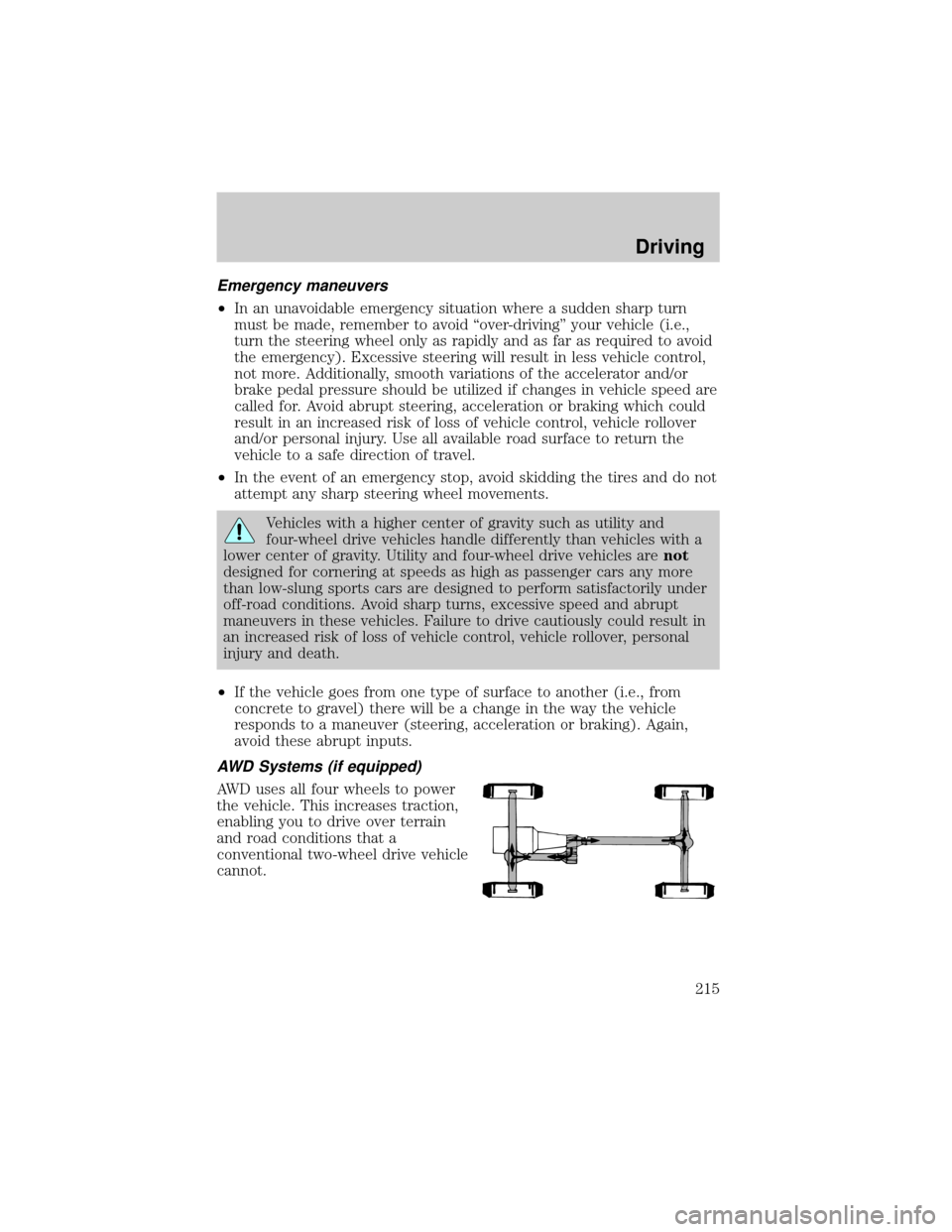
AWD Systems (if equipped)
AWD uses all four wheels to power
the vehicle. This increases traction,
enabling you to drive over terrain
and road conditions that a
conventional two-wheel drive vehicle
cannot.
Driving
215
Page 216 of 336
Sand
When driving over sand, try to keep all four wheels on the most solid
area of the trail. Avoid reducing the tire pressures but shift to a lower
gear and drive steadily through the terrain. Apply the accelerator slowly
and avoid spinning the wheels.
If you must reduce the tire pressure for whatever reason in sand, make
sure you re-inflate the tires as soon as possible.
Note:If your vehicle is equipped with the tire pressure monitoring
system, the system indicator light may illuminate depending on how
much air is released from your tires and/or how long you drive the
vehicle under these conditions.
Avoid excessive speed because vehicle momentum can work against you
and cause the vehicle to become stuck to the point that assistance may
be required from another vehicle. Remember, you may be able to back
out the way you came if you proceed with caution.
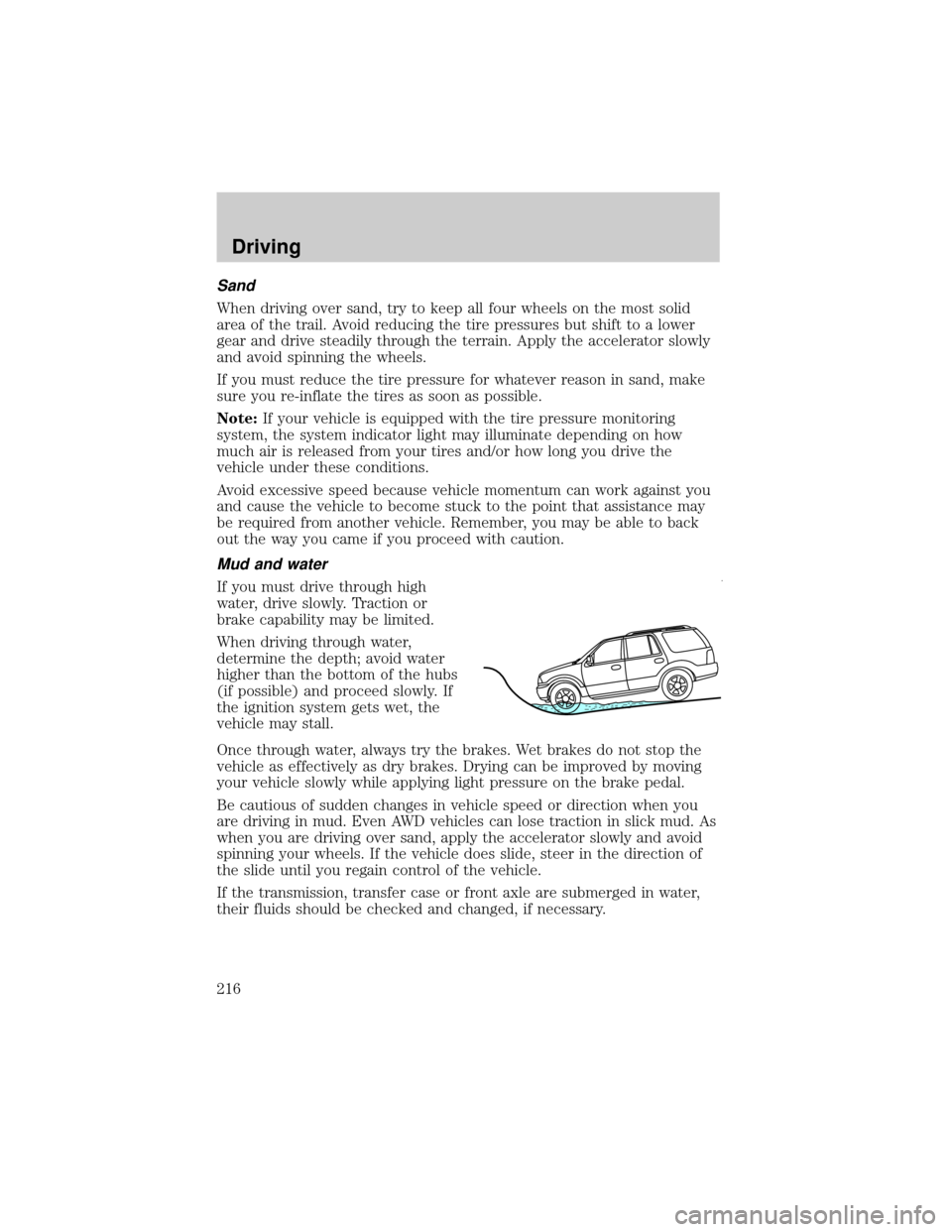
Mud and water
If you must drive through high
water, drive slowly. Traction or
brake capability may be limited.
When driving through water,
determine the depth; avoid water
higher than the bottom of the hubs
(if possible) and proceed slowly. If
the ignition system gets wet, the
vehicle may stall.
Once through water, always try the brakes. Wet brakes do not stop the
vehicle as effectively as dry brakes. Drying can be improved by moving
your vehicle slowly while applying light pressure on the brake pedal.
Be cautious of sudden changes in vehicle speed or direction when you
are driving in mud. Even AWD vehicles can lose traction in slick mud. As
when you are driving over sand, apply the accelerator slowly and avoid
spinning your wheels. If the vehicle does slide, steer in the direction of
the slide until you regain control of the vehicle.
If the transmission, transfer case or front axle are submerged in water,
their fluids should be checked and changed, if necessary.
Driving
216
Page 218 of 336
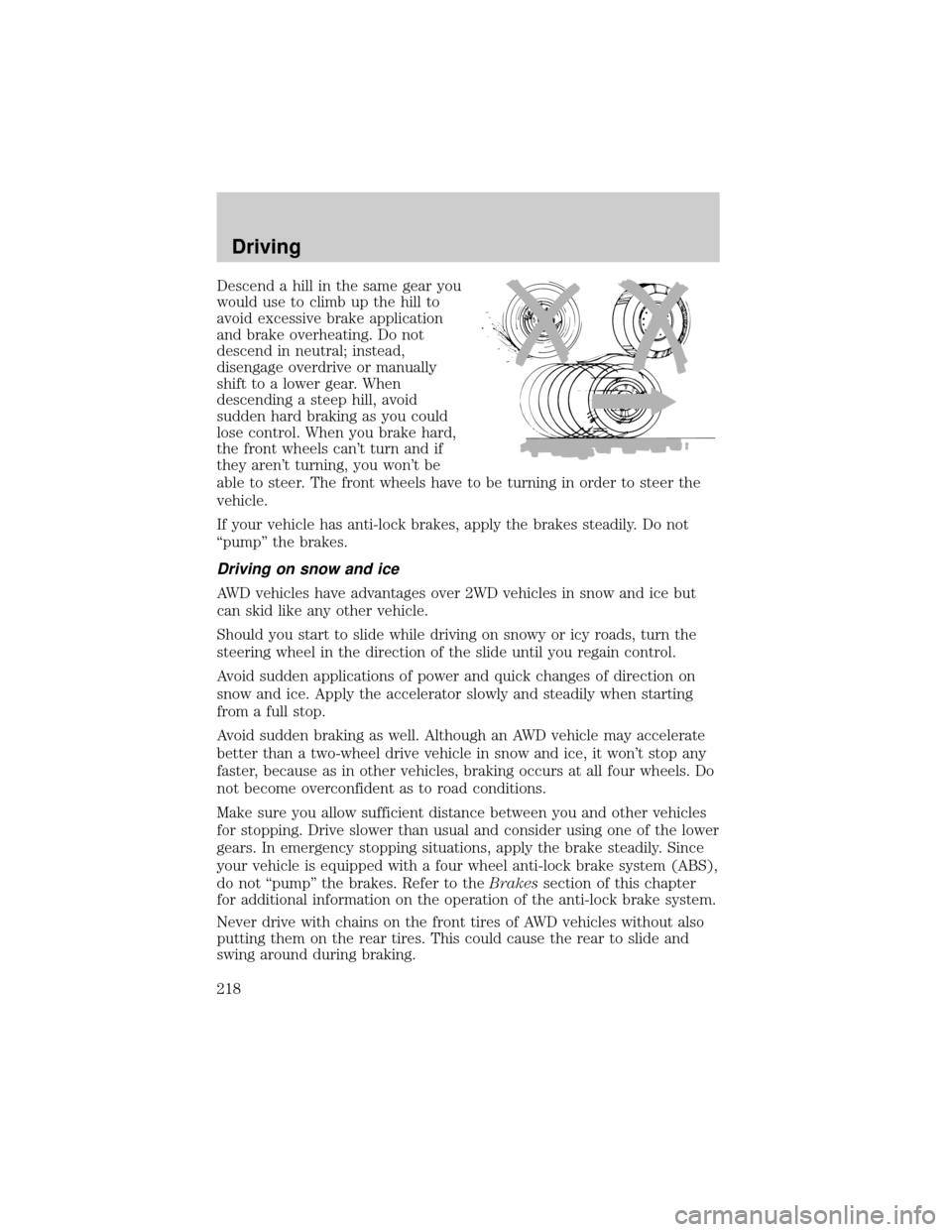
Descend a hill in the same gear you
would use to climb up the hill to
avoid excessive brake application
and brake overheating. Do not
descend in neutral; instead,
disengage overdrive or manually
shift to a lower gear. When
descending a steep hill, avoid
sudden hard braking as you could
lose control. When you brake hard,
the front wheels can't turn and if
they aren't turning, you won't be
able to steer. The front wheels have to be turning in order to steer the
vehicle.
If your vehicle has anti-lock brakes, apply the brakes steadily. Do not
ªpumpº the brakes.
Driving on snow and ice
AWD vehicles have advantages over 2WD vehicles in snow and ice but
can skid like any other vehicle.
Should you start to slide while driving on snowy or icy roads, turn the
steering wheel in the direction of the slide until you regain control.
Avoid sudden applications of power and quick changes of direction on
snow and ice. Apply the accelerator slowly and steadily when starting
from a full stop.
Avoid sudden braking as well. Although an AWD vehicle may accelerate
better than a two-wheel drive vehicle in snow and ice, it won't stop any
faster, because as in other vehicles, braking occurs at all four wheels. Do
not become overconfident as to road conditions.
Make sure you allow sufficient distance between you and other vehicles
for stopping. Drive slower than usual and consider using one of the lower
gears. In emergency stopping situations, apply the brake steadily. Since
your vehicle is equipped with a four wheel anti-lock brake system (ABS),
do not ªpumpº the brakes. Refer to theBrakessection of this chapter
for additional information on the operation of the anti-lock brake system.
Never drive with chains on the front tires of AWD vehicles without also
putting them on the rear tires. This could cause the rear to slide and
swing around during braking.
Driving
218
Page 230 of 336

Launching or retrieving a boat
Disconnect the wiring to the trailer before backing the trailer
into the water. Reconnect the wiring to the trailer after the
trailer is removed from the water.
When backing down a ramp during boat launching or retrieval:
²do not allow the static water level to rise above the bottom edge of
the rear bumper.
²do not allow waves to break higher than 15 cm (6 inches) above the
bottom edge of the rear bumper.
Exceeding these limits may allow water to enter vehicle components:
²causing internal damage to the components.
²affecting driveability, emissions and reliability.
Replace the rear axle lubricant any time the axle has been submerged in
water. Rear axle lubricant quantities are not to be checked or changed
unless a leak is suspected or repair required.
RECREATIONAL TOWING (ALL WHEELS ON THE GROUND)
Follow these guidelines for your specific powertrain combination to tow
your vehicle with all four wheels on the ground (such as behind a
recreational vehicle).
These guidelines are designed to ensure that your transmission is not
damaged due to insufficient lubrication.
Rear Wheel Drive (RWD) 4x2 vehicles:
This applies to all 4x2 trucks/sport utilities with rear wheel drive capability.
²Place the transmission in N (Neutral).
²Maximum speed is 56 km/h (35 mph).
²Maximum distance is 80 km (50 miles).
If a distance of 80 km (50 miles) or a speed of 56 km/h (35 mph) must
be exceeded, you must disconnect the driveshaft. Ford recommends the
driveshaft be removed/installed only by a qualified technician. See your
local dealer for driveshaft removal/installation.
Improper removal/installation of the driveshaft can cause
transmission fluid loss, damage to the driveshaft and internal
transmission components.
AWD vehicles:
Vehicles equipped with AWD cannot be towed with any wheels on the
ground as vehicle damage may occur.
Driving
230