cruise control LINCOLN AVIATOR 2020 Owners Manual
[x] Cancel search | Manufacturer: LINCOLN, Model Year: 2020, Model line: AVIATOR, Model: LINCOLN AVIATOR 2020Pages: 609, PDF Size: 5.4 MB
Page 5 of 609
Phone as a Key – Troubleshooting
............71
MyKey™
Principle of Operation ...................................
73
Creating a MyKey ...........................................
74
Clearing All MyKeys ......................................
75
Checking MyKey System Status ................
75
Using MyKey With Remote Start Systems ........................................................................\
.
76
MyKey – Troubleshooting ............................
76
Doors and Locks
Locking and Unlocking .................................
78
Opening the Doors .......................................
85
Emergency Door Release ...........................
86
Soft Closing Door ..........................................
86
Keyless Entry ..................................................
86
Liftgate
Power Liftgate ................................................
89
Security
Passive Anti-Theft System ...........................
94Anti-Theft Alarm
.............................................
95
Steering Wheel
Adjusting the Steering Wheel - Vehicles With: Manual Adjustable Steering
Column .........................................................
97
Adjusting the Steering Wheel - Vehicles With: Power Adjustable Steering Column
........................................................................\
.
97
Audio Control .................................................
99
Voice Control ..................................................
99
Cruise Control - Vehicles With: Adaptive Cruise Control With Lane Centering
........................................................................\
99
Cruise Control - Vehicles With: Cruise Control ........................................................
100
Information Display Control .......................
101
Heated Steering Wheel ...............................
101
Horn ..................................................................
101
Wipers and Washers
Windshield Wipers - Vehicles Without: Heated Wiper Blades .............................
102
Windshield Wipers - Vehicles With: Heated Wiper Blades .............................................
103Autowipers
.....................................................
103
Windshield Washers ....................................
104
Rear Window Wiper and Washers ...........
104
Lighting
General Information ....................................
106
Lighting Control ............................................
106
Autolamps ......................................................
107
Instrument Lighting Dimmer ......................
107
Headlamp Exit Delay ...................................
108
Daytime Running Lamps - Vehicles With: Configurable Daytime Running Lamps
.......................................................................
108
Daytime Running Lamps - Vehicles With: Daytime Running Lamps (DRL) .............
108
Front Fog Lamps ..........................................
108
Adaptive Headlamps ..................................
109
Direction Indicators .......................................
111
Welcome Lighting ..........................................
111
Interior Lamps ................................................
112
Ambient Lighting ...........................................
112
2
Aviator (CTV) Canada/United States of America, enUSA, Edition date: 201902, Third-Printing- Table of Contents
Page 8 of 609
Hill Descent Control Indicator ..................249
Parking Aids
Principle of Operation ................................
250
Rear Parking Aid .........................................
250
Front Parking Aid ........................................
252
Side Sensing System .................................
254
Active Park Assist .......................................
256
Rear View Camera .......................................
261
360 Degree Camera ..................................
264
Cruise Control
What Is Cruise Control ...............................
267
Switching Cruise Control On and Off ......
267
Setting the Cruise Control Speed ...........
267
Canceling the Set Speed ..........................
268
Resuming the Set Speed ..........................
268
Cruise Control Indicators ..........................
268
Adaptive Cruise Control
How Does Adaptive Cruise Control With Stop and Go Work ..................................
269What Is Intelligent Adaptive Cruise Control
......................................................................
269
Adaptive Cruise Control Precautions - Vehicles With: Adaptive Cruise Control
With Lane Centering ..............................
269
Adaptive Cruise Control Precautions - Vehicles With: Adaptive Cruise Control
With Stop and Go ...................................
269
Adaptive Cruise Control Limitations - Vehicles With: Adaptive Cruise Control
With Lane Centering ..............................
270
Adaptive Cruise Control Limitations - Vehicles With: Adaptive Cruise Control
With Stop and Go .....................................
271
Switching Adaptive Cruise Control On and Off ...............................................................
273
Setting the Adaptive Cruise Control Speed ......................................................................
274
Setting the Adaptive Cruise Control Gap ......................................................................
275
Canceling the Set Speed ..........................
276
Resuming the Set Speed ..........................
276
Overriding the Set Speed .........................
276
Adaptive Cruise Control Indicators - Vehicles With: Adaptive Cruise Control
With Lane Centering ..............................
276Adaptive Cruise Control Indicators -
Vehicles With: Adaptive Cruise Control
With Stop and Go ....................................
277
Adaptive Cruise Control Indicators - Vehicles With: Intelligent Adaptive
Cruise Control ..........................................
277
Switching From Adaptive Cruise Control to Cruise Control .....................................
277
Switching Intelligent Mode On and Off ......................................................................
278
Adjusting the Set Speed Tolerance ........
278
Adaptive Cruise Control – Troubleshooting ......................................................................
279
Driving Aids
Driver Alert ....................................................
282
Lane Keeping System ................................
283
Blind Spot Information System ................
289
Cross Traffic Alert ........................................
293
Speed Sign Recognition ...........................
298
Steering .........................................................
299
Pre-Collision Assist .....................................
300
Drive Mode Control
What Is Drive Mode Control .....................
306
5
Aviator (CTV) Canada/United States of America, enUSA, Edition date: 201902, Third-Printing- Table of Contents
Page 13 of 609
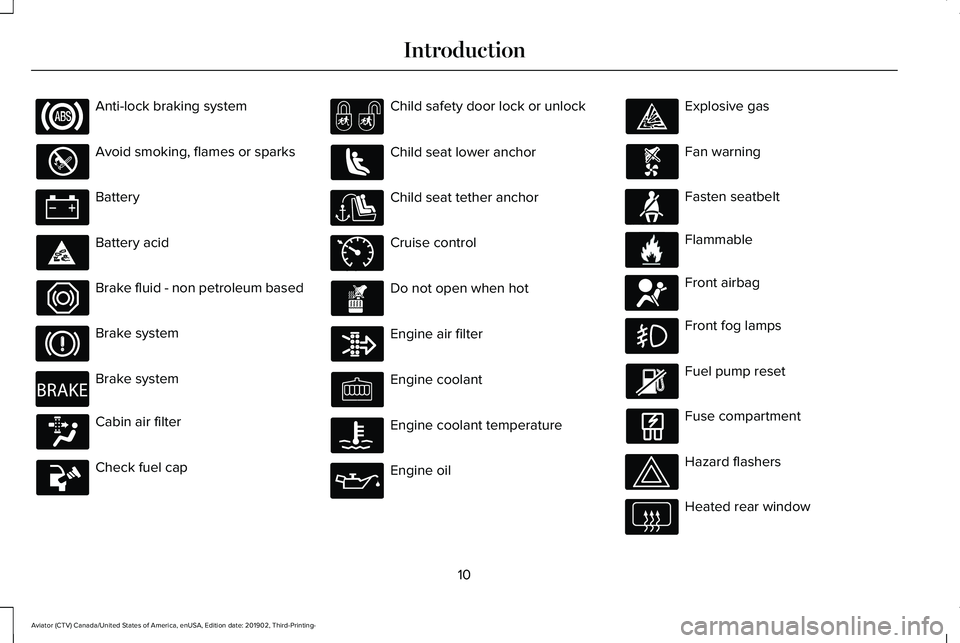
Anti-lock braking system
Avoid smoking, flames or sparks
Battery
Battery acid
Brake fluid - non petroleum based
Brake system
Brake system
Cabin air filter
Check fuel cap Child safety door lock or unlock
Child seat lower anchor
Child seat tether anchor
Cruise control
Do not open when hot
Engine air filter
Engine coolant
Engine coolant temperature
Engine oil Explosive gas
Fan warning
Fasten seatbelt
Flammable
Front airbag
Front fog lamps
Fuel pump reset
Fuse compartment
Hazard flashers
Heated rear window
10
Aviator (CTV) Canada/United States of America, enUSA, Edition date: 201902, Third-Printing- Introduction E270480 E71340 E71880 E231160 E67017
Page 25 of 609
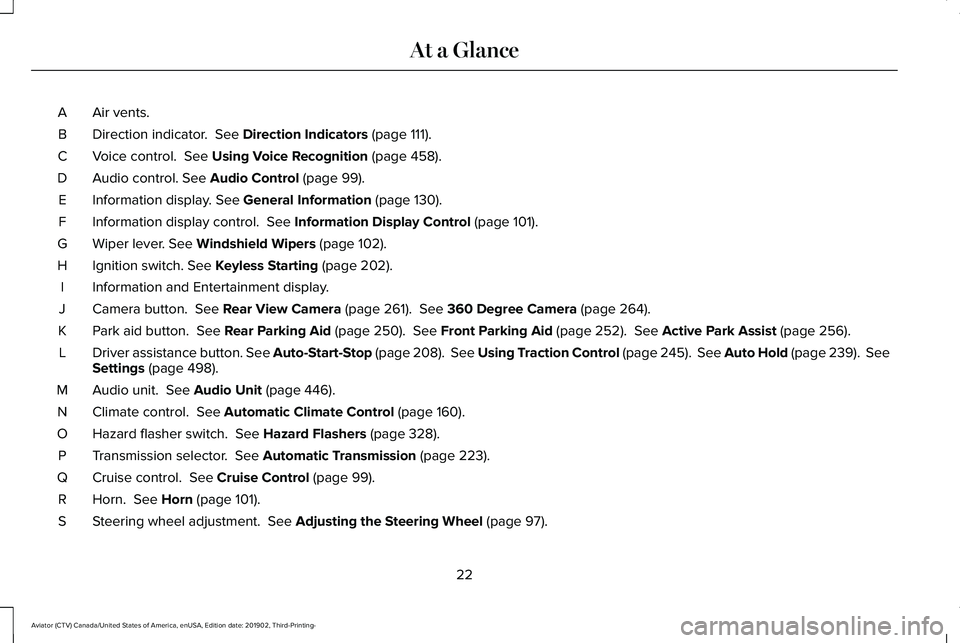
Air vents.
A
Direction indicator. See Direction Indicators (page 111).
B
Voice control.
See Using Voice Recognition (page 458).
C
Audio control.
See Audio Control (page 99).
D
Information display.
See General Information (page 130).
E
Information display control.
See Information Display Control (page 101).
F
Wiper lever.
See Windshield Wipers (page 102).
G
Ignition switch.
See Keyless Starting (page 202).
H
Information and Entertainment display.
I
Camera button.
See Rear View Camera (page 261). See 360 Degree Camera (page 264).
J
Park aid button.
See Rear Parking Aid (page 250). See Front Parking Aid (page 252). See Active Park Assist (page 256).
K
Driver assistance button. See Auto-Start-Stop (page 208). See Using Traction Control (page 245). See Auto Hold (page 239). See
Settings
(page 498).
L
Audio unit.
See Audio Unit (page 446).
M
Climate control.
See Automatic Climate Control (page 160).
N
Hazard flasher switch.
See Hazard Flashers (page 328).
O
Transmission selector.
See Automatic Transmission (page 223).
P
Cruise control.
See Cruise Control (page 99).
Q
Horn.
See Horn (page 101).
R
Steering wheel adjustment.
See Adjusting the Steering Wheel (page 97).
S
22
Aviator (CTV) Canada/United States of America, enUSA, Edition date: 201902, Third-Printing- At a Glance
Page 26 of 609
Cruise control.
T
Lighting control. See Lighting Control (page 106).
U
Power liftgate.
See Power Liftgate (page 89). Fuel door release (Hybrid only). See Refueling (page 214).
V
23
Aviator (CTV) Canada/United States of America, enUSA, Edition date: 201902, Third-Printing- At a Glance
Page 102 of 609
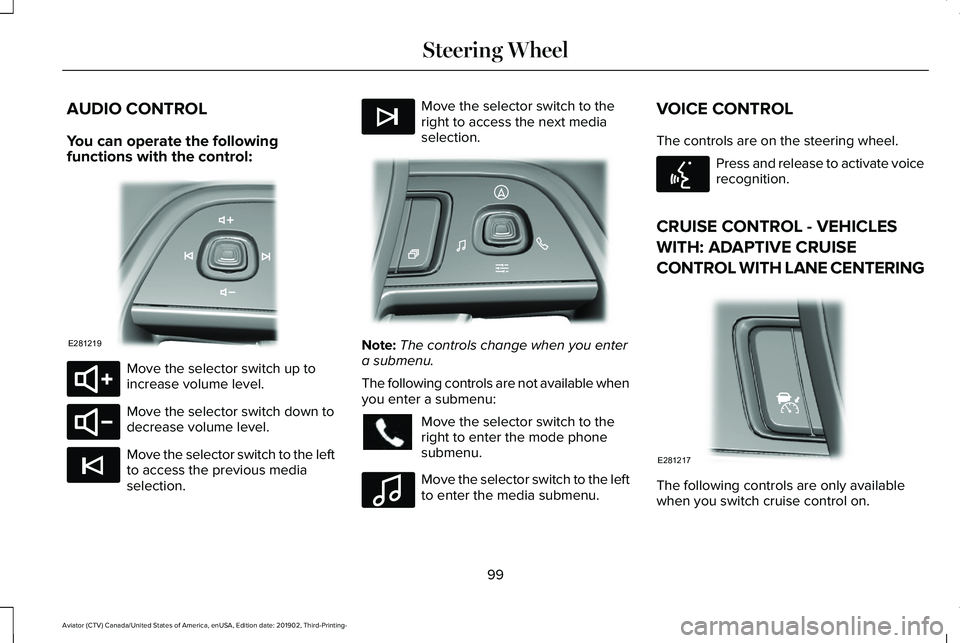
AUDIO CONTROL
You can operate the following
functions with the control:
Move the selector switch up to
increase volume level.
Move the selector switch down to
decrease volume level.
Move the selector switch to the left
to access the previous media
selection. Move the selector switch to the
right to access the next media
selection.
Note:
The controls change when you enter
a submenu.
The following controls are not available when
you enter a submenu: Move the selector switch to the
right to enter the mode phone
submenu.
Move the selector switch to the left
to enter the media submenu.VOICE CONTROL
The controls are on the steering wheel. Press and release to activate voice
recognition.
CRUISE CONTROL - VEHICLES
WITH: ADAPTIVE CRUISE
CONTROL WITH LANE CENTERING The following controls are only available
when you switch cruise control on.
99
Aviator (CTV) Canada/United States of America, enUSA, Edition date: 201902, Third-Printing- Steering WheelE281219 E280803 E280802 E265045 E265044 E281220 E100027 E142599 E281217
Page 103 of 609
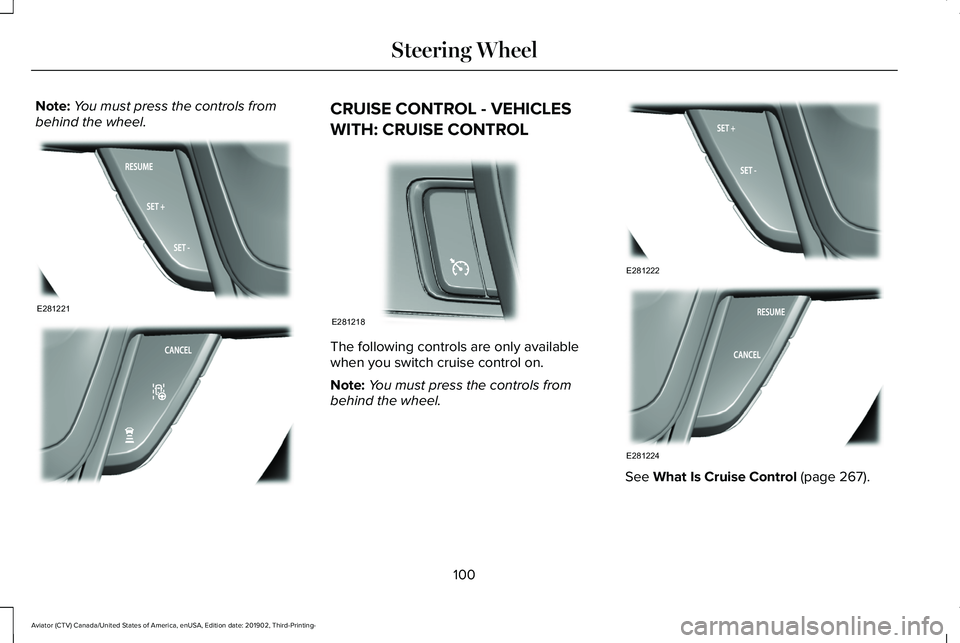
Note:
You must press the controls from
behind the wheel. CRUISE CONTROL - VEHICLES
WITH: CRUISE CONTROL
The following controls are only available
when you switch cruise control on.
Note:
You must press the controls from
behind the wheel. See What Is Cruise Control (page 267).
100
Aviator (CTV) Canada/United States of America, enUSA, Edition date: 201902, Third-Printing- Steering WheelE281221 E281225 E281218 E281222 E281224
Page 128 of 609
Indicates engine coolant temperature. At
normal operating temperature, the level
indicator will be in the normal range. If the
engine coolant temperature exceeds the
normal range, stop your vehicle as soon as
safely possible, switch off the engine and let
the engine cool.
WARNING LAMPS AND
INDICATORS
The following warning lamps and indicators
alert you to a vehicle condition that may
become serious. Some lamps illuminate
when you start your vehicle to make sure
they work. If any lamps remain on after
starting your vehicle, refer to the respective
system warning lamp for further information.
Note:
Some warning indicators appear in
the information display and function the
same as a warning lamp, but do not display
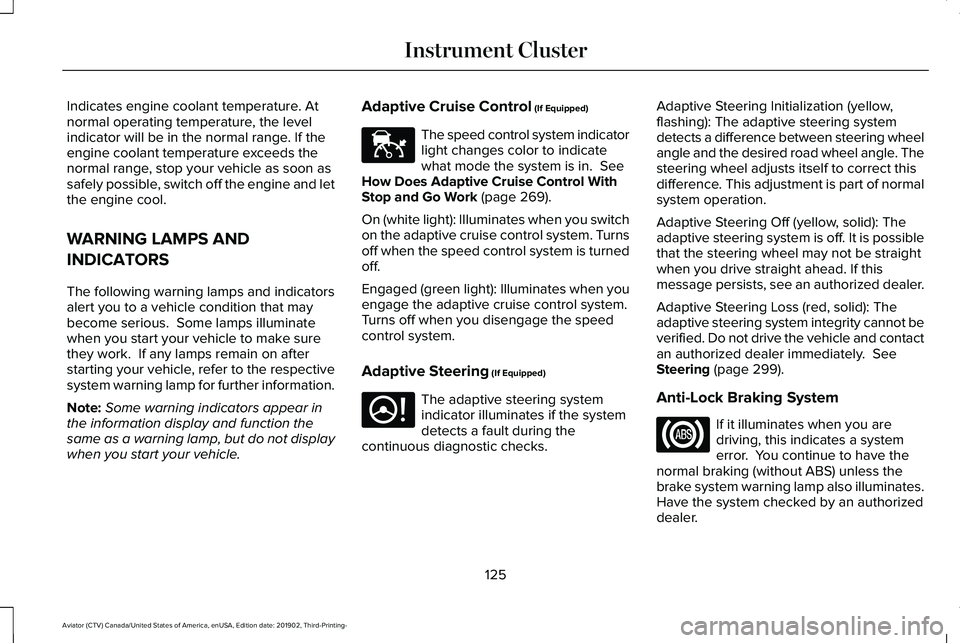
when you start your vehicle. Adaptive Cruise Control (If Equipped) The speed control system indicator
light changes color to indicate
what mode the system is in.
See
How Does Adaptive Cruise Control With
Stop and Go Work
(page 269).
On (white light): Illuminates when you switch
on the adaptive cruise control system. Turns
off when the speed control system is turned
off.
Engaged (green light): Illuminates when you
engage the adaptive cruise control system.
Turns off when you disengage the speed
control system.
Adaptive Steering
(If Equipped) The adaptive steering system
indicator illuminates if the system
detects a fault during the
continuous diagnostic checks. Adaptive Steering Initialization (yellow,
flashing): The adaptive steering system
detects a difference between steering wheel
angle and the desired road wheel angle. The
steering wheel adjusts itself to correct this
difference. This adjustment is part of normal
system operation.
Adaptive Steering Off (yellow, solid): The
adaptive steering system is off. It is possible
that the steering wheel may not be straight
when you drive straight ahead. If this
message persists, see an authorized dealer.
Adaptive Steering Loss (red, solid): The
adaptive steering system integrity cannot be
verified. Do not drive the vehicle and contact
an authorized dealer immediately.
See
Steering (page 299).
Anti-Lock Braking System If it illuminates when you are
driving, this indicates a system
error. You continue to have the
normal braking (without ABS) unless the
brake system warning lamp also illuminates.
Have the system checked by an authorized
dealer.
125
Aviator (CTV) Canada/United States of America, enUSA, Edition date: 201902, Third-Printing- Instrument ClusterE144524 E223375
Page 129 of 609
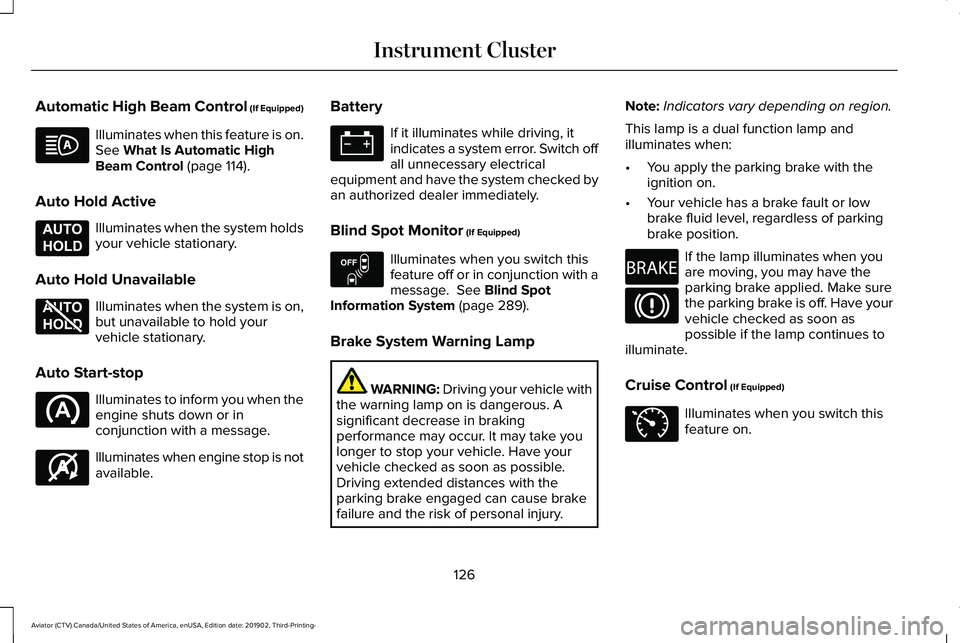
Automatic High Beam Control (If Equipped)
Illuminates when this feature is on.
See What Is Automatic High
Beam Control (page 114).
Auto Hold Active Illuminates when the system holds
your vehicle stationary.
Auto Hold Unavailable Illuminates when the system is on,
but unavailable to hold your
vehicle stationary.
Auto Start-stop Illuminates to inform you when the
engine shuts down or in
conjunction with a message.
Illuminates when engine stop is not
available. Battery If it illuminates while driving, it
indicates a system error. Switch off
all unnecessary electrical
equipment and have the system checked by
an authorized dealer immediately.
Blind Spot Monitor
(If Equipped) Illuminates when you switch this
feature off or in conjunction with a
message.
See Blind Spot
Information System (page 289).
Brake System Warning Lamp WARNING:
Driving your vehicle with
the warning lamp on is dangerous. A
significant decrease in braking
performance may occur. It may take you
longer to stop your vehicle. Have your
vehicle checked as soon as possible.
Driving extended distances with the
parking brake engaged can cause brake
failure and the risk of personal injury. Note:
Indicators vary depending on region.
This lamp is a dual function lamp and
illuminates when:
• You apply the parking brake with the
ignition on.
• Your vehicle has a brake fault or low
brake fluid level, regardless of parking
brake position. If the lamp illuminates when you
are moving, you may have the
parking brake applied. Make sure
the parking brake is off. Have your
vehicle checked as soon as
possible if the lamp continues to
illuminate.
Cruise Control (If Equipped) Illuminates when you switch this
feature on.
126
Aviator (CTV) Canada/United States of America, enUSA, Edition date: 201902, Third-Printing- Instrument Cluster E197933 E197934 E146361 E151262 E270480 E71340
Page 138 of 609
.
Adaptive Cruise Mal")
Adaptive Cruise Control
Action
Message
A radar malfunction is preventing the adaptive cruise from engaging. Se\
e How Does AdaptiveCruise Control With Stop and Go Work (page 269).
Adaptive Cruise Malfunction
Front Sensor Not Aligned Conditions exist such that the adaptive cruise cannot function properly. See How Does AdaptiveCruise Control With Stop and Go Work
(page 269).
Adaptive Cruise Not Available
The radar is blocked because of poor radar visibility due to bad weather, ice, mud or water infront of radar. You can typically clean the sensor to resolve.
See How Does Adaptive Cruise
Control With Stop and Go Work (page 269).
Adaptive Cruise Not Available Sensor
Blocked See Manual
Displayed when the automatic braking has been disabled.
Normal Cruise Active Adaptive Braking Off
Displayed when the adaptive cruise has reinstated controls to the driver\
.
Adaptive Cruise - Driver Resume Control
Displays when the vehicle speed is too slow to activate the adaptive cru\
ise.
Adaptive Cruise Speed Too Low to
Activate
Adaptive Headlamps Action
Message
Displays when a system error has occurred. Contact an authorized dealer \
as soon as possible.
Check Headlamp System See Manual
135
Aviator (CTV) Canada/United States of America, enUSA, Edition date: 201902, Third-Printing- Information Displays