ECO mode LINCOLN AVIATOR 2023 Workshop Manual
[x] Cancel search | Manufacturer: LINCOLN, Model Year: 2023, Model line: AVIATOR, Model: LINCOLN AVIATOR 2023Pages: 681, PDF Size: 9.33 MB
Page 534 of 681
You can use the forward, reverse, pause or
play buttons to control the audio playback.Bluetooth® Stereo or USB
Bluetooth® Stereo and USB allow you to
access media that you store on your
Bluetooth® device or USB device such as
music, audio books or podcasts.
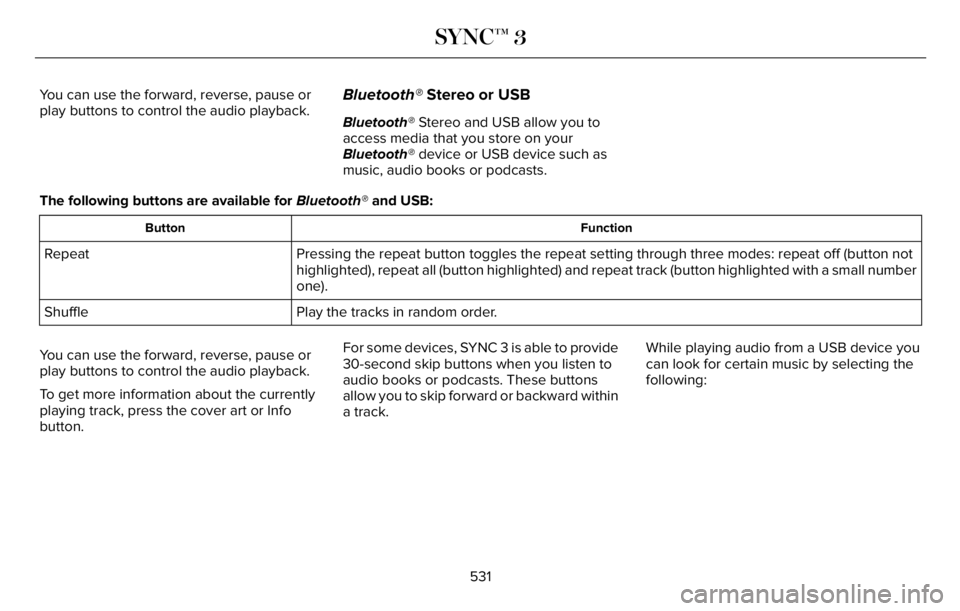
The following buttons are available for Bluetooth® and USB:
Function Button
Pressing the repeat button toggles the repeat setting through three modes: repeat off (button not
highlighted), repeat all (button highlighted) and repeat track (button highlighted with a small number
one). Repeat
Play the tracks in random order. Shuffle
You can use the forward, reverse, pause or
play buttons to control the audio playback.
To get more information about the currently
playing track, press the cover art or Info
button.For some devices, SYNC 3 is able to provide
30-second skip buttons when you listen to
audio books or podcasts. These buttons
allow you to skip forward or backward within
a track.While playing audio from a USB device you
can look for certain music by selecting the
following:
531
SYNC™ 3
Page 539 of 681
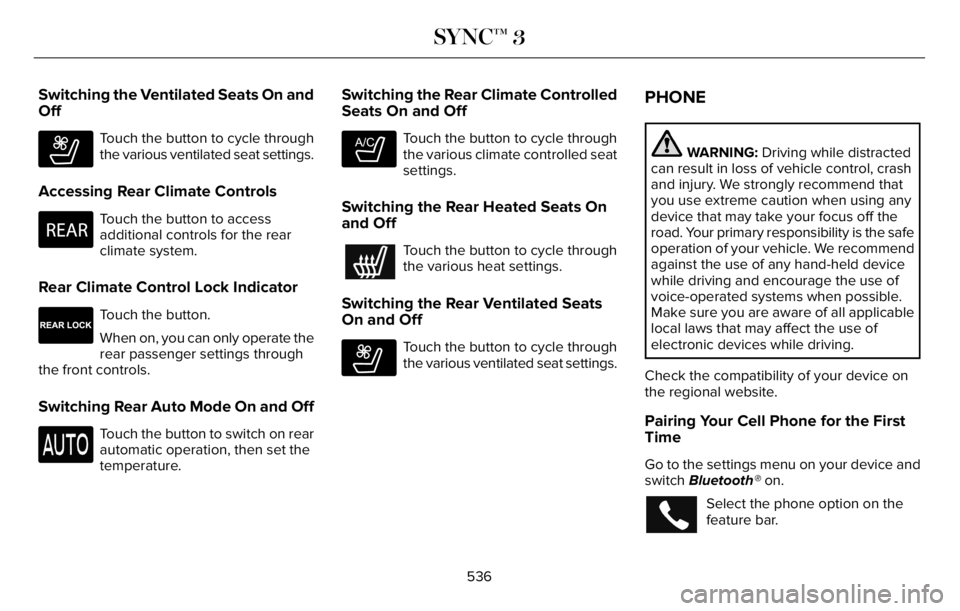
Switching the Ventilated Seats On and
Off
E268558
Touch the button to cycle through
the various ventilated seat settings.
Accessing Rear Climate Controls
E270447
Touch the button to access
additional controls for the rear
climate system.
Rear Climate Control Lock Indicator
E265289
Touch the button.
When on, you can only operate the
rear passenger settings through
the front controls.
Switching Rear Auto Mode On and Off
Touch the button to switch on rear
automatic operation, then set the
temperature.
Switching the Rear Climate Controlled
Seats On and Off
E265282
Touch the button to cycle through
the various climate controlled seat
settings.
Switching the Rear Heated Seats On
and Off
Touch the button to cycle through
the various heat settings.
Switching the Rear Ventilated Seats
On and Off
E268558
Touch the button to cycle through
the various ventilated seat settings.
PHONE
WARNING: Driving while distracted
can result in loss of vehicle control, crash
and injury. We strongly recommend that
you use extreme caution when using any
device that may take your focus off the
road. Your primary responsibility is the safe
operation of your vehicle. We recommend
against the use of any hand-held device
while driving and encourage the use of
voice-operated systems when possible.
Make sure you are aware of all applicable
local laws that may affect the use of
electronic devices while driving.
Check the compatibility of your device on
the regional website.
Pairing Your Cell Phone for the First
Time
Go to the settings menu on your device and
switch Bluetooth® on.
Select the phone option on the
feature bar.
536
SYNC™ 3
Page 549 of 681
The navigation system map data may contain
inaccurate or incomplete information due to
the passage of time, changing
circumstances, sources used and the nature
of collecting comprehensive geographic
data, any of which may lead to incorrect
results. Inaccurate speed limit information,
turn restrictions and other road attributes
may affect the determined route and
associated guidance
Annual navigation map updates are available
for purchase through your dealership.
Depending on your purchase agreement,
you might be eligible for free map update.
You can choose to download the map data
update onto a USB, order a USB, or use Wi-Fi
to deliver automatic updates. To update your
map data over Wi-Fi, your vehicle must be
connected to a Wi-Fi access point. Map data
files are large, so it is highly recommended
to perform the update when free Wi-Fi is
available otherwise high data rates may
apply. For USB updates, free map update
eligibility, and other details, contact dealers
at 1-866-462-8837 in the United States and
Canada or 800-557-5539 in Mexico or visit
our local website for more information.ELECTRIC VEHICLE INFORMATION
(IF EQUIPPED)
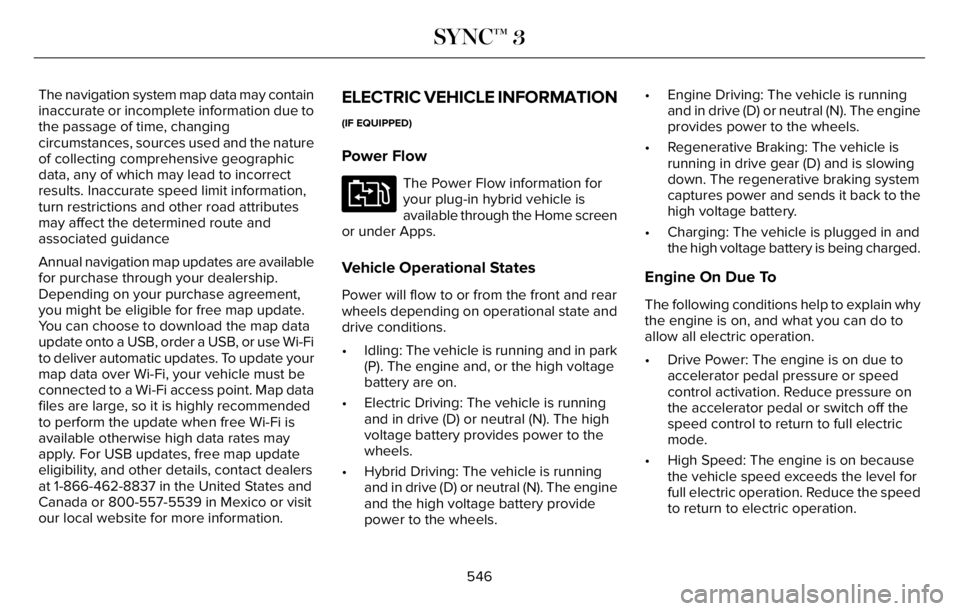
Power Flow
E304437
The Power Flow information for
your plug-in hybrid vehicle is
available through the Home screen
or under Apps.
Vehicle Operational States
Power will flow to or from the front and rear
wheels depending on operational state and
drive conditions.
• Idling: The vehicle is running and in park
(P). The engine and, or the high voltage
battery are on.
• Electric Driving: The vehicle is running
and in drive (D) or neutral (N). The high
voltage battery provides power to the
wheels.
• Hybrid Driving: The vehicle is running
and in drive (D) or neutral (N). The engine
and the high voltage battery provide
power to the wheels.• Engine Driving: The vehicle is running
and in drive (D) or neutral (N). The engine
provides power to the wheels.
• Regenerative Braking: The vehicle is
running in drive gear (D) and is slowing
down. The regenerative braking system
captures power and sends it back to the
high voltage battery.
• Charging: The vehicle is plugged in and
the high voltage battery is being charged.
Engine On Due To
The following conditions help to explain why
the engine is on, and what you can do to
allow all electric operation.
• Drive Power: The engine is on due to
accelerator pedal pressure or speed
control activation. Reduce pressure on
the accelerator pedal or switch off the
speed control to return to full electric
mode.
• High Speed: The engine is on because
the vehicle speed exceeds the level for
full electric operation. Reduce the speed
to return to electric operation.
546
SYNC™ 3
Page 632 of 681
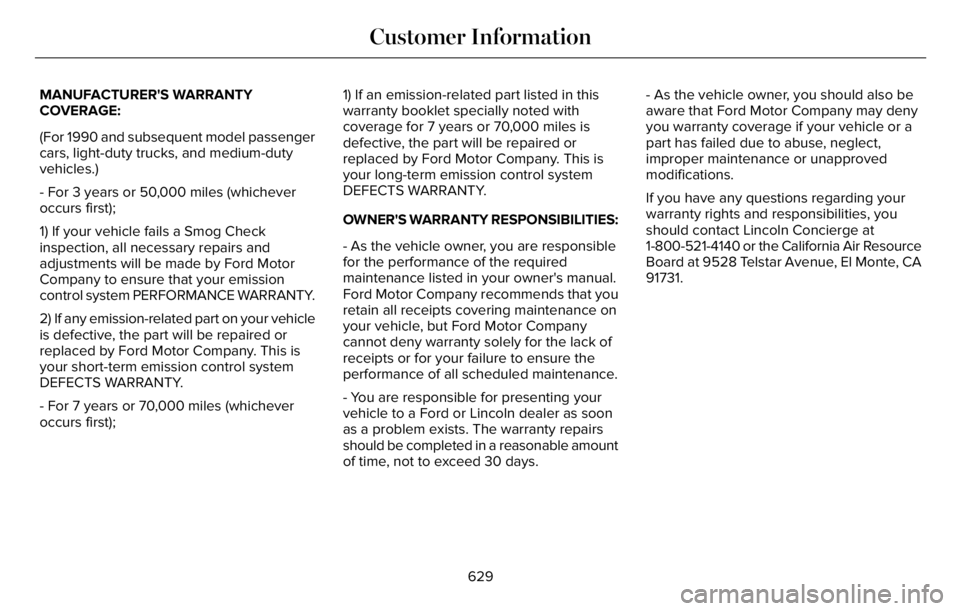
MANUFACTURER'S WARRANTY
COVERAGE:
(For 1990 and subsequent model passenger
cars, light-duty trucks, and medium-duty
vehicles.)
- For 3 years or 50,000 miles (whichever
occurs first);
1) If your vehicle fails a Smog Check
inspection, all necessary repairs and
adjustments will be made by Ford Motor
Company to ensure that your emission
control system PERFORMANCE WARRANTY.
2) If any emission-related part on your vehicle
is defective, the part will be repaired or
replaced by Ford Motor Company. This is
your short-term emission control system
DEFECTS WARRANTY.
- For 7 years or 70,000 miles (whichever
occurs first);1) If an emission-related part listed in this
warranty booklet specially noted with
coverage for 7 years or 70,000 miles is
defective, the part will be repaired or
replaced by Ford Motor Company. This is
your long-term emission control system
DEFECTS WARRANTY.
OWNER'S WARRANTY RESPONSIBILITIES:
- As the vehicle owner, you are responsible
for the performance of the required
maintenance listed in your owner's manual.
Ford Motor Company recommends that you
retain all receipts covering maintenance on
your vehicle, but Ford Motor Company
cannot deny warranty solely for the lack of
receipts or for your failure to ensure the
performance of all scheduled maintenance.
- You are responsible for presenting your
vehicle to a Ford or Lincoln dealer as soon
as a problem exists. The warranty repairs
should be completed in a reasonable amount
of time, not to exceed 30 days.- As the vehicle owner, you should also be
aware that Ford Motor Company may deny
you warranty coverage if your vehicle or a
part has failed due to abuse, neglect,
improper maintenance or unapproved
modifications.
If you have any questions regarding your
warranty rights and responsibilities, you
should contact Lincoln Concierge at
1-800-521-4140 or the California Air Resource
Board at 9528 Telstar Avenue, El Monte, CA
91731.
629
Customer Information
Page 672 of 681
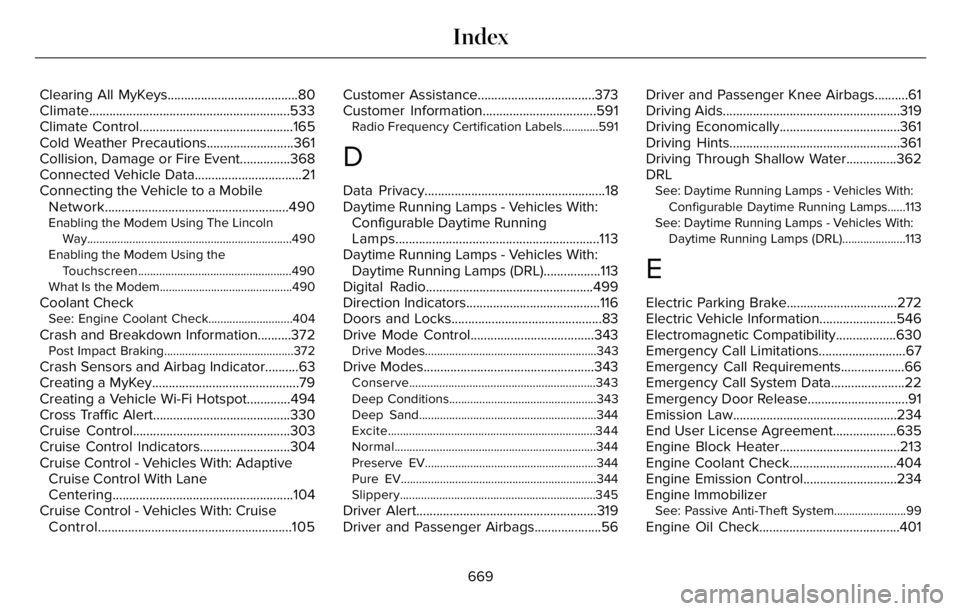
Clearing All MyKeys.......................................80
Climate............................................................533
Climate Control..............................................165
Cold Weather Precautions..........................361
Collision, Damage or Fire Event...............368
Connected Vehicle Data................................21
Connecting the Vehicle to a Mobile
Network.......................................................490
Enabling the Modem Using The Lincoln
Way....................................................................490
Enabling the Modem Using the
Touchscreen...................................................490
What Is the Modem............................................490
Coolant CheckSee: Engine Coolant Check............................404
Crash and Breakdown Information..........372Post Impact Braking...........................................372
Crash Sensors and Airbag Indicator..........63
Creating a MyKey............................................79
Creating a Vehicle Wi-Fi Hotspot.............494
Cross Traffic Alert.........................................330
Cruise Control...............................................303
Cruise Control Indicators...........................304
Cruise Control - Vehicles With: Adaptive
Cruise Control With Lane
Centering......................................................104
Cruise Control - Vehicles With: Cruise
Control..........................................................105Customer Assistance...................................373
Customer Information..................................591
Radio Frequency Certification Labels............591
D
Data Privacy......................................................18
Daytime Running Lamps - Vehicles With:
Configurable Daytime Running
Lamps.............................................................113
Daytime Running Lamps - Vehicles With:
Daytime Running Lamps (DRL).................113
Digital Radio..................................................499
Direction Indicators........................................116
Doors and Locks.............................................83
Drive Mode Control.....................................343
Drive Modes.........................................................343
Drive Modes...................................................343Conserve..............................................................343
Deep Conditions.................................................343
Deep Sand...........................................................344
Excite.....................................................................344
Normal...................................................................344
Preserve EV.........................................................344
Pure EV.................................................................344
Slippery.................................................................345
Driver Alert......................................................319
Driver and Passenger Airbags....................56Driver and Passenger Knee Airbags..........61
Driving Aids.....................................................319
Driving Economically....................................361
Driving Hints...................................................361
Driving Through Shallow Water...............362
DRL
See: Daytime Running Lamps - Vehicles With:
Configurable Daytime Running Lamps......113
See: Daytime Running Lamps - Vehicles With:
Daytime Running Lamps (DRL).....................113
E
Electric Parking Brake.................................272
Electric Vehicle Information.......................546
Electromagnetic Compatibility..................630
Emergency Call Limitations..........................67
Emergency Call Requirements...................66
Emergency Call System Data......................22
Emergency Door Release..............................91
Emission Law.................................................234
End User License Agreement...................635
Engine Block Heater....................................213
Engine Coolant Check................................404
Engine Emission Control............................234
Engine Immobilizer
See: Passive Anti-Theft System........................99
Engine Oil Check..........................................401
669
Index
Page 676 of 681
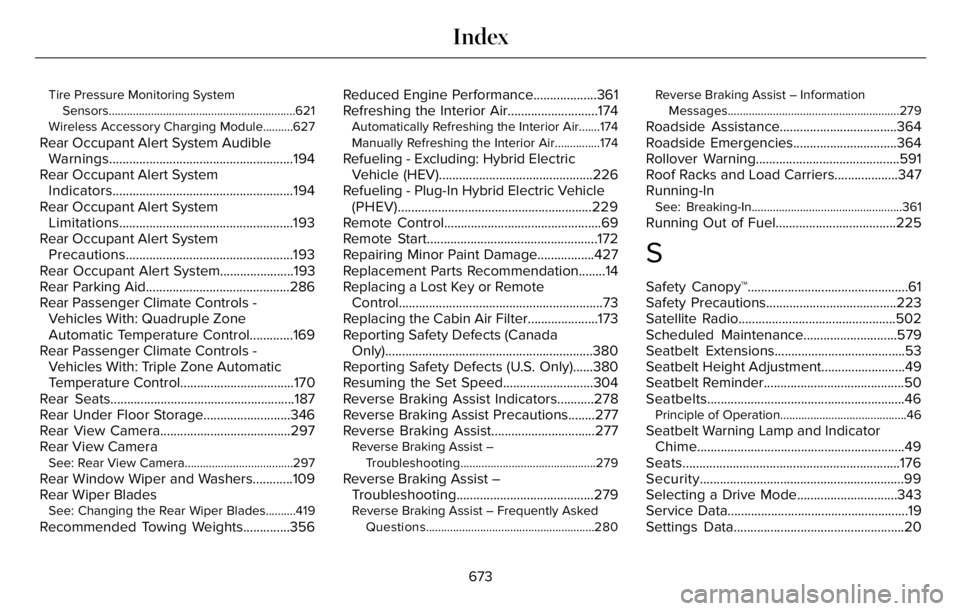
Tire Pressure Monitoring System
Sensors..............................................................621
Wireless Accessory Charging Module..........627
Rear Occupant Alert System Audible
Warnings.......................................................194
Rear Occupant Alert System
Indicators......................................................194
Rear Occupant Alert System
Limitations....................................................193
Rear Occupant Alert System
Precautions..................................................193
Rear Occupant Alert System......................193
Rear Parking Aid...........................................286
Rear Passenger Climate Controls -
Vehicles With: Quadruple Zone
Automatic Temperature Control.............169
Rear Passenger Climate Controls -
Vehicles With: Triple Zone Automatic
Temperature Control..................................170
Rear Seats.......................................................187
Rear Under Floor Storage..........................346
Rear View Camera.......................................297
Rear View Camera
See: Rear View Camera....................................297
Rear Window Wiper and Washers............109
Rear Wiper Blades
See: Changing the Rear Wiper Blades..........419
Recommended Towing Weights..............356Reduced Engine Performance...................361
Refreshing the Interior Air...........................174
Automatically Refreshing the Interior Air.......174
Manually Refreshing the Interior Air...............174
Refueling - Excluding: Hybrid Electric
Vehicle (HEV)..............................................226
Refueling - Plug-In Hybrid Electric Vehicle
(PHEV)..........................................................229
Remote Control...............................................69
Remote Start...................................................172
Repairing Minor Paint Damage.................427
Replacement Parts Recommendation........14
Replacing a Lost Key or Remote
Control.............................................................73
Replacing the Cabin Air Filter.....................173
Reporting Safety Defects (Canada
Only)..............................................................380
Reporting Safety Defects (U.S. Only)......380
Resuming the Set Speed...........................304
Reverse Braking Assist Indicators...........278
Reverse Braking Assist Precautions........277
Reverse Braking Assist...............................277
Reverse Braking Assist –
Troubleshooting.............................................279
Reverse Braking Assist –
Troubleshooting.........................................279
Reverse Braking Assist – Frequently Asked
Questions........................................................280Reverse Braking Assist – Information
Messages.........................................................279
Roadside Assistance...................................364
Roadside Emergencies...............................364
Rollover Warning...........................................591
Roof Racks and Load Carriers...................347
Running-In
See: Breaking-In..................................................361
Running Out of Fuel....................................225
S
Safety Canopy™................................................61
Safety Precautions.......................................223
Satellite Radio...............................................502
Scheduled Maintenance............................579
Seatbelt Extensions.......................................53
Seatbelt Height Adjustment.........................49
Seatbelt Reminder..........................................50
Seatbelts...........................................................46
Principle of Operation..........................................46
Seatbelt Warning Lamp and Indicator
Chime..............................................................49
Seats.................................................................176
Security.............................................................99
Selecting a Drive Mode..............................343
Service Data......................................................19
Settings Data...................................................20
673
Index
Page 677 of 681
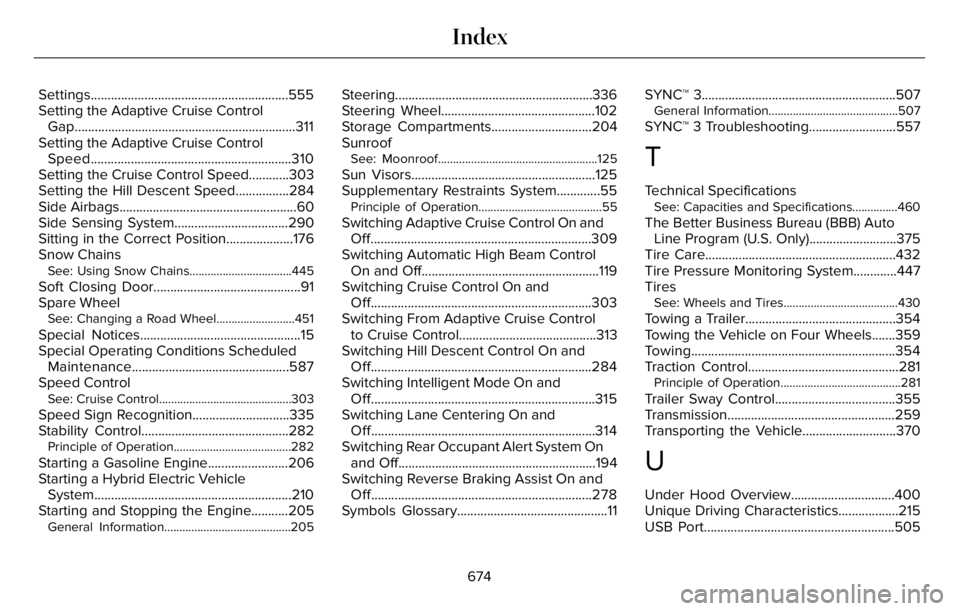
Settings...........................................................555
Setting the Adaptive Cruise Control
Gap..................................................................311
Setting the Adaptive Cruise Control
Speed............................................................310
Setting the Cruise Control Speed............303
Setting the Hill Descent Speed................284
Side Airbags.....................................................60
Side Sensing System..................................290
Sitting in the Correct Position....................176
Snow Chains
See: Using Snow Chains..................................445
Soft Closing Door............................................91
Spare Wheel
See: Changing a Road Wheel..........................451
Special Notices................................................15
Special Operating Conditions Scheduled
Maintenance...............................................587
Speed Control
See: Cruise Control............................................303
Speed Sign Recognition.............................335
Stability Control............................................282
Principle of Operation.......................................282
Starting a Gasoline Engine........................206
Starting a Hybrid Electric Vehicle
System...........................................................210
Starting and Stopping the Engine...........205
General Information..........................................205
Steering...........................................................336
Steering Wheel..............................................102
Storage Compartments..............................204
Sunroof
See: Moonroof.....................................................125
Sun Visors.......................................................125
Supplementary Restraints System.............55
Principle of Operation.........................................55
Switching Adaptive Cruise Control On and
Off..................................................................309
Switching Automatic High Beam Control
On and Off.....................................................119
Switching Cruise Control On and
Off..................................................................303
Switching From Adaptive Cruise Control
to Cruise Control.........................................313
Switching Hill Descent Control On and
Off..................................................................284
Switching Intelligent Mode On and
Off...................................................................315
Switching Lane Centering On and
Off...................................................................314
Switching Rear Occupant Alert System On
and Off...........................................................194
Switching Reverse Braking Assist On and
Off..................................................................278
Symbols Glossary.............................................11SYNC™ 3..........................................................507
General Information...........................................507
SYNC™ 3 Troubleshooting..........................557
T
Technical SpecificationsSee: Capacities and Specifications...............460
The Better Business Bureau (BBB) Auto
Line Program (U.S. Only)..........................375
Tire Care.........................................................432
Tire Pressure Monitoring System.............447
Tires
See: Wheels and Tires......................................430
Towing a Trailer.............................................354
Towing the Vehicle on Four Wheels.......359
Towing.............................................................354
Traction Control.............................................281
Principle of Operation........................................281
Trailer Sway Control....................................355
Transmission..................................................259
Transporting the Vehicle............................370
U
Under Hood Overview...............................400
Unique Driving Characteristics..................215
USB Port.........................................................505
674
Index
Page 678 of 681
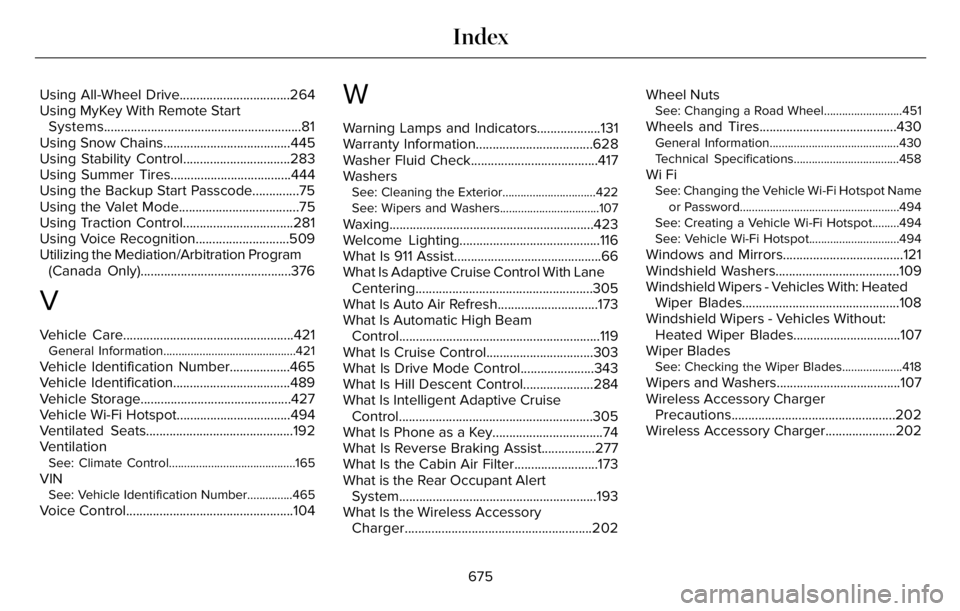
Using All-Wheel Drive.................................264
Using MyKey With Remote Start
Systems...........................................................81
Using Snow Chains......................................445
Using Stability Control................................283
Using Summer Tires....................................444
Using the Backup Start Passcode..............75
Using the Valet Mode....................................75
Using Traction Control.................................281
Using Voice Recognition............................509
Utilizing the Mediation/Arbitration Program
(Canada Only).............................................376
V
Vehicle Care...................................................421General Information............................................421
Vehicle Identification Number..................465
Vehicle Identification...................................489
Vehicle Storage.............................................427
Vehicle Wi-Fi Hotspot..................................494
Ventilated Seats............................................192
Ventilation
See: Climate Control..........................................165
VINSee: Vehicle Identification Number...............465
Voice Control..................................................104
W
Warning Lamps and Indicators...................131
Warranty Information...................................628
Washer Fluid Check......................................417
Washers
See: Cleaning the Exterior...............................422
See: Wipers and Washers.................................107
Waxing.............................................................423
Welcome Lighting..........................................116
What Is 911 Assist............................................66
What Is Adaptive Cruise Control With Lane
Centering.....................................................305
What Is Auto Air Refresh..............................173
What Is Automatic High Beam
Control............................................................119
What Is Cruise Control................................303
What Is Drive Mode Control......................343
What Is Hill Descent Control.....................284
What Is Intelligent Adaptive Cruise
Control..........................................................305
What Is Phone as a Key.................................74
What Is Reverse Braking Assist................277
What Is the Cabin Air Filter.........................173
What is the Rear Occupant Alert
System...........................................................193
What Is the Wireless Accessory
Charger........................................................202Wheel Nuts
See: Changing a Road Wheel..........................451
Wheels and Tires.........................................430General Information...........................................430
Technical Specifications...................................458
Wi FiSee: Changing the Vehicle Wi-Fi Hotspot Name
or Password.....................................................494
See: Creating a Vehicle Wi-Fi Hotspot.........494
See: Vehicle Wi-Fi Hotspot..............................494
Windows and Mirrors....................................121
Windshield Washers.....................................109
Windshield Wipers - Vehicles With: Heated
Wiper Blades...............................................108
Windshield Wipers - Vehicles Without:
Heated Wiper Blades................................107
Wiper Blades
See: Checking the Wiper Blades....................418
Wipers and Washers.....................................107
Wireless Accessory Charger
Precautions.................................................202
Wireless Accessory Charger.....................202
675
Index