warning LINCOLN AVIATOR 2023 Workshop Manual
[x] Cancel search | Manufacturer: LINCOLN, Model Year: 2023, Model line: AVIATOR, Model: LINCOLN AVIATOR 2023Pages: 681, PDF Size: 9.33 MB
Page 122 of 681
WHAT IS AUTOMATIC HIGH BEAM
CONTROL
The system turns on high beams if it is dark
enough and no other traffic is present. If it
detects an approaching vehicle’s headlamps
or tail lamps, or street lighting ahead, the
system turns the high beams off. Low beams
remain on.
A camera sensor, centrally mounted behind
the windshield of your vehicle, continuously
monitors conditions to turn the high beams
on and off.
SWITCHING AUTOMATIC HIGH
BEAM CONTROL ON AND OFF
WARNING: Do not use the system in
poor visibility, for example fog, heavy rain,
spray or snow.
Use the touchscreen to select the following:
1. Select Settings.
2. Select Vehicle.3. Select Lighting.
Activating the Automatic High Beam
Control
E281240
Switch the lighting control to the
autolamps position. See
Autolamps (page 112).
Note:The lighting control defaults to
autolamps each time you switch your vehicle
on.
When active, the high beams turn on if all
the following conditions occur:
• The ambient light level is low enough.
• There is no traffic in front of your vehicle.
• The vehicle speed is greater than
approximately 25 mph (40 km/h).
When active, the high beams turn off if at
least one of the following conditions occur:
• The ambient light level is high enough
that you do not require high beams.
• The system detects an approaching
vehicle's headlamps or tail lamps.
• The system detects severe rain, snow or
fog.• A blocked vehicle camera.
• The vehicle speed falls below
approximately 19 mph (30 km/h).
Note:The deactivation speed is lower on
curves.
Note:Certain curvy road situations may
delay high beam reactivation.
Note:If you have a blocked sensor, the
system may not operate properly. Keep the
windshield free from obstruction or damage.
Note:The system may not operate properly
in cold or inclement conditions. You can
switch on the high beams by overriding the
system.
Note:If the system detects a blockage, for
example bird droppings, bug splatter, snow
or ice, the system goes into low beam mode
until you clear the blockage. If you have a
blocked camera, a message may appear in
the information display.
Note:Using much larger tires or equipping
vehicle accessories such as snowplows can
modify your vehicle's ride height and
degrade automatic high beam control
performance.
119
Automatic High Beam Control
Page 123 of 681
AUTOMATIC HIGH BEAM
CONTROL INDICATORS
The indicator illuminates to confirm
when the system is ready to assist.
OVERRIDING AUTOMATIC HIGH
BEAM CONTROL
WARNING: The system does not
relieve you of your responsibility to drive
with due care and attention. You may need
to override the system if it does not turn
the high beams on or off.
WARNING: You may need to
override the system when approaching
other road users.
WARNING: You may need to
override the system during inclement
weather.
EE2731182
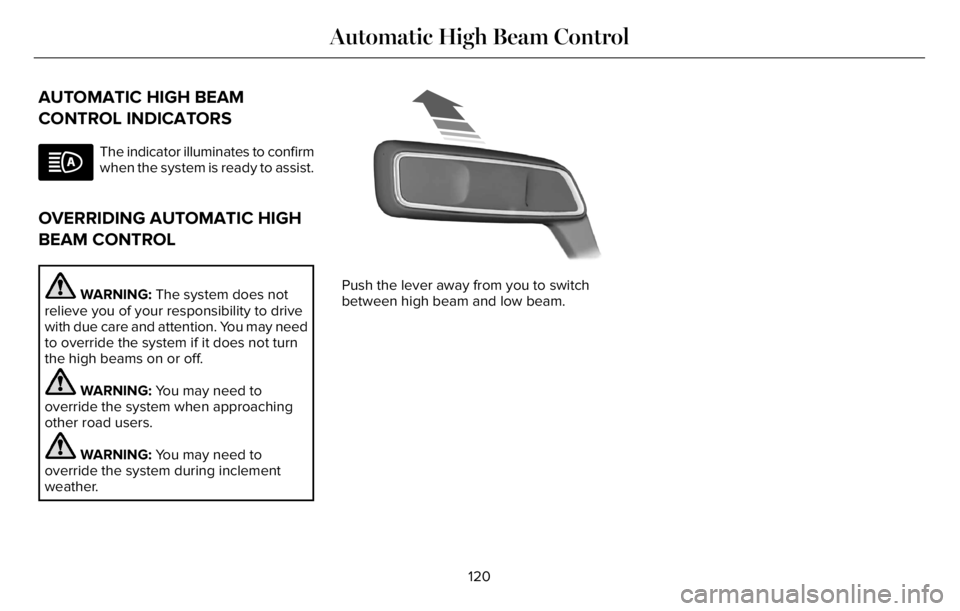
Push the lever away from you to switch
between high beam and low beam.
120
Automatic High Beam Control
Page 124 of 681
POWER WINDOWS
WARNING: Do not leave children
unattended in your vehicle and do not let
them play with the power windows. Failure
to follow this instruction could result in
personal injury.
WARNING: When closing the power
windows, verify they are free of obstruction
and make sure that children and pets are
not in the proximity of the window
openings.
E295317
Note:You may hear a pulsing noise when
just one of the windows is open. Lower the
opposite window slightly to reduce this
noise.
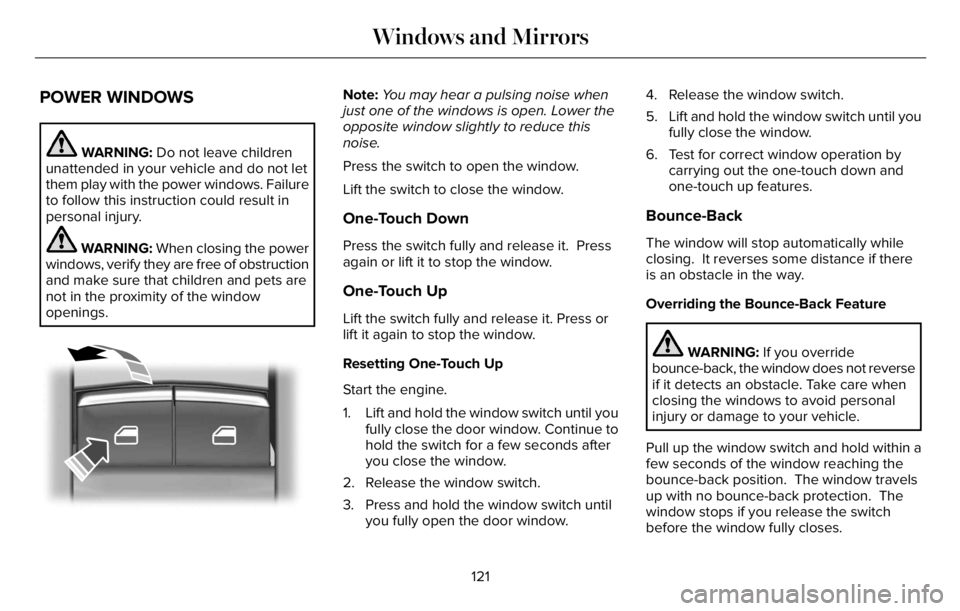
Press the switch to open the window.
Lift the switch to close the window.
One-Touch Down
Press the switch fully and release it. Press
again or lift it to stop the window.
One-Touch Up
Lift the switch fully and release it. Press or
lift it again to stop the window.
Resetting One-Touch Up
Start the engine.
1. Lift and hold the window switch until you
fully close the door window. Continue to
hold the switch for a few seconds after
you close the window.
2. Release the window switch.
3. Press and hold the window switch until
you fully open the door window.4. Release the window switch.
5. Lift and hold the window switch until you
fully close the window.
6. Test for correct window operation by
carrying out the one-touch down and
one-touch up features.
Bounce-Back
The window will stop automatically while
closing. It reverses some distance if there
is an obstacle in the way.
Overriding the Bounce-Back Feature
WARNING: If you override
bounce-back, the window does not reverse
if it detects an obstacle. Take care when
closing the windows to avoid personal
injury or damage to your vehicle.
Pull up the window switch and hold within a
few seconds of the window reaching the
bounce-back position. The window travels
up with no bounce-back protection. The
window stops if you release the switch
before the window fully closes.
121
Windows and Mirrors
Page 125 of 681
Window Lock
E295318
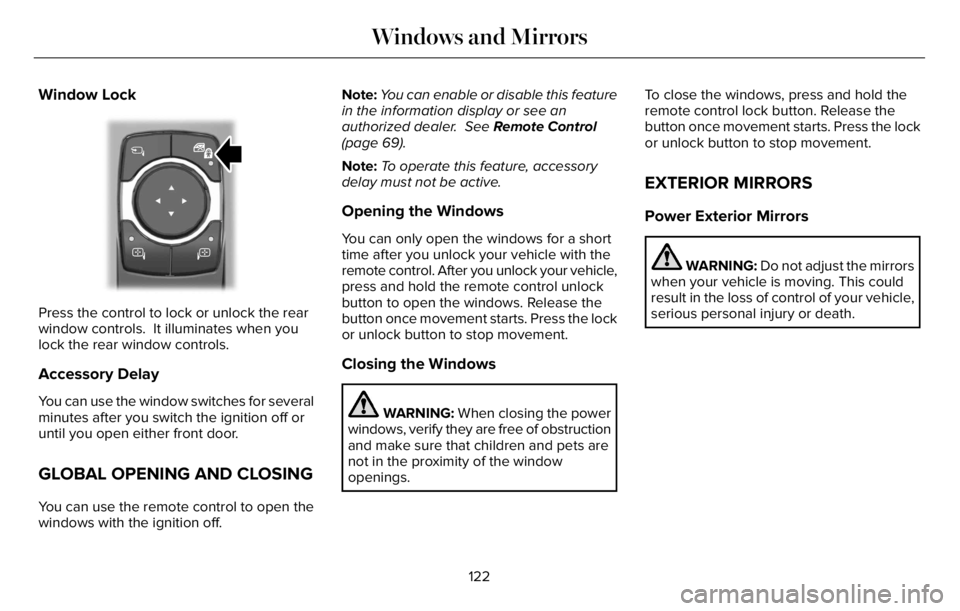
Press the control to lock or unlock the rear
window controls. It illuminates when you
lock the rear window controls.
Accessory Delay
You can use the window switches for several
minutes after you switch the ignition off or
until you open either front door.
GLOBAL OPENING AND CLOSING
You can use the remote control to open the
windows with the ignition off.Note:You can enable or disable this feature
in the information display or see an
authorized dealer. See Remote Control
(page 69).
Note:To operate this feature, accessory
delay must not be active.
Opening the Windows
You can only open the windows for a short
time after you unlock your vehicle with the
remote control. After you unlock your vehicle,
press and hold the remote control unlock
button to open the windows. Release the
button once movement starts. Press the lock
or unlock button to stop movement.
Closing the Windows
WARNING: When closing the power
windows, verify they are free of obstruction
and make sure that children and pets are
not in the proximity of the window
openings.To close the windows, press and hold the
remote control lock button. Release the
button once movement starts. Press the lock
or unlock button to stop movement.
EXTERIOR MIRRORS
Power Exterior Mirrors
WARNING: Do not adjust the mirrors
when your vehicle is moving. This could
result in the loss of control of your vehicle,
serious personal injury or death.
122
Windows and Mirrors
Page 127 of 681
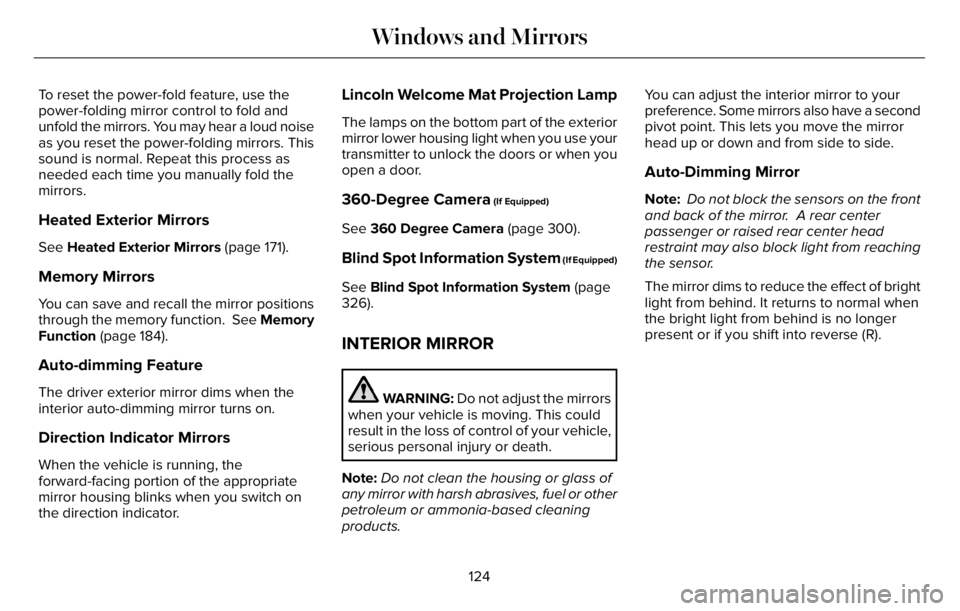
To reset the power-fold feature, use the
power-folding mirror control to fold and
unfold the mirrors. You may hear a loud noise
as you reset the power-folding mirrors. This
sound is normal. Repeat this process as
needed each time you manually fold the
mirrors.
Heated Exterior Mirrors
See Heated Exterior Mirrors (page 171).
Memory Mirrors
You can save and recall the mirror positions
through the memory function. See Memory
Function (page 184).
Auto-dimming Feature
The driver exterior mirror dims when the
interior auto-dimming mirror turns on.
Direction Indicator Mirrors
When the vehicle is running, the
forward-facing portion of the appropriate
mirror housing blinks when you switch on
the direction indicator.
Lincoln Welcome Mat Projection Lamp
The lamps on the bottom part of the exterior
mirror lower housing light when you use your
transmitter to unlock the doors or when you
open a door.
360-Degree Camera (If Equipped)
See 360 Degree Camera (page 300).
Blind Spot Information System (If Equipped)
See Blind Spot Information System (page
326).
INTERIOR MIRROR
WARNING: Do not adjust the mirrors
when your vehicle is moving. This could
result in the loss of control of your vehicle,
serious personal injury or death.
Note:Do not clean the housing or glass of
any mirror with harsh abrasives, fuel or other
petroleum or ammonia-based cleaning
products.You can adjust the interior mirror to your
preference. Some mirrors also have a second
pivot point. This lets you move the mirror
head up or down and from side to side.
Auto-Dimming Mirror
Note: Do not block the sensors on the front
and back of the mirror. A rear center
passenger or raised rear center head
restraint may also block light from reaching
the sensor.
The mirror dims to reduce the effect of bright
light from behind. It returns to normal when
the bright light from behind is no longer
present or if you shift into reverse (R).
124
Windows and Mirrors
Page 128 of 681
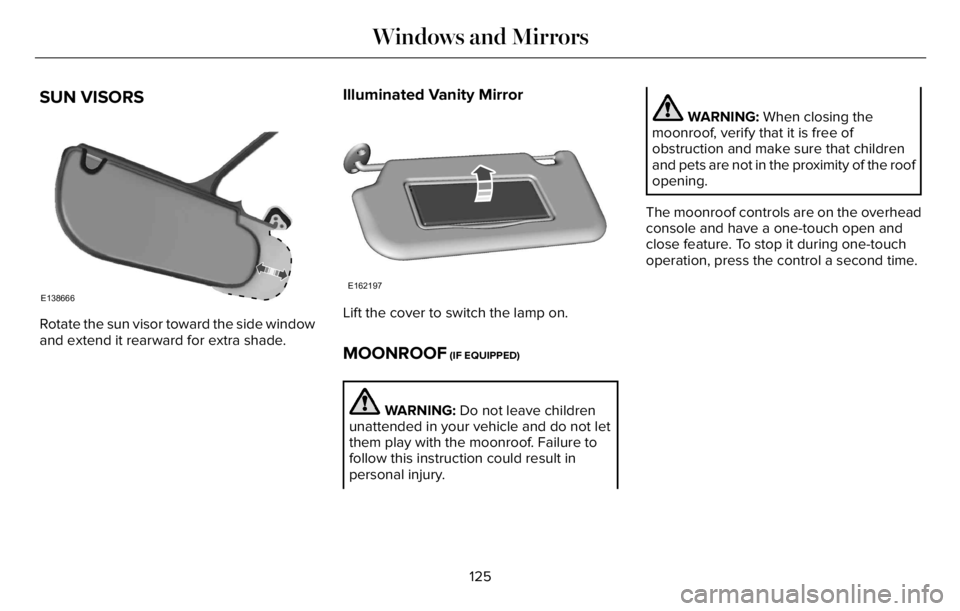
SUN VISORS
E138666
Rotate the sun visor toward the side window
and extend it rearward for extra shade.
Illuminated Vanity Mirror
E162197
Lift the cover to switch the lamp on.
MOONROOF (IF EQUIPPED)
WARNING: Do not leave children
unattended in your vehicle and do not let
them play with the moonroof. Failure to
follow this instruction could result in
personal injury.
WARNING: When closing the
moonroof, verify that it is free of
obstruction and make sure that children
and pets are not in the proximity of the roof
opening.
The moonroof controls are on the overhead
console and have a one-touch open and
close feature. To stop it during one-touch
operation, press the control a second time.
125
Windows and Mirrors
Page 133 of 681
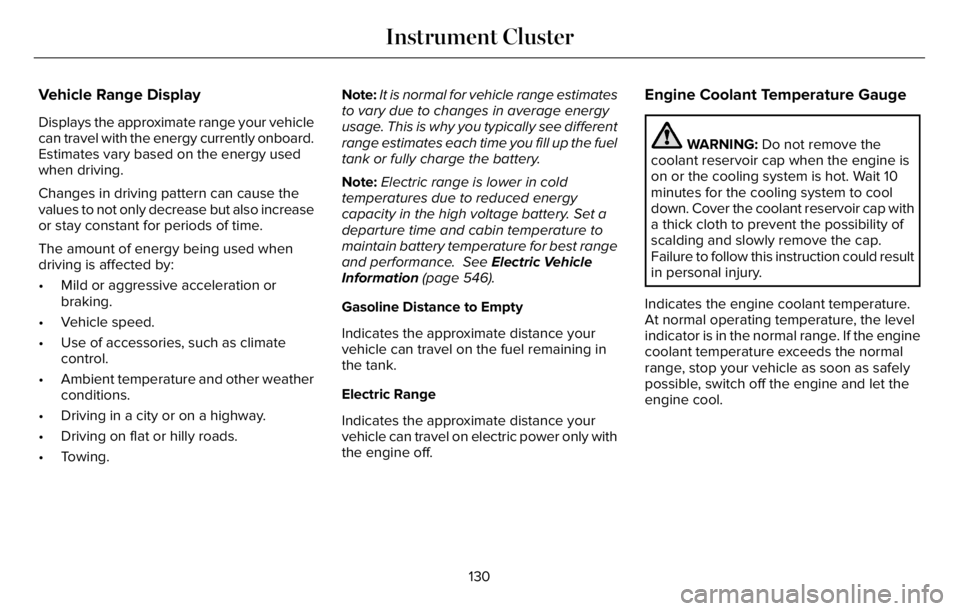
Vehicle Range Display
Displays the approximate range your vehicle
can travel with the energy currently onboard.
Estimates vary based on the energy used
when driving.
Changes in driving pattern can cause the
values to not only decrease but also increase
or stay constant for periods of time.
The amount of energy being used when
driving is affected by:
• Mild or aggressive acceleration or
braking.
• Vehicle speed.
• Use of accessories, such as climate
control.
• Ambient temperature and other weather
conditions.
• Driving in a city or on a highway.
• Driving on flat or hilly roads.
• Towing.Note:It is normal for vehicle range estimates
to vary due to changes in average energy
usage. This is why you typically see different
range estimates each time you fill up the fuel
tank or fully charge the battery.
Note:Electric range is lower in cold
temperatures due to reduced energy
capacity in the high voltage battery. Set a
departure time and cabin temperature to
maintain battery temperature for best range
and performance. See Electric Vehicle
Information (page 546).
Gasoline Distance to Empty
Indicates the approximate distance your
vehicle can travel on the fuel remaining in
the tank.
Electric Range
Indicates the approximate distance your
vehicle can travel on electric power only with
the engine off.
Engine Coolant Temperature Gauge
WARNING: Do not remove the
coolant reservoir cap when the engine is
on or the cooling system is hot. Wait 10
minutes for the cooling system to cool
down. Cover the coolant reservoir cap with
a thick cloth to prevent the possibility of
scalding and slowly remove the cap.
Failure to follow this instruction could result
in personal injury.
Indicates the engine coolant temperature.
At normal operating temperature, the level
indicator is in the normal range. If the engine
coolant temperature exceeds the normal
range, stop your vehicle as soon as safely
possible, switch off the engine and let the
engine cool.
130
Instrument Cluster
Page 134 of 681
WARNING LAMPS AND
INDICATORS
The following warning lamps and indicators
alert you to a vehicle condition that may
become serious. Some lamps illuminate
when you start your vehicle to make sure
they work. If any lamps remain on after
starting your vehicle, refer to the respective
system warning lamp for further information.
Depending on your vehicle options and
instrument cluster type, not all warning lamps
and indicators shown are available.
Note:Some warning indicators appear in
the instrument cluster and function the same
as a warning lamp, but do not display when
you start your vehicle.
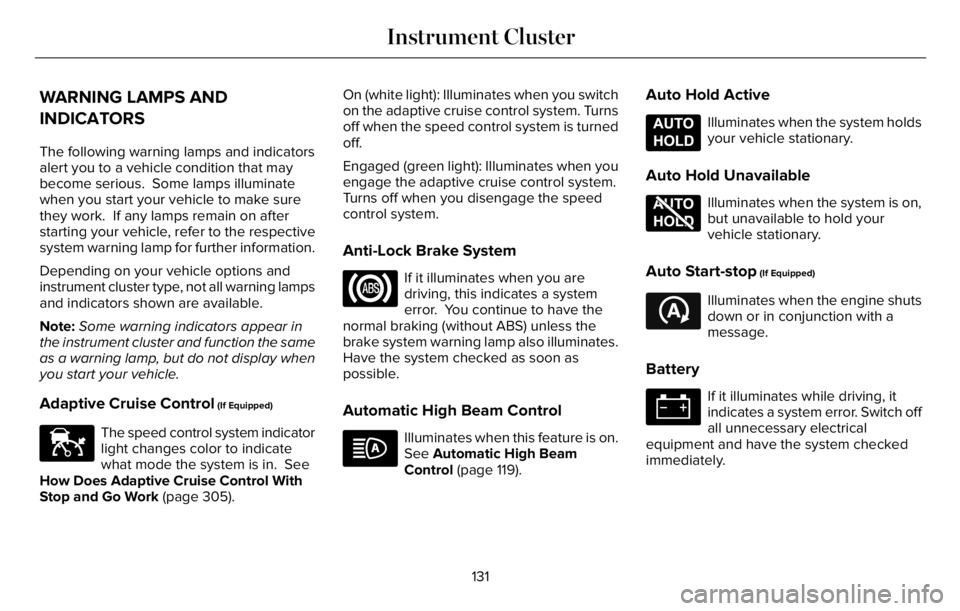
Adaptive Cruise Control (If Equipped)
E144524
The speed control system indicator
light changes color to indicate
what mode the system is in. See
How Does Adaptive Cruise Control With
Stop and Go Work (page 305).On (white light): Illuminates when you switch
on the adaptive cruise control system. Turns
off when the speed control system is turned
off.
Engaged (green light): Illuminates when you
engage the adaptive cruise control system.
Turns off when you disengage the speed
control system.
Anti-Lock Brake System
If it illuminates when you are
driving, this indicates a system
error. You continue to have the
normal braking (without ABS) unless the
brake system warning lamp also illuminates.
Have the system checked as soon as
possible.
Automatic High Beam Control
Illuminates when this feature is on.
See Automatic High Beam
Control (page 119).
Auto Hold Active
E197933
Illuminates when the system holds
your vehicle stationary.
Auto Hold Unavailable
E197934
Illuminates when the system is on,
but unavailable to hold your
vehicle stationary.
Auto Start-stop (If Equipped)
E121377
Illuminates when the engine shuts
down or in conjunction with a
message.
Battery
If it illuminates while driving, it
indicates a system error. Switch off
all unnecessary electrical
equipment and have the system checked
immediately.
131
Instrument Cluster
Page 135 of 681
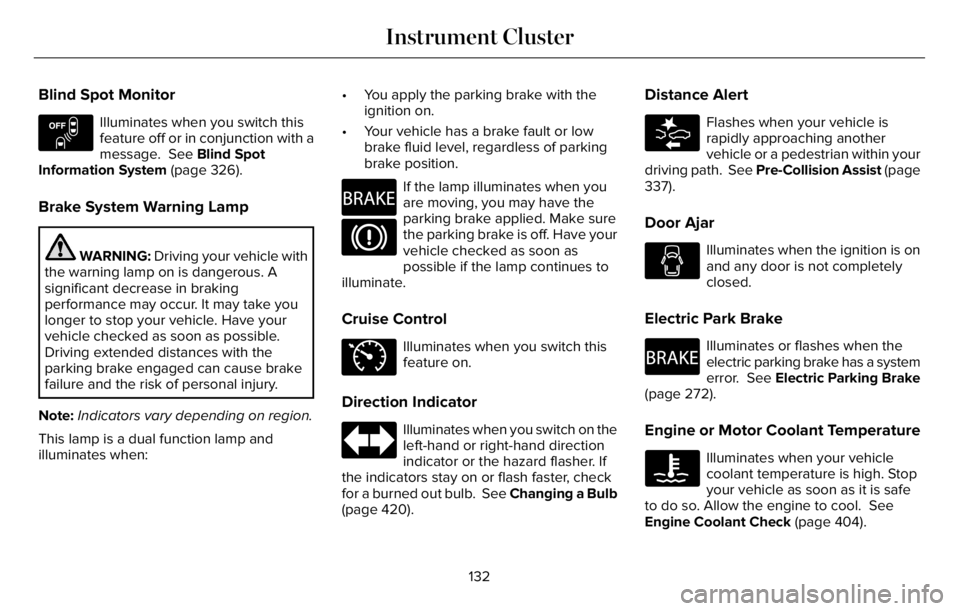
Blind Spot Monitor
E151262
Illuminates when you switch this
feature off or in conjunction with a
message. See Blind Spot
Information System (page 326).
Brake System Warning Lamp
WARNING: Driving your vehicle with
the warning lamp on is dangerous. A
significant decrease in braking
performance may occur. It may take you
longer to stop your vehicle. Have your
vehicle checked as soon as possible.
Driving extended distances with the
parking brake engaged can cause brake
failure and the risk of personal injury.
Note:Indicators vary depending on region.
This lamp is a dual function lamp and
illuminates when:• You apply the parking brake with the
ignition on.
• Your vehicle has a brake fault or low
brake fluid level, regardless of parking
brake position.
E270480
If the lamp illuminates when you
are moving, you may have the
parking brake applied. Make sure
the parking brake is off. Have your
vehicle checked as soon as
possible if the lamp continues to
illuminate.
Cruise Control
E71340
Illuminates when you switch this
feature on.
Direction Indicator
Illuminates when you switch on the
left-hand or right-hand direction
indicator or the hazard flasher. If
the indicators stay on or flash faster, check
for a burned out bulb. See Changing a Bulb
(page 420).
Distance Alert
E281485
Flashes when your vehicle is
rapidly approaching another
vehicle or a pedestrian within your
driving path. See Pre-Collision Assist (page
337).
Door Ajar
Illuminates when the ignition is on
and any door is not completely
closed.
Electric Park Brake
E270480
Illuminates or flashes when the
electric parking brake has a system
error. See Electric Parking Brake
(page 272).
Engine or Motor Coolant Temperature
Illuminates when your vehicle
coolant temperature is high. Stop
your vehicle as soon as it is safe
to do so. Allow the engine to cool. See
Engine Coolant Check (page 404).
132
Instrument Cluster
Page 136 of 681
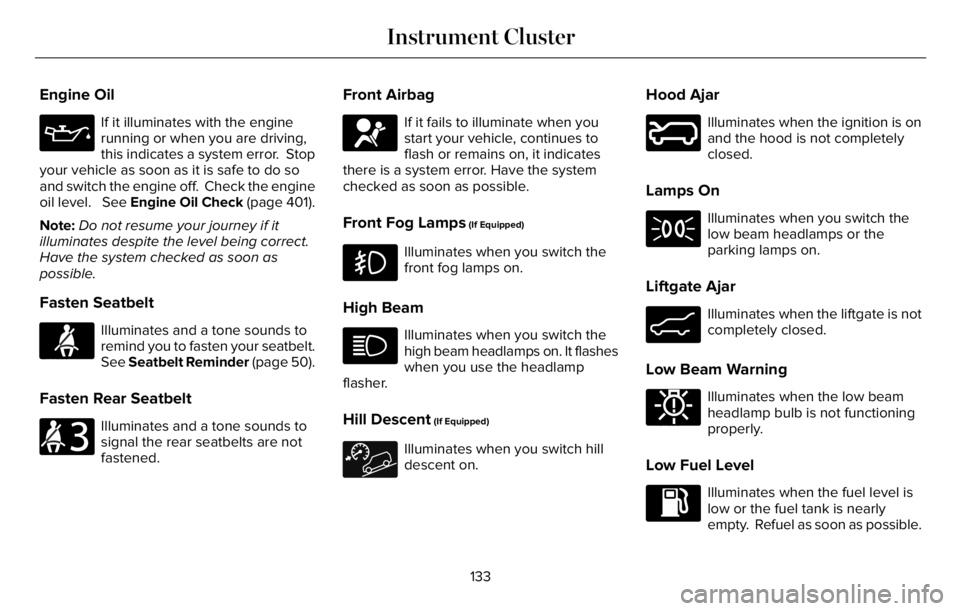
Engine Oil
If it illuminates with the engine
running or when you are driving,
this indicates a system error. Stop
your vehicle as soon as it is safe to do so
and switch the engine off. Check the engine
oil level. See Engine Oil Check (page 401).
Note:Do not resume your journey if it
illuminates despite the level being correct.
Have the system checked as soon as
possible.
Fasten Seatbelt
E71880
Illuminates and a tone sounds to
remind you to fasten your seatbelt.
See Seatbelt Reminder (page 50).
Fasten Rear Seatbelt
E206718
Illuminates and a tone sounds to
signal the rear seatbelts are not
fastened.
Front Airbag
E67017
If it fails to illuminate when you
start your vehicle, continues to
flash or remains on, it indicates
there is a system error. Have the system
checked as soon as possible.
Front Fog Lamps (If Equipped)
Illuminates when you switch the
front fog lamps on.
High Beam
Illuminates when you switch the
high beam headlamps on. It flashes
when you use the headlamp
flasher.
Hill Descent (If Equipped)
Illuminates when you switch hill
descent on.
Hood Ajar
E246598
Illuminates when the ignition is on
and the hood is not completely
closed.
Lamps On
Illuminates when you switch the
low beam headlamps or the
parking lamps on.
Liftgate Ajar
E162453
Illuminates when the liftgate is not
completely closed.
Low Beam Warning
E181350
Illuminates when the low beam
headlamp bulb is not functioning
properly.
Low Fuel Level
Illuminates when the fuel level is
low or the fuel tank is nearly
empty. Refuel as soon as possible.
133
Instrument Cluster