ignition LINCOLN AVIATOR 2023 Manual Online
[x] Cancel search | Manufacturer: LINCOLN, Model Year: 2023, Model line: AVIATOR, Model: LINCOLN AVIATOR 2023Pages: 681, PDF Size: 9.33 MB
Page 338 of 681
SPEED SIGN RECOGNITION (IF
EQUIPPED)
Principle of Operation
WARNING: You are responsible for
controlling your vehicle at all times. The
system is designed to be an aid and does
not relieve you of your responsibility to
drive with due care and attention. Failure
to follow this instruction could result in the
loss of control of your vehicle, personal
injury or death.
WARNING: In cold and severe
weather conditions the system may not
function. Rain, snow and spray can all limit
sensor performance.
WARNING: The system may not
operate properly if the sensor is blocked.
Keep the windshield free from obstruction.The system is designed to detect speed limit
signs to inform you of the current speed limit.
Detected speed signs appear in the
information display. The sensor is behind the
interior mirror.
Note:Do not carry out windshield repairs in
the immediate area surrounding the sensor.
Note:Speed sign data provided by the
navigation system contains information
integrated to the data carrier release.
Note:The system may not detect or correctly
read all speed signs.
Note:If your vehicle has a suspension kit
not approved by us, the system may not
correctly function.
Note:Always replace headlamp bulbs with
those specifically designed for your vehicle.
Other bulbs could reduce system
performance.
The system turns on when you switch the
ignition on, and you cannot switch the system
off.
Using Speed Sign Recognition
Setting the System Speed Warning
You can set the system speed warning to
alert you when the vehicle speed exceeds
the speed limit recognized by the system by
a certain speed tolerance.
Note:The system remembers the last setting
when you start your vehicle.
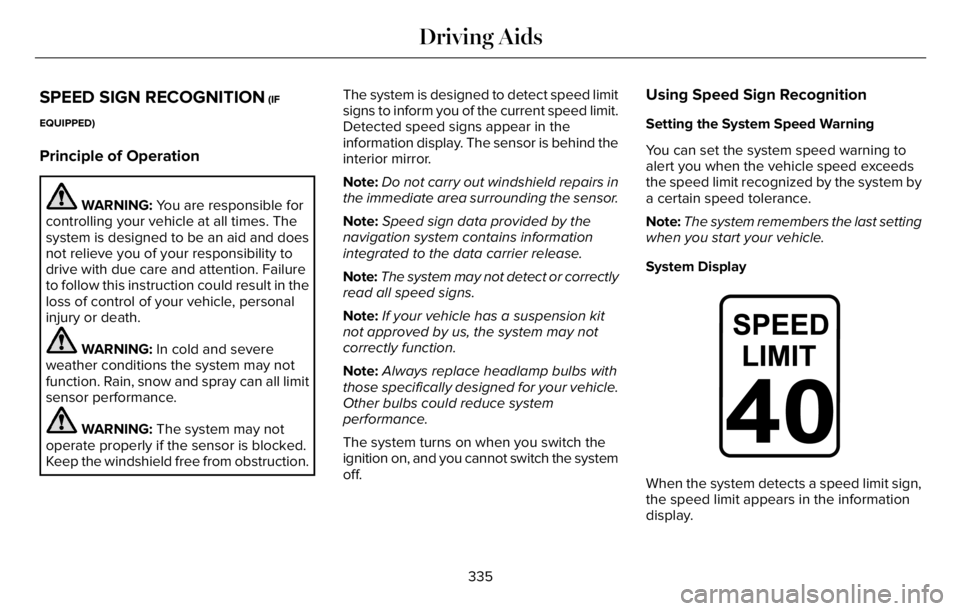
System Display
E317824E317824
When the system detects a speed limit sign,
the speed limit appears in the information
display.
335
Driving Aids
Page 339 of 681
Note:If your vehicle has a navigation
system, stored speed sign data could
influence the indicated speed limit value.To switch the system off or to adjust the
settings, use the touchscreen:
1. Press Settings on the touchscreen.
2. Press Driver Assistance.3. Press Speed Sign Recognition.
4. Press Speed Warning.
5. Press Tolerance.
6. Use + and - to set the tolerance.
Information Messages
Action Message
The traffic sign data provided by the navigation system is unavailable
due to a weak signal, or no signal. Wait for a short period of time for
the signal to improve. If the message continues to appear, have your
vehicle checked as soon as possible. Traffic Sign Reduced Performance See Manual
STEERING
Electric Power Steering
WARNING: The electric power
steering system has diagnostic checks that
continuously monitor the system. If a fault
is detected, a message displays in the
information display. Stop your vehicle as
soon as it is safe to do so. Switch the
ignition off. After at least 10 seconds,
switch the ignition on and watch the
information display for a steering system
warning message. If a steering system
warning message returns, have the system
checked as soon as possible.WARNING: If the system detects an
error, you may not feel a difference in the
steering, however a serious condition may
exist. Have your vehicle checked as soon
as possible. Failure to do so may result in
loss of steering control.
Your vehicle has an electric power steering
system. There is no fluid reservoir and
therefore requires no maintenance.
336
Driving Aids
Page 343 of 681
Note:Road users are defined as another
stationary vehicle in the same lane or a
vehicle traveling in the same lane in the
same direction as you.
Evasive steering assist only activates when
all the following occur:
• Automatic emergency braking and
evasive steering assist are on.
• The system detects a road user ahead
and starts to apply the brakes.
• You significantly turn the steering wheel
to steer around a road user.
Note:The system does not automatically
steer around a road user. If you do not turn
the steering wheel, the system does not
activate.
Note:The system does not activate if the
distance to the road user ahead is too small
and the system cannot avoid a crash.
Note:The system does not activate with
cyclists or pedestrians.Adjusting the Pre-Collision Assist
Settings
You can adjust the following settings by
using the touchscreen. See General
Information (page 136).
• You can change alert and distance alert
sensitivity to one of three possible
settings.
• You can switch distance indication and
alert on or off.
• If required, you can switch active braking
on or off.
• If required, you can switch evasive
steering assist on or off.
Note:Active braking and evasive steering
assist automatically turn on every time you
switch the ignition on.
Note:If you switch active braking off, evasive
steering assist turns off.
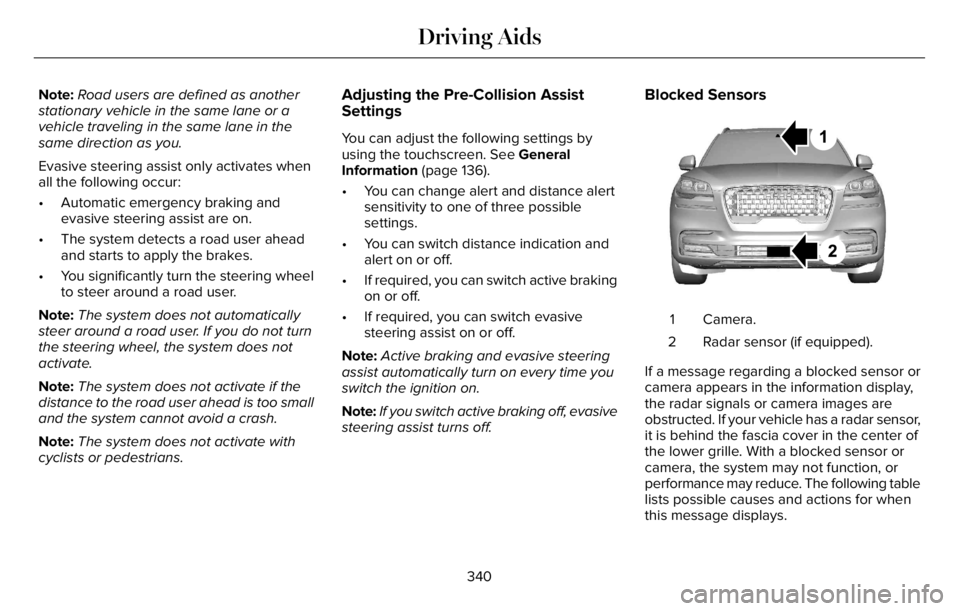
Blocked Sensors
E288869E288869
Camera. 1
Radar sensor (if equipped). 2
If a message regarding a blocked sensor or
camera appears in the information display,
the radar signals or camera images are
obstructed. If your vehicle has a radar sensor,
it is behind the fascia cover in the center of
the lower grille. With a blocked sensor or
camera, the system may not function, or
performance may reduce. The following table
lists possible causes and actions for when
this message displays.
340
Driving Aids
Page 346 of 681
WHAT IS DRIVE MODE CONTROL
The system delivers a driving experience
through a suite of sophisticated electronic
vehicle systems. These systems optimize
steering, handling and powertrain response.
This provides a single location to control
multiple systems performance settings.
Changing the drive mode automatically
changes the functionality of the following
systems:
• Electronically power-assisted steering
system adjusts steering effort and feel
based on the mode you select. See
Steering (page 336).
• Electronic stability control and traction
control maintains your vehicle control in
adverse conditions or high performance
driving. See Stability Control (page 282).
• Electronic throttle control enhances the
powertrain response to your driving
inputs.
• Transmission controls optimize with shift
schedules tuned to each mode.
• AWD settings become optimized and
tuned to each mode.The system automatically tailors your vehicle
configuration for each mode you select.
Note:Not all settings, or modes, may be
available.
Note:The system has diagnostic checks that
continuously monitor the system for proper
operation. If a mode is unavailable due to a
system fault, the mode defaults to Normal.
SELECTING A DRIVE MODE
Note:Drive mode changes may not be
available when the ignition is off.
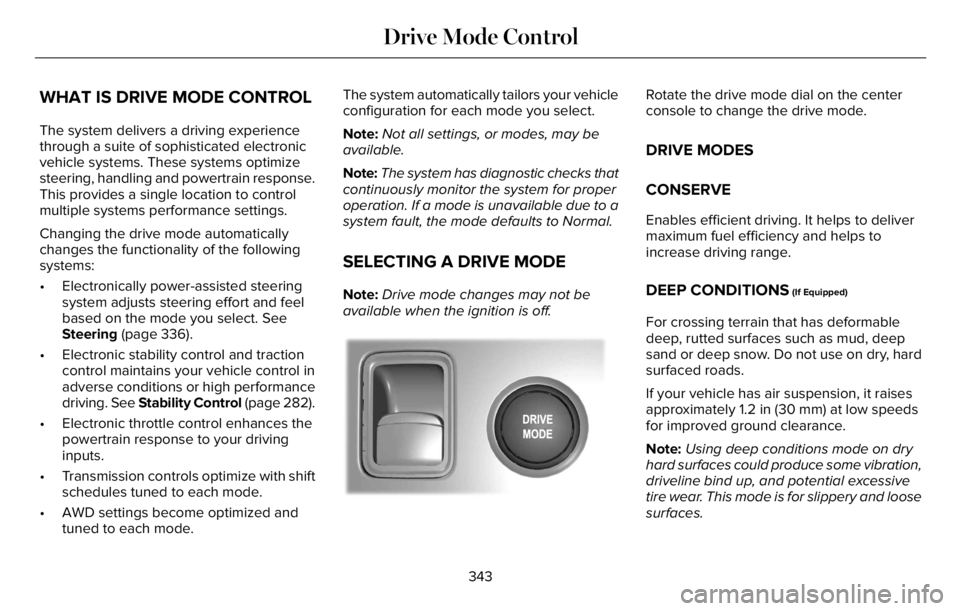
E297680E297680
Rotate the drive mode dial on the center
console to change the drive mode.
DRIVE MODES
CONSERVE
Enables efficient driving. It helps to deliver
maximum fuel efficiency and helps to
increase driving range.
DEEP CONDITIONS (If Equipped)
For crossing terrain that has deformable
deep, rutted surfaces such as mud, deep
sand or deep snow. Do not use on dry, hard
surfaced roads.
If your vehicle has air suspension, it raises
approximately 1.2 in (30 mm) at low speeds
for improved ground clearance.
Note:Using deep conditions mode on dry
hard surfaces could produce some vibration,
driveline bind up, and potential excessive
tire wear. This mode is for slippery and loose
surfaces.
343
Drive Mode Control
Page 347 of 681
DEEP SAND (If Equipped)
For crossing deep soft and dry sand.
Note:Using deep sand mode on dry hard
surfaces could produce some vibration,
driveline bind up, and potential excessive
tire wear. This mode is for slippery and loose
surfaces.
EXCITE
For sporty on-road driving. This mode
increases throttle response, provides a more
dynamic powertrain sound and steering feel,
along with a more sporty shifting experience.
If your vehicle has continuously controlled
damping suspension it adjusts to a stiffer
suspension setting, with an emphasis on
handling and control. The transmission also
holds gears longer, helping your vehicle
accelerate faster when shifting gears.
If your vehicle has air suspension, it lowers
approximately 0.6 in (15 mm) to improve
aerodynamics.
NORMAL
For everyday driving. This mode is a perfect
balance of excitement, comfort and
convenience. This is the default mode after
each ignition cycle.
PRESERVE EV
Your vehicle runs the engine as needed to
save electric driving range for later use in
another drive mode. For example, you first
drive at high speeds on open roads where
engine operation is appropriate. Later, you
drive at low speeds in an urban area where
electric only is most efficient.
If the battery charge is low when you select
this mode, the engine begins to charge the
high voltage battery to provide some electric
range for later. See Plug-In Hybrid Vehicle
Operation (page 219).
PURE EV
This mode can provide an electric only
driving experience. Your vehicle could
accelerate slower, and the top speed could
be reduced. For more power, fully press the
accelerator pedal to temporarily engage the
engine.
Your vehicle could enable the engine if
system conditions require it. An engine
enabled message displays if this occurs.
The engine could enable if the climate
control is in a defrost mode and the outside
temperature is cold. If the vehicle does not
need defrost, select a different climate
control mode to permit pure EV.
Your vehicle changes from pure EV mode to
normal mode when the vehicle electric range
is zero.
Note:When in pure EV mode, your vehicle
stays in this mode if there is all electric
driving range available and the system does
not fault.
344
Drive Mode Control
Page 355 of 681
Special Loading Instructions for
Owners of Pick-up Trucks and Utility-
type Vehicles
WARNING: When loading the
roof racks, we recommend you evenly
distribute the load, as well as maintain
a low center of gravity. Loaded
vehicles, with higher centers of gravity,
may handle differently than unloaded
vehicles. Take extra precautions, such
as slower speeds and increased
stopping distance, when driving a
heavily loaded vehicle.
AIR SUSPENSION (IF EQUIPPED)
WARNING: If your vehicle has
self-leveling air suspension, you must
switch the system off before carrying out
any maintenance or repair. Failure to follow
this warning could result in serious
personal injury or death.The air suspension system automatically
adjusts to maintain a constant frame height,
allows for ease of vehicle loading, provides
improved vehicle ride, and increased driver
comfort.
You can adjust different ride settings through
the selectable drive modes. See Selecting
a Drive Mode (page 343).
Note:The air suspension system may not
operate properly if you exceed the load limit.
See Load Limit (page 348).
Note:When your vehicle is off, the air
compressor may run for a short time. This is
normal.
Switching the systems on or off
You can access the air suspension, liftgate
and easy entry features through the
information display menu settings. See
General Information (page 136).
Using the Service Mode
When the service mode is active, the air
suspension does not make any adjustments
while your vehicle is stationary.Note:Always switch the air suspension
service mode to on before servicing your
vehicle.
Using Cargo Loading
The air suspension cargo loading feature
lowers your vehicle for easier access when
the system detects the liftgate is opening.
When the liftgate is closed your vehicle
returns to its normal height after a short time.
Note:To preserve your vehicle battery, your
vehicle may only lower for cargo mode one
to two times per ignition cycle.
Using Easy Entry
The air suspension can lower your vehicle
to an easier access entry height when the
system detects the intelligent access key,
you press the unlock button, use the remote
start, or use Phone as a Key.
The leveling process stops when you open
a door or the target level is achieved.
Note:To stop the leveling process, press the
lock button on the intelligent access key.
352
Load Carrying
Page 356 of 681
Note:To preserve your vehicle battery, your
vehicle may only lower for easy entry one to
two times per ignition cycle.
353
Load Carrying
Page 358 of 681
RV & Trailer Towing Guide Online
http://www.fleet.ford.com/towing-guides/ Website
TRAILER SWAY CONTROL (IF EQUIPPED)
WARNING: Turning off trailer sway
control increases the risk of loss of vehicle
control, serious injury or death. Ford does
not recommend disabling this feature
except in situations where speed reduction
may be detrimental (such as hill climbing),
the driver has significant trailer towing
experience, and can control trailer sway
and maintain safe operation.Note:This feature does not prevent trailer
sway, but reduces it when it begins.
Note:This feature cannot stop all trailers
from swaying.
Note:In some cases, if your vehicle speed
is too high, the system may turn on multiple
times, gradually reducing your vehicle speed.The system applies the brakes to the
individual wheels and reduces engine torque
to aid vehicle stability. If the trailer begins
to sway, the stability control warning lamp
flashes and a message appears in the
information display. See Information
Messages (page 142). Slow your vehicle
down, pull safely to the side of the road and
check for correct load distribution. See Load
Carrying (page 346).
When you switch the ignition on, the system
automatically turns on. You can switch this
feature off in the touchscreen.
355
Towing
Page 362 of 681
Note:Reconnect the wiring to the trailer
after removing the trailer from the water.
When backing down a ramp during boat
launching or retrieval:
• Do not allow the static water level to rise
above the bottom edge of the rear
bumper.
• Do not allow waves to break higher than
6 in (15 cm) above the bottom edge of
the rear bumper.
Exceeding these limits may allow water to
enter vehicle components:
• Causing internal damage to the
components.
• Affecting driveability, emissions, and
reliability.
Replace the rear axle lubricant anytime the
rear axle has been submerged in water.
Water may have contaminated the rear axle
lubricant, which is not normally checked or
changed unless a leak is suspected or other
axle repair is required.TOWING THE VEHICLE ON FOUR
WHEELS
Emergency Towing
WARNING: If your vehicle has a
steering wheel lock make sure the ignition
is in the accessory or on position when
being towed.
If your vehicle becomes inoperable without
access to wheel dollies or a vehicle transport
trailer, it can be flat-towed with all wheels on
the ground, regardless of the powertrain and
transmission configuration, under the
following conditions:
• Your vehicle is facing forward for towing
in a forward direction.
• Refer to the Manual Park Release
procedure. See Automatic Transmission
(page 259). Failing to do so could result
in damage to the transmission.
• Maximum speed is 35 mph (56 km/h).
• Maximum distance is 50 mi (80 km).Note:If you are unsure of the vehicle’s
configuration, contact an authorized dealer.
Recreational Towing - Front-Wheel
Drive Vehicles
(If Equipped)
You cannot recreational tow your vehicle
with all wheels on the ground because
vehicle or transmission damage could occur.
Place the front wheels on a two-wheel tow
dolly. If you are using a tow dolly, follow the
instructions specified by the equipment
provider.
Recreational Towing - Rear-Wheel
Drive Vehicles (If Equipped)
You cannot recreational tow your vehicle
with all wheels on the ground because
vehicle or transmission damage could occur.
We recommend towing your vehicle with all
four wheels off the ground, such as when
using a car-hauling trailer. Otherwise, you
cannot recreational tow your vehicle.
359
Towing
Page 368 of 681
If you need to arrange roadside assistance
for yourself, Lincoln reimburses a reasonable
amount for towing to the nearest Lincoln
dealership within 100 mi (160 km). To obtain
reimbursement information, United States
clients, call 1-800-521-4140. Clients need to
submit their original receipts.
Vehicles Sold in Canada: Getting
Roadside Assistance
To fully assist you should you have a vehicle
concern, Lincoln offers a complimentary
roadside assistance program. This program
is eligible within Canada or the continental
United States.
The service is available 24 hours a day,
seven days a week.
This program is separate from the New
Vehicle Limited Warranty, beginning from
the original warranty start date and lasts the
life of the vehicle for the original owner.
Subsequent owners receive coverage that
is concurrent with the 6 years or 70,000 mi
(110,000 km) (whichever occurs first)
powertrain warranty coverage period.Note:Canadian roadside coverage and
benefits may differ from the U.S. coverage.
For complete program coverage details,
review your warranty guide, contact your
dealer, call us in Canada at 1-800-387-9333,
or visit our website at
www.lincolncanada.com.
If you purchased your vehicle in Canada and
require roadside assistance, please call
1-800-387-9333 or contact Roadside
Assistance using the Lincoln Way mobile
app.
Note:For quick reference, complete the
roadside assistance identification card found
in the glove compartment of your vehicle
and place it in your wallet.
HAZARD FLASHERS
Note:The hazard flashers operate when the
ignition is in any position, or if the key is not
in the ignition. If used when the vehicle is not
running, the battery loses charge. As a result,
there may be insufficient power to restart
your vehicle.
The flasher control is on the
instrument panel. Use your hazard
flashers when your vehicle is
creating a safety hazard for other motorists.
• Press the flasher control and all front and
rear direction indicators flash.
• Press the button again to switch them off.
FUEL SHUTOFF
WARNING: If your vehicle has been
involved in a crash, have the fuel system
checked. Failure to follow this instruction
could result in fire, personal injury or death.
Note:When you try to restart your vehicle
after a fuel shutoff, the vehicle makes sure
that various systems are safe to restart.
Once the vehicle determines the systems
are safe, then the vehicle allows you to
restart.
Note:In the event that your vehicle does not
restart after your third attempt, contact a
qualified technician.
365
Roadside Emergencies