wheel LINCOLN CONTINENTAL 1996 Customer Assistance Guide
[x] Cancel search | Manufacturer: LINCOLN, Model Year: 1996, Model line: CONTINENTAL, Model: LINCOLN CONTINENTAL 1996Pages: 320, PDF Size: 1.8 MB
Page 81 of 320

FLR & DEF button
Push this button to get air to the floor and
windshield defrosters at the same time. The
display will show the set temperature, FLR and
the Defrost symbol. If the outside temperature
is about 50°F (10°C) and above, the air will be
dehumidified to remove moisture. This will help
to prevent fogging in humid weather.
DEFROST button
Press the Defrost Button to obtain maximum
airflow to the windshield. Adjust the
temperature setting as required for defrosting.
The Display window will show the temperature
setting with the Defrost symbol to the left of the
temperature. When the outside temperature is
about 50°F (10°C) and above, the air will be
dehumidified to remove moisture. This will help
prevent fogging in humid weather.
78OUTSIDE TEMP button
By pressing this button the temperature
of the air outside of the vehicle will show
in the display. The outside temperature
will continue to be displayed until the
OUTSIDE TEMP button is pressed
again to cancel. If the selected
temperature setting is changed while the
outside temperature is displayed, the new
selected temperature will be displayed for
4 seconds after it is changed. Then, the
outside temperature will return to the
window. If a manual override is pressed
or the thumbwheel is rotated while the
outside temperature is displayed, the
window will show the change for 4
seconds. Then, the outside temperature
will return along with the changed
override selection.
Page 85 of 320
The high beam indicator light on the instrument
cluster will not be on.
NOTE:If you have a vehicle with an
automatic lighting system, the DRL system is
active until the automatic system turns on the
headlamps.
NOTE:You may notice that the lights
flicker when the vehicle is turned on or off. This
is a normal condition./!\WARNINGThe Daytime Running Light (DRL)system will not illuminate the taillamps and parking lamps. Turn onyour headlamps at dusk. Failure to doso may result in a collision.Turning On the Exterior Lights
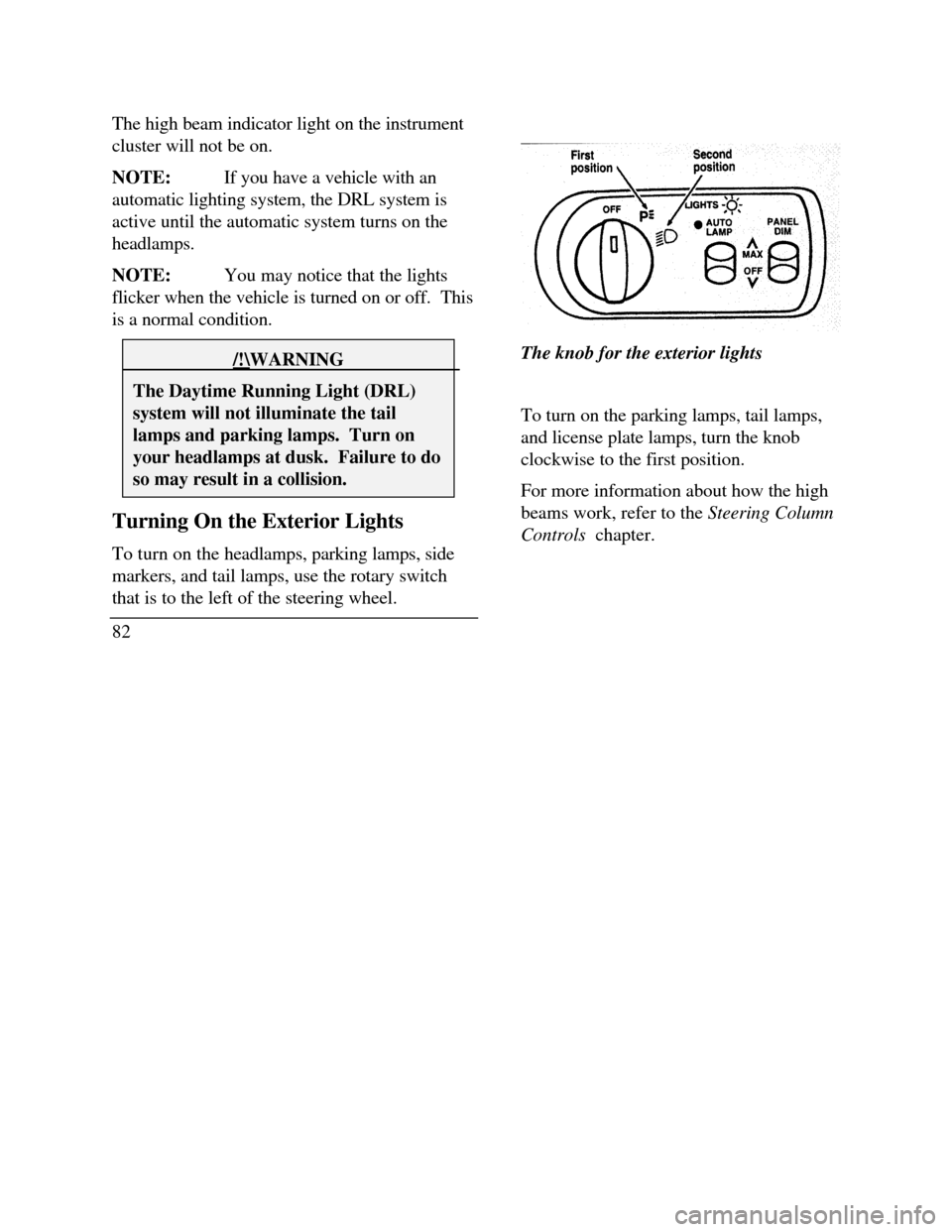
To turn on the headlamps, parking lamps, side
markers, and tail lamps, use the rotary switch
that is to the left of the steering wheel.
82The knob for the exterior lights
To turn on the parking lamps, tail lamps,
and license plate lamps, turn the knob
clockwise to the first position.
For more information about how the high
beams work, refer to the Steering Column
Controls chapter.
Page 87 of 320

If the autolamp is active, the headlamp system
will come on immediately after starting your
vehicle. If your vehicle is running before you
activate the autolamp, there may be a 15 second
delay before the headlights illuminate.
2.Turn the ignition key to ON or start your
vehicle.
3.Find the autolamp switch to the left of the
steering wheel on the instrument panel.
4. Push the autolamp switch up toward the
MAX position. As you press this switch, the
autolamp system's status will be displayed in
the message center. The system can be
turned OFF or can be set to provide light for
up to three (3) minutes after you turn your
vehicle off.
84Do not put any articles on top of the photocell
that is located in the top left corner of the
instrument panel. This photocell controls the
autolamp. If you cover it, the photocell reacts
as if it is nighttime, and the lamps turn on.
To turn the autolamp off, push the switch down
until the message center display reaches OFF.
Turning On Interior
Lights/Instrument Panel Illumination
You can brighten or dim the lights in the
instrument panel and the compass display
in the inside rearview mirror (if
equipped) with the PANEL DIM switch
located on the instrument panel.
Page 92 of 320
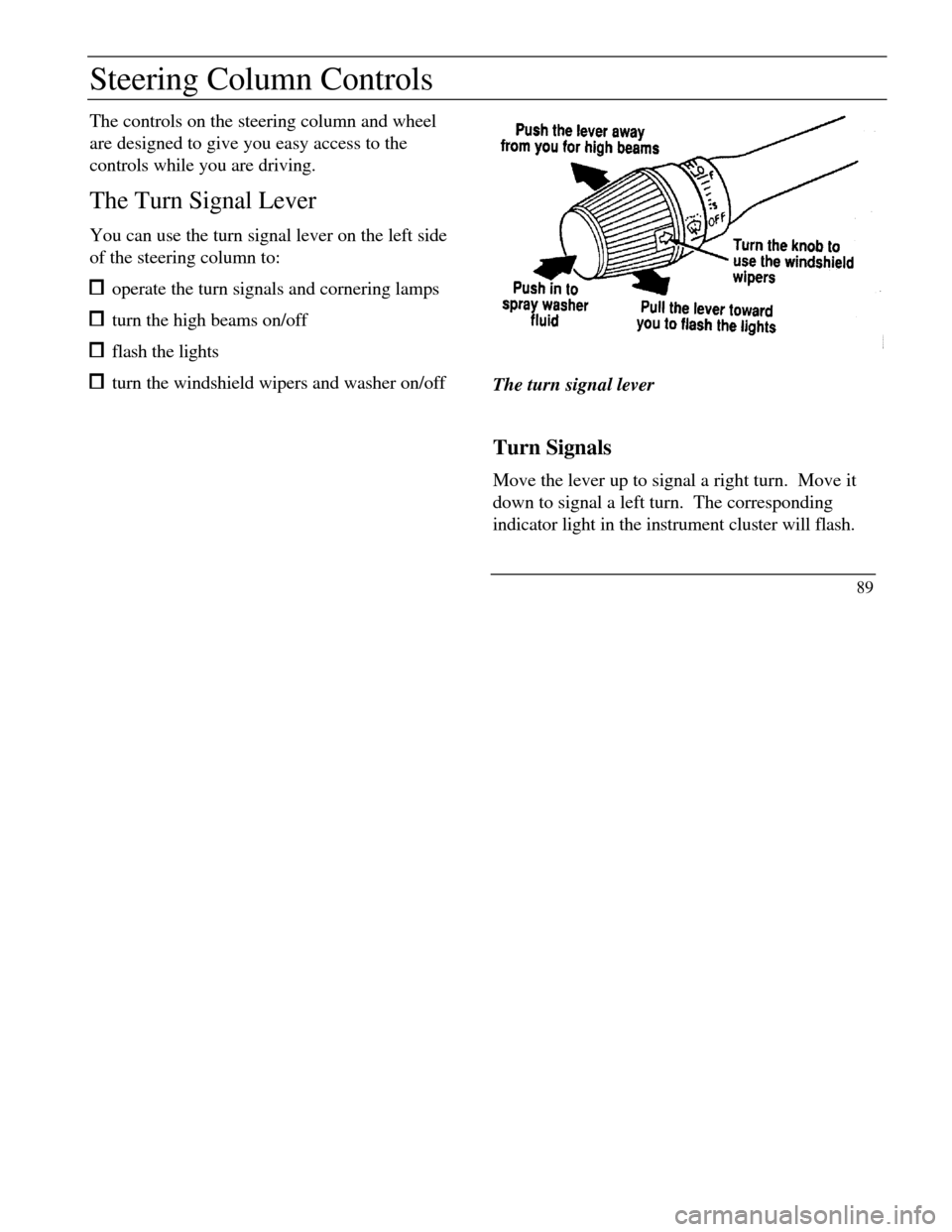
Steering Column ControlsThe controls on the steering column and wheel
are designed to give you easy access to the
controls while you are driving.
The Turn Signal Lever
You can use the turn signal lever on the left side
of the steering column to: operate the turn signals and cornering lamps turn the high beams on/off flash the lights turn the windshield wipers and washer on/offThe turn signal lever
Turn Signals
Move the lever up to signal a right turn. Move it
down to signal a left turn. The corresponding
indicator light in the instrument cluster will flash.
89
Page 96 of 320
Steering wheel
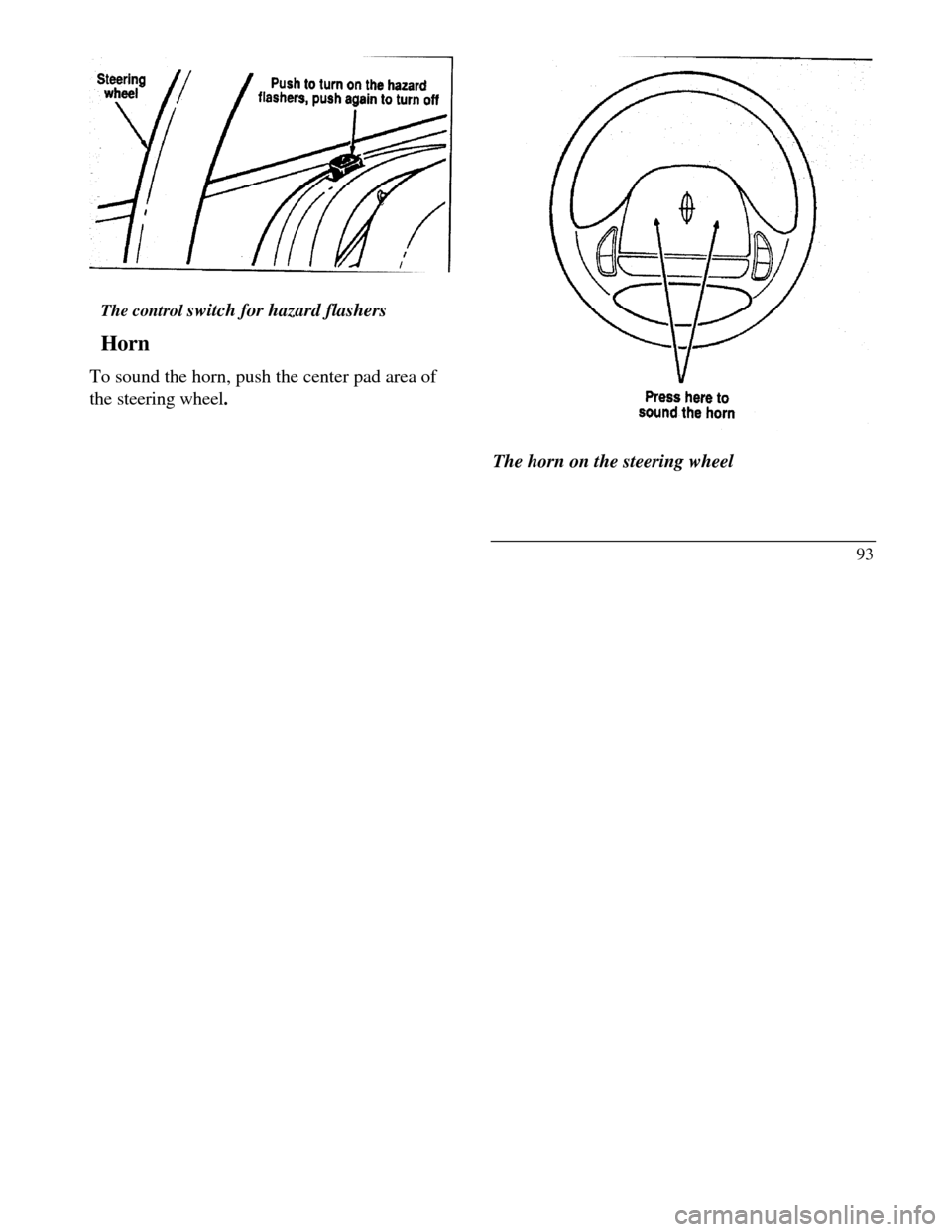
The control switch for hazard flashers
Horn
To sound the horn, push the center pad area of
the steering wheel.Press here to sound the horn
The horn on the steering wheel
93
Page 97 of 320
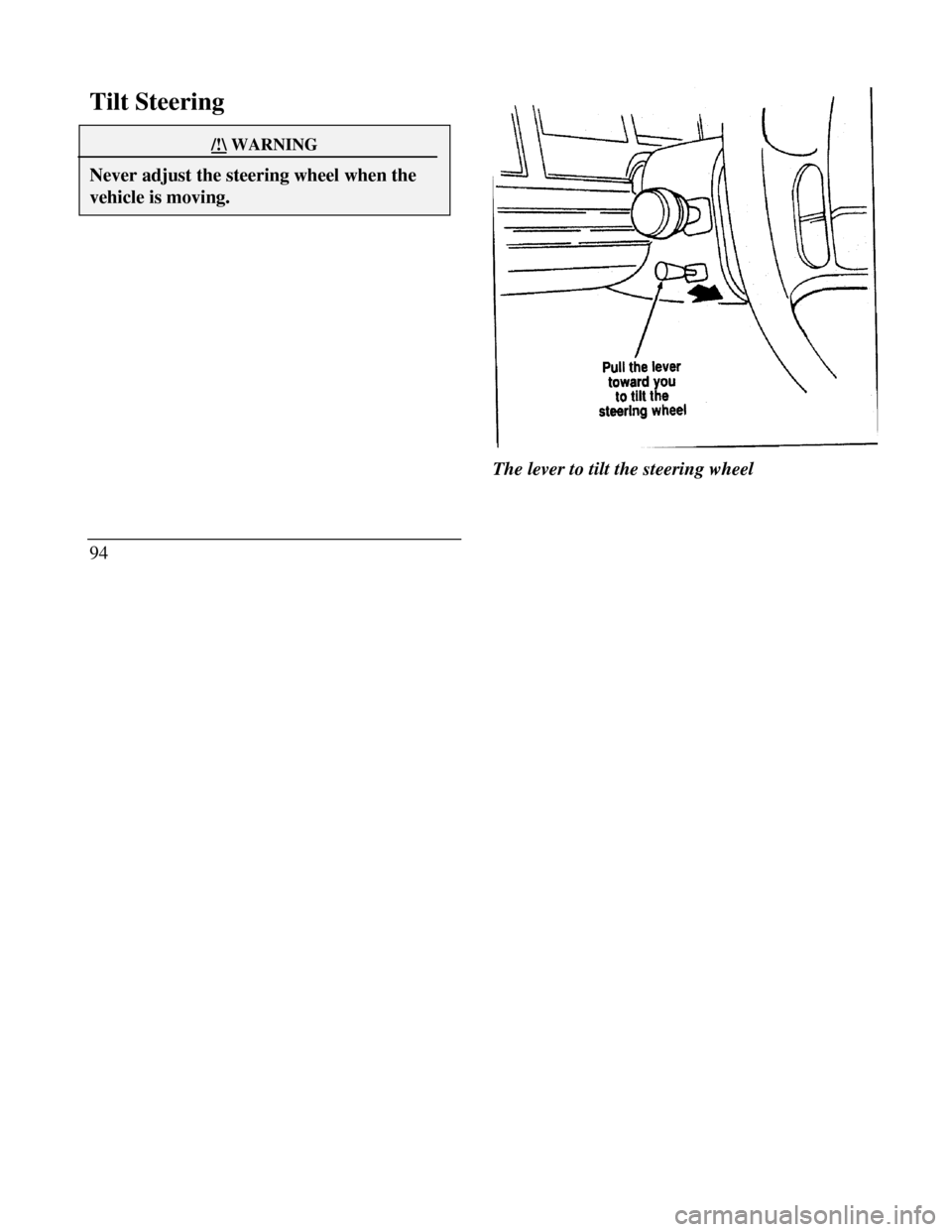
Tilt Steering/!\ WARNINGNever adjust the steering wheel when thevehicle is moving.94The lever to tilt the steering wheel
Page 98 of 320

To change the position of the steering wheel, pull
the release lever on the column toward you. Tip
the steering wheel to the desired position.
Release the lever to lock the steering wheel in
place.
Speed Control
Your vehicle has speed control, so you can
automatically maintain a constant speed above 30
mph (48 km/h). The switches to operate the
speed control are on the steering wheel.
Use of radio transmitting equipment that is not
Federal Communications Commission (FCC) or
in Canada the Canadian Radio and
Telecommunications Commission (CRTC)
approved may cause the speed control to
malfunction. Therefore, use only properly
installed FCC (CRTC in Canada) approved radio
transmitting equipment in your vehicle.NOTE: Since your vehicle has an Automatic
Overdrive Transaxle, you may want to drive in D
(Drive) when driving in hilly terrain, at higher
altitudes, or when pulling a trailer. This will
improve speed control performance.
NOTE: Do not shift to N (Neutral) when using
the speed control. This will cause the engine to
overspeed.
95
Page 99 of 320
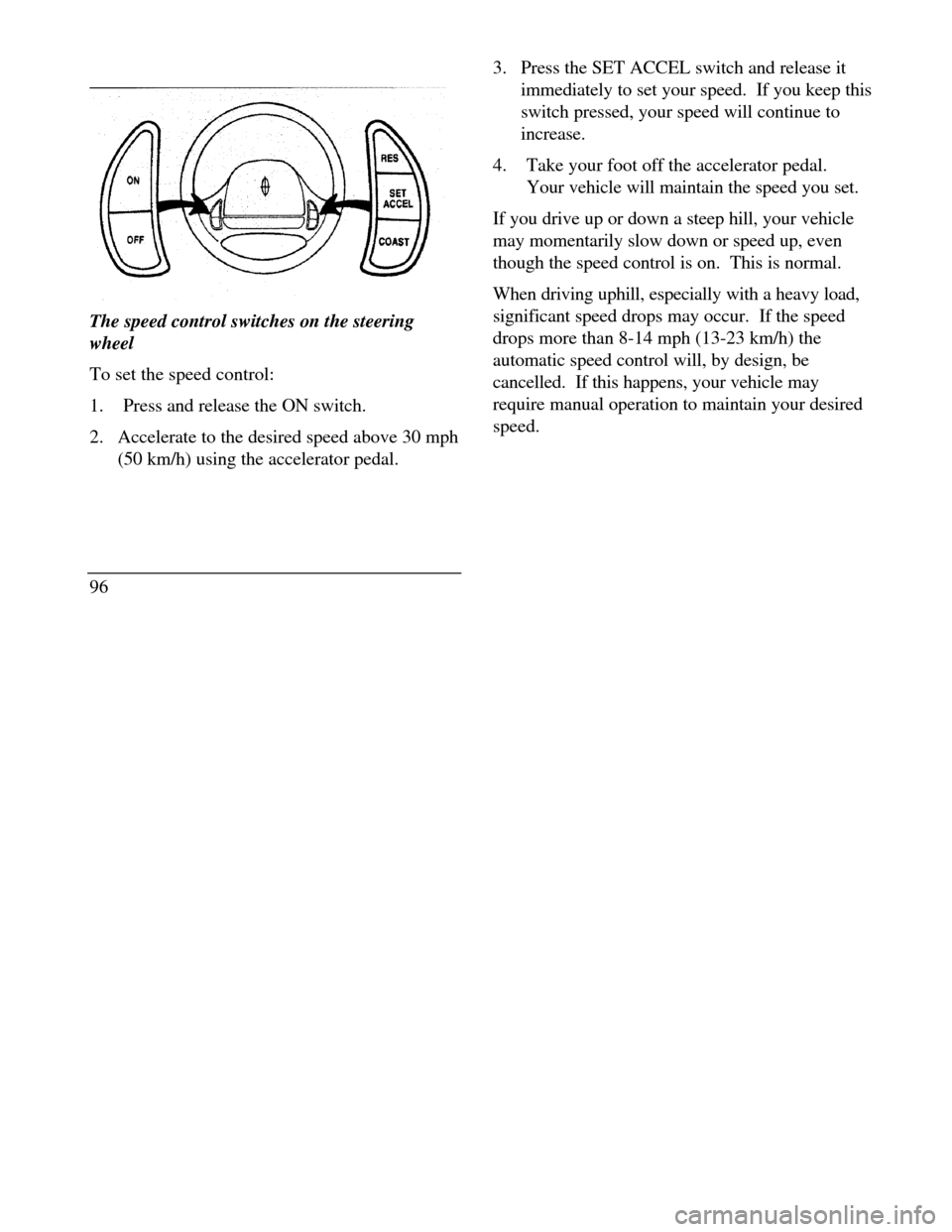
The speed control switches on the steering
wheel
To set the speed control:
1.Press and release the ON switch.
2. Accelerate to the desired speed above 30 mph
(50 km/h) using the accelerator pedal.
963. Press the SET ACCEL switch and release it
immediately to set your speed. If you keep this
switch pressed, your speed will continue to
increase.
4.Take your foot off the accelerator pedal.
Your vehicle will maintain the speed you set.
If you drive up or down a steep hill, your vehicle
may momentarily slow down or speed up, even
though the speed control is on. This is normal.
When driving uphill, especially with a heavy load,
significant speed drops may occur. If the speed
drops more than 8-14 mph (13-23 km/h) the
automatic speed control will, by design, be
cancelled. If this happens, your vehicle may
require manual operation to maintain your desired
speed.
Page 121 of 320

2. Rotate the thumbwheel from "0" to " 1 " (the
lowest heat level). Allow five minutes for the
heat level to stabilize.
3. If the heat level is not high enough for comfort,
select increased heat levels "2' through "5" (the
maximum level). Allow at least two minutes
for the heat level to stabilize at any new level
selected.
4. If the heated seat switch is not turned off ("0"
on the thumbwheel), the seat will heat up to the
selected temperature level each time the car is
started.
NOTE: Cooling the seat down takes considerably
longer than increasing its heat level.
118Cleaning the Seats
Leather
For routine cleaning, wipe the surface with a
soft, damp cloth. For more thorough cleaning,
wipe the surface with a leather and vinyl cleaner
or a mild soap.
Wipe the surface with a damp, soft cloth, then
dry and buff with a dry, soft cloth.
Fabric
Remove dust and loose dirt with a whisk broom
or a vacuum cleaner. Remove fresh spots
immediately. Follow the directions that come
with the cleaner.
NOTE: Before using any cleaner, test it on a
small, hidden area of fabric. If the fabric's color
or texture is adversely affected by a particular
cleaner, do not use it.
Page 145 of 320
At zero pressure, the Securitires will provide you
with a minimum driving capability of approximately
20 miles (30 kms). How you drive and the actual
amount of air pressure left in your tires will
determine exactly how many miles can be driven.
To extend the mileage and help prevent damage to
low or deflated tires, you should: not exceed 55 mph (90 km/h) and drive at a
reduced rate of speed, if possible avoid excessive hard steering and braking
maneuvers, if possible stop periodically to allow the tires to cool down/! WARNINGIf your vehicle is driven with a low tire, thetire itself may become very hot. Allow thetire and wheel to cool before attempting tochange it.142Pressure Alert System
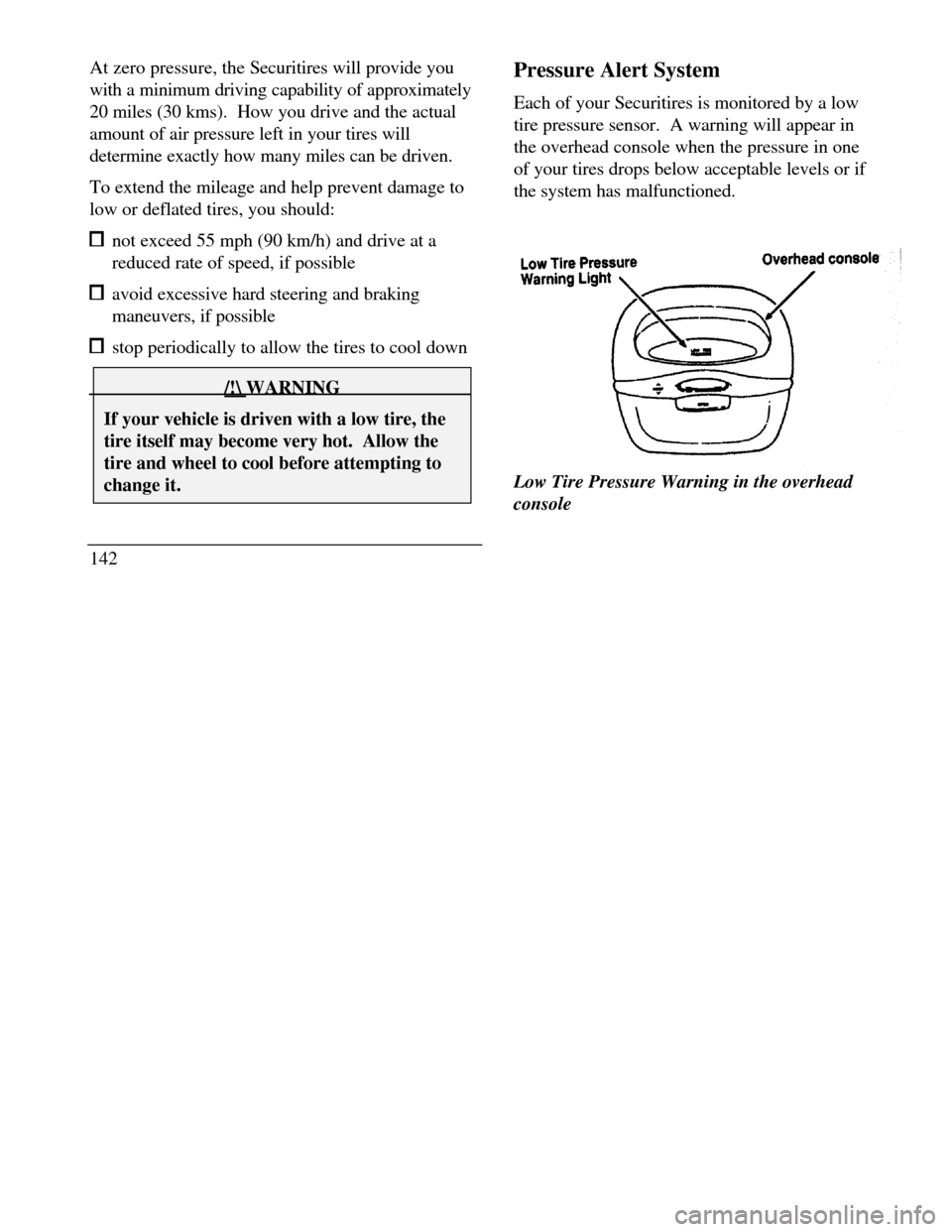
Each of your Securitires is monitored by a low
tire pressure sensor. A warning will appear in
the overhead console when the pressure in one
of your tires drops below acceptable levels or if
the system has malfunctioned.
Low Tire Pressure Warning Light Overhead
consoleLow Tire Pressure Warning in the overhead
console