light LINCOLN CONTINENTAL 1996 Customer Assistance Guide
[x] Cancel search | Manufacturer: LINCOLN, Model Year: 1996, Model line: CONTINENTAL, Model: LINCOLN CONTINENTAL 1996Pages: 320, PDF Size: 1.8 MB
Page 131 of 320
Sun Visors
Using the Sun Visors
Your vehicle has special sun visors. Besides the
regular sun visor, you have a second visor. By
using both the regular sun visor and the second
visor, you shield the sun from both the front and the
side of the vehicle at the same time. You also have
a smaller center sun visor.
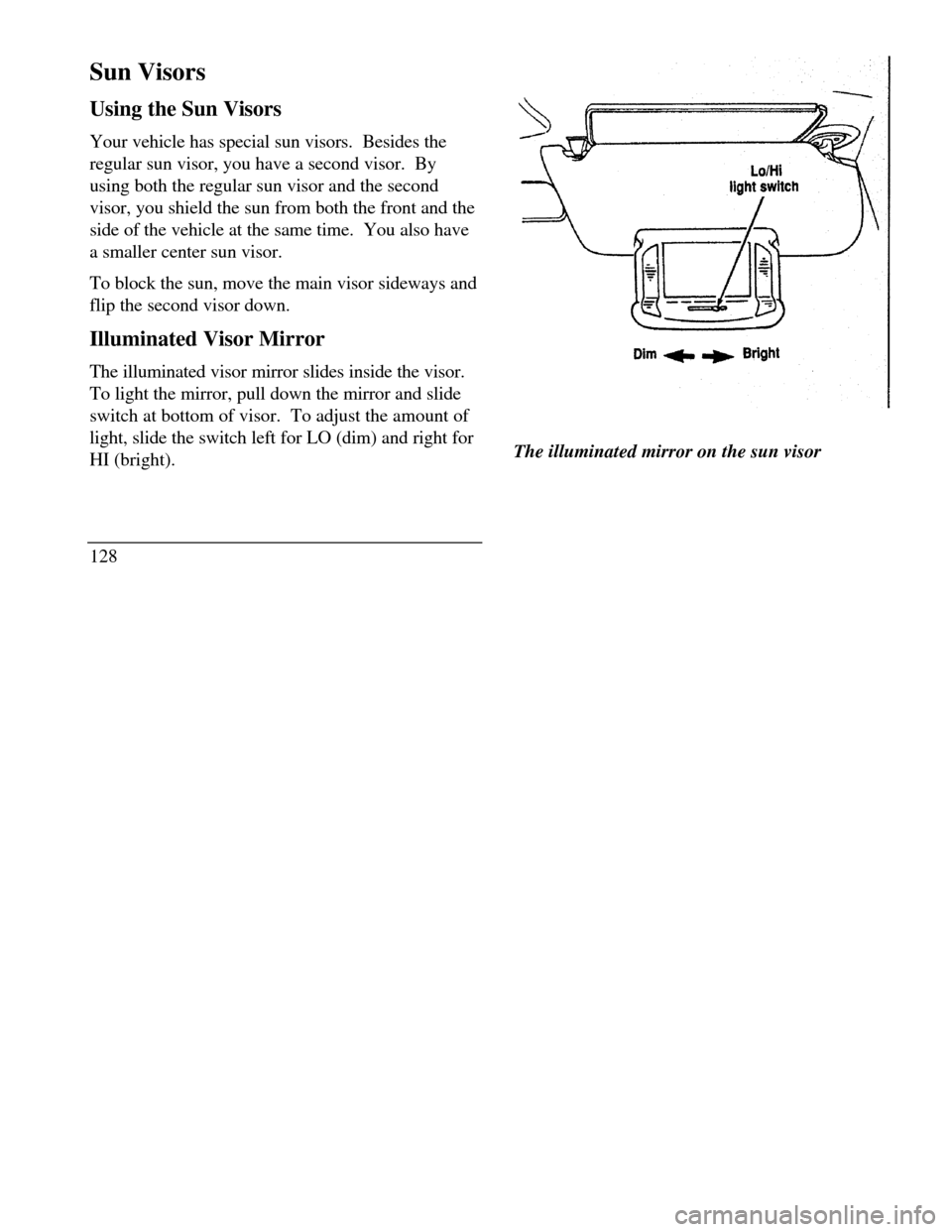
To block the sun, move the main visor sideways and
flip the second visor down.
Illuminated Visor Mirror
The illuminated visor mirror slides inside the visor.
To light the mirror, pull down the mirror and slide
switch at bottom of visor. To adjust the amount of
light, slide the switch left for LO (dim) and right for
HI (bright).
128Lo/HI light switch Dim Bright
The illuminated mirror on the sun visor
Page 133 of 320
Universal Transmitter
(If equipped)
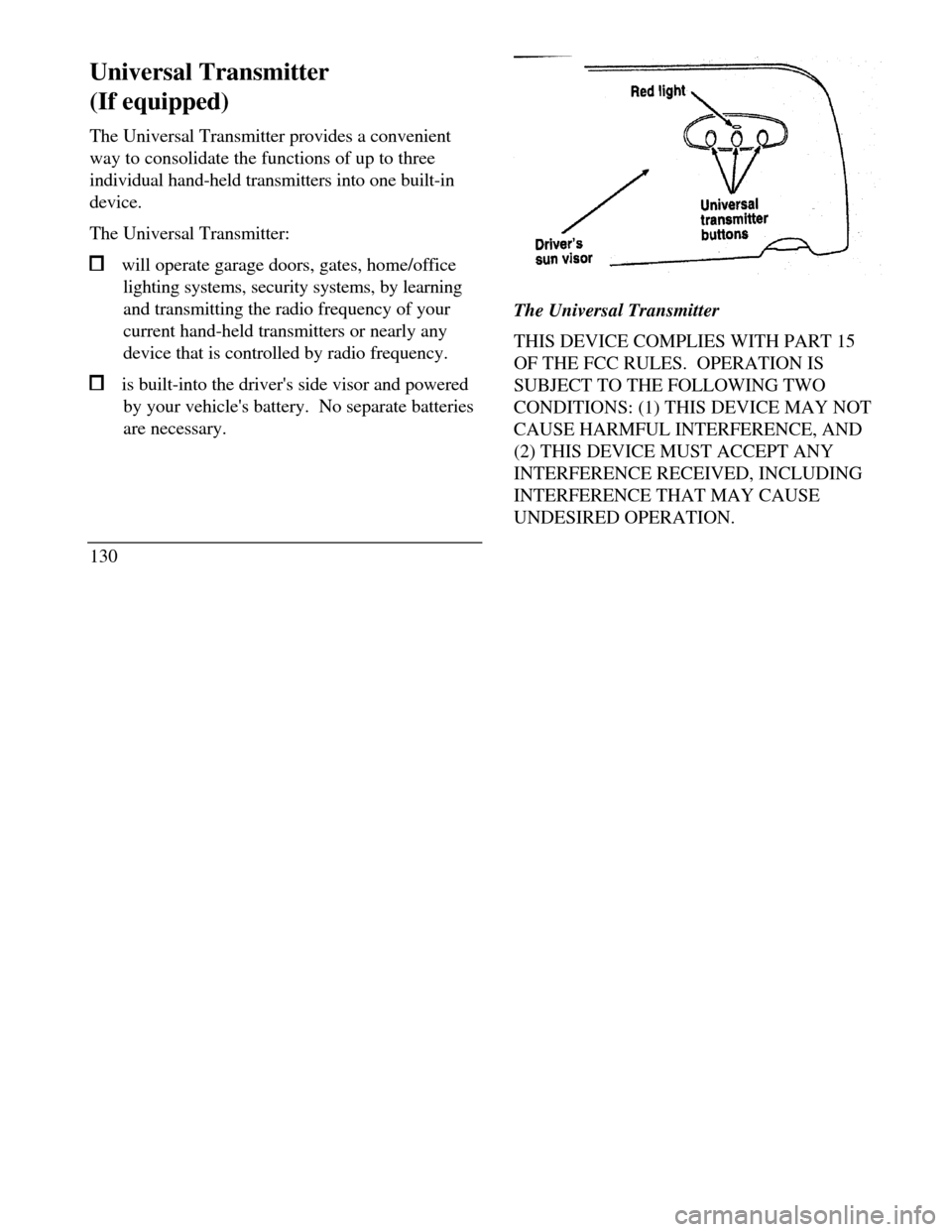
The Universal Transmitter provides a convenient
way to consolidate the functions of up to three
individual hand-held transmitters into one built-in
device.
The Universal Transmitter: will operate garage doors, gates, home/office
lighting systems, security systems, by learning
and transmitting the radio frequency of your
current hand-held transmitters or nearly any
device that is controlled by radio frequency. is built-into the driver's side visor and powered
by your vehicle's battery. No separate batteries
are necessary.
130Red light Universal transmitter button Driver's sun visor
The Universal Transmitter
THIS DEVICE COMPLIES WITH PART 15
OF THE FCC RULES. OPERATION IS
SUBJECT TO THE FOLLOWING TWO
CONDITIONS: (1) THIS DEVICE MAY NOT
CAUSE HARMFUL INTERFERENCE, AND
(2) THIS DEVICE MUST ACCEPT ANY
INTERFERENCE RECEIVED, INCLUDING
INTERFERENCE THAT MAY CAUSE
UNDESIRED OPERATION.
Page 134 of 320
Programming the Universal Transmitter
NOTE: It is recommended that your hand-held
transmitter contain fresh batteries prior to
programming./!\ WARNINGMake sure that people or objects are clearof the garage door, gate, etc. while you areprogramming the system.To program the Universal Transmitter:
I.Make sure your vehicle's engine is off.
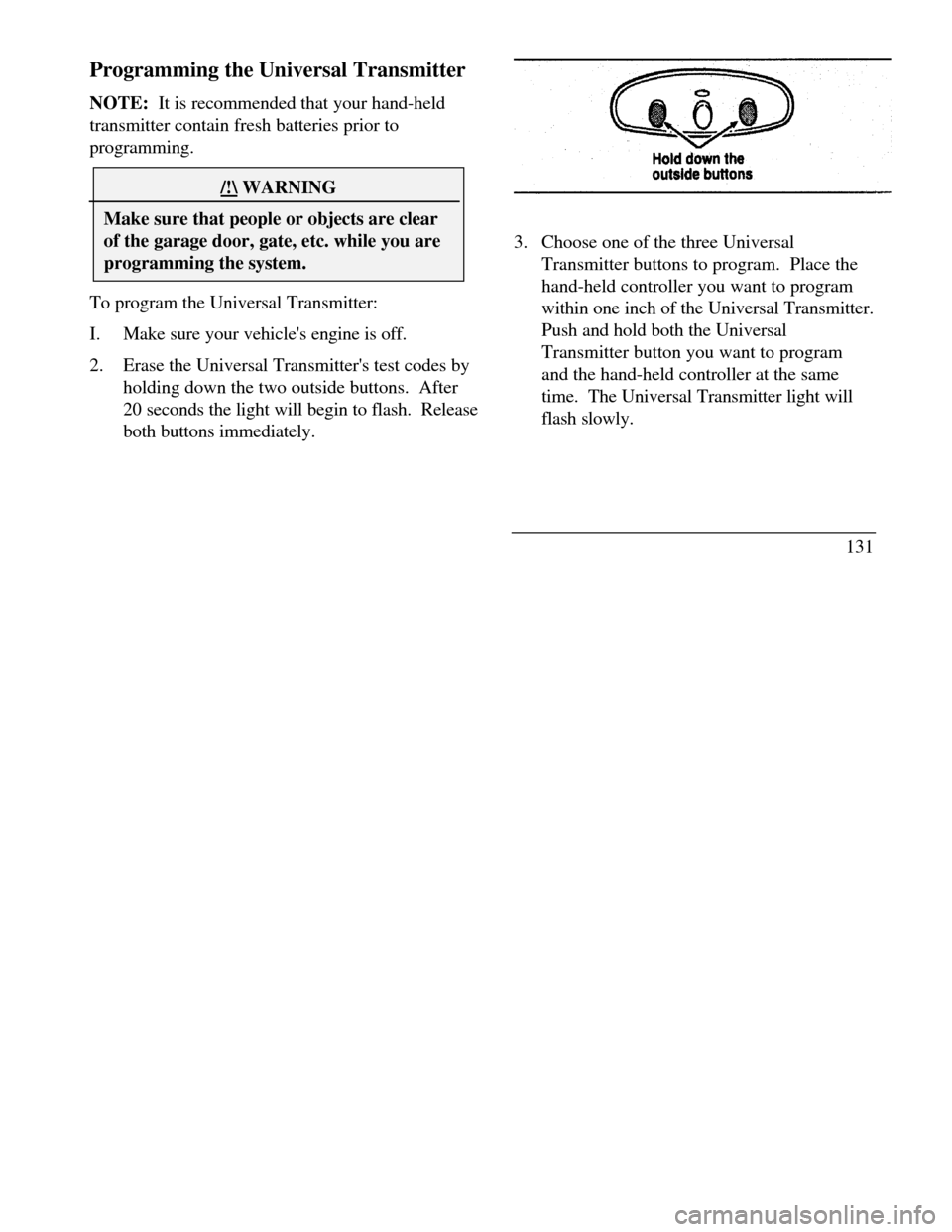
2.Erase the Universal Transmitter's test codes by
holding down the two outside buttons. After
20 seconds the light will begin to flash. Release
both buttons immediately.3. Choose one of the three Universal
Transmitter buttons to program. Place the
hand-held controller you want to program
within one inch of the Universal Transmitter.
Push and hold both the Universal
Transmitter button you want to program
and the hand-held controller at the same
time. The Universal Transmitter light will
flash slowly.
131
Page 135 of 320

4. When the Universal Transmitter light begins to
flash rapidly (this could take up to 60 seconds),
release both buttons. You can now use your
Universal Transmitter instead of the hand-held
controller.
1325. To program the other two buttons on
your Universal Transmitter, skip step two
and repeat steps 3 and 4.
NOTE:Be sure to keep your original
hand-held transmitter for possible retraining if it
becomes necessary to erase the Universal
Transmitter.
Note to Canadian users: Prior to 1992,
regulations required many hand-held controllers
to stop transmitting after one or two seconds.
Transmission will stop even though you
continue to hold down the button, and even if
the light on the hand-held transmitters remains
lit. If you think you have one of these
controllers, you should press and re-press the
controller every two seconds without releasing
the Universal Transmitter button. Release both
buttons when the Universal Transmitter light
begins to flash rapidly.
Page 136 of 320

Operating the Universal Transmitter/!\ WARNINGDo not use the Universal Transmitter with anygarage door opener that lacks safety "stop"and "reverse" features as required by federalstandards.To operate, press the appropriate button on the
Universal Transmitter. The light will illuminate
while the signal is being transmitted.
NOTE:The effective transmission range of
the Universal Transmitter may differ from your
hand-held transmitter.Erasing the Universal Transmitter
Channels
To clear the Universal Transmitter of all three
previously stored frequencies, follow Step 2 of
the Programming the Universal Transmitter
section.
Console
Your vehicle may have a full console. The full
console has the following features:
133
Page 145 of 320
At zero pressure, the Securitires will provide you
with a minimum driving capability of approximately
20 miles (30 kms). How you drive and the actual
amount of air pressure left in your tires will
determine exactly how many miles can be driven.
To extend the mileage and help prevent damage to
low or deflated tires, you should: not exceed 55 mph (90 km/h) and drive at a
reduced rate of speed, if possible avoid excessive hard steering and braking
maneuvers, if possible stop periodically to allow the tires to cool down/! WARNINGIf your vehicle is driven with a low tire, thetire itself may become very hot. Allow thetire and wheel to cool before attempting tochange it.142Pressure Alert System
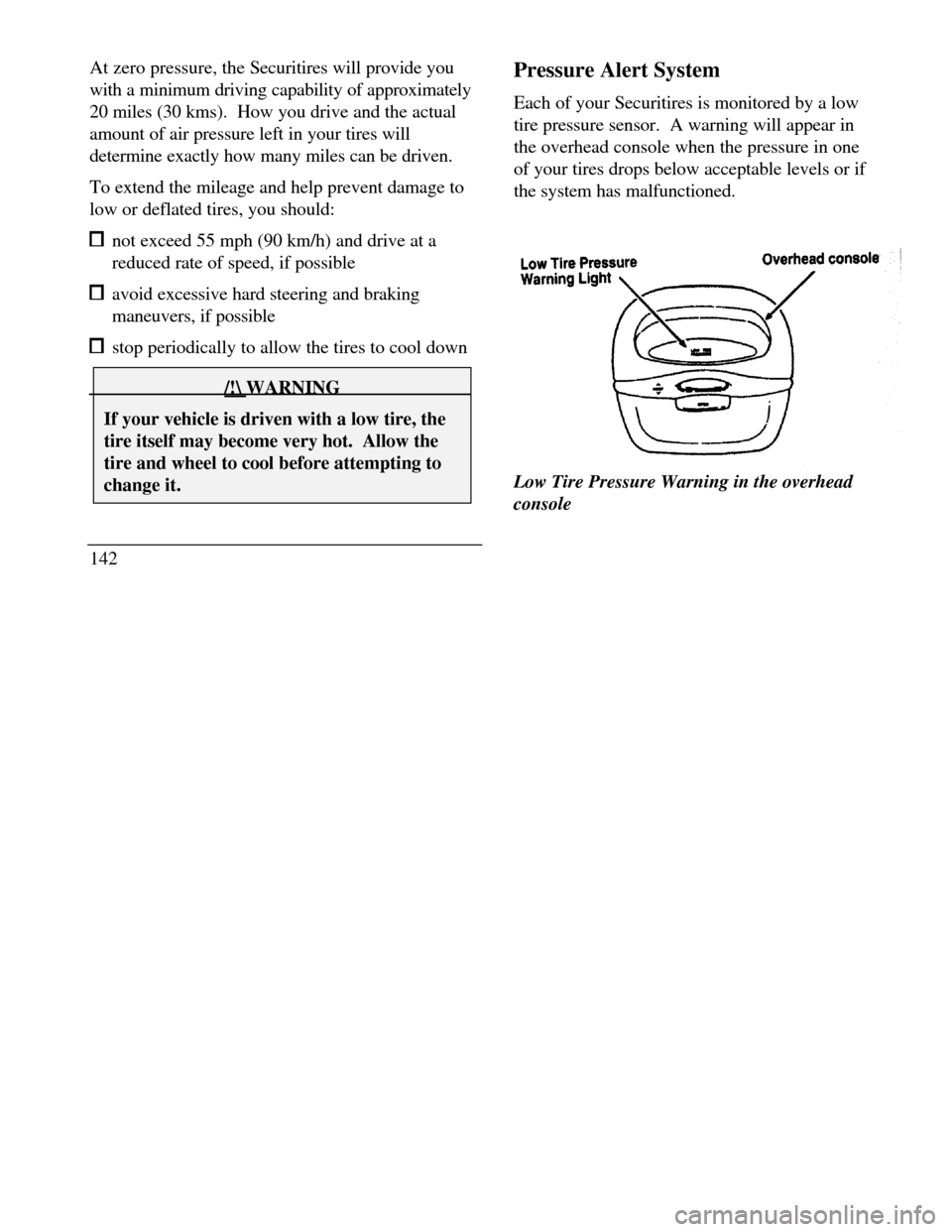
Each of your Securitires is monitored by a low
tire pressure sensor. A warning will appear in
the overhead console when the pressure in one
of your tires drops below acceptable levels or if
the system has malfunctioned.
Low Tire Pressure Warning Light Overhead
consoleLow Tire Pressure Warning in the overhead
console
Page 146 of 320

THIS DEVICE COMPLIES WITH FCC RULES,
PART 15. OPERATION IS SUBJECT TO THE
FOLLOWING TWO CONDITIONS: (1) THIS
DEVICE MAY NOT CAUSE HARMFUL
INTEREFERENCE AND (2) THIS DEVICE
MUST ACCEPT ANY INTEREFERENCE THAT
MAY BE RECEIVED, INCLUDING
INTEREFERENCE THAT MAY CAUSE
UNDESIRABLE OPERATION.
Maintenance Warning
The "Low Tire Pressure" warning will illuminate
and stay on when one of your vehicle's tires drops
below 18 psi (124 kps). The warning light will also
come on and stay lit if the Pressure Alert System has
malfunctioned.
If this warning appears, check the pressure in your
tires at the earliest possible convenience and adjust
any tire that is low to the recommended air pressure
level. This information can be found on the Service
Station Information page at the back of this manual
or on the driver's door placard.If the warning remains on after you have
adjusted the tires to recommended air pressure
levels, take your vehicle to an authorized
Lincoln/Mercury dealer for service.
Flat Tire Warning
If the sensors detect a tire pressure lower than I
0 psi (68 kps), the "Low Tire Pressure" warning
will flash repeatedly in the overhead console and
the message "Warning Low Tire Pressure" will
be displayed in the Message Center, indicating
an impending flat tire. If this condition occurs,
your Securitire requires service as soon as
possible. Refer to Servicing Your Secutitires.
NOTE: The Pressure Alert System will
activate only when the vehicle is moving faster
than 10 mph (15 km/h).
143
Page 149 of 320
The operator verbally obtains details of Your
situation and, if necessary, ties your vehicle into a
three-way phone call with the United States Auto
Club or local 911 or other emergency services to
dispatch the appropriate assistance to your
location. Once the situation has been appropriately
handled, the operator will terminate the call, the
system warning light will stop flashing and the
system will be reset. In most situations, ONLY
the response center can terminate an assistance
request.
General Description
Lincoln's Remote Emergency Satellite Cellular
Unit (RESCU) is designed to expedite roadside or
emergency assistance to distressed motorists who
are uncertain of their location and/or are uncertain
of who to contact for assistance.
The Lincoln RESCU System utilizes Global
Positioning System (GPS) technology and the
146nation's cellular phone network to track vehicle
location and, at the touch of a button, put you in
voice contact with the Lincoln Security
Response Center.
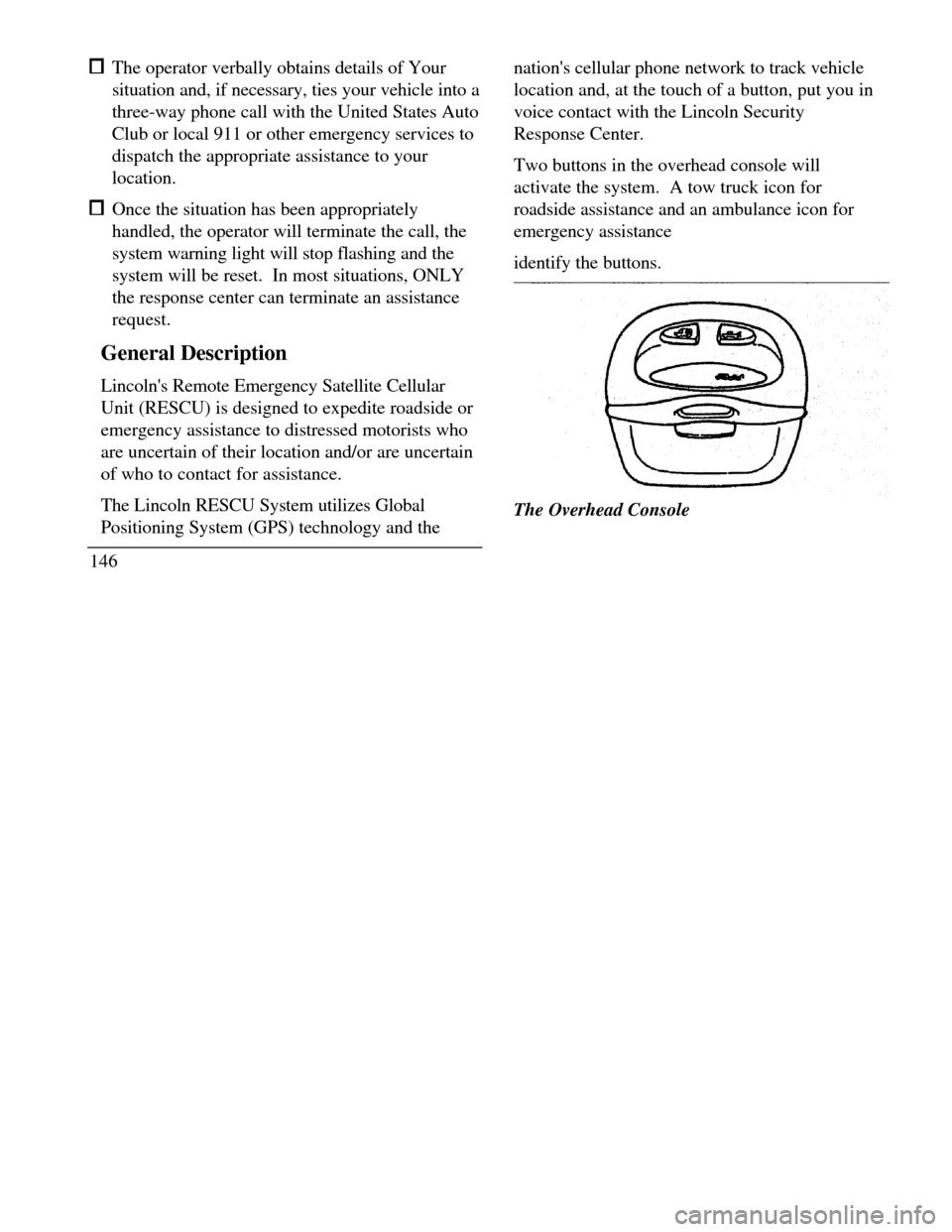
Two buttons in the overhead console will
activate the system. A tow truck icon for
roadside assistance and an ambulance icon for
emergency assistance
identify the buttons.The Overhead Console
Page 152 of 320

when appropriate, stay in direct phone contact
with you until emergency help arrives notify pre-designated family contacts or friends
of the emergency situation, if requested, or if no
response is received from the vehicle.
NOTE: If You are certain of your location, a direct
phone call to 911 or other emergency services may
provide a faster response.
Activation and Deactivation
When either of the two Lincoln RESCU buttons is
pressed, a warning light, located in the overhead
console, will begin to flash and status messages will
be displayed on the vehicle's message center,
confirming an assistance request has been made.
The warning light will continue to flash throughout
the activation.The RESCU Warning light
The system can be activated whenever your
ignition key is in the RUN/START Position and
for two Minutes after your vehicle is turned off.
In most situations, the assistance request can
ONLY be terminated and the system reset when
a special tone is sent to the vehicle by the
Lincoln Security Response Center. (See
Automatic Redial later in this chapter for
exceptions.) Operation will continue even if the
vehicle is turned off during an activation
(although visual feedback via the Message
Center will not be available in this situation).
149
Page 165 of 320

Manual tuning adjusts your radio to any
allowable broadcast frequency, whether or not a
station is present on that frequency. (See All
About Radio Frequencies in this section.) Using the "SEEK" function
Press the right *) side of the 'SEEK" button to
select the next listenable station up the
frequency band. Press the left (.4) side of the
button to select the next listenable station
down the frequency band. By holding the
button down, listenable stations can be passed
over to reach the desired station. Using the 'SCAN" function
Pressing the "SCAN" button will begin the
scan mode up the frequency band, stopping on
each listenable station for approximately five
seconds.
To stop the scan mode on the presently
sampled station, press the "SCAN" button again.
162 Setting the station MEMORY PRESET buttons
Your radio is equipped with 6 station
memory buttons. These buttons can be used
to select up to 6 preset AM stations and 12
FM stations (6 in FMI and 6 in FM2)
1Select a band, then select a frequency.
2.Press one of the memory buttons and hold
until the sound returns and the lamp above
the memory button lights up. That
memory button is now set.
3.Follow the above steps for each memory
preset button.
NOTE:Custom memory presets
can be recalled using the keyless entry
system. See Memory Profile System in
the Features chapter.