light LINCOLN CONTINENTAL 2018 Manual PDF
[x] Cancel search | Manufacturer: LINCOLN, Model Year: 2018, Model line: CONTINENTAL, Model: LINCOLN CONTINENTAL 2018Pages: 615, PDF Size: 5.31 MB
Page 254 of 615
The system can be temporarily suppressedat any time by the following:•Quick braking.
•Fast acceleration.
•Using the direction indicator.
•Evasive steering maneuver.
•Driving too close to the lane marking.
Troubleshooting
Why is the feature not available (line markings are gray) when I can see the lane markings on the road?
Your vehicle speed is outside the operational range of the feature.
The sun is shining directly into the camera lens.
A quick intentional lane change has occurred.
Your vehicle stays too close to the lane markings.
Driving at high speeds in curves.
The last alert warning or aid intervention occurred a short time ago.
Ambiguous lane markings, for example in construction zones.
Rapid transition from light to dark, or from dark to light.
Sudden offset in lane markings.
ABS or AdvanceTrac™ is active.
There is a camera blockage due to dirt, grime, fog, frost or water on the windshield.
You are driving too close to the vehicle in front of you.
251
Continental (CPL) Canada/United States of America, enUSA, Edition date: 201706, Second-Printing
Driving Aids
Page 257 of 615
System Lights and Messages
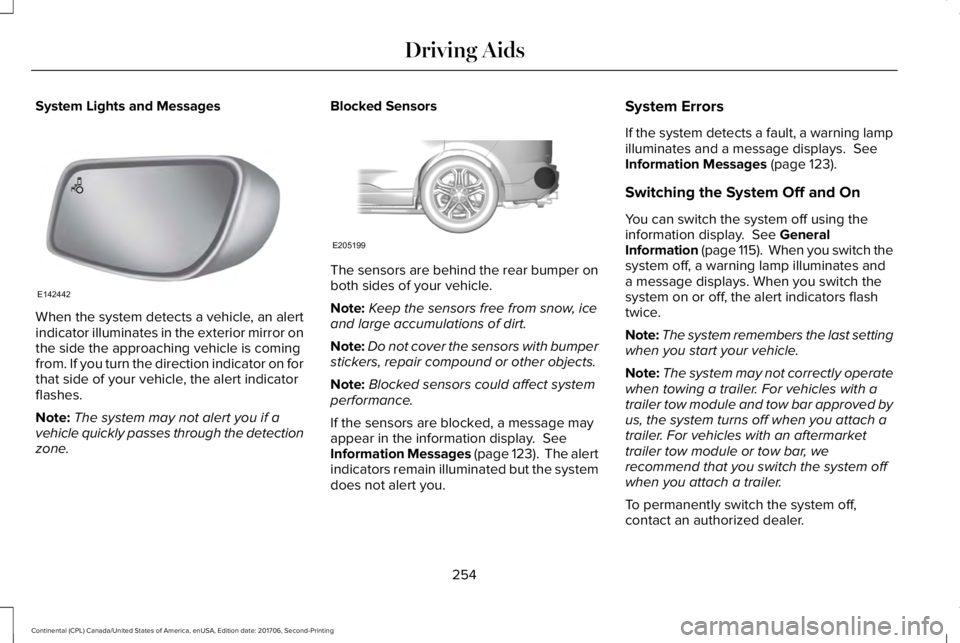
When the system detects a vehicle, an alertindicator illuminates in the exterior mirror onthe side the approaching vehicle is comingfrom. If you turn the direction indicator on forthat side of your vehicle, the alert indicatorflashes.
Note:The system may not alert you if avehicle quickly passes through the detectionzone.
Blocked Sensors
The sensors are behind the rear bumper onboth sides of your vehicle.
Note:Keep the sensors free from snow, iceand large accumulations of dirt.
Note:Do not cover the sensors with bumperstickers, repair compound or other objects.
Note:Blocked sensors could affect systemperformance.
If the sensors are blocked, a message mayappear in the information display. SeeInformation Messages (page 123). The alertindicators remain illuminated but the systemdoes not alert you.
System Errors
If the system detects a fault, a warning lampilluminates and a message displays. SeeInformation Messages (page 123).
Switching the System Off and On
You can switch the system off using theinformation display. See GeneralInformation (page 115). When you switch thesystem off, a warning lamp illuminates anda message displays. When you switch thesystem on or off, the alert indicators flashtwice.
Note:The system remembers the last settingwhen you start your vehicle.
Note:The system may not correctly operatewhen towing a trailer. For vehicles with atrailer tow module and tow bar approved byus, the system turns off when you attach atrailer. For vehicles with an aftermarkettrailer tow module or tow bar, werecommend that you switch the system offwhen you attach a trailer.
To permanently switch the system off,contact an authorized dealer.
254
Continental (CPL) Canada/United States of America, enUSA, Edition date: 201706, Second-Printing
Driving AidsE142442 E205199
Page 261 of 615
System Lights, Messages and AudibleAlerts
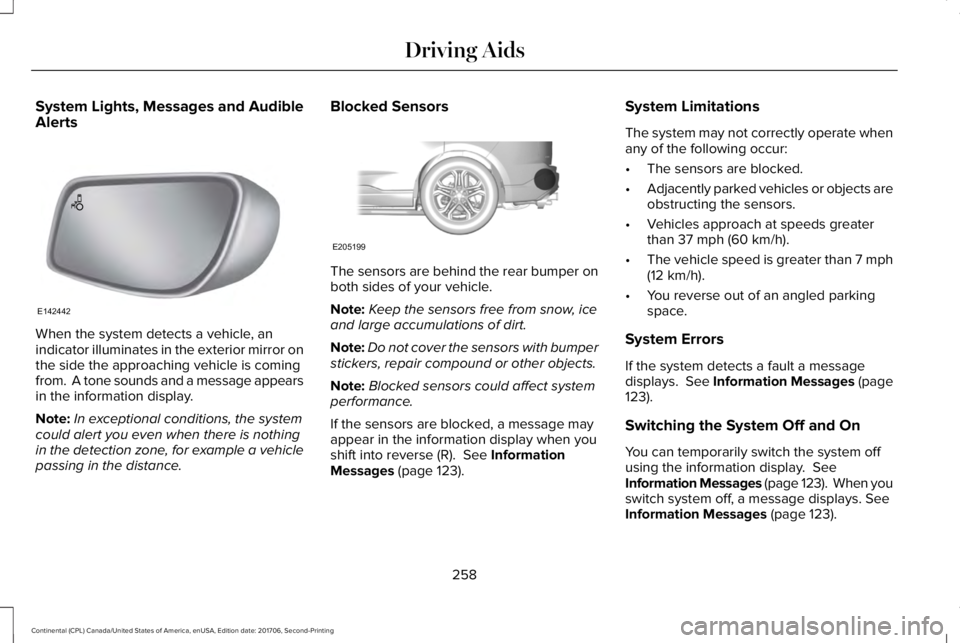
When the system detects a vehicle, anindicator illuminates in the exterior mirror onthe side the approaching vehicle is comingfrom. A tone sounds and a message appearsin the information display.
Note:In exceptional conditions, the systemcould alert you even when there is nothingin the detection zone, for example a vehiclepassing in the distance.
Blocked Sensors
The sensors are behind the rear bumper onboth sides of your vehicle.
Note:Keep the sensors free from snow, iceand large accumulations of dirt.
Note:Do not cover the sensors with bumperstickers, repair compound or other objects.
Note:Blocked sensors could affect systemperformance.
If the sensors are blocked, a message mayappear in the information display when youshift into reverse (R). See InformationMessages (page 123).
System Limitations
The system may not correctly operate whenany of the following occur:
•The sensors are blocked.
•Adjacently parked vehicles or objects areobstructing the sensors.
•Vehicles approach at speeds greaterthan 37 mph (60 km/h).
•The vehicle speed is greater than 7 mph(12 km/h).
•You reverse out of an angled parkingspace.
System Errors
If the system detects a fault a messagedisplays. See Information Messages (page123).
Switching the System Off and On
You can temporarily switch the system offusing the information display. SeeInformation Messages (page 123). When youswitch system off, a message displays. SeeInformation Messages (page 123).
258
Continental (CPL) Canada/United States of America, enUSA, Edition date: 201706, Second-Printing
Driving AidsE142442 E205199
Page 264 of 615
WARNING: The system may fail oroperate with reduced function during coldand severe weather conditions. Snow, ice,rain, spray and fog can adversely affect thesystem. Keep the front camera and radar freeof snow and ice. Failure to take care mayresult in the loss of control of your vehicle,serious personal injury or death.
WARNING: In situations where thevehicle camera has limited detectioncapability, this may reduce systemperformance. These situations include butare not limited to direct or low sunlight,vehicles at night without tail lights,unconventional vehicle types, pedestrianswith complex backgrounds, runningpedestrians, partly obscured pedestrians, orpedestrians that the system cannotdistinguish from a group. Failure to take caremay result in the loss of control of yourvehicle, serious personal injury or death.
WARNING: The system cannot helpprevent all crashes. Do not rely on thissystem to replace driver judgment and theneed to maintain a safe distance and speed.
Using the Pre-Collision Assist System
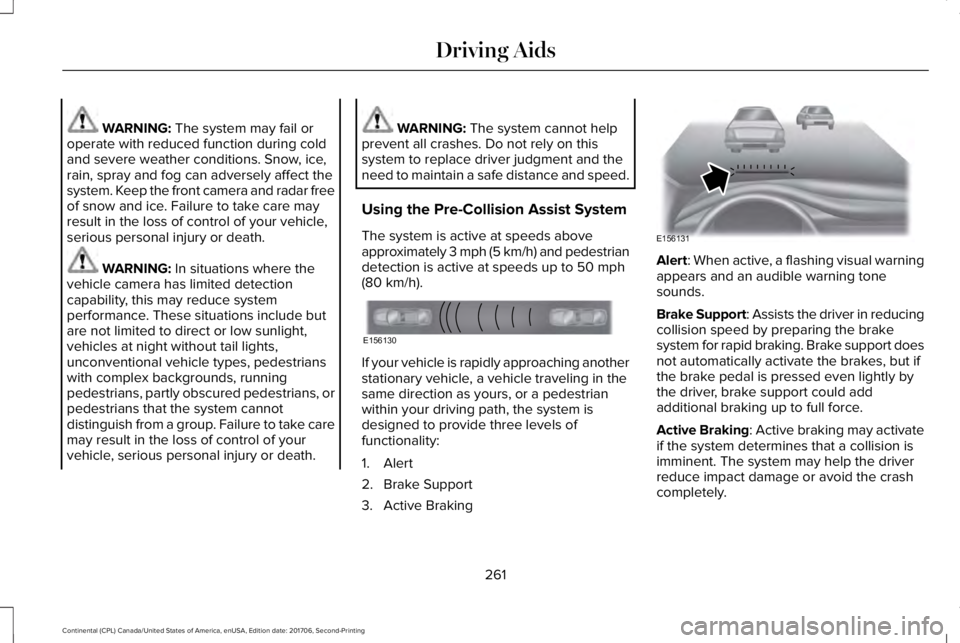
The system is active at speeds aboveapproximately 3 mph (5 km/h) and pedestriandetection is active at speeds up to 50 mph(80 km/h).
If your vehicle is rapidly approaching anotherstationary vehicle, a vehicle traveling in thesame direction as yours, or a pedestrianwithin your driving path, the system isdesigned to provide three levels offunctionality:
1. Alert
2. Brake Support
3. Active Braking
Alert: When active, a flashing visual warningappears and an audible warning tonesounds.
Brake Support: Assists the driver in reducingcollision speed by preparing the brakesystem for rapid braking. Brake support doesnot automatically activate the brakes, but ifthe brake pedal is pressed even lightly bythe driver, brake support could addadditional braking up to full force.
Active Braking: Active braking may activateif the system determines that a collision isimminent. The system may help the driverreduce impact damage or avoid the crashcompletely.
261
Continental (CPL) Canada/United States of America, enUSA, Edition date: 201706, Second-Printing
Driving AidsE156130 E156131
Page 274 of 615
TOWING A TRAILER
WARNING: Do not exceed theGVWR or the GAWR specified on thecertification label.
WARNING: Towing trailers beyondthe maximum recommended grosstrailer weight exceeds the limit of yourvehicle and could result in enginedamage, transmission damage,structural damage, loss of vehiclecontrol, vehicle rollover and personalinjury.
Note:There may be electrical itemssuch as fuses or relays that can affecttrailer towing operation. See Fuses(page 294).
The load capacity of your vehicle isdesignated by weight not volume. Youmay not necessarily be able to use allavailable space when loading yourvehicle or trailer.
Towing a trailer places extra load on theengine, transmission, axle, brakes, tires,and suspension. Inspect thesecomponents before, during and aftertowing.
Load Placement
To help minimize how trailer movementaffects the vehicle when driving:
•Load the heaviest items closest tothe trailer floor.
•Load the heaviest items in the centerof the left and right side trailer tires.
•Load the heaviest items above thetrailer axles or just slightly forwardtoward the trailer tongue. Do notallow the final trailer tongue weightto go above or below 10-15% of theloaded trailer weight.
•Select a ball mount with the correctrise or drop. When both the loadedvehicle and trailer are connected, thetrailer frame should be level, orslightly angled down toward thevehicle, when viewed from the side.
When driving with a trailer or payload, aslight takeoff vibration or shudder maybe present due to the increased payloadweight. Additional information regardingproper trailer loading and setting yourvehicle up for towing is located in theLoad Carrying chapter. See Load Limit(page 266).
You can also find information in the RV& Trailer Towing Guide available at yourauthorized dealer, or online.
271
Continental (CPL) Canada/United States of America, enUSA, Edition date: 201706, Second-Printing
Towing
Page 277 of 615
Trailer lamps are required on most towedvehicles. Make sure all running lights, brakelights, turn signals and hazard lights areworking.
Before Towing a Trailer
Practice turning, stopping and backing up toget the feel of your vehicle-trailercombination before starting on a trip. Whenturning, make wider turns so the trailerwheels clear curbs and other obstacles.
When Towing a Trailer
•Do not drive faster than 70 mph(113 km/h) during the first 500 mi(800 km).
•Do not make full-throttle starts.
•Check your hitch, electrical connectionsand trailer wheel lug nuts thoroughly afteryou have traveled 50 mi (80 km).
•When stopped in congested or heavytraffic during hot weather, place thetransmission in park (P) to aid engine andtransmission cooling and to help A/Cperformance.
•Turn off the speed control with heavyloads or in hilly terrain. The speed controlmay turn off automatically when you aretowing on long, steep grades.
•Shift to a lower gear when driving downa long or steep hill. Do not apply thebrakes continuously, as they mayoverheat and become less effective.
•If your transmission is equipped with aGrade Assist or Tow/Haul feature, usethis feature when towing. This providesengine braking and helps eliminateexcessive transmission shifting foroptimum fuel economy and transmissioncooling.
•Allow more distance for stopping with atrailer attached. Anticipate stops andbrake gradually.
•Avoid parking on a grade. However, ifyou must park on a grade:
1. Turn the steering wheel to point yourvehicle tires away from traffic flow.
2. Set your vehicle parking brake.
3. Place the transmission in park (P).
4. Place wheel chocks in front and back ofthe trailer wheels. Chocks are notincluded with your vehicle.
Launching or Retrieving a Boat orPersonal Watercraft (PWC)
Note:Disconnect the wiring to the trailerbefore backing the trailer into the water.
Note:Reconnect the wiring to the trailerafter removing the trailer from the water.
When backing down a ramp during boatlaunching or retrieval:
•Do not allow the static water level to riseabove the bottom edge of the rearbumper.
•Do not allow waves to break higher than6 in (15 cm) above the bottom edge ofthe rear bumper.
Exceeding these limits may allow water toenter vehicle components:
•Causing internal damage to thecomponents.
•Affecting driveability, emissions, andreliability.
274
Continental (CPL) Canada/United States of America, enUSA, Edition date: 201706, Second-Printing
Towing
Page 279 of 615
BREAKING-IN
You need to break in new tires forapproximately 300 mi (480 km). During thistime, your vehicle may exhibit some unusualdriving characteristics.
Avoid driving too fast during the first 1,000 mi(1,600 km). Vary your speed frequently andchange up through the gears early. Do notlabor the engine.
Do not tow during the first 1,000 mi(1,600 km).
ECONOMICAL DRIVING
Fuel economy is affected by several thingssuch as how you drive, the conditions youdrive under and how you maintain yourvehicle.
There are some things to keep in mind thatmay improve your fuel economy:
•Accelerate and slow down in a smooth,moderate fashion.
•Drive at steady speeds.
•Anticipate stops; slowing down mayeliminate the need to stop.
•Combine errands and minimizestop-and-go driving (When runningerrands, go to the furthest destinationfirst and then work your way back home).
•Close the windows for high-speeddriving.
•Drive at reasonable speeds.
•Keep the tires properly inflated and useonly the recommended size.
•Use the recommended engine oil.
•Perform all regularly scheduledmaintenance.
There are also some things you may want toavoid doing because they reduce your fueleconomy:
•Avoid sudden or hard accelerations.
•Avoid revving the engine before turningoff the car.
•Avoid long idle periods.
•Do not warm up your vehicle on coldmornings.
•Reduce the use of air conditioning andheat.
•Avoid using speed control in hilly terrain.
•Do not rest your foot on the brake pedalwhile driving.
•Avoid carrying unnecessary weight.
•Avoid adding particular accessories toyour vehicle (e.g. bug deflectors,rollbars/light bars, running boards, skiracks).
•Avoid driving with the wheels out ofalignment.
DRIVING THROUGH WATER
WARNING: Do not drive throughflowing or deep water as you may losecontrol of your vehicle.
Note:Driving through standing water cancause vehicle damage.
Note:Engine damage can occur if waterenters the air filter.
276
Continental (CPL) Canada/United States of America, enUSA, Edition date: 201706, Second-Printing
Driving Hints
Page 280 of 615
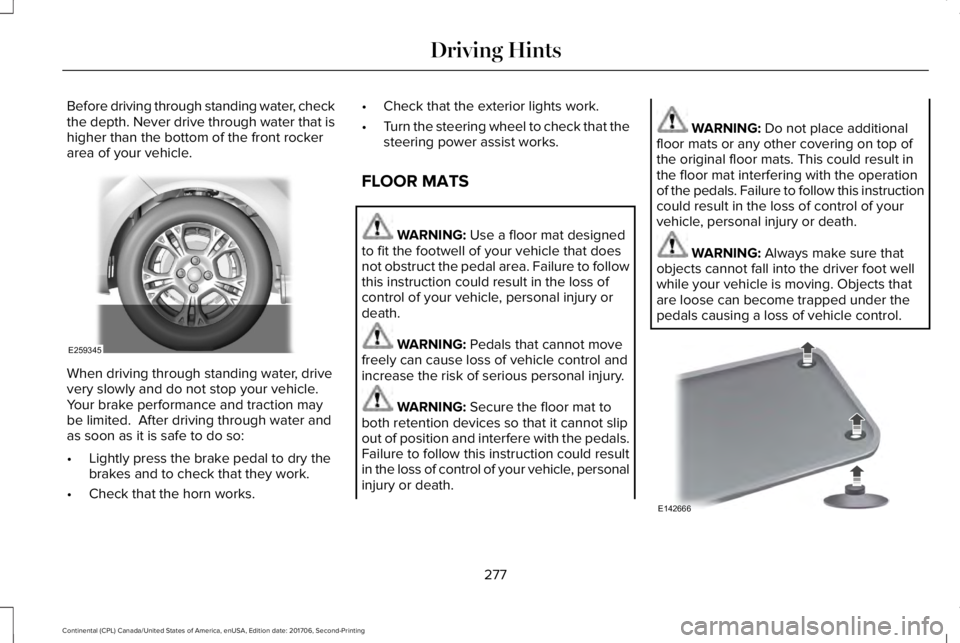
Before driving through standing water, checkthe depth. Never drive through water that ishigher than the bottom of the front rockerarea of your vehicle.
When driving through standing water, drivevery slowly and do not stop your vehicle. Your brake performance and traction maybe limited. After driving through water andas soon as it is safe to do so:
•Lightly press the brake pedal to dry thebrakes and to check that they work.
•Check that the horn works.
•Check that the exterior lights work.
•Turn the steering wheel to check that thesteering power assist works.
FLOOR MATS
WARNING: Use a floor mat designedto fit the footwell of your vehicle that doesnot obstruct the pedal area. Failure to followthis instruction could result in the loss ofcontrol of your vehicle, personal injury ordeath.
WARNING: Pedals that cannot movefreely can cause loss of vehicle control andincrease the risk of serious personal injury.
WARNING: Secure the floor mat toboth retention devices so that it cannot slipout of position and interfere with the pedals.Failure to follow this instruction could resultin the loss of control of your vehicle, personalinjury or death.
WARNING: Do not place additionalfloor mats or any other covering on top ofthe original floor mats. This could result inthe floor mat interfering with the operationof the pedals. Failure to follow this instructioncould result in the loss of control of yourvehicle, personal injury or death.
WARNING: Always make sure thatobjects cannot fall into the driver foot wellwhile your vehicle is moving. Objects thatare loose can become trapped under thepedals causing a loss of vehicle control.
277
Continental (CPL) Canada/United States of America, enUSA, Edition date: 201706, Second-Printing
Driving HintsE259345 E142666
Page 284 of 615
Note: When you try to restart your vehicleafter a fuel shutoff, the vehicle makes surethat various systems are safe to restart. Once the vehicle determines the systemsare safe, then the vehicle allows you torestart.
Note: In the event that your vehicle doesnot restart after your third attempt, contacta qualified technician.
The fuel pump shutoff stops the flow of fuelto the engine in the event of a moderate tosevere crash. Not every impact causes ashutoff.
Should your vehicle shut off after a crash,you may restart your vehicle.
1. Press START/STOP to switch off yourvehicle.
2.Press the brake pedal and START/STOPto switch on your vehicle.
3. Remove your foot from the brake pedaland press START/STOP to switch offyour vehicle.
4. You can attempt to start the vehicle bypressing the brake pedal andSTART/STOP, or press START/STOPwithout pressing the brake pedal.
JUMP STARTING THE VEHICLE
WARNING: Batteries normally produceexplosive gases which can cause personalinjury. Therefore, do not allow flames, sparksor lighted substances to come near thebattery. When working near the battery,always shield your face and protect youreyes. Always provide correct ventilation.
WARNING: Keep batteries out of reachof children. Batteries contain sulfuric acid.Avoid contact with skin, eyes or clothing.Shield your eyes when working near thebattery to protect against possible splashingof acid solution. In case of acid contact withskin or eyes, flush immediately with waterfor a minimum of 15 minutes and get promptmedical attention. If acid is swallowed, call aphysician immediately.
WARNING: Use only adequately sizedcables with insulated clamps.
Preparing Your Vehicle
Do not attempt to push-start your automatictransmission vehicle.
Note:Attempting to push-start a vehicle withan automatic transmission may causetransmission damage.
Note:Use only a 12-volt supply to start yourvehicle.
281
Continental (CPL) Canada/United States of America, enUSA, Edition date: 201706, Second-Printing
Roadside Emergencies
Page 315 of 615
GENERAL INFORMATION
Have your vehicle serviced regularly to helpmaintain its roadworthiness and resale value.There is a large network of authorizeddealers that are there to help you with theirprofessional servicing expertise. We believethat their specially trained technicians arebest qualified to service your vehicle properlyand expertly. They are supported by a widerange of highly specialized tools developedspecifically for servicing your vehicle.
If your vehicle requires professional service,an authorized dealer can provide thenecessary parts and service. Check yourwarranty information to find out which partsand services are covered.
Use only recommended fuels, lubricants,fluids and service parts conforming tospecifications. Motorcraft® parts aredesigned and built to provide the bestperformance in your vehicle.
Precautions
•Do not work on a hot engine.
•Make sure that nothing gets caught inmoving parts.
•Do not work on a vehicle with the enginerunning in an enclosed space, unless youare sure you have enough ventilation.
•Keep all open flames and other burningmaterial (such as cigarettes) away fromthe battery and all fuel related parts.
Working with the Engine Off
1. Set the parking brake and shift thetransmission to park (P).
2. Switch off the engine.
3. Block the wheels.
Working with the Engine On
WARNING: To reduce the risk ofvehicle damage and personal burn injuries,do not start your engine with the air cleanerremoved and do not remove it while theengine is running.
1. Set the parking brake and shift thetransmission to park (P).
2. Block the wheels.
OPENING AND CLOSING THE
HOOD
Opening the Hood
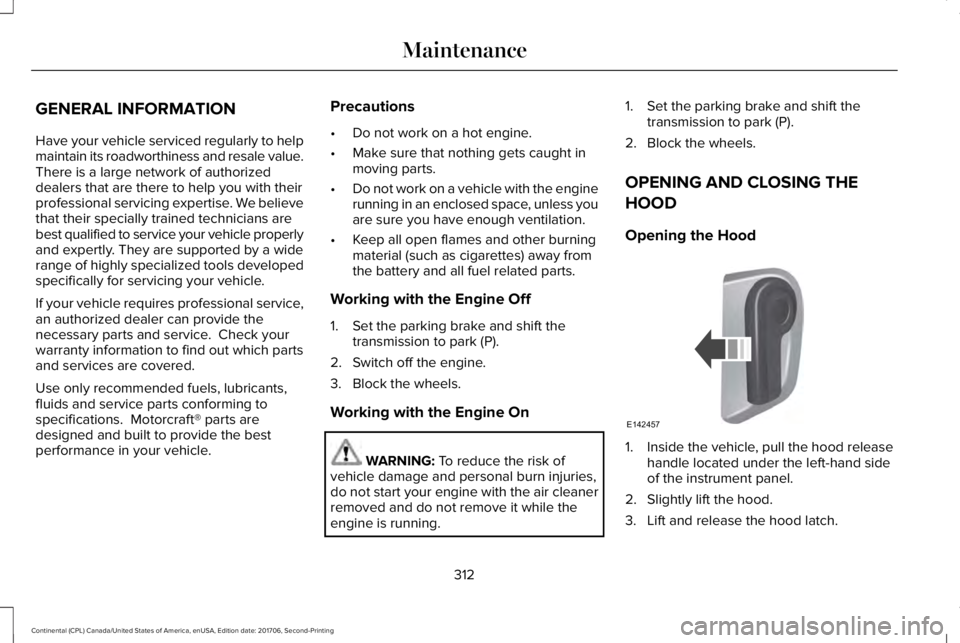
1. Inside the vehicle, pull the hood releasehandle located under the left-hand sideof the instrument panel.
2. Slightly lift the hood.
3. Lift and release the hood latch.
312
Continental (CPL) Canada/United States of America, enUSA, Edition date: 201706, Second-Printing
MaintenanceE142457