horn LINCOLN CORSAIR 2020 Owners Manual
[x] Cancel search | Manufacturer: LINCOLN, Model Year: 2020, Model line: CORSAIR, Model: LINCOLN CORSAIR 2020Pages: 591, PDF Size: 6 MB
Page 5 of 591
Phone as a Key – Troubleshooting
...........68
MyKey™
Principle of Operation ..................................
70
Creating a MyKey ............................................
71
Clearing All MyKeys ......................................
72
Checking MyKey System Status ................
72
Using MyKey With Remote Start Systems ........................................................................\
.
73
MyKey – Troubleshooting ............................
73
Doors and Locks
Locking and Unlocking .................................
75
Keyless Entry ...................................................
79
Liftgate
Power Liftgate ................................................
82
Security
Passive Anti-Theft System ...........................
87
Anti-Theft Alarm .............................................
88Steering Wheel
Adjusting the Steering Wheel - Vehicles
With: Manual Adjustable Steering
Column .........................................................
90
Adjusting the Steering Wheel - Vehicles With: Power Adjustable Steering Column
........................................................................\
90
Audio Control .................................................
92
Voice Control ..................................................
92
Cruise Control - Vehicles With: Adaptive Cruise Control With Lane Centering
........................................................................\
92
Cruise Control - Vehicles With: Cruise Control .........................................................
93
Information Display Control ........................
94
Heated Steering Wheel ...............................
94
Horn ..................................................................
94
Wipers and Washers
Windshield Wipers ........................................
95
Autowipers ......................................................
96
Windshield Washers ......................................
97
Rear Window Wiper and Washers .............
97Lighting
General Information
......................................
98
Lighting Control .............................................
98
Autolamps .......................................................
99
Instrument Lighting Dimmer .......................
99
Headlamp Exit Delay ..................................
100
Daytime Running Lamps - Vehicles With: Configurable Daytime Running Lamps
.......................................................................
100
Daytime Running Lamps - Vehicles With: Daytime Running Lamps (DRL) ............
100
Front Fog Lamps ..........................................
100
Adaptive Headlamps ...................................
101
Direction Indicators .....................................
103
Welcome Lighting ........................................
103
Interior Lamps ...............................................
104
Ambient Lighting ..........................................
104
Automatic High Beam Control
What Is Automatic High Beam Control .......................................................................
106
Switching Automatic High Beam Control On and Off .................................................
106
2
Corsair (CTF) Canada/United States of America, enUSA, Edition date: 201906, Second-Printing Table of Contents
Page 14 of 591
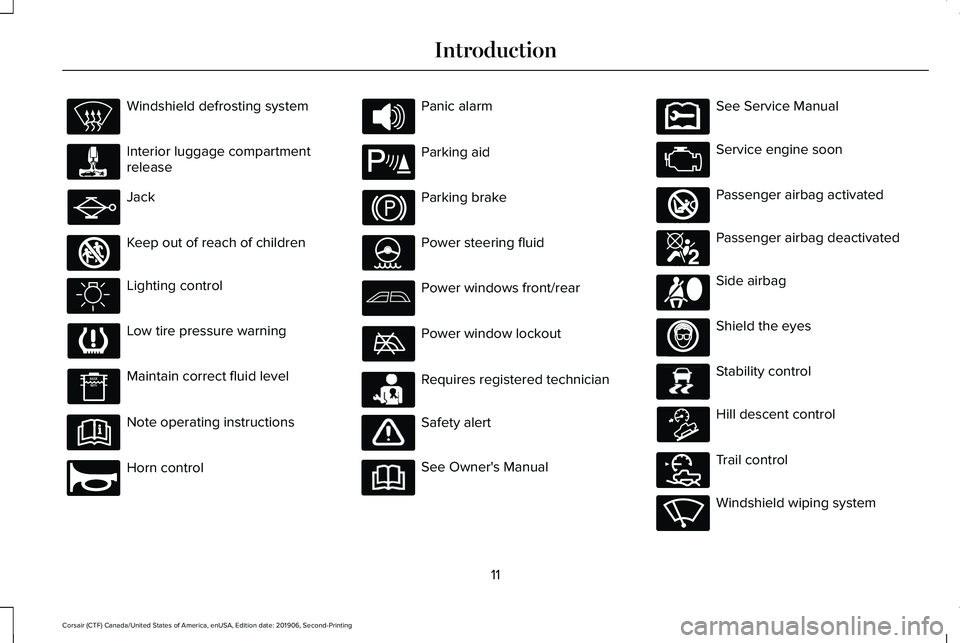
Windshield defrosting system
Interior luggage compartment
release
Jack
Keep out of reach of children
Lighting control
Low tire pressure warning
Maintain correct fluid level
Note operating instructions
Horn control Panic alarm
Parking aid
Parking brake
Power steering fluid
Power windows front/rear
Power window lockout
Requires registered technician
Safety alert
See Owner's Manual See Service Manual
Service engine soon
Passenger airbag activated
Passenger airbag deactivated
Side airbag
Shield the eyes
Stability control
Hill descent control
Trail control
Windshield wiping system
11
Corsair (CTF) Canada/United States of America, enUSA, Edition date: 201906, Second-Printing Introduction E161353 E270945 E139213 E231159 E231158 E270849 E270850 E167012 E138639 E163957 E272858 E270969
Page 25 of 591
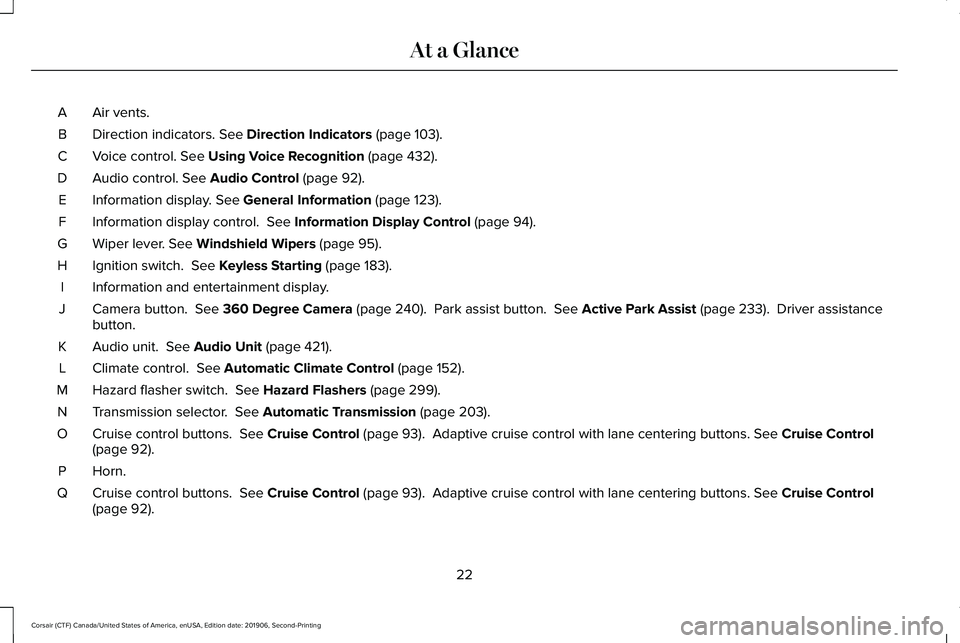
Air vents.
A
Direction indicators. See Direction Indicators (page 103).
B
Voice control.
See Using Voice Recognition (page 432).
C
Audio control.
See Audio Control (page 92).
D
Information display.
See General Information (page 123).
E
Information display control.
See Information Display Control (page 94).
F
Wiper lever.
See Windshield Wipers (page 95).
G
Ignition switch.
See Keyless Starting (page 183).
H
Information and entertainment display.
I
Camera button.
See 360 Degree Camera (page 240). Park assist button. See Active Park Assist (page 233). Driver assistance
button.
J
Audio unit.
See Audio Unit (page 421).
K
Climate control.
See Automatic Climate Control (page 152).
L
Hazard flasher switch.
See Hazard Flashers (page 299).
M
Transmission selector.
See Automatic Transmission (page 203).
N
Cruise control buttons.
See Cruise Control (page 93). Adaptive cruise control with lane centering buttons. See Cruise Control
(page 92).
O
Horn.P
Cruise control buttons.
See Cruise Control (page 93). Adaptive cruise control with lane centering buttons. See Cruise Control
(page 92).
Q
22
Corsair (CTF) Canada/United States of America, enUSA, Edition date: 201906, Second-Printing At a Glance
Page 68 of 591
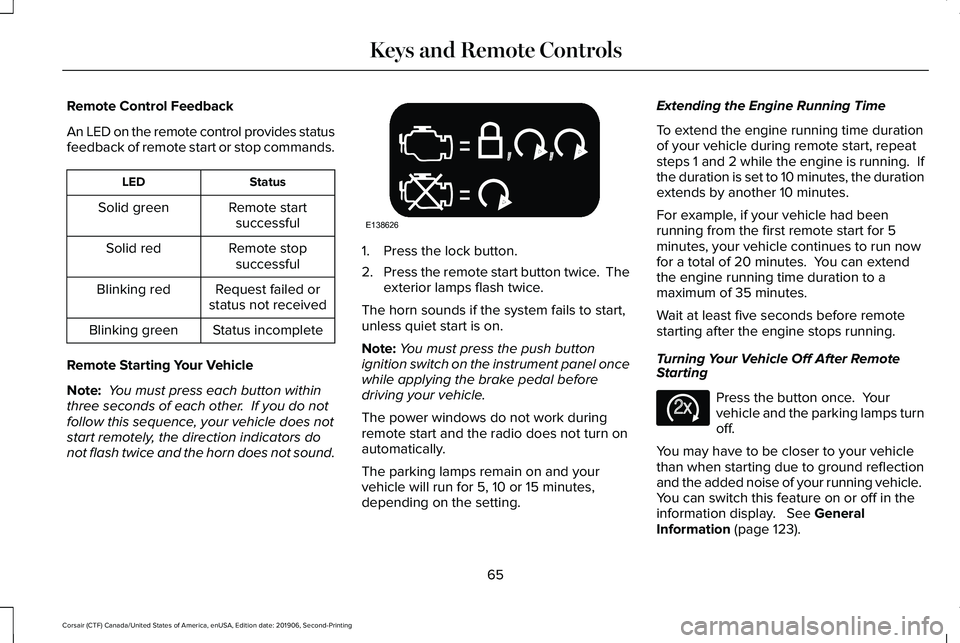
Remote Control Feedback
An LED on the remote control provides status
feedback of remote start or stop commands.
Status
LED
Remote startsuccessful
Solid green
Remote stopsuccessful
Solid red
Request failed or
status not received
Blinking red
Status incomplete
Blinking green
Remote Starting Your Vehicle
Note: You must press each button within
three seconds of each other. If you do not
follow this sequence, your vehicle does not
start remotely, the direction indicators do
not flash twice and the horn does not sound. 1. Press the lock button.
2.
Press the remote start button twice. The
exterior lamps flash twice.
The horn sounds if the system fails to start,
unless quiet start is on.
Note: You must press the push button
ignition switch on the instrument panel once
while applying the brake pedal before
driving your vehicle.
The power windows do not work during
remote start and the radio does not turn on
automatically.
The parking lamps remain on and your
vehicle will run for 5, 10 or 15 minutes,
depending on the setting. Extending the Engine Running Time
To extend the engine running time duration
of your vehicle during remote start, repeat
steps 1 and 2 while the engine is running. If
the duration is set to 10 minutes, the duration
extends by another 10 minutes.
For example, if your vehicle had been
running from the first remote start for 5
minutes, your vehicle continues to run now
for a total of 20 minutes. You can extend
the engine running time duration to a
maximum of 35 minutes.
Wait at least five seconds before remote
starting after the engine stops running.
Turning Your Vehicle Off After Remote
Starting
Press the button once. Your
vehicle and the parking lamps turn
off.
You may have to be closer to your vehicle
than when starting due to ground reflection
and the added noise of your running vehicle.
You can switch this feature on or off in the
information display. See General
Information (page 123).
65
Corsair (CTF) Canada/United States of America, enUSA, Edition date: 201906, Second-Printing Keys and Remote ControlsE138626 E138625
Page 91 of 591
Make sure that the ignition is switched off
before beginning this procedure. Make sure
that you close all the doors before beginning
and that they remain closed throughout the
procedure. Carry out all steps within 30
seconds of starting the sequence. Stop and
wait for at least one minute before starting
again if you carry out any steps out of
sequence.
Read and understand the entire procedure
before you begin.
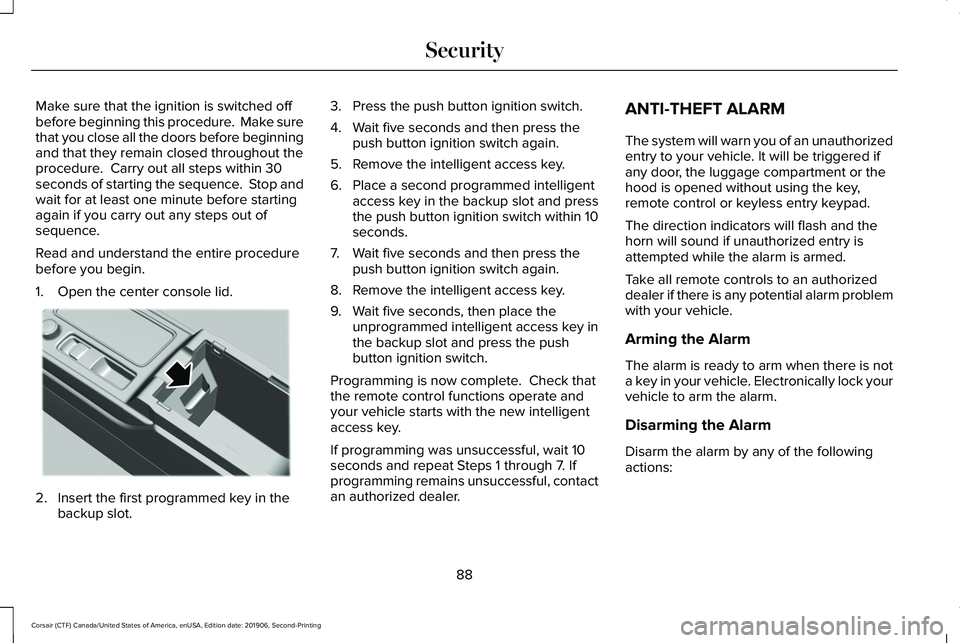
1. Open the center console lid.
2. Insert the first programmed key in the
backup slot. 3. Press the push button ignition switch.
4. Wait five seconds and then press the
push button ignition switch again.
5. Remove the intelligent access key.
6. Place a second programmed intelligent access key in the backup slot and press
the push button ignition switch within 10
seconds.
7. Wait five seconds and then press the push button ignition switch again.
8. Remove the intelligent access key.
9. Wait five seconds, then place the unprogrammed intelligent access key in
the backup slot and press the push
button ignition switch.
Programming is now complete. Check that
the remote control functions operate and
your vehicle starts with the new intelligent
access key.
If programming was unsuccessful, wait 10
seconds and repeat Steps 1 through 7. If
programming remains unsuccessful, contact
an authorized dealer. ANTI-THEFT ALARM
The system will warn you of an unauthorized
entry to your vehicle. It will be triggered if
any door, the luggage compartment or the
hood is opened without using the key,
remote control or keyless entry keypad.
The direction indicators will flash and the
horn will sound if unauthorized entry is
attempted while the alarm is armed.
Take all remote controls to an authorized
dealer if there is any potential alarm problem
with your vehicle.
Arming the Alarm
The alarm is ready to arm when there is not
a key in your vehicle. Electronically lock your
vehicle to arm the alarm.
Disarming the Alarm
Disarm the alarm by any of the following
actions:
88
Corsair (CTF) Canada/United States of America, enUSA, Edition date: 201906, Second-Printing SecurityE306288
Page 92 of 591
•
Unlock the doors or luggage
compartment with the remote control or
keyless entry keypad.
• Switch your vehicle on or start your
vehicle.
• Use a key in the driver door to unlock
your vehicle, then switch your vehicle on
within 12 seconds.
Note: Pressing the panic button on the
remote control will stop the horn and signal
indicators, but will not disarm the system.
89
Corsair (CTF) Canada/United States of America, enUSA, Edition date: 201906, Second-Printing Security
Page 97 of 591
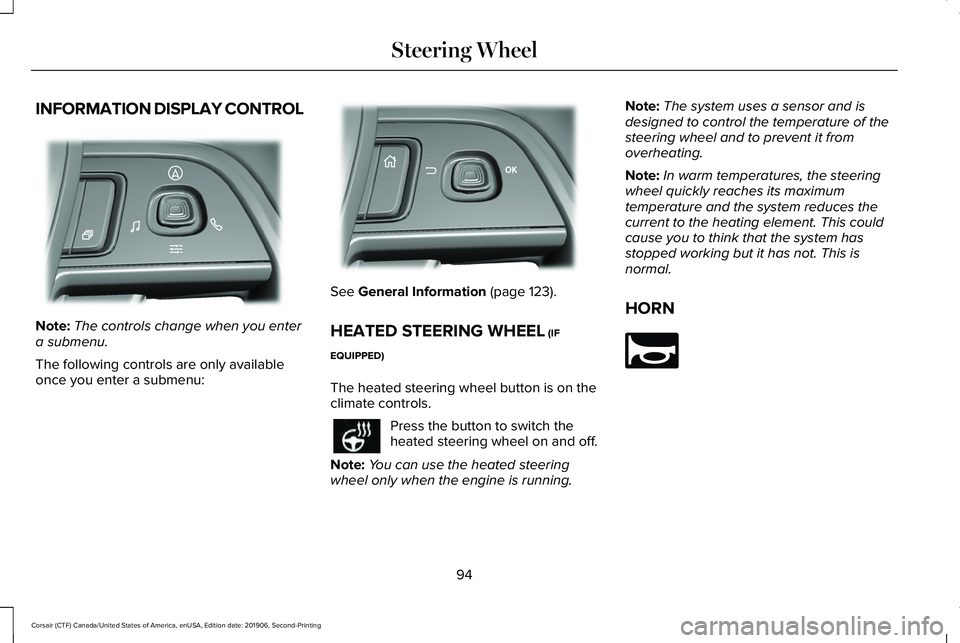
INFORMATION DISPLAY CONTROL
Note:
The controls change when you enter
a submenu.
The following controls are only available
once you enter a submenu: See General Information (page 123).
HEATED STEERING WHEEL
(IF
EQUIPPED)
The heated steering wheel button is on the
climate controls. Press the button to switch the
heated steering wheel on and off.
Note: You can use the heated steering
wheel only when the engine is running. Note:
The system uses a sensor and is
designed to control the temperature of the
steering wheel and to prevent it from
overheating.
Note: In warm temperatures, the steering
wheel quickly reaches its maximum
temperature and the system reduces the
current to the heating element. This could
cause you to think that the system has
stopped working but it has not. This is
normal.
HORN 94
Corsair (CTF) Canada/United States of America, enUSA, Edition date: 201906, Second-Printing Steering WheelE281220 E299701 E270945
Page 125 of 591
If it flashes, engine misfire may be occurring.
Continuing to drive your vehicle may cause
reduced power or the engine to stop. Failure
to respond to the warning lamp may cause
component damage not covered by the
vehicle Warranty. Have your vehicle
checked as soon as possible.
Stability Control
It flashes when the system is
active. If it remains illuminated or
does not illuminate when you
switch the ignition on, this indicates a system
error. During a system error the system
switches off. Have the system checked by
an authorized dealer immediately. See
Using Stability Control (page 226).
Stability Control Off Illuminates when you switch the
system off. It goes out when you
switch the system back on or when
you switch the ignition off.
See Using
Stability Control (page 226). Stop Safely Now Illuminates if your vehicle has an
electrical component fault or failure
that will cause your vehicle to
shutdown or enter into a limited operating
mode. You may also see a message.
Tow Haul Indicator
(If Equipped) Illuminates when the system
switches on.
AUDIBLE WARNINGS AND
INDICATORS
Keyless Warning Alert
The horn will sound twice when you exit your
vehicle with the intelligent access key and
your vehicle is in RUN, indicating your vehicle
is still on. Headlamps On Warning Chime
Sounds when you have left the headlamps
or parking lamps on and open the driver door
with the vehicle off.
Parking Brake On Warning Chime
Sounds when you have left the parking brake
on and drive your vehicle. If the warning
chime remains on after you have released
the parking brake, have the system checked
by your authorized dealer immediately.
122
Corsair (CTF) Canada/United States of America, enUSA, Edition date: 201906, Second-Printing Instrument ClusterE138639 E130458 E144693 E246592
Page 299 of 591
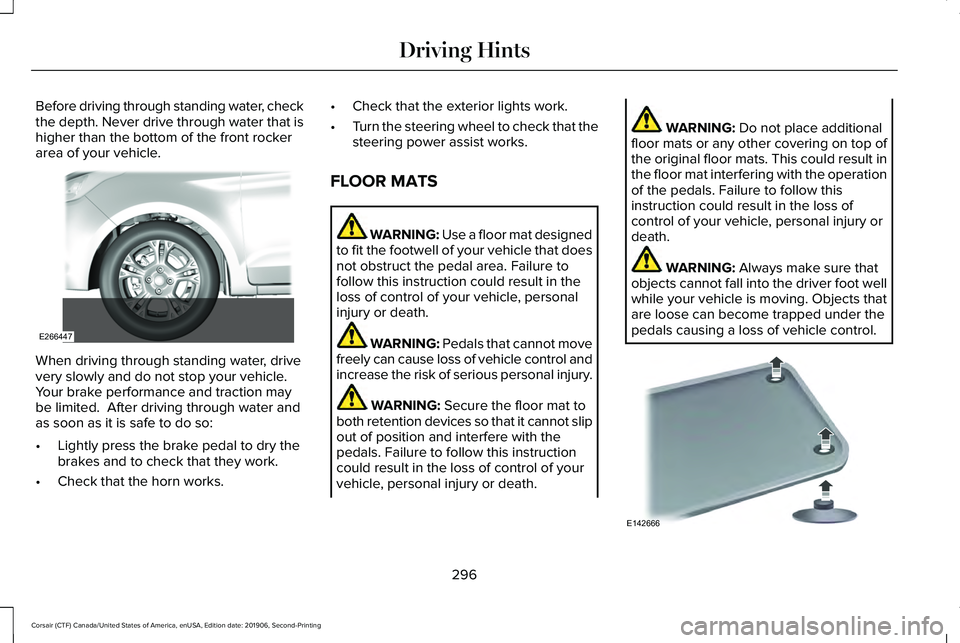
Before driving through standing water, check
the depth. Never drive through water that is
higher than the bottom of the front rocker
area of your vehicle.
When driving through standing water, drive
very slowly and do not stop your vehicle.
Your brake performance and traction may
be limited. After driving through water and
as soon as it is safe to do so:
•
Lightly press the brake pedal to dry the
brakes and to check that they work.
• Check that the horn works. •
Check that the exterior lights work.
• Turn the steering wheel to check that the
steering power assist works.
FLOOR MATS WARNING: Use a floor mat designed
to fit the footwell of your vehicle that does
not obstruct the pedal area. Failure to
follow this instruction could result in the
loss of control of your vehicle, personal
injury or death. WARNING:
Pedals that cannot move
freely can cause loss of vehicle control and
increase the risk of serious personal injury. WARNING:
Secure the floor mat to
both retention devices so that it cannot slip
out of position and interfere with the
pedals. Failure to follow this instruction
could result in the loss of control of your
vehicle, personal injury or death. WARNING:
Do not place additional
floor mats or any other covering on top of
the original floor mats. This could result in
the floor mat interfering with the operation
of the pedals. Failure to follow this
instruction could result in the loss of
control of your vehicle, personal injury or
death. WARNING:
Always make sure that
objects cannot fall into the driver foot well
while your vehicle is moving. Objects that
are loose can become trapped under the
pedals causing a loss of vehicle control. 296
Corsair (CTF) Canada/United States of America, enUSA, Edition date: 201906, Second-Printing Driving HintsE266447 E142666
Page 306 of 591
2. Remove the jumper cable on the
negative (-) terminal of the booster
vehicle battery.
3. Remove the jumper cable from the positive (+) terminal of the booster vehicle
battery.
4. Remove the jumper cable from the positive (+) terminal of the disabled
vehicle battery.
5. Allow the engine to idle for at least one minute.
POST-CRASH ALERT SYSTEM
The system flashes the direction indicators
and sounds the horn (intermittently) in the
event of a serious impact that deploys an
airbag (front, side, side curtain or Safety
Canopy) or the seatbelt pretensioners.
The horn and indicators turn off when:
• You press the hazard control button.
• You press the panic button on the remote
entry transmitter (if equipped). •
Your vehicle runs out of power.
• Sounding of the horn is only enabled in
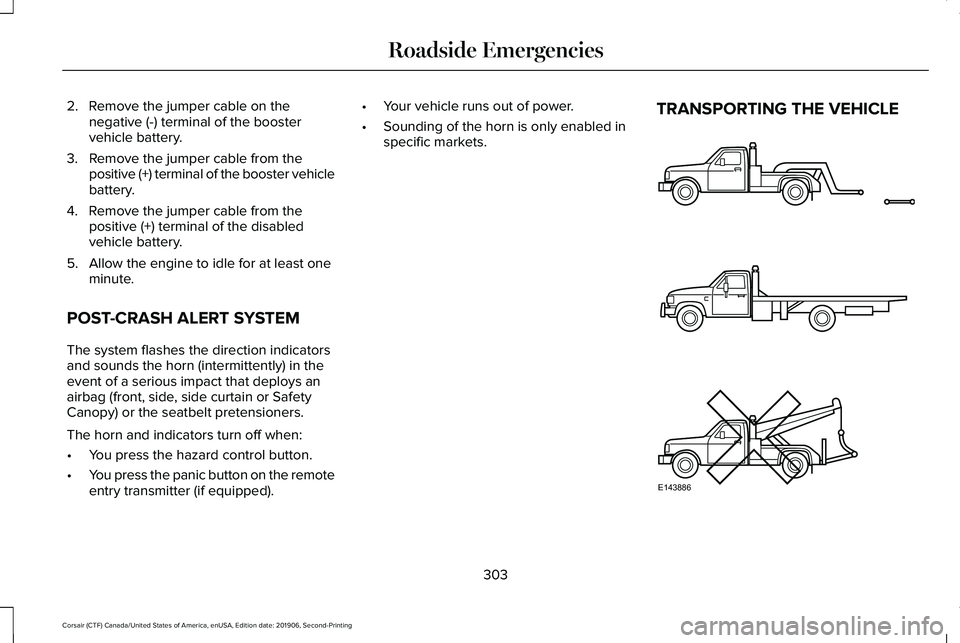
specific markets. TRANSPORTING THE VEHICLE
303
Corsair (CTF) Canada/United States of America, enUSA, Edition date: 201906, Second-Printing Roadside EmergenciesE143886