warning LINCOLN CORSAIR 2021 Owners Manual
[x] Cancel search | Manufacturer: LINCOLN, Model Year: 2021, Model line: CORSAIR, Model: LINCOLN CORSAIR 2021Pages: 638, PDF Size: 5.7 MB
Page 229 of 638
WARNING: Do not allow charging
equipment to be immersed in water or
liquids. Failure to follow this warning could
result in fire, serious personal injury or
death. WARNING:
Do not attempt to open
the charging equipment. Failure to follow
this instruction could result in personal
injury, death or property damage. WARNING:
Do not use the charging
equipment if it is faulty or has been
damaged. Failure to follow this instruction
could result in personal injury, death or
property damage. WARNING: You risk death or serious
injury to yourself and others if you do not
follow the instruction highlighted by the
warning symbol. Failure to follow the
specific warnings and instructions could
result in personal injury. WARNING:
Install charging
equipment in compliance with local
regulations. Failure to follow this warning
could result in fire, serious personal injury
or death. WARNING:
Do not use an
ungrounded wall outlet. If you suspect that
the wall outlet is not properly grounded,
have a qualified electrician inspect the wall
outlet. Failure to follow this instruction
could result in personal injury or death. WARNING:
Do not modify the
convenience cord plug. If the convenience
cord plug does not properly fit into the wall
outlet, have a qualified electrician install
the correct wall outlet. Failure to follow this
instruction could result in personal injury
or death. OPERATION INSTRUCTIONS
•
Read all the instructions before using this
product.
• Supervise this device when in use around
children.
• Do not put fingers into the electric vehicle
connector.
• Do not use this product if the flexible
power cord or electric vehicle cable has
broken insulation, or any other signs of
damage.
• Do not use this product if the enclosure
or the electric vehicle connector is
broken, cracked, open, or shows any
other indication of damage.
Note: Ground this product. If it malfunctions
or breaks down, grounding provides a path
of least resistance for electric current to
reduce the risk of electric shock. This product
comes with a cord having an equipment
grounding conductor and a grounding plug.
Make sure you plug it into an appropriate
outlet that is properly installed and grounded
in accordance with all local codes and
ordinances.
226
Corsair (CTF) Canada/United States of America, enUSA, Edition date: 202007, First-Printing High Voltage Battery
(If Equipped)
Page 235 of 638
AUTOMATIC TRANSMISSION -
EXCLUDING: PLUG-IN HYBRID
ELECTRIC VEHICLE (PHEV)
WARNING: Always fully apply the
parking brake and make sure you shift into
park (P). Failure to follow this instruction
could result in personal injury or death. WARNING:
When your vehicle is
stationary, keep the brake pedal fully
pressed when shifting gears. Failure to
follow this instruction could result in
personal injury, death or property damage. WARNING:
Do not apply the brake
pedal and accelerator pedal
simultaneously. Applying both pedals
simultaneously for more than a few
seconds will limit engine performance,
which may result in difficulty maintaining
speed in traffic and could lead to serious
injury. Note:
You may not be able to shift out of
park (P) unless the intelligent access key is
inside your vehicle.
Understanding the Shift Positions of
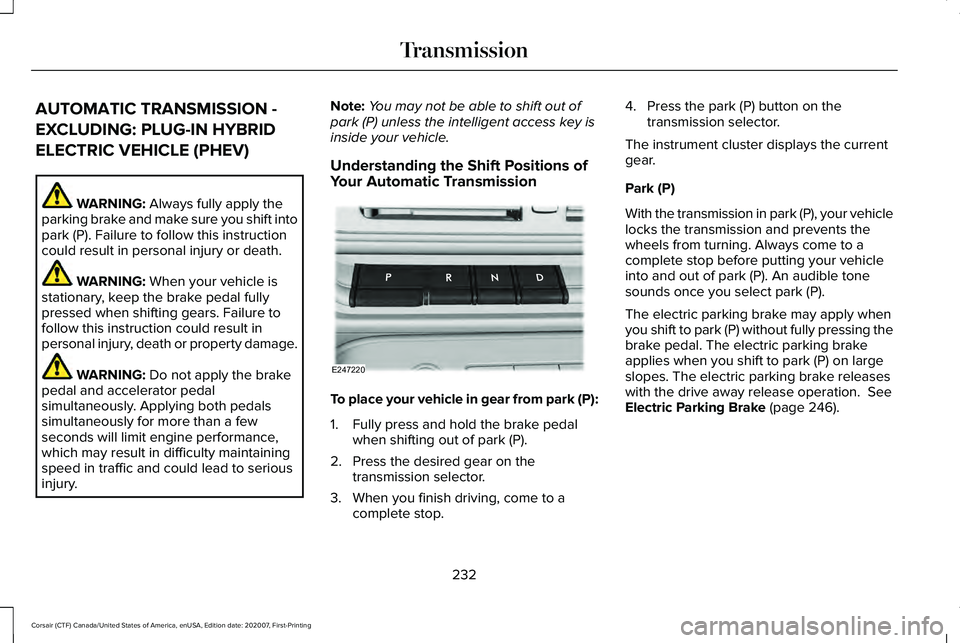
Your Automatic Transmission To place your vehicle in gear from park (P):
1. Fully press and hold the brake pedal
when shifting out of park (P).
2. Press the desired gear on the transmission selector.
3. When you finish driving, come to a complete stop. 4. Press the park (P) button on the
transmission selector.
The instrument cluster displays the current
gear.
Park (P)
With the transmission in park (P), your vehicle
locks the transmission and prevents the
wheels from turning. Always come to a
complete stop before putting your vehicle
into and out of park (P). An audible tone
sounds once you select park (P).
The electric parking brake may apply when
you shift to park (P) without fully pressing the
brake pedal. The electric parking brake
applies when you shift to park (P) on large
slopes. The electric parking brake releases
with the drive away release operation.
See
Electric Parking Brake (page 246).
232
Corsair (CTF) Canada/United States of America, enUSA, Edition date: 202007, First-Printing TransmissionE247220
Page 236 of 638
Automatic Return to Park
The transmission returns to park (P) if any of
the following occur:
•
You switch the ignition off.
• Your seatbelt is not fastened, and you
open the driver door.
• The driver door is open, and you
unfasten your seatbelt.
Note: This feature does not operate if your
vehicle is in Stay in Neutral mode.
Note: If you switch the ignition off when your
vehicle is moving, your vehicle shifts into
neutral (N) until it slows down enough to shift
in park (P).
Note: If you have waited for more than two
minutes before switching the ignition on,
unfastening your seatbelt causes this feature
to activate, even with the driver door closed.
Note: This feature may not work properly if
the door ajar switch is malfunctioning. If your
door ajar indicator does not illuminate when
you open the driver door, or the indicator
illuminates with the driver door closed, see
your authorized dealer. Reverse (R)
With the selector in reverse (R), your vehicle
moves backward. Always come to a
complete stop before shifting into and out
of reverse (R).
Neutral (N)
WARNING: In neutral (N) your vehicle
has the ability to roll freely. If you intend to
leave your vehicle, make sure you apply
the parking brake.
In neutral (N), power does not transmit to the
driven wheels, but the transmission is not
locked. You can start the engine with the
transmission in this position.
Stay in Neutral Mode
Use this feature to keep your vehicle in
neutral (N) when you exit the vehicle. To enter stay in neutral mode:
•
Bring your vehicle to a complete
standstill.
• Press the neutral (N) button on the
transmission selector.
• Press the neutral (N) button again to
enter stay in neutral mode.
Note: Stay in neutral mode is a temporary
vehicle state with the ignition off. Once in
this mode, sufficient battery voltage must be
maintained, or your vehicle returns to park.
Extended usage of stay in neutral mode may
result in a battery voltage reduction to a
level where the vehicle may no longer start,
and the vehicle returns to park (P). Do not
tow your vehicle in this mode.
Note: When entering an automatic car wash,
always shift into neutral (N). If you are exiting
the vehicle by the car wash, stay in neutral
mode is available. Failure to do this could
result in vehicle damage not covered by the
vehicle warranty.
Note: A confirmation message appears in
the information display when your vehicle
enters stay in neutral mode.
233
Corsair (CTF) Canada/United States of America, enUSA, Edition date: 202007, First-Printing Transmission
Page 237 of 638
To exit stay in neutral mode, press the brake
pedal and shift into park (P).
Drive (D)
Drive (D) is the normal driving position for
the best fuel economy.
SelectShift™ Automatic Transmission
About SelectShift™
Use this feature to upshift or downshift using
the paddle shifters.
Note:
SelectShift™ could upshift automatically
if you fully press the accelerator pedal.
Note: Engine damage may occur if you
maintain excessive engine revving without
shifting.
Note: SelectShift™ downshifts automatically
to avoid engine stall, or if you fully press the
accelerator pedal.
Using SelectShift™
You can only use this feature in drive (D). Note:
Selectshift™ in drive (D) provides
temporary manual control of the gear
selection.
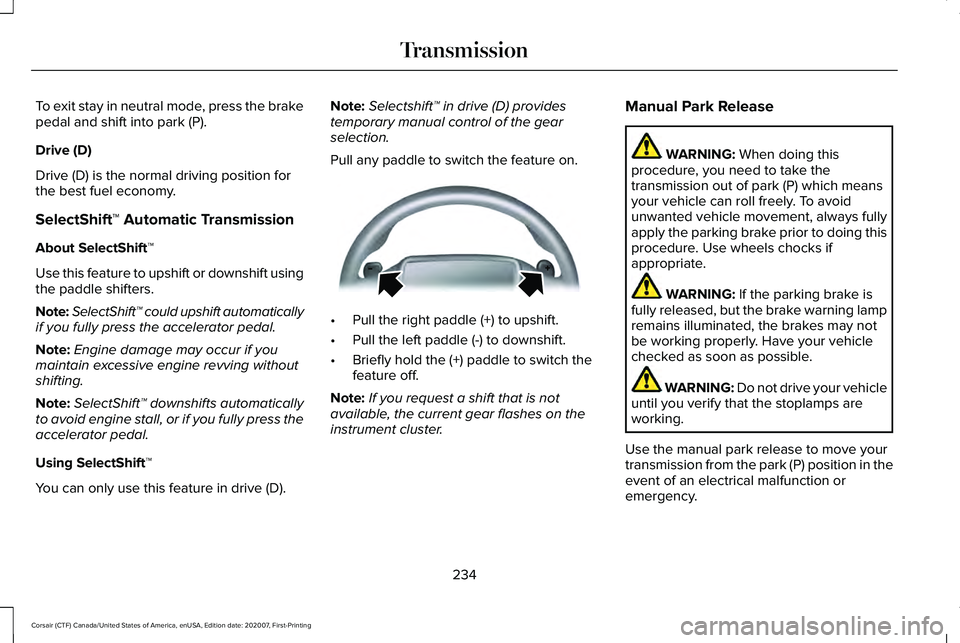
Pull any paddle to switch the feature on. •
Pull the right paddle (+) to upshift.
• Pull the left paddle (-) to downshift.
• Briefly hold the (+) paddle to switch the
feature off.
Note: If you request a shift that is not
available, the current gear flashes on the
instrument cluster. Manual Park Release WARNING: When doing this
procedure, you need to take the
transmission out of park (P) which means
your vehicle can roll freely. To avoid
unwanted vehicle movement, always fully
apply the parking brake prior to doing this
procedure. Use wheels chocks if
appropriate. WARNING:
If the parking brake is
fully released, but the brake warning lamp
remains illuminated, the brakes may not
be working properly. Have your vehicle
checked as soon as possible. WARNING: Do not drive your vehicle
until you verify that the stoplamps are
working.
Use the manual park release to move your
transmission from the park (P) position in the
event of an electrical malfunction or
emergency.
234
Corsair (CTF) Canada/United States of America, enUSA, Edition date: 202007, First-Printing TransmissionE144821
Page 240 of 638
Note:
If your vehicle has SelectShift™, you
can pull away in second gear.
1. Shift into drive (D).
2. Pull the (+) paddle until 2 shows on the instrument cluster.
AUTOMATIC TRANSMISSION -
PLUG-IN HYBRID ELECTRIC
VEHICLE (PHEV) WARNING: Always fully apply the
parking brake and make sure you shift into
park (P). Failure to follow this instruction
could result in personal injury or death. WARNING:
Do not apply the brake
pedal and accelerator pedal
simultaneously. Applying both pedals
simultaneously for more than a few
seconds will limit engine performance,
which may result in difficulty maintaining
speed in traffic and could lead to serious
injury. WARNING:
When your vehicle is
stationary, keep the brake pedal fully
pressed when shifting gears. Failure to
follow this instruction could result in
personal injury, death or property damage.
Note: The ready to drive indicator may be
off and you may not be able to shift out of
park (P) unless the remote control is inside
your vehicle.
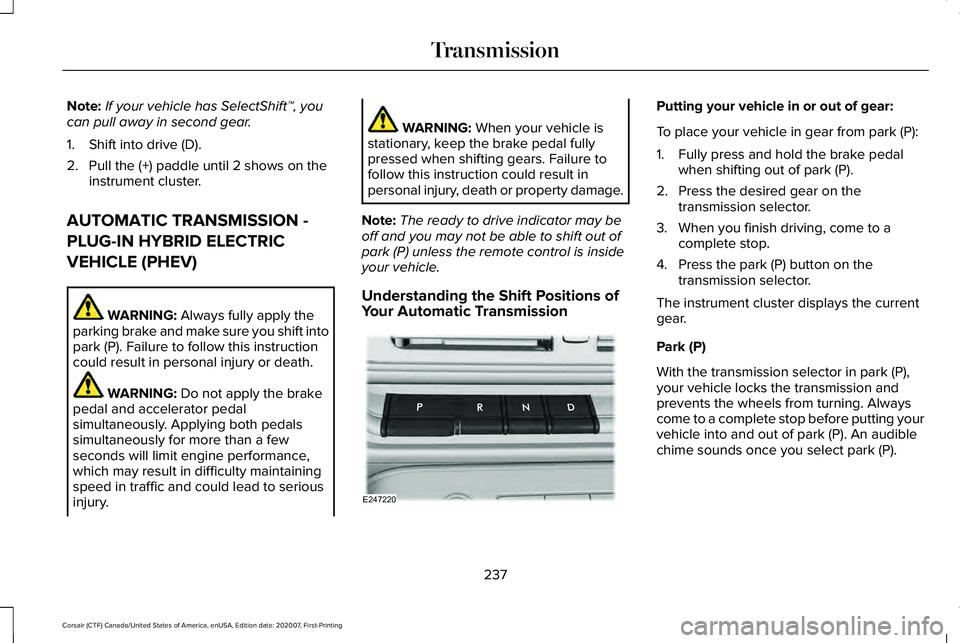
Understanding the Shift Positions of
Your Automatic Transmission Putting your vehicle in or out of gear:
To place your vehicle in gear from park (P):
1. Fully press and hold the brake pedal
when shifting out of park (P).
2. Press the desired gear on the transmission selector.
3. When you finish driving, come to a complete stop.
4. Press the park (P) button on the transmission selector.
The instrument cluster displays the current
gear.
Park (P)
With the transmission selector in park (P),
your vehicle locks the transmission and
prevents the wheels from turning. Always
come to a complete stop before putting your
vehicle into and out of park (P). An audible
chime sounds once you select park (P).
237
Corsair (CTF) Canada/United States of America, enUSA, Edition date: 202007, First-Printing TransmissionE247220
Page 241 of 638
The electric parking brake may apply when
you shift to park (P) without fully pressing the
brake pedal. The electric parking brake
applies when you shift to park (P) on large
slopes. The electric parking brake releases
with the drive away release operation. See
Electric Parking Brake (page 246).
Automatic Return to Park
Your vehicle has a feature that automatically
shifts your vehicle into park (P) when any of
the following conditions occur:
• You switch the vehicle off.
• You open the driver door with your
seatbelt unlatched, with the vehicle
stopped.
• You unlatch your seatbelt when the driver
door is open, with the vehicle stopped.
If you switch your vehicle off when moving,
your vehicle first shifts into neutral (N) until
it slows down enough to automatically shift
into park (P).
Note: This feature does not operate when
your vehicle is in stay in neutral mode or
neutral tow. Note:
If you have waited an extended period
of time, 2-15 minutes before starting your
vehicle, unlatching your seatbelt causes this
feature to activate, even with the driver door
closed.
Note: This feature may not work properly if
the door ajar switch is malfunctioning. If your
door ajar indicator does not illuminate when
you open the driver door or the indicator
illuminates with the driver door closed, see
your authorized dealer.
Reverse (R)
With the transmission selector in reverse (R),
your vehicle moves backward. Always come
to a complete stop before shifting into and
out of reverse (R).
Neutral (N) WARNING: In neutral (N) your vehicle
has the ability to roll freely. If you intend to
leave your vehicle, make sure you apply
the parking brake. In neutral (N), power does not transmit to the
driven wheels, but the transmission is not
locked. You can start the engine with the
transmission in this position.
Stay in Neutral Mode
Stay in neutral mode allows your vehicle to
stay in neutral when you exit your vehicle.
Your vehicle must be stationary to enter this
mode.
To enter stay in neutral mode:
•
Bring your vehicle to a complete
standstill.
• Press the neutral (N) button on the
transmission selector.
• Press the neutral (N) button again to
enter stay in neutral mode.
A message appears in the information
display screen when your vehicle enters stay
in neutral mode.
To exit stay in neutral mode, apply the brake
and select a different gear.
238
Corsair (CTF) Canada/United States of America, enUSA, Edition date: 202007, First-Printing Transmission
Page 243 of 638
USING ALL-WHEEL DRIVE
Note:
When a system malfunction is present,
a warning message appears in the
information display. See Information
Messages (page 137). This means the system
is not functioning correctly and only
front-wheel drive is available. Have your
vehicle checked by an authorized dealer.
Note: When the system overheats and
switches to front-wheel drive, a warning
message appears in the information display.
This may occur if you operate your vehicle
in extreme high load conditions or with
excessive wheel spin (for example, deep
sand). To resume all-wheel drive function,
stop your vehicle in a safe location and turn
off the ignition. When the system cools,
normal all-wheel drive function will return.
Note: When using the spare tire, a warning
message may appear in the information
display. This message turns off after
reinstalling the repaired or replaced road
tire and you switch on the ignition. Note:
Re-install the repaired tire or replace
the tire as soon as possible. Different tire
sizes between the front and rear axles can
cause system damage, or turn off the
all-wheel drive.
This system anticipates wheel spin and
transfers power to the rear wheels before
the spin occurs. Even when wheel spin is not
occurring, the system is continuously
adjusting power distribution to the wheels,
in an attempt to improve straight line and
cornering, both on and off road.
The system automatically turns on every time
you switch on the ignition.
The all-wheel drive system does not require
maintenance.
Your all-wheel drive vehicle is not intended
for off-road use. The AWD feature gives your
vehicle some limited off-road capabilities in
which driving surfaces are relatively level,
obstruction-free and otherwise similar to
normal on-road driving conditions. Operating
your vehicle in other than those conditions
could subject your vehicle to excessive
stress which might result in damage that is
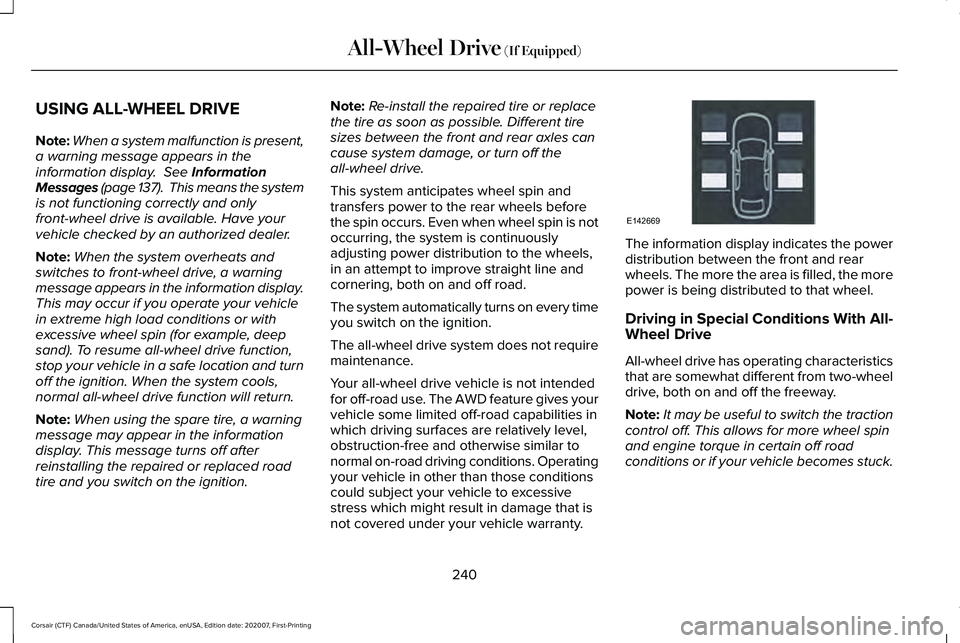
not covered under your vehicle warranty. The information display indicates the power
distribution between the front and rear
wheels. The more the area is filled, the more
power is being distributed to that wheel.
Driving in Special Conditions With All-
Wheel Drive
All-wheel drive has operating characteristics
that are somewhat different from two-wheel
drive, both on and off the freeway.
Note:
It may be useful to switch the traction
control off. This allows for more wheel spin
and engine torque in certain off road
conditions or if your vehicle becomes stuck.
240
Corsair (CTF) Canada/United States of America, enUSA, Edition date: 202007, First-Printing All-Wheel Drive
(If Equipped)E142669
Page 244 of 638
When driving at slow speeds off road under
high load conditions, use a low gear when
possible. Low gear operation will maximize
the engine and transmission cooling
capability.
Under severe operating conditions, the air
conditioning may cycle on and off to prevent
the engine from overheating.
Basic Operating Principles
•
Drive slower in strong crosswinds that
can affect the normal steering
characteristics of your vehicle.
• When driving your vehicle on surfaces
made slippery by loose sand, water,
gravel, snow or ice, proceed with care.
If Your Vehicle leaves the Road
If your vehicle leaves the road, reduce your
vehicle speed and avoid severe braking.
Once you have reduced your vehicle speed,
ease your vehicle back onto the road. Do
not turn the steering wheel sharply while
returning your vehicle to the road. It may be safer to stay on the shoulder of the
road and slow down gradually before
returning to the road. You may lose control
if you do not slow down or if you turn the
steering wheel too sharply or abruptly.
It may be less risky to strike small objects,
such as freeway reflectors, with minor
damage to your vehicle rather than attempt
an abrupt dangerous direction change.
Remember, your primary concern should be
your safety and the safety of others.
Emergency Maneuvers
If you must make a sudden emergency
direction change, avoid over-driving your
vehicle. Turn the steering wheel only as
rapidly and as far as you need to avoid the
emergency. Apply smooth pressure to the
accelerator pedal or brake pedal as needed.
Avoid abrupt steering, acceleration and
braking changes. Abrupt changes could
increase the risk of vehicle roll over, loss of
vehicle control and personal injury. Use all
available road surfaces to bring your vehicle
under control.In the event of an emergency stop, avoid
skidding and do not attempt any sharp
steering wheel movements.
Your vehicle responds differently to steering,
accelerating and braking on different road
surfaces when changing from one type of
surface to another.
Sand
When driving over sand, avoid driving at
excessive speeds. This will cause your
vehicle momentum to work against you. Your
vehicle could become stuck and that may
require assistance from another vehicle.
Remember, if you proceed with caution you
may be able to back out the way you came.
Do not drive in deep sand for an extended
period. This will cause the all-wheel drive
system to overheat. You will see a warning
message in the information display. See
Information Messages (page 137).
241
Corsair (CTF) Canada/United States of America, enUSA, Edition date: 202007, First-Printing All-Wheel Drive
(If Equipped)
Page 246 of 638
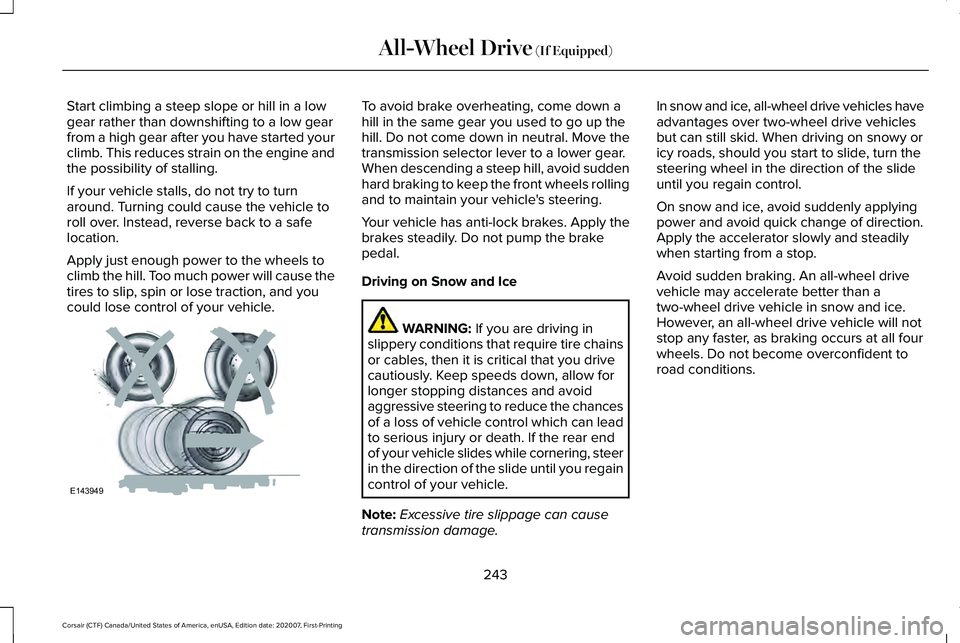
Start climbing a steep slope or hill in a low
gear rather than downshifting to a low gear
from a high gear after you have started your
climb. This reduces strain on the engine and
the possibility of stalling.
If your vehicle stalls, do not try to turn
around. Turning could cause the vehicle to
roll over. Instead, reverse back to a safe
location.
Apply just enough power to the wheels to
climb the hill. Too much power will cause the
tires to slip, spin or lose traction, and you
could lose control of your vehicle. To avoid brake overheating, come down a
hill in the same gear you used to go up the
hill. Do not come down in neutral. Move the
transmission selector lever to a lower gear.
When descending a steep hill, avoid sudden
hard braking to keep the front wheels rolling
and to maintain your vehicle's steering.
Your vehicle has anti-lock brakes. Apply the
brakes steadily. Do not pump the brake
pedal.
Driving on Snow and Ice
WARNING: If you are driving in
slippery conditions that require tire chains
or cables, then it is critical that you drive
cautiously. Keep speeds down, allow for
longer stopping distances and avoid
aggressive steering to reduce the chances
of a loss of vehicle control which can lead
to serious injury or death. If the rear end
of your vehicle slides while cornering, steer
in the direction of the slide until you regain
control of your vehicle.
Note: Excessive tire slippage can cause
transmission damage. In snow and ice, all-wheel drive vehicles have
advantages over two-wheel drive vehicles
but can still skid. When driving on snowy or
icy roads, should you start to slide, turn the
steering wheel in the direction of the slide
until you regain control.
On snow and ice, avoid suddenly applying
power and avoid quick change of direction.
Apply the accelerator slowly and steadily
when starting from a stop.
Avoid sudden braking. An all-wheel drive
vehicle may accelerate better than a
two-wheel drive vehicle in snow and ice.
However, an all-wheel drive vehicle will not
stop any faster, as braking occurs at all four
wheels. Do not become overconfident to
road conditions.
243
Corsair (CTF) Canada/United States of America, enUSA, Edition date: 202007, First-Printing All-Wheel Drive
(If Equipped)E143949
Page 248 of 638
GENERAL INFORMATION
Note:
Occasional brake noise is normal. If
a metal-to-metal, continuous grinding or
continuous squeal sound is present, the
brake linings may be worn-out and an
authorized dealer should check them. If the
vehicle has continuous vibration or shudder
in the steering wheel while braking, an
authorized dealer should check your vehicle.
Note: Brake dust may accumulate on the
wheels, even under normal driving
conditions. Some dust is inevitable as the
brakes wear and does not contribute to
brake noise. Wet brakes result in reduced
braking efficiency. Gently press the brake
pedal a few times when driving from a car
wash or standing water to dry the brakes.
See Cleaning the Wheels (page 392). Brake Over Accelerator
In the event the accelerator pedal becomes
stuck or entrapped, apply steady and firm
pressure to the brake pedal to slow the
vehicle and reduce engine power. If you
experience this condition, apply the brakes
and bring your vehicle to a safe stop. Switch
the engine off, move the transmission to park
(P) and apply the parking brake. Inspect the
accelerator pedal and the area around it for
any items or debris that may be obstructing
its movement. If none are found and the
condition persists, have your vehicle towed
to the nearest authorized dealer.
Emergency Brake Assist
Emergency brake assist detects when you
brake heavily by measuring the rate at which
you press the brake pedal. It provides
maximum braking efficiency as long as you
press the pedal. Emergency brake assist
can reduce stopping distances in critical
situations. Anti-lock Brake System
This system helps you maintain steering
control during emergency stops by keeping
the brakes from locking. If the light does not momentarily
illuminate, continues to flash or
remains on when you switch the
ignition on or apply the parking brake, the
anti-lock braking system could be disabled.
Have the system checked by an authorized
dealer. If the anti-lock brake system is
disabled, normal braking is still effective.
See
Warning Lamps and Indicators (page
126).
Note: Indicators vary depending on region. If the light does not momentarily
illuminate, continues to flash or
remains on when you switch the
ignition on or apply the parking
brake, have the system checked
by an authorized dealer. If the
brake warning lamp illuminates with the
parking brake released, have the system
checked immediately.
245
Corsair (CTF) Canada/United States of America, enUSA, Edition date: 202007, First-Printing Brakes E270480