service indicator LINCOLN CORSAIR 2021 User Guide
[x] Cancel search | Manufacturer: LINCOLN, Model Year: 2021, Model line: CORSAIR, Model: LINCOLN CORSAIR 2021Pages: 638, PDF Size: 5.7 MB
Page 423 of 638
Please note that the TPMS is not a substitute
for proper tire maintenance, and it is the
driver’
s responsibility to maintain correct tire
pressure, even if under-inflation has not
reached the level to trigger illumination of
the TPMS low tire pressure telltale.
Your vehicle has also been equipped with a
TPMS malfunction indicator to indicate when
the system is not operating properly. The
TPMS malfunction indicator is combined with
the low tire pressure telltale. When the
system detects a malfunction, the telltale will
flash for approximately one minute and then
remain continuously illuminated. This
sequence will continue upon subsequent
vehicle start-ups as long as the malfunction
exists.
When the malfunction indicator is illuminated,
the system may not be able to detect or
signal low tire pressure as intended. TPMS
malfunctions may occur for a variety of
reasons, including the installation of
replacement or alternate tires or wheels on
the vehicle that prevent the TPMS from functioning properly. Always check the TPMS
malfunction telltale after replacing one or
more tires or wheels on your vehicle to
ensure that the replacement or alternate tires
and wheels allow the TPMS to continue to
function properly.
This device complies with Part 15 of the FCC
Rules and with License exempt RSS
Standards of Industry Canada. Operation is
subject to the following two conditions:
1. This device may not cause harmful
interference, and
2. This device must accept any interference
received, including interference that may
cause undesired operation. WARNING: Changes or modifications
not expressively approved by the party
responsible for compliance could void the
user's authority to operate the equipment.
The term "IC:" before the radio certification
number only signifies that Industry Canada
technical specifications were met. Changing Tires With a Tire Pressure
Monitoring System
Note:
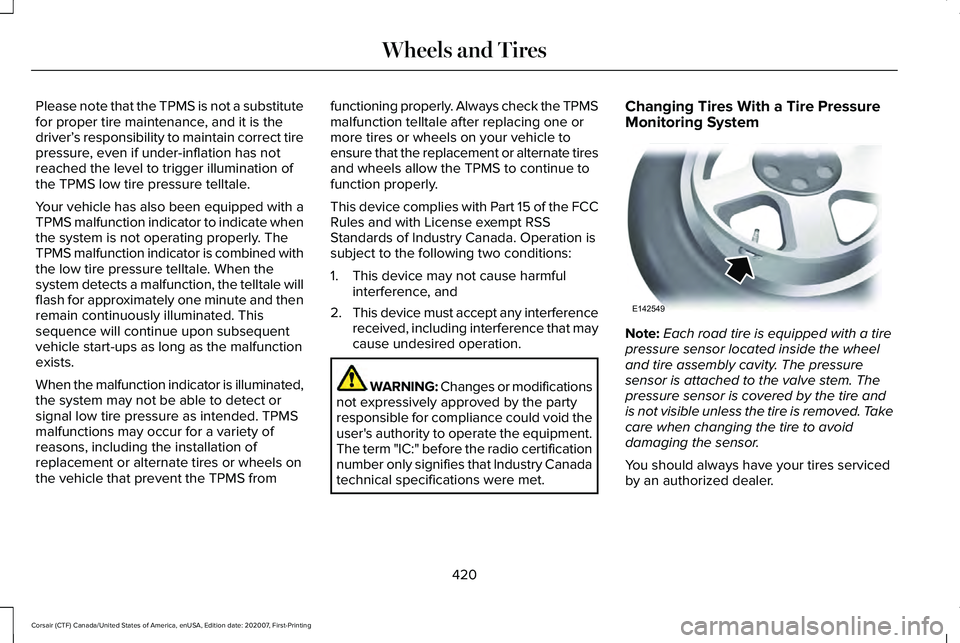
Each road tire is equipped with a tire
pressure sensor located inside the wheel
and tire assembly cavity. The pressure
sensor is attached to the valve stem. The
pressure sensor is covered by the tire and
is not visible unless the tire is removed. Take
care when changing the tire to avoid
damaging the sensor.
You should always have your tires serviced
by an authorized dealer.
420
Corsair (CTF) Canada/United States of America, enUSA, Edition date: 202007, First-Printing Wheels and TiresE142549
Page 518 of 638
Adjusting the Guidance Prompt Volume
Turn the volume control when a guidance
prompt plays to adjust the volume.
Note:
If you have inadvertently adjusted the
volume to zero, press the turn indicator
button to play the last voice prompt and then
adjust the volume to the desired level.
Muting Guidance Prompts Select the mute option on the
screen to mute guidance prompts.
Note: The system mutes the next and all
future guidance prompts.
Adding Waypoints
You can add a waypoint to a navigation route
as a destination along your route. You can
add up to five waypoints.
1. Select the search option on the map.
2. Set a destination.
3. Select Add Waypoint.
4. Select
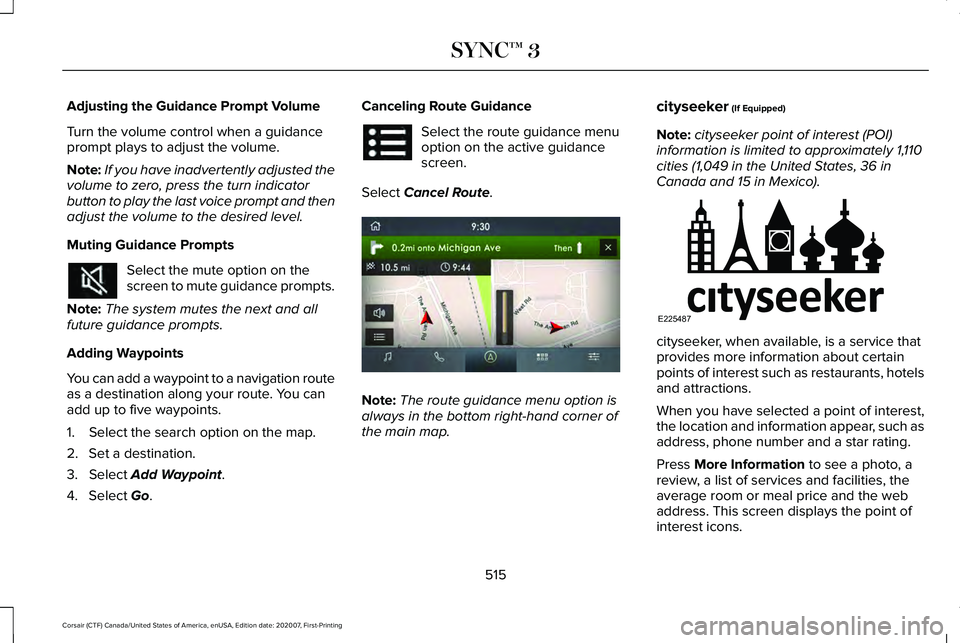
Go. Canceling Route Guidance Select the route guidance menu
option on the active guidance
screen.
Select
Cancel Route. Note:
The route guidance menu option is
always in the bottom right-hand corner of
the main map. cityseeker
(If Equipped)
Note: cityseeker point of interest (POI)
information is limited to approximately 1,110
cities (1,049 in the United States, 36 in
Canada and 15 in Mexico). cityseeker, when available, is a service that
provides more information about certain
points of interest such as restaurants, hotels
and attractions.
When you have selected a point of interest,
the location and information appear, such as
address, phone number and a star rating.
Press
More Information to see a photo, a
review, a list of services and facilities, the
average room or meal price and the web
address. This screen displays the point of
interest icons.
515
Corsair (CTF) Canada/United States of America, enUSA, Edition date: 202007, First-Printing SYNC™ 3 E297860 E225487
Page 560 of 638
At Every Oil Change Interval as Indicated by the Information Display
1
Inspect the exhaust system and heat shields.
Inspect the rear axle and U-joints for all-wheel drive vehicles.
Inspect the half-shaft boots.
Inspect the steering linkage, ball joints, suspension, tie-rod ends, driveshaft and the U-joints.
Inspect the tires, tire wear and measure the tread depth.
Inspect the wheels and related components for abnormal noise, wear, looseness or drag.
1 Do not exceed one year or 10,000 mi (16,000 km) between service intervals.
2 Reset the Intelligent Oil-Life Monitor after engine oil and filter change\
s.
See Oil Change Indicator Reset (page 371). Brake Fluid Maintenance
1
Change the brake fluid. 2
Every Three Years
1 Perform this maintenance item every three years. Do not exceed the designated time for the interval.
2 Brake fluid servicing requires special equipment available at your authorize\
d dealer.
557
Corsair (CTF) Canada/United States of America, enUSA, Edition date: 202007, First-Printing Scheduled Maintenance
Page 565 of 638
Operating in Dusty or Sandy Conditions Such as Unpaved or Dusty Roads
Perform multi-point inspection.
Change automatic transmission fluid.
Every 30,000 mi
(48,000 km)
1 This is an optional feature.
2 Reset your Intelligent Oil-Life Monitor after engine oil and filter chang\
es.
See Oil Change Indicator Reset (page 371).
Exceptions
There are several exceptions to the Normal
Schedule:
Axle and PTU Maintenance
The Power Transfer Unit (PTU) and rear axle
(AWD only) in your vehicle does not require
any normal scheduled maintenance unless
the vehicle has experienced extended
periods of extreme/severe duty cycle driving
or the PTU and/or the rear axle has been
submerged in water. Checking the PTU and
rear axle fluid is not necessary unless the
unit shows signs of leakage. Contact an
authorized dealer for service. California Fuel Filter Replacement
If you register your vehicle in California, the
California Air Resources Board has
determined that the failure to perform this
maintenance item does not nullify the
emission warranty or limit recall liability
before the completion of your vehicle's
useful life. We however, urge you to have all
recommended maintenance services
performed at the specified intervals and to
record all vehicle service.
Engine Air Filter and Cabin Air Filter
Replacement
The life of the engine air filter and cabin air
filter is dependent on exposure to dusty and
dirty conditions. Vehicles operated in these
conditions require frequent inspection and
replacement of the engine air filter and cabin
air filter.
562
Corsair (CTF) Canada/United States of America, enUSA, Edition date: 202007, First-Printing Scheduled Maintenance
Page 622 of 638
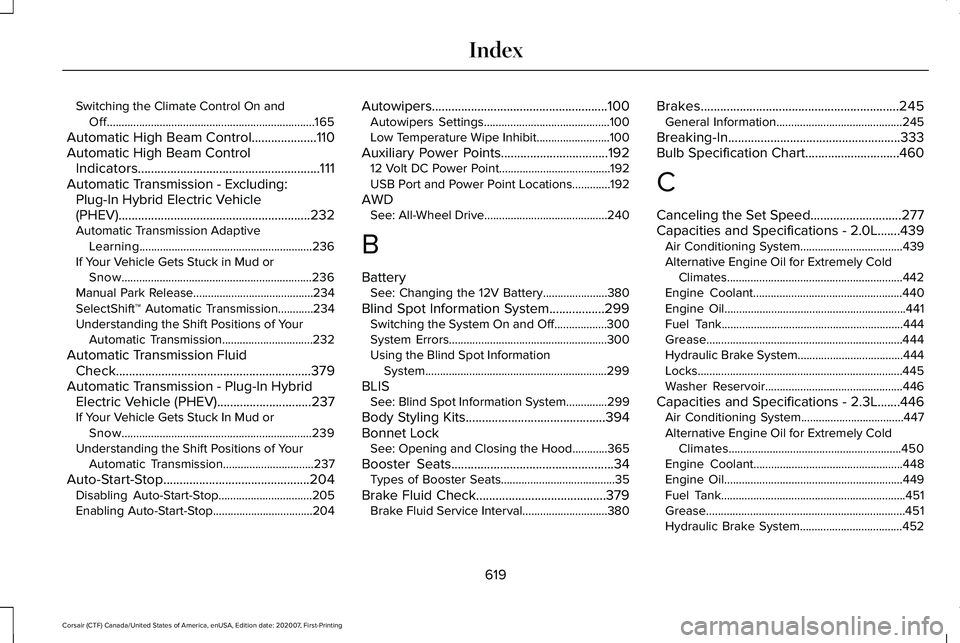
Switching the Climate Control On and
Off.......................................................................165
Automatic High Beam Control....................110
Automatic High Beam Control Indicators........................................................111
Automatic Transmission - Excluding: Plug-In Hybrid Electric Vehicle
(PHEV)...........................................................232
Automatic Transmission Adaptive
Learning...........................................................236
If Your Vehicle Gets Stuck in Mud or Snow.................................................................236
Manual Park Release.........................................234
SelectShift™ Automatic Transmission............234
Understanding the Shift Positions of Your Automatic Transmission...............................232
Automatic Transmission Fluid Check............................................................379
Automatic Transmission - Plug-In Hybrid Electric Vehicle (PHEV).............................237
If Your Vehicle Gets Stuck In Mud or Snow.................................................................239
Understanding the Shift Positions of Your Automatic Transmission...............................
237
Auto-Start-Stop.............................................204 Disabling Auto-Start-Stop................................205
Enabling Auto-Start-Stop..................................204 Autowipers......................................................100
Autowipers Settings...........................................100
Low Temperature Wipe Inhibit.........................100
Auxiliary Power Points.................................192 12 Volt DC Power Point......................................192
USB Port and Power Point Locations.............
192
AWD See: All-Wheel Drive..........................................240
B
Battery See: Changing the 12V Battery......................380
Blind Spot Information System.................299 Switching the System On and Off..................300
System Errors......................................................300
Using the Blind Spot Information
System..............................................................299
BLIS See: Blind Spot Information System..............299
Body Styling Kits
...........................................394
Bonnet Lock See: Opening and Closing the Hood............365
Booster Seats..................................................34 Types of Booster Seats.......................................35
Brake Fluid Check........................................379 Brake Fluid Service Interval.............................380 Brakes.............................................................245
General Information...........................................245
Breaking-In.....................................................333
Bulb Specification Chart.............................460
C
Canceling the Set Speed............................277
Capacities and Specifications - 2.0L.......439 Air Conditioning System...................................
439
Alternative Engine Oil for Extremely Cold Climates............................................................442
Engine Coolant...................................................440
Engine Oil..............................................................441
Fuel Tank..............................................................444
Grease...................................................................444
Hydraulic Brake System....................................444
Locks......................................................................445
Washer Reservoir...............................................446
Capacities and Specifications - 2.3L.......446 Air Conditioning System...................................
447
Alternative Engine Oil for Extremely Cold Climates...........................................................450
Engine Coolant...................................................448
Engine Oil.............................................................449
Fuel Tank...............................................................451
Grease....................................................................451
Hydraulic Brake System...................................452
619
Corsair (CTF) Canada/United States of America, enUSA, Edition date: 202007, First-Printing Index
Page 624 of 638
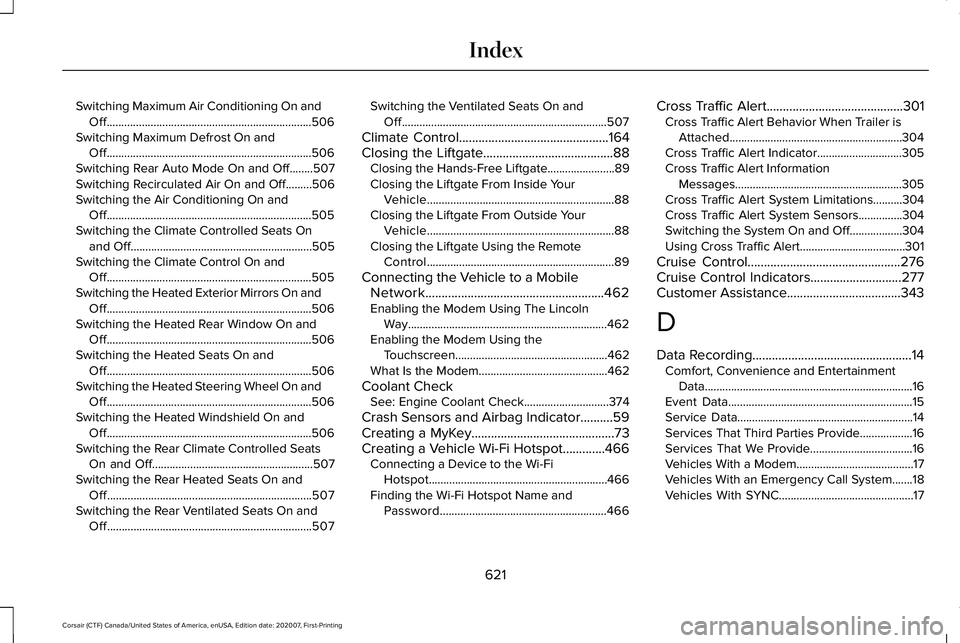
Switching Maximum Air Conditioning On and
Off......................................................................506
Switching Maximum Defrost On and Off......................................................................506
Switching Rear Auto Mode On and Off........507
Switching Recirculated Air On and Off.........506
Switching the Air Conditioning On and Off......................................................................505
Switching the Climate Controlled Seats On and Off..............................................................505
Switching the Climate Control On and Off......................................................................505
Switching the Heated Exterior Mirrors On and Off......................................................................506
Switching the Heated Rear Window On and Off......................................................................506
Switching the Heated Seats On and Off......................................................................506
Switching the Heated Steering Wheel On and Off......................................................................506
Switching the Heated Windshield On and Off......................................................................506
Switching the Rear Climate Controlled Seats On and Off.......................................................507
Switching the Rear Heated Seats On and Off......................................................................507
Switching the Rear Ventilated Seats On and Off......................................................................507 Switching the Ventilated Seats On and
Off......................................................................507
Climate Control..............................................164
Closing the Liftgate........................................88
Closing the Hands-Free Liftgate.......................89
Closing the Liftgate From Inside Your
Vehicle................................................................88
Closing the Liftgate From Outside Your Vehicle................................................................88
Closing the Liftgate Using the Remote Control................................................................89
Connecting the Vehicle to a Mobile Network.......................................................462
Enabling the Modem Using The Lincoln Way....................................................................462
Enabling the Modem Using the Touchscreen....................................................462
What Is the Modem............................................462
Coolant Check See: Engine Coolant Check.............................
374
Crash Sensors and Airbag Indicator..........59
Creating a MyKey
............................................73
Creating a Vehicle Wi-Fi Hotspot.............466 Connecting a Device to the Wi-Fi
Hotspot.............................................................466
Finding the Wi-Fi Hotspot Name and Password.........................................................466 Cross Traffic Alert..........................................301
Cross Traffic Alert Behavior When Trailer is
Attached...........................................................304
Cross Traffic Alert Indicator.............................305
Cross Traffic Alert Information Messages.........................................................305
Cross Traffic Alert System Limitations..........304
Cross Traffic Alert System Sensors...............304
Switching the System On and Off..................304
Using Cross Traffic Alert....................................301
Cruise Control
...............................................276
Cruise Control Indicators............................277
Customer Assistance
...................................343
D
Data Recording
.................................................14
Comfort, Convenience and Entertainment
Data.......................................................................16
Event Data...............................................................15
Service Data............................................................14
Services That Third Parties Provide..................16
Services That We Provide...................................
16
Vehicles With a Modem........................................17
Vehicles With an Emergency Call System.......18
Vehicles With SYNC..............................................17
621
Corsair (CTF) Canada/United States of America, enUSA, Edition date: 202007, First-Printing Index
Page 633 of 638

Resuming the Set Speed............................277
Resuming the Set Speed from a Complete
Stop...................................................................285
Reverse Braking Assist Indicators...........252
Reverse Braking Assist Precautions........251
Reverse Braking Assist................................251 Reverse Braking Assist –
Troubleshooting.............................................253
Reverse Braking Assist – Troubleshooting.........................................253
Reverse Braking Assist – Frequently Asked Questions.........................................................254
Reverse Braking Assist – Information Messages.........................................................253
Roadside Assistance...................................336 Vehicles Sold in Canada: Getting Roadside
Assistance........................................................337
Vehicles sold in the United States: Getting Roadside Assistance.....................................336
Vehicles Sold in the United States: Using Roadside Assistance.....................................336
Roadside Emergencies
...............................336
Roof Racks and Load Carriers...................318 Maximum Recommended Load
Amounts............................................................319
Running-In See: Breaking-In.................................................333 Running Out of Fuel.....................................212
Adding Fuel From a Portable Fuel
Container..........................................................212
Filling a Portable Fuel Container.....................212
S
Safety Canopy™...............................................58
Safety Precautions
.......................................209
Satellite Radio................................................473
Satellite Radio Electronic Serial Number
(ESN)..................................................................474
Satellite Radio Reception Factors..................
473
SiriusXM Satellite Radio Service.....................474
Troubleshooting..................................................475
Scheduled Maintenance
............................550
Seatbelt Extensions.......................................48
Seatbelt Height Adjustment.........................45
Seatbelt Reminder..........................................46 Seatbelt Status.......................................................47
Seatbelts............................................................41 Principle of Operation...........................................41
Seatbelt Warning Lamp and Indicator Chime..............................................................45
Conditions of operation......................................46
Seats.................................................................170
Security..............................................................93 Anti-Theft Alarm System.....................................93 Anti-Theft Alarm System Settings.....................94
Passive Anti-Theft System..................................
93
Security – Troubleshooting................................95
Security – Troubleshooting..........................95 Security – Frequently Asked Questions.........96
Security – Information Messages.....................95
Selecting a Drive Mode...............................312
Settings...........................................................526 911 Assist...............................................................527
Ambient Lighting................................................527
Audio.....................................................................526
Automatic Updates............................................527
Bluetooth..............................................................526
Charge Settings..................................................527
Clock ......................................................................526
Display...................................................................527
Driver Assist.........................................................527
General..................................................................527
Lincoln Way..........................................................527
Message Center.................................................527
Mobile Apps.........................................................527
Multi Contour Seats...........................................527
Navigation............................................................527
Personal Profiles.................................................527
Phone....................................................................526
Seats......................................................................527
Sound....................................................................526
Valet Mode...........................................................527
630
Corsair (CTF) Canada/United States of America, enUSA, Edition date: 202007, First-Printing Index
Page 637 of 638

Automatic Blower Motor Speed
Reduction..........................................................491
Climate..................................................................484
Entertainment......................................................482
General...................................................................481
Navigation............................................................487
Phone....................................................................485
SiriusXM Traffic and Travel Link.....................490
Voice Settings.....................................................490
Utilizing the Mediation/Arbitration Program (Canada Only).............................................346
V
Vehicle Care
..................................................386
General Information...........................................386
Vehicle Identification Number...................461 Locating the Vehicle Identification
Number..............................................................461
Vehicle Identification Number Overview......461
Vehicle Identification
....................................461
Vehicle Identification Number ..........................461
Vehicle Storage
............................................392
Body.......................................................................393
Brakes...................................................................394
Cooling system...................................................393
Disconnecting Your 12 Volt Battery...............393
Engine...................................................................393 Fuel system..........................................................393
General.................................................................392
Miscellaneous.....................................................394
Plugging in Your HYBRID.................................394
Removing Vehicle From Storage....................394
Tires.......................................................................394
Vehicle Wi-Fi Hotspot.................................466
Ventilated Seats
.............................................183
Ventilation See: Climate Control..........................................164
W
Warning Lamps and Indicators..................126 Adaptive Cruise Control....................................126
Anti-Lock Braking System.................................126
Auto Hold Active.................................................126
Auto Hold Unavailable.......................................127
Automatic High Beam Control.........................126
Auto Start-Stop.....................................................127
Battery....................................................................127
Blind Spot Monitor...............................................127
Brake System Warning Lamp...........................127
Cruise Control......................................................127
Direction Indicator...............................................127
Distance Alert.......................................................127
Door Ajar................................................................127
Electric Parking Brake........................................128 Engine Oil..............................................................128
Engine or Motor Coolant Temperature..........128
Fasten Rear Seatbelt..........................................128
Fasten Seatbelt....................................................128
Front Airbag..........................................................128
Front Fog Lamps.................................................128
High Beam............................................................128
Hood Ajar..............................................................128
Lamps On..............................................................128
Liftgate Ajar...........................................................128
Low Beam Warning.............................................129
Low Fuel Level.....................................................129
Low Tire Pressure Warning...............................129
Low Washer Fluid................................................129
Powertrain Fault...................................................129
Ready to Drive......................................................129
Service Engine Soon..........................................129
Stability Control...................................................130
Stability Control Off.............................................130
Stop Safely Now..................................................130
Tow Haul Indicator..............................................130
Vehicle Plugged In..............................................130
Washer Fluid Check
.....................................384
Washers See: Cleaning the Exterior...............................387
See: Wipers and Washers..................................99
Waxing
.............................................................388
634
Corsair (CTF) Canada/United States of America, enUSA, Edition date: 202007, First-Printing Index