garage door opener LINCOLN CORSAIR 2021 Owners Manual
[x] Cancel search | Manufacturer: LINCOLN, Model Year: 2021, Model line: CORSAIR, Model: LINCOLN CORSAIR 2021Pages: 638, PDF Size: 5.7 MB
Page 7 of 638
Power Seats
...................................................173
Memory Function ..........................................
177
Rear Seats ......................................................
180
Heated Seats ................................................
182
Ventilated Seats ...........................................
183
Rear Occupant Alert System
What is the Rear Occupant Alert System .......................................................................
185
How Does the Rear Occupant Alert System Work ............................................................
185
Rear Occupant Alert System Precautions .......................................................................
185
Rear Occupant Alert System Limitations .......................................................................
185
Switching Rear Occupant Alert System On and Off ........................................................
186
Rear Occupant Alert System Indicators .......................................................................
186
Rear Occupant Alert System Audible Warnings ....................................................
186
Garage Door Opener
What Is the Garage Door Opener ............
187How Does the Garage Door Opener Work
.......................................................................
187
Garage Door Opener Precautions ...........
187
Garage Door Opener Limitations ............
188
Programming the Garage Door Opener to Your Hand-Held Transmitter .................
188
Programming the Garage Door Opener to Your Garage Door Opener Motor ........
189
Programming the Garage Door Opener to Your Gate Opener Motor .......................
189
Clearing the Garage Door Opener .........
190
Reprogramming the Garage Door Opener .......................................................................
190
Garage Door Opener Radio Frequencies .......................................................................
190
Auxiliary Power Points
Auxiliary Power Points ................................
192
Wireless Accessory Charger .....................
192
Storage Compartments
Overhead Console ......................................
195Starting and Stopping the Engine
General Information
....................................
196
Keyless Starting ............................................
196
Starting a Gasoline Engine ........................
197
Starting a Hybrid Electric Vehicle System ......................................................................
200
Engine Block Heater ..................................
202
Unique Driving Characteristics
Auto-Start-Stop ............................................
204
Plug-In Hybrid Vehicle Operation ...........
206
Hybrid Vehicle Frequently Asked Questions ..................................................
207
Fuel and Refueling
Safety Precautions ......................................
209
Fuel Quality - Gasoline ...............................
210
Fuel Quality - Plug-In Hybrid Electric Vehicle (PHEV) ...........................................
211
Fuel Filler Funnel Location .........................
211
Running Out of Fuel ....................................
212
Refueling - Plug-In Hybrid Electric Vehicle (PHEV) .........................................................
213
4
Corsair (CTF) Canada/United States of America, enUSA, Edition date: 202007, First-Printing Table of Contents
Page 190 of 638
WHAT IS THE GARAGE DOOR
OPENER
Universal Garage Door Opener: HomeLink
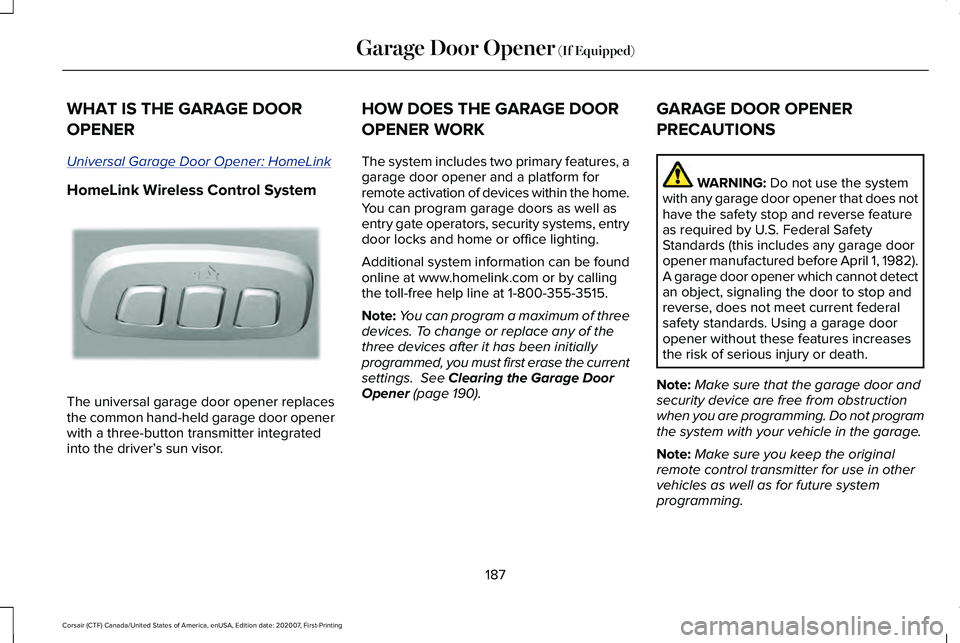
HomeLink Wireless Control System
The universal garage door opener replaces
the common hand-held garage door opener
with a three-button transmitter integrated
into the driver’
s sun visor. HOW DOES THE GARAGE DOOR
OPENER WORK
The system includes two primary features, a
garage door opener and a platform for
remote activation of devices within the home.
You can program garage doors as well as
entry gate operators, security systems, entry
door locks and home or office lighting.
Additional system information can be found
online at www.homelink.com or by calling
the toll-free help line at 1-800-355-3515.
Note:
You can program a maximum of three
devices. To change or replace any of the
three devices after it has been initially
programmed, you must first erase the current
settings. See Clearing the Garage Door
Opener (page 190). GARAGE DOOR OPENER
PRECAUTIONS WARNING:
Do not use the system
with any garage door opener that does not
have the safety stop and reverse feature
as required by U.S. Federal Safety
Standards (this includes any garage door
opener manufactured before April 1, 1982).
A garage door opener which cannot detect
an object, signaling the door to stop and
reverse, does not meet current federal
safety standards. Using a garage door
opener without these features increases
the risk of serious injury or death.
Note: Make sure that the garage door and
security device are free from obstruction
when you are programming. Do not program
the system with your vehicle in the garage.
Note: Make sure you keep the original
remote control transmitter for use in other
vehicles as well as for future system
programming.
187
Corsair (CTF) Canada/United States of America, enUSA, Edition date: 202007, First-Printing Garage Door Opener
(If Equipped)E188211
Page 191 of 638
Note:
We recommend that upon the sale or
lease termination of your vehicle, you erase
the programmed function buttons for security
reasons. See Clearing the Garage Door
Opener (page 190).
GARAGE DOOR OPENER
LIMITATIONS
Canadian radio-frequency laws require
transmitter signals to time-out (or quit) after
several seconds – which may not be long
enough for HomeLink to pick up the signal.
U.S. gate operators time-out in the same
manner.
Note: If programming a garage door opener
or gate operator, it is advised to unplug the
device during the “cycling” process to
prevent possible overheating. PROGRAMMING THE GARAGE
DOOR OPENER TO YOUR HAND-
HELD TRANSMITTER
This process is to program your in-vehicle
HomeLink function button with your
hand-held transmitter.
Note:
The programming steps below assume
you will be programming HomeLink that was
not previously programmed. If your
HomeLink was previously programmed, you
may need to erase your HomeLink buttons.
See
Clearing the Garage Door Opener
(page 190). 1. With your vehicle parked outside of the
garage, switch your ignition to the on
position, but do not start your vehicle.
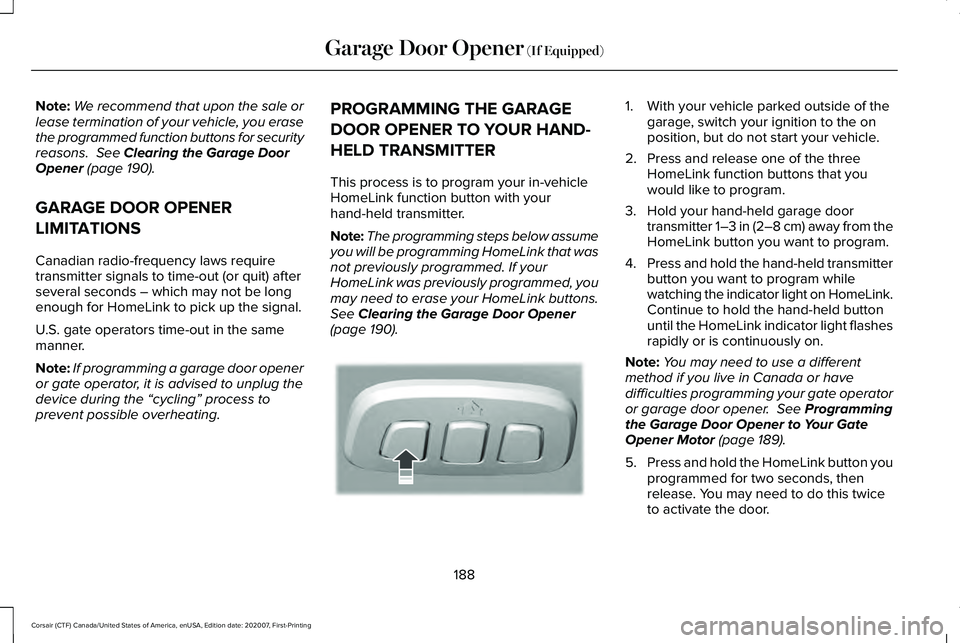
2. Press and release one of the three HomeLink function buttons that you
would like to program.
3. Hold your hand-held garage door transmitter 1–3 in (2–8 cm) away from the
HomeLink button you want to program.
4. Press and hold the hand-held transmitter
button you want to program while
watching the indicator light on HomeLink.
Continue to hold the hand-held button
until the HomeLink indicator light flashes
rapidly or is continuously on.
Note: You may need to use a different
method if you live in Canada or have
difficulties programming your gate operator
or garage door opener.
See Programming
the Garage Door Opener to Your Gate
Opener Motor
(page 189).
5. Press and hold the HomeLink button you
programmed for two seconds, then
release. You may need to do this twice
to activate the door.
188
Corsair (CTF) Canada/United States of America, enUSA, Edition date: 202007, First-Printing Garage Door Opener
(If Equipped)E188212
Page 192 of 638
Note:
If the indicator light stays on, the
programming is complete.
Note: If the HomeLite indicator flashes
rapidly, repeat step 5.
Note: If your device still does not operate,
you must program your garage door. See
Programming the Garage Door Opener to
Your Garage Door Opener Motor (page 189).
6. To program additional buttons, repeat Steps 1 – 4.
PROGRAMMING THE GARAGE
DOOR OPENER TO YOUR GARAGE
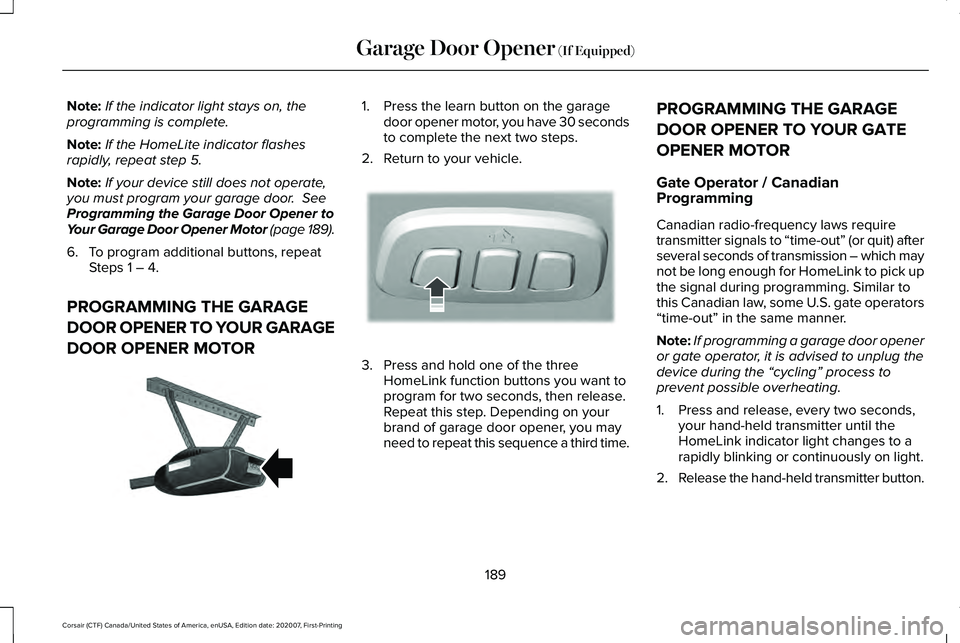
DOOR OPENER MOTOR 1. Press the learn button on the garage
door opener motor, you have 30 seconds
to complete the next two steps.
2. Return to your vehicle. 3. Press and hold one of the three
HomeLink function buttons you want to
program for two seconds, then release.
Repeat this step. Depending on your
brand of garage door opener, you may
need to repeat this sequence a third time. PROGRAMMING THE GARAGE
DOOR OPENER TO YOUR GATE
OPENER MOTOR
Gate Operator / Canadian
Programming
Canadian radio-frequency laws require
transmitter signals to “time-out” (or quit) after
several seconds of transmission – which may
not be long enough for HomeLink to pick up
the signal during programming. Similar to
this Canadian law, some U.S. gate operators
“time-out” in the same manner.
Note:
If programming a garage door opener
or gate operator, it is advised to unplug the
device during the “cycling” process to
prevent possible overheating.
1. Press and release, every two seconds, your hand-held transmitter until the
HomeLink indicator light changes to a
rapidly blinking or continuously on light.
2. Release the hand-held transmitter button.
189
Corsair (CTF) Canada/United States of America, enUSA, Edition date: 202007, First-Printing Garage Door Opener
(If Equipped)E142659 E188212
Page 193 of 638
3. Press and hold the HomeLink function
button you want to program for two
seconds, then release. You may need to
do this twice to activate the door.
Note: If the indicator light stays on, the
programming is complete.
Note: If the HomeLink indicator flashes
rapidly, repeat Step 3.
Note: If your device still does not operate,
you must program your garage door. See
Programming the Garage Door Opener to
Your Garage Door Opener Motor (page 189).
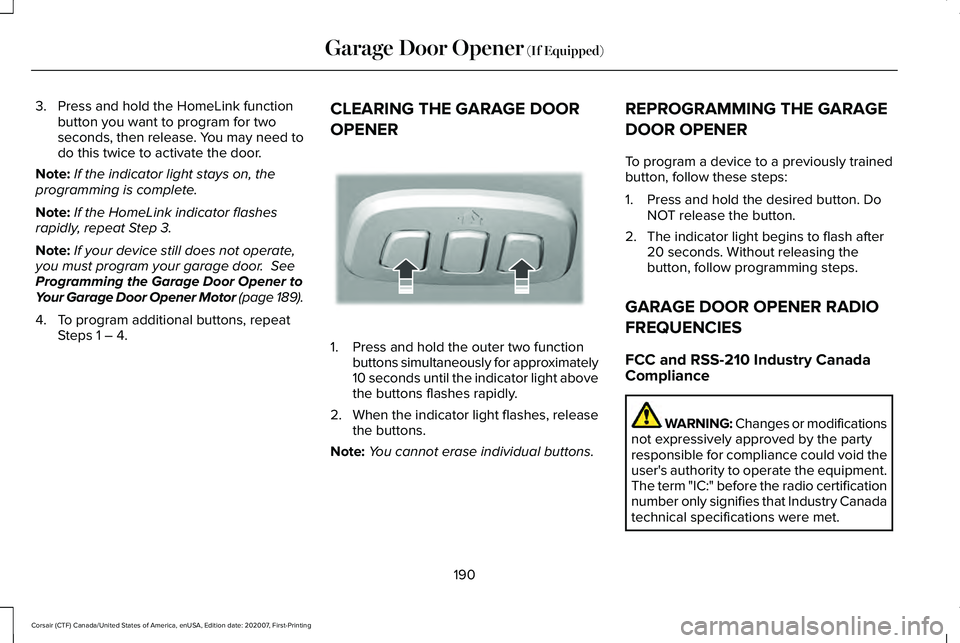
4. To program additional buttons, repeat Steps 1 – 4. CLEARING THE GARAGE DOOR
OPENER 1. Press and hold the outer two function
buttons simultaneously for approximately
10 seconds until the indicator light above
the buttons flashes rapidly.
2. When the indicator light flashes, release
the buttons.
Note: You cannot erase individual buttons. REPROGRAMMING THE GARAGE
DOOR OPENER
To program a device to a previously trained
button, follow these steps:
1. Press and hold the desired button. Do
NOT release the button.
2. The indicator light begins to flash after 20 seconds. Without releasing the
button, follow programming steps.
GARAGE DOOR OPENER RADIO
FREQUENCIES
FCC and RSS-210 Industry Canada
Compliance WARNING: Changes or modifications
not expressively approved by the party
responsible for compliance could void the
user's authority to operate the equipment.
The term "IC:" before the radio certification
number only signifies that Industry Canada
technical specifications were met.
190
Corsair (CTF) Canada/United States of America, enUSA, Edition date: 202007, First-Printing Garage Door Opener
(If Equipped)E188213
Page 194 of 638
This device complies with Part 15 of the FCC
Rules and with RSS-210 of Industry Canada.
Operation is subject to the following two
conditions: (1) this device may not cause
harmful interference, and (2) this device must
accept any interference received, including
interference that could cause undesired
operation.
This equipment complies with FCC radiation
exposure limits set forth for an uncontrolled
environment. End Users must follow the
specific operating instructions for satisfying
RF exposure compliance. This transmitter
must be at least 8 in (20 cm) from the user
and must not be co-located or operating in
conjunction with any other antenna or
transmitter.
191
Corsair (CTF) Canada/United States of America, enUSA, Edition date: 202007, First-Printing Garage Door Opener
(If Equipped)
Page 618 of 638
Radio Frequency Certifications for
Wireless Accessory Charging Module
South Korea
R-R-1Ap-WACM2 United States and Canada WARNING: Changes or modifications
not expressively approved by the party
responsible for compliance could void the
user's authority to operate the equipment.
The term "IC:" before the radio certification
number only signifies that Industry Canada
technical specifications were met.
FCC ID: L2C0074TR
IC: 3432A-0074TR
This device complies with Part 15 of the FCC
Rules and with Innovation, Science and
Economic Development Canada ’s
licence-exempt RSS(s). Operation is subject
to the following two conditions:
1. This device may not cause harmful interference, and
2. This device must accept any interference
received, including interference that may
cause undesired operation. Radio Frequency Certifications for
Garage Door Opener
United States and Canada WARNING: Changes or modifications
not expressively approved by the party
responsible for compliance could void the
user's authority to operate the equipment.
The term "IC:" before the radio certification
number only signifies that Industry Canada
technical specifications were met.
FCC ID: NZLSAHL5D
IC: 4112A-SAHL5D
This device complies with Part 15 of the FCC
Rules and with Innovation, Science and
Economic Development Canada ’s
licence-exempt RSS(s). Operation is subject
to the following two conditions:
1. This device may not cause harmful interference, and
2. This device must accept any interference
received, including interference that may
cause undesired operation.
615
Corsair (CTF) Canada/United States of America, enUSA, Edition date: 202007, First-Printing AppendicesE339675
Page 623 of 638
Locks......................................................................453
Washer Reservoir...............................................453
Capacities and Specifications - 2.5L, Plug-In Hybrid Electric Vehicle
(PHEV)...........................................................454
Air Conditioning System...................................454
Engine Coolant...................................................455
Engine Oil.............................................................456
Fuel Tank..............................................................457
Grease...................................................................457
Hydraulic Brake System...................................458
Locks.....................................................................459
Washer Reservoir...............................................459
Capacities and Specifications...................433
Car Wash See: Cleaning the Exterior...............................387
Catalytic Converter
......................................222
On-Board Diagnostics (OBD-II).......................223
Readiness for Inspection and Maintenance (I/M) Testing.....................................................224
Changing a Bulb
...........................................385
Changing a Fuse..........................................363
Engine Compartment Fuse Box......................363
Fuse Types...........................................................364
General Information...........................................363
Changing a Road Wheel.............................423 Dissimilar Spare Wheel and Tire Assembly
Information.......................................................424 Tire Change Procedure....................................425
Changing the 12V Battery..........................380 Remove and Reinstall the Battery..................382
Changing the Engine Air Filter - 2.0L/ 2.3L................................................................372
Gas Engines.........................................................372
Changing the Engine Air Filter - 2.5L, Plug-In Hybrid Electric Vehicle
(PHEV)...........................................................373
Changing the Vehicle Wi-Fi Hotspot Name or Password
................................................466
Changing the Wiper Blades......................384 Front Wiper Blades............................................384
Rear Window Wiper Blade...............................385
Charging the High Voltage Battery.........225 IMPORTANT SAFETY INSTRUCTIONS.........
225
Checking MyKey System Status.................74
Checking the Wiper Blades.......................384
Child Restraint and Seatbelt Maintenance..................................................48
Child Restraint Positioning............................37
Child Safety......................................................26 General Information.............................................26
Child Safety Locks..........................................39 Left-Hand Side.......................................................40
Right-Hand Side....................................................40
Cleaning Leather Seats...............................391 Cleaning Products........................................386
Materials...............................................................386
Cleaning the Engine
....................................389
Cleaning the Exterior...................................387 Cleaning the Headlamps..................................387
Exterior Chrome Parts.......................................388
Exterior Plastic Parts..........................................388
Stripes or Graphics............................................388
Underbody...........................................................388
Under Hood.........................................................388
Cleaning the Instrument Panel and Instrument Cluster Lens...........................390
Cleaning the Interior...................................390
Cleaning the Wheels...................................392
Cleaning the Windows and Wiper Blades...........................................................389
Clearing All MyKeys........................................73
Clearing the Garage Door Opener
...........190
Climate............................................................504
Accessing Rear Climate Controls...................507
Accessing the Climate Control Menu...........
504
Directing the Airflow..........................................504
Rear Climate Control Lock Indicator.............
507
Setting the Blower Motor Speed...................505
Setting the Temperature..................................505
Switching Auto Mode On and Off..................505
Switching Dual Zone Mode On and Off.......505
620
Corsair (CTF) Canada/United States of America, enUSA, Edition date: 202007, First-Printing Index
Page 627 of 638
Fuel Filter........................................................384
Fuel Quality - Gasoline................................210
Choosing the Right Fuel....................................210
Fuel Quality - Plug-In Hybrid Electric Vehicle (PHEV).............................................211
Choosing the Right Fuel.....................................211
Fuel Shutoff....................................................337
Fuses
...............................................................352
Fuse Specification Chart............................352 Engine Compartment Fuse Box.....................352
Passenger Compartment Fuse Box..............
360
G
Garage Door Opener...................................187
Garage Door Opener Limitations..............188
Garage Door Opener Precautions............187
Garage Door Opener Radio Frequencies.................................................190
FCC and RSS-210 Industry Canada Compliance......................................................190
Gauges - Plug-In Hybrid Electric Vehicle (PHEV), Vehicles With: 12.3 Inch
Instrument Cluster Display Screen
.........118
Battery Gauge......................................................120
Engine Coolant Temperature Gauge..............
121
Fuel Gauge...........................................................120
Left and Right Information Group...................
120 Low Fuel Reminder.............................................120
Status Bar..............................................................120
Vehicle Driving Range.........................................121
Gauges - Vehicles With: 12.3 Inch Instrument Cluster Display Screen........124
Engine Coolant Temperature Gauge.............126
Fuel Gauge...........................................................125
Left and Right Information Group...................125
Status Bar..............................................................125
Gauges - Vehicles With: 6.5 Inch Instrument Cluster Display Screen........122
Engine Coolant Temperature Gauge.............
123
Fuel Gauge............................................................123
Information Bar....................................................123
Information Display.............................................123
Gearbox See: Transmission..............................................232
General Information on Radio Frequencies...................................................64
Intelligent Access..................................................64
General Maintenance Information
...........550
Multi-Point Inspection........................................553
Owner Checks and Services...........................552
Protecting Your Investment.............................550
Why Maintain Your Vehicle?............................550
Why Maintain Your Vehicle at Your
Dealership?.....................................................550 Getting Assistance Outside the U.S. and
Canada.........................................................347
Getting the Services You Need................343 Away From Home...............................................343
Global Opening and Closing.......................113 Closing the Windows...........................................113
Opening the Windows........................................113
H
Hazard Flashers
............................................337
Headlamp Adjusting See: Adjusting the Headlamps.......................382
Headlamp Exit Delay
....................................104
Headlamp Removal See: Removing a Headlamp............................
385
Headrest See: Head Restraints...........................................171
Head Restraints
...............................................171
Installing the Head Restraint.............................173
Lowering the Head Restraint............................172
Raising the Head Restraint................................172
Removing the Head Restraint..........................172
Tilting the Front Seat Head Restraint.............172
Head Up Display............................................157 Configuring The Head Up Display..................158
Head Up Display Overview..............................159
Maintaining Your Head Up Display.................160
624
Corsair (CTF) Canada/United States of America, enUSA, Edition date: 202007, First-Printing Index
Page 628 of 638
Heated Exterior Mirrors...............................168
Heated Rear Window...................................167
Heated Seats..................................................182
Front Seats............................................................182
Rear Seats.............................................................183
Heated Windshield
.......................................167
Windshield Wiper De-Icer.................................167
Heating See: Climate Control..........................................164
High Voltage Battery...................................225 General Information...........................................225
Hill Start Assist..............................................248 Switching the System On and Off..................248
Using Hill Start Assist........................................
248
Hints on Controlling the Interior Climate..........................................................166
Defogging the Side Windows in Cold Weather.............................................................167
General Hints.......................................................166
Quickly Cooling the Interior..............................
167
Quickly Heating the Interior..............................167
Recommended Settings for Cooling..............167
Recommended Settings for Heating..............167
Hints on Driving With Anti-Lock Brakes..........................................................246
Hood Lock See: Opening and Closing the Hood............365
Horn...................................................................98 How Does Adaptive Cruise Control With
Stop and Go Work.....................................278
How Does Speed Sign Recognition Work...............................................................315
How Does the Garage Door Opener Work
...............................................................187
How Does the Rear Occupant Alert System Work...............................................................185
Hybrid Vehicle Frequently Asked Questions....................................................207
I
In California (U.S. Only)...............................344
Information Displays
......................................131
General Information.............................................131
Information Messages
..................................137
Active Park............................................................138
Adaptive Cruise Control....................................138
Adaptive Headlamps..........................................139
AdvanceTrac ™ and Traction Control................139
Alarm......................................................................140
Automatic Engine Shutdown............................140
AWD........................................................................\
.141
Battery and Charging System (12 Volt)..........142
Battery and Charging System (High Voltage).............................................................143 Blind Spot Information and Cross Traffic Alert
System...............................................................144
Doors and Locks..................................................144
Driver Alert............................................................145
Fuel........................................................................\
.146
Hill Start Assist.....................................................146
Keys and Intelligent Access..............................147
Lane Keeping System........................................148
Maintenance.........................................................148
MyKey.....................................................................150
Park Aid...................................................................151
Park Brake.............................................................152
Power Steering....................................................153
Pre-Collision Assist.............................................154
Remote Start.........................................................154
Seats.......................................................................154
Starting System ...................................................155
Tire Pressure Monitoring System....................155
Transmission.........................................................156
Installing Child Restraints.............................28 Child Restraints.....................................................28
Using Lap and Shoulder Belts...........................28
Using Lower Anchors and Tethers for
CHildren (LATCH)..............................................31
Using Tether Straps..............................................33
Instrument Cluster
..........................................118
Instrument Lighting Dimmer.......................103
Instrument Panel
.............................................23
625
Corsair (CTF) Canada/United States of America, enUSA, Edition date: 202007, First-Printing Index