towing LINCOLN CORSAIR 2021 Owners Manual
[x] Cancel search | Manufacturer: LINCOLN, Model Year: 2021, Model line: CORSAIR, Model: LINCOLN CORSAIR 2021Pages: 638, PDF Size: 5.7 MB
Page 10 of 638
Drive Mode Control
What Is Drive Mode Control
......................312
Selecting a Drive Mode ..............................
312
Drive Modes ..................................................
312
Speed Sign Recognition
What Is Speed Sign Recognition ..............
315
How Does Speed Sign Recognition Work .......................................................................
315
Speed Sign Recognition Precautions ......
315
Speed Sign Recognition Limitations .......
315
Speed Sign Recognition Indicators .........
316
Setting the Speed Sign Recognition Speed Warning ......................................................
316
Setting the Speed Sign Recognition Speed Tolerance ...................................................
316
Speed Sign Recognition – Troubleshooting .......................................................................
316
Load Carrying
Rear Under Floor Storage ..........................
318
Luggage Covers ...........................................
318
Roof Racks and Load Carriers ..................
318
Load Limit ......................................................
320Towing
Towing a Trailer
............................................
325
Trailer Sway Control ...................................
326
Recommended Towing Weights .............
326
Essential Towing Checks ..........................
328
Towing the Vehicle on Four Wheels - Gasoline, 8-Speed Automatic
Transmission – 8F35/8F40 ..................
330
Towing the Vehicle on Four Wheels - Plug-In Hybrid Electric Vehicle (PHEV),
Automatic Transmission – HF45 ..........
331
Driving Hints
Economical Driving .....................................
333
Breaking-In ....................................................
333
Driving Through Water ...............................
333
Floor Mats ......................................................
334
Roadside Emergencies
Roadside Assistance ..................................
336
Hazard Flashers ...........................................
337
Fuel Shutoff ...................................................
337
Jump Starting the Vehicle .........................
338
Post-Crash Alert System .............................
341Transporting the Vehicle
............................
341
Customer Assistance
Getting the Services You Need ...............
343
In California (U.S. Only) ..............................
344
The Better Business Bureau (BBB) Auto Line Program (U.S. Only) .......................
345
Utilizing the Mediation/Arbitration Program (Canada Only) ..........................................
346
Getting Assistance Outside the U.S. and Canada .......................................................
347
Ordering Additional Owner's Literature ......................................................................
349
Reporting Safety Defects (U.S. Only) ......
350
Reporting Safety Defects (Canada Only) ......................................................................
350
Fuses
Fuse Specification Chart ...........................
352
Changing a Fuse .........................................
363
Maintenance
General Information ...................................
365
Opening and Closing the Hood ..............
365
7
Corsair (CTF) Canada/United States of America, enUSA, Edition date: 202007, First-Printing Table of Contents
Page 213 of 638
FUEL QUALITY - GASOLINE
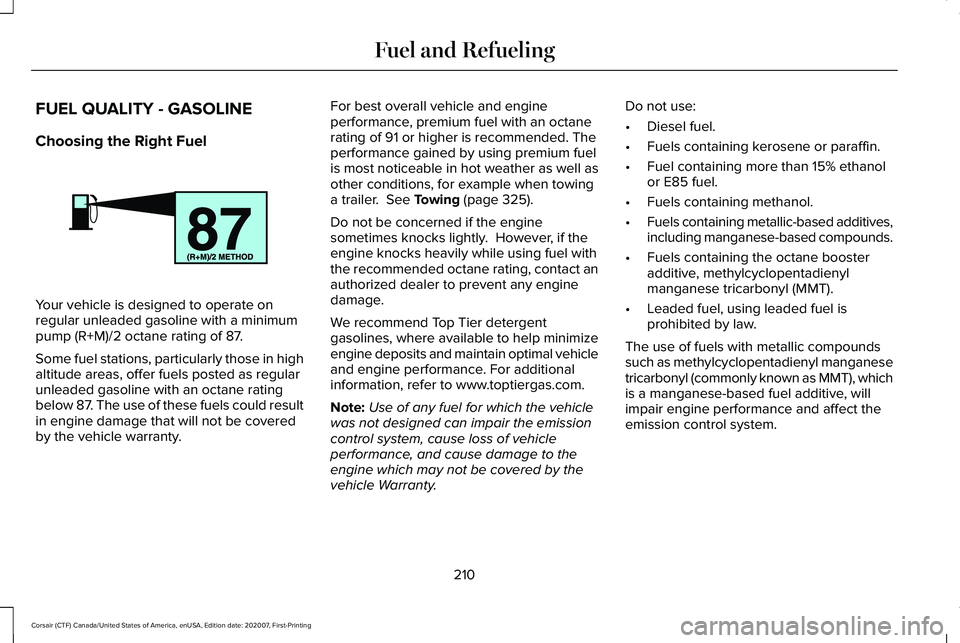
Choosing the Right Fuel
Your vehicle is designed to operate on
regular unleaded gasoline with a minimum
pump (R+M)/2 octane rating of 87.
Some fuel stations, particularly those in high
altitude areas, offer fuels posted as regular
unleaded gasoline with an octane rating
below 87. The use of these fuels could result
in engine damage that will not be covered
by the vehicle warranty. For best overall vehicle and engine
performance, premium fuel with an octane
rating of 91 or higher is recommended. The
performance gained by using premium fuel
is most noticeable in hot weather as well as
other conditions, for example when towing
a trailer. See Towing (page 325).
Do not be concerned if the engine
sometimes knocks lightly. However, if the
engine knocks heavily while using fuel with
the recommended octane rating, contact an
authorized dealer to prevent any engine
damage.
We recommend Top Tier detergent
gasolines, where available to help minimize
engine deposits and maintain optimal vehicle
and engine performance. For additional
information, refer to www.toptiergas.com.
Note: Use of any fuel for which the vehicle
was not designed can impair the emission
control system, cause loss of vehicle
performance, and cause damage to the
engine which may not be covered by the
vehicle Warranty. Do not use:
•
Diesel fuel.
• Fuels containing kerosene or paraffin.
• Fuel containing more than 15% ethanol
or E85 fuel.
• Fuels containing methanol.
• Fuels containing metallic-based additives,
including manganese-based compounds.
• Fuels containing the octane booster
additive, methylcyclopentadienyl
manganese tricarbonyl (MMT).
• Leaded fuel, using leaded fuel is
prohibited by law.
The use of fuels with metallic compounds
such as methylcyclopentadienyl manganese
tricarbonyl (commonly known as MMT), which
is a manganese-based fuel additive, will
impair engine performance and affect the
emission control system.
210
Corsair (CTF) Canada/United States of America, enUSA, Edition date: 202007, First-Printing Fuel and RefuelingE161513
Page 214 of 638
FUEL QUALITY - PLUG-IN HYBRID
ELECTRIC VEHICLE (PHEV)
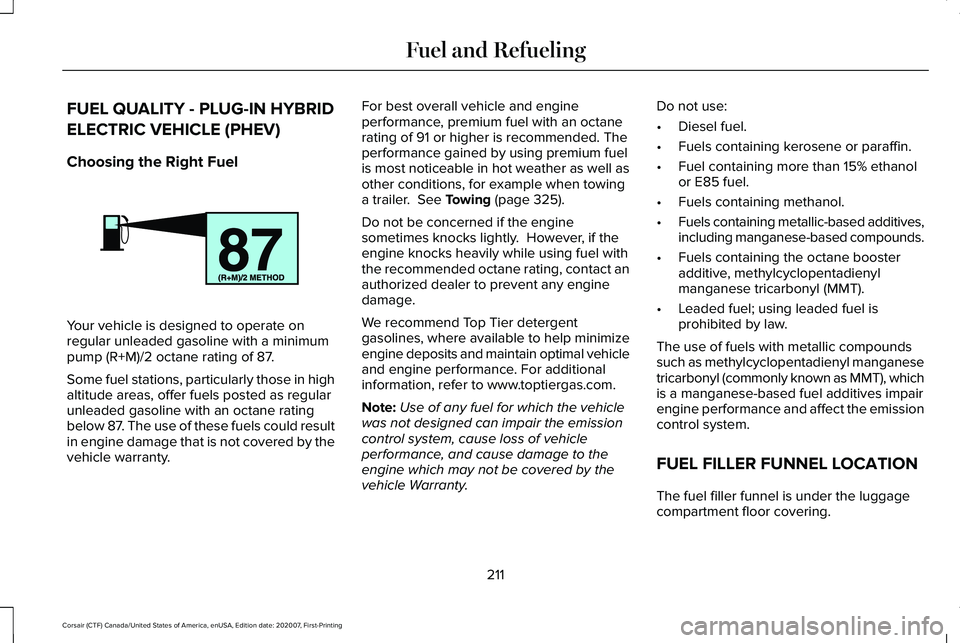
Choosing the Right Fuel
Your vehicle is designed to operate on
regular unleaded gasoline with a minimum
pump (R+M)/2 octane rating of 87.
Some fuel stations, particularly those in high
altitude areas, offer fuels posted as regular
unleaded gasoline with an octane rating
below 87. The use of these fuels could result
in engine damage that is not covered by the
vehicle warranty. For best overall vehicle and engine
performance, premium fuel with an octane
rating of 91 or higher is recommended. The
performance gained by using premium fuel
is most noticeable in hot weather as well as
other conditions, for example when towing
a trailer. See Towing (page 325).
Do not be concerned if the engine
sometimes knocks lightly. However, if the
engine knocks heavily while using fuel with
the recommended octane rating, contact an
authorized dealer to prevent any engine
damage.
We recommend Top Tier detergent
gasolines, where available to help minimize
engine deposits and maintain optimal vehicle
and engine performance. For additional
information, refer to www.toptiergas.com.
Note: Use of any fuel for which the vehicle
was not designed can impair the emission
control system, cause loss of vehicle
performance, and cause damage to the
engine which may not be covered by the
vehicle Warranty. Do not use:
•
Diesel fuel.
• Fuels containing kerosene or paraffin.
• Fuel containing more than 15% ethanol
or E85 fuel.
• Fuels containing methanol.
• Fuels containing metallic-based additives,
including manganese-based compounds.
• Fuels containing the octane booster
additive, methylcyclopentadienyl
manganese tricarbonyl (MMT).
• Leaded fuel; using leaded fuel is
prohibited by law.
The use of fuels with metallic compounds
such as methylcyclopentadienyl manganese
tricarbonyl (commonly known as MMT), which
is a manganese-based fuel additives impair
engine performance and affect the emission
control system.
FUEL FILLER FUNNEL LOCATION
The fuel filler funnel is under the luggage
compartment floor covering.
211
Corsair (CTF) Canada/United States of America, enUSA, Edition date: 202007, First-Printing Fuel and RefuelingE161513
Page 238 of 638
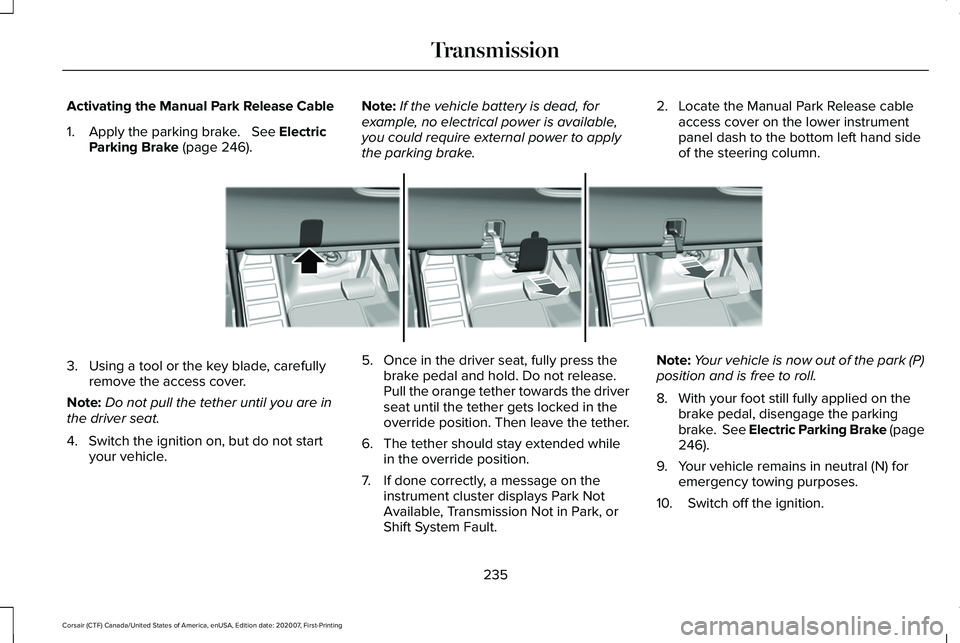
Activating the Manual Park Release Cable
1. Apply the parking brake. See Electric
Parking Brake (page 246). Note:
If the vehicle battery is dead, for
example, no electrical power is available,
you could require external power to apply
the parking brake. 2. Locate the Manual Park Release cable
access cover on the lower instrument
panel dash to the bottom left hand side
of the steering column. 3. Using a tool or the key blade, carefully
remove the access cover.
Note: Do not pull the tether until you are in
the driver seat.
4. Switch the ignition on, but do not start your vehicle. 5. Once in the driver seat, fully press the
brake pedal and hold. Do not release.
Pull the orange tether towards the driver
seat until the tether gets locked in the
override position. Then leave the tether.
6. The tether should stay extended while in the override position.
7. If done correctly, a message on the instrument cluster displays Park Not
Available, Transmission Not in Park, or
Shift System Fault. Note:
Your vehicle is now out of the park (P)
position and is free to roll.
8. With your foot still fully applied on the brake pedal, disengage the parking
brake. See Electric Parking Brake (page
246
).
9. Your vehicle remains in neutral (N) for emergency towing purposes.
10. Switch off the ignition.
235
Corsair (CTF) Canada/United States of America, enUSA, Edition date: 202007, First-Printing TransmissionE307867
Page 242 of 638
Note:
Stay in neutral mode is a temporary
vehicle state with the ignition off. Extended
usage of stay in neutral mode may result in
a battery voltage reduction to a level where
the vehicle may no longer start. Do not tow
your vehicle in this mode unless in an
emergency situation as it will cause a drain
on the battery. See Towing the Vehicle on
Four Wheels (page 331).
Note: When entering an automatic car wash,
always shift in neutral (N). If you are exiting
the vehicle by the car wash, stay in neutral
mode is available. Failure to do this could
result in vehicle damage not covered by the
vehicle warranty.
Drive (D)
Drive (D) is the normal driving position for
the best fuel economy. If Your Vehicle Gets Stuck In Mud or
Snow
If your vehicle gets stuck in mud or snow,
you can rock it out by shifting between
forward and reverse gears, stopping
between shifts in a steady pattern. Press
lightly on the accelerator in each gear.
Note:
Do not rock your vehicle if the engine
is not at normal operating temperature or
damage to the transmission may occur.
Note: Do not rock your vehicle for more than
a minute or damage to the transmission and
tires could occur, or the engine may
overheat.
239
Corsair (CTF) Canada/United States of America, enUSA, Edition date: 202007, First-Printing Transmission
Page 250 of 638
Pull the switch upward and hold it.
The red warning lamp illuminates, a tone
sounds and the stoplamps turn on. The electric parking brake continues to slow
your vehicle down unless you release the
switch.
Manually Releasing the Electric Parking
Brake
Switch the ignition on.
Press and hold the brake pedal.
Push the switch downward.
The red warning lamp turns off. If it remains illuminated or flashes, the system
has malfunctioned. Have your vehicle
checked as soon as possible.
Pulling Away on a Hill When Towing a
Trailer
Press and hold the brake pedal.
Pull the switch upward and hold it.
Shift into gear.
Press the accelerator pedal until engine has
developed sufficient torque to prevent your
vehicle from rolling down the hill. Release the switch and pull away
in a normal manner.
Automatically Releasing the Electric
Parking Brake
Close the driver door. Shift into gear.
Press the accelerator pedal and pull away in
a normal manner. The red warning lamp turns off.
If it remains illuminated or flashes, the electric
parking brake has not released. Manually
release the parking brake.
Releasing the Electric Parking Brake if
the Vehicle Battery is Running Out of
Charge
Note:
The electric parking brake does not
apply or release if the battery is low or has
no charge.
Connect a booster battery to the vehicle
battery to release the electric parking brake
if the vehicle battery is running out of charge.
See Jump Starting the Vehicle (page 338).
247
Corsair (CTF) Canada/United States of America, enUSA, Edition date: 202007, First-Printing BrakesE267156 E270480 E267156 E270480 E267156 E267156 E270480
Page 252 of 638
AUTO HOLD (IF EQUIPPED)
WARNING:
The system does not
replace the parking brake. When you leave
your vehicle, always apply the parking
brake. WARNING: You must remain in your
vehicle when the system turns on. At all
times, you are responsible for controlling
your vehicle, supervising the system and
intervening, if required. Failure to take care
may result in the loss of control of your
vehicle, serious personal injury or death. WARNING:
The system turns off if
there is a malfunction or if you excessively
rev the engine.
The system is designed to apply the brakes
to hold your vehicle at a standstill after you
stop your vehicle and release the brake
pedal. This could be beneficial in certain
situations, for example when waiting on a hill
or in traffic. Switching Auto Hold On and Off Press the button in the instrument
panel to access the Auto Hold
feature on the touchscreen.
Note: You can only switch the system on
after you close the driver door, fasten your
seatbelt and start the engine.
Note: The system remembers the last setting
when you start your vehicle.
Make sure you switch the system off before
towing with your vehicle or before using an
automatic car wash.
Using Auto Hold
1. Use the brakes to bring your vehicle to a complete stop. The auto hold active
indicator illuminates in the information
display.
2. Release the brake pedal. The system holds your vehicle at a standstill. The
auto hold active indicator remains
illuminated in the information display. Note:
The system only activates if you apply
enough brake pressure. If your vehicle is on
a steep slope, you need to press the brake
pedal harder before the system activates.
Note: Under certain conditions, the system
could apply the electric parking brake. The
brake system warning lamp illuminates. The
electric parking brake releases when you
press the accelerator pedal.
See Electric
Parking Brake (page 246).
Note: If auto-start-stop turns off the engine,
auto hold remains active.
Note: The system deactivates if you shift into
reverse (R) and press the brake pedal.
3. Pull away in the normal manner. The system releases the brakes and the auto
hold active indicator turns off.
Auto Hold Indicator The auto hold indicator is shown
in the information display. The
indicator illuminates in green when
the system is active. Your vehicle remains
stationary after you release the brake pedal.
249
Corsair (CTF) Canada/United States of America, enUSA, Edition date: 202007, First-Printing BrakesE287975 E197933
Page 268 of 638
WHAT IS THE REAR VIEW CAMERA
The rear view camera provides a video
image of the area behind your vehicle when
the transmission is in reverse (R).
REAR VIEW CAMERA
PRECAUTIONS
WARNING: The rear view camera
system is a reverse aid supplement device
that still requires the driver to use it in
conjunction with the interior and exterior
mirrors for maximum coverage. WARNING:
Objects that are close to
either corner of the bumper or under the
bumper, might not be seen on the screen
due to the limited coverage of the camera
system. WARNING:
Reverse your vehicle
slowly. Failure to follow this instruction
could result in the loss of control of your
vehicle, personal injury or death. WARNING:
Use caution when the
rear cargo door is ajar. If the rear cargo
door is ajar, the camera will be out of
position and the video image could be
incorrect. All guide lines disappear when
the rear cargo door is ajar. Failure to follow
this instruction could result in personal
injury. WARNING:
Use caution when turning
camera features on or off when the
transmission is not in park (P). Make sure
your vehicle is not moving.
Note: When towing, the camera only sees
what you are towing. This might not provide
adequate coverage and you might not see
some objects. In some vehicles, the guide
lines may disappear when you connect the
trailer tow connector. LOCATING THE REAR VIEW
CAMERA
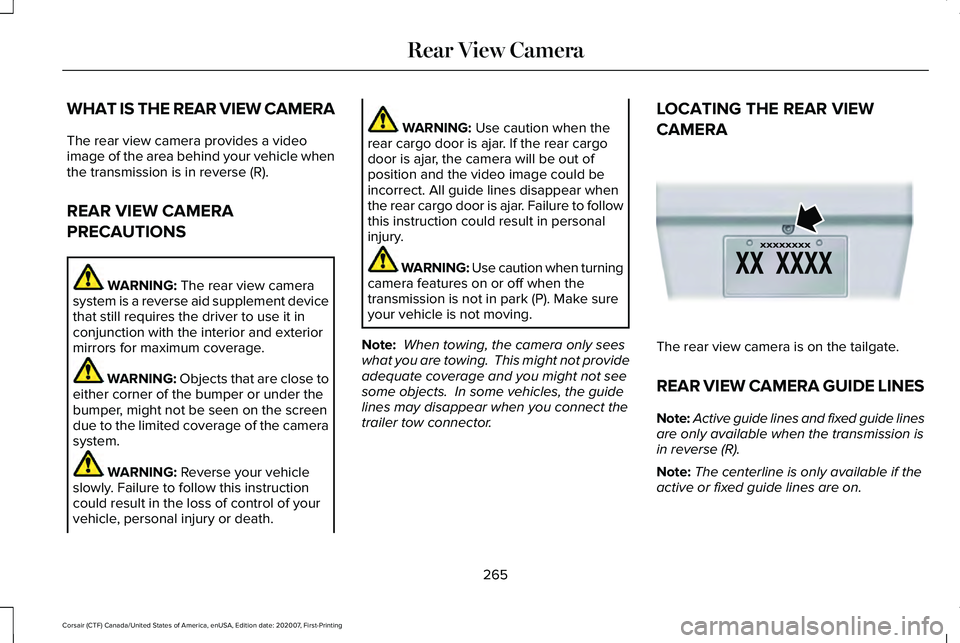
The rear view camera is on the tailgate.
REAR VIEW CAMERA GUIDE LINES
Note:
Active guide lines and fixed guide lines
are only available when the transmission is
in reverse (R).
Note: The centerline is only available if the
active or fixed guide lines are on.
265
Corsair (CTF) Canada/United States of America, enUSA, Edition date: 202007, First-Printing Rear View CameraE142435
Page 281 of 638
HOW DOES ADAPTIVE CRUISE
CONTROL WITH STOP AND GO
WORK
Adaptive cruise control with stop and go
uses radar and camera sensors to adjust the
speed of your vehicle to maintain a set gap
from the vehicle in front of you in the same
lane while following it to a complete stop.
You can also engage the system to follow a
vehicle in front of you and adjust set speed
while stopped.
WHAT IS ADAPTIVE CRUISE
CONTROL WITH LANE CENTERING
Adaptive cruise control with lane centering
uses radar and camera sensors to help keep
your vehicle in the lane by applying
continuous assistance steering torque input
toward the lane center on highways.
Note:
The adaptive cruise control gap setting
operates normally. WHAT IS INTELLIGENT ADAPTIVE
CRUISE CONTROL
Intelligent adaptive cruise control combines
speed sign recognition with adaptive cruise
control to adjust the cruise set speed to the
speed limit detected by the speed sign
recognition system. For example, if the speed
sign recognition system detects a 50 mph
(80 km/h) speed limit, the cruise set speed
is updated to 50 mph (80 km/h).
Note: The adaptive cruise control gap setting
operates normally.
ADAPTIVE CRUISE CONTROL
PRECAUTIONS - VEHICLES WITH:
ADAPTIVE CRUISE CONTROL
WITH LANE CENTERING
Adaptive cruise control precautions apply to
lane centering unless stated otherwise or
contradicted by a lane centering precaution.
See
Adaptive Cruise Control Precautions
(page 279). WARNING:
Do not use the system
when towing a trailer. Failure to follow this
instruction could result in the loss of
control of your vehicle, personal injury or
death. WARNING: Do not use the system if
any changes or modifications to the
steering wheel have been made. Any
changes or modifications to the steering
wheel could affect the functionality or
performance of the system. Failure to
follow this instruction could result in the
loss of control of your vehicle, personal
injury or death.
278
Corsair (CTF) Canada/United States of America, enUSA, Edition date: 202007, First-Printing Adaptive Cruise Control
(If Equipped)
Page 282 of 638
ADAPTIVE CRUISE CONTROL
PRECAUTIONS - VEHICLES WITH:
ADAPTIVE CRUISE CONTROL
WITH STOP AND GO
WARNING: You are responsible for
controlling your vehicle at all times. The
system is designed to be an aid and does
not relieve you of your responsibility to
drive with due care and attention. Failure
to follow this instruction could result in the
loss of control of your vehicle, personal
injury or death. WARNING:
Pay close attention to
changing road conditions such as entering
or leaving a highway, on roads with
intersections or roundabouts, roads
without visible lanes of travel, roads that
are winding, slippery, unpaved, or steep
slopes. WARNING:
The system does not
control speed in low traction conditions or
extremely steep slopes. The system is
designed to be an aid and does not relieve
you of your responsibility to drive with due
care and attention. Failure to follow this
instruction could result in personal injury. WARNING:
The system is not a crash
warning or avoidance system. WARNING:
Do not use the system
when towing a trailer that has aftermarket
electronic trailer brake controls. Failure to
follow this instruction could result in the
loss of control of your vehicle, personal
injury or death. WARNING:
Do not use tire sizes
other than those recommended because
this can affect the normal operation of the
system. Failure to do so may result in a loss
of vehicle control, which could result in
serious injury. WARNING:
Do not use the system
with a snow plow blade installed. WARNING:
Do not use the system in
poor visibility, for example fog, heavy rain,
spray or snow.
When Following a Vehicle WARNING: When following a vehicle
that is braking, your vehicle does not
always decelerate quickly enough to avoid
a crash without driver intervention. Apply
the brakes when necessary. Failure to
follow this instruction could result in
personal injury or death.
279
Corsair (CTF) Canada/United States of America, enUSA, Edition date: 202007, First-Printing Adaptive Cruise Control
(If Equipped)