key LINCOLN CORSAIR 2023 User Guide
[x] Cancel search | Manufacturer: LINCOLN, Model Year: 2023, Model line: CORSAIR, Model: LINCOLN CORSAIR 2023Pages: 690, PDF Size: 15.04 MB
Page 89 of 690
1.Press the brake pedal and the pushbutton ignition switch. If the system doesnot detect a valid phone as a key orremote control, a message appears onthe touchscreen and the system promptsyou for your backup start passcode.
Note:The touchscreen times out after 30seconds with no interaction.
Note:If the backup start passcode screendoes not appear, press the brake pedal andpush button ignition switch again.
2.Use the touchscreen to enter yourbackup start passcode.
3.After entering your backup startpasscode, press Enter within 30 seconds.
4.Once the system validates the backupstart passcode, a message alerts you tostart your vehicle.
5.Press the brake pedal and the pushbutton ignition switch within 20 secondsto start the vehicle.
6.If your vehicle does not start, repeatsteps 1-5.
System Lockout
The system locks after five combinedincorrect attempts of the following:
•Entering a backup start passcode.
•Resetting a current passcode.
•Entering a valet mode passcode.
Note:The system remains locked for fiveminutes. After five minutes the system allowscodes to be entered again.
PHONE AS A KEY –
TROUBLESHOOTING
PHONE AS A KEY – FREQUENTLYASKED QUESTIONS
How can I tell if my vehicle has phoneas a key?
•The touchscreen shows the phone as akey reset option.
•A control button appears on the homescreen of the Lincoln Way app if you haveregistered your vehicle through theLincoln Way app.
What happens if I cannot unlock thevehicle with phone as a key?
•Attempt to move your phone closer tothe vehicle.
•Check that the Lincoln Way app is stillrunning and that the phone as a keycontrol screen shows connected. If thephone is connected, attempt to press theremote unlock button in the Lincoln Wayapp. If the phone is not connected or theremote unlock button does not work inthe Lincoln Way app, attempt to forceclose and restart the app.
85
2023 Corsair (CTF) Canada/United States of America, enUSA, Edition date: 202208, DOMPhone as a Key (If Equipped)
Page 90 of 690
Why do I get a No Key Detectedmessage in the instrument clusterdisplay when I am using phone as akey and my phone is in the car?
•Your phone’s Bluetooth connection hasbeen disrupted or is not connected. Tryreconnecting your phone's Bluetoothconnection.
•Move the phone closer to the center ofthe vehicle near the cup holder or centerconsole.
•Verify your phone as a key is still active,enabled and has not been revoked.
What do I do if my phone is lost,damaged or the battery has depleted?
•Use the backup start passcode that youcreated. See Using the Backup StartPasscode (page 84).
How many phones can I use for phoneas a key?
•You can program and activate up to fourphones with phone as a key to yourvehicle.
How does a valet drive my car if I onlyuse my phone as a key?
•Have the valet use the temporary valetpasscode that you created. See Usingthe Valet Mode (page 84).
I uninstalled my Lincoln Way app andreinstalled it. Why am I not able to geta new phone as a key?
•Remove the phone as a key that waspreviously associated with your phone.
•Reset phone as a key from your vehicle,and then request a new phone as a key.See Programming Your Phone (page83).
Why can I not remotely start thevehicle with my phone as a key?
•Using the Lincoln Way app, verify yourphone as a key setup is complete andenabled via Bluetooth connection on atleast one phone. If Bluetooth hasconnected but phone as a key setup isnot complete, complete the setup of yourphone as a key as prompted from theLincoln Way app. See ProgrammingYour Phone (page 83).
PHONE AS A KEY VIDEOS
Lincoln Phone As A Key Video Link
Phone As A Key: Valet Mode Video Link
86
2023 Corsair (CTF) Canada/United States of America, enUSA, Edition date: 202208, DOMPhone as a Key (If Equipped)
Page 91 of 690
OPERATING THE DOORS FROM
OUTSIDE YOUR VEHICLE
UNLOCKING AND LOCKING THEDOORS USING THE REMOTECONTROL
You can only use the remote control whenyour vehicle is stationary.
Unlocking the Doors
Press the button to unlock alldoors. One long flash of the turnsignal lamps confirms that yourvehicle has unlocked.
One-Stage Unlocking
Press the button to unlock alldoors.
Two-Stage Unlocking (If Equipped)
Press the button to unlock thedriver's door. Press the buttonagain within three seconds tounlock all doors.
Locking the Doors
Press the button to lock all doors. One short flash of the turn signallamps confirms your vehicle islocked.
Note:For more information on operating thedoors from outside your vehicle See KeylessEntry (page 92).
UNLOCKING AND LOCKING THEDOORS USING THE KEY BLADE
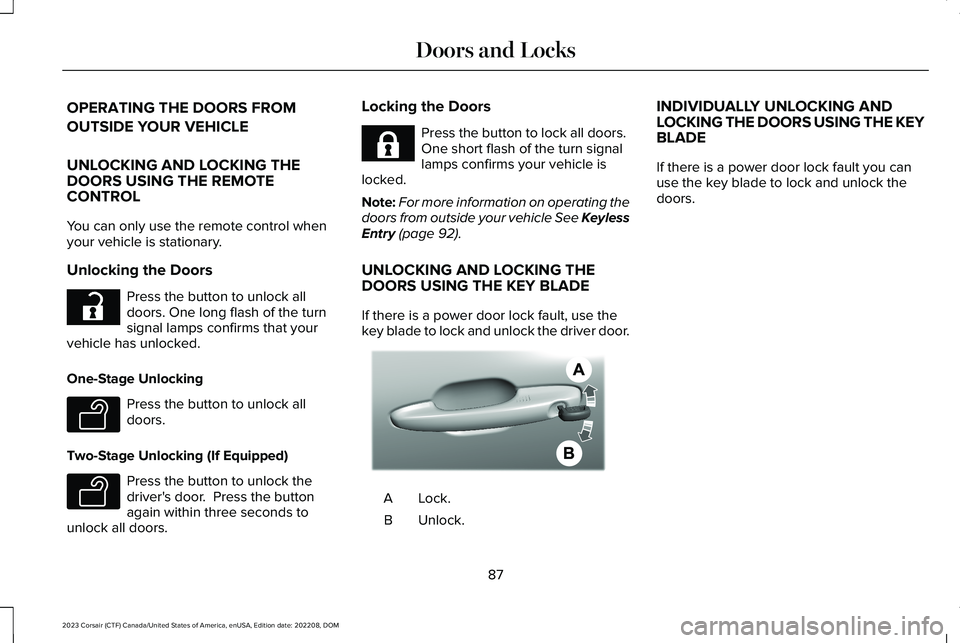
If there is a power door lock fault, use thekey blade to lock and unlock the driver door.
Lock.A
Unlock.B
INDIVIDUALLY UNLOCKING ANDLOCKING THE DOORS USING THE KEYBLADE
If there is a power door lock fault you canuse the key blade to lock and unlock thedoors.
87
2023 Corsair (CTF) Canada/United States of America, enUSA, Edition date: 202208, DOMDoors and LocksE267112 E138629 E138629 E267111 AE328009
Page 96 of 690
KEYLESS ENTRY LIMITATIONS
Make sure your remote control is within 3 ft(1 m) from the front door handles and thetailgate.
The system could not function if:
•The remote control remains stationaryfor about a minute.
•The vehicle battery has no charge.
•The remote control battery has nocharge.
•There is interference causing issues withthe remote control frequencies.
•The remote control is too close to metalobjects or electronic devices, for examplekeys or a cell phone.
KEYLESS ENTRY SETTINGS
Switching Keyless Entry On and Off
1.Switch the ignition on.
2.Press Settings on the touchscreen.
3.Press Vehicle Settings.
4.Press Locks.
Reprogramming the UnlockingFunction
You can enable two-stage unlocking functionallowing you to unlock only the driver doorwhen you touch the unlock sensor.
Press and hold both the lock and unlockbuttons on the remote control for fourseconds to disable or enable two-stageunlocking.
If you program the unlocking function so thatonly the driver door unlocks, you can unlockall of the other doors from inside your vehicleusing the power door lock control. You canunlock individual doors by pulling the interiordoor handles on those doors.
USING KEYLESS ENTRY
Unlocking the Doors
With the remote control within 3 ft (1 m) ofyour vehicle, touch the unlock sensor on theback of the door handle for a brief periodand then pull on the door handle to unlock,being careful not to touch the lock sensor atthe same time or pull on the door handle tooquickly. The system requires a brief delay toauthenticate the remote control.
Locking the Doors
92
2023 Corsair (CTF) Canada/United States of America, enUSA, Edition date: 202208, DOMKeyless EntryE248553 E248554
Page 97 of 690
With your passive key within 3 ft (1 m) of yourvehicle, touch the outer door handle locksensor for approximately one second to lock,being careful not to touch the unlock sensoron the back of the door handle at the sametime. After locking, you can immediately pullon the door handle to confirm lockingoccurred without inadvertently unlocking.
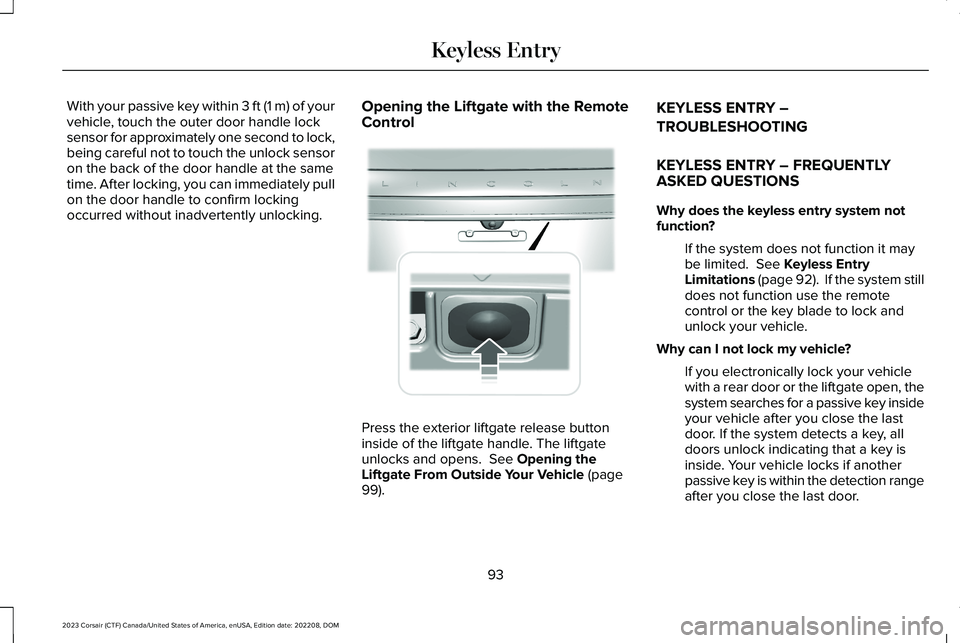
Opening the Liftgate with the RemoteControl
Press the exterior liftgate release buttoninside of the liftgate handle. The liftgateunlocks and opens. See Opening theLiftgate From Outside Your Vehicle (page99).
KEYLESS ENTRY –
TROUBLESHOOTING
KEYLESS ENTRY – FREQUENTLYASKED QUESTIONS
Why does the keyless entry system notfunction?
If the system does not function it maybe limited. See Keyless EntryLimitations (page 92). If the system stilldoes not function use the remotecontrol or the key blade to lock andunlock your vehicle.
Why can I not lock my vehicle?
If you electronically lock your vehiclewith a rear door or the liftgate open, thesystem searches for a passive key insideyour vehicle after you close the lastdoor. If the system detects a key, alldoors unlock indicating that a key isinside. Your vehicle locks if anotherpassive key is within the detection rangeafter you close the last door.
93
2023 Corsair (CTF) Canada/United States of America, enUSA, Edition date: 202208, DOMKeyless Entry E291416
Page 98 of 690
WHAT IS THE KEYLESS ENTRY
KEYPAD
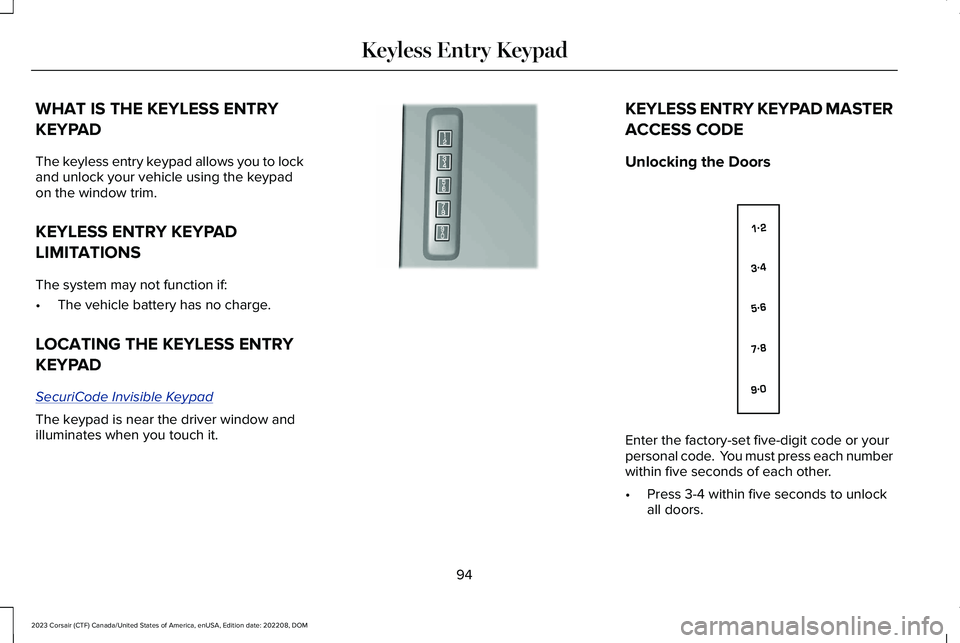
The keyless entry keypad allows you to lockand unlock your vehicle using the keypadon the window trim.
KEYLESS ENTRY KEYPAD
LIMITATIONS
The system may not function if:
•The vehicle battery has no charge.
LOCATING THE KEYLESS ENTRY
KEYPAD
SecuriCode Invisible Keypad
The keypad is near the driver window andilluminates when you touch it.
KEYLESS ENTRY KEYPAD MASTER
ACCESS CODE
Unlocking the Doors
Enter the factory-set five-digit code or yourpersonal code. You must press each numberwithin five seconds of each other.
•Press 3-4 within five seconds to unlockall doors.
94
2023 Corsair (CTF) Canada/United States of America, enUSA, Edition date: 202208, DOMKeyless Entry KeypadE190936 E138637
Page 99 of 690
Locking the Doors
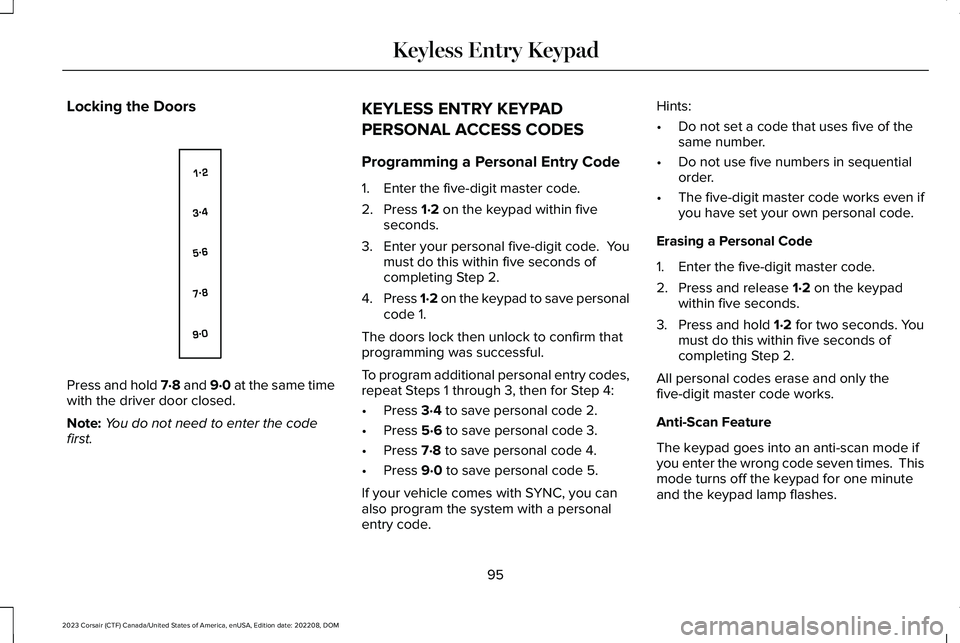
Press and hold 7·8 and 9·0 at the same timewith the driver door closed.
Note:You do not need to enter the codefirst.
KEYLESS ENTRY KEYPAD
PERSONAL ACCESS CODES
Programming a Personal Entry Code
1.Enter the five-digit master code.
2.Press 1·2 on the keypad within fiveseconds.
3.Enter your personal five-digit code. Youmust do this within five seconds ofcompleting Step 2.
4.Press 1·2 on the keypad to save personalcode 1.
The doors lock then unlock to confirm thatprogramming was successful.
To program additional personal entry codes,repeat Steps 1 through 3, then for Step 4:
•Press 3·4 to save personal code 2.
•Press 5·6 to save personal code 3.
•Press 7·8 to save personal code 4.
•Press 9·0 to save personal code 5.
If your vehicle comes with SYNC, you canalso program the system with a personalentry code.
Hints:
•Do not set a code that uses five of thesame number.
•Do not use five numbers in sequentialorder.
•The five-digit master code works even ifyou have set your own personal code.
Erasing a Personal Code
1.Enter the five-digit master code.
2.Press and release 1·2 on the keypadwithin five seconds.
3.Press and hold 1·2 for two seconds. Youmust do this within five seconds ofcompleting Step 2.
All personal codes erase and only thefive-digit master code works.
Anti-Scan Feature
The keypad goes into an anti-scan mode ifyou enter the wrong code seven times. Thismode turns off the keypad for one minuteand the keypad lamp flashes.
95
2023 Corsair (CTF) Canada/United States of America, enUSA, Edition date: 202208, DOMKeyless Entry KeypadE138637
Page 100 of 690
The anti-scan feature turns off after:
•One minute of keypad inactivity.
•You press the unlock button on theremote control.
•You switch the ignition on.
•You unlock your vehicle using keylessentry.
USING THE KEYLESS ENTRY
KEYPAD
Unlocking the Doors
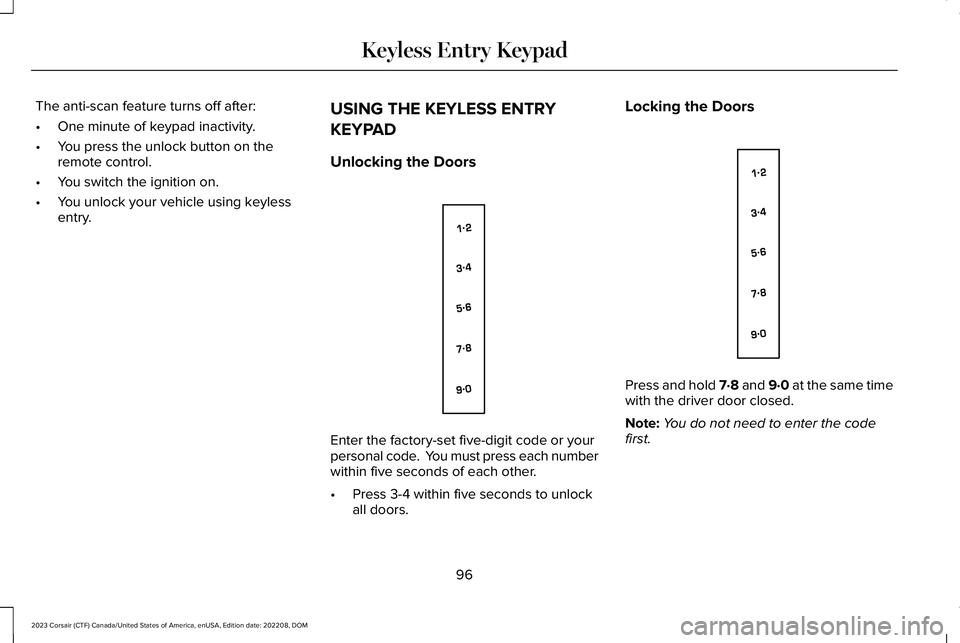
Enter the factory-set five-digit code or yourpersonal code. You must press each numberwithin five seconds of each other.
•Press 3-4 within five seconds to unlockall doors.
Locking the Doors
Press and hold 7·8 and 9·0 at the same timewith the driver door closed.
Note:You do not need to enter the codefirst.
96
2023 Corsair (CTF) Canada/United States of America, enUSA, Edition date: 202208, DOMKeyless Entry KeypadE138637 E138637
Page 101 of 690
KEYLESS ENTRY KEYPAD –
TROUBLESHOOTING
KEYLESS ENTRY KEYPAD –FREQUENTLY ASKED QUESTIONS
Why does the keypad not accept the accesscode?
If you enter the access code too fast onthe keypad, the unlock function may notwork. Slowly re-enter the access code.
Why does the keypad not function?
The keypad goes into an anti-scanmode if you enter a wrong code seventimes. The anti-scan mode disables thekeypad for one minute and the red lightflashes.
97
2023 Corsair (CTF) Canada/United States of America, enUSA, Edition date: 202208, DOMKeyless Entry Keypad
Page 103 of 690
LIFTGATE PRECAUTIONS
WARNING: It is extremely dangerousto ride in a cargo area, inside or outside ofa vehicle. In a crash, people riding in theseareas are more likely to be seriouslyinjured or killed. Do not allow people toride in any area of your vehicle that is notequipped with seats and seatbelts. Makesure everyone in your vehicle is in a seatand properly using a seatbelt. Failure tofollow this warning could result in seriouspersonal injury or death.
WARNING: Make sure that you fullyclose the liftgate to prevent exhaust fumesfrom entering your vehicle. If you areunable to fully close the liftgate, open theair vents or the windows to allow fresh airto enter your vehicle. Failure to follow thisinstruction could result in personal injuryor death.
WARNING: Keep keys out of reachof children. Do not allow children tooperate or play near an open or movingpower liftgate. You should supervise theoperation of the power liftgate at all times.
OPENING THE LIFTGATE
OPENING THE LIFTGATE FROM INSIDEYOUR VEHICLE
With the transmission in park (P),press the button on the instrumentpanel.
Note:Be careful when opening or closingthe liftgate in a garage or other enclosedarea to avoid damaging the liftgate.
Note: Do not hang anything, for example abike rack, from the glass or liftgate. Thiscould damage the liftgate and itscomponents.
Note: Do not leave the liftgate open whiledriving. This could damage the liftgate andits components.
OPENING THE LIFTGATE FROMOUTSIDE YOUR VEHICLE
1.Unlock the liftgate with the remotecontrol or power door unlock control. Ifa passive key is within 3 ft (1 m) of theliftgate, the liftgate unlocks when youpress the liftgate release button.
2.Press and release the liftgate controlbutton.
99
2023 Corsair (CTF) Canada/United States of America, enUSA, Edition date: 202208, DOMLiftgateE138633 E291352